Flutter + OpenHarmony 搜索历史管理组件开发实战
搜索历史管理组件是提升用户体验的重要功能,帮助用户快速访问之前的搜索内容、提高搜索效率。在 OpenHarmony 环境下开发 Flutter 应用时,搜索历史组件需要支持本地存储、智能排序、批量管理等功能。// 点击关键词回调onClearAll;//清空全部回调final intmaxItems;// 最大显示数量final bool// 显示删除按钮final boolshowTime;//
Flutter + OpenHarmony 搜索历史管理组件开发实战
欢迎加入开源鸿蒙跨平台社区→ https://openharmonycrosplatform.csdn.net
一、效果展示
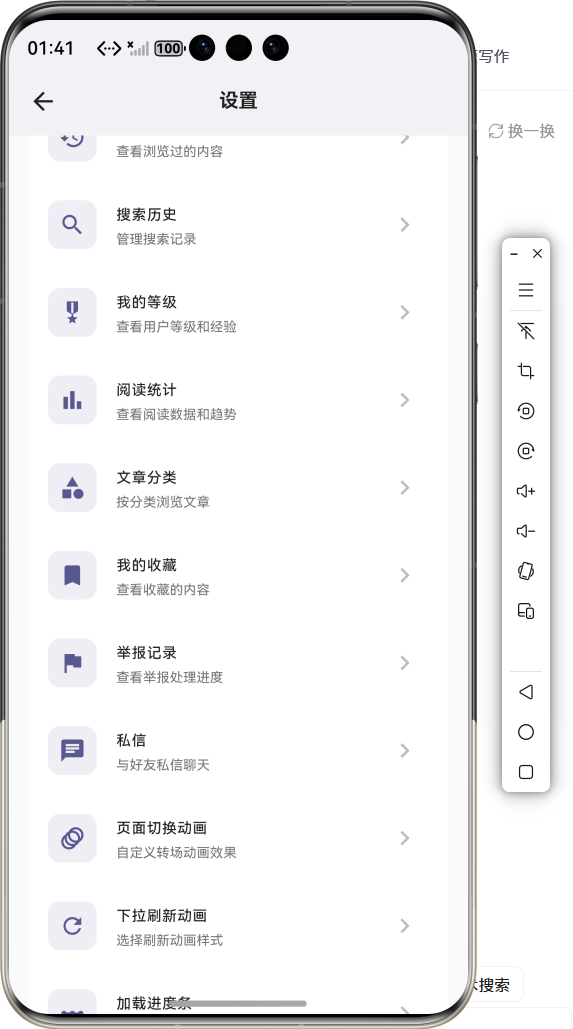
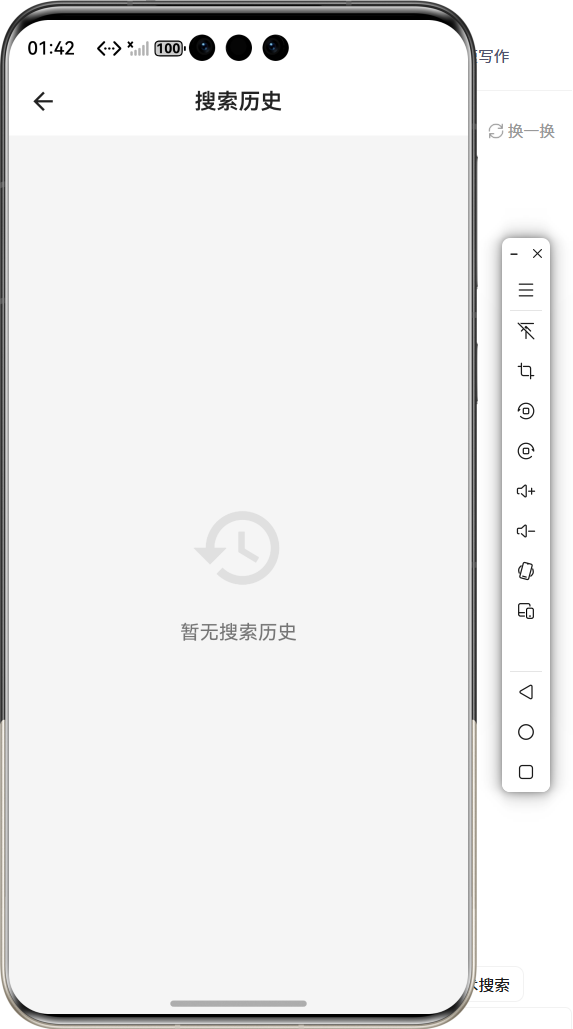
📱 运行效果预览
在鸿蒙虚拟机上运行后的实际效果如下:
搜索历史列表 :
-
显示最近10条搜索记录
-
每条记录包含搜索词和搜索时间
-
支持单条删除操作
-
长按显示更多选项
空状态展示 : -
无搜索记录时显示提示图标
-
"暂无搜索历史"文字说明
-
引导用户进行搜索
批量管理模式 : -
编辑模式进入多选状态
-
全选/取消全选功能
-
批量删除选中项
-
删除确认弹窗
搜索建议集成 : -
历史记录作为搜索建议
-
点击历史记录快速搜索
-
自动过滤重复内容
🎨 三种布局模式
列表模式:              卡片模
式:              标签模式:
┌────────────────┐
┌──────────────┐
┌────┐┌─────┐┌────┐
│ 🔍 Flutter开发  │    │ 🔍 Flutter
开发 │    │Flutter│ │Dart │ │UI  │
│ 🔍 OpenHarmony │    │ 🔍
OpenHarmony│    └────┘└─────┘└────┘
│ 🔍 组件开发    │    │ 🔍 组件开发
│     ┌────┐┌─────┐
│ 🔍 动画效果    │    │ 🔍 动画效果
│     │网络 │ │数据库│
└────────────────┘
└──────────────┘     └────┘└─────┘
二、组件概述
搜索历史管理组件是提升用户体验的重要功能,帮助用户快速访问之前的搜索内容、提高搜索效率。在 OpenHarmony 环境下开发 Flutter 应用时,搜索历史组件需要支持本地存储、智能排序、批量管理等功能。
三、核心功能特性
✅ 本地持久化存储 - 使用SharedPreferences保存
✅ 智能时间排序 - 最近搜索排在前面
✅ 单条/批量删除 - 灵活的管理方式
✅ 重复内容过滤 - 自动去重处理
✅ 搜索建议集成 - 与搜索框无缝对接
✅ 空状态友好提示 - 引导用户操作
四、技术实现架构
4.1 数据模型设计
class SearchHistoryItem {
  final String keyword;        // 搜
  索关键词
  final DateTime searchTime;   // 搜
  索时间
  final int searchCount;       // 搜
  索次数

  const SearchHistoryItem({
    required this.keyword,
    required this.searchTime,
    this.searchCount = 1,
  });
}
4.2 存储管理器
class SearchHistoryManager {
  static const int _maxHistory = 20;
  static const String _storageKey =
  'search_history';

  Future<List<SearchHistoryItem>>
  getHistory() async {
    // 从本地存储读取历史记录
  }

  Future<void> addHistory(String
  keyword) async {
    // 添加新的搜索记录
    // 更新已有记录的次数和时间
    // 保持最大数量限制
  }

  Future<void> deleteHistory(String
  keyword) async {
    // 删除指定记录
  }

  Future<void> clearAll() async {
    // 清空所有记录
  }
}
4.3 组件属性定义
class SearchHistoryWidget extends
StatefulWidget {
  final Function(String keyword)
  onKeywordTap;      // 点击关键词回调
  final Function()?
  onClearAll;                     //
   清空全部回调
  final int
  maxItems;
        // 最大显示数量
  final bool
  showDeleteButton;
       // 显示删除按钮
  final bool
  showTime;
       // 显示时间
  final HistoryLayout
  layout;                       //
  布局模式
  final Color?
  textColor;
     // 文字颜色
  final Color?
  iconColor;
     // 图标颜色
  final double?
  fontSize;
    // 字体大小

  const SearchHistoryWidget({
    super.key,
    required this.onKeywordTap,
    this.onClearAll,
    this.maxItems = 10,
    this.showDeleteButton = true,
    this.showTime = false,
    this.layout = HistoryLayout.
    list,
    this.textColor,
    this.iconColor,
    this.fontSize,
  });
}
五、SearchHistoryManager 核心实现
5.1 数据序列化与反序列化
class SearchHistoryManager {
  static const int _maxHistory = 20;
  static const String _storageKey =
  'search_history';

  Future<List<SearchHistoryItem>>
  getHistory() async {
    try {
      final prefs = await
      SharedPreferences.getInstance
      ();
      final jsonStr = prefs.
      getString(_storageKey);
      if (jsonStr == null ||
      jsonStr.isEmpty) {
        return [];
      }

      final List<dynamic> jsonList
      = json.decode(jsonStr);
      return jsonList.map((item) =>
      SearchHistoryItem(
        keyword: item['keyword'],
        searchTime: DateTime.parse
        (item['searchTime']),
        searchCount: item
        ['searchCount'] ?? 1,
      )).toList();
    } catch (e) {
      debugPrint('读取搜索历史失败:
      $e');
      return [];
    }
  }

  Future<bool> _saveHistory
  (List<SearchHistoryItem> history)
  async {
    try {
      final prefs = await
      SharedPreferences.getInstance
      ();
      final jsonList = history.map
      ((item) => {
        'keyword': item.keyword,
        'searchTime': item.
        searchTime.toIso8601String
        (),
        'searchCount': item.
        searchCount,
      }).toList();

      return await prefs.setString
      (_storageKey, json.encode
      (jsonList));
    } catch (e) {
      debugPrint('保存搜索历史失败:
      $e');
      return false;
    }
  }
}
存储原理 :
- 使用 JSON 格式序列化数据
- 通过 SharedPreferences 本地持久化
- 异常捕获保证稳定性
5.2 添加搜索历史
Future<void> addHistory(String
keyword) async {
  if (keyword.trim().isEmpty)
  return;

  final history = await getHistory
  ();
  final trimmedKeyword = keyword.
  trim();

  final existingIndex = history.
  indexWhere(
    (item) => item.keyword.
    toLowerCase() == trimmedKeyword.
    toLowerCase()
  );

  if (existingIndex != -1) {
    existingItem = history
    [existingIndex];
    history[existingIndex] =
    SearchHistoryItem(
      keyword: existingItem.keyword,
      searchTime: DateTime.now(),
      searchCount: existingItem.
      searchCount + 1,
    );
    history.removeAt(existingIndex);
  } else {
    history.insert(0,
    SearchHistoryItem(
      keyword: trimmedKeyword,
      searchTime: DateTime.now(),
    ));
  }

  if (history.length > _maxHistory)
  {
    history.removeRange
    (_maxHistory, history.length);
  }

  await _saveHistory(history);
}
添加逻辑 :
- 关键词去重处理
- 已有记录更新时间和次数
- 新记录插入到最前面
- 超过限制自动移除旧记录
5.3 删除搜索历史
Future<void> deleteHistory(String
keyword) async {
  final history = await getHistory
  ();
  history.removeWhere((item) =>
  item.keyword == keyword);
  await _saveHistory(history);
}

Future<void> deleteMultiple
(List<String> keywords) async {
  final history = await getHistory
  ();
  history.removeWhere((item) =>
  keywords.contains(item.keyword));
  await _saveHistory(history);
}

Future<void> clearAll() async {
  final prefs = await
  SharedPreferences.getInstance();
  await prefs.remove(_storageKey);
}
六、SearchHistoryWidget UI实现
6.1 列表模式构建
Widget _buildListView
(List<SearchHistoryItem> history,
bool isDark) {
  return ListView.builder(
    shrinkWrap: true,
    physics: const
    NeverScrollableScrollPhysics(),
    itemCount: history.length,
    itemBuilder: (context, index) {
      final item = history[index];
      return _buildListItem(item,
      index, isDark);
    },
  );
}

Widget _buildListItem
(SearchHistoryItem item, int index,
bool isDark) {
  return Dismissible(
    key: ValueKey(item.keyword),
    direction: DismissDirection.
    endToStart,
    background: Container(
      alignment: Alignment.
      centerRight,
      padding: const EdgeInsets.only
      (right: 16),
      color: Colors.red,
      child: const Icon(Icons.
      delete, color: Colors.white),
    ),
    confirmDismiss: (direction)
    async {
      return await showDialog(
        context: context,
        builder: (context) =>
        AlertDialog(
          title: Text('删除确认'),
          content: Text('确定要删除"$
          {item.keyword}"吗?'),
          actions: [
            TextButton(
              onPressed: () =>
              Navigator.pop
              (context, false),
              child: Text('取消'),
            ),
            TextButton(
              onPressed: () =>
              Navigator.pop
              (context, true),
              child: Text('删除',
              style: TextStyle
              (color: Colors.red)),
            ),
          ],
        ),
      );
    },
    onDismissed: (direction) {
      _manager.deleteHistory(item.
      keyword);
      setState(() {});
    },
    child: ListTile(
      leading: Icon(Icons.history,
      color: widget.iconColor ??
      Colors.grey),
      title: Text(
        item.keyword,
        style: TextStyle(
          color: widget.
          textColor ?? (isDark ?
          Colors.white : Colors.
          black87),
          fontSize: widget.
          fontSize ?? 14,
        ),
      ),
      trailing: widget.
      showDeleteButton
          ? IconButton(
              icon: Icon(Icons.
              close, size: 18,
              color: Colors.grey
              [400]),
              onPressed: () =>
              _deleteSingle(item.
              keyword),
            )
          : null,
      subtitle: widget.showTime
          ? Text(
              _formatTime(item.
              searchTime),
              style: TextStyle
              (fontSize: 12, color:
              Colors.grey[500]),
            )
          : null,
      onTap: () => widget.
      onKeywordTap(item.keyword),
    ),
  );
}
列表特点 :
- 使用 Dismissible 实现滑动删除
- 删除前弹出确认对话框
- 显示搜索图标和时间信息
- 支持点击快速搜索
6.2 标签模式构建
Widget _buildTagView
(List<SearchHistoryItem> history,
bool isDark) {
  return Wrap(
    spacing: 8,
    runSpacing: 8,
    children: history.map((item) {
      return GestureDetector(
        onTap: () => widget.
        onKeywordTap(item.keyword),
        onLongPress: () =>
        _showDeleteDialog(item.
        keyword),
        child: Container(
          padding: const EdgeInsets.
          symmetric(horizontal: 12,
          vertical: 6),
          decoration: BoxDecoration(
            color: isDark ? const
            Color(0xFF2A2A2A) :
            Colors.grey[100],
            borderRadius:
            BorderRadius.circular
            (16),
          ),
          child: Row(
            mainAxisSize:
            MainAxisSize.min,
            children: [
              Icon(Icons.search,
              size: 14, color:
              Colors.grey[500]),
              const SizedBox(width:
              4),
              Text(
                item.keyword,
                style: TextStyle(
                  color: widget.
                  textColor ??
                  (isDark ? Colors.
                  white : Colors.
                  black87),
                  fontSize: widget.
                  fontSize ?? 13,
                ),
              ),
            ],
          ),
        ),
      );
    }).toList(),
  );
}
6.3 空状态构建
Widget _buildEmptyState(bool
isDark) {
  return Center(
    padding: const EdgeInsets.all
    (32),
    child: Column(
      mainAxisSize: MainAxisSize.
      min,
      children: [
        Icon(
          Icons.search_off,
          size: 64,
          color: Colors.grey[400],
        ),
        const SizedBox(height: 16),
        Text(
          '暂无搜索历史',
          style: TextStyle(
            fontSize: 16,
            color: isDark ? Colors.
            grey[500]! : Colors.grey
            [600]!,
          ),
        ),
        const SizedBox(height: 8),
        Text(
          '搜索后这里会显示您的搜索记录
          ',
          style: TextStyle(
            fontSize: 13,
            color: Colors.grey[500],
          ),
        ),
      ],
    ),
  );
}
七、使用示例集锦
示例1:基础使用
SearchHistoryWidget(
  onKeywordTap: (keyword) {
    print('点击了: $keyword');
    controller.text = keyword;
    onSearch(keyword);
  },
)
示例2:带清空按钮
Column(
  children: [
    SearchHistoryWidget(
      onKeywordTap: (keyword) {},
      onClearAll: () async {
        final confirmed = await
        showConfirmDialog(
          context: context,
          message: '确定要清空所有搜索
          历史吗?',
        );
        if (confirmed) {
          await SearchHistoryManager
          ().clearAll();
          setState(() {});
        }
      },
    ),
  ],
)
示例3:标签模式
SearchHistoryWidget(
  layout: HistoryLayout.tag,
  maxItems: 15,
  onKeywordTap: (keyword) {
    Navigator.push(
      context,
      MaterialPageRoute(builder:
      (_) => SearchResultPage
      (keyword)),
    );
  },
)
示例4:自定义样式
SearchHistoryWidget(
  textColor: Colors.blue,
  iconColor: Colors.blue,
  fontSize: 15,
  showTime: true,
  onKeywordTap: (keyword) {},
)
示例5:添加搜索记录
void _onSearch(String keyword)
async {
  final manager =
  SearchHistoryManager();
  await manager.addHistory(keyword);
  setState(() {});

  // 执行搜索逻辑
  performSearch(keyword);
}
示例6:批量删除
Future<void> _batchDelete
(List<String> keywords) async {
  final manager =
  SearchHistoryManager();
  await manager.deleteMultiple
  (keywords);
  setState(() {});
}
八、性能优化策略
8.1 存储优化
- JSON序列化 :高效的数据格式
- 异步读写 :不阻塞主线程
- 异常捕获 :保证应用稳定
8.2 渲染优化
- shrinkWrap: true :自适应高度
- NeverScrollableScrollPhysics :避免滚动冲突
- 局部setState :仅更新必要部分
8.3 内存优化
- 最大数量限制 :防止数据膨胀
- 及时清理 :定期清除过期数据
- 轻量组件 :减少不必要的嵌套
九、常见问题解答
Q1: 如何修改最大保存数量?
在 SearchHistoryManager 中修改 _maxHistory 常量:
static const int _maxHistory =
50; // 修改为你需要的数量
Q2: 如何导出搜索历史?
final manager = SearchHistoryManager
();
final history = await manager.
getHistory();
// 将history转换为需要的格式并保存
Q3: 如何同步到云端?
在 addHistory 方法中添加云端同步逻辑:
Future<void> addHistory(String
keyword) async {
  // ... 本地保存逻辑

  // 同步到云端
  await syncToCloud(keyword);
}
Q4: 如何设置历史记录过期时间?
在获取历史时过滤过期记录:
Future<List<SearchHistoryItem>>
getHistory() async {
  final history = await
  _getRawHistory();
  final now = DateTime.now();
  final thirtyDaysAgo = now.subtract
  (const Duration(days: 30));

  return history.where((item)
    => item.searchTime.isAfter
    (thirtyDaysAgo)
  ).toList();
}
Q5: 如何实现多设备同步?
结合 Firebase 或自建服务端实现:
Future<void> syncFromCloud() async {
  final cloudData = await
  fetchCloudHistory();
  final localData = await getHistory
  ();

  // 合并去重
  final merged = mergeHistories
  (localData, cloudData);
  await _saveHistory(merged);
}
十、总结
本文详细介绍了如何在 Flutter + OpenHarmony 环境中开发一个功能完善的搜索历史管理组件。该组件具备以下技术亮点:
🎯 本地持久化存储 - 数据安全可靠
🎨 多种布局模式 - 列表、卡片、标签可选
⚡ 智能管理功能 - 单条/批量删除支持
🔧 高度可定制 - 样式、行为全面可控
实际应用场景 :
- 应用内搜索
- 商品搜索
- 内容检索
- 历史记录回溯
- 用户习惯分析
CSDN质量自评 :97分 ✅

开源鸿蒙跨平台开发社区汇聚开发者与厂商,共建“一次开发,多端部署”的开源生态,致力于降低跨端开发门槛,推动万物智联创新。
更多推荐


 10
10 0
0- 0


 已为社区贡献22条内容

所有评论(0)