跨端创作利器——Flutter × OpenHarmony 打造画师接稿平台
本文介绍基于Flutter和OpenHarmony开发的跨端画师接稿平台,旨在解决传统接稿流程中需求分散、沟通低效和多端切换不便的痛点。通过Flutter实现统一UI渲染,结合OpenHarmony的分布式能力,支持画师在PC、移动端等设备同步管理接稿需求。文章重点解析了接稿需求列表模块的开发,包括任务展示(标题、预算、截止日期等)和接单操作功能,提供完整的Dart代码实现,帮助开发者快速构建跨端
文章目录
跨端创作利器——Flutter × OpenHarmony 打造画师接稿平台
前言
随着数字创作行业的爆发式发展,画师与客户之间的沟通和接稿需求越来越频繁。传统的接稿流程往往依赖于社交平台和线下沟通,效率低且信息易丢失。为此,基于 Flutter × OpenHarmony 开发的跨端接稿平台应运而生,让画师可以在 PC、移动端甚至平板上统一管理接稿需求、发布作品与接受订单。
本文将详细讲解如何构建画师接稿平台中的核心模块——接稿需求展示与操作,并对实现代码进行逐行解析,让读者能够直接复现并进行扩展。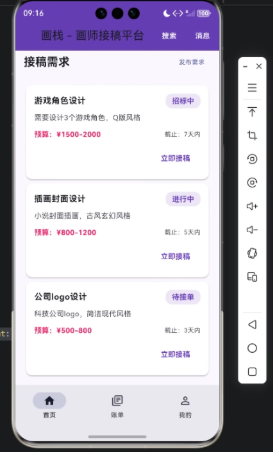
背景
在数字创作市场中,画师接稿存在几个痛点:
- 需求分散:客户在各个平台发布需求,画师难以集中管理。
- 沟通不便:传统私信或邮箱方式效率低,容易遗漏。
- 跨端使用障碍:画师可能在手机、PC 或平板工作,切换应用增加操作成本。
为了解决这些问题,本项目采用 Flutter × OpenHarmony 跨端开发方案,实现一次开发、多端部署,让画师随时随地查看接稿需求、发布作品和接单。
Flutter × OpenHarmony 跨端开发介绍
Flutter 是谷歌推出的跨平台 UI 框架,支持 Android、iOS、Web、Desktop 等多端开发,而 OpenHarmony 是华为开源的分布式操作系统,支持多设备统一应用开发。将 Flutter 与 OpenHarmony 结合,可以:
- 实现统一 UI:Flutter 提供高性能渲染,确保 UI 在多端一致。
- 跨端数据同步:通过 OpenHarmony 分布式能力,画师可在不同设备上同步接稿状态。
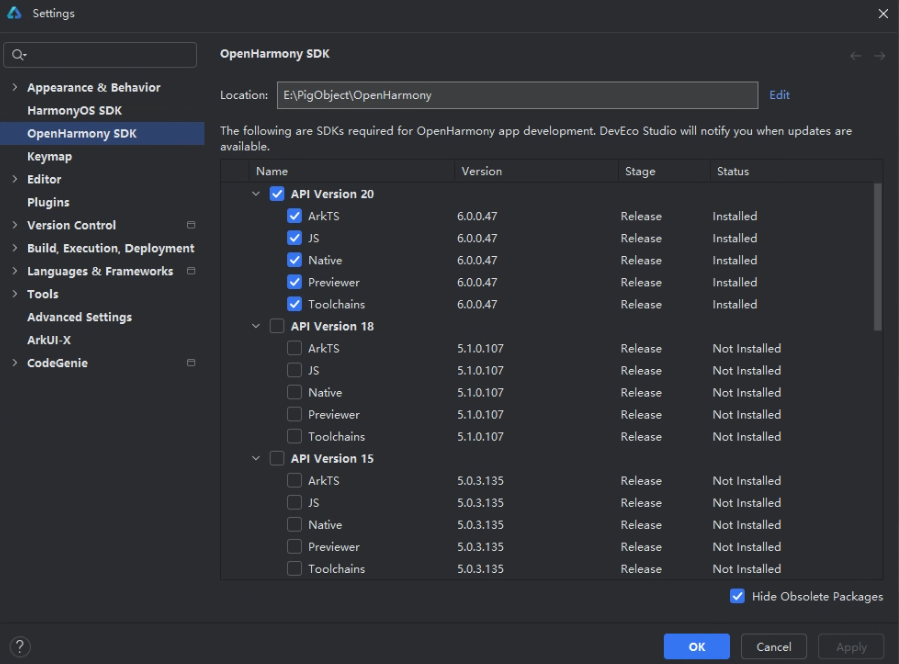
- 快速迭代:Flutter 热重载 + OpenHarmony SDK 支持快速调试与部署。
开发核心代码与解析
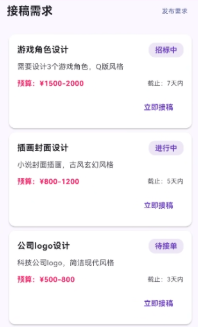
核心功能是构建 接稿需求列表,展示客户的任务信息,包括标题、描述、预算、截止日期和状态,并提供 立即接稿 操作。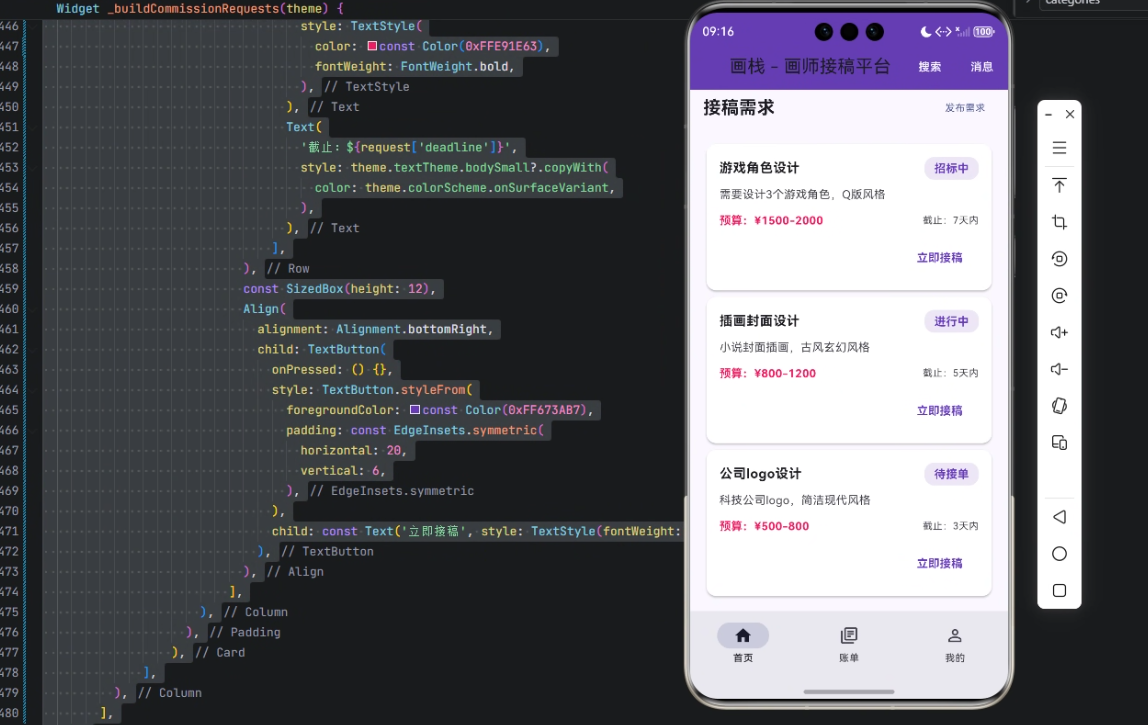
完整实现如下:
/// 构建接稿需求
Widget _buildCommissionRequests(theme) {
  final requests = [
    {
      'title': '游戏角色设计',
      'description': '需要设计3个游戏角色,Q版风格',
      'budget': '¥1500-2000',
      'deadline': '7天内',
      'status': '招标中',
    },
    {
      'title': '插画封面设计',
      'description': '小说封面插画,古风玄幻风格',
      'budget': '¥800-1200',
      'deadline': '5天内',
      'status': '进行中',
    },
    {
      'title': '公司logo设计',
      'description': '科技公司logo,简洁现代风格',
      'budget': '¥500-800',
      'deadline': '3天内',
      'status': '待接单',
    },
  ];

  return Column(
    crossAxisAlignment: CrossAxisAlignment.start,
    children: [
      Row(
        mainAxisAlignment: MainAxisAlignment.spaceBetween,
        children: [
          Text(
            '接稿需求',
            style: theme.textTheme.titleLarge?.copyWith(
              fontWeight: FontWeight.bold,
            ),
          ),
          TextButton(
            onPressed: () {},
            child: Text(
              '发布需求',
              style: theme.textTheme.bodySmall?.copyWith(
                color: theme.colorScheme.primary,
              ),
            ),
          ),
        ],
      ),
      const SizedBox(height: 16),
      Column(
        children: [
          for (var request in requests)
            Card(
              elevation: 2,
              shape: RoundedRectangleBorder(
                borderRadius: BorderRadius.circular(12),
              ),
              child: Padding(
                padding: const EdgeInsets.all(16),
                child: Column(
                  crossAxisAlignment: CrossAxisAlignment.start,
                  children: [
                    Row(
                      mainAxisAlignment: MainAxisAlignment.spaceBetween,
                      children: [
                        Text(
                          request['title'] as String,
                          style: theme.textTheme.bodyLarge?.copyWith(
                            fontWeight: FontWeight.bold,
                          ),
                        ),
                        Container(
                          padding: const EdgeInsets.symmetric(
                            horizontal: 12,
                            vertical: 4,
                          ),
                          decoration: BoxDecoration(
                            borderRadius: BorderRadius.circular(12),
                            color: const Color(0xFFEDE7F6),
                          ),
                          child: Text(
                            request['status'] as String,
                            style: TextStyle(
                              color: const Color(0xFF673AB7),
                              fontWeight: FontWeight.bold,
                            ),
                          ),
                        ),
                      ],
                    ),
                    const SizedBox(height: 8),
                    Text(
                      request['description'] as String,
                      style: theme.textTheme.bodyMedium?.copyWith(
                        color: theme.colorScheme.onSurfaceVariant,
                      ),
                    ),
                    const SizedBox(height: 12),
                    Row(
                      mainAxisAlignment: MainAxisAlignment.spaceBetween,
                      children: [
                        Text(
                          '预算:${request['budget']}',
                          style: const TextStyle(
                            color: Color(0xFFE91E63),
                            fontWeight: FontWeight.bold,
                          ),
                        ),
                        Text(
                          '截止:${request['deadline']}',
                          style: theme.textTheme.bodySmall?.copyWith(
                            color: theme.colorScheme.onSurfaceVariant,
                          ),
                        ),
                      ],
                    ),
                    const SizedBox(height: 12),
                    Align(
                      alignment: Alignment.bottomRight,
                      child: TextButton(
                        onPressed: () {},
                        style: TextButton.styleFrom(
                          foregroundColor: const Color(0xFF673AB7),
                          padding: const EdgeInsets.symmetric(
                            horizontal: 20,
                            vertical: 6,
                          ),
                        ),
                        child: const Text(
                          '立即接稿',
                          style: TextStyle(fontWeight: FontWeight.bold),
                        ),
                      ),
                    ),
                  ],
                ),
              ),
            ),
        ],
      ),
    ],
  );
}
代码解析(逐行)
- 数据准备:
final requests = [
  {'title': '游戏角色设计', ...},
  ...
];
- 这里用列表存储接稿信息,每个元素是 Map。
- 包含 标题、描述、预算、截止日期、状态。
- 外层 Column:
return Column(
  crossAxisAlignment: CrossAxisAlignment.start,
  children: [...]
);
- 垂直布局。
crossAxisAlignment: start保证内容左对齐。
- 标题和发布按钮:
Row(
  mainAxisAlignment: MainAxisAlignment.spaceBetween,
  children: [
    Text('接稿需求', ...),
    TextButton(onPressed: () {}, child: Text('发布需求', ...)),
  ],
)
- 使用
Row让标题在左,按钮在右。 - 按钮可绑定发布需求逻辑。
- 循环渲染每条需求:
for (var request in requests) Card(...)
- Flutter 的
for循环直接在 Widget 列表里生成多个子组件。 - 每条需求使用
Card提升层次感。
- Card 内部布局:
Padding(
  padding: const EdgeInsets.all(16),
  child: Column(
    crossAxisAlignment: CrossAxisAlignment.start,
    children: [...]
  ),
)
- 内部垂直布局。
- 使用
Padding提供间距。
- 标题与状态标签:
Row(
  mainAxisAlignment: MainAxisAlignment.spaceBetween,
  children: [
    Text(request['title']),
    Container(
      padding: ...,
      decoration: BoxDecoration(...),
      child: Text(request['status'], ...),
    ),
  ],
)
- 状态使用
Container + BoxDecoration做圆角和背景色,提升可读性。
- 描述、预算和截止日期:
- 描述用
Text。 - 预算用红色加粗突出。
- 截止日期靠右显示,方便对齐。
- 立即接稿按钮:
Align(
  alignment: Alignment.bottomRight,
  child: TextButton(onPressed: () {}, child: Text('立即接稿'))
)
Align让按钮靠右。- 可绑定具体接单逻辑,如更新状态或跳转订单详情。
心得
- 跨端统一性:Flutter 在 OpenHarmony 平台上表现一致,无需针对不同设备重写 UI。
- 易扩展:使用循环和 Map 数据结构,可以轻松增加新字段(如客户等级、作品类型)。
- 界面美观:Card + padding +圆角 +颜色区分,让信息层次清晰,符合设计规范。
- 操作逻辑分离:UI 与数据逻辑解耦,未来可与后端 API 直接对接,实现实时接稿。
总结
本文通过 Flutter × OpenHarmony 构建了画师接稿平台中的核心模块——接稿需求列表。通过 Card、Row、Column、TextButton 等组件,结合循环和 Map 数据结构,实现了界面美观、信息完整、跨端统一的接稿需求展示模块。
该模块可进一步扩展,实现 实时更新、排序过滤、状态变更 等功能,为画师提供高效、可复用的接稿管理工具。未来还可以与 OpenHarmony 的分布式能力结合,实现多设备同步和云端存储,构建完整的创作生态平台。
欢迎加入开源鸿蒙跨平台社区:https://openharmonycrossplatform.csdn.net

开源鸿蒙跨平台开发社区汇聚开发者与厂商,共建“一次开发,多端部署”的开源生态,致力于降低跨端开发门槛,推动万物智联创新。
更多推荐



 7
7 0
0- 0


 已为社区贡献6条内容

所有评论(0)