【Flutter】微信项目实战【04】发现界面搭建
【Flutter】微信项目实战`发现`界面搭建
1. 写在前面
在上篇文章中已经对微信我的界面进行了界面的布局搭建,包括自定义cell的实现,那么今天就继续来写微信实战项目的发现界面!
GitHub项目地址
2. 发现页面
2.1 发现页面整体分析
上一篇博客写了微信的我的界面,通过自定义 cell 把列表实现, 在cell 的定制的时候考虑了发现页面的情况,我的和发现页面几乎是一样的,在定制的时候就兼容了发现页面,所以可以直接拿过来用。
先看看最基础的展示情况:
class _DiscoverState extends State<DiscoverPage> {
  @override
  Widget build(BuildContext context) {
    return  Scaffold(
      appBar: AppBar(
        title: const Text(
          '发现',
          style: TextStyle(color: Colors.black),
        ),
      ),
      body:const Center(
        child: Text('发现页面'),
      ),
    );
  }
}
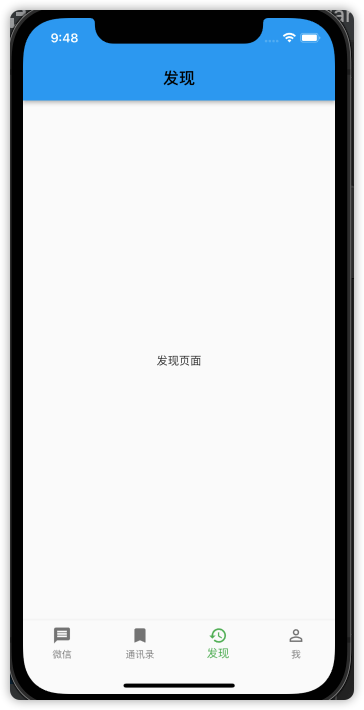
发现页面布局也没有什么可说的了,和我的页面就是一模一样的,就是少了一个头部的Widget而已,也是采用一个Container作为整体的容器,列表就是一个ListView,然后ListView里面就是放 cell就可以了。
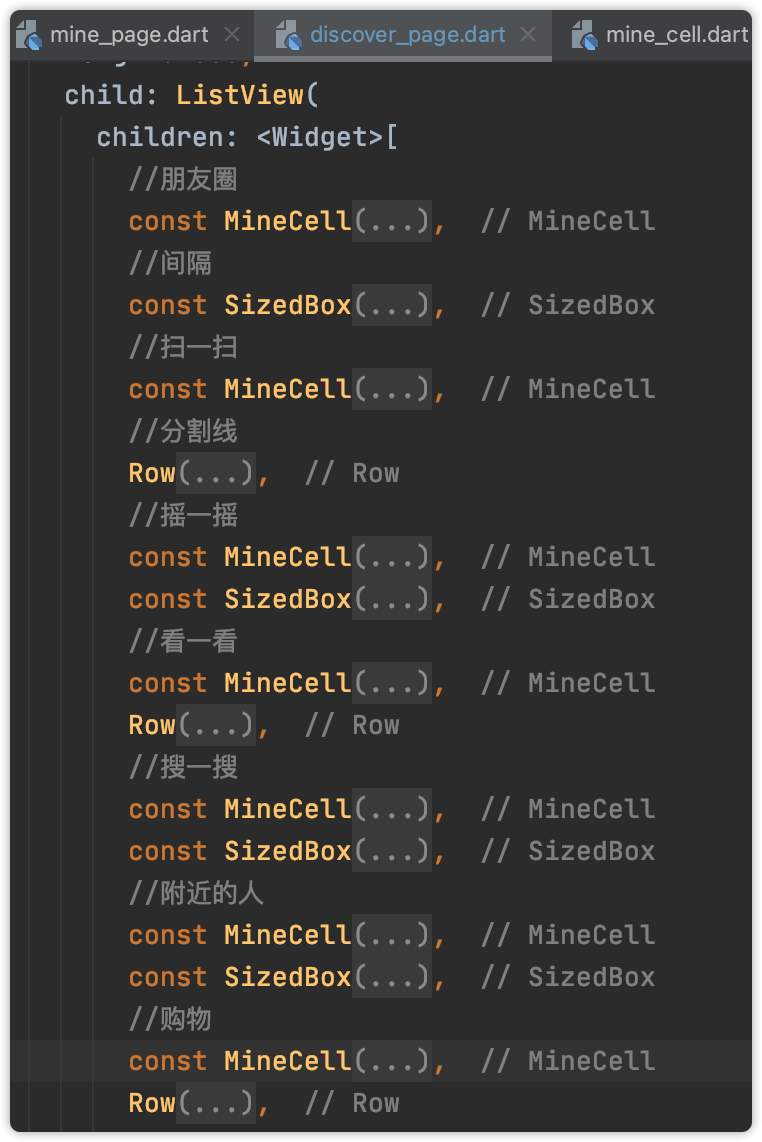
cell之间的大的间隔还是使用SizedBox,cell的底部的分割线是Row包裹左右的Container来实现的。
- 整体的代码结构如下
2.2 代码实现
- 分割线SizedBox实现
 //间隔
      const SizedBox(
         height: 10,
   ),
- 分割线
//分割线
 Row(
   children: <Widget>[
      Container(width: 50, height: 0.5, color: Colors.white),
     Container(height: 0.5, color: Colors.grey)
  ],
  ),
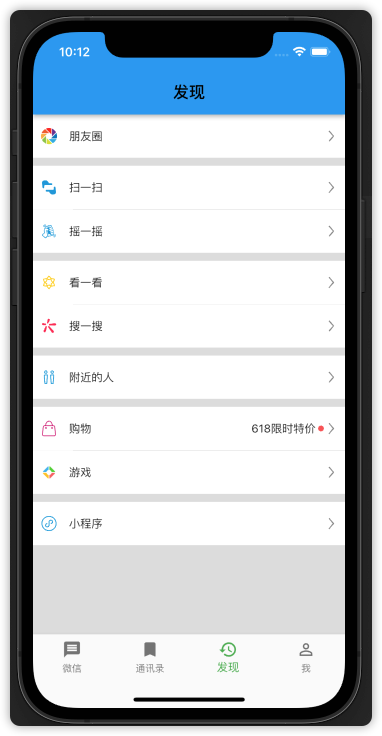
整个的ListView里面的代码就不全部贴出来了,设置都是一样的,就贴一部分,其他照着写就可以了,不愿意自己敲的老铁直接看这里👉GitHub。
..........代码省略...................

//朋友圈
            const MineCell(
              imageName: 'images/朋友圈.png',
              title: '朋友圈',
            ),
            //间隔
            const SizedBox(
              height: 10,
            ),
            //扫一扫
            const MineCell(
              imageName: 'images/扫一扫2.png',
              title: '扫一扫',
            ),
            //分割线
            Row(
              children: <Widget>[
                Container(width: 50, height: 0.5, color: Colors.white),
                Container(height: 0.5, color: Colors.grey)
              ],
            ),
            //摇一摇
            const MineCell(
              imageName: 'images/摇一摇.png',
              title: '摇一摇',
            ),

..........代码省略...................
2.3 导航栏设置
我们这里的导航栏是默认的颜色,我们也可以自己设置导航栏的颜色。在AppBar里面有个backgroundColor属性,就是设置导航栏背景颜色的。
appBar: AppBar(
          backgroundColor: GlobalThemeColor,
        ),
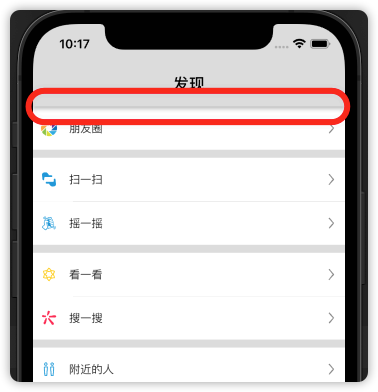
我们发现导航栏底部有一条黑线,这个情况在我们iOS开发中也是经常遇到,那么在 Flutter里面应该怎么去掉呢? Flutter里面去掉就比较简单明了了,直接一个属性设置就OK 了,也是在AppBar的属性设置。
appBar: AppBar(
          backgroundColor: GlobalThemeColor,
          title: const Text('发现',style: TextStyle(color: Colors.black)),
          elevation: 0.0, //导航栏底部边栏,这样设置就没有底部的黑线了
        ),
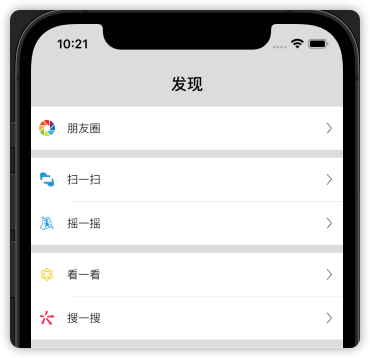
不了解 Appbar 可以去这里看看👉Flutter】基础组件【07】Appbar
那么微信发现页面就完成了,老铁们可以自己去动手实现一下,没有时间的老铁可以直接去看GitHub👉项目地址
3. 写在后面
关注我,更多内容持续输出
【Flutter】基础组件【08】BottomNavigationBar
- [项目实战合集]
🌹 喜欢就点个赞吧👍🌹
🌹 觉得有收获的,可以来一波 收藏+关注,以免你下次找不到我😁🌹
🌹欢迎大家留言交流,批评指正,
转发请注明出处,谢谢支持!🌹

开源鸿蒙跨平台开发社区汇聚开发者与厂商,共建“一次开发,多端部署”的开源生态,致力于降低跨端开发门槛,推动万物智联创新。
更多推荐

 2
2 0
0- 0


 已为社区贡献10条内容

所有评论(0)