【OpenHarmony/HarmonyOs 】挑战模块如何接入实况窗:基于计时器、暂停续答与进度状态的设计
【OpenHarmony/HarmonyOs 】挑战模块如何接入实况窗:基于计时器、暂停续答与进度状态的设计
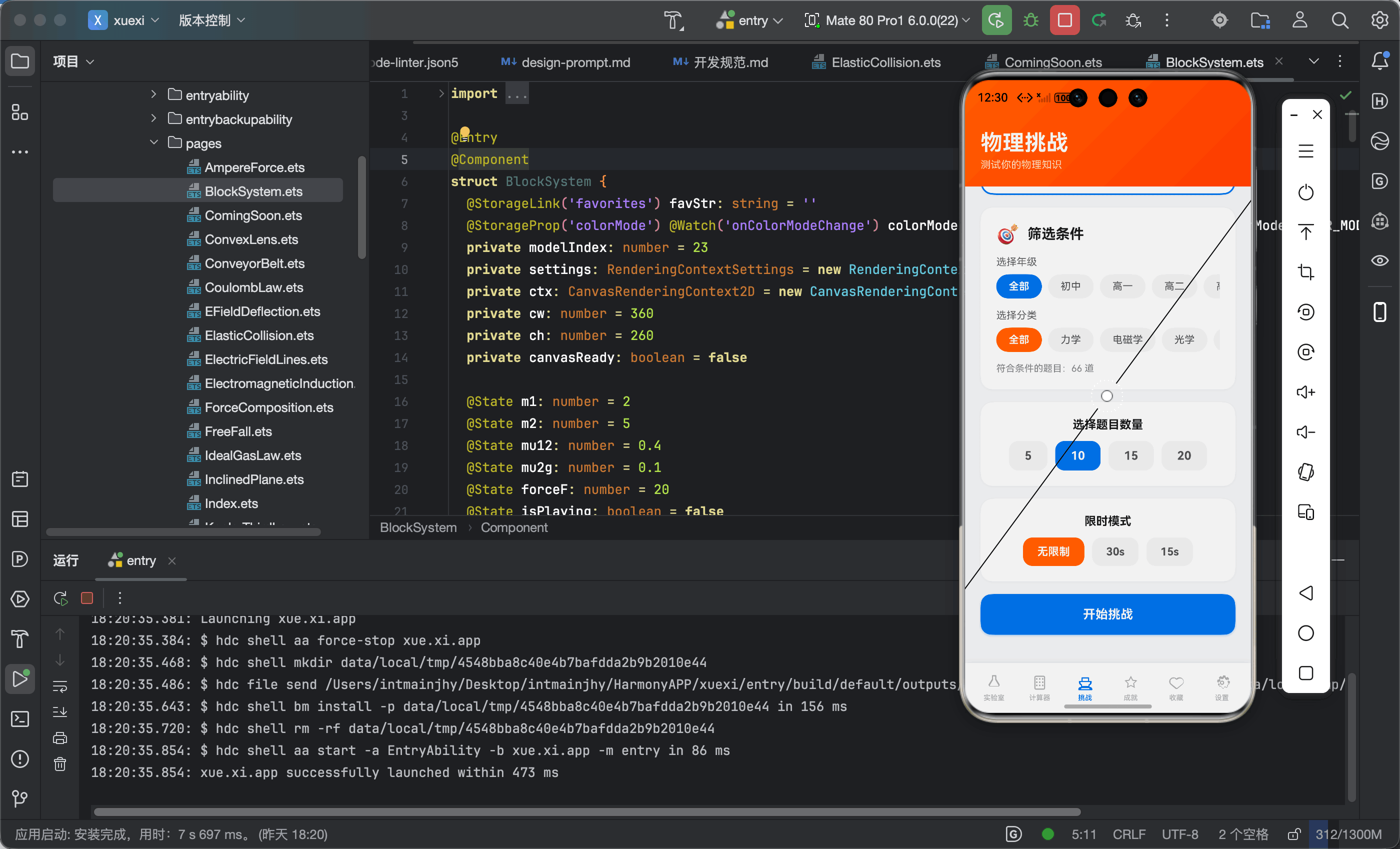
本文基于我的 OpenHarmony/HarmonyOS 项目「物理视界 PhysicsVision」整理。当前项目的挑战模块已经实现了题目进度、限时倒计时、暂停续答、得分、连对和结果统计。
这一篇不是硬说项目已经接入实况窗,而是基于现有代码,完整设计“如何把挑战状态接入实况窗”。对应主题:实况窗、全场景智慧生活。⏱️
一、为什么挑战模块适合实况窗?
实况窗适合展示“正在进行中的任务状态”。
在「物理视界」里,最符合这个特征的就是知识挑战:
- 有当前题号;
- 有总题数;
- 有倒计时;
- 有得分;
- 有连对;
- 有暂停状态;
- 用户可能切到后台后再回来。
如果接入实况窗,用户即使暂时离开 App,也能知道挑战是否还在进行。
二、项目中已有的挑战状态
挑战模块定义了这些状态:
@State quizState: string = 'home'
@State currentQ: number = 0
@State score: number = 0
@State selectedAnswer: number = -1
@State answered: boolean = false
@State totalQuestions: number = 10
@State streak: number = 0
@State maxStreak: number = 0
@State timeLimit: number = 0
@State timeLeft: number = 0
这些状态正好可以映射成实况窗内容:
| App 状态 | 实况窗展示 |
|---|---|
| currentQ | 当前第几题 |
| currentQuestions.length | 总题数 |
| score | 当前得分 |
| timeLeft | 剩余时间 |
| streak | 连对数 |
| quizState | 进行中/暂停/完成 |
也就是说,接入实况窗不需要重写挑战逻辑,只需要把现有状态同步出去。
三、限时计时器:实况窗最核心的数据源
项目中的计时器逻辑:
startQuestionTimer(): void {
  this.stopQuestionTimer()
  if (this.timeLimit <= 0) return
  this.timeLeft = this.timeLimit
  this.questionTimerId = setInterval(() => {
    this.timeLeft--
    if (this.timeLeft <= 0) {
      this.stopQuestionTimer()
      if (!this.answered) {
        this.answered = true
        this.selectedAnswer = -1
        this.streak = 0
      }
    }
  }, 1000)
}
如果接入实况窗,timeLeft 每秒变化时就可以更新展示内容:
物理挑战进行中
第 3 / 10 题 · 剩余 12s · 得分 2
当 timeLeft <= 5 时,实况窗还可以高亮提醒。
四、暂停续答:实况窗的状态变化
项目已有暂停逻辑:
pauseQuiz(): void {
  this.stopQuestionTimer()
  this.hasPausedQuiz = true
  this.quizState = 'home'
}
继续答题:
resumeQuiz(): void {
  this.hasPausedQuiz = false
  this.cardAnim = false
  this.quizState = 'playing'
}
对应到实况窗,可以设计成:
- 进行中:显示倒计时和当前题;
- 暂停中:显示“有未完成挑战”;
- 已完成:显示本次正确率。
这种状态和 App 内部逻辑完全一致。
五、答题进度展示
挑战页内部已经展示进度:
Progress({ value: this.currentQ + 1, total: this.currentQuestions.length })
  .width('100%')
  .color('#1A73E8')
实况窗中可以压缩为一句话:
进度 4/10
或者进度条:
████░░░░░░ 40%
对用户来说,最重要的是知道自己还剩多少题。
六、连对状态:增强挑战感
选择答案时更新连对:
if (index === q.answer) {
  this.score++
  this.streak++
  if (this.streak > this.maxStreak) this.maxStreak = this.streak
} else {
  this.streak = 0
}
实况窗可以在 streak >= 2 时显示:
🔥 连对 3 题
这种信息不影响核心功能,但能增强挑战氛围。
七、点击实况窗回到挑战页
挑战模块当前用 quizState 控制页面状态。
如果实况窗点击回到 App,只需要恢复到挑战 Tab,并让 quizState 保持 playing 或 home。
项目已经支持暂停后显示“有未完成的挑战”:
if (this.hasPausedQuiz && this.currentQuestions.length > 0) {
  Text('有未完成的挑战')
  Text(`进度 ${this.currentQ + 1}/${this.currentQuestions.length},已得 ${this.score} 分`)
}
这说明 App 内部已经有恢复入口,实况窗只是增加系统级入口。
八、隐私边界:实况窗不展示敏感题目
实况窗内容应该克制。
不建议直接展示完整题目和选项,因为:
- 锁屏或通知区域可能被旁人看到;
- 学习题目可能属于个人学习内容;
- 信息太长也不适合实况窗。
推荐只展示:
- 当前进度;
- 剩余时间;
- 得分;
- 连对数;
- 点击继续。
这符合隐私保护主题,也更适合系统级展示。
九、可落地的数据结构
可以把挑战实况状态抽象为:
interface ChallengeLiveState {
  title: string
  current: number
  total: number
  score: number
  timeLeft: number
  streak: number
  status: 'playing' | 'paused' | 'finished'
}
每次答题、计时、暂停、完成时更新这个状态,再同步到实况窗。
十、总结
「物理视界」的挑战模块已经具备接入实况窗的关键基础:计时器、进度、暂停、续答、得分和连对。
后续如果接入 HarmonyOS 实况窗,不需要推翻现有结构,而是把这些状态做系统级展示。
这篇文章对应的主题是:实况窗 + 全场景智慧学习 + 隐私克制展示。
它从真实项目状态出发,给出了一个可落地的扩展设计。⏱️

开源鸿蒙跨平台开发社区汇聚开发者与厂商,共建“一次开发,多端部署”的开源生态,致力于降低跨端开发门槛,推动万物智联创新。
更多推荐



 0
0 0
0- 0


 已为社区贡献17条内容

所有评论(0)