React-Native | The `init` command is deprecated.
摘要:React Native官方已弃用npx react-native init命令,该命令会直接退出不再创建项目。推荐使用新命令npx @react-native-community/cli init myproject来初始化项目,其功能与旧命令完全一致。这一变更源于React Native CLI功能已完全迁移至独立包@react-native-community/cli,旧npm包不再包
·
npx react-native init myproject 创建 react-native项目时报错
lucky@LuckydeMacBook-Pro rn % npx react-native init myproject
Need to install the following packages:
react-native@0.82.1
Ok to proceed? (y) y

npm warn deprecated inflight@1.0.6: This module is not supported, and leaks memory. Do not use it. Check out lru-cache if you want a good and tested way to coalesce async requests by a key value, which is much more comprehensive and powerful.
npm warn deprecated rimraf@3.0.2: Rimraf versions prior to v4 are no longer supported
npm warn deprecated glob@7.2.3: Glob versions prior to v9 are no longer supported

🚨️ The `init` command is deprecated.

- Switch to npx @react-native-community/cli init for the identical behavior.
- Refer to the documentation for information about alternative tools: https://reactnative.dev/docs/getting-started
Exiting...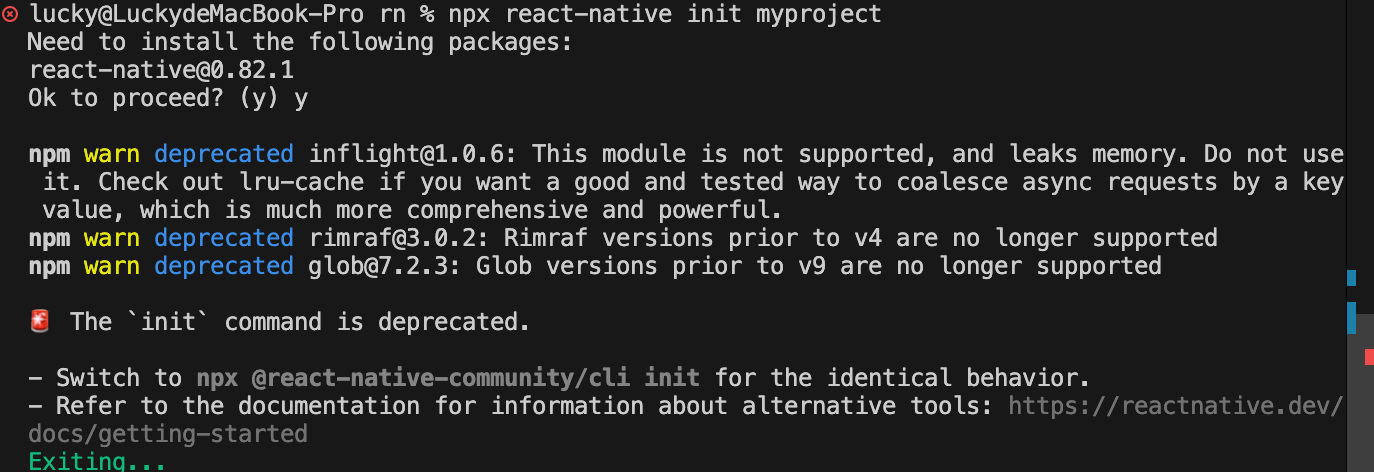
说明:直接使用 npx react-native init 已被官方弃用(deprecated),即使你输入了 y,它也会主动退出,不再创建项目。
✅ 正确做法(官方推荐)
你应该改用 React Native 官方 CLI 的完整包名 来初始化项目:
npx @react-native-community/cli init myproject这是目前 唯一推荐 的方式,行为和以前的
react-native init完全一致,但使用的是最新、受维护的 CLI。
🔍 为什么会出现这个变化?
- 旧的
react-nativenpm 包(即你运行npx react-native时下载的那个)不再包含 CLI 功能。 - CLI 功能已完全迁移到独立包:
@react-native-community/cli。 - 所以现在必须显式调用这个新包。

开源鸿蒙跨平台开发社区汇聚开发者与厂商,共建“一次开发,多端部署”的开源生态,致力于降低跨端开发门槛,推动万物智联创新。
更多推荐
 5
5 0
0- 0


 已为社区贡献1条内容

所有评论(0)