Flutter for OpenHarmony BMI 健康计算器:打造支持深色模式的智能健康工具
Flutter for OpenHarmony BMI 健康计算器:打造支持深色模式的智能健康工具
·
Flutter for OpenHarmony BMI 健康计算器:打造支持深色模式的智能健康工具
在健康管理日益普及的今天,身体质量指数(BMI) 作为衡量体重是否健康的简易指标,已成为大众日常关注的焦点。而一个优秀的 BMI 计算器,不仅要准确计算数值,更应提供清晰的健康解读、友好的交互体验与个性化的视觉适配。
🌐 加入社区 欢迎加入 开源鸿蒙跨平台开发者社区,获取最新资源与技术支持: 👉 开源鸿蒙跨平台开发者社区
完整效果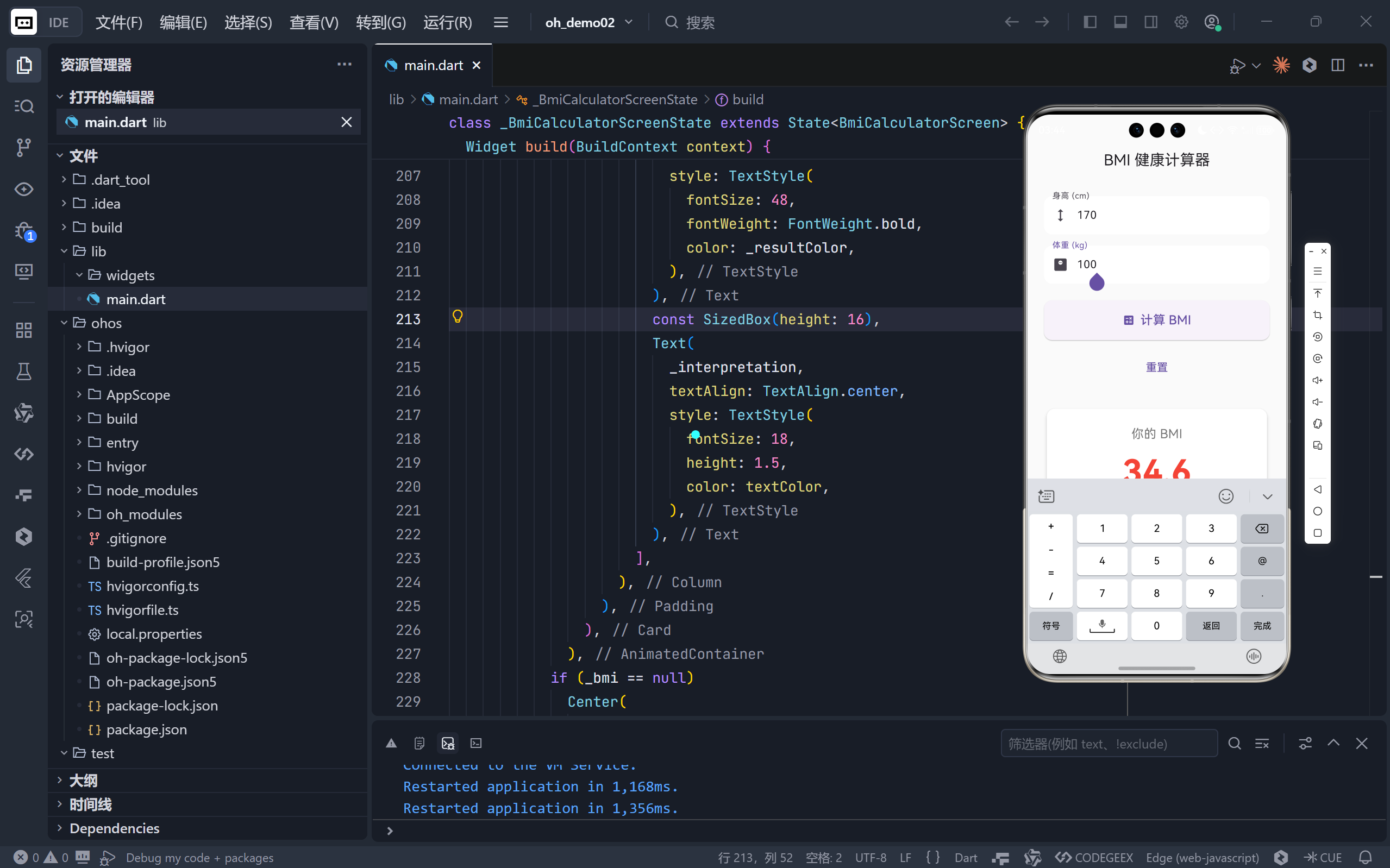
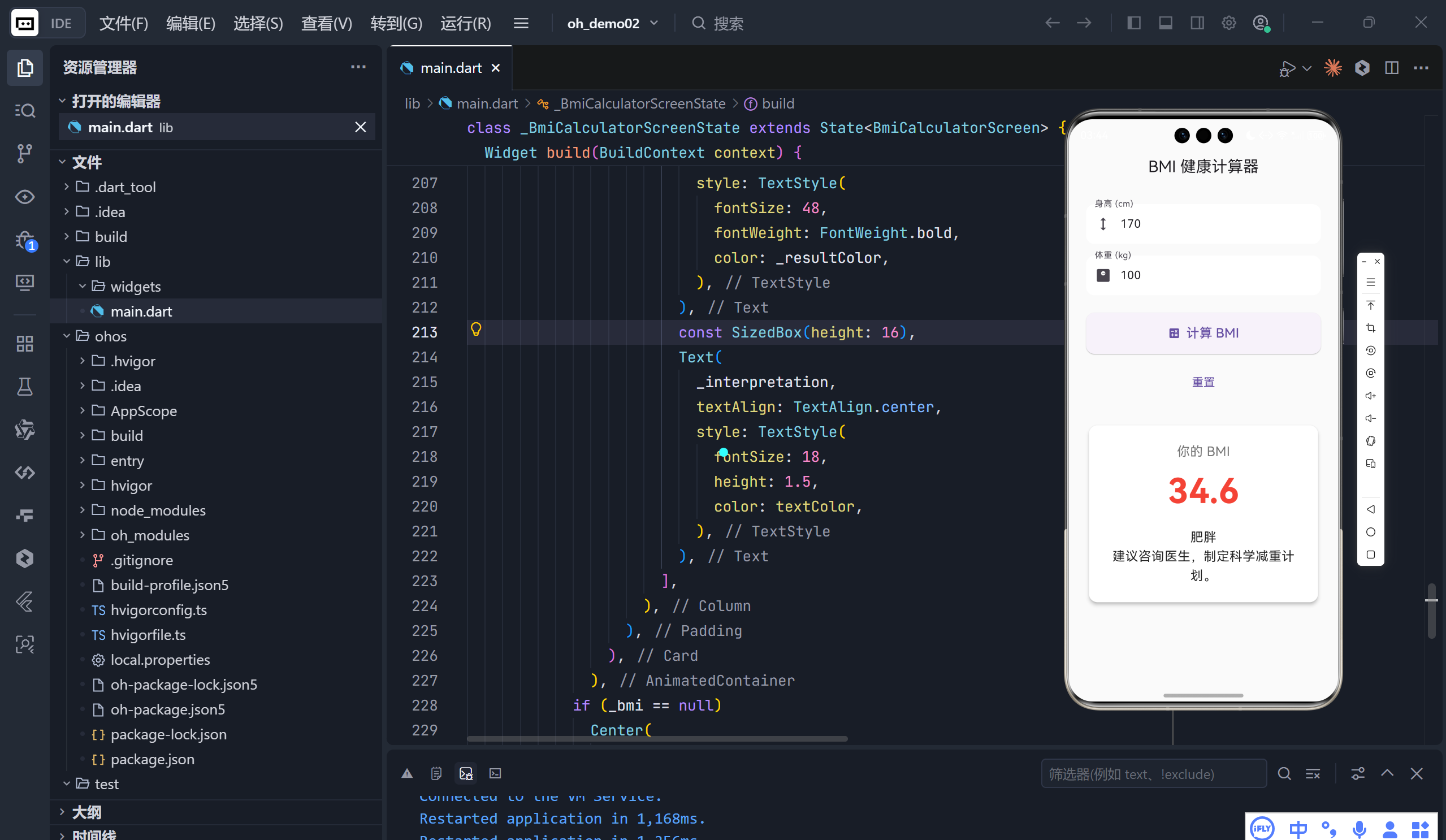
一、核心功能:从输入到健康建议
该应用的核心逻辑简洁而完整:
- 用户输入:身高(cm)、体重(kg);
- 数据校验:非空、正数、有效数字;
- BMI 计算:公式为
体重(kg) / (身高(m))²; - 健康分级:
- < 18.5:偏瘦(橙色提示)
- 18.5–23.9:正常(绿色鼓励)
- 24–27.9:超重(橙红警示)
- ≥ 28:肥胖(红色警告)
- 结果展示:大号数值 + 个性化健康建议。
💡 不仅告诉你“是多少”,更告诉你“意味着什么”。
二、智能输入处理与错误反馈
1. 安全解析用户输入
final height = double.tryParse(heightStr);
final weight = double.tryParse(weightStr);

if (height == null || weight == null || height <= 0 || weight <= 0) {
  _showError('请输入有效的正数');
  return;
}
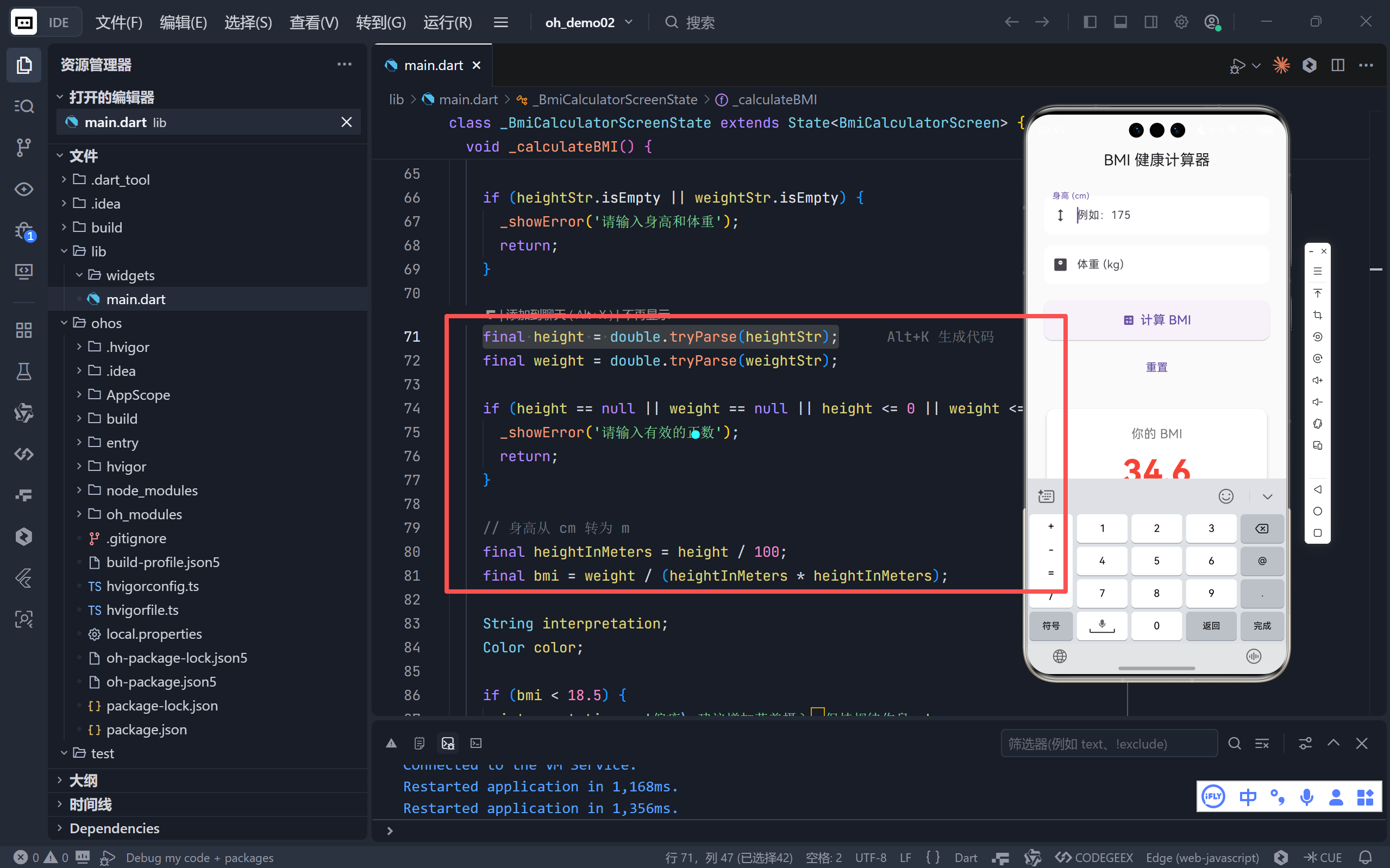
- 使用
double.tryParse()避免格式错误导致崩溃;- 显式检查非正数,防止无效计算(如除零或负值)。
2. 即时错误提示
- 通过
ScaffoldMessenger.of(context).showSnackBar()显示轻量级提示;- 错误信息具体(“请输入身高和体重” vs “输入无效”),提升可用性。
三、双主题系统:自动适配用户偏好
1. 主题定义
theme: ThemeData( /* 亮色主题 */ ),
darkTheme: ThemeData( /* 深色主题 */ ),
themeMode: ThemeMode.system, // 跟随系统
- 亮色模式:背景
grey[50],输入框白色; - 深色模式:背景
#121212,输入框#1E1E1E; - 自动切换:尊重用户系统设置,无需手动选择。
2. 动态颜色获取
final isDark = Theme.of(context).brightness == Brightness.dark;
final textColor = isDark ? Colors.white : Colors.black87;
final cardColor = isDark ? const Color(0xFF1E1E1E) : Colors.white;
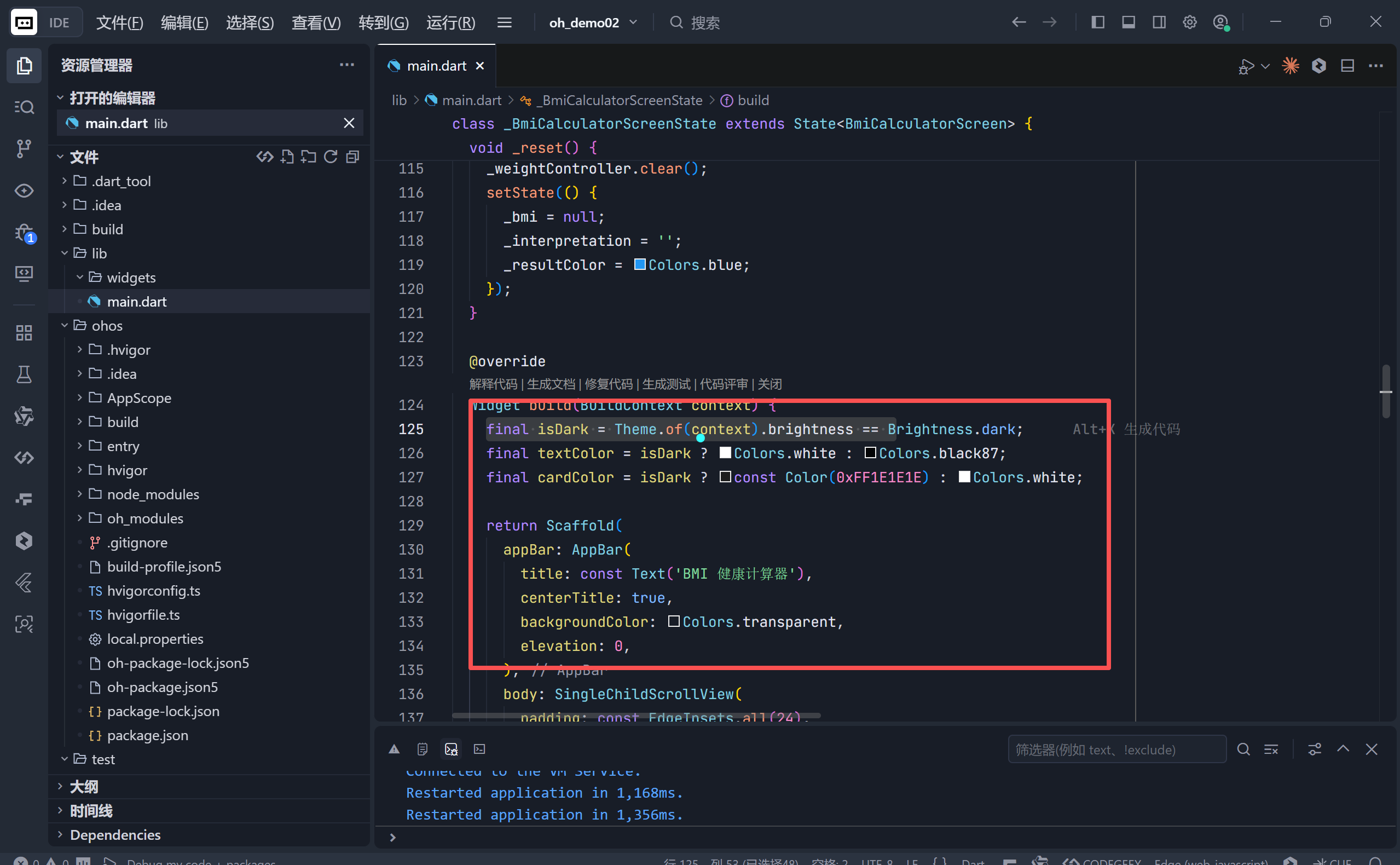
- 在
build方法中实时判断当前主题; - 确保文字、卡片等元素在两种模式下均有良好可读性。
✅ 无障碍设计:高对比度文本 + 清晰图标,照顾不同视觉需求。
四、UI/UX 设计亮点
1. 输入体验优化
- 圆角无边框输入框:
OutlineInputBorder(borderSide: BorderSide.none); - 前缀图标:
Icons.height和Icons.monitor_weight直观提示字段含义; - 占位符示例:“例如:175”,降低用户认知负担。
2. 按钮层级分明
| 按钮 | 类型 | 视觉权重 | 作用 |
|---|---|---|---|
| 计算 BMI | ElevatedButton |
高(主色填充) | 核心操作 |
| 重置 | TextButton |
低(文字链接) | 辅助操作 |
3. 结果区域动态呈现
- 未计算时:显示引导插画(
Icons.monitor_heart)+ 文案; - 计算后:以
Card形式展示结果,包含:- 标题“你的 BMI”
- 超大字号数值(48pt),突出关键信息;
- 彩色编码:绿色=健康,红色=风险,一目了然;
- 个性化建议:语气积极(“继续保持!”)或关切(“建议咨询医生”)。
4. 平滑动画过渡
AnimatedContainer(
  duration: const Duration(milliseconds: 500),
  curve: Curves.easeOut,
  child: Card(...),
)
- 结果卡片出现时带有淡入+缩放感(由
AnimatedContainer驱动); - 提升交互流畅度,避免生硬切换。
五、技术实现细节
| 技术点 | 应用说明 |
|---|---|
TextEditingController |
精确控制输入框内容,支持清空(clear()) |
SingleChildScrollView |
确保小屏幕设备可滚动查看全部内容 |
CrossAxisAlignment.stretch |
使按钮与输入框宽度一致,布局整齐 |
toStringAsFixed(1) |
保留一位小数,避免冗长数字(如 22.3456 → 22.3) |
Theme.of(context).brightness |
实时获取当前主题亮度,用于动态着色 |
六、扩展与应用场景
可扩展方向
- 历史记录:保存多次计算结果,生成趋势图;
- 单位切换:支持英制(英寸/磅);
- 年龄/性别适配:结合 WHO 或中国标准提供更精准评估;
- 健康目标设定:输入目标 BMI,反推所需体重;
- 分享功能:将结果生成图片分享给朋友或医生。
应用场景
- 健康类 App 子模块:集成到健身、饮食或医疗应用中;
- 学校/社区健康筛查:快速评估群体 BMI 分布;
- 个人健康管理:日常监测体重变化趋势。
七、结语:小工具,大关怀
这个 BMI 计算器虽功能简单,却处处体现对用户的尊重与关怀:
- 用颜色传递情绪(绿色鼓励,红色警示);
- 用语言提供建议(而非冷冰冰的数字);
- 用主题适配习惯(亮暗自如切换);
- 用动画提升愉悦感(结果优雅呈现)。
完整代码
import 'package:flutter/material.dart';

void main() {
  runApp(const BmiApp());
}

class BmiApp extends StatelessWidget {
  const BmiApp({super.key});

  @override
  Widget build(BuildContext context) {
    return MaterialApp(
      debugShowCheckedModeBanner: false,
      title: '📏 BMI 计算器',
      theme: ThemeData(
        brightness: Brightness.light,
        primarySwatch: Colors.blue,
        scaffoldBackgroundColor: Colors.grey[50],
        inputDecorationTheme: const InputDecorationTheme(
          filled: true,
          fillColor: Colors.white,
          border: OutlineInputBorder(
            borderRadius: BorderRadius.all(Radius.circular(12)),
            borderSide: BorderSide.none,
          ),
        ),
      ),
      darkTheme: ThemeData(
        brightness: Brightness.dark,
        primarySwatch: Colors.blue,
        scaffoldBackgroundColor: const Color(0xFF121212),
        inputDecorationTheme: const InputDecorationTheme(
          filled: true,
          fillColor: Color(0xFF1E1E1E),
          border: OutlineInputBorder(
            borderRadius: BorderRadius.all(Radius.circular(12)),
            borderSide: BorderSide.none,
          ),
        ),
      ),
      themeMode: ThemeMode.system,
      home: const BmiCalculatorScreen(),
    );
  }
}

class BmiCalculatorScreen extends StatefulWidget {
  const BmiCalculatorScreen({super.key});

  @override
  State<BmiCalculatorScreen> createState() => _BmiCalculatorScreenState();
}

class _BmiCalculatorScreenState extends State<BmiCalculatorScreen> {
  final TextEditingController _heightController = TextEditingController();
  final TextEditingController _weightController = TextEditingController();

  double? _bmi;
  String _interpretation = '';
  Color _resultColor = Colors.blue;

  void _calculateBMI() {
    final heightStr = _heightController.text.trim();
    final weightStr = _weightController.text.trim();

    if (heightStr.isEmpty || weightStr.isEmpty) {
      _showError('请输入身高和体重');
      return;
    }

    final height = double.tryParse(heightStr);
    final weight = double.tryParse(weightStr);

    if (height == null || weight == null || height <= 0 || weight <= 0) {
      _showError('请输入有效的正数');
      return;
    }

    // 身高从 cm 转为 m
    final heightInMeters = height / 100;
    final bmi = weight / (heightInMeters * heightInMeters);

    String interpretation;
    Color color;

    if (bmi < 18.5) {
      interpretation = '偏瘦\n建议增加营养摄入,保持规律作息。';
      color = Colors.orange;
    } else if (bmi < 24) {
      interpretation = '正常\n继续保持健康的生活方式!';
      color = Colors.green;
    } else if (bmi < 28) {
      interpretation = '超重\n建议适当运动,控制饮食。';
      color = Colors.orangeAccent;
    } else {
      interpretation = '肥胖\n建议咨询医生,制定科学减重计划。';
      color = Colors.red;
    }

    setState(() {
      _bmi = bmi;
      _interpretation = interpretation;
      _resultColor = color;
    });
  }

  void _showError(String message) {
    ScaffoldMessenger.of(context).showSnackBar(
      SnackBar(content: Text(message)),
    );
  }

  void _reset() {
    _heightController.clear();
    _weightController.clear();
    setState(() {
      _bmi = null;
      _interpretation = '';
      _resultColor = Colors.blue;
    });
  }

  @override
  Widget build(BuildContext context) {
    final isDark = Theme.of(context).brightness == Brightness.dark;
    final textColor = isDark ? Colors.white : Colors.black87;
    final cardColor = isDark ? const Color(0xFF1E1E1E) : Colors.white;

    return Scaffold(
      appBar: AppBar(
        title: const Text('BMI 健康计算器'),
        centerTitle: true,
        backgroundColor: Colors.transparent,
        elevation: 0,
      ),
      body: SingleChildScrollView(
        padding: const EdgeInsets.all(24),
        child: Column(
          crossAxisAlignment: CrossAxisAlignment.stretch,
          children: [
            // 输入区域
            TextField(
              controller: _heightController,
              keyboardType: TextInputType.numberWithOptions(decimal: true),
              decoration: InputDecoration(
                labelText: '身高 (cm)',
                hintText: '例如:175',
                prefixIcon: const Icon(Icons.height),
              ),
            ),
            const SizedBox(height: 16),
            TextField(
              controller: _weightController,
              keyboardType: TextInputType.numberWithOptions(decimal: true),
              decoration: InputDecoration(
                labelText: '体重 (kg)',
                hintText: '例如:70',
                prefixIcon: const Icon(Icons.monitor_weight),
              ),
            ),
            const SizedBox(height: 24),

            // 计算按钮
            ElevatedButton.icon(
              onPressed: _calculateBMI,
              icon: const Icon(Icons.calculate),
              label: const Text('计算 BMI', style: TextStyle(fontSize: 18)),
              style: ElevatedButton.styleFrom(
                padding: const EdgeInsets.symmetric(vertical: 16),
                shape: RoundedRectangleBorder(
                  borderRadius: BorderRadius.circular(12),
                ),
              ),
            ),
            const SizedBox(height: 16),

            // 重置按钮(轻量)
            TextButton(
              onPressed: _reset,
              child: const Text('重置', style: TextStyle(fontSize: 16)),
            ),

            const SizedBox(height: 32),

            // 结果区域
            if (_bmi != null)
              AnimatedContainer(
                duration: const Duration(milliseconds: 500),
                curve: Curves.easeOut,
                child: Card(
                  color: cardColor,
                  elevation: 4,
                  child: Padding(
                    padding: const EdgeInsets.all(24),
                    child: Column(
                      children: [
                        Text(
                          '你的 BMI',
                          style: TextStyle(
                            fontSize: 18,
                            color: Colors.grey[600] ?? Colors.grey,
                          ),
                        ),
                        const SizedBox(height: 8),
                        Text(
                          _bmi!.toStringAsFixed(1),
                          style: TextStyle(
                            fontSize: 48,
                            fontWeight: FontWeight.bold,
                            color: _resultColor,
                          ),
                        ),
                        const SizedBox(height: 16),
                        Text(
                          _interpretation,
                          textAlign: TextAlign.center,
                          style: TextStyle(
                            fontSize: 18,
                            height: 1.5,
                            color: textColor,
                          ),
                        ),
                      ],
                    ),
                  ),
                ),
              ),
            if (_bmi == null)
              Center(
                child: Column(
                  mainAxisAlignment: MainAxisAlignment.center,
                  children: [
                    const Icon(Icons.monitor_heart,
                        size: 80, color: Colors.grey),
                    const SizedBox(height: 16),
                    Text(
                      '输入身高和体重\n开始计算你的 BMI',
                      textAlign: TextAlign.center,
                      style: TextStyle(
                        fontSize: 18,
                        color: isDark ? Colors.grey[500] : Colors.grey[600],
                      ),
                    ),
                  ],
                ),
              ),
          ],
        ),
      ),
    );
  }
}

开源鸿蒙跨平台开发社区汇聚开发者与厂商,共建“一次开发,多端部署”的开源生态,致力于降低跨端开发门槛,推动万物智联创新。
更多推荐

 16
16 0
0- 0


 已为社区贡献96条内容

所有评论(0)