Flutter for OpenHarmony 动效实战:打造一个会“跳”的幸运骰子应用
Flutter for OpenHarmony 动效实战:打造一个会“跳”的幸运骰子应用
·
Flutter for OpenHarmony 动效实战:打造一个会“跳”的幸运骰子应用
在游戏、决策辅助甚至冥想练习中,掷骰子这一古老行为因其随机性与仪式感而历久弥新。而在移动应用时代,如何将物理世界的“摇、掷、滚、停”转化为数字屏幕上的沉浸式体验?答案在于——精细的动画设计。
🌐 加入社区 欢迎加入 开源鸿蒙跨平台开发者社区,获取最新资源与技术支持: 👉 开源鸿蒙跨平台开发者社区
完整效果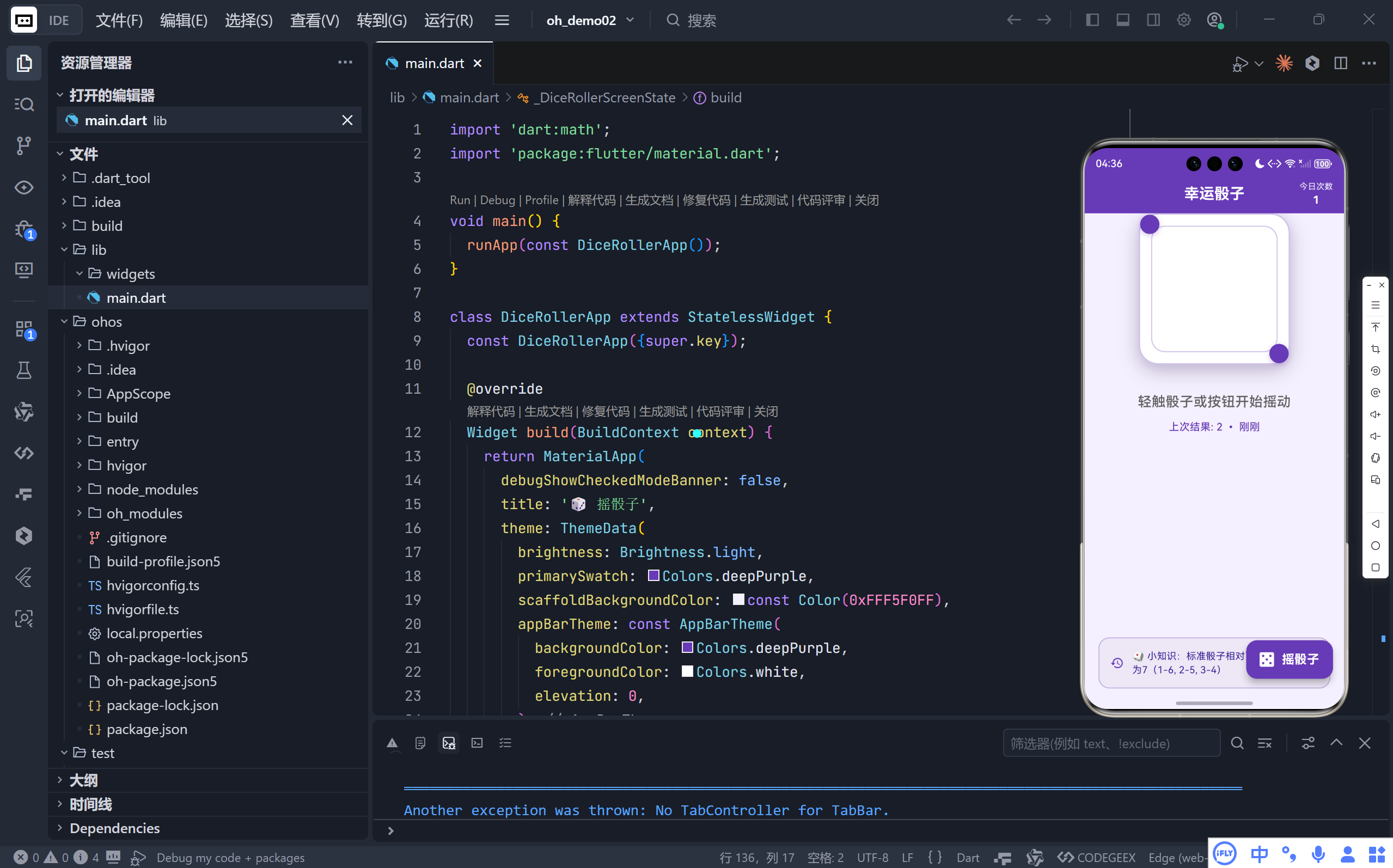
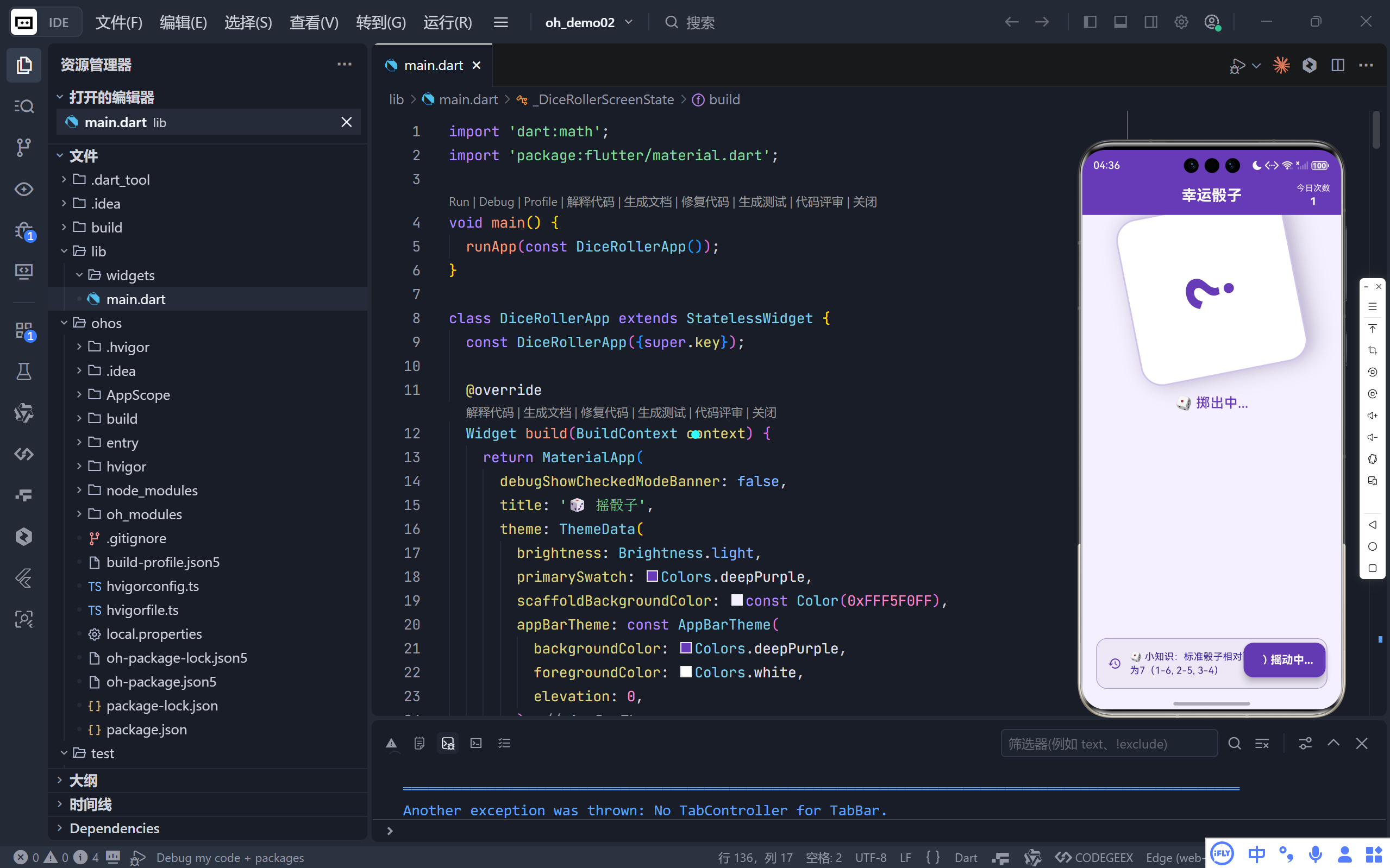
一、核心体验:让骰子“活”起来
该应用的核心亮点在于其 双重动画系统:
- 旋转动画(Rotation):模拟骰子被抛起后高速翻滚;
- 弹跳动画(Bounce):模拟骰子落地时的弹性碰撞与最终静止。
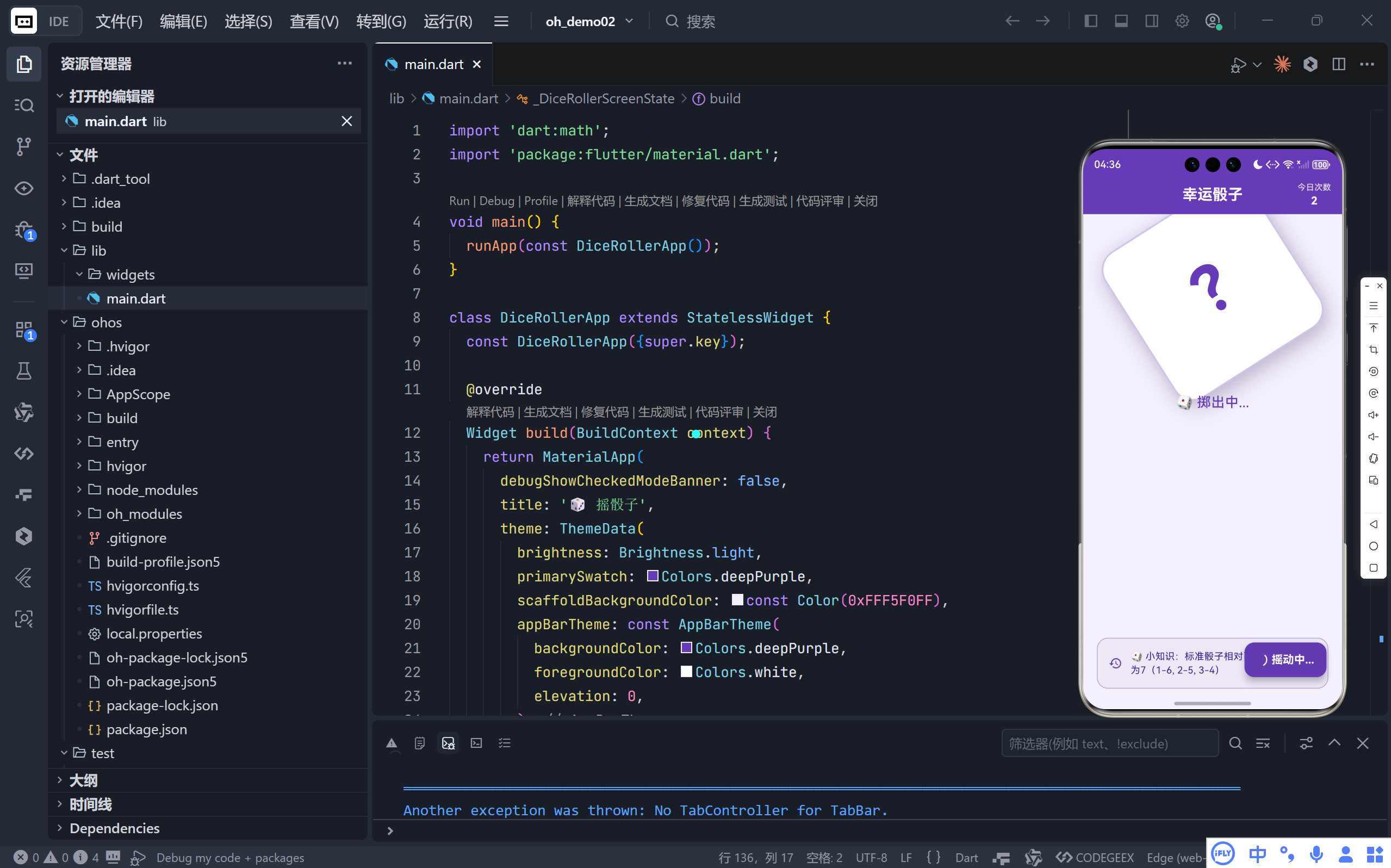
💡 这不是简单的“转圈”,而是对真实物理过程的抽象与艺术化再现。
当用户点击骰子或按钮,骰子会:
- 快速旋转多圈(12π 弧度,即6整圈);
- 伴随不规则缩放:先放大(撞击地面)、再压缩(反弹)、最后轻微回弹至原尺寸;
- 动画结束瞬间,显示一个1~6之间的随机点数。
整个过程耗时 1.2秒,节奏紧凑而不失趣味,完美复刻了“掷骰—滚动—停稳”的心理预期。
二、动画系统详解
1. 旋转动画:CurvedAnimation + fastLinearToSlowEaseIn
_rotationAnimation = Tween<double>(begin: 0, end: 12 * pi).animate(
  CurvedAnimation(
    parent: _rollController,
    curve: Curves.fastLinearToSlowEaseIn,
  ),
);
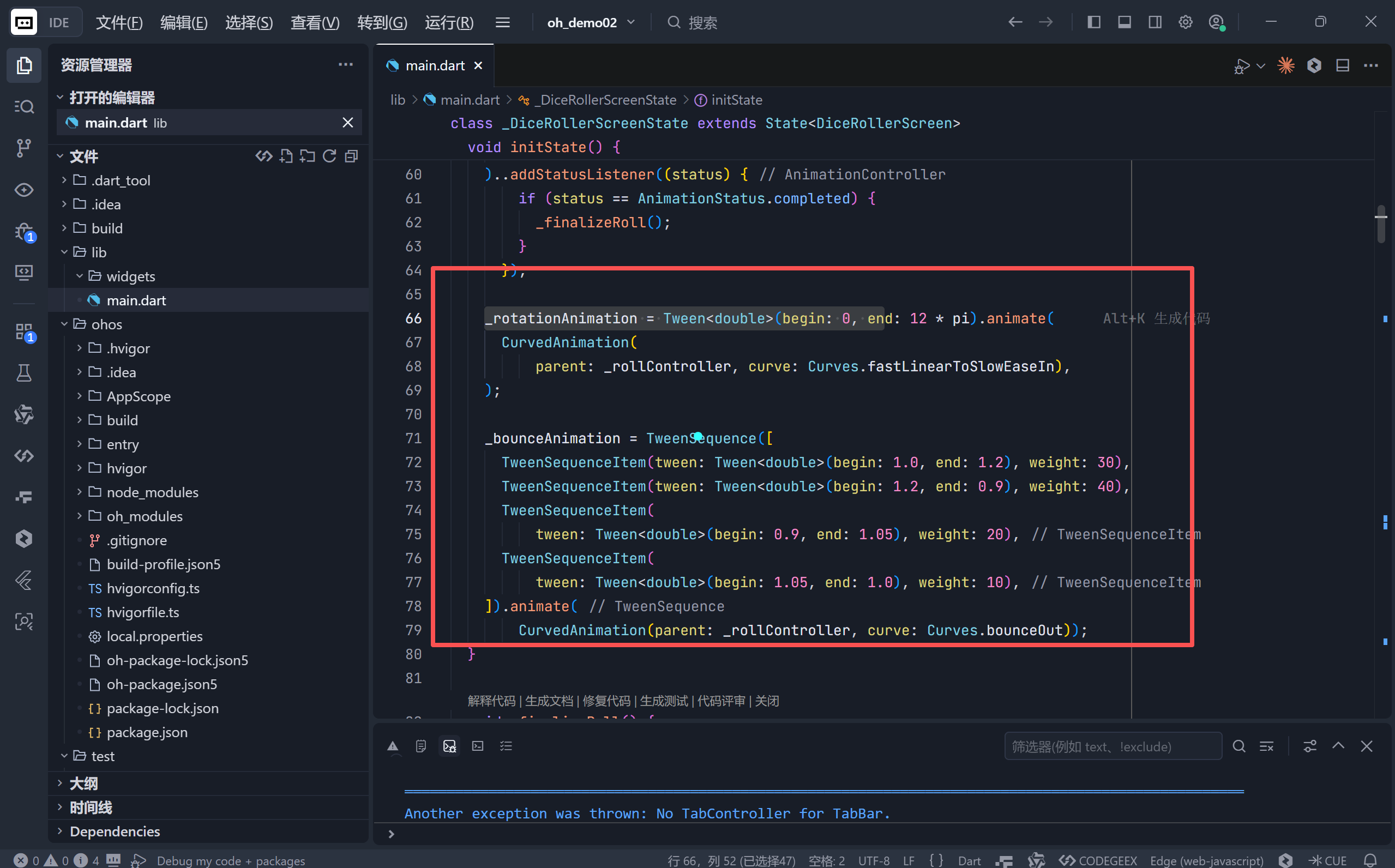
12 * pi:表示旋转6圈(2π 为一圈),足够产生“混乱感”以强化随机性;fastLinearToSlowEaseIn:初始阶段线性加速(模拟手部快速甩出),后期缓慢减速(模拟摩擦力作用),比匀速旋转更真实。
2. 弹跳动画:TweenSequence 模拟物理回弹
_bounceAnimation = TweenSequence([
  TweenSequenceItem(tween: Tween(begin: 1.0, end: 1.2), weight: 30), // 落地冲击(放大)
  TweenSequenceItem(tween: Tween(begin: 1.2, end: 0.9), weight: 40), // 主要压缩(缩小)
  TweenSequenceItem(tween: Tween(begin: 0.9, end: 1.05), weight: 20), // 第一次回弹
  TweenSequenceItem(tween: Tween(begin: 1.05, end: 1.0), weight: 10), // 微调归位
]).animate(CurvedAnimation(parent: _rollController, curve: Curves.bounceOut));
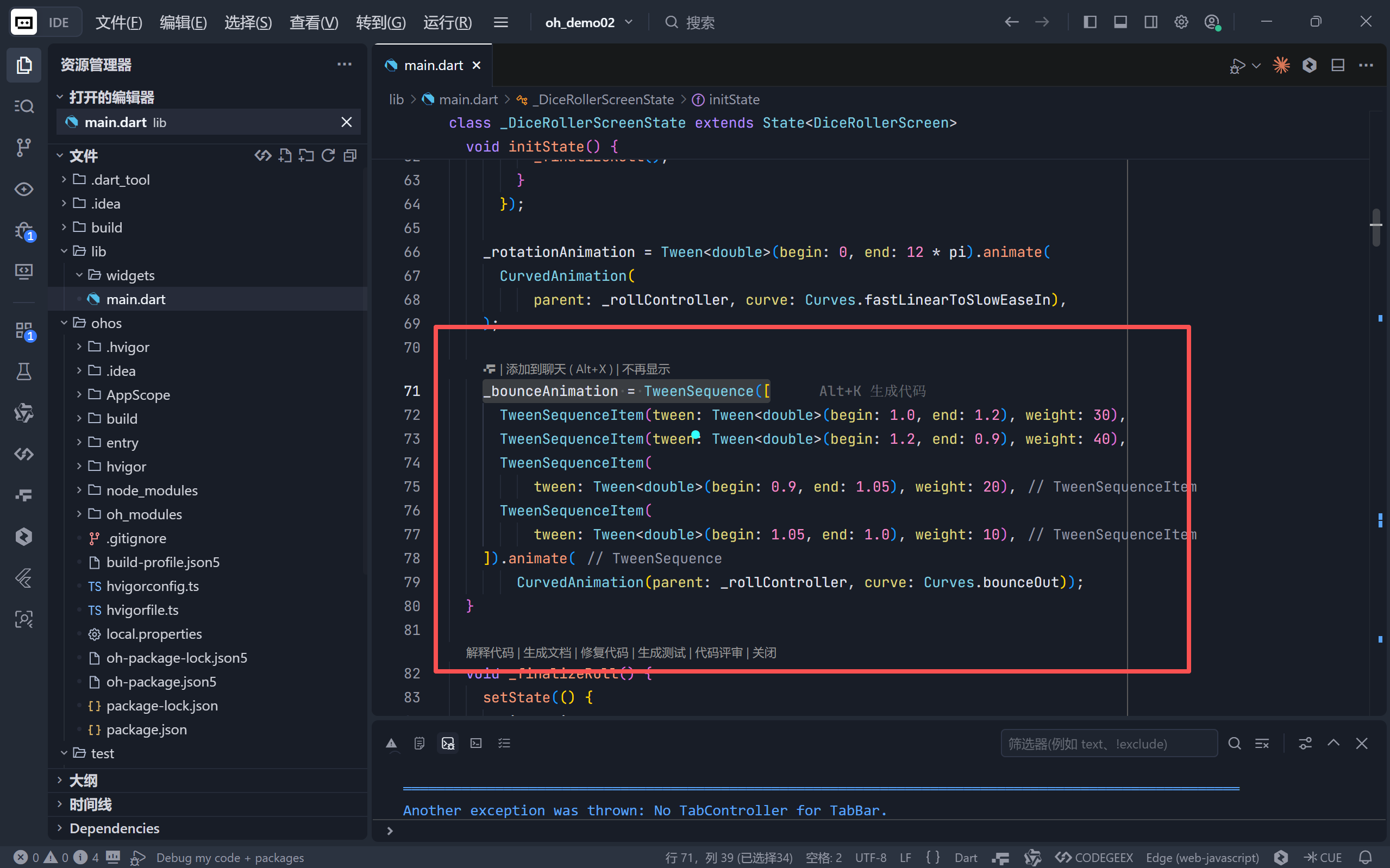
TweenSequence:将多个Tween按权重拼接,形成复杂的时间轴动画;- 权重(weight):控制各阶段持续时间比例(总和100),此处主压缩阶段最长,符合物理直觉;
Curves.bounceOut:整体叠加弹性缓动,增强“落地感”。
🎯 设计哲学:动画不仅是装饰,更是传达状态与反馈的媒介。
三、UI/UX 设计细节
1. 拟物化骰子设计
- 圆角矩形 + 双重阴影:营造立体浮雕感;
- 紫色描边:与主题色一致,强化品牌识别;
- 内部点阵:使用
Stack+Align精准定位6种点数图案,符合标准骰子布局(如1点居中,6点分三列); - 动态占位符:滚动时显示“?”,暗示结果未定。
2. 智能状态反馈
| 状态 | 视觉表现 |
|---|---|
| 空闲 | 显示上次结果 + “轻触开始”提示 |
| 滚动中 | 骰子变为“?” + 文字提示“掷出中…” + FAB 显示加载圈 |
| 完成 | 显示新点数 + “上次结果: X • N分钟前” |
3. 顶部计数器
- 在 AppBar 右侧显示 “今日次数”,仅在有记录时出现,避免界面杂乱;
- 数字加粗突出,满足用户“成就收集”心理。
4. 底部知识彩蛋
- 固定提示:“标准骰子相对两面点数之和恒为7”;
- 使用浅紫色背景+图标,既传递知识又不干扰主操作。
四、交互逻辑与状态管理
核心状态变量
int _currentValue = 1;      // 当前显示点数
bool _isRolling = false;    // 是否正在动画中
int _rollCount = 0;         // 今日摇动次数
DateTime? _lastRollTime;    // 上次摇动时间
关键方法
_rollDice():防重复点击(if (_isRolling) return),启动动画;_finalizeRoll():动画结束后生成随机数、更新计数与时间;_formatTimeAgo():人性化时间显示(“刚刚”、“3分钟前”等)。
✅ 健壮性:通过
_isRolling锁防止用户狂点导致状态错乱。
五、技术亮点总结
| 技术点 | 应用场景 | 价值 |
|---|---|---|
with TickerProviderStateMixin |
提供 vsync | 防止后台动画消耗资源 |
AnimatedBuilder |
驱动 Transform | 高效重建局部 UI |
Transform.rotate + Transform.scale |
复合动画 | 实现旋转+缩放同步 |
TweenSequence |
多阶段动画 | 精细控制弹跳节奏 |
CurvedAnimation |
非线性缓动 | 增强物理真实感 |
BoxShadow + Border |
拟物设计 | 提升视觉质感 |
六、扩展与应用场景
可扩展方向
- 多骰子模式:支持同时掷2~5颗骰子;
- 历史记录页:查看所有摇动结果与统计(如各点数出现频率);
- 音效反馈:添加骰子滚动与落地音效;
- 震动反馈:在结果揭晓时触发设备震动;
- 主题切换:木质、金属、霓虹等不同风格骰子。
应用场景
- 桌游辅助工具:替代实体骰子;
- 决策助手:用于“是/否”或1~6选项的随机选择;
- 教学演示:概率论入门示例;
- 减压玩具:简单互动带来即时反馈与放松。
七、结语:小应用,大匠心
这个看似简单的骰子应用,实则凝聚了 动画设计、用户体验、状态管理 的多重考量。它证明了:即使是最基础的功能,只要注入对细节的关注与对用户心理的理解,就能创造出令人愉悦的数字体验。
正如骰子本身所象征的——在确定的规则中拥抱不确定性,开发者也应在严谨的代码框架下,大胆探索动效与交互的可能性。而这颗会跳的紫色骰子,正是 Flutter 强大表现力的最佳注脚。
完整代码
import 'dart:math';
import 'package:flutter/material.dart';

void main() {
  runApp(const DiceRollerApp());
}

class DiceRollerApp extends StatelessWidget {
  const DiceRollerApp({super.key});

  @override
  Widget build(BuildContext context) {
    return MaterialApp(
      debugShowCheckedModeBanner: false,
      title: '🎲 摇骰子',
      theme: ThemeData(
        brightness: Brightness.light,
        primarySwatch: Colors.deepPurple,
        scaffoldBackgroundColor: const Color(0xFFF5F0FF),
        appBarTheme: const AppBarTheme(
          backgroundColor: Colors.deepPurple,
          foregroundColor: Colors.white,
          elevation: 0,
        ),
        floatingActionButtonTheme: const FloatingActionButtonThemeData(
          backgroundColor: Colors.deepPurple,
          foregroundColor: Colors.white,
          elevation: 8,
        ),
      ),
      home: const DiceRollerScreen(),
    );
  }
}

class DiceRollerScreen extends StatefulWidget {
  const DiceRollerScreen({super.key});

  @override
  State<DiceRollerScreen> createState() => _DiceRollerScreenState();
}

class _DiceRollerScreenState extends State<DiceRollerScreen>
    with TickerProviderStateMixin {
  late AnimationController _rollController;
  late Animation<double> _rotationAnimation;
  late Animation<double> _bounceAnimation;
  int _currentValue = 1;
  bool _isRolling = false;
  final Random _random = Random();
  int _rollCount = 0;
  DateTime? _lastRollTime;

  @override
  void initState() {
    super.initState();
    _rollController = AnimationController(
      duration: const Duration(milliseconds: 1200),
      vsync: this,
    )..addStatusListener((status) {
        if (status == AnimationStatus.completed) {
          _finalizeRoll();
        }
      });

    _rotationAnimation = Tween<double>(begin: 0, end: 12 * pi).animate(
      CurvedAnimation(
          parent: _rollController, curve: Curves.fastLinearToSlowEaseIn),
    );

    _bounceAnimation = TweenSequence([
      TweenSequenceItem(tween: Tween<double>(begin: 1.0, end: 1.2), weight: 30),
      TweenSequenceItem(tween: Tween<double>(begin: 1.2, end: 0.9), weight: 40),
      TweenSequenceItem(
          tween: Tween<double>(begin: 0.9, end: 1.05), weight: 20),
      TweenSequenceItem(
          tween: Tween<double>(begin: 1.05, end: 1.0), weight: 10),
    ]).animate(
        CurvedAnimation(parent: _rollController, curve: Curves.bounceOut));
  }

  void _finalizeRoll() {
    setState(() {
      _isRolling = false;
      _currentValue = _random.nextInt(6) + 1;
      _rollCount++;
      _lastRollTime = DateTime.now();
    });
  }

  void _rollDice() {
    if (_isRolling) return;

    setState(() {
      _isRolling = true;
    });

    // 重置并启动动画
    _rollController.reset();
    _rollController.forward();
  }

  @override
  void dispose() {
    _rollController.dispose();
    super.dispose();
  }

  @override
  Widget build(BuildContext context) {
    return Scaffold(
      appBar: AppBar(
        title: const Text(
          '幸运骰子',
          style: TextStyle(fontSize: 22, fontWeight: FontWeight.bold),
        ),
        centerTitle: true,
        actions: [
          if (_rollCount > 0)
            Padding(
              padding: const EdgeInsets.only(right: 16),
              child: Column(
                mainAxisAlignment: MainAxisAlignment.center,
                children: [
                  const Text(
                    '今日次数',
                    style:
                        const TextStyle(fontSize: 12, color: Color(0xE6FFFFFF)),
                  ),
                  Text(
                    '$_rollCount',
                    style: const TextStyle(
                        fontSize: 16, fontWeight: FontWeight.bold),
                  ),
                ],
              ),
            ),
        ],
      ),
      body: Center(
        child: Column(
          mainAxisAlignment: MainAxisAlignment.center,
          children: [
            // 骰子容器
            GestureDetector(
              onTap: _rollDice,
              child: AnimatedBuilder(
                animation: _rollController,
                builder: (context, child) {
                  return Transform.rotate(
                    angle: _rotationAnimation.value,
                    child: Transform.scale(
                      scale: _bounceAnimation.value,
                      child: _buildDiceFace(_isRolling ? null : _currentValue),
                    ),
                  );
                },
              ),
            ),

            const SizedBox(height: 40),

            // 操作提示
            Column(
              children: [
                Text(
                  _isRolling ? '🎲 掷出中...' : '轻触骰子或按钮开始摇动',
                  style: TextStyle(
                    fontSize: 20,
                    fontWeight: FontWeight.w500,
                    color: _isRolling ? Colors.deepPurple : Colors.grey[700],
                    height: 1.4,
                  ),
                  textAlign: TextAlign.center,
                ),
                if (!_isRolling && _lastRollTime != null) ...[
                  const SizedBox(height: 12),
                  Text(
                    '上次结果: $_currentValue • ${_formatTimeAgo(_lastRollTime!)}',
                    style: const TextStyle(
                      fontSize: 15,
                      color: Colors.deepPurple,
                      fontWeight: FontWeight.w500,
                    ),
                  ),
                ],
              ],
            ),

            const Spacer(),

            // 历史记录提示
            Container(
              width: double.infinity,
              padding: const EdgeInsets.all(16),
              margin: const EdgeInsets.only(bottom: 30, left: 20, right: 20),
              decoration: BoxDecoration(
                color: Colors.deepPurple.shade50,
                borderRadius: BorderRadius.circular(16),
                border: Border.all(color: Colors.deepPurple.shade200),
              ),
              child: Row(
                children: [
                  const Icon(Icons.history, size: 20, color: Colors.deepPurple),
                  const SizedBox(width: 12),
                  Expanded(
                    child: Text(
                      '🎲 小知识:标准骰子相对两面点数之和恒为7(1-6, 2-5, 3-4)',
                      style: TextStyle(
                        fontSize: 14,
                        height: 1.4,
                        color: Colors.deepPurple.shade900,
                      ),
                    ),
                  ),
                ],
              ),
            ),
          ],
        ),
      ),
      floatingActionButton: AnimatedScale(
        scale: _isRolling ? 0.9 : 1.0,
        duration: const Duration(milliseconds: 200),
        curve: Curves.easeInOut,
        child: FloatingActionButton.extended(
          onPressed: _rollDice,
          icon: _isRolling
              ? const SizedBox(
                  width: 20,
                  height: 20,
                  child: CircularProgressIndicator(
                      strokeWidth: 2,
                      valueColor: AlwaysStoppedAnimation(Colors.white)),
                )
              : const Icon(Icons.casino, size: 28),
          label: Text(
            _isRolling ? '摇动中...' : '摇骰子',
            style: const TextStyle(fontSize: 18, fontWeight: FontWeight.bold),
          ),
          elevation: 8,
        ),
      ),
    );
  }

  Widget _buildDiceFace(int? value) {
    return Container(
      width: 220,
      height: 220,
      decoration: BoxDecoration(
        color: Colors.white,
        borderRadius: BorderRadius.circular(28),
        boxShadow: [
          BoxShadow(
            color: Colors.black.withOpacity(0.18),
            blurRadius: 25,
            offset: const Offset(0, 10),
          ),
          BoxShadow(
            color: Colors.deepPurple.withOpacity(0.15),
            blurRadius: 15,
            offset: const Offset(0, 5),
          ),
        ],
        border: Border.all(color: Colors.deepPurple.shade100, width: 2),
      ),
      child: value == null
          ? const Center(
              child: Text(
                '?',
                style: TextStyle(
                  fontSize: 80,
                  fontWeight: FontWeight.bold,
                  color: Colors.deepPurple,
                ),
              ),
            )
          : _buildDiceDots(value),
    );
  }

  Widget _buildDiceDots(int value) {
    // 骰子点位定义 (使用3x3网格坐标)
    final Map<int, List<Alignment>> patterns = {
      1: [Alignment.center],
      2: [Alignment.topLeft, Alignment.bottomRight],
      3: [Alignment.topLeft, Alignment.center, Alignment.bottomRight],
      4: [
        Alignment.topLeft,
        Alignment.topRight,
        Alignment.bottomLeft,
        Alignment.bottomRight
      ],
      5: [
        Alignment.topLeft,
        Alignment.topRight,
        Alignment.center,
        Alignment.bottomLeft,
        Alignment.bottomRight
      ],
      6: [
        Alignment.topLeft,
        Alignment.centerLeft,
        Alignment.bottomLeft,
        Alignment.topRight,
        Alignment.centerRight,
        Alignment.bottomRight,
      ],
    };

    return Stack(
      alignment: Alignment.center,
      children: [
        // 背景装饰
        Container(
          margin: const EdgeInsets.all(16),
          decoration: BoxDecoration(
            border: Border.all(color: Colors.deepPurple.shade100, width: 1.5),
            borderRadius: BorderRadius.circular(20),
          ),
        ),
        // 点阵
        ...?patterns[value]?.map((alignment) {
          return Align(
            alignment: alignment,
            child: Container(
              width: 28,
              height: 28,
              decoration: BoxDecoration(
                color: Colors.deepPurple,
                shape: BoxShape.circle,
                boxShadow: [
                  BoxShadow(
                    color: Colors.deepPurple.withOpacity(0.3),
                    blurRadius: 6,
                    offset: const Offset(0, 2),
                  ),
                ],
              ),
            ),
          );
        }),
      ],
    );
  }

  String _formatTimeAgo(DateTime time) {
    final now = DateTime.now();
    final difference = now.difference(time);

    if (difference.inMinutes < 1) return '刚刚';
    if (difference.inMinutes < 60) return '${difference.inMinutes}分钟前';
    if (difference.inHours < 24) return '${difference.inHours}小时前';
    if (difference.inDays < 7) return '${difference.inDays}天前';
    return '${time.month}月${time.day}日';
  }
}

开源鸿蒙跨平台开发社区汇聚开发者与厂商,共建“一次开发,多端部署”的开源生态,致力于降低跨端开发门槛,推动万物智联创新。
更多推荐



 12
12 0
0- 0


 已为社区贡献92条内容

所有评论(0)