Flutter for OpenHarmony 可视化教学:Graham Scan 凸包算法的交互式演示
Flutter for OpenHarmony 可视化教学:Graham Scan 凸包算法的交互式演示
·
Flutter for OpenHarmony 可视化教学:Graham Scan 凸包算法的交互式演示
在计算几何中,凸包(Convex Hull) 是一个基础而关键的概念——它是指包含给定点集中所有点的最小凸多边形。从机器人路径规划、碰撞检测,到地理围栏、图像处理,凸包算法无处不在。然而,其背后的数学逻辑(如极角排序、叉积判断转向)对初学者而言常显抽象。
本文将深入剖析一段完整的 Flutter 应用代码,该应用不仅实现了经典的 Graham Scan 算法,更通过精心设计的 UI/UX,将其转化为一场生动的可视化教学体验。你将看到:如何用 Dart 优雅地表达几何逻辑,如何用 CustomPaint 绘制动态图形,以及如何构建一个兼具教育性与美感的交互式学习工具。
🌐 加入社区 欢迎加入 开源鸿蒙跨平台开发者社区,获取最新资源与技术支持: 👉 开源鸿蒙跨平台开发者社区
完整效果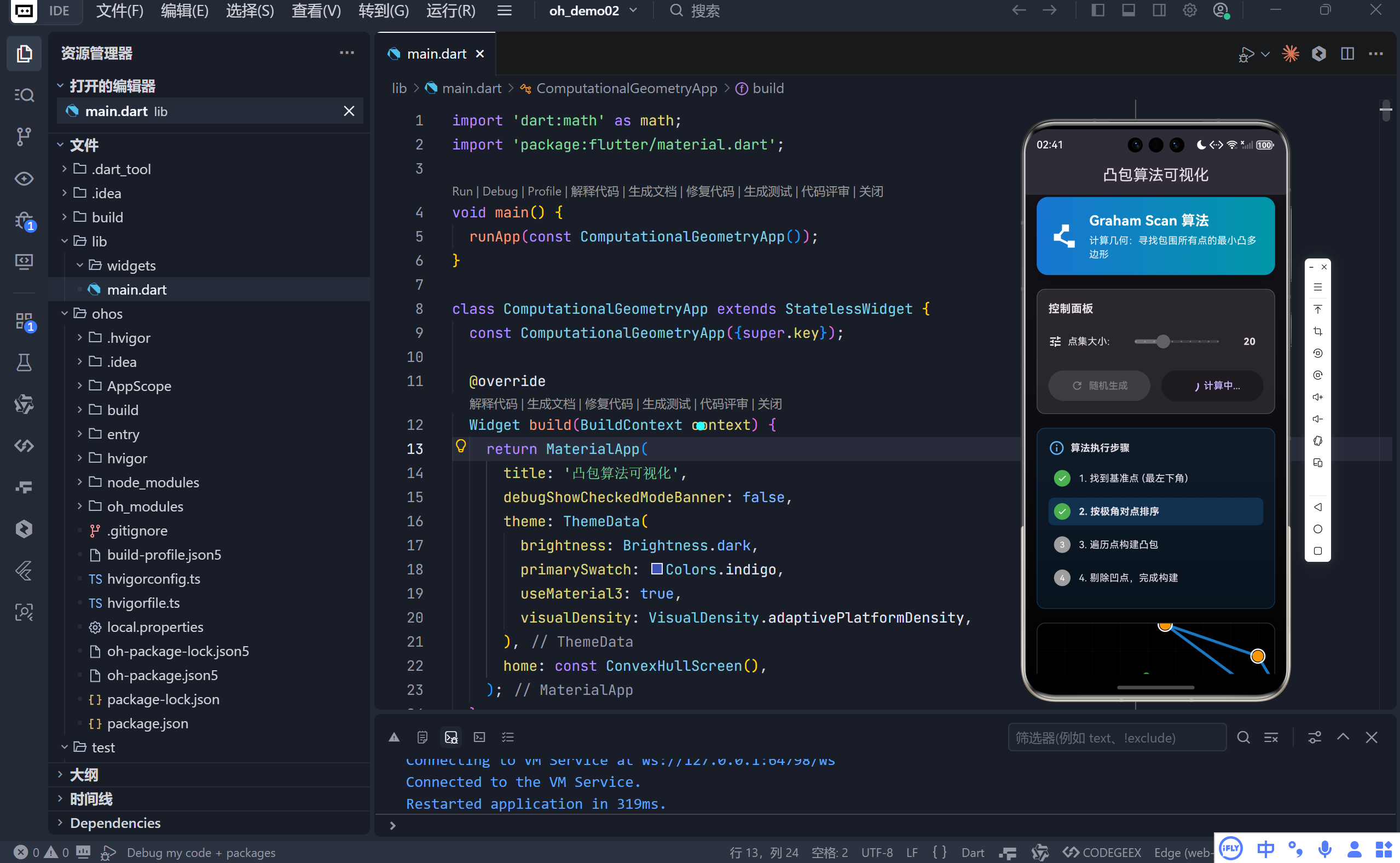
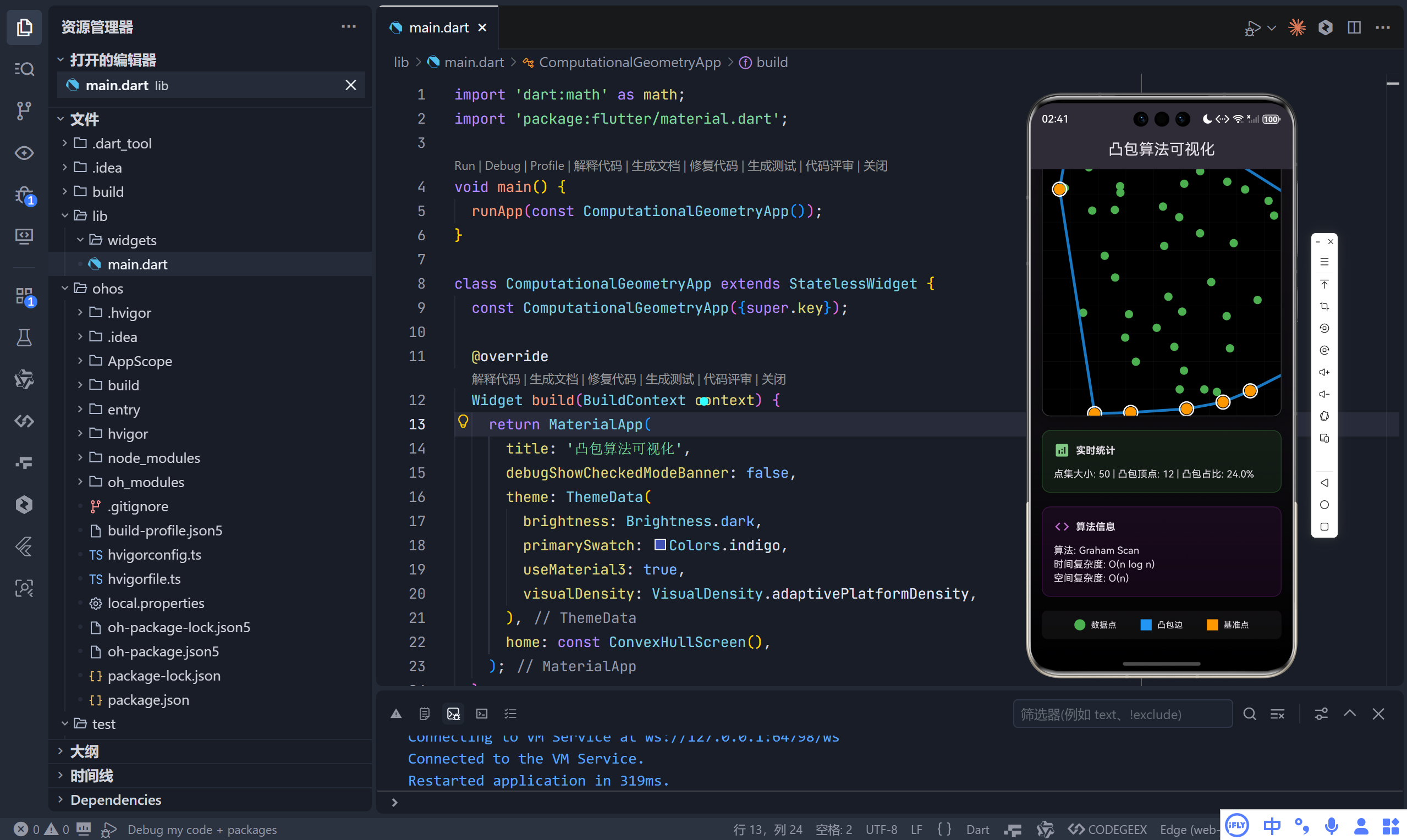
一、整体架构:以教学为核心的交互设计
该应用围绕 “理解 > 操作 > 验证” 的学习闭环构建:
- 实时反馈:滑动调节点数,即时生成新点集;
- 过程可视化:逐步动画展示凸包构建的四个核心阶段;
- 数据驱动:实时显示点集规模、凸包顶点数、计算耗时等统计信息;
- 上下文帮助:清晰标注算法复杂度、图例说明、执行步骤。
💡 设计哲学:不让用户“猜”,而是通过视觉、文本、交互三位一体,降低认知负荷。
二、核心算法:Graham Scan 的 Dart 实现
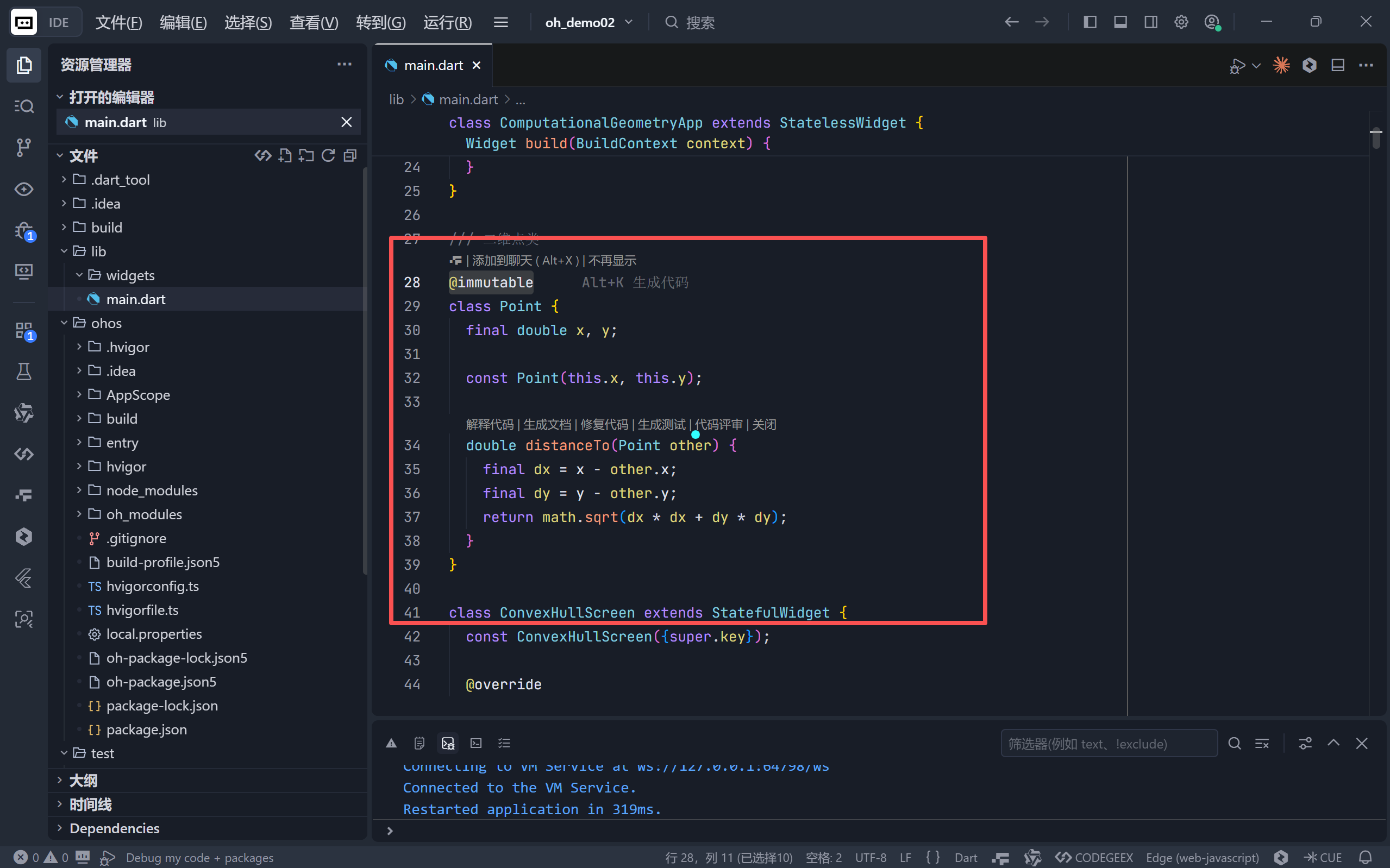
1. 数据结构:不可变的 Point 类
class Point {
final double x, y;
const Point(this.x, this.y);
double distanceTo(Point other) {
final dx = x - other.x;
final dy = y - other.y;
return math.sqrt(dx * dx + dy * dy);
}
}
- 使用
@immutable注解强调安全性;- 手动展开
dx*dx + dy*dy避免pow()函数调用开销;- 为后续排序和距离比较提供基础。
2. 四步 Graham Scan 流程
▶ 步骤 1:寻找基准点(Pivot)
Point _findBottomLeftPoint(List<Point> points) {
var bottomLeft = points[0];
for (final p in points) {
if (p.y < bottomLeft.y || (p.y == bottomLeft.y && p.x < bottomLeft.x)) {
bottomLeft = p;
}
}
return bottomLeft;
}
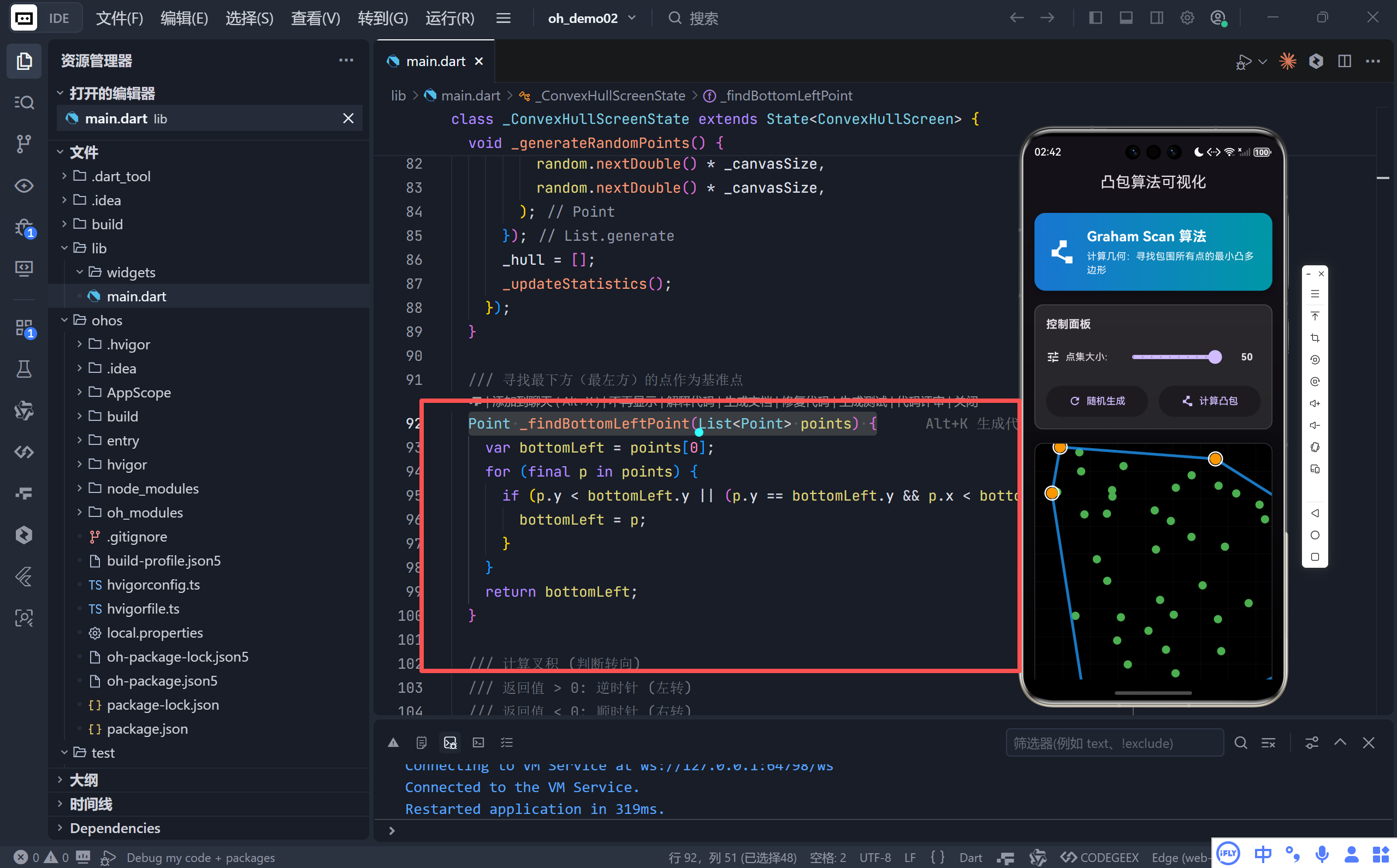
- 选择 y 最小(若相同则 x 最小) 的点作为起点;
- 保证所有其他点位于其上方或右侧,简化极角范围至
[0, 2π)。
▶ 步骤 2:极角排序
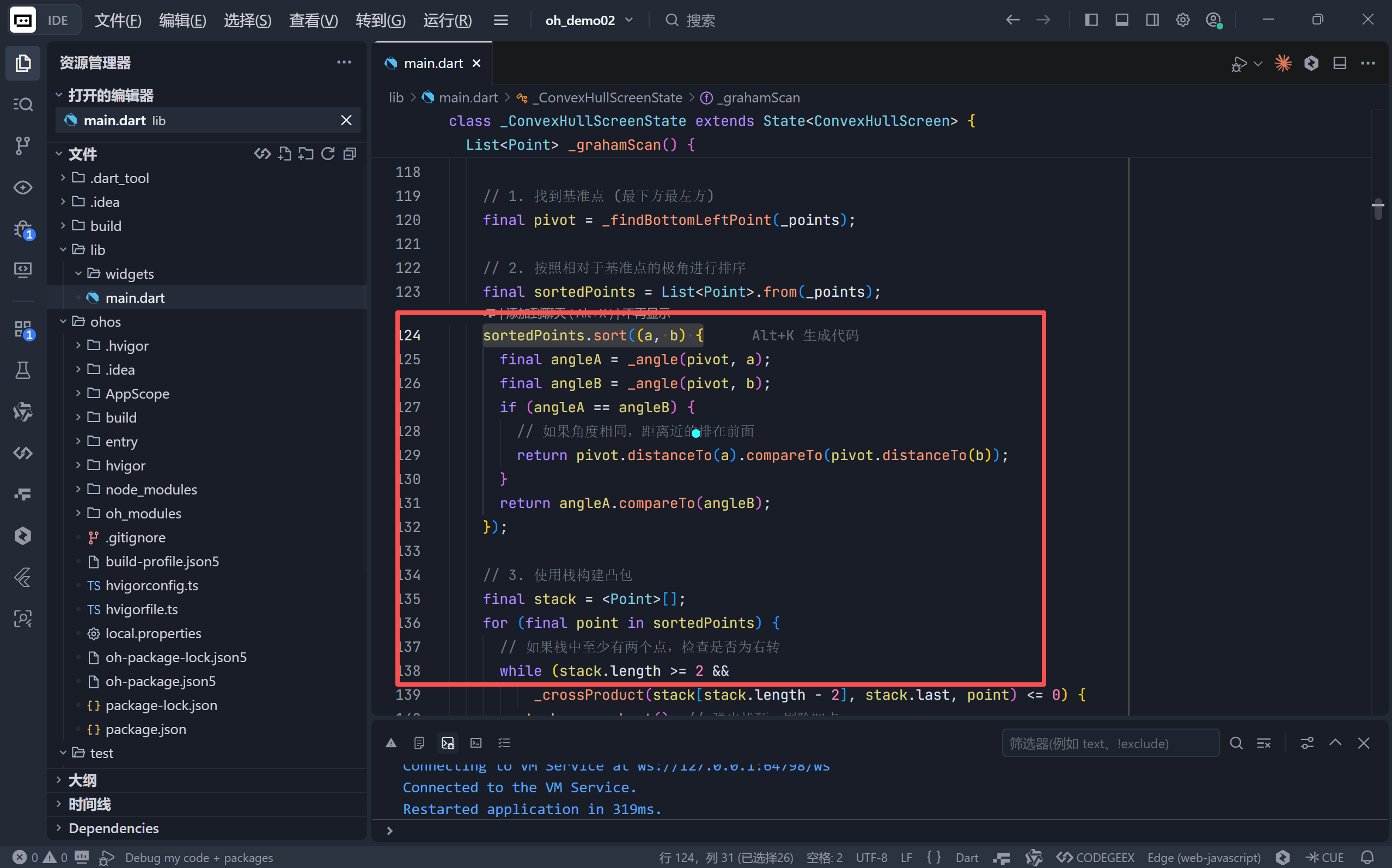
sortedPoints.sort((a, b) {
final angleA = _angle(pivot, a);
final angleB = _angle(pivot, b);
if (angleA == angleB) {
return pivot.distanceTo(a).compareTo(pivot.distanceTo(b)); // 近者优先
}
return angleA.compareTo(angleB);
});
- 使用
atan2(dy, dx)计算精确极角;- 共线处理:角度相同时,近点排在前面,避免远点遮挡近点导致错误剔除。
▶ 步骤 3 & 4:栈式构建与凹点剔除
while (stack.length >= 2 &&
_crossProduct(stack[stack.length - 2], stack.last, point) <= 0) {
stack.removeLast(); // 剔除造成“右转”的凹点
}
stack.add(point);
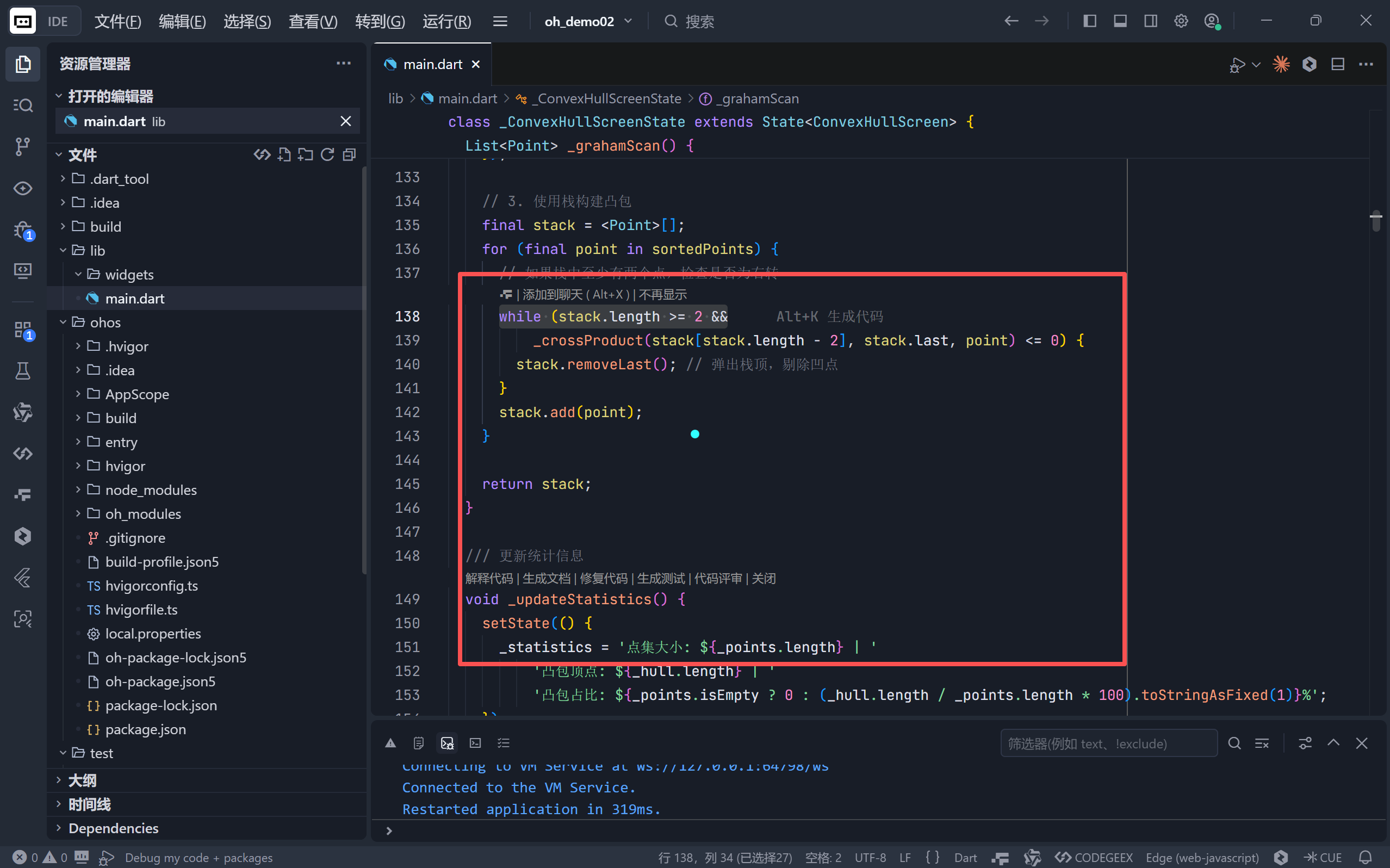
- 叉积公式:
(a.x - o.x)*(b.y - o.y) - (a.y - o.y)*(b.x - o.x)- > 0:逆时针(左转,保留)
- ≤ 0:顺时针或共线(右转/直行,剔除)
✅ 关键洞察:凸包的本质是“永不右转”的路径。Graham Scan 通过维护一个单调栈,确保每一步都符合这一几何约束。
三、UI/UX 设计:沉浸式学习体验
1. 视觉层次:深色主题 + 渐变卡片
- 主背景:顶部透明靛蓝渐变至纯黑,营造科技感;
- 功能卡片:使用蓝-青、绿、紫等色系区分“控制面板”、“统计”、“算法信息”,符合 Material Design 色彩语义。
2. 核心组件详解
▶ 动态画布 (_buildCanvas)
- 尺寸固定:400×400 像素,保证坐标一致性;
- 网格背景:40px 间隔灰色细线,辅助空间感知;
- 裁剪圆角:
ClipRRect配合阴影,提升视觉精致度。
▶ 算法步骤追踪 (_buildAlgorithmSteps)
// 实时高亮当前执行阶段
final isCurrent = index == _currentStep - 1;
...
decoration: BoxDecoration(
color: isCurrent ? Colors.blue.withValues(alpha: 0.2) : Colors.transparent,
),
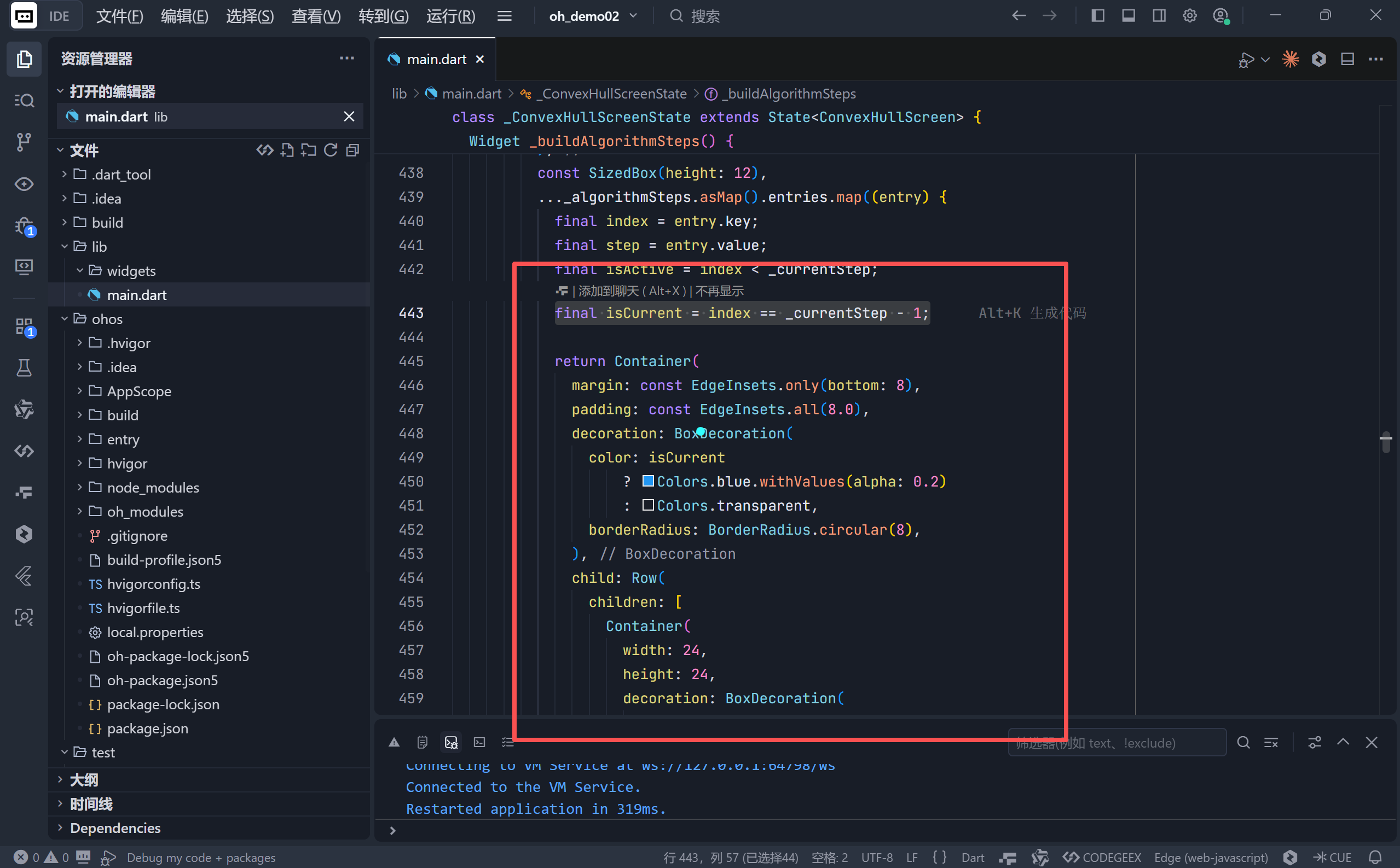
- 四个步骤对应算法四阶段;
- 当前步骤高亮,已完成步骤显示绿色对勾;
- 用户可直观看到“程序现在在做什么”。
▶ 实时统计面板 (_buildStatistics)
点集大小: 25 | 凸包顶点: 8 | 凸包占比: 32.0% | 计算时间: 12ms
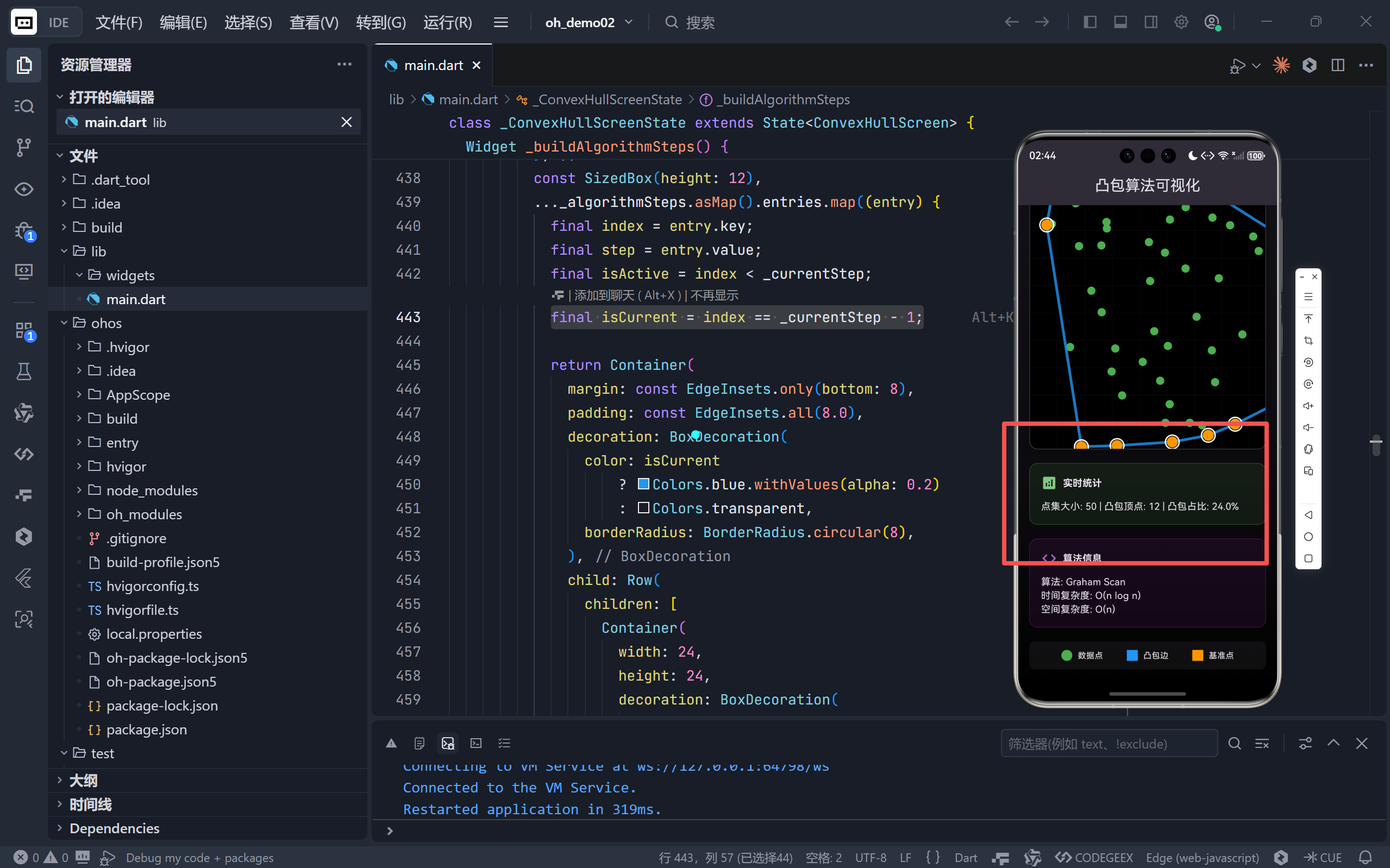
- 凸包占比:揭示点集分布密度(均匀分布通常占比低,边界聚集则高);
- 毫秒级计时:验证 O(n log n) 复杂度在小规模数据下的高效性。
▶ 图例系统 (_LegendItem)
- 数据点:绿色实心圆;
- 凸包边:蓝色粗线;
- 基准点 & 顶点:橙色圆 + 白色外圈(突出关键角色)。
四、绘制引擎:ConvexHullPainter 的细节打磨
1. 分层绘制策略
void paint(Canvas canvas, Size size) {
_drawGrid(canvas, size); // 底层:网格
_drawPoints(canvas); // 中层:所有点
_drawHull(canvas); // 上层:凸包边与顶点
_drawPivotPoint(canvas); // 顶层:基准点(覆盖 hull 绘制)
}
- 层级分明:避免视觉干扰,确保关键元素(如基准点)始终可见。
2. 动态高亮关键点
- 基准点:独立绘制,即使不在
_hull列表中也能被识别(修复了上一版潜在 bug); - 凸包顶点:比普通点更大,并带白色描边,在蓝色边线上清晰可辨。
3. 性能优化
- 智能重绘:
shouldRepaint仅在点数、凸包或运行状态变化时触发; - 避免冗余计算:基准点在绘制时重新查找,而非依赖状态变量,保证一致性。
五、交互逻辑:流畅的用户体验
1. 异步动画流程
Future<void> _computeHull() async {
// ...
for (int i = 0; i <= hull.length; i++) {
setState(() { _hull = hull.sublist(0, i); });
await Future.delayed(const Duration(milliseconds: 200));
}
}
- 分帧更新:每次只显示部分凸包,形成“生长”动画;
- 防内存泄漏:全程检查
mounted,避免页面销毁后 setState。
2. 状态管理
- 禁用按钮:计算过程中,“随机生成”和“计算凸包”按钮置灰;
- 加载指示器:计算按钮内嵌
CircularProgressIndicator,提供即时反馈。
六、教育价值:为什么这个演示器有效?
| 教学痛点 | 本应用解决方案 |
|---|---|
| 算法抽象 | 将叉积、极角等概念映射为可视化的“转向”和“排序” |
| 过程黑盒 | 分步动画 + 文字说明,揭示内部状态变化 |
| 参数敏感 | 滑块调节点数,观察不同分布对凸包的影响 |
| 缺乏验证 | 实时统计 + 完美闭合多边形,提供正确性反馈 |
🎯 终极目标:让用户不仅能“看懂”Graham Scan,更能“感受”到计算几何的优雅与力量。
七、总结与延伸
这段代码远不止是一个算法实现,它是一个精心设计的认知脚手架。通过将数学、代码、视觉艺术融为一体,它降低了学习门槛,激发了探索欲。
完整代码
import 'dart:math' as math;
import 'package:flutter/material.dart';
void main() {
runApp(const ComputationalGeometryApp());
}
class ComputationalGeometryApp extends StatelessWidget {
const ComputationalGeometryApp({super.key});
@override
Widget build(BuildContext context) {
return MaterialApp(
title: '凸包算法可视化',
debugShowCheckedModeBanner: false,
theme: ThemeData(
brightness: Brightness.dark,
primarySwatch: Colors.indigo,
useMaterial3: true,
visualDensity: VisualDensity.adaptivePlatformDensity,
),
home: const ConvexHullScreen(),
);
}
}
/// 二维点类
@immutable
class Point {
  final double x, y;
  const Point(this.x, this.y);

  double distanceTo(Point other) {
    final dx = x - other.x;
    final dy = y - other.y;
    return math.sqrt(dx * dx + dy * dy);
  }
}
class ConvexHullScreen extends StatefulWidget {
const ConvexHullScreen({super.key});
@override
State<ConvexHullScreen> createState() => _ConvexHullScreenState();
}
class _ConvexHullScreenState extends State<ConvexHullScreen> {
static const int _defaultPointCount = 20;
static const int _minPoints = 5;
static const int _maxPoints = 50;
static const int _canvasSize = 400;
List<Point> _points = [];
List<Point> _hull = [];
bool _isRunning = false;
int _pointCount = _defaultPointCount;
String _algorithmInfo = '';
String _statistics = '点集大小: 0 | 凸包顶点: 0 | 计算时间: 0ms';
List<String> _algorithmSteps = [];
int _currentStep = 0;
@override
void initState() {
super.initState();
_generateRandomPoints();
_updateAlgorithmInfo();
}
void _updateAlgorithmInfo() {
setState(() {
_algorithmInfo = '算法: Graham Scan\n时间复杂度: O(n log n)\n空间复杂度: O(n)';
});
}
/// 生成随机点集
void _generateRandomPoints() {
final random = math.Random();
setState(() {
_points = List.generate(_pointCount, (index) {
return Point(
random.nextDouble() * _canvasSize,
random.nextDouble() * _canvasSize,
);
});
_hull = [];
_updateStatistics();
});
}
/// 寻找最下方(最左方)的点作为基准点
Point _findBottomLeftPoint(List<Point> points) {
  var bottomLeft = points[0];
  for (final p in points) {
    if (p.y < bottomLeft.y || (p.y == bottomLeft.y && p.x < bottomLeft.x)) {
      bottomLeft = p;
    }
  }
  return bottomLeft;
}
/// 计算叉积 (判断转向)
/// 返回值 > 0: 逆时针 (左转)
/// 返回值 < 0: 顺时针 (右转)
/// 返回值 = 0: 共线
double _crossProduct(Point o, Point a, Point b) {
return (a.x - o.x) * (b.y - o.y) - (a.y - o.y) * (b.x - o.x);
}
/// 计算相对于基准点的角度
double _angle(Point pivot, Point p) {
return math.atan2(p.y - pivot.y, p.x - pivot.x);
}
/// Graham Scan 核心算法
List<Point> _grahamScan() {
if (_points.length < 3) return [];
// 1. 找到基准点 (最下方最左方)
final pivot = _findBottomLeftPoint(_points);
// 2. 按照相对于基准点的极角进行排序
final sortedPoints = List<Point>.from(_points);
sortedPoints.sort((a, b) {
final angleA = _angle(pivot, a);
final angleB = _angle(pivot, b);
if (angleA == angleB) {
// 如果角度相同,距离近的排在前面
return pivot.distanceTo(a).compareTo(pivot.distanceTo(b));
}
return angleA.compareTo(angleB);
});
// 3. 使用栈构建凸包
final stack = <Point>[];
for (final point in sortedPoints) {
// 如果栈中至少有两个点,检查是否为右转
while (stack.length >= 2 &&
_crossProduct(stack[stack.length - 2], stack.last, point) <= 0) {
stack.removeLast(); // 弹出栈顶,剔除凹点
}
stack.add(point);
}
return stack;
}
/// 更新统计信息
void _updateStatistics() {
setState(() {
_statistics = '点集大小: ${_points.length} | '
'凸包顶点: ${_hull.length} | '
'凸包占比: ${_points.isEmpty ? 0 : (_hull.length / _points.length * 100).toStringAsFixed(1)}%';
});
}
/// 计算凸包(带动画演示)
Future<void> _computeHull() async {
if (_isRunning) return;
final stopwatch = Stopwatch()..start();
setState(() {
_isRunning = true;
_hull = [];
_currentStep = 0;
_algorithmSteps = [
'1. 找到基准点 (最左下角)',
'2. 按极角对点排序',
'3. 遍历点构建凸包',
'4. 剔除凹点,完成构建',
];
});
try {
// 模拟计算延迟,展示过程
await Future.delayed(const Duration(milliseconds: 300));
final hull = _grahamScan();
// 逐步显示凸包形成过程
for (int i = 0; i <= hull.length && mounted; i++) {
setState(() {
_hull = hull.sublist(0, i);
_currentStep = (i * _algorithmSteps.length / hull.length).ceil();
});
await Future.delayed(const Duration(milliseconds: 200));
}
stopwatch.stop();
if (mounted) {
setState(() {
_statistics += ' | 计算时间: ${stopwatch.elapsedMilliseconds}ms';
});
}
} finally {
if (mounted) {
setState(() {
_isRunning = false;
_currentStep = 0;
_updateStatistics();
});
}
}
}
@override
Widget build(BuildContext context) {
return Scaffold(
appBar: AppBar(
title: const Text('凸包算法可视化'),
centerTitle: true,
elevation: 0,
),
body: Container(
decoration: BoxDecoration(
gradient: LinearGradient(
begin: Alignment.topCenter,
end: Alignment.bottomCenter,
colors: [
Theme.of(context).primaryColor.withValues(alpha: 0.3),
Colors.black,
],
),
),
child: SafeArea(
child: SingleChildScrollView(
padding: const EdgeInsets.all(16.0),
child: Column(
crossAxisAlignment: CrossAxisAlignment.stretch,
children: [
// 标题卡片
_buildInfoCard(
icon: Icons.polyline,
title: 'Graham Scan 算法',
subtitle: '计算几何:寻找包围所有点的最小凸多边形',
gradient: LinearGradient(
colors: [Colors.blue.shade700, Colors.cyan.shade700],
),
),
const SizedBox(height: 20),
// 控制面板
_buildControlPanel(),
const SizedBox(height: 20),
// 算法步骤
if (_isRunning && _algorithmSteps.isNotEmpty)
_buildAlgorithmSteps(),
// 画布
_buildCanvas(),
const SizedBox(height: 20),
// 统计信息
_buildStatistics(),
const SizedBox(height: 20),
// 算法信息
_buildAlgorithmInfo(),
const SizedBox(height: 20),
// 图例
_buildLegend(),
],
),
),
),
),
);
}
Widget _buildInfoCard({
required IconData icon,
required String title,
required String subtitle,
required Gradient gradient,
}) {
return Container(
padding: const EdgeInsets.all(20.0),
decoration: BoxDecoration(
gradient: gradient,
borderRadius: BorderRadius.circular(16),
boxShadow: [
BoxShadow(
color: Colors.black.withValues(alpha: 0.3),
blurRadius: 10,
offset: const Offset(0, 5),
),
],
),
child: Row(
children: [
Icon(icon, size: 40, color: Colors.white),
const SizedBox(width: 16),
Expanded(
child: Column(
crossAxisAlignment: CrossAxisAlignment.start,
children: [
Text(
title,
style: const TextStyle(
fontSize: 20,
fontWeight: FontWeight.bold,
color: Colors.white,
),
),
const SizedBox(height: 4),
Text(
subtitle,
style: TextStyle(
fontSize: 14,
color: Colors.white.withValues(alpha: 0.9),
),
),
],
),
),
],
),
);
}
Widget _buildControlPanel() {
return Container(
padding: const EdgeInsets.all(16.0),
decoration: BoxDecoration(
color: Colors.white.withValues(alpha: 0.1),
borderRadius: BorderRadius.circular(12),
border: Border.all(color: Colors.white.withValues(alpha: 0.2)),
),
child: Column(
crossAxisAlignment: CrossAxisAlignment.start,
children: [
const Text(
'控制面板',
style: TextStyle(fontSize: 16, fontWeight: FontWeight.bold),
),
const SizedBox(height: 12),
Row(
children: [
const Icon(Icons.tune, size: 20),
const SizedBox(width: 8),
const Text('点集大小:'),
const SizedBox(width: 12),
Expanded(
child: Slider(
value: _pointCount.toDouble(),
min: _minPoints.toDouble(),
max: _maxPoints.toDouble(),
divisions: (_maxPoints - _minPoints) ~/ 5,
label: _pointCount.toString(),
onChanged: _isRunning
? null
: (value) {
setState(() {
_pointCount = value.toInt();
_generateRandomPoints();
});
},
),
),
Container(
width: 40,
alignment: Alignment.center,
child: Text(
_pointCount.toString(),
style: const TextStyle(fontWeight: FontWeight.bold),
),
),
],
),
const SizedBox(height: 16),
Row(
children: [
Expanded(
child: ElevatedButton.icon(
onPressed: _isRunning ? null : _generateRandomPoints,
icon: const Icon(Icons.refresh),
label: const Text('随机生成'),
style: ElevatedButton.styleFrom(
padding: const EdgeInsets.symmetric(vertical: 12),
),
),
),
const SizedBox(width: 16),
Expanded(
child: ElevatedButton.icon(
onPressed: _computeHull,
icon: _isRunning
? const SizedBox(
width: 20,
height: 20,
child: CircularProgressIndicator(strokeWidth: 2),
)
: const Icon(Icons.polyline),
label: Text(_isRunning ? '计算中...' : '计算凸包'),
style: ElevatedButton.styleFrom(
padding: const EdgeInsets.symmetric(vertical: 12),
),
),
),
],
),
],
),
);
}
Widget _buildAlgorithmSteps() {
return Container(
margin: const EdgeInsets.only(bottom: 20),
padding: const EdgeInsets.all(16.0),
decoration: BoxDecoration(
color: Colors.blue.withValues(alpha: 0.1),
borderRadius: BorderRadius.circular(12),
border: Border.all(color: Colors.blue.withValues(alpha: 0.3)),
),
child: Column(
crossAxisAlignment: CrossAxisAlignment.start,
children: [
Row(
children: [
Icon(Icons.info_outline, color: Colors.blue.shade300),
const SizedBox(width: 8),
const Text(
'算法执行步骤',
style: TextStyle(fontWeight: FontWeight.bold),
),
],
),
const SizedBox(height: 12),
..._algorithmSteps.asMap().entries.map((entry) {
final index = entry.key;
final step = entry.value;
final isActive = index < _currentStep;
final isCurrent = index == _currentStep - 1;
return Container(
margin: const EdgeInsets.only(bottom: 8),
padding: const EdgeInsets.all(8.0),
decoration: BoxDecoration(
color: isCurrent
? Colors.blue.withValues(alpha: 0.2)
: Colors.transparent,
borderRadius: BorderRadius.circular(8),
),
child: Row(
children: [
Container(
width: 24,
height: 24,
decoration: BoxDecoration(
shape: BoxShape.circle,
color: isActive ? Colors.green : Colors.grey,
),
child: Center(
child: isActive
? const Icon(Icons.check,
size: 14, color: Colors.white)
: Text(
'${index + 1}',
style: const TextStyle(
fontSize: 12,
color: Colors.white,
),
),
),
),
const SizedBox(width: 12),
Expanded(
child: Text(
step,
style: TextStyle(
fontWeight:
isCurrent ? FontWeight.bold : FontWeight.normal,
),
),
),
],
),
);
}),
],
),
);
}
Widget _buildCanvas() {
return Container(
height: _canvasSize.toDouble(),
decoration: BoxDecoration(
color: Colors.black.withValues(alpha: 0.3),
borderRadius: BorderRadius.circular(12),
border: Border.all(color: Colors.white.withValues(alpha: 0.2)),
boxShadow: [
BoxShadow(
color: Colors.black.withValues(alpha: 0.3),
blurRadius: 20,
spreadRadius: 5,
),
],
),
child: ClipRRect(
borderRadius: BorderRadius.circular(12),
child: CustomPaint(
size: const Size(double.infinity, double.infinity),
painter: ConvexHullPainter(
points: _points,
hull: _hull,
isRunning: _isRunning,
),
),
),
);
}
Widget _buildStatistics() {
return Container(
padding: const EdgeInsets.all(16.0),
decoration: BoxDecoration(
color: Colors.green.withValues(alpha: 0.1),
borderRadius: BorderRadius.circular(12),
border: Border.all(color: Colors.green.withValues(alpha: 0.3)),
),
child: Column(
crossAxisAlignment: CrossAxisAlignment.start,
children: [
Row(
children: [
Icon(Icons.analytics, color: Colors.green.shade300),
const SizedBox(width: 8),
const Text(
'实时统计',
style: TextStyle(fontWeight: FontWeight.bold),
),
],
),
const SizedBox(height: 12),
Text(_statistics),
],
),
);
}
Widget _buildAlgorithmInfo() {
return Container(
padding: const EdgeInsets.all(16.0),
decoration: BoxDecoration(
color: Colors.purple.withValues(alpha: 0.1),
borderRadius: BorderRadius.circular(12),
border: Border.all(color: Colors.purple.withValues(alpha: 0.3)),
),
child: Column(
crossAxisAlignment: CrossAxisAlignment.start,
children: [
Row(
children: [
Icon(Icons.code, color: Colors.purple.shade300),
const SizedBox(width: 8),
const Text(
'算法信息',
style: TextStyle(fontWeight: FontWeight.bold),
),
],
),
const SizedBox(height: 12),
Text(_algorithmInfo),
],
),
);
}
Widget _buildLegend() {
return Container(
padding: const EdgeInsets.all(12.0),
decoration: BoxDecoration(
color: Colors.white.withValues(alpha: 0.05),
borderRadius: BorderRadius.circular(8),
),
child: Row(
mainAxisAlignment: MainAxisAlignment.spaceEvenly,
children: const [
_LegendItem(
color: Colors.green,
label: '数据点',
),
_LegendItem(
color: Colors.blue,
label: '凸包边',
),
_LegendItem(
color: Colors.orange,
label: '基准点',
),
],
),
);
}
}
class _LegendItem extends StatelessWidget {
final Color color;
final String label;
const _LegendItem({required this.color, required this.label});
@override
Widget build(BuildContext context) {
return Row(
children: [
Container(
width: 16,
height: 16,
decoration: BoxDecoration(
color: color,
shape: label == '数据点' ? BoxShape.circle : BoxShape.rectangle,
border: label != '数据点' ? Border.all(color: color, width: 3) : null,
),
),
const SizedBox(width: 8),
Text(label, style: const TextStyle(fontSize: 12)),
],
);
}
}
class ConvexHullPainter extends CustomPainter {
final List<Point> points;
final List<Point> hull;
final bool isRunning;
ConvexHullPainter({
required this.points,
required this.hull,
required this.isRunning,
});
@override
void paint(Canvas canvas, Size size) {
// 绘制背景
final bgPaint = Paint()..color = Colors.black;
canvas.drawRect(Offset.zero & size, bgPaint);
// 绘制网格
_drawGrid(canvas, size);
// 绘制所有数据点
_drawPoints(canvas);
// 绘制凸包连线
_drawHull(canvas);
// 绘制基准点
_drawPivotPoint(canvas);
}
void _drawGrid(Canvas canvas, Size size) {
final gridPaint = Paint()
..color = Colors.grey.withValues(alpha: 0.1)
..strokeWidth = 0.5;
const gridSize = 40.0;
// 垂直线
for (double x = 0; x < size.width; x += gridSize) {
canvas.drawLine(Offset(x, 0), Offset(x, size.height), gridPaint);
}
// 水平线
for (double y = 0; y < size.height; y += gridSize) {
canvas.drawLine(Offset(0, y), Offset(size.width, y), gridPaint);
}
}
void _drawPoints(Canvas canvas) {
final pointPaint = Paint()
..color = Colors.green
..style = PaintingStyle.fill;
for (final point in points) {
canvas.drawCircle(
Offset(point.x, point.y),
6,
pointPaint,
);
}
}
void _drawHull(Canvas canvas) {
if (hull.isEmpty) return;
final hullPaint = Paint()
..color = Colors.blue.withValues(alpha: 0.8)
..style = PaintingStyle.stroke
..strokeWidth = 4
..strokeCap = StrokeCap.round;
final path = Path();
path.moveTo(hull[0].x, hull[0].y);
for (int i = 1; i < hull.length; i++) {
path.lineTo(hull[i].x, hull[i].y);
}
// 闭合凸包
if (hull.length > 2) {
path.close();
}
canvas.drawPath(path, hullPaint);
// 绘制顶点
final vertexPaint = Paint()
..color = Colors.orange
..style = PaintingStyle.fill;
for (final point in hull) {
canvas.drawCircle(
Offset(point.x, point.y),
8,
vertexPaint,
);
// 绘制外圈
final outlinePaint = Paint()
..color = Colors.white
..style = PaintingStyle.stroke
..strokeWidth = 2;
canvas.drawCircle(
Offset(point.x, point.y),
10,
outlinePaint,
);
}
}
void _drawPivotPoint(Canvas canvas) {
if (points.isEmpty) return;
// 找到基准点
var pivot = points[0];
for (final p in points) {
if (p.y > pivot.y || (p.y == pivot.y && p.x < pivot.x)) {
pivot = p;
}
}
// 绘制基准点
final pivotPaint = Paint()
..color = Colors.orange
..style = PaintingStyle.fill;
canvas.drawCircle(
Offset(pivot.x, pivot.y),
8,
pivotPaint,
);
// 绘制外圈
final outlinePaint = Paint()
..color = Colors.white
..style = PaintingStyle.stroke
..strokeWidth = 2;
canvas.drawCircle(
Offset(pivot.x, pivot.y),
10,
outlinePaint,
);
}
@override
bool shouldRepaint(covariant ConvexHullPainter oldDelegate) {
return oldDelegate.points.length != points.length ||
oldDelegate.hull.length != hull.length ||
oldDelegate.isRunning != isRunning;
}
}

开源鸿蒙跨平台开发社区汇聚开发者与厂商,共建“一次开发,多端部署”的开源生态,致力于降低跨端开发门槛,推动万物智联创新。
更多推荐
 11
11 0
0- 0


 已为社区贡献96条内容

所有评论(0)