Flutter for OpenHarmony专注与习惯的完美融合: 打造你的高效生活助手
Flutter for OpenHarmony专注与习惯的完美融合: 打造你的高效生活助手
Flutter for OpenHarmony专注与习惯的完美融合: 打造你的高效生活助手
在信息爆炸的时代,专注力和好习惯已成为稀缺资源。如何借助技术工具重建日常秩序?本文将带你深入解析一款名为《习惯打卡》的
Flutter 应用——它巧妙地将习惯追踪与番茄工作法集成于单一界面,以极简设计实现高效能生活管理。通过不到 200
行代码,我们不仅构建了一个实用工具,更展示了一种“少即是多”的产品哲学。
完整效果展示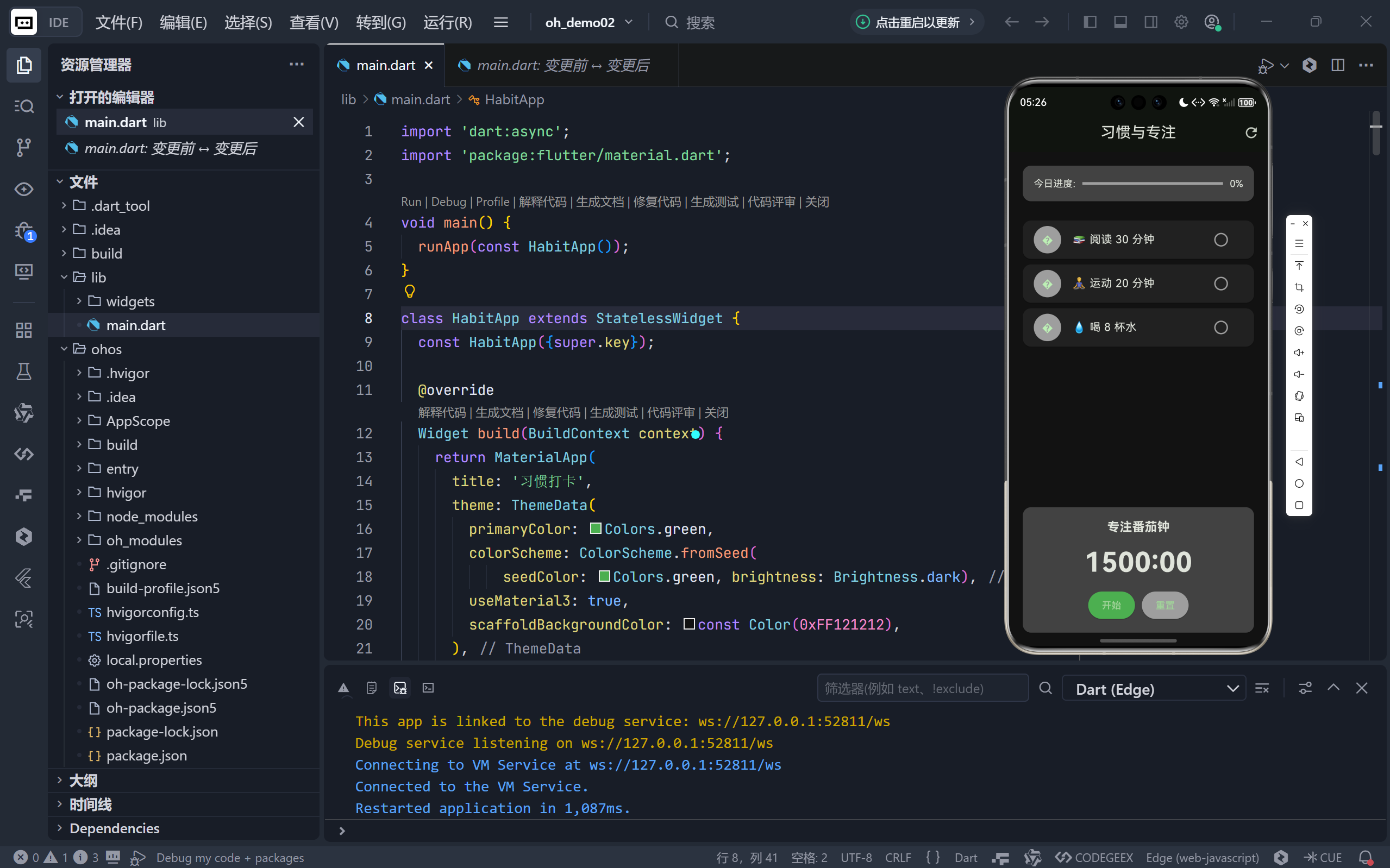
一、核心功能双引擎:习惯 + 专注
这款应用的核心创新在于 “双模块协同”设计:
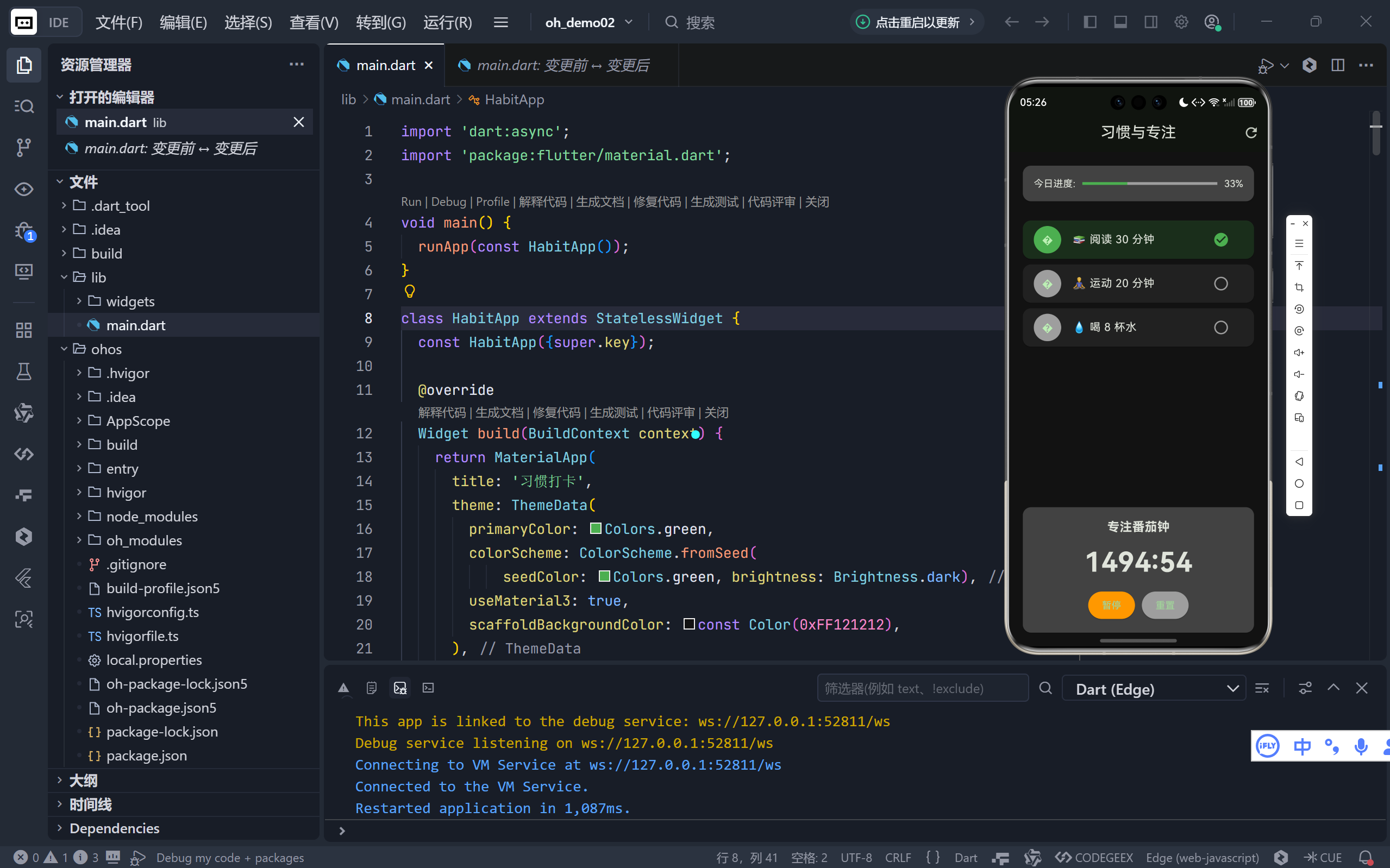
左侧:习惯养成系统 用户可标记每日任务(如阅读、运动、饮水)完成状态,实时追踪进度。
右侧:番茄钟计时器 内置 25 分钟标准番茄钟,帮助用户进入深度专注状态。
二者并非孤立存在:完成习惯需要专注,而专注本身也是一种习惯。这种设计隐喻了高效生活的底层逻辑——微小行动的持续积累,终将带来质变。
二、UI 架构解析:深色主题下的清晰信息层级
1. 整体布局:垂直三段式结构
Column(
  children: [
    Card(进度条),
    Expanded(习惯列表),
    Card(番茄钟区域),
  ],
)
- 顶部进度卡:全局完成率一目了然;
- 中部习惯列表:可滚动区域,支持任意数量习惯项;
- 底部番茄钟:固定操作区,确保随时可启动专注。
深色背景
#121212减少视觉干扰,契合“专注”场景需求。
2. 进度可视化:线性指示器 + 百分比
LinearProgressIndicator(
  value: progress, // 0.0 ~ 1.0
  color: Colors.green,
)
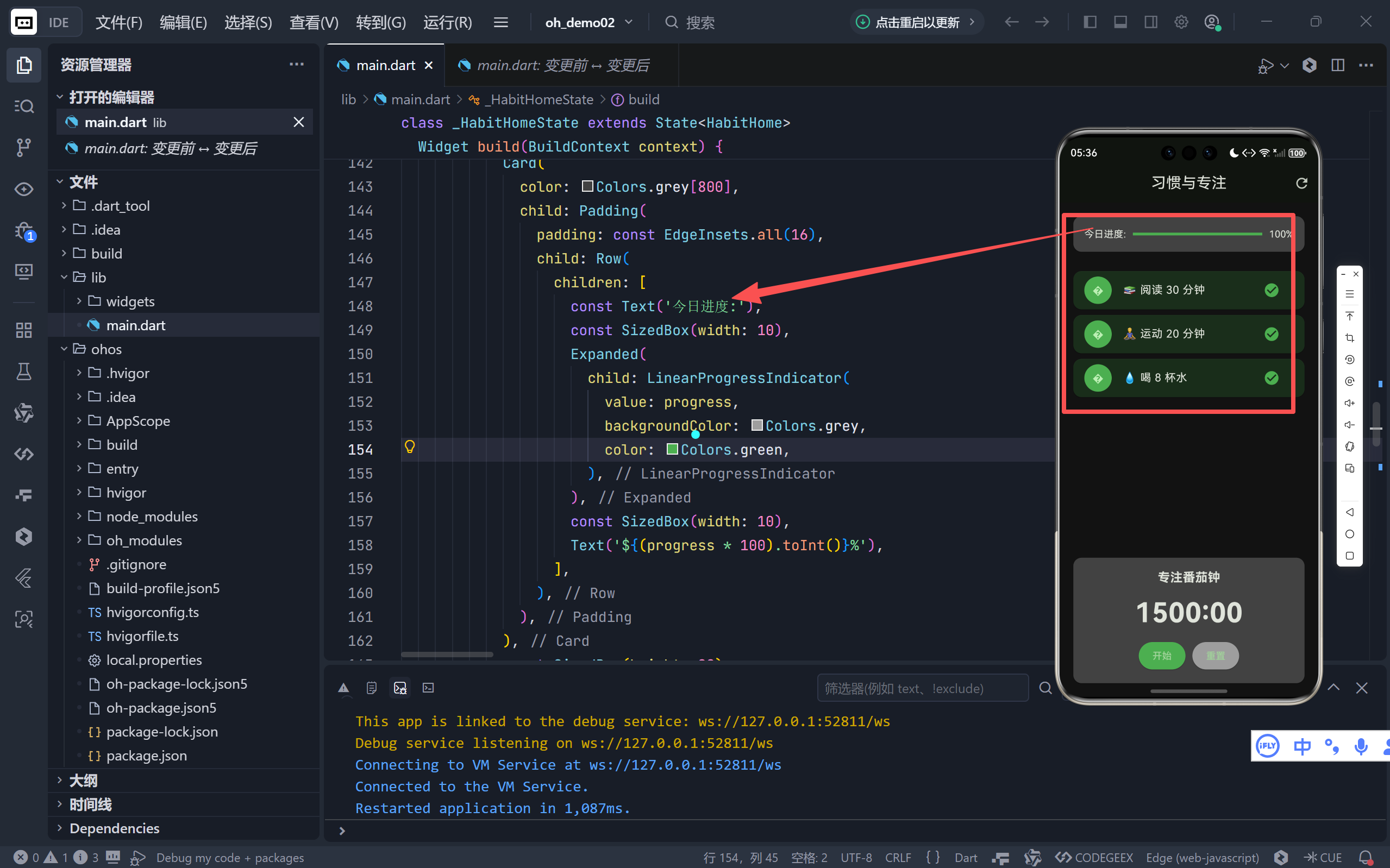
- 绿色进度条象征成长与完成;
- 实时计算
(已完成 / 总数) * 100%,提供即时正反馈;- 卡片式容器 (
Card) 提升区块辨识度。
3. 习惯项交互:状态驱动的视觉反馈
每条习惯使用 ListTile 构建,包含三大元素:
- 头像图标:取习惯名称首字(如“📚”→“阅”),简洁识别;
- 任务文本:保留 emoji 增强可读性(“🧘♂️ 运动 20 分钟”);
- 状态按钮:未完成显示灰色空心圆,完成后变为绿色实心勾。
交互细节:点击按钮切换状态时,整张卡片背景色随之变化——
✅ 完成:Colors.green.withOpacity(0.2)(柔和绿底)
❌ 未完成:Colors.grey[900](深灰底)
这种色彩+图标双重反馈,大幅降低认知负荷。
三、番茄钟实现:精准计时与状态管理
1. 核心逻辑:Timer + 状态机
void _toggleTimer() {
  if (_isRunning) {
    _timer?.cancel(); // 暂停
  } else {
    _timer = Timer.periodic(Duration(seconds: 1), (timer) {
      setState(() { _timeLeft--; });
      if (_timeLeft <= 0) {
        // 结束处理
      }
    });
  }
  _isRunning = !_isRunning;
}
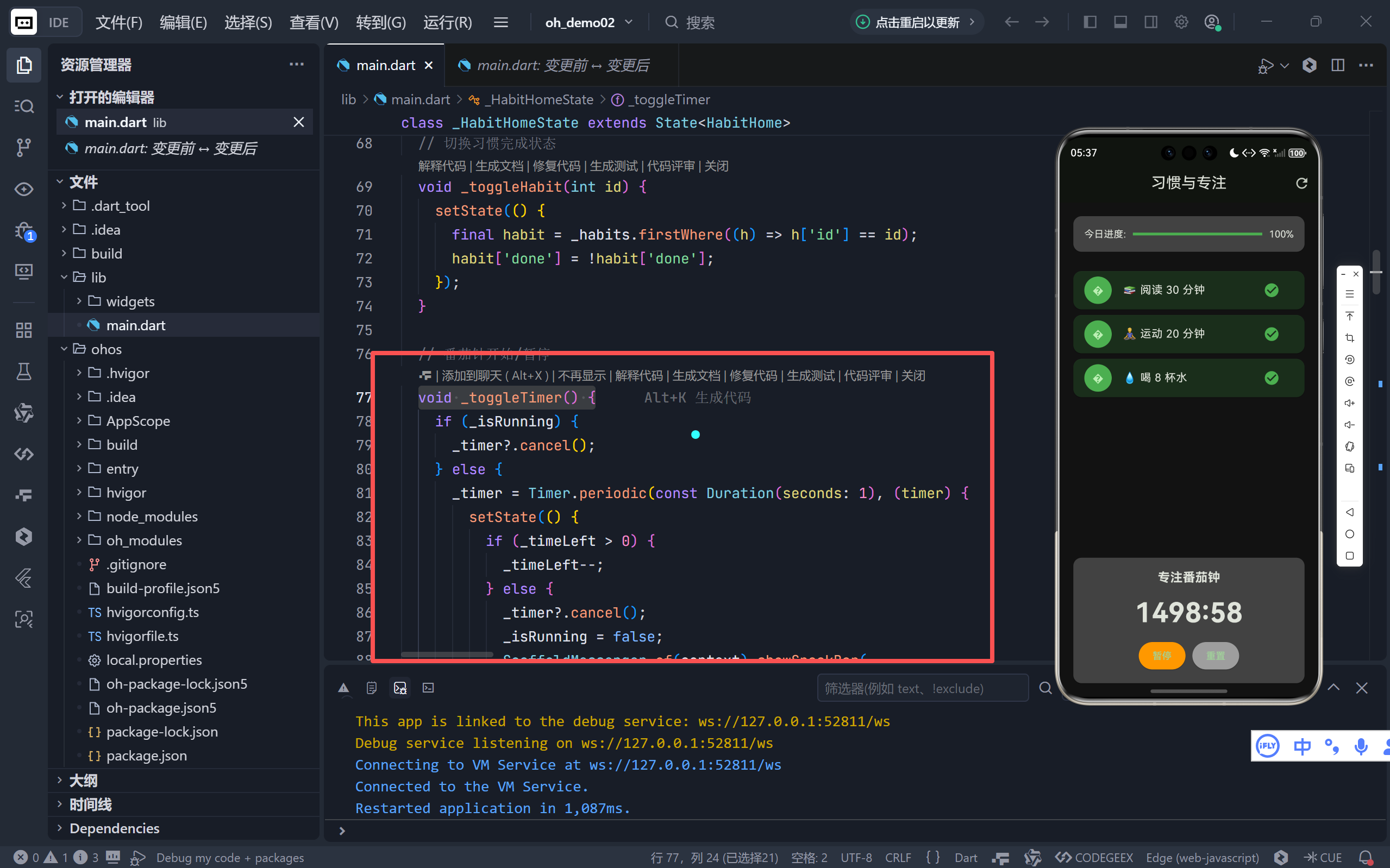
- 使用
Timer.periodic每秒触发一次;_isRunning布尔值控制启停状态;- 时间归零时自动取消定时器并弹出 SnackBar 提示
。
2. 时间格式化:MM:SS 标准显示
String _formatTime(int seconds) {
  int minutes = seconds ~/ 60;
  int secs = seconds % 60;
  return '${minutes.toString().padLeft(2, '0')}:${secs.toString().padLeft(2, '0')}';
}
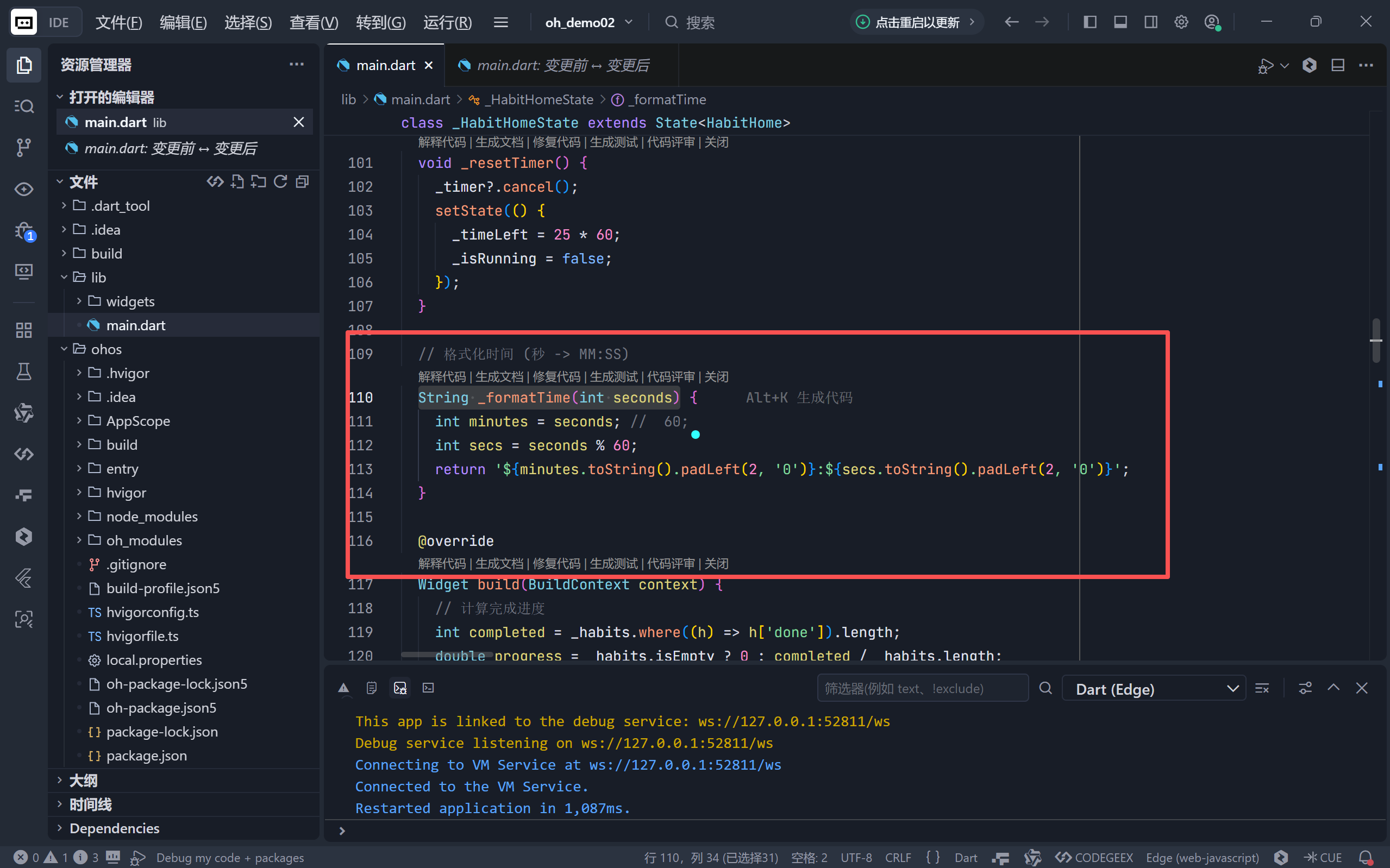
~/取整运算符避免浮点误差;padLeft(2, '0')确保始终显示两位数(如05:03)。
3. 动态按钮样式:语义化色彩编码
ElevatedButton(
  style: ElevatedButton.styleFrom(
    backgroundColor: _isRunning ? Colors.orange : Colors.green,
  ),
  child: Text(_isRunning ? '暂停' : '开始'),
)
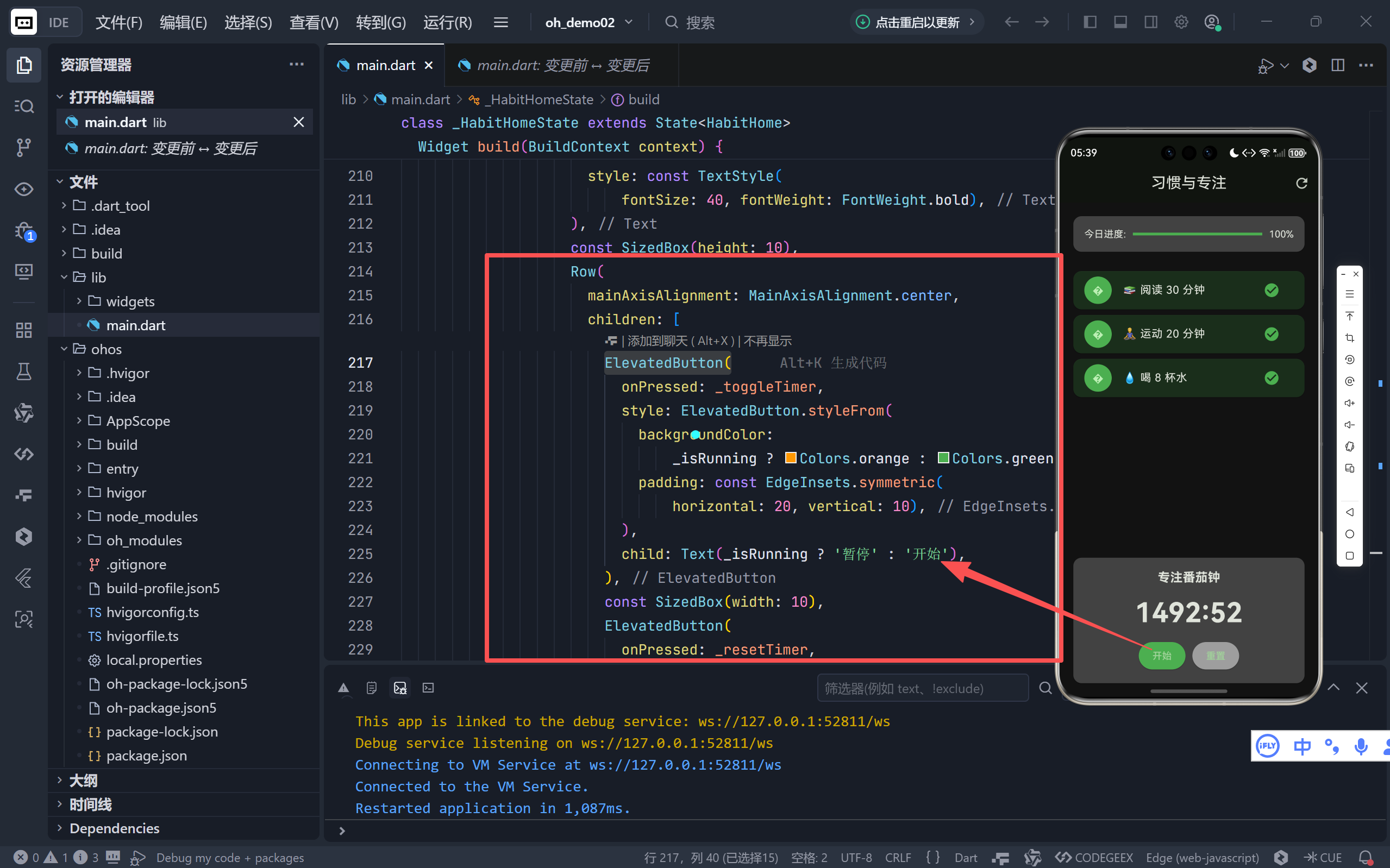
- 绿色“开始”:代表启动、成长;
- 橙色“暂停”:警示色提示当前正在运行;
- 色彩心理学在此巧妙引导用户操作。
四、用户体验细节:从功能到情感
1. 一键清零:每日重启仪式感
AppBar 右侧的 refresh 图标提供 “重置所有习惯” 功能:
_habits.forEach((h) => h['done'] = false);
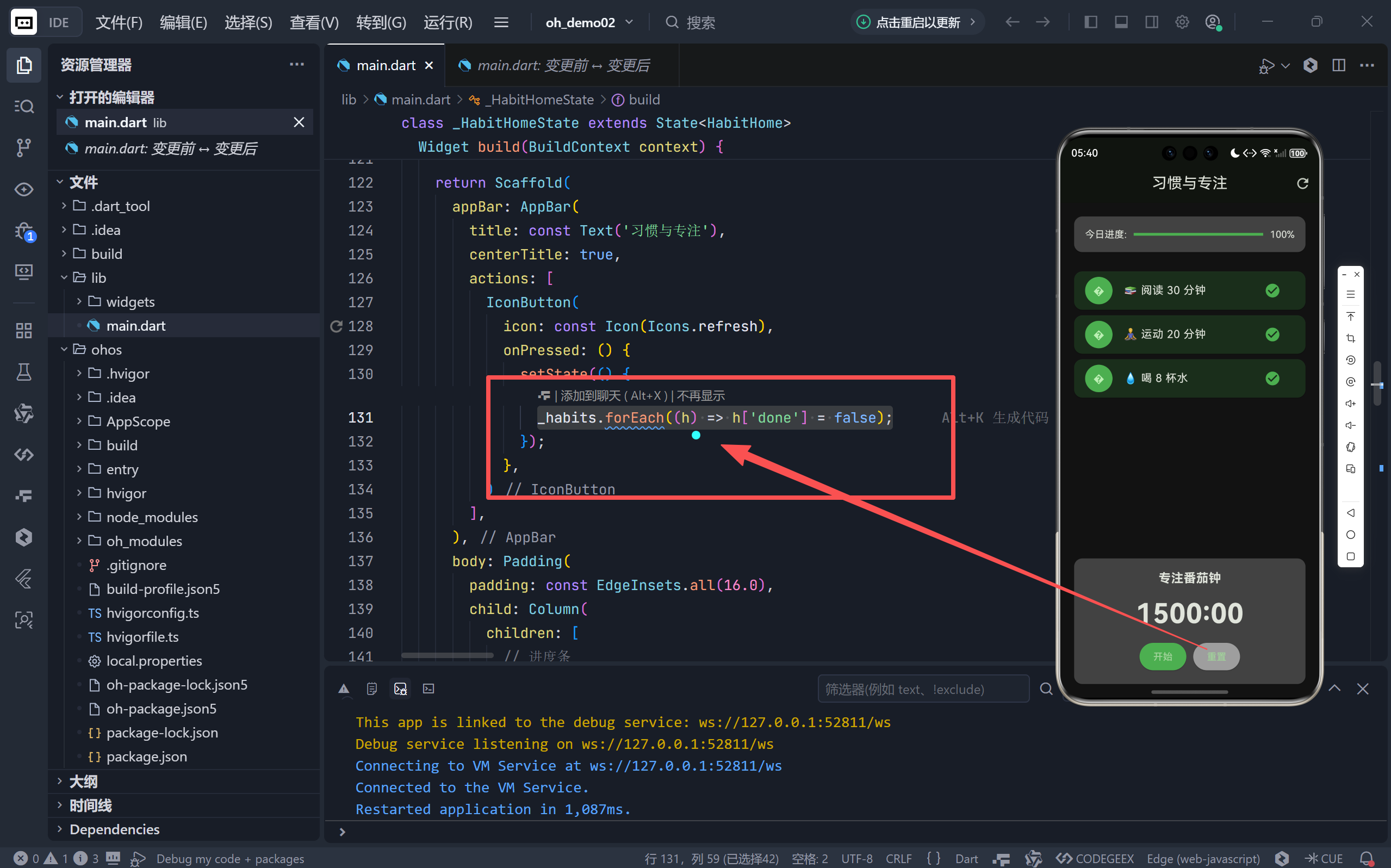
- 符合“每日新开始”的行为心理学;
- 避免用户手动逐项取消的繁琐操作。
2. 结束提醒:温柔打断专注
番茄钟结束时,底部弹出绿色 SnackBar:
“🍅 番茄钟结束!休息一下吧!”
- 使用 emoji 增强亲和力;
- 文案强调“休息”而非“停止”,符合番茄工作法理念。
3. 内存安全:严谨的资源管理
void dispose() {
_timer?.cancel(); // 取消定时器
_animationController.dispose(); // 释放动画控制器
super.dispose();
}
- 防止页面关闭后定时器仍在后台运行;
- 虽未使用动画,但保留
AnimationController为未来扩展留接口。
五、可扩展方向:从 MVP 到完整产品
当前版本作为最小可行产品(MVP)已具备核心价值,若要进一步发展,可考虑:
习惯持久化 集成
shared_preferences或hive,保存习惯数据跨会话留存。自定义习惯 添加“+”按钮,允许用户创建/删除习惯项。
番茄钟配置 支持自定义专注时长(如 50/90 分钟)、休息时长。
历史统计 记录每日完成率,生成周/月趋势图表。
通知提醒 使用
flutter_local_notifications在番茄钟结束时推送系统通知。
结语:小工具,大改变
这款《习惯打卡》应用证明了:伟大的产品未必复杂。它没有花哨的动画,没有冗余的功能,却通过精准把握两个核心需求——“追踪习惯”与“保持专注”——为用户提供了一套完整的高效生活解决方案。
🌐 加入社区
欢迎加入 开源鸿蒙跨平台开发者社区,获取最新资源与技术支持:
👉 开源鸿蒙跨平台开发者社区
完整代码展示
import 'dart:async';
import 'package:flutter/material.dart';
void main() {
runApp(const HabitApp());
}
class HabitApp extends StatelessWidget {
const HabitApp({super.key});
@override
Widget build(BuildContext context) {
return MaterialApp(
title: '习惯打卡',
theme: ThemeData(
primaryColor: Colors.green,
colorScheme: ColorScheme.fromSeed(
seedColor: Colors.green, brightness: Brightness.dark),
useMaterial3: true,
scaffoldBackgroundColor: const Color(0xFF121212),
),
home: const HabitHome(),
debugShowCheckedModeBanner: false,
);
}
}
class HabitHome extends StatefulWidget {
const HabitHome({super.key});
@override
State<HabitHome> createState() => _HabitHomeState();
}
class _HabitHomeState extends State<HabitHome>
with SingleTickerProviderStateMixin {
// 习惯列表 (id, 名称, 是否完成)
final List<Map<String, dynamic>> _habits = [
{'id': 1, 'name': '📚 阅读 30 分钟', 'done': false},
{'id': 2, 'name': '🧘♂️ 运动 20 分钟', 'done': false},
{'id': 3, 'name': '💧 喝 8 杯水', 'done': false},
];
// 番茄钟相关变量
Timer? _timer;
int _timeLeft = 25 * 60; // 25分钟
bool _isRunning = false;
// 控制动画
late AnimationController _animationController;
@override
void initState() {
super.initState();
_animationController = AnimationController(
vsync: this,
duration: const Duration(milliseconds: 500),
);
}
@override
void dispose() {
_timer?.cancel();
_animationController.dispose();
super.dispose();
}
// 切换习惯完成状态
void _toggleHabit(int id) {
setState(() {
final habit = _habits.firstWhere((h) => h['id'] == id);
habit['done'] = !habit['done'];
});
}
// 番茄钟开始/暂停
void _toggleTimer() {
if (_isRunning) {
_timer?.cancel();
} else {
_timer = Timer.periodic(const Duration(seconds: 1), (timer) {
setState(() {
if (_timeLeft > 0) {
_timeLeft--;
} else {
_timer?.cancel();
_isRunning = false;
ScaffoldMessenger.of(context).showSnackBar(
const SnackBar(content: Text('🍅 番茄钟结束!休息一下吧!')),
);
}
});
});
}
setState(() {
_isRunning = !_isRunning;
});
}
// 重置番茄钟
void _resetTimer() {
_timer?.cancel();
setState(() {
_timeLeft = 25 * 60;
_isRunning = false;
});
}
// 格式化时间 (秒 -> MM:SS)
String _formatTime(int seconds) {
int minutes = seconds;
60;
int secs = seconds % 60;
return '${minutes.toString().padLeft(2, '0')}:${secs.toString().padLeft(2, '0')}';
}
@override
Widget build(BuildContext context) {
// 计算完成进度
int completed = _habits.where((h) => h['done']).length;
double progress = _habits.isEmpty ? 0 : completed / _habits.length;
return Scaffold(
appBar: AppBar(
title: const Text('习惯与专注'),
centerTitle: true,
actions: [
IconButton(
icon: const Icon(Icons.refresh),
onPressed: () {
setState(() {
_habits.forEach((h) => h['done'] = false);
});
},
)
],
),
body: Padding(
padding: const EdgeInsets.all(16.0),
child: Column(
children: [
// 进度条
Card(
color: Colors.grey[800],
child: Padding(
padding: const EdgeInsets.all(16),
child: Row(
children: [
const Text('今日进度:'),
const SizedBox(width: 10),
Expanded(
child: LinearProgressIndicator(
value: progress,
backgroundColor: Colors.grey,
color: Colors.green,
),
),
const SizedBox(width: 10),
Text('${(progress * 100).toInt()}%'),
],
),
),
),
const SizedBox(height: 20),
// 习惯列表
Expanded(
child: ListView.builder(
itemCount: _habits.length,
itemBuilder: (context, index) {
final habit = _habits[index];
return Card(
color: habit['done']
? Colors.green.withOpacity(0.2)
: Colors.grey[900],
child: ListTile(
leading: CircleAvatar(
backgroundColor:
habit['done'] ? Colors.green : Colors.grey,
child: Text(habit['name'][0]),
),
title: Text(habit['name']),
trailing: IconButton(
icon: Icon(
habit['done']
? Icons.check_circle
: Icons.radio_button_unchecked,
color: habit['done'] ? Colors.green : Colors.grey,
),
onPressed: () => _toggleHabit(habit['id']),
),
),
);
},
),
),
// 番茄钟区域
Card(
color: Colors.grey[800],
child: Padding(
padding: const EdgeInsets.all(16),
child: Column(
children: [
const Text('专注番茄钟',
style: TextStyle(
fontSize: 18, fontWeight: FontWeight.bold)),
const SizedBox(height: 10),
Text(
_formatTime(_timeLeft),
style: const TextStyle(
fontSize: 40, fontWeight: FontWeight.bold),
),
const SizedBox(height: 10),
Row(
mainAxisAlignment: MainAxisAlignment.center,
children: [
ElevatedButton(
onPressed: _toggleTimer,
style: ElevatedButton.styleFrom(
backgroundColor:
_isRunning ? Colors.orange : Colors.green,
padding: const EdgeInsets.symmetric(
horizontal: 20, vertical: 10),
),
child: Text(_isRunning ? '暂停' : '开始'),
),
const SizedBox(width: 10),
ElevatedButton(
onPressed: _resetTimer,
style: ElevatedButton.styleFrom(
backgroundColor: Colors.grey,
padding: const EdgeInsets.symmetric(
horizontal: 20, vertical: 10),
),
child: const Text('重置'),
),
],
),
],
),
),
),
],
),
),
);
}
}

开源鸿蒙跨平台开发社区汇聚开发者与厂商,共建“一次开发,多端部署”的开源生态,致力于降低跨端开发门槛,推动万物智联创新。
更多推荐

 9
9 0
0- 0


 已为社区贡献74条内容

所有评论(0)