Flutter for OpenHarmony 实战: mango_shop 商品模块的列表渲染与下拉刷新功能
提高代码可维护性:模块化的商品列表设计,便于统一管理和修改增强用户体验:实现下拉刷新和上拉加载更多功能,提升用户体验提高应用性能:优化列表渲染性能,减少内存使用增强跨平台兼容性:针对 OpenHarmony 平台进行专门的适配简化开发流程:封装商品卡片组件,减少重复代码商品筛选和排序:实现商品的多维度筛选和排序功能商品详情页:完善商品详情页的实现购物车集成:实现商品添加到购物车的功能推荐算法:实现
·
Flutter for OpenHarmony 实战: mango_shop 商品模块的列表渲染与下拉刷新功能

作者:爱吃大芒果
个人主页 爱吃大芒果
本文所属专栏Flutter
更多专栏
Ascend C 算子开发教程(进阶)
鸿蒙集成
OpenAgents
openJiuwen
从0到1自学C++
商品模块现状分析
通过对 mango_shop 项目的分析,我们发现:
-
现有商品列表实现:
- 热门商品:使用水平滚动的
ListView.builder实现 - 更多商品:使用网格布局的
GridView.builder实现 - 均使用硬编码的模拟数据,没有实际的网络请求
- 实现了基本的商品卡片 UI 和点击事件
- 热门商品:使用水平滚动的
-
缺失功能:
- 下拉刷新功能
- 上拉加载更多功能
- 商品列表的状态管理
- 网络请求与数据缓存
- 错误处理与加载状态展示
-
优化空间:
- 商品卡片组件化
- 列表渲染性能优化
- 跨平台适配,特别是 OpenHarmony 平台
商品模块优化方案
1. 商品模型设计
首先,我们需要定义一个标准的商品模型:
// lib/models/product.dart
class Product {
  final String id;
  final String name;
  final String image;
  final double price;
  final double originalPrice;
  final int sales;
  final double? rating;
  final List<String> tags;

  Product({
    required this.id,
    required this.name,
    required this.image,
    required this.price,
    required this.originalPrice,
    required this.sales,
    this.rating,
    required this.tags,
  });

  // 从 JSON 创建商品实例
  factory Product.fromJson(Map<String, dynamic> json) {
    return Product(
      id: json['id'] ?? '',
      name: json['name'] ?? '',
      image: json['image'] ?? '',
      price: json['price'] ?? 0.0,
      originalPrice: json['originalPrice'] ?? 0.0,
      sales: json['sales'] ?? 0,
      rating: json['rating'],
      tags: List<String>.from(json['tags'] ?? []),
    );
  }

  // 转换为 JSON
  Map<String, dynamic> toJson() {
    return {
      'id': id,
      'name': name,
      'image': image,
      'price': price,
      'originalPrice': originalPrice,
      'sales': sales,
      'rating': rating,
      'tags': tags,
    };
  }
}
2. 商品状态管理
使用 Riverpod 进行商品列表的状态管理:
// lib/providers/product_provider.dart
import 'package:flutter_riverpod/flutter_riverpod.dart';
import 'package:mango_shop/api/services/product_service.dart';
import 'package:mango_shop/models/product.dart';

// 商品列表状态
class ProductListState {
  final List<Product> products;
  final bool isLoading;
  final bool isRefreshing;
  final bool isLoadingMore;
  final bool hasMore;
  final String? errorMessage;
  final int page;

  const ProductListState({
    required this.products,
    this.isLoading = false,
    this.isRefreshing = false,
    this.isLoadingMore = false,
    this.hasMore = true,
    this.errorMessage,
    this.page = 1,
  });

  // 初始状态
  const ProductListState.initial()
    : this(products: [], isLoading: true);

  // 加载状态
  ProductListState copyWith({
    List<Product>? products,
    bool? isLoading,
    bool? isRefreshing,
    bool? isLoadingMore,
    bool? hasMore,
    String? errorMessage,
    int? page,
  }) {
    return ProductListState(
      products: products ?? this.products,
      isLoading: isLoading ?? this.isLoading,
      isRefreshing: isRefreshing ?? this.isRefreshing,
      isLoadingMore: isLoadingMore ?? this.isLoadingMore,
      hasMore: hasMore ?? this.hasMore,
      errorMessage: errorMessage ?? this.errorMessage,
      page: page ?? this.page,
    );
  }
}

// 商品列表状态提供者
class ProductListNotifier extends StateNotifier<ProductListState> {
  final ProductService _productService;
  final int _pageSize = 20;

  ProductListNotifier(this._productService)
    : super(const ProductListState.initial()) {
    // 初始加载商品
    fetchProducts();
  }

  // 获取商品列表
  Future<void> fetchProducts({bool refresh = false}) async {
    final currentState = state;

    if (refresh) {
      state = currentState.copyWith(
        isRefreshing: true,
        errorMessage: null,
      );
    } else if (!currentState.isLoadingMore) {
      state = currentState.copyWith(
        isLoading: true,
        errorMessage: null,
      );
    }

    try {
      final page = refresh ? 1 : currentState.page;
      final result = await _productService.getProducts(
        page: page,
        limit: _pageSize,
      );

      final newProducts = (result['products'] as List)
          .map((item) => Product.fromJson(item))
          .toList();

      state = ProductListState(
        products: refresh ? newProducts : [...currentState.products, ...newProducts],
        isLoading: false,
        isRefreshing: false,
        isLoadingMore: false,
        hasMore: newProducts.length >= _pageSize,
        page: refresh ? 2 : currentState.page + 1,
      );
    } catch (e) {
      state = currentState.copyWith(
        isLoading: false,
        isRefreshing: false,
        isLoadingMore: false,
        errorMessage: e.toString(),
      );
    }
  }

  // 加载更多商品
  Future<void> loadMoreProducts() async {
    final currentState = state;

    if (currentState.isLoadingMore || !currentState.hasMore) {
      return;
    }

    state = currentState.copyWith(
      isLoadingMore: true,
    );

    await fetchProducts();
  }

  // 刷新商品列表
  Future<void> refreshProducts() async {
    await fetchProducts(refresh: true);
  }
}

// 创建商品列表状态提供者
final productListProvider = StateNotifierProvider<ProductListNotifier, ProductListState>((ref) {
  final productService = ProductService();
  return ProductListNotifier(productService);
});
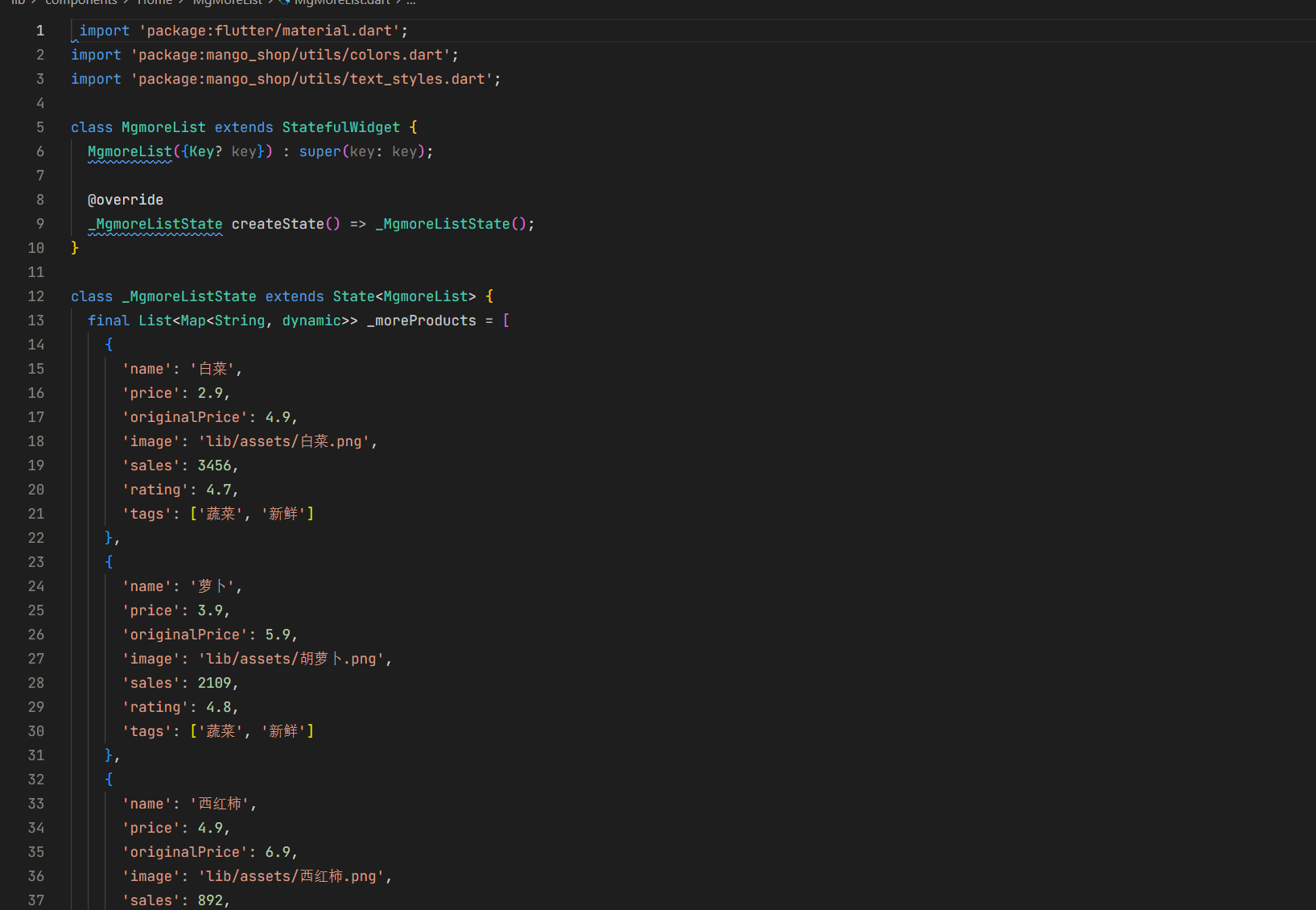
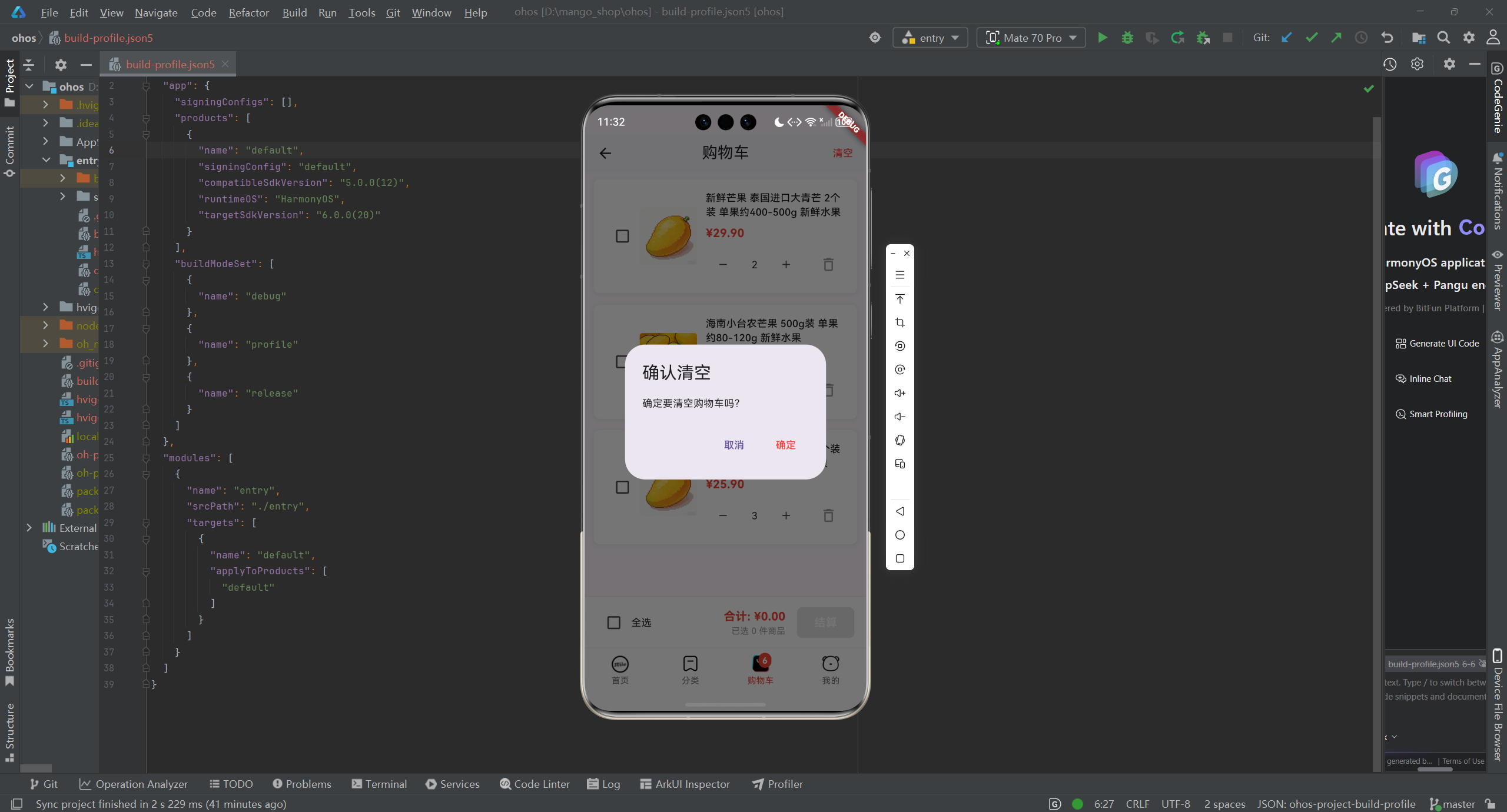
3. 商品卡片组件化
将商品卡片封装为独立的组件:
// lib/components/widgets/product_card.dart
import 'package:flutter/material.dart';
import 'package:mango_shop/models/product.dart';
import 'package:mango_shop/utils/colors.dart';
import 'package:mango_shop/utils/text_styles.dart';
class ProductCard extends StatelessWidget {
final Product product;
final VoidCallback? onTap;
final double? width;
final bool showRating;
const ProductCard({
Key? key,
required this.product,
this.onTap,
this.width,
this.showRating = true,
}) : super(key: key);
Widget build(BuildContext context) {
return GestureDetector(
onTap: onTap,
child: MouseRegion(
cursor: SystemMouseCursors.click,
child: AnimatedScale(
duration: const Duration(milliseconds: 200),
scale: 1.0,
child: Container(
width: width,
decoration: BoxDecoration(
color: AppColors.white,
borderRadius: BorderRadius.circular(12),
boxShadow: [
BoxShadow(
color: AppColors.black.withOpacity(0.1),
spreadRadius: 2,
blurRadius: 16,
offset: const Offset(0, 6),
),
],
border: Border.all(
color: AppColors.gray300.withOpacity(0.2),
width: 1,
),
),
child: Column(
children: [
Container(
height: width != null ? width! * 0.8 : 150,
decoration: BoxDecoration(
borderRadius: const BorderRadius.vertical(top: Radius.circular(12)),
image: DecorationImage(
image: AssetImage(product.image),
fit: BoxFit.cover,
),
),
child: Stack(
children: [
// 标签
if (product.tags.isNotEmpty)
Positioned(
top: 8,
left: 8,
child: Container(
padding: const EdgeInsets.symmetric(
horizontal: 8,
vertical: 4,
),
decoration: BoxDecoration(
color: Colors.red.withOpacity(0.9),
borderRadius: BorderRadius.circular(4),
),
child: Text(
product.tags[0],
style: const TextStyle(
color: Colors.white,
fontSize: 10,
fontWeight: FontWeight.bold,
),
),
),
),
// 评分
if (showRating && product.rating != null)
Positioned(
top: 8,
right: 8,
child: Container(
padding: const EdgeInsets.symmetric(
horizontal: 8,
vertical: 2,
),
decoration: BoxDecoration(
color: Colors.black.withOpacity(0.6),
borderRadius: BorderRadius.circular(4),
),
child: Row(
children: [
const Icon(
Icons.star,
color: Colors.yellow,
size: 10,
),
const SizedBox(width: 2),
Text(
'${product.rating}',
style: const TextStyle(
color: Colors.white,
fontSize: 10,
fontWeight: FontWeight.bold,
),
),
],
),
),
),
],
),
),
Padding(
padding: const EdgeInsets.all(12),
child: Column(
crossAxisAlignment: CrossAxisAlignment.start,
children: [
Text(
product.name,
style: AppTextStyles.bodyMedium.copyWith(
fontWeight: FontWeight.w500,
),
maxLines: 2,
overflow: TextOverflow.ellipsis,
),
const SizedBox(height: 6),
Row(
children: [
Text(
'¥${product.price}',
style: AppTextStyles.price.copyWith(
fontSize: 16,
fontWeight: FontWeight.bold,
),
),
const SizedBox(width: 6),
Text(
'¥${product.originalPrice}',
style: TextStyle(
color: AppColors.textHint,
fontSize: 12,
decoration: TextDecoration.lineThrough,
),
),
],
),
const SizedBox(height: 6),
Text(
'已售${product.sales}件',
style: TextStyle(
color: AppColors.textHint,
fontSize: 11,
),
),
],
),
),
],
),
),
),
),
);
}
}
4. 商品列表组件实现
4.1 商品列表组件
// lib/components/product/product_list.dart
import 'package:flutter/material.dart';
import 'package:flutter_riverpod/flutter_riverpod.dart';
import 'package:mango_shop/components/widgets/product_card.dart';
import 'package:mango_shop/providers/product_provider.dart';
import 'package:mango_shop/utils/colors.dart';
class ProductList extends ConsumerStatefulWidget {
final bool isGrid;
final int crossAxisCount;
final double childAspectRatio;
const ProductList({
Key? key,
this.isGrid = false,
this.crossAxisCount = 2,
this.childAspectRatio = 0.9,
}) : super(key: key);
_ProductListState createState() => _ProductListState();
}
class _ProductListState extends ConsumerState<ProductList> {
final ScrollController _scrollController = ScrollController();
void initState() {
super.initState();
// 监听滚动事件,实现上拉加载更多
_scrollController.addListener(() {
if (_scrollController.position.pixels == _scrollController.position.maxScrollExtent) {
ref.read(productListProvider.notifier).loadMoreProducts();
}
});
}
void dispose() {
_scrollController.dispose();
super.dispose();
}
Widget build(BuildContext context) {
final productState = ref.watch(productListProvider);
final productNotifier = ref.read(productListProvider.notifier);
// 下拉刷新
return RefreshIndicator(
onRefresh: () => productNotifier.refreshProducts(),
color: AppColors.primary,
child: _buildContent(productState, productNotifier),
);
}
Widget _buildContent(ProductListState state, ProductListNotifier notifier) {
// 加载中状态
if (state.isLoading && state.products.isEmpty) {
return const Center(
child: CircularProgressIndicator(),
);
}
// 错误状态
if (state.errorMessage != null && state.products.isEmpty) {
return Center(
child: Column(
mainAxisAlignment: MainAxisAlignment.center,
children: [
const Icon(Icons.error_outline, size: 64, color: Colors.red),
const SizedBox(height: 16),
Text(
state.errorMessage!,
textAlign: TextAlign.center,
style: const TextStyle(color: Colors.red),
),
const SizedBox(height: 16),
ElevatedButton(
onPressed: () => notifier.refreshProducts(),
child: const Text('重试'),
),
],
),
);
}
// 空数据状态
if (state.products.isEmpty) {
return Center(
child: Column(
mainAxisAlignment: MainAxisAlignment.center,
children: [
const Icon(Icons.shopping_bag_outlined, size: 64, color: Colors.grey),
const SizedBox(height: 16),
const Text('暂无商品'),
const SizedBox(height: 16),
ElevatedButton(
onPressed: () => notifier.refreshProducts(),
child: const Text('刷新'),
),
],
),
);
}
// 商品列表
if (widget.isGrid) {
return GridView.builder(
controller: _scrollController,
padding: const EdgeInsets.all(16),
gridDelegate: SliverGridDelegateWithFixedCrossAxisCount(
crossAxisCount: widget.crossAxisCount,
mainAxisSpacing: 20,
crossAxisSpacing: 16,
childAspectRatio: widget.childAspectRatio,
),
itemCount: state.products.length + (state.hasMore ? 1 : 0),
itemBuilder: (context, index) {
if (index == state.products.length) {
// 加载更多指示器
return _buildLoadMoreIndicator(state.isLoadingMore);
}
return ProductCard(
product: state.products[index],
onTap: () {
// 商品点击事件
print('商品 ${state.products[index].name} 被点击');
// 跳转到商品详情页
},
);
},
);
} else {
return ListView.builder(
controller: _scrollController,
padding: const EdgeInsets.symmetric(horizontal: 16, vertical: 10),
itemCount: state.products.length + (state.hasMore ? 1 : 0),
itemBuilder: (context, index) {
if (index == state.products.length) {
// 加载更多指示器
return _buildLoadMoreIndicator(state.isLoadingMore);
}
return Container(
margin: const EdgeInsets.only(bottom: 16),
child: ProductCard(
product: state.products[index],
onTap: () {
// 商品点击事件
print('商品 ${state.products[index].name} 被点击');
// 跳转到商品详情页
},
),
);
},
);
}
}
Widget _buildLoadMoreIndicator(bool isLoadingMore) {
return Container(
padding: const EdgeInsets.symmetric(vertical: 20),
alignment: Alignment.center,
child: isLoadingMore
? const CircularProgressIndicator()
: const Text('没有更多商品了'),
);
}
}
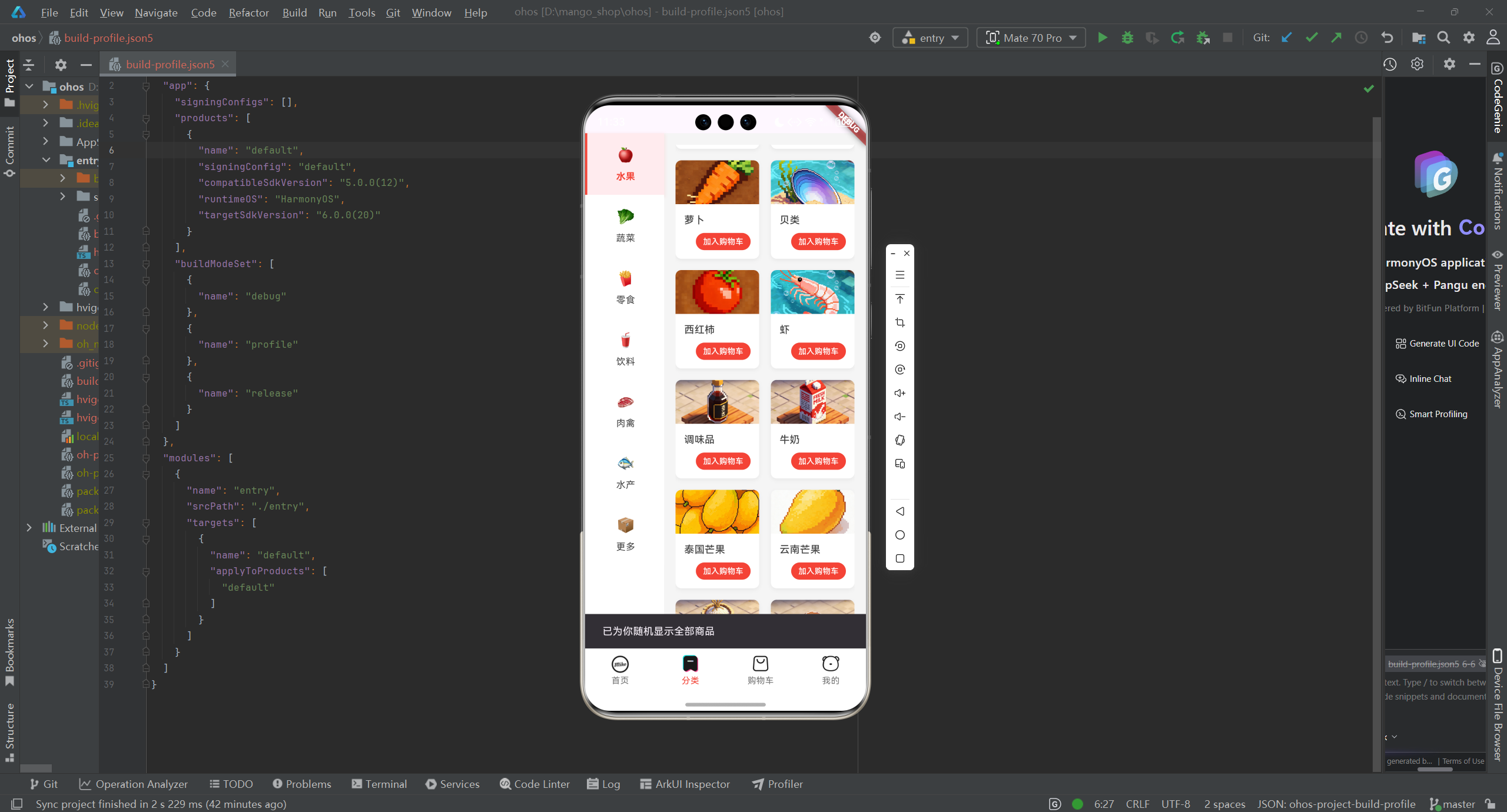
4.2 水平商品列表组件
// lib/components/product/horizontal_product_list.dart
import 'package:flutter/material.dart';
import 'package:flutter_riverpod/flutter_riverpod.dart';
import 'package:mango_shop/components/widgets/product_card.dart';
import 'package:mango_shop/models/product.dart';
import 'package:mango_shop/utils/colors.dart';
class HorizontalProductList extends StatelessWidget {
final List<Product> products;
final String title;
final VoidCallback? onViewMore;
const HorizontalProductList({
Key? key,
required this.products,
required this.title,
this.onViewMore,
}) : super(key: key);
Widget build(BuildContext context) {
return Container(
margin: const EdgeInsets.only(top: 10),
padding: const EdgeInsets.symmetric(horizontal: 16, vertical: 20),
color: AppColors.white,
child: Column(
crossAxisAlignment: CrossAxisAlignment.start,
children: [
Row(
mainAxisAlignment: MainAxisAlignment.spaceBetween,
children: [
Container(
child: Row(
children: [
Container(
width: 4,
height: 20,
decoration: BoxDecoration(
color: Colors.red,
borderRadius: BorderRadius.circular(2),
),
),
const SizedBox(width: 8),
Text(title, style: const TextStyle(
fontSize: 18,
fontWeight: FontWeight.bold,
)),
],
),
),
if (onViewMore != null)
GestureDetector(
onTap: onViewMore,
child: Row(
children: [
Text('查看更多', style: TextStyle(
color: AppColors.textSecondary,
fontSize: 14,
)),
const Icon(Icons.arrow_forward_ios, size: 12, color: Colors.grey),
],
),
),
],
),
const SizedBox(height: 20),
SizedBox(
height: 280,
child: ListView.builder(
scrollDirection: Axis.horizontal,
itemCount: products.length,
padding: const EdgeInsets.only(right: 16),
itemBuilder: (context, index) {
return Container(
width: 160,
margin: const EdgeInsets.only(right: 16),
child: ProductCard(
product: products[index],
width: 160,
onTap: () {
// 商品点击事件
print('商品 ${products[index].name} 被点击');
// 跳转到商品详情页
},
),
);
},
),
),
],
),
);
}
}
5. 商品服务实现
// lib/api/services/product_service.dart
import 'package:mango_shop/api/client/mango_api_client.dart';
import 'package:mango_shop/utils/network/network_manager.dart';

class ProductService {
  static final ProductService _instance = ProductService._internal();
  factory ProductService() => _instance;

  late MangoApiClient _apiClient;
  final NetworkManager _networkManager = NetworkManager();

  ProductService._internal();

  // 初始化
  Future<void> initialize() async {
    _apiClient = MangoApiClient();
  }

  // 获取商品列表
  Future<dynamic> getProducts({int page = 1, int limit = 20}) async {
    // 检查网络连接
    if (!await _networkManager.isConnected()) {
      // 返回模拟数据
      return _getMockProducts(page, limit);
    }

    try {
      final response = await _apiClient.getProducts(
        page: page,
        limit: limit,
      );
      return response;
    } catch (e) {
      // 网络请求失败,返回模拟数据
      print('网络请求失败,返回模拟数据: $e');
      return _getMockProducts(page, limit);
    }
  }

  // 获取商品详情
  Future<dynamic> getProductDetail(String productId) async {
    // 检查网络连接
    if (!await _networkManager.isConnected()) {
      // 返回模拟数据
      return _getMockProductDetail(productId);
    }

    try {
      final response = await _apiClient.getProductDetail(productId);
      return response;
    } catch (e) {
      // 网络请求失败,返回模拟数据
      print('网络请求失败,返回模拟数据: $e');
      return _getMockProductDetail(productId);
    }
  }

  // 获取分类商品
  Future<dynamic> getProductsByCategory(String categoryId) async {
    // 检查网络连接
    if (!await _networkManager.isConnected()) {
      // 返回模拟数据
      return _getMockCategoryProducts(categoryId);
    }

    try {
      final response = await _apiClient.getProductsByCategory(categoryId);
      return response;
    } catch (e) {
      // 网络请求失败,返回模拟数据
      print('网络请求失败,返回模拟数据: $e');
      return _getMockCategoryProducts(categoryId);
    }
  }

  // 模拟商品数据
  dynamic _getMockProducts(int page, int limit) {
    final List<Map<String, dynamic>> products = [
      {
        'id': '1',
        'name': '海南芒果',
        'image': 'lib/assets/220c3184-fec6-4c46-8606-67015ed201cc.png',
        'price': 19.9,
        'originalPrice': 29.9,
        'sales': 1234,
        'rating': 4.8,
        'tags': ['热销', '新鲜']
      },
      {
        'id': '2',
        'name': '泰国芒果',
        'image': 'lib/assets/52da9c14-9404-4e4d-83a1-4a294050350f.png',
        'price': 29.9,
        'originalPrice': 39.9,
        'sales': 892,
        'rating': 4.9,
        'tags': ['进口', '精选']
      },
      {
        'id': '3',
        'name': '广西芒果',
        'image': 'lib/assets/52da9c14-9404-4e4d-83a1-4a294050350f.png',
        'price': 15.9,
        'originalPrice': 25.9,
        'sales': 2103,
        'rating': 4.7,
        'tags': ['国产', '实惠']
      },
      {
        'id': '4',
        'name': '云南芒果',
        'image': 'lib/assets/220c3184-fec6-4c46-8606-67015ed201cc.png',
        'price': 17.9,
        'originalPrice': 27.9,
        'sales': 987,
        'rating': 4.6,
        'tags': ['国产', '优质']
      },
      {
        'id': '5',
        'name': '白菜',
        'image': 'lib/assets/白菜.png',
        'price': 2.9,
        'originalPrice': 4.9,
        'sales': 3456,
        'rating': 4.7,
        'tags': ['蔬菜', '新鲜']
      },
      {
        'id': '6',
        'name': '萝卜',
        'image': 'lib/assets/胡萝卜.png',
        'price': 3.9,
        'originalPrice': 5.9,
        'sales': 2109,
        'rating': 4.8,
        'tags': ['蔬菜', '新鲜']
      },
      {
        'id': '7',
        'name': '西红柿',
        'image': 'lib/assets/西红柿.png',
        'price': 4.9,
        'originalPrice': 6.9,
        'sales': 892,
        'rating': 4.9,
        'tags': ['蔬菜', '新鲜']
      },
      {
        'id': '8',
        'name': '黄瓜',
        'image': 'lib/assets/黄瓜.png',
        'price': 3.9,
        'originalPrice': 5.9,
        'sales': 5678,
        'rating': 4.6,
        'tags': ['蔬菜', '新鲜']
      },
    ];

    // 模拟分页
    final start = (page - 1) * limit;
    final end = start + limit;
    final paginatedProducts = products.sublist(
      start,
      end > products.length ? products.length : end,
    );

    return {
      'products': paginatedProducts,
      'total': products.length,
      'page': page,
      'limit': limit,
    };
  }

  // 模拟商品详情数据
  dynamic _getMockProductDetail(String productId) {
    return {
      'id': productId,
      'name': '海南芒果',
      'image': 'lib/assets/220c3184-fec6-4c46-8606-67015ed201cc.png',
      'price': 19.9,
      'originalPrice': 29.9,
      'sales': 1234,
      'rating': 4.8,
      'tags': ['热销', '新鲜'],
      'description': '海南芒果,果肉丰厚,香气四溢,甜度适中,是夏季消暑的最佳选择。',
      'specifications': [
        {'name': '规格', 'value': '500g/份'},
        {'name': '产地', 'value': '海南'},
        {'name': '保质期', 'value': '7天'},
      ],
      'stock': 100,
    };
  }

  // 模拟分类商品数据
  dynamic _getMockCategoryProducts(String categoryId) {
    return {
      'products': [
        {
          'id': '1',
          'name': '海南芒果',
          'image': 'lib/assets/220c3184-fec6-4c46-8606-67015ed201cc.png',
          'price': 19.9,
          'originalPrice': 29.9,
          'sales': 1234,
          'rating': 4.8,
          'tags': ['热销', '新鲜']
        },
        {
          'id': '2',
          'name': '泰国芒果',
          'image': 'lib/assets/52da9c14-9404-4e4d-83a1-4a294050350f.png',
          'price': 29.9,
          'originalPrice': 39.9,
          'sales': 892,
          'rating': 4.9,
          'tags': ['进口', '精选']
        },
      ],
      'total': 2,
      'category': {
        'id': categoryId,
        'name': '水果',
      },
    };
  }
}
6. 首页商品模块集成
// lib/pages/Home/index.dart
import 'package:flutter/material.dart';
import 'package:flutter_riverpod/flutter_riverpod.dart';
import 'package:mango_shop/components/Home/MgSlider/MgSlider.dart';
import 'package:mango_shop/components/Home/MgCategory/MgCategory.dart';
import 'package:mango_shop/components/product/horizontal_product_list.dart';
import 'package:mango_shop/components/product/product_list.dart';
import 'package:mango_shop/models/product.dart';
import 'package:mango_shop/providers/product_provider.dart';
import 'package:mango_shop/utils/colors.dart';
import 'package:mango_shop/routes/navigation_service.dart';
import 'package:mango_shop/routes/router.dart';
class HomeView extends ConsumerWidget {
const HomeView({Key? key}) : super(key: key);
Widget build(BuildContext context, WidgetRef ref) {
final productState = ref.watch(productListProvider);
// 模拟热门商品数据
final hotProducts = [
Product(
id: '1',
name: '海南芒果',
image: 'lib/assets/220c3184-fec6-4c46-8606-67015ed201cc.png',
price: 19.9,
originalPrice: 29.9,
sales: 1234,
rating: 4.8,
tags: ['热销', '新鲜'],
),
Product(
id: '2',
name: '泰国芒果',
image: 'lib/assets/52da9c14-9404-4e4d-83a1-4a294050350f.png',
price: 29.9,
originalPrice: 39.9,
sales: 892,
rating: 4.9,
tags: ['进口', '精选'],
),
Product(
id: '3',
name: '广西芒果',
image: 'lib/assets/52da9c14-9404-4e4d-83a1-4a294050350f.png',
price: 15.9,
originalPrice: 25.9,
sales: 2103,
rating: 4.7,
tags: ['国产', '实惠'],
),
Product(
id: '4',
name: '云南芒果',
image: 'lib/assets/220c3184-fec6-4c46-8606-67015ed201cc.png',
price: 17.9,
originalPrice: 27.9,
sales: 987,
rating: 4.6,
tags: ['国产', '优质'],
),
];
return Scaffold(
backgroundColor: AppColors.background,
body: ListView(
padding: EdgeInsets.zero,
children: [
// 轮播图和搜索栏
Stack(
children: [
// 轮播图
Container(
width: double.infinity,
child: const Mgslider(),
),
// 透明搜索栏(置顶)
Positioned(
top: 16,
left: 16,
right: 16,
child: GestureDetector(
onTap: () {
// 搜索栏点击事件
print('搜索栏被点击');
// 跳转到搜索页面
NavigationService.navigateTo(RouteNames.search);
},
child: AnimatedScale(
duration: const Duration(milliseconds: 100),
scale: 1.0,
child: Container(
height: 40,
decoration: BoxDecoration(
color: AppColors.white.withOpacity(0.95),
borderRadius: BorderRadius.circular(20),
boxShadow: [
BoxShadow(
color: AppColors.black.withOpacity(0.1),
blurRadius: 8,
offset: const Offset(0, 2),
),
],
),
child: Row(
children: [
const SizedBox(width: 16),
const Icon(Icons.search, color: AppColors.textHint, size: 20),
const SizedBox(width: 12),
Text('搜索商品', style: TextStyle(color: AppColors.textHint, fontSize: 14)),
],
),
),
),
),
),
],
),
// 分类导航
const Mgcategory(),
// 热门商品
HorizontalProductList(
products: hotProducts,
title: '热门商品',
onViewMore: () {
print('查看更多热门商品');
// 显示查看更多提示
ScaffoldMessenger.of(context).showSnackBar(
const SnackBar(content: Text('正在加载更多热门商品...')),
);
},
),
// 推荐商品
HorizontalProductList(
products: productState.products.take(4).toList(),
title: '推荐商品',
onViewMore: () {
print('查看更多推荐商品');
// 显示查看更多提示
ScaffoldMessenger.of(context).showSnackBar(
const SnackBar(content: Text('正在加载更多推荐商品...')),
);
},
),
// 更多商品列表
Container(
margin: const EdgeInsets.only(top: 10, bottom: 32),
child: const ProductList(
isGrid: true,
crossAxisCount: 2,
childAspectRatio: 0.9,
),
),
],
),
);
}
}
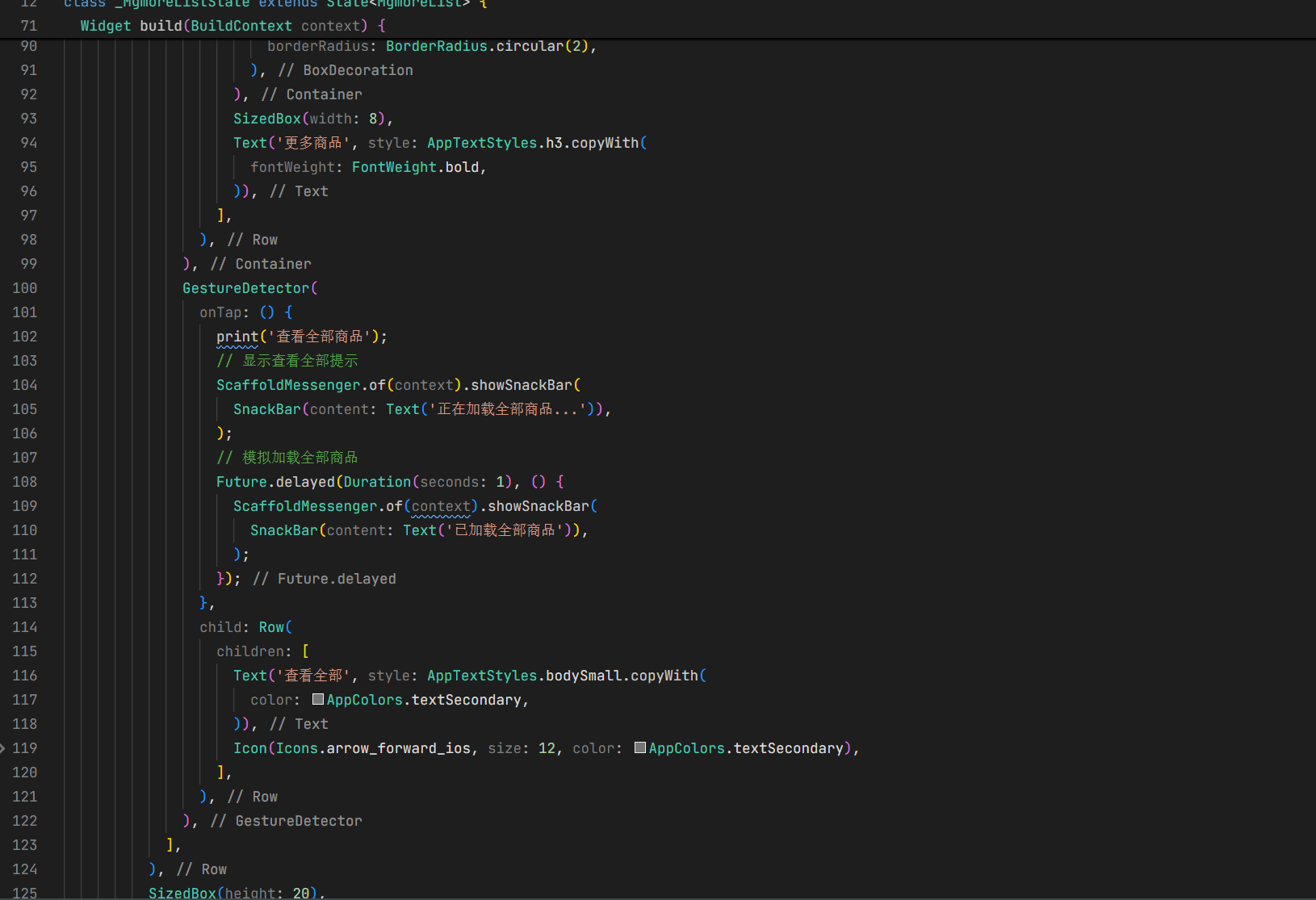
7. 跨平台适配
7.1 OpenHarmony 平台适配
针对 OpenHarmony 平台,我们需要进行以下适配:
-
列表性能优化:
- 使用
ListView.builder和GridView.builder的itemBuilder方法,避免一次性创建所有 item - 使用
const构造器和const变量,减少不必要的重建 - 对图片使用适当的缓存策略
- 使用
-
下拉刷新适配:
- OpenHarmony 平台的下拉刷新可能与其他平台有所不同,需要进行适配
- 调整下拉刷新的动画和触发方式,以符合 OpenHarmony 的设计规范
-
网络请求适配:
- 针对 OpenHarmony 平台的网络特性,调整网络请求的超时时间和重试策略
- 实现离线缓存,提高应用在网络不稳定情况下的表现
-
平台感知实现:
// lib/utils/platform/adapter.dart
import 'dart:io';
import 'package:flutter/material.dart';

class PlatformAdapter {
  // 判断当前平台
  static bool get isOpenHarmony {
    return Platform.environment.containsKey('OHOS') ||
           Platform.operatingSystem.toLowerCase() == 'openharmony';
  }

  // 获取平台特定的列表缓存策略
  static bool get useListViewCache {
    return isOpenHarmony;
  }

  // 获取平台特定的下拉刷新颜色
  static Color get refreshIndicatorColor {
    return isOpenHarmony ? Colors.red : Colors.blue;
  }

  // 获取平台特定的列表项缓存数量
  static int get listViewCacheExtent {
    return isOpenHarmony ? 5 : 3;
  }
}
- OpenHarmony 特定的列表实现:
// lib/components/product/ohos_product_list.dart
import 'package:flutter/material.dart';
import 'package:mango_shop/utils/platform/adapter.dart';
class OhosProductList extends StatelessWidget {
final Widget child;
const OhosProductList({Key? key, required this.child}) : super(key: key);
Widget build(BuildContext context) {
if (PlatformAdapter.isOpenHarmony) {
// OpenHarmony 特定的列表实现
return ScrollConfiguration(
behavior: const ScrollBehavior().copyWith(
scrollbars: false, // 隐藏滚动条
),
child: child,
);
}
return child;
}
}
测试与调试
1. 列表功能测试
- 功能测试:测试下拉刷新和上拉加载更多功能
- 性能测试:测试列表滚动的流畅度和内存使用
- 错误处理测试:测试网络错误和空数据状态
- 跨平台测试:确保在所有平台上列表功能表现一致
2. 性能优化策略
- 图片缓存:使用
cached_network_image等库对网络图片进行缓存 - 列表项缓存:使用
ListView.builder的addAutomaticKeepAlives和addRepaintBoundaries属性 - 减少重建:使用
const构造器和const变量 - 懒加载:对图片等重量级资源使用懒加载
- 分页加载:使用分页加载减少一次性加载的数据量
3. 调试工具
- 性能分析:使用 Flutter DevTools 分析列表性能
- 网络调试:使用网络调试工具监控网络请求
- 日志调试:添加适当的日志,便于调试
总结与展望
通过本文介绍的商品模块优化方案,我们可以:
- 提高代码可维护性:模块化的商品列表设计,便于统一管理和修改
- 增强用户体验:实现下拉刷新和上拉加载更多功能,提升用户体验
- 提高应用性能:优化列表渲染性能,减少内存使用
- 增强跨平台兼容性:针对 OpenHarmony 平台进行专门的适配
- 简化开发流程:封装商品卡片组件,减少重复代码
未来,可以考虑:
- 商品筛选和排序:实现商品的多维度筛选和排序功能
- 商品详情页:完善商品详情页的实现
- 购物车集成:实现商品添加到购物车的功能
- 推荐算法:实现基于用户行为的商品推荐
- 离线功能:增强应用的离线使用能力
Flutter for OpenHarmony 为跨平台应用开发提供了新的可能性,通过合理的商品列表实现和跨平台适配,可以构建出在所有平台上表现出色的应用。
欢迎加入开源鸿蒙跨平台社区:开源鸿蒙跨平台开发者社区

开源鸿蒙跨平台开发社区汇聚开发者与厂商,共建“一次开发,多端部署”的开源生态,致力于降低跨端开发门槛,推动万物智联创新。
更多推荐
 7
7 0
0- 0


 已为社区贡献22条内容

所有评论(0)