【Flutter for OpenHarmony】开源鸿蒙跨平台训练营Day4-6 -基于day3实现列表清单上拉加载、下拉刷新及数据加载提示能力
·
核心任务为开源鸿蒙跨平台工程的列表清单实现上拉加载、下拉刷新及数据加载提示能力,并完成开源鸿蒙设备运行验证。
前言
本次针对上海景点列表 Flutter 项目的核心优化,是在保留原有功能(景点卡片展示、点击交互、基础加载状态)的基础上,新增三大核心能力:
1.下拉刷新:下拉列表触发数据重新加载,重置为第一页数据并显示刷新动画;
2.上拉加载更多:滑动到列表底部自动加载分页数据,防止重复加载;
3.全场景加载提示:覆盖初始加载、下拉刷新、上拉加载中、加载失败、无更多数据、空数据等所有状态的可视化提示。
同时,优化了数据加载逻辑,引入分页机制(模拟第 1 页 5 条、第 2 页 3 条、后续无数据),确保交互体验流畅且状态可控。
代码修改(在VS Code中修改)
1. 状态变量定义
原代码:
List<ScenicSpotModel> _spotList = []; // 景点列表
bool _isLoading = true; // 初始加载状态
String? _errorMsg; // 错误信息
修改后的代码:
List<ScenicSpotModel> _spotList = []; // 景点列表
int _currentPage = 1; // 当前页码
bool _isLoading = true; // 初始加载状态
bool _isRefreshing = false; // 下拉刷新状态
bool _isLoadingMore = false; // 上拉加载状态
bool _hasMoreData = true; // 是否还有更多数据
String? _errorMsg; // 错误信息
final ScrollController _scrollController = ScrollController(); // 滚动控制器
2. 生命周期
原代码:
@override
void initState() {
  super.initState();
  _loadScenicData();
}
修改后的代码:
@override
void initState() {
  super.initState();
  _loadScenicData(isRefresh: false);
  _scrollController.addListener(_onScroll);
}

@override
void dispose() {
  _scrollController.dispose();
  super.dispose();
}

// 新增滚动监听方法
void _onScroll() {
  if (!_isLoadingMore && _hasMoreData && _errorMsg == null) {
    if (_scrollController.position.pixels >=
        _scrollController.position.maxScrollExtent - 200) {
      _loadScenicData(isRefresh: false);
    }
  }
}
3. 数据加载
原代码:
Future<void> _loadScenicData() async {
  setState(() {
    _isLoading = true;
    _errorMsg = null;
  });

  try {
    await Future.delayed(const Duration(seconds: 1));
    final mockData = [
      ScenicSpotModel(
        id: 1,
        name: "外滩",
        address: "上海市黄浦区中山东一路47号",
        rating: 4.8,
        imageUrl: "",
        intro: "黄浦江畔的万国建筑博览群,上海地标性景点,夜景尤为震撼",
      ),
      ScenicSpotModel(
        id: 2,
        name: "东方明珠",
        address: "上海市浦东新区世纪大道1号",
        rating: 4.7,
        imageUrl: "",
        intro: "高468米的电视塔,上海标志性建筑,可俯瞰整个浦东陆家嘴",
      ),
      ScenicSpotModel(
        id: 3,
        name: "豫园",
        address: "上海市黄浦区豫园老街279号",
        rating: 4.6,
        imageUrl: "",
        intro: "始建于明代的江南古典园林,兼具江南水乡特色与历史底蕴",
      ),
      ScenicSpotModel(
        id: 4,
        name: "上海迪士尼乐园",
        address: "上海市浦东新区川沙新镇黄赵路310号",
        rating: 4.9,
        imageUrl: "",
        intro: "中国内地首个迪士尼主题乐园,包含七大主题园区,亲子游玩首选",
      ),
      ScenicSpotModel(
        id: 5,
        name: "城隍庙",
        address: "上海市黄浦区方浜中路249号",
        rating: 4.5,
        imageUrl: "",
        intro: "上海老街风貌,汇聚各类特色小吃与传统民俗文化",
      ),
    ];
    setState(() {
      _spotList = mockData;
    });
  } catch (e) {
    setState(() => _errorMsg = "数据加载失败:${e.toString()}");
  } finally {
    setState(() => _isLoading = false);
  }
}
修改后的代码:
Future<void> _loadScenicData({required bool isRefresh}) async {
  // 状态重置
  if (isRefresh) {
    setState(() {
      _isRefreshing = true;
      _errorMsg = null;
      _currentPage = 1; // 刷新重置为第一页
    });
  } else {
    if (_isLoadingMore) return; // 防止重复加载
    setState(() {
      _isLoadingMore = true;
    });
  }

  try {
    // 模拟网络请求延迟(1秒)
    await Future.delayed(const Duration(seconds: 1));

    // 模拟分页数据(第1页5条,第2页3条,后续无数据)
    List<ScenicSpotModel> newData = [];
    if (_currentPage == 1) {
      // 第一页数据(原有5个景点)
      newData = [
        ScenicSpotModel(
          id: 1,
          name: "外滩",
          address: "上海市黄浦区中山东一路47号",
          rating: 4.8,
          imageUrl: "",
          intro: "黄浦江畔的万国建筑博览群,上海地标性景点,夜景尤为震撼",
        ),
        ScenicSpotModel(
          id: 2,
          name: "东方明珠",
          address: "上海市浦东新区世纪大道1号",
          rating: 4.7,
          imageUrl: "",
          intro: "高468米的电视塔,上海标志性建筑,可俯瞰整个浦东陆家嘴",
        ),
        ScenicSpotModel(
          id: 3,
          name: "豫园",
          address: "上海市黄浦区豫园老街279号",
          rating: 4.6,
          imageUrl: "",
          intro: "始建于明代的江南古典园林,兼具江南水乡特色与历史底蕴",
        ),
        ScenicSpotModel(
          id: 4,
          name: "上海迪士尼乐园",
          address: "上海市浦东新区川沙新镇黄赵路310号",
          rating: 4.9,
          imageUrl: "",
          intro: "中国内地首个迪士尼主题乐园,包含七大主题园区,亲子游玩首选",
        ),
        ScenicSpotModel(
          id: 5,
          name: "城隍庙",
          address: "上海市黄浦区方浜中路249号",
          rating: 4.5,
          imageUrl: "",
          intro: "上海老街风貌,汇聚各类特色小吃与传统民俗文化",
        ),
      ];
    } else if (_currentPage == 2) {
      // 第二页数据(新增3个景点)
      newData = [
        ScenicSpotModel(
          id: 6,
          name: "新天地",
          address: "上海市黄浦区马当路245号",
          rating: 4.6,
          imageUrl: "",
          intro: "中西合璧的石库门建筑群,集餐饮、购物、娱乐为一体的时尚地标",
        ),
        ScenicSpotModel(
          id: 7,
          name: "陆家嘴金融中心",
          address: "上海市浦东新区陆家嘴环路1000号",
          rating: 4.7,
          imageUrl: "",
          intro: "中国金融核心区,汇集上海中心、环球金融中心等超高层建筑",
        ),
        ScenicSpotModel(
          id: 8,
          name: "静安寺",
          address: "上海市静安区南京西路1686号",
          rating: 4.5,
          imageUrl: "",
          intro: "始建于三国时期的古刹,闹中取静的佛教圣地,融合传统与现代",
        ),
      ];
    } else {
      // 第三页及以后无数据
      newData = [];
      setState(() => _hasMoreData = false);
    }

    // 更新列表数据
    setState(() {
      if (isRefresh) {
        _spotList = newData; // 刷新:替换全部数据
      } else {
        _spotList.addAll(newData); // 加载更多:追加数据
      }
      _currentPage++; // 页码+1
    });
  } catch (e) {
    // 加载失败处理
    setState(() => _errorMsg = "数据加载失败:${e.toString()}");
  } finally {
    // 重置加载状态
    setState(() {
      _isLoading = false;
      _isRefreshing = false;
      _isLoadingMore = false;
    });
  }
}
4. 景点卡片构建
原代码:
Widget _buildScenicItem(ScenicSpotModel spot, int index) {
  return Card(
    margin: const EdgeInsets.symmetric(horizontal: 12, vertical: 8),
    elevation: 2,
    child: InkWell(
      onTap: () {
        ScaffoldMessenger.of(context).showSnackBar(
          SnackBar(content: Text("${spot.name} - 评分:${spot.rating}")),
        );
      },
      child: Padding(
        padding: const EdgeInsets.all(12),
        child: Row(
          crossAxisAlignment: CrossAxisAlignment.start,
          children: [
            const Icon(
              Icons.place,
              size: 80,
              color: Colors.blueAccent,
            ),
            const SizedBox(width: 12),
            Expanded(
              child: Column(
                crossAxisAlignment: CrossAxisAlignment.start,
                children: [
                  Text(
                    spot.name,
                    style: const TextStyle(
                      fontSize: 16,
                      fontWeight: FontWeight.bold,
                    ),
                  ),
                  const SizedBox(height: 4),
                  Text(
                    spot.address,
                    style: const TextStyle(color: Colors.grey, fontSize: 12),
                  ),
                  const SizedBox(height: 4),
                  Row(
                    children: [
                      const Icon(Icons.star, color: Colors.amber, size: 14),
                      const SizedBox(width: 4),
                      Text("${spot.rating}", style: const TextStyle(fontSize: 12)),
                    ],
                  ),
                  const SizedBox(height: 4),
                  Text(
                    spot.intro,
                    maxLines: 2,
                    overflow: TextOverflow.ellipsis,
                    style: const TextStyle(fontSize: 12),
                  ),
                ],
              ),
            ),
          ],
        ),
      ),
    ),
  );
}
修改后的代码:
Widget _buildScenicItem(ScenicSpotModel spot) {
  return Card(
    margin: const EdgeInsets.symmetric(horizontal: 12, vertical: 8),
    elevation: 2,
    child: InkWell(
      onTap: () {
        ScaffoldMessenger.of(context).showSnackBar(
          SnackBar(content: Text("${spot.name} - 评分:${spot.rating}")),
        );
      },
      child: Padding(
        padding: const EdgeInsets.all(12),
        child: Row(
          crossAxisAlignment: CrossAxisAlignment.start,
          children: [
            // 兼容所有Flutter版本的图标
            const Icon(
              Icons.place,
              size: 80,
              color: Colors.blueAccent,
            ),
            const SizedBox(width: 12),
            Expanded(
              child: Column(
                crossAxisAlignment: CrossAxisAlignment.start,
                children: [
                  Text(
                    spot.name,
                    style: const TextStyle(
                      fontSize: 16,
                      fontWeight: FontWeight.bold,
                    ),
                  ),
                  const SizedBox(height: 4),
                  Text(
                    spot.address,
                    style: const TextStyle(color: Colors.grey, fontSize: 12),
                  ),
                  const SizedBox(height: 4),
                  Row(
                    children: [
                      const Icon(Icons.star, color: Colors.amber, size: 14),
                      const SizedBox(width: 4),
                      Text("${spot.rating}", style: const TextStyle(fontSize: 12)),
                    ],
                  ),
                  const SizedBox(height: 4),
                  Text(
                    spot.intro,
                    maxLines: 2,
                    overflow: TextOverflow.ellipsis,
                    style: const TextStyle(fontSize: 12),
                  ),
                ],
              ),
            ),
          ],
        ),
      ),
    ),
  );
}
5. 新增底部加载提示
新增代码:
Widget _buildLoadMoreFooter() {
  if (_errorMsg != null) {
    // 加载失败提示(可点击重试)
    return Padding(
      padding: const EdgeInsets.symmetric(vertical: 12),
      child: TextButton(
        onPressed: () => _loadScenicData(isRefresh: false),
        child: Text(
          "加载失败,点击重试",
          style: TextStyle(color: Colors.red),
        ),
      ),
    );
  } else if (_isLoadingMore) {
    // 加载中提示
    return const Padding(
      padding: EdgeInsets.symmetric(vertical: 12),
      child: Center(
        child: Row(
          mainAxisAlignment: MainAxisAlignment.center,
          children: [
            CircularProgressIndicator(strokeWidth: 2),
            SizedBox(width: 8),
            Text("加载更多..."),
          ],
        ),
      ),
    );
  } else if (!_hasMoreData) {
    // 无更多数据提示
    return const Padding(
      padding: EdgeInsets.symmetric(vertical: 12),
      child: Center(
        child: Text(
          "已加载全部景点数据",
          style: TextStyle(color: Colors.grey),
        ),
      ),
    );
  } else {
    // 隐藏底部提示
    return const SizedBox(height: 0);
  }
}
6. 页面主体构建
原代码:
Widget _buildPageContent() {
  if (_isLoading) {
    return const Center(child: CircularProgressIndicator());
  }

  if (_errorMsg != null && _spotList.isEmpty) {
    return Center(
      child: Column(
        mainAxisAlignment: MainAxisAlignment.center,
        children: [
          Text(_errorMsg!, style: const TextStyle(color: Colors.red, fontSize: 14), textAlign: TextAlign.center),
          const SizedBox(height: 16),
          ElevatedButton(onPressed: _loadScenicData, child: const Text("重新加载")),
        ],
      ),
    );
  }

  if (_spotList.isEmpty) {
    return const Center(child: Text("暂无景点数据"));
  }

  return ListView.builder(
    itemCount: _spotList.length,
    itemBuilder: (context, index) => _buildScenicItem(_spotList[index], index),
  );
}
修改后的代码:
Widget _buildPageContent() {
  // 初始加载中
  if (_isLoading && !_isRefreshing) {
    return const Center(child: CircularProgressIndicator());
  }

  // 加载失败
  if (_errorMsg != null && _spotList.isEmpty) {
    return Center(
      child: Column(
        mainAxisAlignment: MainAxisAlignment.center,
        children: [
          Text(_errorMsg!, style: const TextStyle(color: Colors.red, fontSize: 14), textAlign: TextAlign.center),
          const SizedBox(height: 16),
          ElevatedButton(onPressed: () => _loadScenicData(isRefresh: true), child: const Text("重新加载")),
        ],
      ),
    );
  }

  // 空数据
  if (_spotList.isEmpty) {
    return const Center(child: Text("暂无景点数据"));
  }

  // 列表内容(包含下拉刷新+上拉加载)
  return RefreshIndicator(
    // 下拉刷新触发
    onRefresh: () => _loadScenicData(isRefresh: true),
    // 刷新提示颜色
    color: Colors.blueAccent,
    child: ListView.builder(
      // 列表+底部加载提示的总数量
      itemCount: _spotList.length + 1,
      // 绑定滚动控制器
      controller: _scrollController,
      itemBuilder: (context, index) {
        if (index < _spotList.length) {
          // 渲染景点卡片
          return _buildScenicItem(_spotList[index]);
        } else {
          // 渲染底部加载提示
          return _buildLoadMoreFooter();
        }
      },
    ),
  );
}
7. 悬浮按钮点击
原代码:
floatingActionButton: FloatingActionButton(
  onPressed: _loadScenicData,
  child: const Icon(Icons.refresh),
),
修改后的代码:
floatingActionButton: FloatingActionButton(
  // 手动刷新按钮
  onPressed: () => _loadScenicData(isRefresh: true),
  child: const Icon(Icons.refresh),
),
修改完成!
然后重新编译项目,清除缓存
打开终端,依次执行以下命令:
1.清除旧编译缓存,避免残留问题:
flutter clean2.重新获取依赖
flutter pub get3.运行应用到鸿蒙模拟器(替换为你的模拟器ID)
flutter run -d 127.0.0.1:5555然后打开DevEco Studio,打开模拟器,点击运行
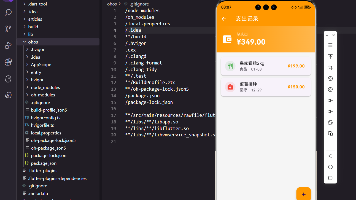
原来展现的清单: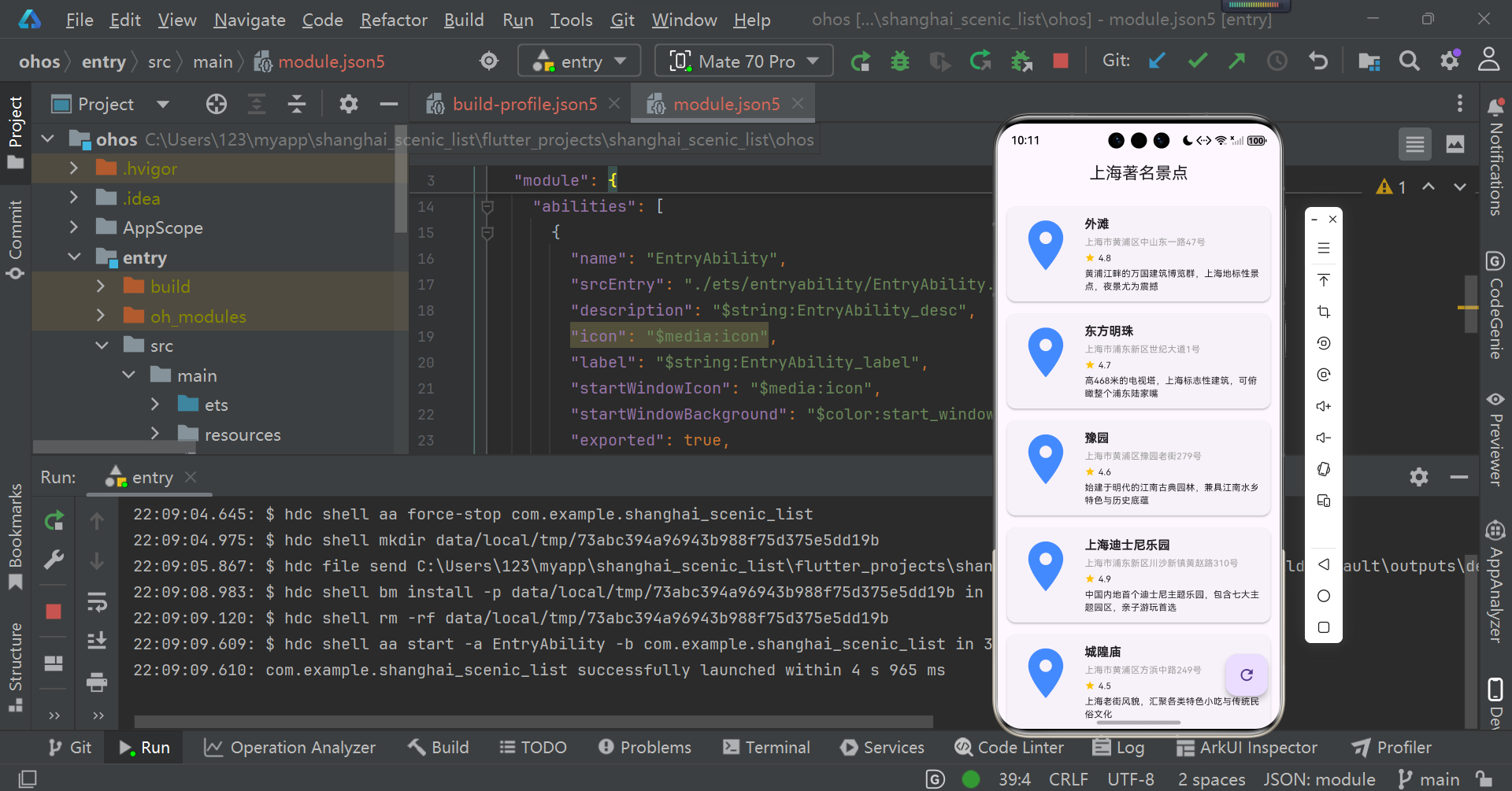
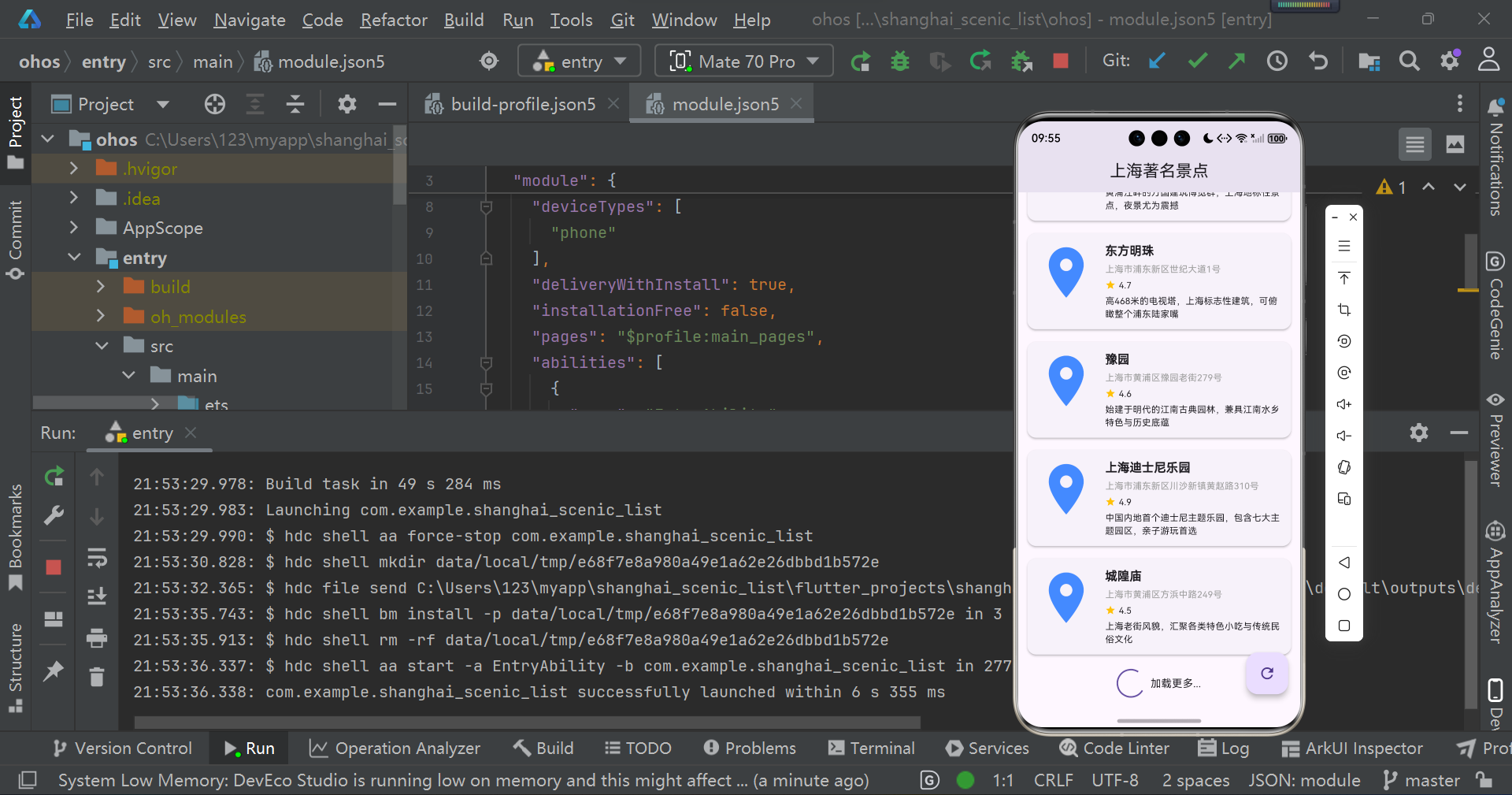
修改后运行如下:
(上拉加载)
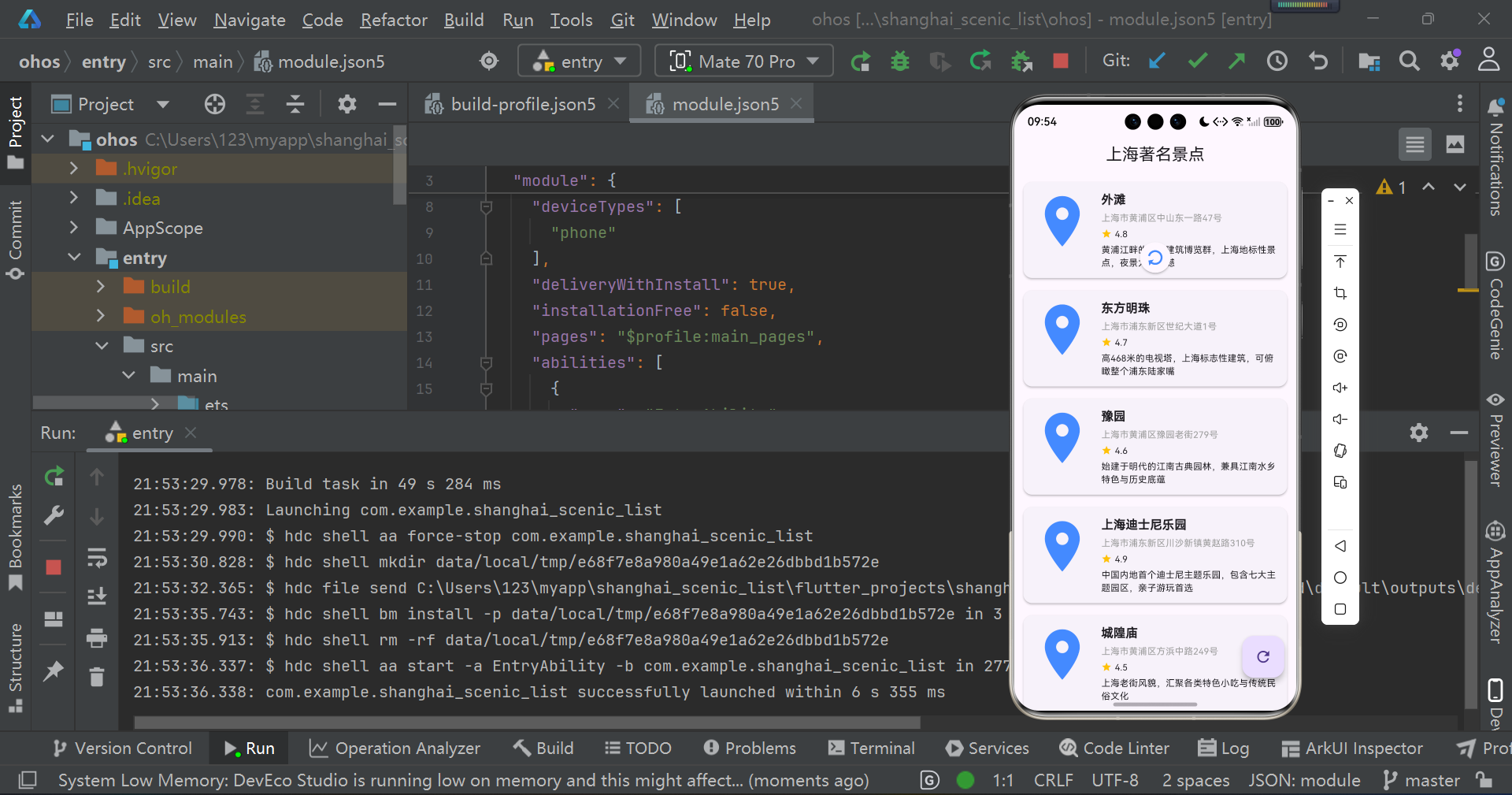
(下拉刷新)
总结
- 核心交互能力开发:为列表清单集成完整的上拉加载、下拉刷新功能,实现数据的增量加载与实时刷新;同时添加多场景数据加载提示(含加载中、加载失败、无更多数据、空数据等状态),确保交互逻辑闭环,提示样式适配不同终端显示规范。
- 可选拓展(跨平台技术栈三方库接入):可选用适配开源鸿蒙的跨平台技术栈列表交互三方库实现上述能力,需掌握不同技术栈三方库的集成流程、版本适配规则及差异化使用要点。
- React Native技术栈:推荐使用已完成OpenHarmony兼容的react-native-MJRefresh、pull-to-refresh。OpenHarmony已兼容三方库清单。
- Flutter技术栈:推荐使用pull_to_refresh(Flutter 主流下拉刷新 / 上拉加载库,支持自定义加载动画,适配鸿蒙 Flutter 引擎)、infinite_scroll_pagination(专注上拉分页加载,适配鸿蒙数据请求异步逻辑)、flutter_easy_refresh(轻量化刷新组件,适配鸿蒙开发板屏幕触控交互);接入时需重点关注三方库与开源鸿蒙 SDK 版本的兼容性、跨终端(真机 / 开发板 / 模拟器)触控交互的适配性,以及鸿蒙权限体系对组件动画渲染的限制。OpenHarmony已兼容三方库清单。
- 开源鸿蒙终端运行验证代码提交规范:确保添加网络请求能力的工程在开源鸿蒙真机/开发板/模拟器上能正常运行,数据清单列表可正确加载、展示网络请求返回的数据。将完整工程代码(含工程配置文件、源码、资源文件、调试日志)按 Git 提交规范(清晰的 commit message、合理的提交粒度)推送到 AtomGit 公开仓库,确保仓库代码可直接拉取并复现运行效果。
欢迎加入开源鸿蒙跨平台社区 https://openharmonycrossplatform.csdn.net

开源鸿蒙跨平台开发社区汇聚开发者与厂商,共建“一次开发,多端部署”的开源生态,致力于降低跨端开发门槛,推动万物智联创新。
更多推荐

 33
33 0
0- 0


 已为社区贡献4条内容

所有评论(0)