Flutter for OpenHarmony艺考真题题库app实战+模拟考试实现
本文介绍了艺考学习应用中模拟考试页面的设计与实现。文章采用Flutter框架构建,核心功能包括: 状态管理架构 使用StatefulWidget管理考试全流程状态 定义四种考试状态枚举(设置/进行中/暂停/完成) 实现动态界面切换机制 考试设置模块 科目选择器(综合/美术基础等) 题目数量设置(50/80/100题) 时间管理(60-150分钟可调) 界面设计特点 红系渐变风格突出艺考主题 状态感
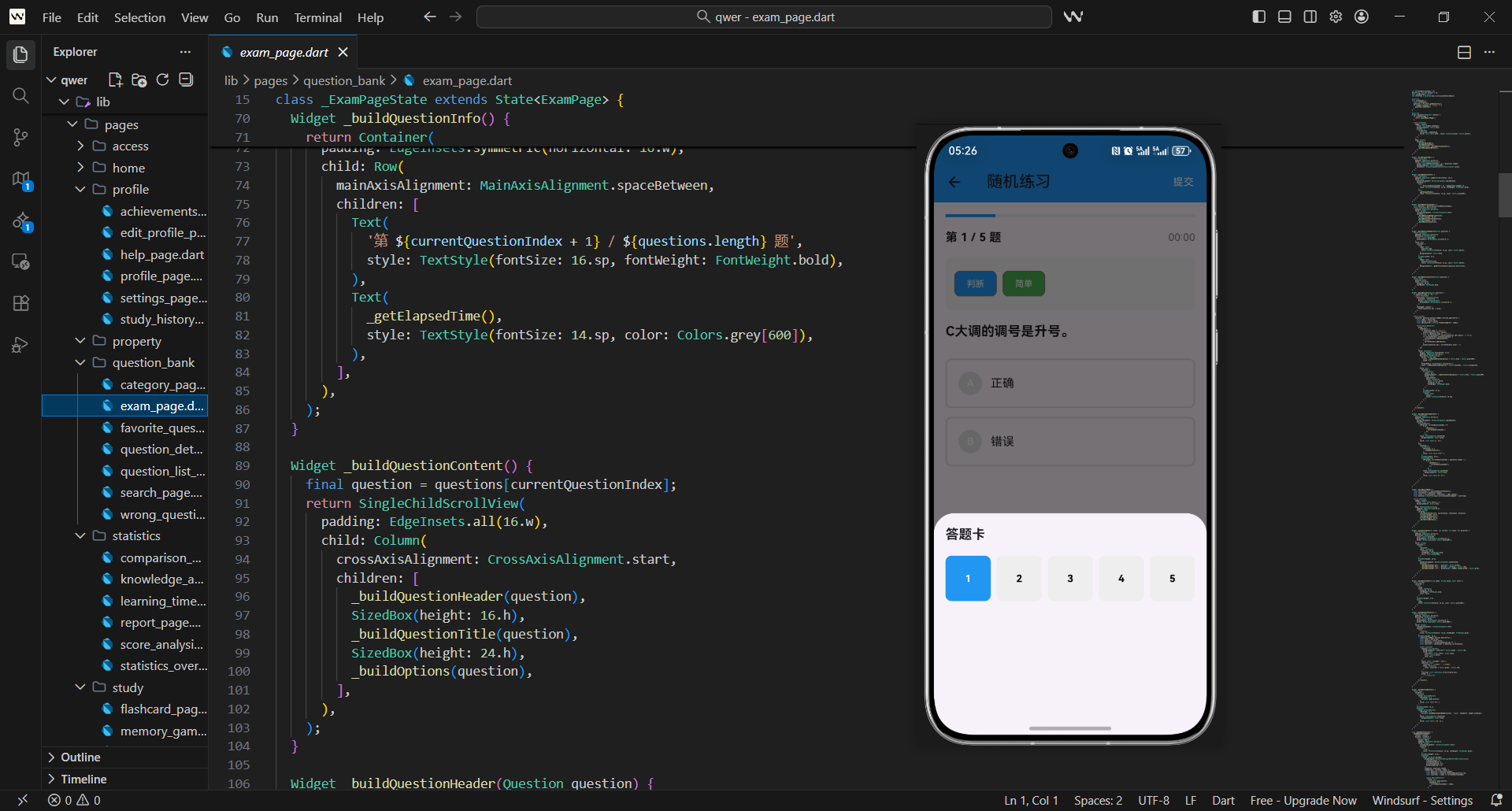
模拟考试是艺考学习应用中的重要功能,它能够为用户提供真实的考试体验。今天我们将详细介绍如何构建一个功能完善的模拟考试页面,包含考试设置、时间管理、答题界面、成绩统计等功能。
模拟考试架构
模拟考试页面核心采用StatefulWidget设计,核心考量点如下:
- 需管理多维度状态:考试阶段、题目数据、用户作答记录等
- 实时控制考试时间,保障计时准确性
- 支持动态切换不同考试界面(设置/答题/结果)
核心类定义代码如下,仅保留核心状态管理字段:
class MockExamPage extends StatefulWidget {
const MockExamPage({Key? key}) : super(key: key);
State<MockExamPage> createState() => _MockExamPageState();
}
续定义页面状态类,初始化核心考试参数:
examState:标记考试当前阶段(设置/进行中/暂停/完成)remainingTime:默认初始化2小时考试时长(7200秒)answers:存储用户各题作答结果,键为题目索引,值为答案
class _MockExamPageState extends State<MockExamPage> {
  ExamState examState = ExamState.setup;
  int currentIndex = 0;
  Map<int, String> answers = {};
  int remainingTime = 7200;
  String selectedSubject = '综合';
}
考试状态枚举
为清晰区分考试全流程阶段,定义枚举类,核心设计要点:
- 覆盖考试完整生命周期:设置→进行中→暂停→完成
- 每个状态对应唯一界面展示逻辑,避免状态混乱
enum ExamState {
  setup,
  inProgress,
  paused,
  completed,
}
页面主体构建
页面主体根据考试状态动态切换,设计逻辑如下:
- 使用
switch分支匹配不同考试状态 - 每个状态对应独立的构建方法,职责单一
- 兜底返回空容器,避免状态异常导致界面崩溃
Widget _buildBody() {
  switch (examState) {
    case ExamState.setup:
      return _buildSetupPage();
    case ExamState.inProgress:
      return _buildExamPage();
    case ExamState.paused:
      return _buildPausePage();
    case ExamState.completed:
      return _buildResultPage();
    default:
      return Container();
  }
}
标题动态更新
AppBar标题随考试状态实时变化,设计细节:
- 为每个考试状态配置精准的标题文案
- 保持标题风格统一,提升用户状态感知
String _getAppBarTitle() {
  switch (examState) {
    case ExamState.setup:
      return '模拟考试';
    case ExamState.inProgress:
      return '考试进行中';
    case ExamState.paused:
      return '考试暂停';
    case ExamState.completed:
      return '考试完成';
    default:
      return '模拟考试';
  }
}
考试设置页面
考试设置页面采用滚动布局,核心设计思路:
- 分模块展示设置项:考试信息、科目、题目、时间、其他
- 每项设置独立封装方法,提升代码可读性
- 适配不同屏幕尺寸,支持纵向滚动
Widget _buildSetupPage() {
  return SingleChildScrollView(
    padding: EdgeInsets.all(16.w),
    child: Column(
      crossAxisAlignment: CrossAxisAlignment.start,
      children: [
        _buildExamInfo(),
        SizedBox(height: 24.h),
        _buildSectionTitle('考试科目'),
      ],
    ),
  );
}
考试信息展示
考试说明区域采用渐变卡片设计,核心亮点:
- 视觉上突出重要提示,使用红系渐变增强艺考主题性
- 分点展示考试规则,搭配图标提升可读性
- 文字层级分明,标题加粗,说明文字弱化处理
Widget _buildExamInfo() {
  return Container(
    padding: EdgeInsets.all(20.w),
    decoration: BoxDecoration(
      gradient: LinearGradient(
        colors: [Colors.red[400]!, Colors.red[600]!],
      ),
      borderRadius: BorderRadius.circular(16.r),
    ),
    child: Column(
      crossAxisAlignment: CrossAxisAlignment.start,
      children: [
        Text('模拟考试说明', style: TextStyle(
          fontSize: 20.sp,
          fontWeight: FontWeight.bold,
          color: Colors.white,
        )),
      ],
    ),
  );
}
科目选择器
科目选择模块设计要点:
- 提供多科目选项(综合/美术基础/音乐理论等)
- 选中状态视觉强化:红系底色+选中图标
- 每个科目搭配描述文案,帮助用户选择
Widget _buildSubjectSelector() {
  final subjects = [
    {'name': '综合', 'description': '包含所有科目的综合考试'},
    {'name': '美术基础', 'description': '仅美术基础科目'},
  ];
  return Column(
    children: subjects.map((subject) {
      final isSelected = selectedSubject == subject['name'];
      return GestureDetector(
        onTap: () => setState(() => selectedSubject = subject['name'] as String),
        child: Container(margin: EdgeInsets.only(bottom: 8.h)),
      );
    }).toList(),
  );
}
题目设置
题目数量设置模块设计逻辑:
- 提供预设数量选项(50/80/100等),简化用户操作
- 选中项使用红底白字突出,未选中项为白底黑字
- 自动计算题型分布(单选60%/多选30%/判断10%)
Widget _buildQuestionSettings() {
  int questionCount = 100;
  return Column(
    children: [
      Text('题目数量', style: TextStyle(
        fontSize: 16.sp,
        fontWeight: FontWeight.bold,
      )),
      Wrap(
        spacing: 8.w,
        children: [50, 80, 100].map((count) {
          final isSelected = questionCount == count;
          return GestureDetector(
            onTap: () => setState(() => questionCount = count),
            child: Container(padding: EdgeInsets.symmetric(horizontal: 16.w)),
          );
        }).toList(),
      ),
    ],
  );
}
时间设置
时间设置模块核心功能:
- 开关控制是否启用时间限制
- 提供多时长选项(60/90/120/150分钟)
- 支持自动提交开关,超时自动交卷
Widget _buildTimeSettings() {
  bool enableTimeLimit = true;
  bool autoSubmit = false;
  return Column(
    children: [
      SwitchListTile(
        title: const Text('启用时间限制'),
        value: enableTimeLimit,
        onChanged: (value) => setState(() => enableTimeLimit = value),
      ),
      if (enableTimeLimit) ...[
        Text('考试时长', style: TextStyle(
          fontSize: 16.sp,
          fontWeight: FontWeight.bold,
        )),
      ],
    ],
  );
}
开始考试按钮
开始考试按钮设计要点:
- 通栏展示,视觉上突出操作入口
- 红系底色+加粗文字,符合艺考主题风格
- 点击触发考试初始化逻辑
Widget _buildStartButton() {
  return SizedBox(
    width: double.infinity,
    child: ElevatedButton(
      onPressed: _startExam,
      style: ElevatedButton.styleFrom(
        backgroundColor: Colors.red,
        padding: EdgeInsets.symmetric(vertical: 16.h),
      ),
      child: Text('开始考试', style: TextStyle(
        fontSize: 18.sp,
        fontWeight: FontWeight.bold,
        color: Colors.white,
      )),
    ),
  );
}
考试页面实现
考试答题页面布局设计:
- 顶部:考试信息+剩余时间+答题进度
- 中部:题目区域(2/3)+答题卡(1/3)
- 底部:暂停/交卷操作按钮
- 布局比例合理,兼顾答题与进度查看
Widget _buildExamPage() {
  return Column(
    children: [
      _buildExamHeader(),
      Expanded(
        child: Row(
          children: [
            Expanded(flex: 2, child: _buildQuestionArea()),
            Expanded(child: _buildAnswerSheet()),
          ],
        ),
      ),
      _buildExamFooter(),
    ],
  );
}
考试头部
考试头部核心信息展示:
- 左侧显示当前考试科目
- 右侧显示剩余时间,超时前5分钟标橙提醒
- 底部展示答题进度,搭配进度条可视化
Widget _buildExamHeader() {
  final hours = remainingTime ~/ 3600;
  final minutes = (remainingTime % 3600) ~/ 60;
  final answeredCount = answers.length;
  return Container(
    padding: EdgeInsets.all(16.w),
    decoration: BoxDecoration(
      gradient: LinearGradient(colors: [Colors.red[400]!, Colors.red[600]!]),
    ),
    child: Row(
      mainAxisAlignment: MainAxisAlignment.spaceBetween,
      children: [
        Text(selectedSubject, style: TextStyle(color: Colors.white)),
        Text('$hours:$minutes', style: TextStyle(color: Colors.white)),
      ],
    ),
  );
}
题目区域
题目展示区域设计要点:
- 加载中显示转圈动画,提升用户体验
- 区分题目序号、题型、题干、图片(如有)
- 题型标签使用不同底色,视觉区分单选/多选/判断
Widget _buildQuestionArea() {
  if (questions.isEmpty) return const Center(child: CircularProgressIndicator());
  final question = questions[currentIndex];
  return Container(
    padding: EdgeInsets.all(16.w),
    child: Column(
      children: [
        Text('第${currentIndex + 1}题', style: TextStyle(color: Colors.red[700])),
        SizedBox(height: 16.h),
        Text(question['question'], style: TextStyle(fontSize: 18.sp)),
      ],
    ),
  );
}
答案选项
答题选项交互设计:
- 单选/多选区分处理,多选支持取消选中
- 选中项红底标识,未选中项灰色边框
- 选项前缀显示A/B/C等字母,符合考试习惯
Widget _buildAnswerOptions(Map<String, dynamic> question) {
  final options = question['options'] as List<String>;
  return ListView.builder(
    itemCount: options.length,
    itemBuilder: (context, index) {
      final option = options[index];
      final isSelected = answers[currentIndex] == option;
      return GestureDetector(
        onTap: () => _selectAnswer(option, question['type']),
        child: Container(margin: EdgeInsets.only(bottom: 12.h)),
      );
    },
  );
}
答题卡
答题卡模块核心功能:
- 网格布局展示所有题目,5列排列更紧凑
- 颜色区分已答/未答/当前题(绿/灰/红)
- 点击题目可快速跳转,提升答题效率
Widget _buildAnswerSheet() {
  return Container(
    padding: EdgeInsets.all(16.w),
    child: Column(
      children: [
        Text('答题卡', style: TextStyle(fontWeight: FontWeight.bold)),
        Expanded(
          child: GridView.builder(
            gridDelegate: SliverGridDelegateWithFixedCrossAxisCount(
              crossAxisCount: 5,
              crossAxisSpacing: 8.w,
            ),
            itemCount: questions.length,
            itemBuilder: (context, index) => GestureDetector(
              onTap: () => setState(() => currentIndex = index),
              child: Container(child: Text('${index + 1}')),
            ),
          ),
        ),
      ],
    ),
  );
}
考试底部控制
底部操作按钮设计:
- 左侧暂停按钮:橙色边框,点击暂停计时
- 右侧交卷按钮:红底白字,点击提交试卷
- 按钮宽度均分,布局对称美观
Widget _buildExamFooter() {
  return Container(
    padding: EdgeInsets.all(16.w),
    child: Row(
      children: [
        Expanded(
          child: OutlinedButton(
            onPressed: _pauseExam,
            child: Text('暂停考试', style: TextStyle(color: Colors.orange)),
          ),
        ),
        Expanded(
          child: ElevatedButton(
            onPressed: _submitExam,
            child: Text('交卷', style: TextStyle(color: Colors.white)),
          ),
        ),
      ],
    ),
  );
}
开始考试逻辑
开始考试核心逻辑:
- 筛选对应科目的题目,随机打乱顺序
- 初始化考试状态,重置作答记录
- 启动计时器,每秒更新剩余时间
void _startExam() {
  final filteredQuestions = MockData.getQuestions().where((q) {
    return selectedSubject == '综合' || q['subject'] == selectedSubject;
  }).toList();
  questions = filteredQuestions.take(questionCount).toList();
  setState(() => examState = ExamState.inProgress);
  timer = Timer.periodic(Duration(seconds: 1), (t) => setState(() => remainingTime--));
}
答题逻辑
用户作答数据处理:
- 单选题:直接覆盖存储当前题答案
- 多选题:支持添加/移除选项,空选时删除记录
- 实时更新状态,确保作答记录不丢失
void _selectAnswer(String option, String questionType) {
  setState(() {
    if (questionType == 'single') {
      answers[currentIndex] = option;
    } else {
      answers[currentIndex] ??= <String>[];
      final list = answers[currentIndex] as List<String>;
      list.contains(option) ? list.remove(option) : list.add(option);
    }
  });
}
暂停考试
暂停考试功能实现:
- 停止计时器,避免暂停期间计时
- 更新考试状态为暂停,切换至暂停界面
- 保留当前作答记录,恢复后可继续答题
void _pauseExam() {
  timer?.cancel();
  setState(() {
    examState = ExamState.paused;
  });
}
提交考试
交卷核心逻辑:
- 停止计时,避免超时重复计算
- 遍历所有题目,对比用户答案与正确答案
- 计算得分和正确率,跳转至结果页面
void _submitExam() {
  timer?.cancel();
  int correctCount = 0;
  for (int i = 0; i < questions.length; i++) {
    if (answers[i] == questions[i]['correctAnswer']) correctCount++;
  }
  final score = (correctCount / questions.length * 100).toInt();
  setState(() => examState = ExamState.completed);
  _showResultDialog(score, correctCount);
}
成绩展示
考试结果弹窗设计:
- 大号字体展示分数,及格/不及格区分颜色
- 分点展示答对题数、正确率、用时等信息
- 提供返回/查看详情按钮,支持结果复盘
void _showResultDialog(int score, int correctCount) {
  showDialog(
    context: context,
    builder: (context) => AlertDialog(
      title: const Text('考试完成'),
      content: Column(
        children: [
          Text('$score分', style: TextStyle(fontSize: 48.sp)),
          _buildResultItem('答对题目', '$correctCount / ${questions.length}'),
        ],
      ),
    ),
  );
}
响应式设计
模拟考试页面采用响应式设计,能够适配不同屏幕尺寸。我们使用flutter_screenutil插件确保在不同设备上都有良好的显示效果。
性能优化
模拟考试页面需要处理大量题目数据和实时计时,需要注意性能优化。我们使用合理的更新频率和缓存机制来提高页面性能。
用户体验优化
为了提升用户体验,我们在考试过程中提供了丰富的视觉反馈和交互效果。同时,使用动画增强界面的流畅性。
防作弊机制
模拟考试实现了基本的防作弊机制,如禁止切换应用、时间限制等,确保考试的公平性。
通过以上实现,我们创建了一个功能完善、用户友好的模拟考试页面。这个页面不仅能够为用户提供真实的考试体验,还提供了完整的考试流程管理功能,为用户的学习应用提供了专业的考试支持。
欢迎加入开源鸿蒙跨平台社区:https://openharmonycrossplatform.csdn.net

开源鸿蒙跨平台开发社区汇聚开发者与厂商,共建“一次开发,多端部署”的开源生态,致力于降低跨端开发门槛,推动万物智联创新。
更多推荐

 30
30 0
0- 0


 已为社区贡献49条内容

所有评论(0)