React Native for OpenHarmony 网络请求与数据列表实现学习笔记
网络请求集成 :使用 Axios 进行网络请求,处理异步操作状态管理 :使用 React Hooks 管理组件状态列表实现 :使用 FlatList 实现高效的滚动列表错误处理 :实现完整的错误处理机制跨平台开发 :同时支持 React Native 和开源鸿蒙平台权限配置 :在开源鸿蒙平台上配置网络权限欢迎加入开源鸿蒙跨平台社区。
1. 项目概述
本项目实现了一个基于 React Native 和开源鸿蒙的跨平台应用,集成了网络请求能力并实现了数据清单列表功能。应用可以从网络获取数据并在界面上展示,同时处理各种边界情况。
1.1 技术栈
React Native 0.72.5
TypeScript
Axios 网络请求库
开源鸿蒙 HarmonyOS
1.2 核心功能
网络请求获取数据
数据列表展示
加载状态处理
错误处理
空数据兜底
底部导航栏
Axios安装:
打开终端输入npm命令:
npm install axios
2.项目结构
这里的src不是harmony/entry/src里的,是我自行在ATONGITNEWS文件里创建的
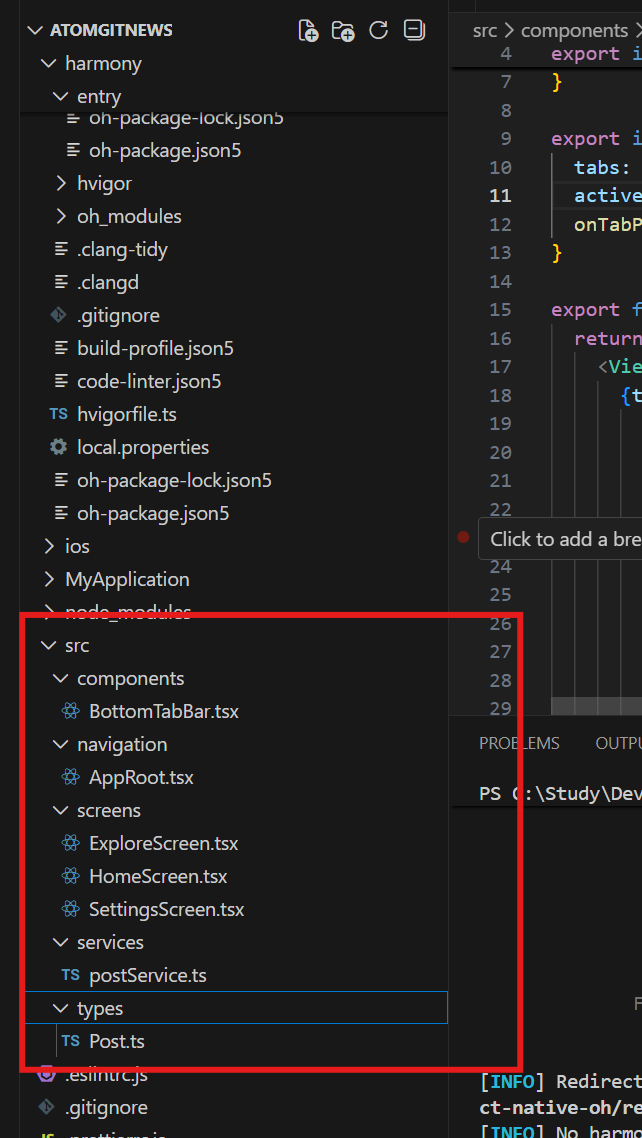
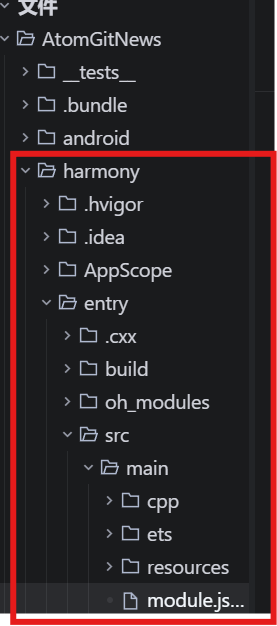
AtomGitNews/
├── App.tsx                # 应用入口
├── src/
│   ├── navigation/        # 导航相关
│   │   └── AppRoot.tsx    # 根导航组件
│   ├── screens/           # 页面组件
│   │   ├── HomeScreen.tsx # 首页(数据列表)
│   │   ├── ExploreScreen.tsx
│   │   └── SettingsScreen.tsx
│   ├── services/          # API服务
│   │   └── postService.ts # 帖子数据服务
│   ├── types/             # 类型定义
│   │   └── Post.ts        # 帖子数据模型
│   └── components/        # 通用组件
│       └── BottomTab.tsx  # 底部标签栏
└── harmony/               # 鸿蒙配置
    └── entry/
        └── src/main/
            └── module.json5 # 鸿蒙权限配置
3. 网络权限配置
在开源鸿蒙平台上,需要配置网络访问权限才能进行网络请求。
3.1 配置位置
文件路径: harmony/entry/src/main/module.json5
3.2 配置内容
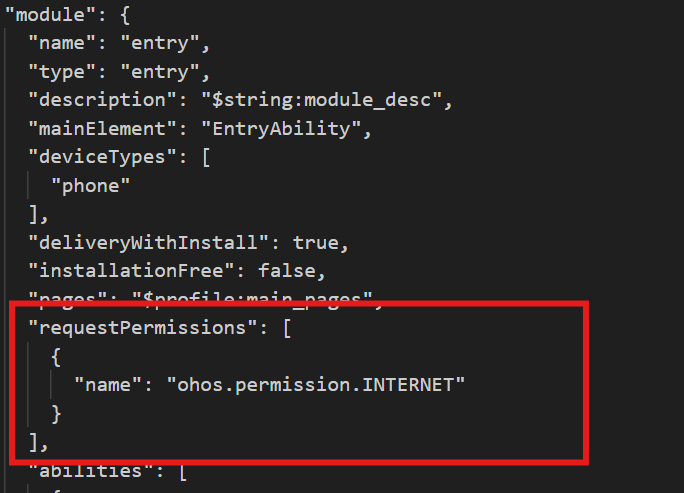
{
  "module": {
    // 其他配置...
    "requestPermissions": [
      {
        "name": "ohos.permission.INTERNET"
      }
    ],
    // 其他配置...
  }
}
4. 数据模型与API服务
4.1 数据模型
文件路径: src/types(自行创建)/Post.ts
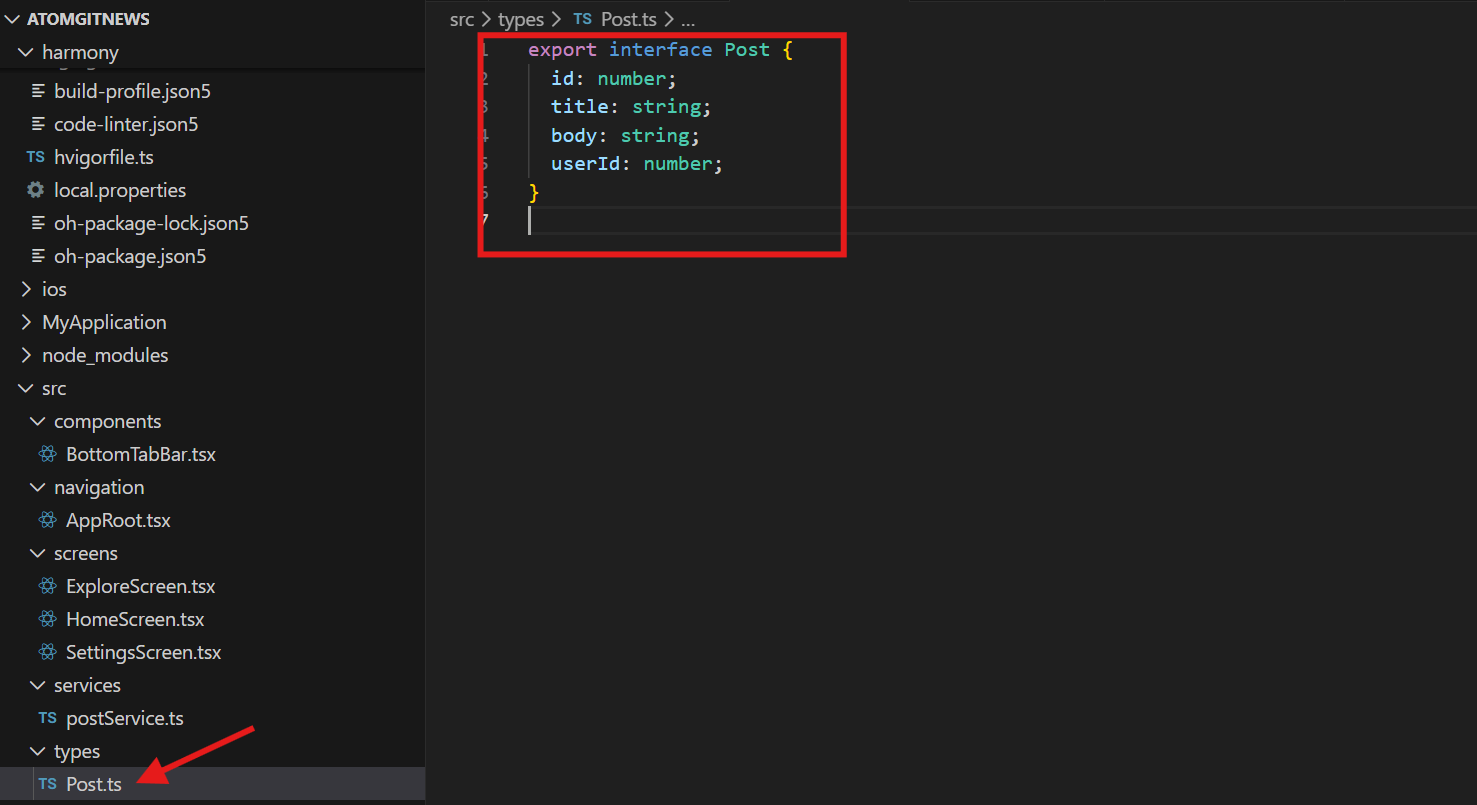
export interface Post {
  id: number;
  title: string;
  body: string;
  userId: number;
}
4.2 API服务
文件路径: src/services/postService.ts
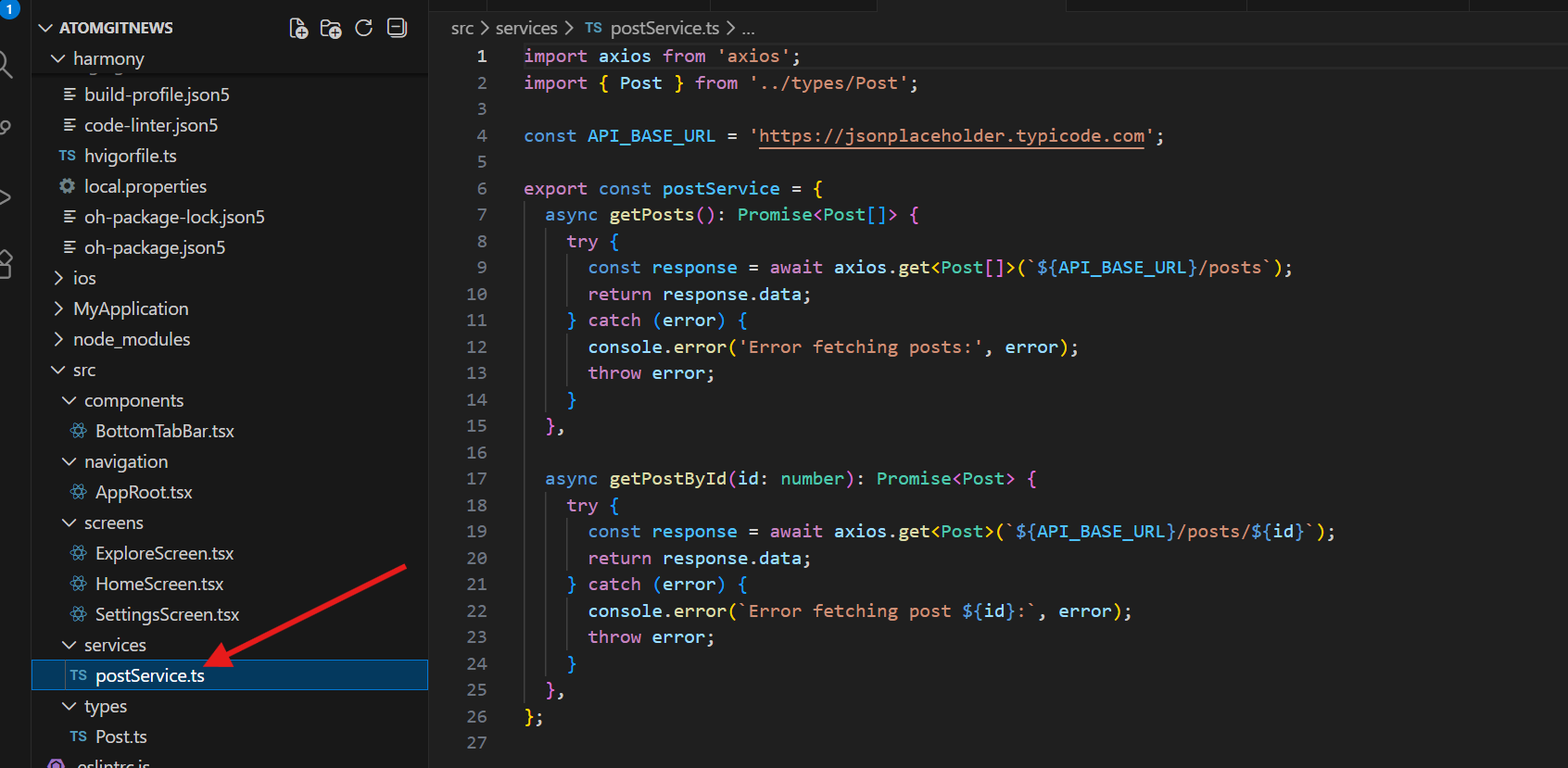
import axios from 'axios';
import { Post } from '../types/Post';

const API_BASE_URL = 'https://jsonplaceholder.typicode.com';

export const postService = {
  async getPosts(): Promise<Post[]> {
    try {
      const response = await axios.get<Post[]>(`${API_BASE_URL}/posts`);
      return response.data;
    } catch (error) {
      console.error('Error fetching posts:', error);
      throw error;
    }
  },

  async getPostById(id: number): Promise<Post> {
    try {
      const response = await axios.get<Post>(`${API_BASE_URL}/posts/${id}`);
      return response.data;
    } catch (error) {
      console.error(`Error fetching post ${id}:`, error);
      throw error;
    }
  },
};
5. 数据列表组件实现
5.1 首页组件
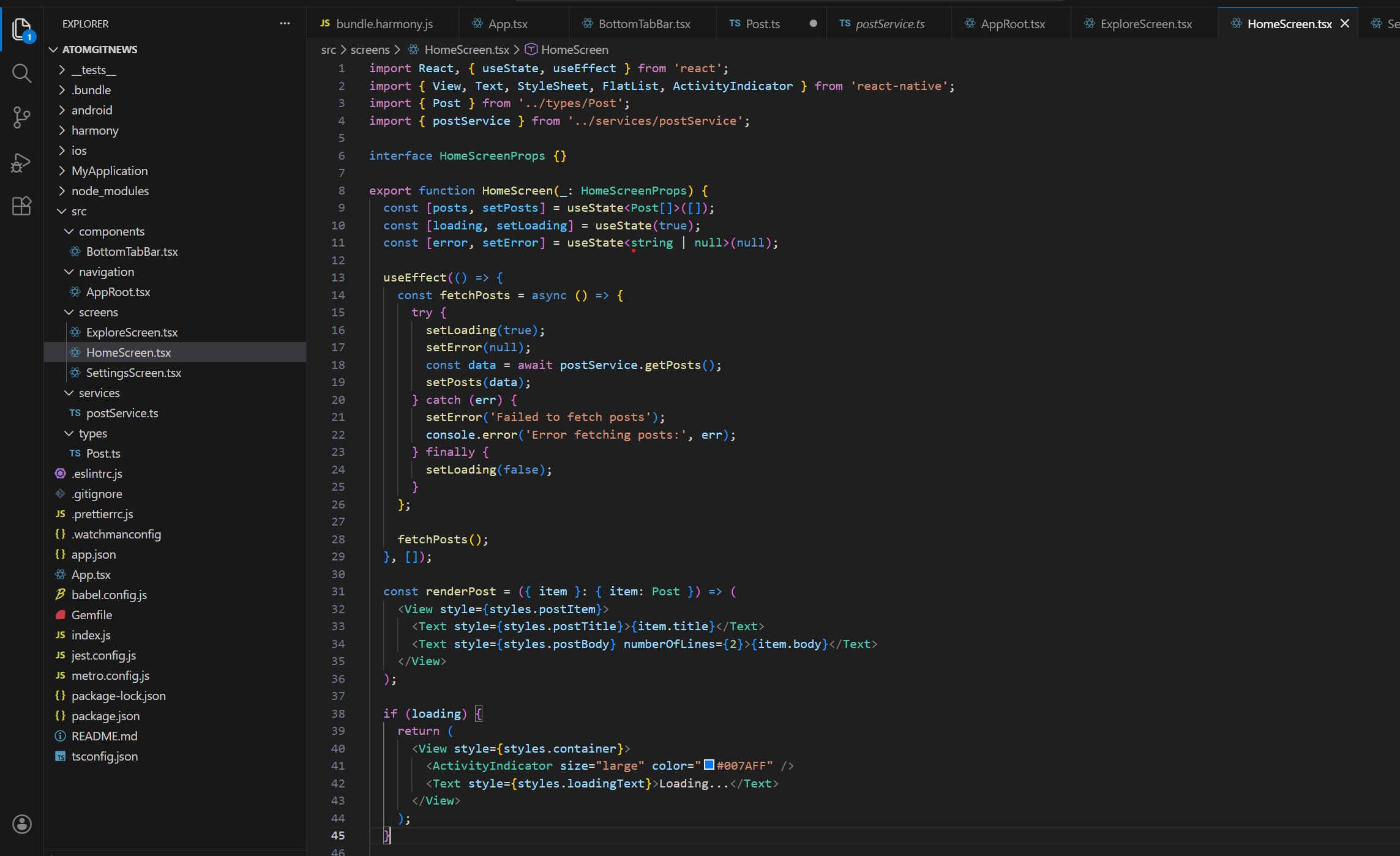
文件路径: src/screens/HomeScreen.tsx
主要功能:
使用 useEffect 钩子在组件挂载时获取数据
使用 useState 管理帖子数据、加载状态和错误状态
实现列表渲染、加载状态、错误处理和空数据兜底
使用 FlatList 组件实现高效的滚动列表
import React, { useState, useEffect } from 'react';
import { View, Text, StyleSheet, FlatList, ActivityIndicator } from 'react-native';
import { Post } from '../types/Post';
import { postService } from '../services/postService';

interface HomeScreenProps {}

export function HomeScreen(_: HomeScreenProps) {
  const [posts, setPosts] = useState<Post[]>([]);
  const [loading, setLoading] = useState(true);
  const [error, setError] = useState<string | null>(null);

  useEffect(() => {
    const fetchPosts = async () => {
      try {
        setLoading(true);
        setError(null);
        const data = await postService.getPosts();
        setPosts(data);
      } catch (err) {
        setError('Failed to fetch posts');
        console.error('Error fetching posts:', err);
      } finally {
        setLoading(false);
      }
    };

    fetchPosts();
  }, []);

  const renderPost = ({ item }: { item: Post }) => (
    <View style={styles.postItem}>
      <Text style={styles.postTitle}>{item.title}</Text>
      <Text style={styles.postBody} numberOfLines={2}>{item.body}</Text>
    </View>
  );

  if (loading) {
    return (
      <View style={styles.container}>
        <ActivityIndicator size="large" color="#007AFF" />
        <Text style={styles.loadingText}>Loading...</Text>
      </View>
    );
  }

  if (error) {
    return (
      <View style={styles.container}>
        <Text style={styles.errorText}>{error}</Text>
        <Text style={styles.errorSubText}>Please try again later</Text>
      </View>
    );
  }

  if (posts.length === 0) {
    return (
      <View style={styles.container}>
        <Text style={styles.emptyText}>No posts available</Text>
      </View>
    );
  }

  return (
    <View style={styles.container}>
      <Text style={styles.header}>Posts</Text>
      <FlatList
        data={posts}
        renderItem={renderPost}
        keyExtractor={(item) => item.id.toString()}
        contentContainerStyle={styles.listContent}
      />
    </View>
  );
}

const styles = StyleSheet.create({
  container: {
    flex: 1,
    backgroundColor: '#f5f5f5',
  },
  header: {
    fontSize: 24,
    fontWeight: 'bold',
    paddingHorizontal: 16,
    paddingTop: 16,
    paddingBottom: 8,
    backgroundColor: '#fff',
  },
  listContent: {
    paddingBottom: 16,
  },
  postItem: {
    backgroundColor: '#fff',
    padding: 16,
    marginHorizontal: 16,
    marginTop: 12,
    borderRadius: 8,
    shadowColor: '#000',
    shadowOffset: {
      width: 0,
      height: 2,
    },
    shadowOpacity: 0.1,
    shadowRadius: 3.84,
    elevation: 5,
  },
  postTitle: {
    fontSize: 18,
    fontWeight: '600',
    marginBottom: 8,
    color: '#333',
  },
  postBody: {
    fontSize: 14,
    color: '#666',
    lineHeight: 20,
  },
  loadingText: {
    marginTop: 12,
    fontSize: 16,
    color: '#666',
  },
  errorText: {
    fontSize: 18,
    fontWeight: '600',
    color: '#ff3b30',
    marginBottom: 8,
  },
  errorSubText: {
    fontSize: 14,
    color: '#666',
  },
  emptyText: {
    fontSize: 16,
    color: '#666',
    textAlign: 'center',
  },
});
5.2 关键代码解析
5.2.1 数据获取逻辑
useEffect(() => {
  const fetchPosts = async () => {
    try {
      setLoading(true);
      setError(null);
      const data = await postService.getPosts();
      setPosts(data);
    } catch (err) {
      setError('Failed to fetch posts');
      console.error('Error fetching posts:', err);
    } finally {
      setLoading(false);
    }
  };

  fetchPosts();
}, []);
5.2.2列表渲染
const renderPost = ({ item }: { item: Post }) => (
  <View style={styles.postItem}>
    <Text style={styles.postTitle}>{item.title}</Text>
    <Text style={styles.postBody} numberOfLines={2}>{item.body}</Text>
  </View>
);

// 列表组件
<FlatList
  data={posts}
  renderItem={renderPost}
  keyExtractor={(item) => item.id.toString()}
  contentContainerStyle={styles.listContent}
/>
6. 导航结构实现
6.1 根导航组件
文件路径: src/navigation/AppRoot.tsx
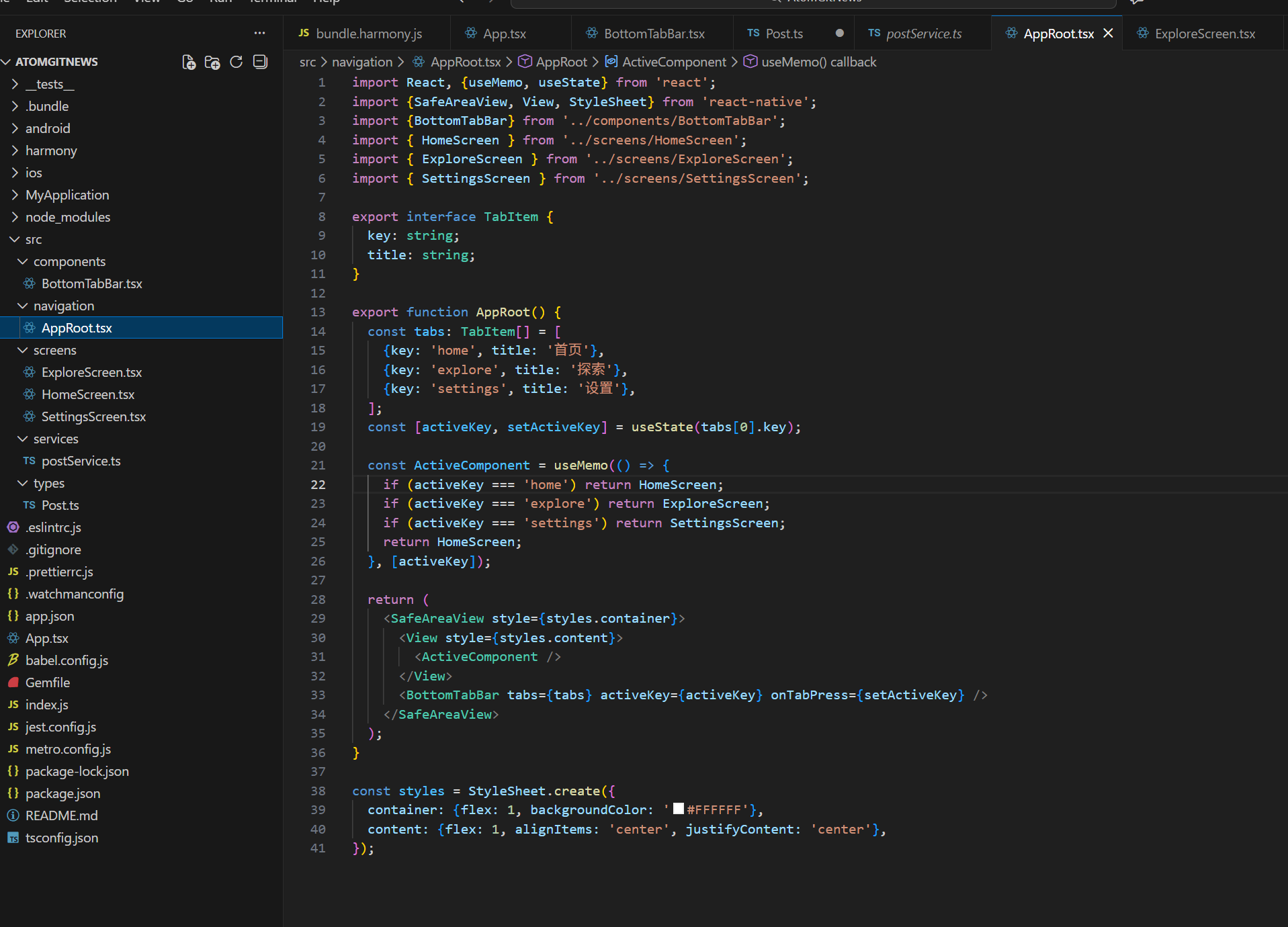
主要功能:
定义底部导航标签
管理当前激活的标签
根据激活标签渲染对应的页面组件
import React, {useMemo, useState} from 'react';
import {SafeAreaView, View, StyleSheet} from 'react-native';
import {BottomTabBar} from '../components/BottomTabBar';
import { HomeScreen } from '../screens/HomeScreen';
import { ExploreScreen } from '../screens/ExploreScreen';
import { SettingsScreen } from '../screens/SettingsScreen';

export interface TabItem {
  key: string;
  title: string;
}

export function AppRoot() {
  const tabs: TabItem[] = [
    {key: 'home', title: '首页'},
    {key: 'explore', title: '探索'},
    {key: 'settings', title: '设置'},
  ];
  const [activeKey, setActiveKey] = useState(tabs[0].key);

  const ActiveComponent = useMemo(() => {
    if (activeKey === 'home') return HomeScreen;
    if (activeKey === 'explore') return ExploreScreen;
    if (activeKey === 'settings') return SettingsScreen;
    return HomeScreen;
  }, [activeKey]);

  return (
    <SafeAreaView style={styles.container}>
      <View style={styles.content}>
        <ActiveComponent />
      </View>
      <BottomTabBar tabs={tabs} activeKey={activeKey} onTabPress={setActiveKey} />
    </SafeAreaView>
  );
}

const styles = StyleSheet.create({
  container: {flex: 1, backgroundColor: '#FFFFFF'},
  content: {flex: 1, alignItems: 'center', justifyContent: 'center'},
});
6.2 底部导航组件
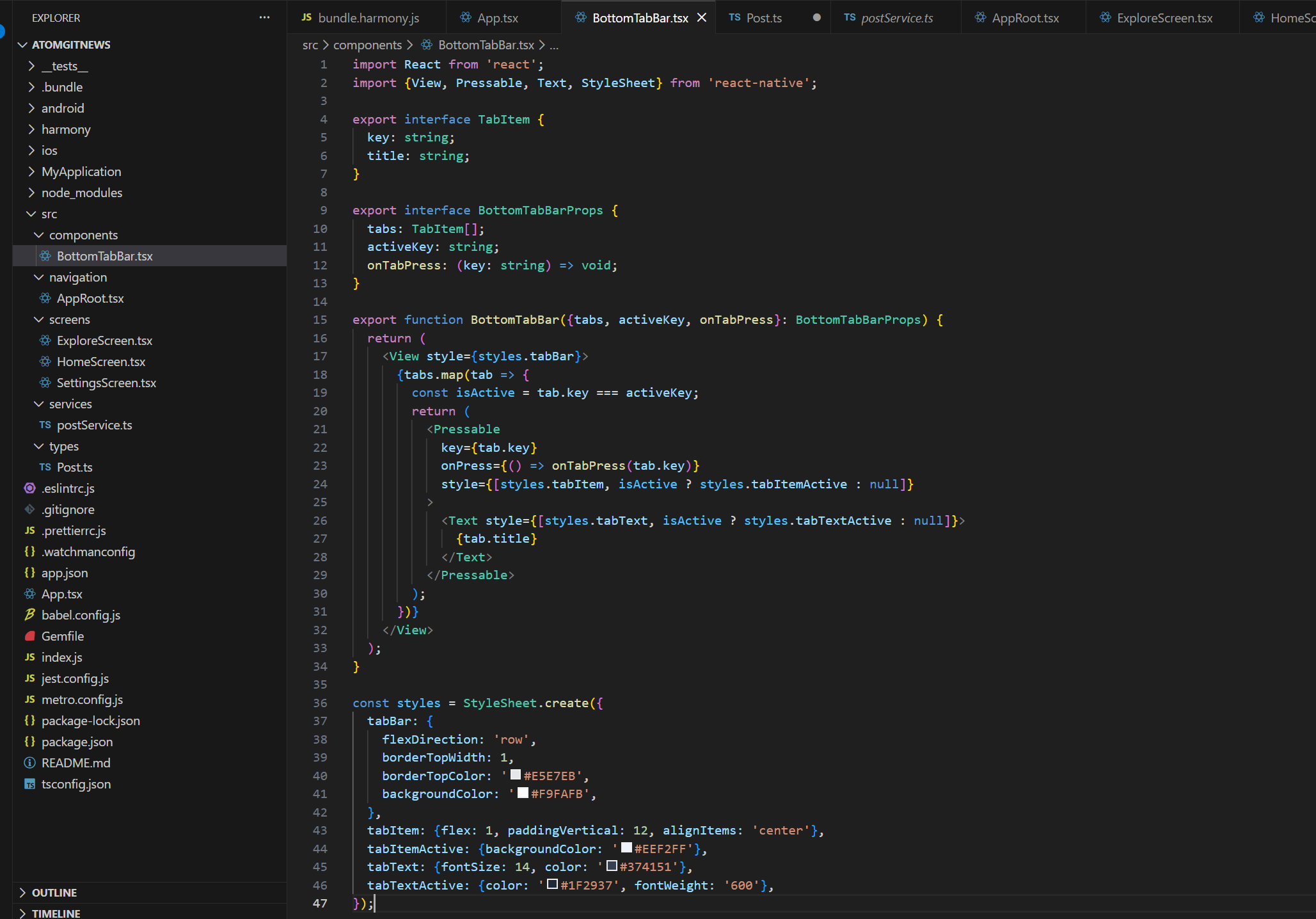
文件路径: src/components/BottomTab.tsx
import React from 'react';
import {View, Pressable, Text, StyleSheet} from 'react-native';

export interface TabItem {
  key: string;
  title: string;
}

export interface BottomTabBarProps {
  tabs: TabItem[];
  activeKey: string;
  onTabPress: (key: string) => void;
}

export function BottomTabBar({tabs, activeKey, onTabPress}: BottomTabBarProps) {
  return (
    <View style={styles.tabBar}>
      {tabs.map(tab => {
        const isActive = tab.key === activeKey;
        return (
          <Pressable
            key={tab.key}
            onPress={() => onTabPress(tab.key)}
            style={[styles.tabItem, isActive ? styles.tabItemActive : null]}
          >
            <Text style={[styles.tabText, isActive ? styles.tabTextActive : null]}>
              {tab.title}
            </Text>
          </Pressable>
        );
      })}
    </View>
  );
}

const styles = StyleSheet.create({
  tabBar: {
    flexDirection: 'row',
    borderTopWidth: 1,
    borderTopColor: '#E5E7EB',
    backgroundColor: '#F9FAFB',
  },
  tabItem: {flex: 1, paddingVertical: 12, alignItems: 'center'},
  tabItemActive: {backgroundColor: '#EEF2FF'},
  tabText: {fontSize: 14, color: '#374151'},
  tabTextActive: {color: '#1F2937', fontWeight: '600'},
});
主要功能:
渲染底部导航栏
处理标签点击事件
显示激活状态
7. 应用入口配置
7.1 App.tsx 配置
文件路径: App.tsx
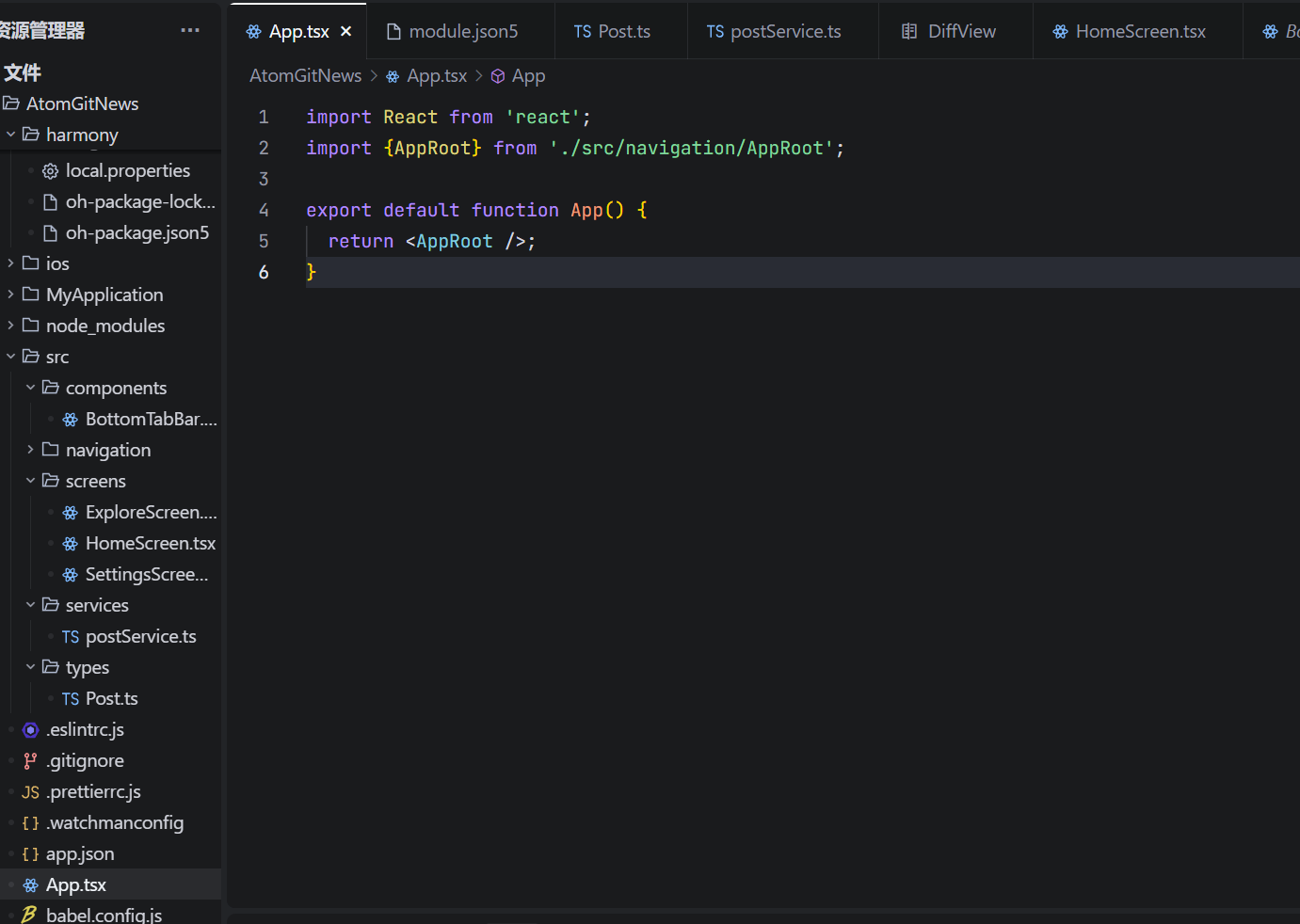
import React from 'react';
import { AppRoot } from './src/navigation/AppRoot';

function App(): JSX.Element {
  return <AppRoot />;
}

export default App;
8. 构建与运行
8.1.VScode终端输入npm指令:
npm run harmony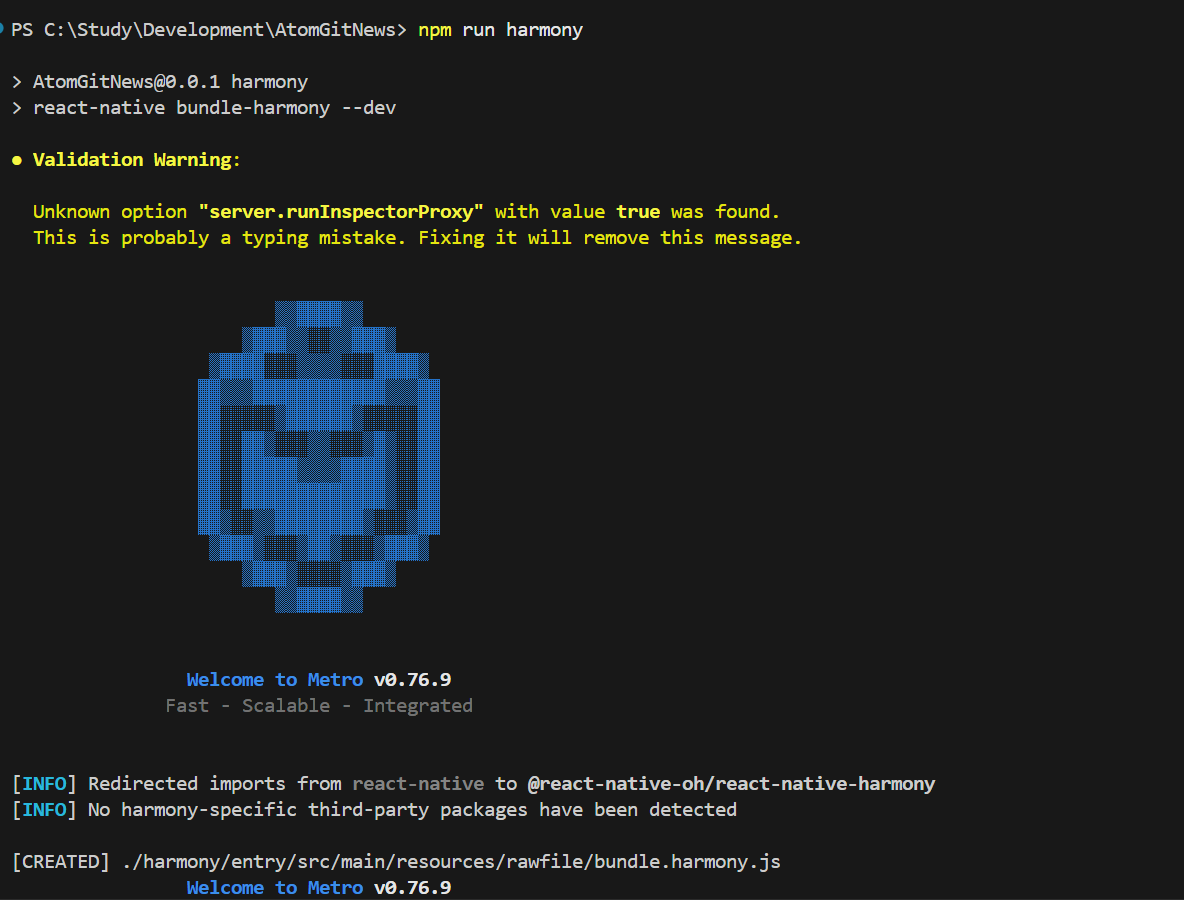
8.2.打开DevEco运行模拟器,最终效果如下:
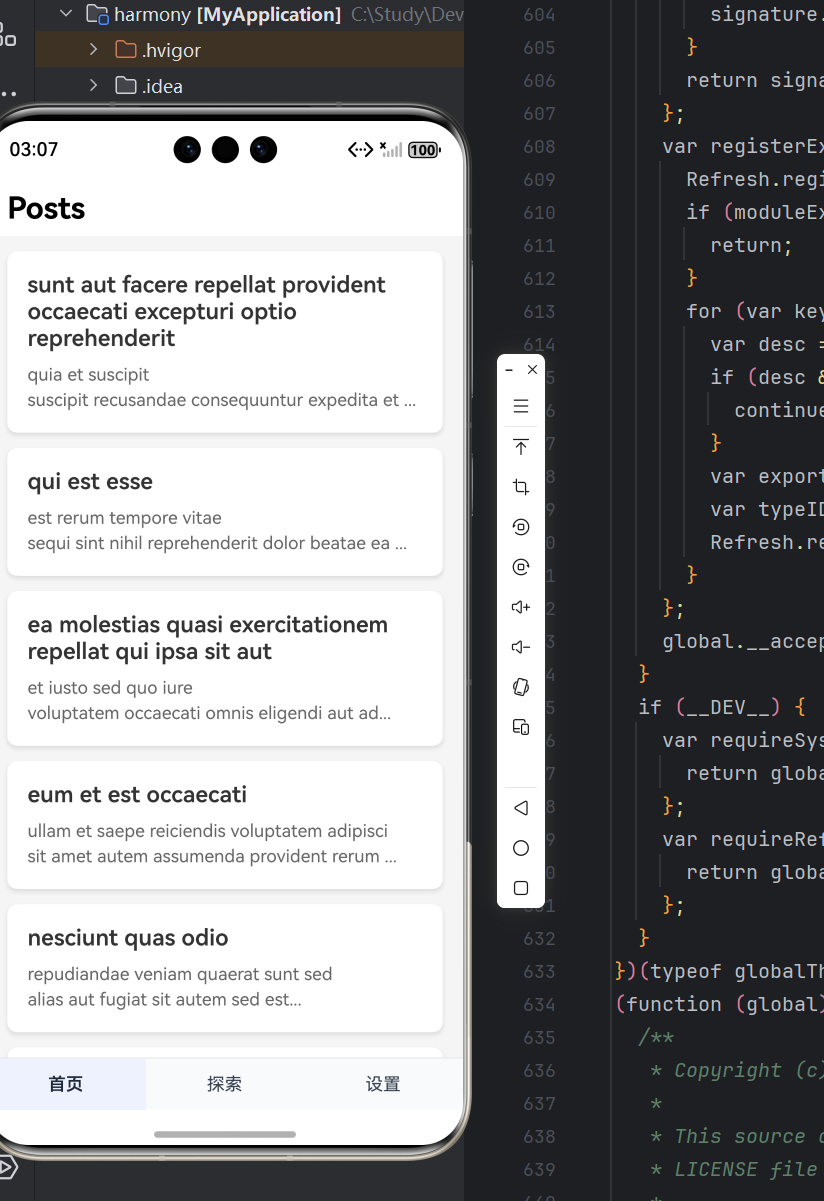
这个 API 地址 https://jsonplaceholder.typicode.com 对应的是 JSONPlaceholder 网站,它是一个免费的在线模拟 REST API 服务,专门用于前端 / 跨平台开发的测试场景。
9. 常见问题与解决方案
问题:网络请求失败
解决方案:检查网络权限配置、确保设备联网
问题:数据加载缓慢
解决:考虑添加分页加载、优化网络请求
问题:列表滚动卡顿
解决:使用 FlatList 的性能优化属性
问题:鸿蒙设备运行失败
解决:检查鸿蒙 SDK 配置、权限声明
10. 学习总结
网络请求集成 :使用 Axios 进行网络请求,处理异步操作
状态管理 :使用 React Hooks 管理组件状态
列表实现 :使用 FlatList 实现高效的滚动列表
错误处理 :实现完整的错误处理机制
跨平台开发 :同时支持 React Native 和开源鸿蒙平台
权限配置 :在开源鸿蒙平台上配置网络权限
欢迎加入开源鸿蒙跨平台社区
https://openharmonycrossplatform.csdn.net

开源鸿蒙跨平台开发社区汇聚开发者与厂商,共建“一次开发,多端部署”的开源生态,致力于降低跨端开发门槛,推动万物智联创新。
更多推荐

 10
10 0
0- 0


 已为社区贡献4条内容

所有评论(0)