ay maui in net6 第11天 入门
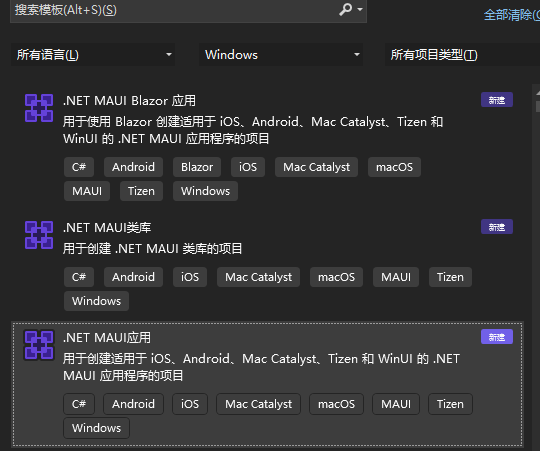
新建的vs2022 preview自带maui模板了,这里假设你是从wpf转行过来学习的,所以有些地方觉得简单的,我就不记笔记了
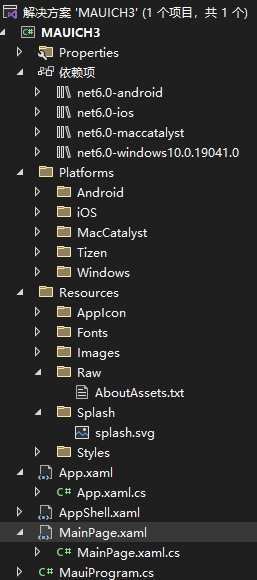
项目结构
====================www.ayjs.net 杨洋 wpfui.com ayui ay aaronyang=======请不要转载谢谢了。=========
AppShell.xaml是个Page类型,这里显示,内部放入了 MainPage的子内容
<?xml version="1.0" encoding="UTF-8" ?>
<Shell
    x:Class="MAUICH3.AppShell"
    xmlns="http://schemas.microsoft.com/dotnet/2021/maui"
    xmlns:x="http://schemas.microsoft.com/winfx/2009/xaml"
    xmlns:local="clr-namespace:MAUICH3"
    Shell.FlyoutBehavior="Disabled">

    <ShellContent
        Title="Home"
        ContentTemplate="{DataTemplate local:MainPage}"
        Route="MainPage" />

</Shell>
这里有个Route属性,我以为是写页面相对路径的,看来不是,后面再看看干啥用的
我尝试新建个Views文件夹,把MainPage.xaml拖进去了
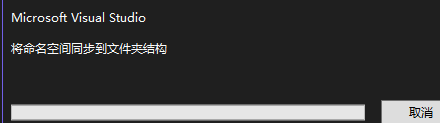
这里真的等了一段时间,不知道是不是vs的问题
重启vs后,程序正常运行,还是保持原样,拖出来吧
关于程序入口,程序初始化的东西,肯定在App.xaml了,这个文件味道和wpf 一模一样吧
namespace MAUICH3;

public partial class App : Application
{
	public App()
	{
		InitializeComponent();

		MainPage = new AppShell();
	}
}
这里看来是设置项目启动的第一个页面的位置了。
你也可以这样启动
namespace MAUICH3;

public partial class App : Application
{
	public App()
	{
		InitializeComponent();

        //MainPage = new AppShell();

        MainPage = new NavigationPage(new MainPage());
    }
}
MainPage.xaml的页面类型 你理解为wpf的page就行了
在运行时,类中的 MauiProgram 代码会启动应用并执行 App 类构造函数,该构造函数实例化 MainPage。 MainPage构造函数调用InitializeComponent,它初始化 XAML 文件中定义的所有对象,将它们全部连接在父子关系中,将代码中定义的事件处理程序附加到 XAML 文件中设置的事件,并将对象的结果树设置为页面的内容。
默认页面可以学到
属性
水平对齐HorizontalOptions,垂直对齐VerticalOptions
容器
HorizontalStackLayout水平对其控件 VerticalStackLayout 垂直布局控件 ,可以全局设置Spacing了,每个item的边距
ScrollView滚动容器
控件
Button的文本是Text,不再是wpf的Content,Clicked事件,不再是wpf的OnClicked
多了些SemanticProperties语义的元数据的东西
图片控件
<Image
Source="dotnet_bot.png"
SemanticProperties.Description="Cute dot net bot waving hi to you!"
HeightRequest="200"
HorizontalOptions="Center" />
高度用了HeightRequest,不用Height了,同样宽,最大最小的宽高也是如此,加了Request
有些东西,可能是为了满足其他 platform 做的额外属性设置
所以的资源放到Resources下,字体可以自定义。注意内置的 几个资源文件的属性,自己添加文件时候,也要设置
同样的xaml的 标签拓展,标签值和wpf的TypeConverter的差不多,保持一致。
对于更复杂的类型的属性,转换器用于分析 XAML。 这些类是 .NET MAUI 派生自 TypeConverter的类
在刚刚的Views文件夹,新建一个HelloPage页面
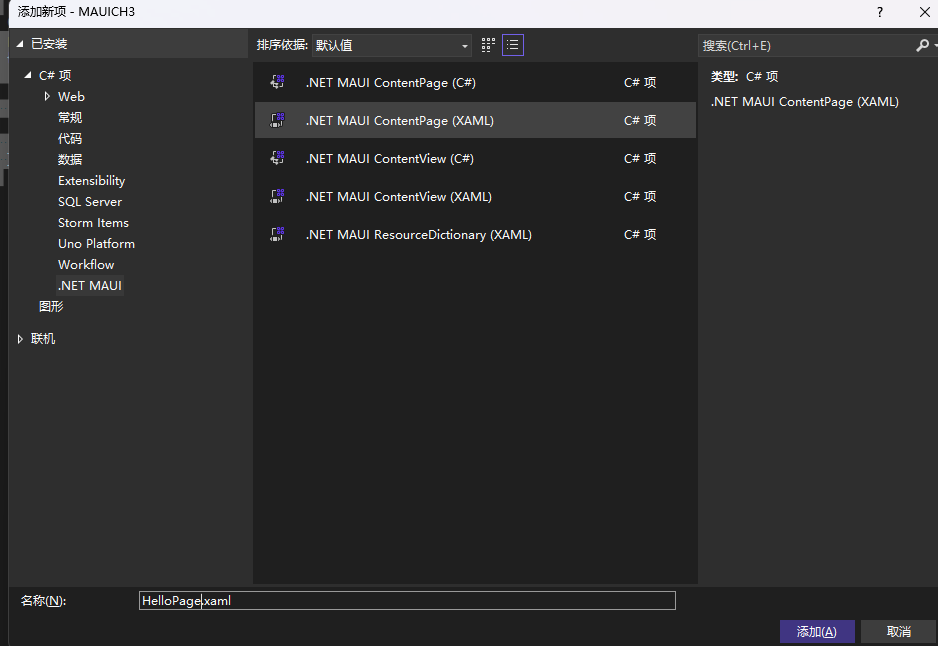
前台我们给 <VerticalStackLayout x:Name="vsl" 取个名字
后台在这里面添加一个按钮,可以这样写事件
public partial class MainPage : ContentPage
{
	int count = 0;

	public MainPage()
	{
		InitializeComponent();

        Button button = new Button
        {
            Text = "AY导航",
            HorizontalOptions = LayoutOptions.Center,
            VerticalOptions = LayoutOptions.Center
        };
        button.Clicked += Button_Clicked;
    }

    private void Button_Clicked(object sender, EventArgs e)
    {
        throw new NotImplementedException();
    }
当然我使用异步方式写
通常测试我直接用winui方式测试,感觉调试快一点,不用安卓测
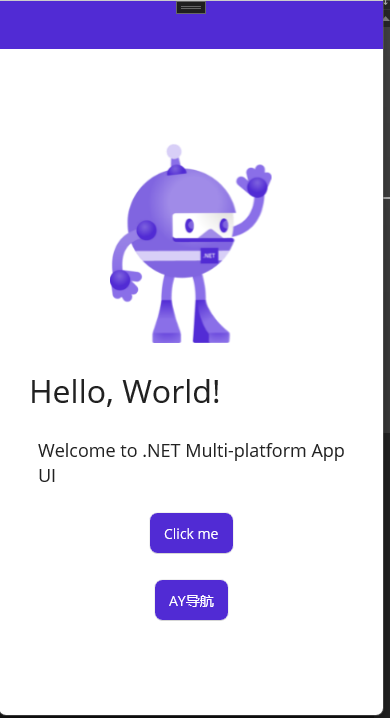
但是AY导航,页面有个向左滑动的动画,然后切换到第二个页面
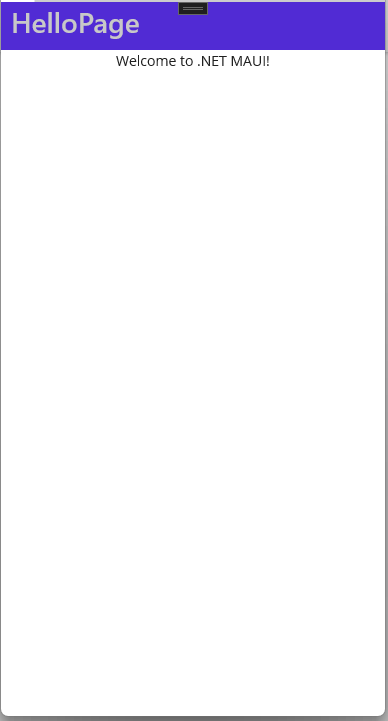
在安卓上,单击是淡入,淡出 页面的
不关闭程序,修改hello页面的xaml如下
<?xml version="1.0" encoding="utf-8" ?>
<ContentPage xmlns="http://schemas.microsoft.com/dotnet/2021/maui"
             xmlns:x="http://schemas.microsoft.com/winfx/2009/xaml"
             x:Class="MAUICH3.Views.HelloPage"
             Title="HelloPage">
    <StackLayout>
        <Slider VerticalOptions="Center" />
        <Label Text="A simple Label"
               FontSize="18"
               HorizontalOptions="Center"
               VerticalOptions="Center" />
        <Button Text="Click Me!"
                HorizontalOptions="Center"
                VerticalOptions="Center" />
    </StackLayout>
</ContentPage>
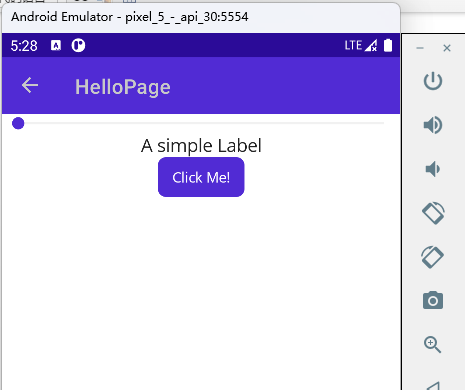
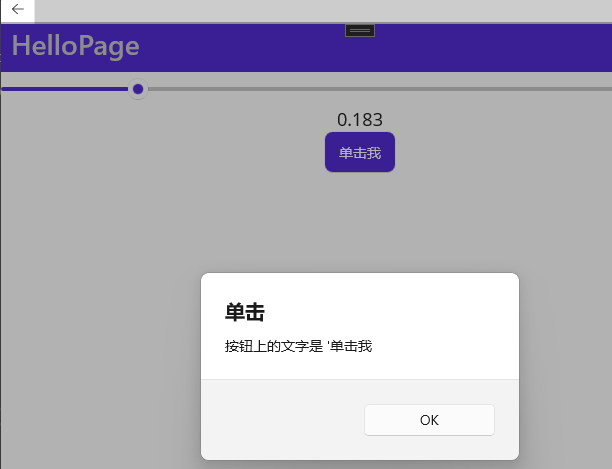
效果: A simple Label的值和 slider的值 动起来,但是click me 弹出个框
此时程序要终止调试,但是模拟器不用关。
xaml
<?xml version="1.0" encoding="utf-8" ?>
<ContentPage xmlns="http://schemas.microsoft.com/dotnet/2021/maui"
             xmlns:x="http://schemas.microsoft.com/winfx/2009/xaml"
             x:Class="MAUICH3.Views.HelloPage"
             Title="HelloPage">
    <StackLayout>
        <Slider VerticalOptions="Center" ValueChanged="Slider_ValueChanged"/>
        <Label Text="简单文本"
               FontSize="18" x:Name="valueLabel1"
               HorizontalOptions="Center"
               VerticalOptions="Center" />
        <Button Text="单击我" Clicked="Button_Clicked"
                HorizontalOptions="Center"
                VerticalOptions="Center" />
    </StackLayout>
</ContentPage>
xaml.cs
namespace MAUICH3.Views;

public partial class HelloPage : ContentPage
{
	public HelloPage()
	{
		InitializeComponent();
	}

    private void Slider_ValueChanged(object sender, ValueChangedEventArgs e)
    {
        valueLabel1.Text = e.NewValue.ToString("F3");
    }

    async void Button_Clicked(object sender, EventArgs e)
    {
        Button button = (Button)sender;
        await DisplayAlert("单击", "按钮上的文字是 '" + button.Text , "OK");
    }
}

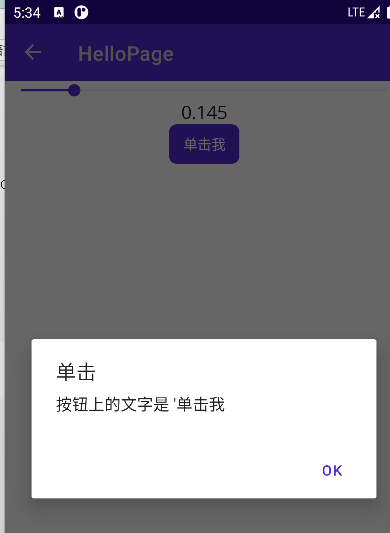
在winui上
dotnet/maui-samples: Samples for .NET Multi-Platform App UI (.NET MAUI) (github.com)
Fx相关地址
https://referencesource.microsoft.com/
dotnet相关地址
https://source.dot.net/
在线反编译
https://sharplab.io/

开源鸿蒙跨平台开发社区汇聚开发者与厂商,共建“一次开发,多端部署”的开源生态,致力于降低跨端开发门槛,推动万物智联创新。
更多推荐

 0
0 0
0- 0


 已为社区贡献2条内容

所有评论(0)