NativeBase 与 React Native 对比:为什么选择组件库?
你还在为 React Native 开发中的界面一致性、跨平台适配和开发效率而烦恼吗?本文将深入对比原生 React Native 开发与使用 NativeBase 组件库的差异,帮助你快速理解为什么选择组件库能让移动应用开发事半功倍。读完本文,你将了解到:- 原生开发面临的三大核心痛点- NativeBase 如何通过组件化解决这些问题- 实际开发效率与代码质量的对比分析- 完整的 N...
NativeBase 与 React Native 对比:为什么选择组件库?
 项目地址: https://gitcode.com/gh_mirrors/na/NativeBase
 你还在为 React Native 开发中的界面一致性、跨平台适配和开发效率而烦恼吗?本文将深入对比原生 React Native 开发与使用 NativeBase 组件库的差异,帮助你快速理解为什么选择组件库能让移动应用开发事半功倍。读完本文,你将了解到:
- 原生开发面临的三大核心痛点
- NativeBase 如何通过组件化解决这些问题
- 实际开发效率与代码质量的对比分析
- 完整的 NativeBase 集成步骤与最佳实践
原生 React Native 开发的痛点
使用 React Native 原生组件开发时,开发者常常陷入重复劳动和兼容性陷阱。以下是三个最常见的痛点:
1. 样式一致性难题
React Native 的 StyleSheet 虽然强大,但缺乏统一的设计规范约束。开发团队需要编写大量重复代码来保证按钮、表单等基础组件在不同页面的一致性。例如实现一个简单的按钮,需要手动定义多种状态(默认、按下、禁用)的样式:
// 原生 React Native 按钮实现
<Pressable
  style={[
    styles.button,
    { backgroundColor: isDisabled ? '#ccc' : '#2196F3' },
    isPressed && styles.buttonPressed
  ]}
  disabled={isDisabled}
  onPress={onPress}
>
  <Text style={styles.buttonText}>{label}</Text>
</Pressable>

const styles = StyleSheet.create({
  button: {
    paddingVertical: 12,
    paddingHorizontal: 24,
    borderRadius: 4,
    elevation: 2,
  },
  buttonPressed: {
    elevation: 4,
    backgroundColor: '#1976D2',
  },
  buttonText: {
    color: 'white',
    fontSize: 16,
    textAlign: 'center',
  },
});
这种方式不仅耗时,还容易在团队协作中产生样式差异。
2. 跨平台适配复杂性
Android 和 iOS 平台在设计规范上存在天然差异,如字体渲染、组件间距、交互反馈等。原生开发需要针对不同平台编写条件代码:
// 跨平台适配代码示例
<View style={{
  padding: Platform.OS === 'ios' ? 16 : 12,
  fontSize: Platform.select({ ios: 16, android: 14 }),
  fontFamily: Platform.OS === 'ios' ? 'San Francisco' : 'Roboto',
}}>
  <Text>平台特定文本</Text>
</View>
随着应用复杂度提升,这类条件判断会散落在代码各处,增加维护成本。
3. 无障碍支持缺失
原生组件默认不支持完整的无障碍功能,需要开发者手动添加 accessibilityLabel、accessibilityRole 等属性,而这往往是项目后期才会关注的部分,导致返工成本增加。
NativeBase 带来的改变
NativeBase 作为一个移动优先的组件库,通过预设的设计系统和跨平台适配方案,直接解决了上述痛点。其核心优势体现在以下方面:
1. 开箱即用的组件系统
NativeBase 提供近 40 个经过精心设计的组件,覆盖从基础布局到复杂交互的全部需求。这些组件位于 src/components 目录下,分为基础组件(primitives)、复合组件(composites)和基础布局组件(basic)三大类。
以最常用的按钮组件为例,NativeBase 的 Button 组件不仅包含默认样式,还内置了多种状态(禁用、加载、悬停等)的视觉反馈:
// NativeBase Button 组件使用示例
import { Button } from 'native-base';

<Button
  onPress={handlePress}
  isLoading={isSubmitting}
  isDisabled={isDisabled}
  variant="outline"
  colorScheme="blue"
>
  提交表单
</Button>
Button 组件的完整实现位于 src/components/primitives/Button/Button.tsx,通过 usePropsResolution 钩子实现了基于状态的样式自动切换。
2. 主题系统与设计一致性
NativeBase 采用基于主题的设计系统,允许开发者通过集中配置实现全局样式统一。主题配置文件位于 src/theme 目录,包含颜色、字体、间距、边框等基础设计变量。
通过 extendTheme 函数,开发者可以轻松定制品牌专属主题:
// 主题定制示例
import { extendTheme } from 'native-base';

const theme = extendTheme({
  colors: {
    brand: {
      50: '#eef2ff',
      100: '#e0e7ff',
      // ... 其他色阶
      900: '#3b82f6',
    },
  },
  fonts: {
    body: 'Inter, sans-serif',
  },
});

// 在应用入口通过 NativeBaseProvider 注入主题
<NativeBaseProvider theme={theme}>
  <App />
</NativeBaseProvider>
主题系统确保了所有组件在不同页面和功能模块中保持视觉一致性,设计变更只需修改主题配置即可全局生效。
3. 内置跨平台适配
NativeBase 组件内部已经处理了大部分平台差异,开发者无需编写平台条件代码。例如,src/theme/components/button.ts 中定义了按钮在不同平台的默认样式:
// 主题中定义的跨平台样式
export const Button = {
  baseStyle: {
    _web: {
      cursor: 'pointer',
    },
    _ios: {
      borderRadius: 8,
    },
    _android: {
      borderRadius: 4,
    },
  },
};
4. 无障碍支持
NativeBase 组件内置完整的无障碍属性,如 accessibilityRole、aria-label 等,符合 WCAG 标准。这一特性源于对 React ARIA 和 React Native ARIA 的深度整合,相关实现可在组件代码中找到,如 Button 组件的 accessibilityRole 设置:
// 无障碍属性内置示例(源自 Button.tsx)
<Pressable
  accessibilityRole={props.accessibilityRole ?? 'button'}
  {...resolvedProps}
>
  {/* 按钮内容 */}
</Pressable>
开发效率对比
为了更直观地展示 NativeBase 带来的效率提升,我们以实现一个简单登录表单为例,对比原生开发与 NativeBase 开发的代码量和复杂度。
原生实现(约 150 行代码)
import React, { useState } from 'react';
import { View, TextInput, Button, StyleSheet, Text, Pressable } from 'react-native';

const LoginForm = () => {
  const [email, setEmail] = useState('');
  const [password, setPassword] = useState('');
  const [isLoading, setIsLoading] = useState(false);

  const handleSubmit = () => {
    setIsLoading(true);
    // 登录逻辑...
  };

  return (
    <View style={styles.container}>
      <View style={styles.inputContainer}>
        <Text style={styles.label}>邮箱</Text>
        <TextInput
          style={styles.input}
          keyboardType="email-address"
          value={email}
          onChangeText={setEmail}
          placeholder="请输入邮箱"
          editable={!isLoading}
        />
      </View>

      <View style={styles.inputContainer}>
        <Text style={styles.label}>密码</Text>
        <TextInput
          style={styles.input}
          secureTextEntry
          value={password}
          onChangeText={setPassword}
          placeholder="请输入密码"
          editable={!isLoading}
        />
      </View>

      <Pressable
        style={[styles.button, {
          backgroundColor: isLoading ? '#ccc' : '#2196F3',
          opacity: isLoading ? 0.7 : 1
        }]}
        onPress={handleSubmit}
        disabled={isLoading || !email || !password}
      >
        <Text style={styles.buttonText}>
          {isLoading ? '登录中...' : '登录'}
        </Text>
      </Pressable>
    </View>
  );
};

const styles = StyleSheet.create({
  container: {
    padding: 16,
    gap: 16,
  },
  inputContainer: {
    gap: 4,
  },
  label: {
    fontSize: 16,
    fontWeight: '500',
  },
  input: {
    height: 48,
    borderWidth: 1,
    borderColor: '#ddd',
    borderRadius: 4,
    paddingHorizontal: 12,
  },
  button: {
    height: 48,
    borderRadius: 4,
    justifyContent: 'center',
    alignItems: 'center',
  },
  buttonText: {
    color: 'white',
    fontSize: 16,
    fontWeight: '500',
  },
});

export default LoginForm;
NativeBase 实现(约 60 行代码)
import React, { useState } from 'react';
import { Box, FormControl, Input, Button, VStack, Heading } from 'native-base';

const LoginForm = () => {
  const [email, setEmail] = useState('');
  const [password, setPassword] = useState('');
  const [isLoading, setIsLoading] = useState(false);

  const handleSubmit = () => {
    setIsLoading(true);
    // 登录逻辑...
  };

  return (
    <Box flex={1} p={4} justifyContent="center">
      <VStack space={6} maxW="300" mx="auto">
        <Heading size="lg" align="center">欢迎登录</Heading>

        <FormControl isRequired>
          <FormControl.Label>邮箱</FormControl.Label>
          <Input
            value={email}
            onChangeText={setEmail}
            keyboardType="email-address"
            disabled={isLoading}
          />
        </FormControl>

        <FormControl isRequired>
          <FormControl.Label>密码</FormControl.Label>
          <Input
            value={password}
            onChangeText={setPassword}
            secureTextEntry
            disabled={isLoading}
          />
        </FormControl>

        <Button
          onPress={handleSubmit}
          isLoading={isLoading}
          isDisabled={!email || !password}
          colorScheme="blue"
        >
          登录
        </Button>
      </VStack>
    </Box>
  );
};

export default LoginForm;
通过对比可以看出,NativeBase 实现同样功能的代码量减少了近 60%,且自动获得了跨平台一致性、表单验证和状态反馈等额外功能。
完整集成步骤
要在项目中使用 NativeBase,只需按照以下简单步骤操作:
1. 安装依赖
# 使用 npm
npm install native-base react-native-svg @react-native-async-storage/async-storage

# 使用 yarn
yarn add native-base react-native-svg @react-native-async-storage/async-storage
2. 配置原生项目
对于 React Native CLI 项目,需要链接原生依赖:
# 安装 pods(iOS 平台)
cd ios && pod install && cd ..
3. 初始化 NativeBase 提供器
在应用入口文件中添加 NativeBaseProvider:
import React from 'react';
import { NativeBaseProvider } from 'native-base';
import App from './App';

const Main = () => (
  <NativeBaseProvider>
    <App />
  </NativeBaseProvider>
);

export default Main;
4. 开始使用组件
现在可以直接从 native-base 导入并使用任何组件了。项目提供了多个示例应用,展示不同场景下的组件使用方式:
- RNBareExample: React Native CLI 示例
- expo-example: Expo 环境示例
- next-example: React Native Web 示例(基于 Next.js)
实际应用展示
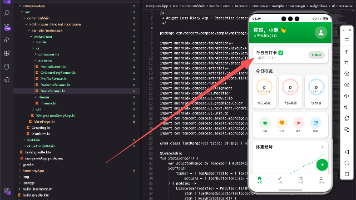
NativeBase 组件库的强大之处在于能够快速构建复杂界面。项目的 KitchenSink 应用展示了所有组件的实际效果:

这个应用包含了按钮、表单、导航、数据展示等所有组件的演示,代码位于 example/storybook/stories 目录下,是学习组件使用的最佳资源。
总结与建议
通过本文的对比分析,我们可以清晰看到 NativeBase 组件库为 React Native 开发带来的显著优势:
- 提升开发效率:减少 50-70% 的样式和基础组件代码
- 保证跨平台一致性:内置平台适配,无需手动编写条件代码
- 提高应用质量:内置无障碍支持、状态反馈和错误处理
- 降低维护成本:集中式主题配置,便于统一修改设计规范
如果你正在启动一个新的 React Native 项目,或者现有项目面临界面一致性和开发效率问题,NativeBase 都是一个值得考虑的选择。官方文档 README.md 提供了更详细的组件说明和高级用法,建议进一步阅读。
最后需要注意的是,NativeBase 团队已推荐新项目使用 gluestack-ui 作为替代方案,这是 NativeBase 的下一代实现,提供了更好的性能和灵活性。无论选择哪个库,使用成熟的组件库代替原生开发都是提升移动应用开发效率的明智之举。

开源鸿蒙跨平台开发社区汇聚开发者与厂商,共建“一次开发,多端部署”的开源生态,致力于降低跨端开发门槛,推动万物智联创新。
更多推荐

 18
18 0
0- 0


 已为社区贡献21条内容

所有评论(0)