

页面运行效果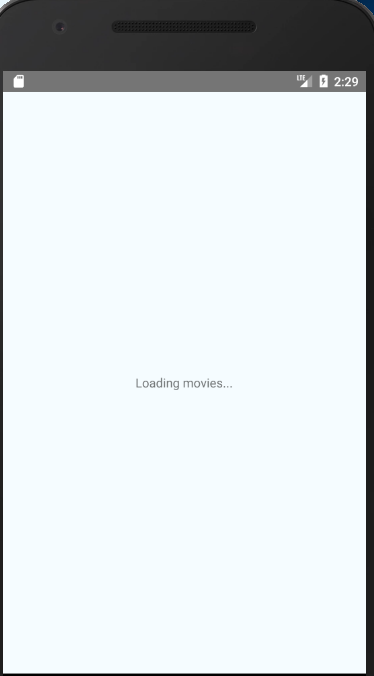
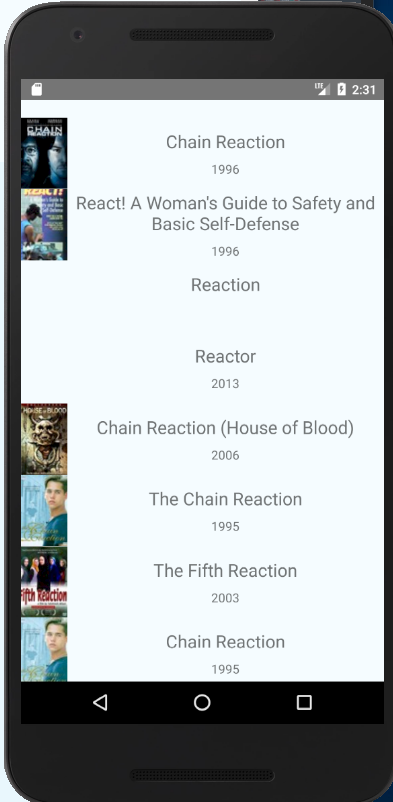
代码:
import React, { Component } from "react";

import { Image, FlatList, StyleSheet, Text, View } from "react-native";
//数据接口
var REQUEST_URL =
  "https://raw.githubusercontent.com/facebook/react-native/0.51-stable/docs/MoviesExample.json";

export default class SampleAppMovies extends Component {
  constructor(props) {
    super(props);
    this.state = {
      data: [],
      loaded: false
    };
    // 在ES6中,如果在自定义的函数里使用了this关键字,则需要对其进行“绑定”操作,否则this的指向会变为空
    // 像下面这行代码一样,在constructor中使用bind是其中一种做法(还有一些其他做法,如使用箭头函数等)
    this.fetchData = this.fetchData.bind(this);
  }

  componentDidMount() {
    //页面加载进来渲染数据
    this.fetchData();
  }

  fetchData() {
    fetch(REQUEST_URL)
      .then(response => response.json())
      .then(responseData => {
        // 注意,这里使用了this关键字,为了保证this在调用时仍然指向当前组件,我们需要对其进行“绑定”操作
        this.setState({
          //下拉加载的数据
          data: this.state.data.concat(responseData.movies),
          loaded: true
        });
      });
  }

  render() {
    // 页面进来的loading
    if (!this.state.loaded) {
      return this.renderLoadingView();
    }
// 现在我们来让我们的应用能够渲染所有的数据而不是仅仅第一部电影。我们要用到的就是 FlatList 组件。
// 为什么建议把内容放到 FlatList 里?比起直接渲染出所有的元素,或是放到一个 ScrollView 里有什么优势?
// 这是因为尽管 React 很高效,渲染一个可能很大的元素列表还是会很慢。FlatList会安排视图的渲染
// 只显示当前在屏幕上的那些元素。而那些已经渲染好了但移动到了屏幕之外的元素,则会从原生视图结构中移除(以提高性能)。
    return (
      <FlatList
        data={this.state.data}
        renderItem={this.renderMovie}
        style={styles.list}
        keyExtractor={item => item.id}
      />
    );
  }
  //渲染之前的loading
  renderLoadingView() {
    return (
      <View style={styles.container}>
        <Text>Loading movies...</Text>
      </View>
    );
  }

  renderMovie({ item }) {
    // { item }是一种“解构”写法,请阅读ES2015语法的相关文档
    // item也是FlatList中固定的参数名,请阅读FlatList的相关文档
    return (
      <View style={styles.container}>
        <Image
          source={{ uri: item.posters.thumbnail }}
          style={styles.thumbnail}
        />
        <View style={styles.rightContainer}>
          <Text style={styles.title}>{item.title}</Text>
          <Text style={styles.year}>{item.year}</Text>
        </View>
      </View>
    );
  }
}

var styles = StyleSheet.create({
  container: {
    flex: 1,
    flexDirection: "row",
    justifyContent: "center",
    alignItems: "center",
    backgroundColor: "#F5FCFF"
  },
  rightContainer: {
    flex: 1
  },
  title: {
    fontSize: 20,
    marginBottom: 8,
    textAlign: "center"
  },
  year: {
    textAlign: "center"
  },
  thumbnail: {
    width: 53,
    height: 81
  },
  list: {
    paddingTop: 20,
    backgroundColor: "#F5FCFF"
  }
});



 已为社区贡献2条内容

所有评论(0)