flutter 动画_【Flutter】RotationTransition旋转动画
说明旋转子控件动画示例演示import'package:flutter/material.dart';///旋转动画classRotationTransitionPageextendsStatefulWidget{@override_RTState createState()=> _RTState();}class_RTStateextendsState&...
·

说明
旋转子控件动画
示例演示
import 'package:flutter/material.dart';

///旋转动画
class RotationTransitionPage extends StatefulWidget {
  @override
  _RTState createState() => _RTState();
}

class _RTState extends State<RotationTransitionPage>with SingleTickerProviderStateMixin {
  Animation<double> animation; //动画对象
  AnimationController controller; //动画控制器
  @override
  initState() {
    super.initState();
    controller =
        AnimationController(duration: const Duration(seconds: 6), vsync: this);

    animation = CurvedAnimation(parent: controller, curve: ElasticOutCurve());

    animation.addStatusListener((status) {
      if (status == AnimationStatus.completed) {
        controller.reverse();
      } else if (status == AnimationStatus.dismissed) {
        controller.forward();
      }
    });
    ///动画开始
    controller.forward();

  }

  @override
  Widget build(BuildContext context) {
    return Scaffold(
        appBar: AppBar(
          title: Center(child: Text("RotationTransition简单使用")),
          elevation: 0.0,
        ),
        body: Center(
          child: Container(
            width: 1.0,
            height: 400,
            decoration: BoxDecoration(
              color: Colors.yellow,
            ),
            child: RotationTransition(
// turns: controller,///可以打开这个注释,直接利用controller来实现旋转
              turns: animation,
              child: Container(
                width: 1.0,
                height: 400,
                decoration: BoxDecoration(
                  color: Colors.red,
                ),
              ),
            ),
          ),
        ));
  }

  @override
  dispose() {
    //路由销毁时需要释放动画资源
    controller.dispose();
    super.dispose();
  }
}
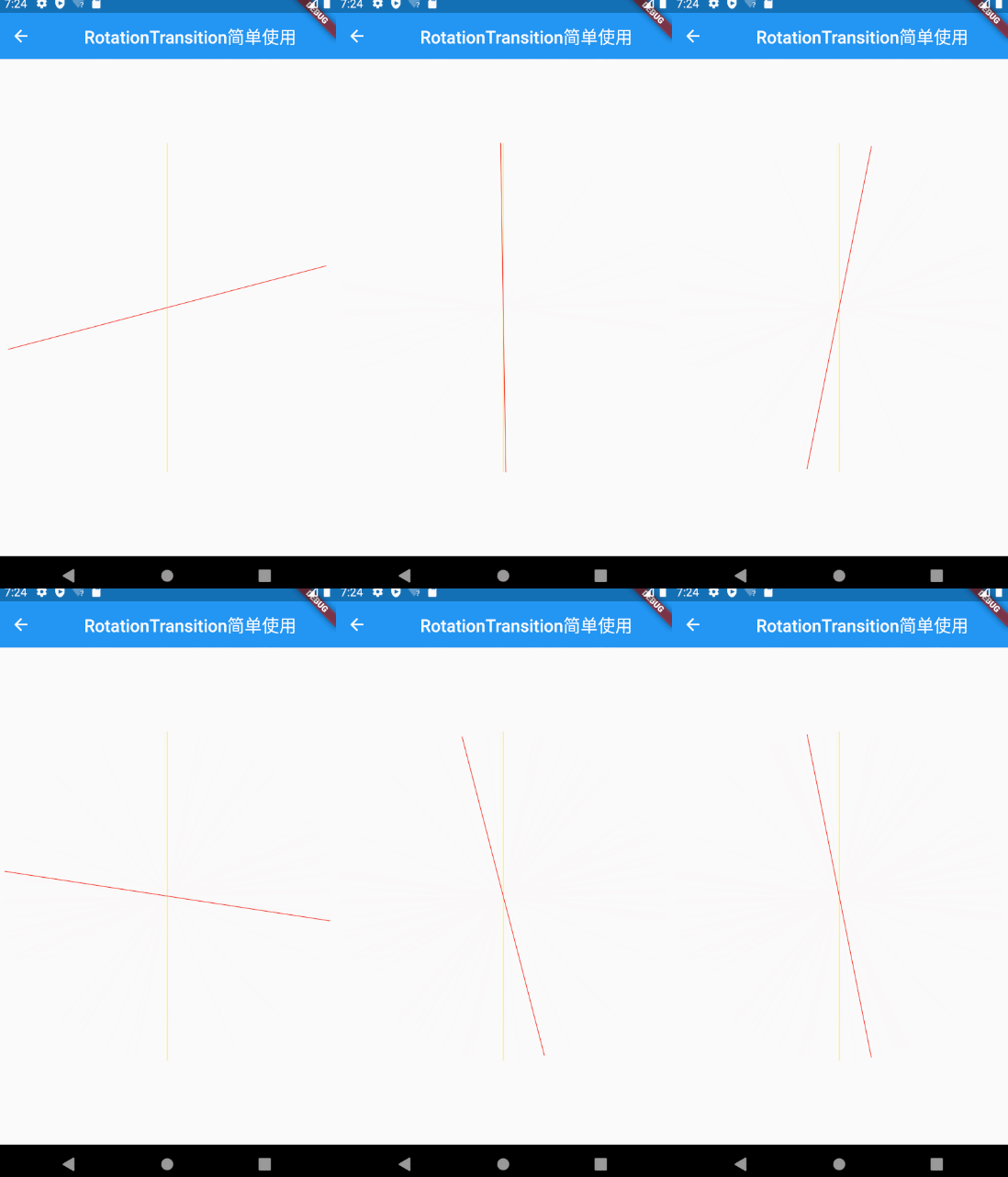
效果:
完
码上加油站
一起来加油
长按扫码关注
 记得点个赞和在看哦!

开源鸿蒙跨平台开发社区汇聚开发者与厂商,共建“一次开发,多端部署”的开源生态,致力于降低跨端开发门槛,推动万物智联创新。
更多推荐



 0
0 0
0- 0


 已为社区贡献1条内容

所有评论(0)