使用 MobX 开发 React Native 应用 @observer 引用报错
为什么很多程序员做不了架构师?1、良好健康的职业规划很重要,但大多数人都忽略了2、学习的习惯很重要,持之以恒才是正解。3、编程思维没能提升一个台阶,局限在了编码,业务,没考虑过选型、扩展4、身边没有好的架构师引导、培养。所处的圈子对程序员的成长影响巨大。金九银十面试季,跳槽季,整理面试题已经成了我多年的习惯!在这里我和身边一些朋友特意整理了一份快速进阶为Android高级工程师的系统且全面的学习资
import {
AppRegistry,
Navigator
} from ‘react-native’
class ReactNativeMobX extends Component {
renderScene (route, navigator) {
return <route.component {…route.passProps} navigator={navigator} />
}
configureScene (route, routeStack) {
if (route.type === ‘Modal’) {
return Navigator.SceneConfigs.FloatFromBottom
}
return Navigator.SceneConfigs.PushFromRight
}
render () {
return (
<Navigator
configureScene={this.configureScene.bind(this)}
renderScene={this.renderScene.bind(this)}
initialRoute={{
component: App,
passProps: {
store: ListStore
}
}} />
)
}
}
AppRegistry.registerComponent(‘ReactNativeMobX’, () => ReactNativeMobX)
在入口文件中我们创建了一个基本的导航状态,并导入了新创建的数组存储器。在 initialRoute 中我们传入数据存储作为属性。我们还把已经创建的组件 App 作为初始路由。App 将会访问属性中的数据存储。
在 configureScene 中,我们检查类型(type)是否是 ‘Modal’,是则返回 floatFromBottom 这个场景配置项,可以把下一个场景也设置为模态的。
现在,我们来创建应用组件。这确是一个大型的组件,还有很多需要完善的地方,但我们创建了一个允许增加和删除列表条目的基本用户界面。调用数据存储的方法来和我们的应用状态交互。app/App.js 的内容:
import React, { Component } from ‘react’
import { View, Text, TextInput, TouchableHighlight, StyleSheet } from ‘react-native’
import {observer} from ‘mobx-react/native’
import NewItem from ‘./NewItem’
@observer
class TodoList extends Component {
constructor () {
super()
this.state = {
text: ‘’,
showInput: false
}
}
toggleInput () {
this.setState({ showInput: !this.state.showInput })
}
addListItem () {
this.props.store.addListItem(this.state.text)
this.setState({
text: ‘’,
showInput: !this.state.showInput
})
}
removeListItem (item) {
this.props.store.removeListItem(item)
}
updateText (text) {
this.setState({text})
}
addItemToList (item) {
this.props.navigator.push({
component: NewItem,
type: ‘Modal’,
passProps: {
item,
store: this.props.store
}
})
}
render() {
const { showInput } = this.state
const { list } = this.props.store
return (
{!list.length ? : null}
{list.map((l, i) => {
return
<Text
style={styles.item}
onPress={this.addItemToList.bind(this, l)}>{l.name.toUpperCase()}
<Text
style={styles.deleteItem}
onPress={this.removeListItem.bind(this, l)}>Remove
})}
<TouchableHighlight
underlayColor=‘transparent’
onPress={
-
this.state.text === ‘’ ? this.toggleInput.bind(this)
- this.addListItem.bind(this, this.state.text)
}
style={styles.button}>
{this.state.text === ‘’ && ‘+ New List’}
{this.state.text !== ‘’ && ‘+ Add New List Item’}
{showInput && <TextInput
style={styles.input}
onChangeText={(text) => this.updateText(text)} />}
);
}
}
const NoList = () => (
)
const styles = StyleSheet.create({
itemContainer: {
borderBottomWidth: 1,
borderBottomColor: ‘#ededed’,
flexDirection: ‘row’
},
item: {
color: ‘#156e9a’,
fontSize: 18,
flex: 3,
padding: 20
},
deleteItem: {
flex: 1,
padding: 20,
color: ‘#a3a3a3’,
fontWeight: ‘bold’,
marginTop: 3
},
button: {
height: 70,
justifyContent: ‘center’,
alignItems: ‘center’,
borderTopWidth: 1,
borderTopColor: ‘#156e9a’
},
buttonText: {
color: ‘#156e9a’,
fontWeight: ‘bold’
},
heading: {
height: 80,
justifyContent: ‘center’,
alignItems: ‘center’,
borderBottomWidth: 1,
borderBottomColor: ‘#156e9a’
},
headingText: {
color: ‘#156e9a’,
fontWeight: ‘bold’
},
input: {
height: 70,
backgroundColor: ‘#f2f2f2’,
padding: 20,
color: ‘#156e9a’
},
noList: {
flex: 1,
justifyContent: ‘center’,
alignItems: ‘center’
},
noListText: {
fontSize: 22,
color: ‘#156e9a’
},
})
export default TodoList
我来解释此文件中可能不明确的地方。如果你有什么还不明白的,请留言,我会更新和回复。
-
从 mobx-react/native 导入 observer;
-
使用 @observer 装饰器描述类,确保相关数组变化后组件独立地重渲染;
-
导入已经创建好的组件 NewItem。这是我们要增加新条目时转向的组件;
-
在 addListItem中,把 this.state.text 传入 this.props.store.addListItem。在与输入框绑定的 updateText 中会更新 this.state.text;
-
在 removeListItem 中调用 this.props.store.removeListItem 并传入条目;
-
在 addItemToList 中调用 this.props.navigator.push,传入条目和数组存储两个参数;
const { list } = this.props.store
- 在 render 方法中,也创建了界面,并绑定了类的方法
最后,创建 NewItem 组件:
import React, { Component } from ‘react’
import { View, Text, StyleSheet, TextInput, TouchableHighlight } from ‘react-native’
class NewItem extends Component {
constructor (props) {
super(props)
this.state = {
newItem: ‘’
}
}
addItem () {
if (this.state.newItem === ‘’) return
this.props.store.addItem(this.props.item, this.state.newItem)
this.setState({
newItem: ‘’
})
}
updateNewItem (text) {
this.setState({
newItem: text
})
}
render () {
const { item } = this.props
return (
<View style={{flex: 1}}>
<Text
onPress={this.props.navigator.pop}
style={styles.closeButton}>×
{!item.items.length && }
{item.items.length ? : }
<View style={{flexDirection: ‘row’}}>
<TextInput
value={this.state.newItem}
onChangeText={(text) => this.updateNewItem(text)}
style={styles.input} />
<TouchableHighlight
onPress={this.addItem.bind(this)}
style={styles.button}>
)
}
}
const NoItems = () => (
)
const Items = ({items}) => (
<View style={{flex: 1, paddingTop: 10}}>
{items.map((item, i) => {
return
})
}
)
const styles = StyleSheet.create({
heading: {
height: 80,
justifyContent: ‘center’,
alignItems: ‘center’,
borderBottomWidth: 1,
borderBottomColor: ‘#156e9a’
},
headingText: {
color: ‘#156e9a’,
fontWeight: ‘bold’
},
input: {
height: 70,
backgroundColor: ‘#ededed’,
padding: 20,
flex: 1
},
button: {
width: 70,
height: 70,
最后我想说
为什么很多程序员做不了架构师?
1、良好健康的职业规划很重要,但大多数人都忽略了
2、学习的习惯很重要,持之以恒才是正解。
3、编程思维没能提升一个台阶,局限在了编码,业务,没考虑过选型、扩展
4、身边没有好的架构师引导、培养。所处的圈子对程序员的成长影响巨大。
金九银十面试季,跳槽季,整理面试题已经成了我多年的习惯!在这里我和身边一些朋友特意整理了一份快速进阶为Android高级工程师的系统且全面的学习资料。涵盖了Android初级——Android高级架构师进阶必备的一些学习技能。
附上:我们之前因为秋招收集的二十套一二线互联网公司Android面试真题(含BAT、小米、华为、美团、滴滴)和我自己整理Android复习笔记(包含Android基础知识点、Android扩展知识点、Android源码解析、设计模式汇总、Gradle知识点、常见算法题汇总。)
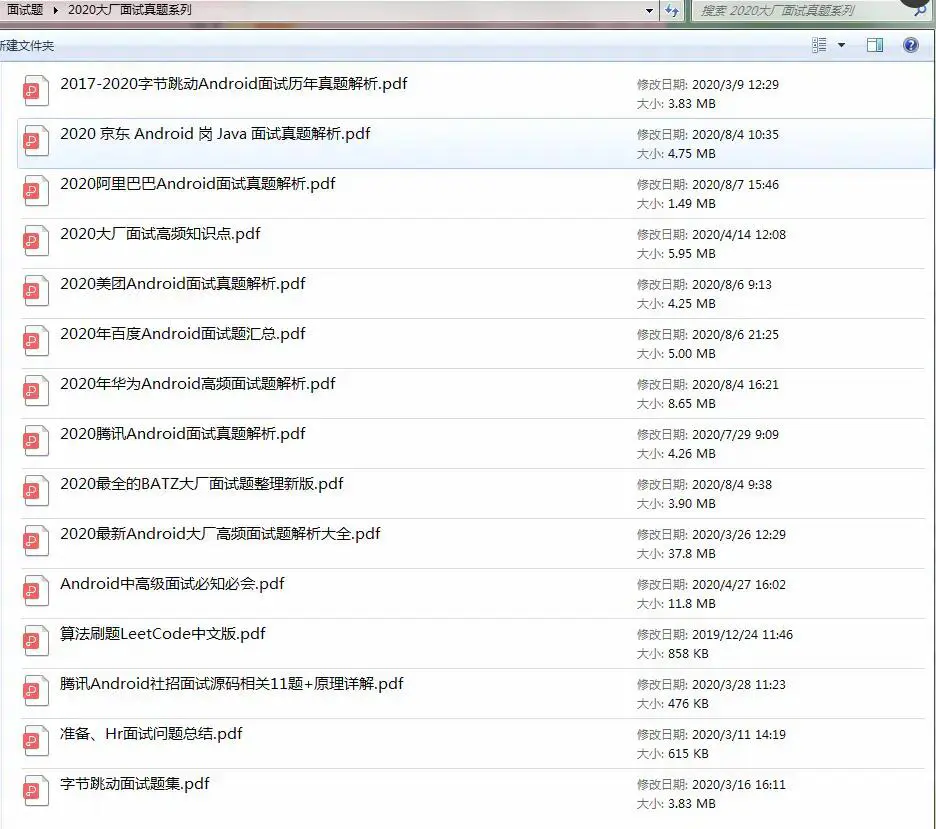
里面包含不同方向的自学编程路线、面试题集合/面经、及系列技术文章等,资源持续更新中…
《Android学习笔记总结+移动架构视频+大厂面试真题+项目实战源码》,点击传送门,即可获取!
最后我想说
为什么很多程序员做不了架构师?
1、良好健康的职业规划很重要,但大多数人都忽略了
2、学习的习惯很重要,持之以恒才是正解。
3、编程思维没能提升一个台阶,局限在了编码,业务,没考虑过选型、扩展
4、身边没有好的架构师引导、培养。所处的圈子对程序员的成长影响巨大。
金九银十面试季,跳槽季,整理面试题已经成了我多年的习惯!在这里我和身边一些朋友特意整理了一份快速进阶为Android高级工程师的系统且全面的学习资料。涵盖了Android初级——Android高级架构师进阶必备的一些学习技能。
附上:我们之前因为秋招收集的二十套一二线互联网公司Android面试真题(含BAT、小米、华为、美团、滴滴)和我自己整理Android复习笔记(包含Android基础知识点、Android扩展知识点、Android源码解析、设计模式汇总、Gradle知识点、常见算法题汇总。)
[外链图片转存中…(img-15Femmr4-1715185684732)]
里面包含不同方向的自学编程路线、面试题集合/面经、及系列技术文章等,资源持续更新中…
《Android学习笔记总结+移动架构视频+大厂面试真题+项目实战源码》,点击传送门,即可获取!

开源鸿蒙跨平台开发社区汇聚开发者与厂商,共建“一次开发,多端部署”的开源生态,致力于降低跨端开发门槛,推动万物智联创新。
更多推荐

 28
28 0
0- 0


 已为社区贡献1条内容

所有评论(0)