Koltin31,2024年Android社招面试题
我搜集整理过这几年阿里,以及腾讯,字节跳动,华为,小米等公司的面试题,把面试的要求和技术点梳理成一份大而全的“ Android架构师”面试 Xmind(实际上比预期多花了不少精力),包含知识脉络 + 分支细节。网上学习 Android的资料一大堆,但如果学到的知识不成体系,遇到问题时只是浅尝辄止,不再深入研究,那么很难做到真正的技术提升。网上学习 Android的资料一大堆,但如果学到的知识不成体
import org.jetbrains.anko.find
class OrderRvAdapter (val context: Context) : RecyclerView.Adapter<RecyclerView.ViewHolder>() {
private var orderList: List = ArrayList()
fun setOrderData(orders: List) {
this.orderList = orders
notifyDataSetChanged()
}
override fun onCreateViewHolder(parent: ViewGroup, viewType: Int): RecyclerView.ViewHolder {
// val itemView = View.inflate(context, R.layout.item_order_item, null)
//TODO:没有填充满,原因是recycleview的孩子,测量模式是UNSPECIFY
//通过返回值已经addview,如果attachToRoot使用true会再一次addView(),就会报错
val itemView = LayoutInflater.from(context).inflate(R.layout.item_order_item,parent, false)
return OrderItemHolder(itemView)
}
override fun onBindViewHolder(holder: RecyclerView.ViewHolder, position: Int) {
(holder as OrderItemHolder).bindData(orderList.get(position))
}
override fun getItemCount(): Int {
return orderList.size
}
inner class OrderItemHolder(item: View) : RecyclerView.ViewHolder(item) {
val tvSellerName: TextView
val tvOrderType: TextView
init {
//findviewbyId tv_order_item_seller_name tv_order_item_type
tvSellerName = item.find(R.id.tv_order_item_seller_name)
tvOrderType = item.find(R.id.tv_order_item_type) //订单状态
// item.setOnClickListener {
// val intent: Intent = Intent(context, OrderDetailActivity::class.java)
// intent.putExtra(“orderId”, order.id)
// intent.putExtra(“type”, order.type)
// context.startActivity(intent)
// }
}
fun bindData(order: Order) {
// tvSellerName.text = order.seller.name
tvOrderType.text = order.type
}
}
}
TakeoutService.kt使用Retrofit请求数据的封装
package com.example.takeout.model.net
import retrofit2.Call
import retrofit2.http.GET
interface TakeoutService {
//ex. @GET(“users/{user}/repos”)
//ex. fun listRepos(@Path(“user”) user: String): Call<List>
//http://127.0.0.1:8090/takeout?index=0
@GET(“takeout?index=0”)
fun getHomeInfo(): Call
//http://127.0.0.1:8090/takelogin?index=0
@GET(“takelogin?index=0”)
fun loginByPhone() : Call
//http://127.0.0.1:8090/takeorder?index=0
@GET(“takeorder?index=0”)
fun getOrderList() : Call
}
item_order_item.xml订单界面单个item数据的界面布局
<?xml version="1.0" encoding="utf-8"?><LinearLayout xmlns:android=“http://schemas.android.com/apk/res/android”
xmlns:tools=“http://schemas.android.com/tools”
android:layout_width=“match_parent”
android:layout_height=“wrap_content”
android:background=“#fff”
android:orientation=“horizontal”>
<FrameLayout
android:layout_width=“wrap_content”
android:layout_height=“wrap_content”>
<ImageView
android:id=“@+id/iv_order_item_seller_logo”
android:layout_width=“50dp”
android:layout_height=“50dp”
android:layout_margin=“8dp”
android:src=“@mipmap/item_kfc” />
<LinearLayout
android:layout_width=“match_parent”
android:layout_height=“wrap_content”
android:layout_margin=“8dp”
android:orientation=“vertical”>
<LinearLayout
android:layout_width=“match_parent”
android:layout_height=“wrap_content”
android:gravity=“center_vertical”>
<TextView
android:id=“@+id/tv_order_item_seller_name”
android:layout_width=“match_parent”
android:layout_height=“wrap_content”
android:layout_marginLeft=“5dp”
android:layout_weight=“1”
android:singleLine=“true”
android:text=“肯德基宅急送(文化路店)”
android:textColor=“#000”
android:textSize=“20sp” />
<TextView
android:id=“@+id/tv_order_item_type”
android:layout_width=“wrap_content”
android:layout_height=“wrap_content”
android:layout_marginLeft=“8dp”
android:textSize=“14sp”
android:text=“订单已完成”
android:textColor=“#000”/>
<TextView
android:id=“@+id/tv_order_item_time”
android:layout_width=“wrap_content”
android:layout_height=“wrap_content”
android:layout_alignParentLeft=“true”
android:text=“2016-09-04 18:00”
android:textSize=“12sp”/>
<View
android:layout_width=“match_parent”
android:layout_height=“2dp”
android:layout_marginTop=“5dp”
android:layout_marginBottom=“5dp”
android:background=“@drawable/shape_background_division”/>
<RelativeLayout
android:layout_width=“match_parent”
android:layout_height=“wrap_content”
android:layout_marginTop=“10dp”
android:layout_marginBottom=“10dp”
android:gravity=“center_vertical”>
<TextView
android:id=“@+id/tv_order_item_foods”
android:layout_width=“wrap_content”
android:layout_height=“wrap_content”
android:layout_alignParentLeft=“true”
android:text=“红烧肉等3件商品”
android:textColor=“#000”
android:textSize=“14sp”/>
<TextView
android:id=“@+id/tv_order_item_money”
android:layout_width=“wrap_content”
android:layout_height=“wrap_content”
android:layout_alignParentRight=“true”
android:text=“¥31.00”
android:textColor=“#000”
android:textSize=“12sp”/>
<View
android:layout_width=“match_parent”
android:layout_height=“2dp”
android:layout_marginTop=“5dp”
android:layout_marginBottom=“5dp”
android:background=“@drawable/shape_background_division”/>
<RelativeLayout
android:layout_width=“match_parent”
android:layout_height=“wrap_content”
android:layout_marginTop=“5dp”
android:layout_marginBottom=“5dp”
<TextView
android:id=“@+id/tv_order_item_multi_function”
android:layout_width=“wrap_content”
android:layout_height=“wrap_content”
android:layout_alignParentRight=“true”
android:layout_marginRight=“10dp”
android:textSize=“16sp”
android:textColor=“#3090E6”
android:background=“@drawable/shape_background_stroke_blue”
android:padding=“4dp”
android:text=“再来一单”/>
自我介绍一下,小编13年上海交大毕业,曾经在小公司待过,也去过华为、OPPO等大厂,18年进入阿里一直到现在。
深知大多数初中级安卓工程师,想要提升技能,往往是自己摸索成长,但自己不成体系的自学效果低效又漫长,而且极易碰到天花板技术停滞不前!
因此收集整理了一份《2024年最新Android移动开发全套学习资料》送给大家,初衷也很简单,就是希望能够帮助到想自学提升又不知道该从何学起的朋友,同时减轻大家的负担。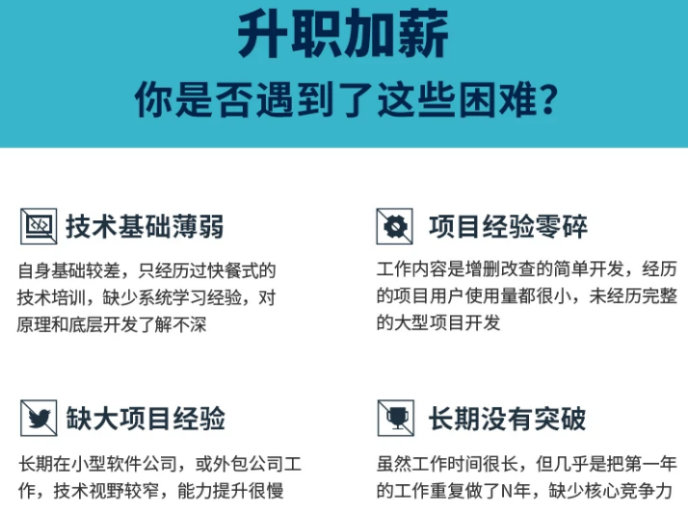
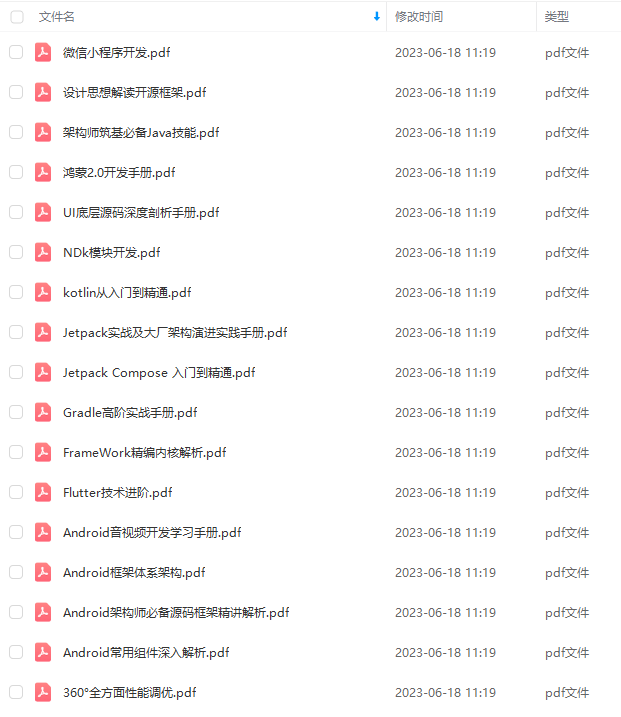
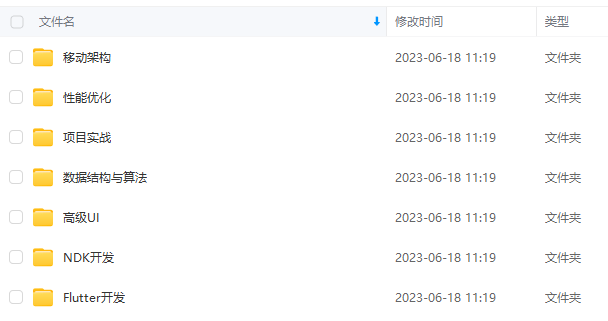
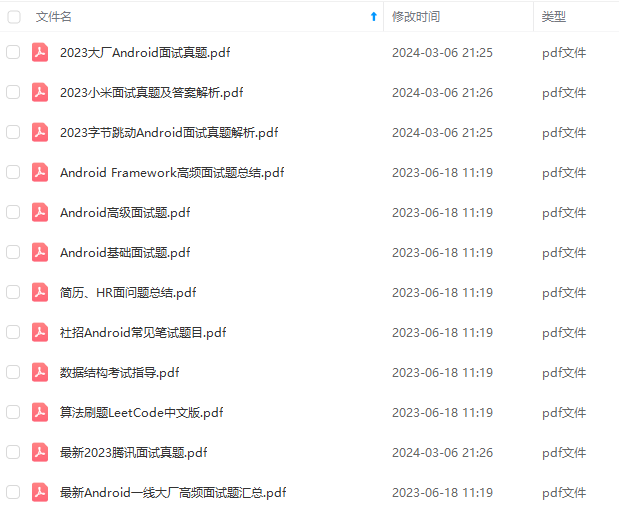
由于文件比较大,这里只是将部分目录截图出来,每个节点里面都包含大厂面经、学习笔记、源码讲义、实战项目、讲解视频
如果你觉得这些内容对你有帮助,可以添加下面V无偿领取!(备注Android)
作者2013年从java开发,转做Android开发,在小厂待过,也去过华为,OPPO等大厂待过,18年四月份进了阿里一直到现在。
参与过不少面试,也当面试官 面试过很多人。深知大多数初中级Android工程师,想要提升技能,往往是自己摸索成长,不成体系的学习效果低效漫长,而且极易碰到天花板技术停滞不前!
我整理了一份阿里P7级别的最系统的Android开发主流技术,特别适合有3-5年以上经验的小伙伴深入学习提升。
主要包括阿里,以及字节跳动,腾讯,华为,小米,等一线互联网公司主流架构技术。如果你想深入系统学习Android开发,成为一名合格的高级工程师,可以收藏一下这些Android进阶技术选型
我搜集整理过这几年阿里,以及腾讯,字节跳动,华为,小米等公司的面试题,把面试的要求和技术点梳理成一份大而全的“ Android架构师”面试 Xmind(实际上比预期多花了不少精力),包含知识脉络 + 分支细节。
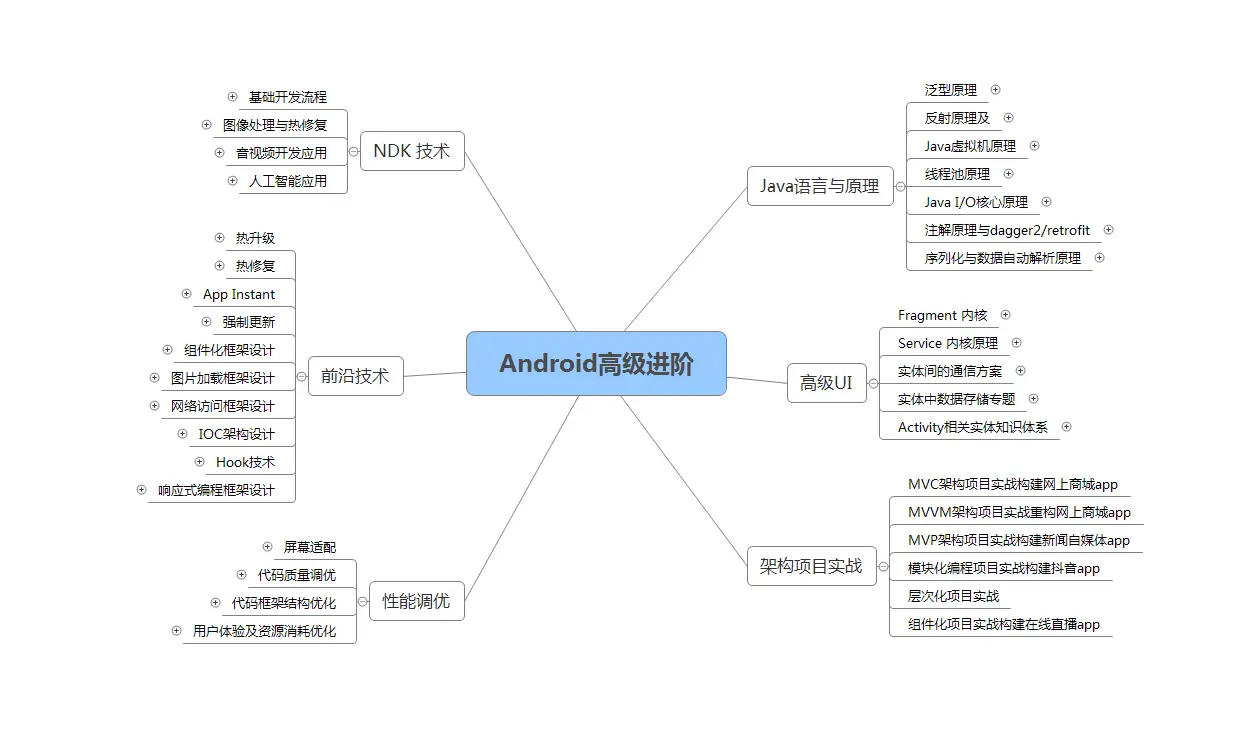
Java语言与原理;
大厂,小厂。Android面试先看你熟不熟悉Java语言
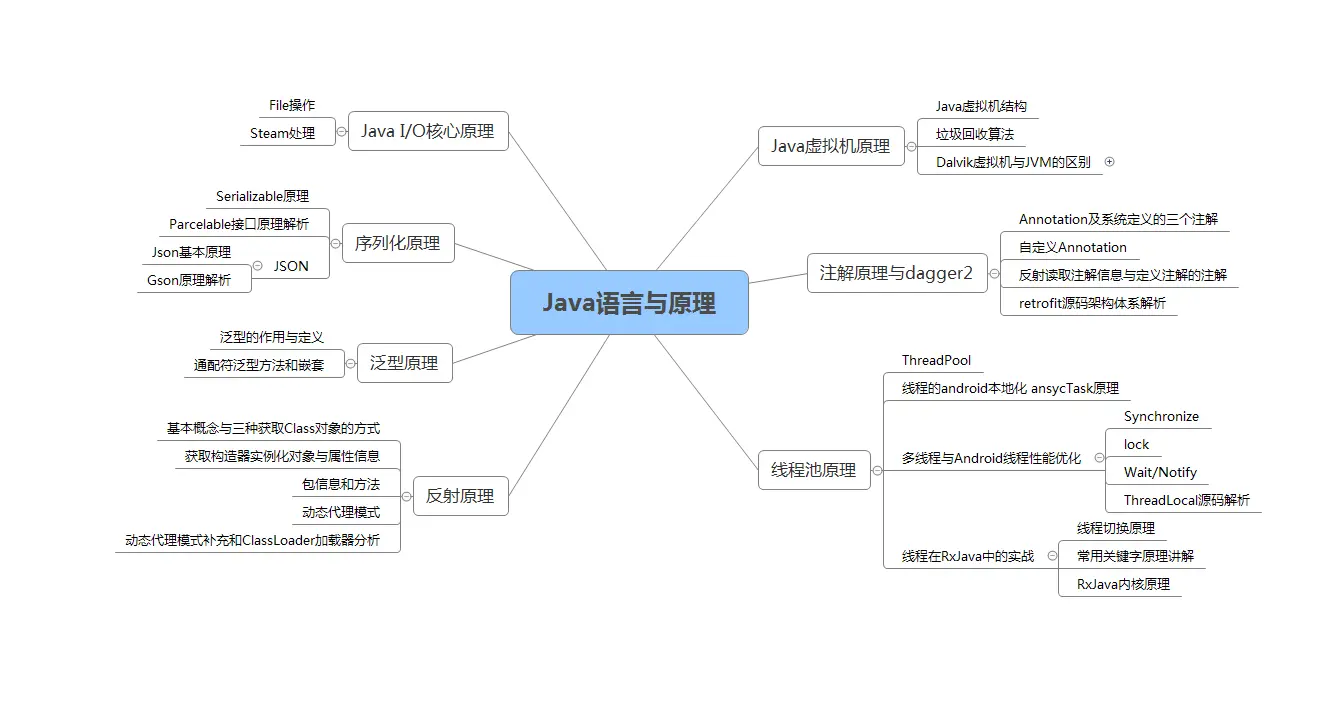
高级UI与自定义view;
自定义view,Android开发的基本功。
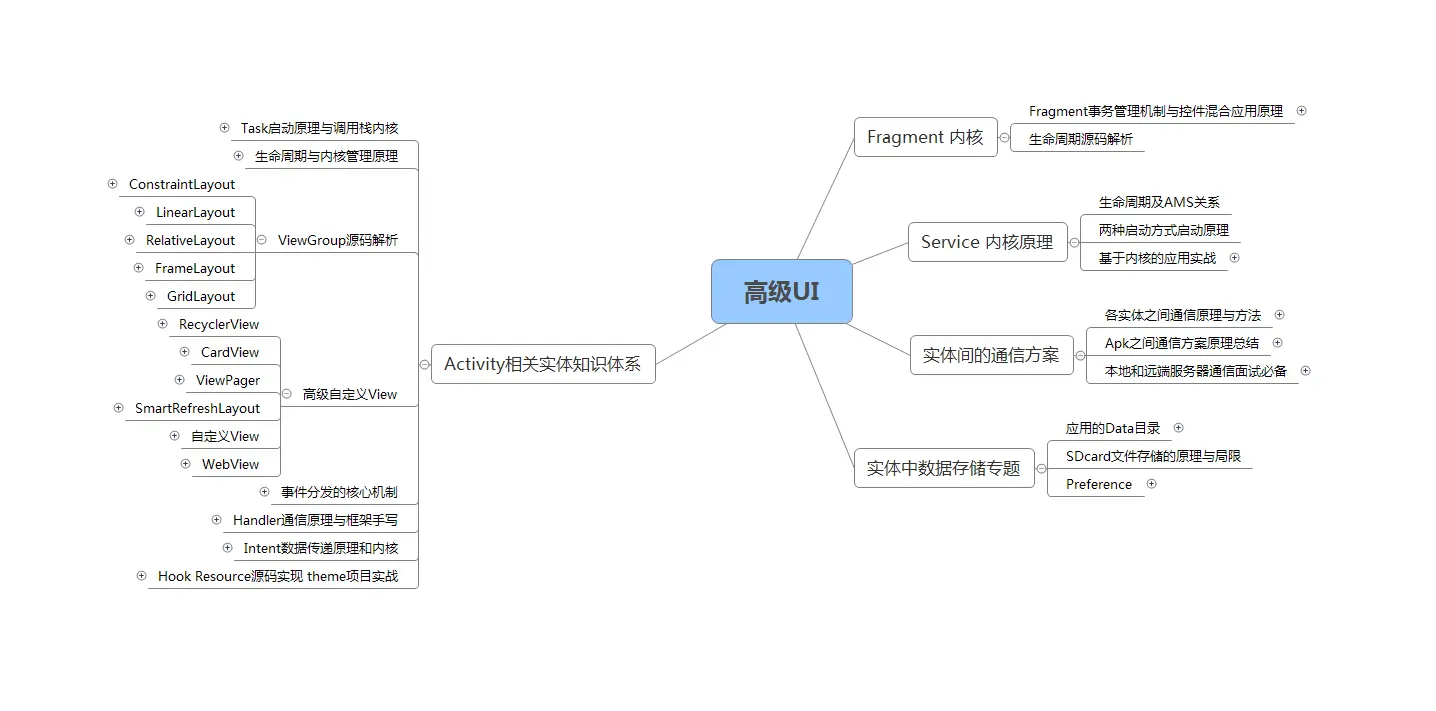
性能调优;
数据结构算法,设计模式。都是这里面的关键基础和重点需要熟练的。
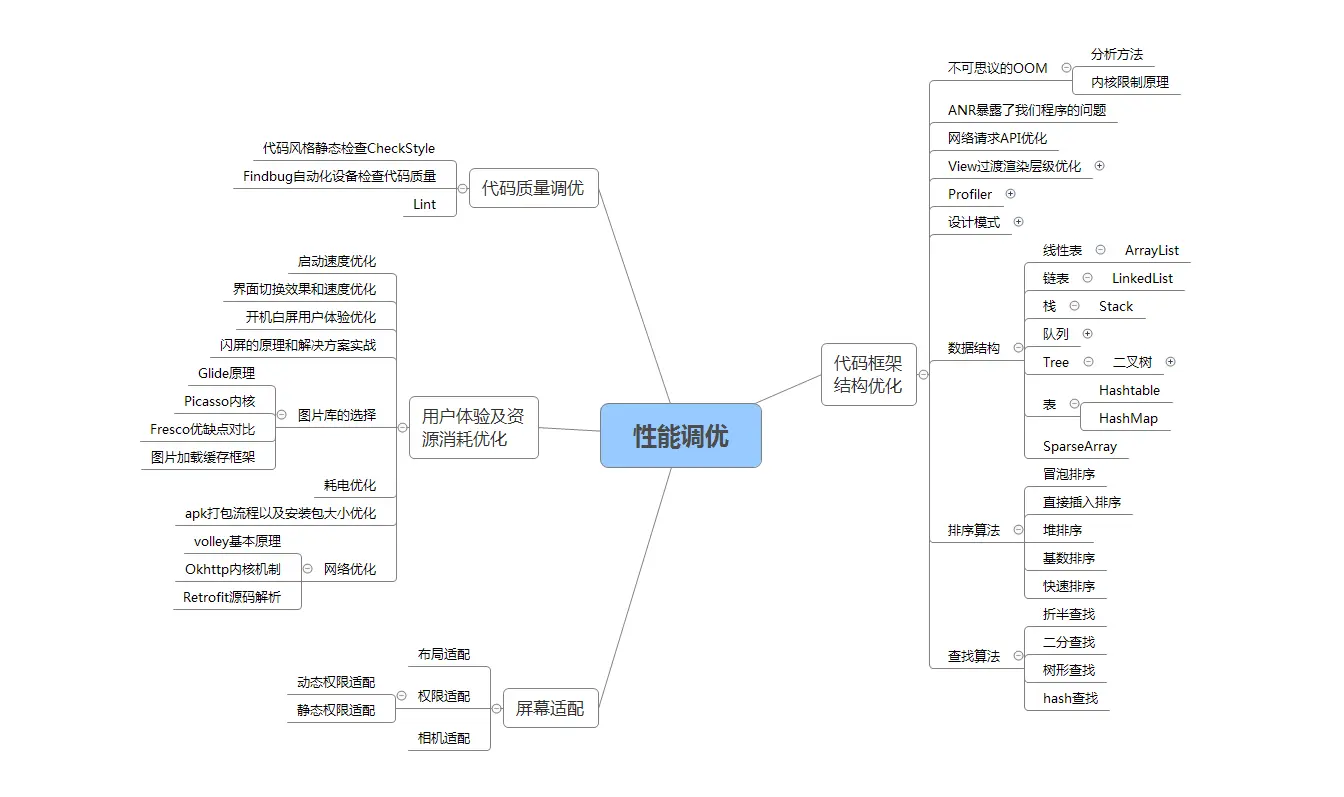
NDK开发;
未来的方向,高薪必会。
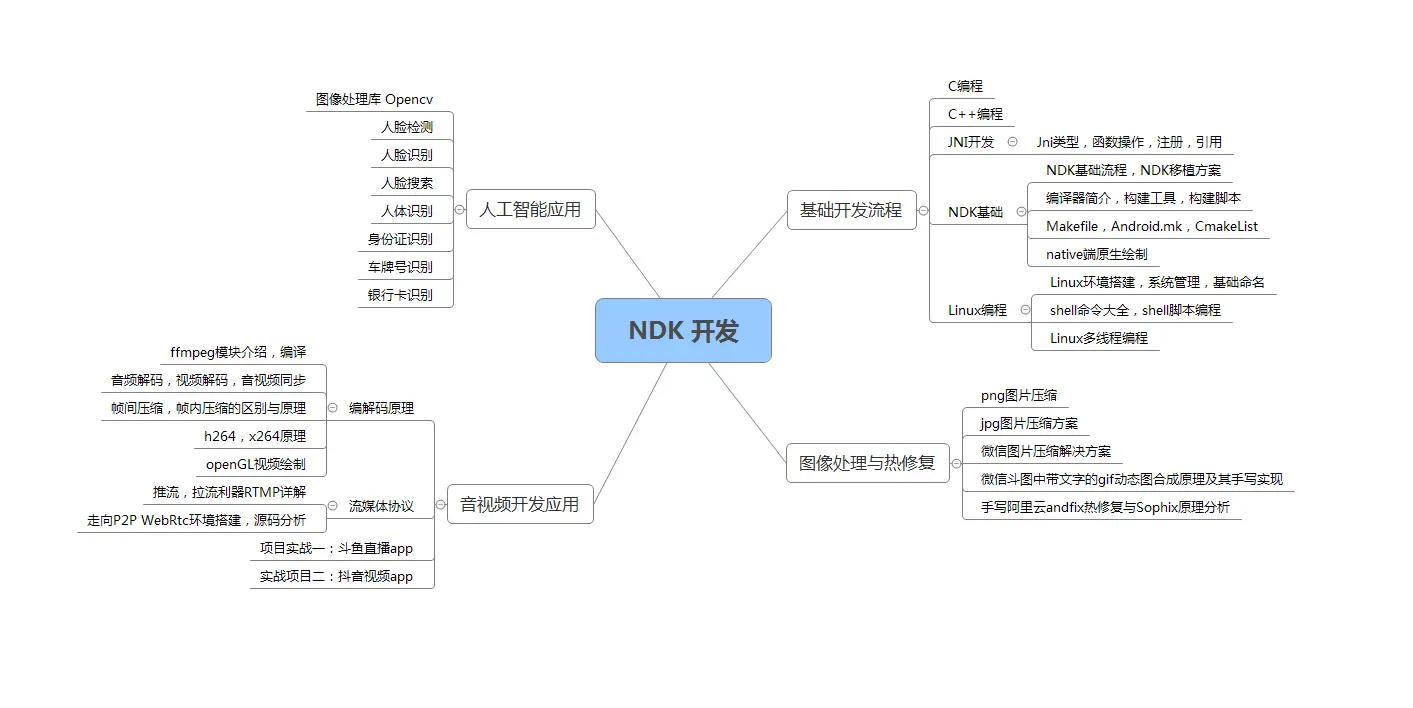
前沿技术;
组件化,热升级,热修复,框架设计
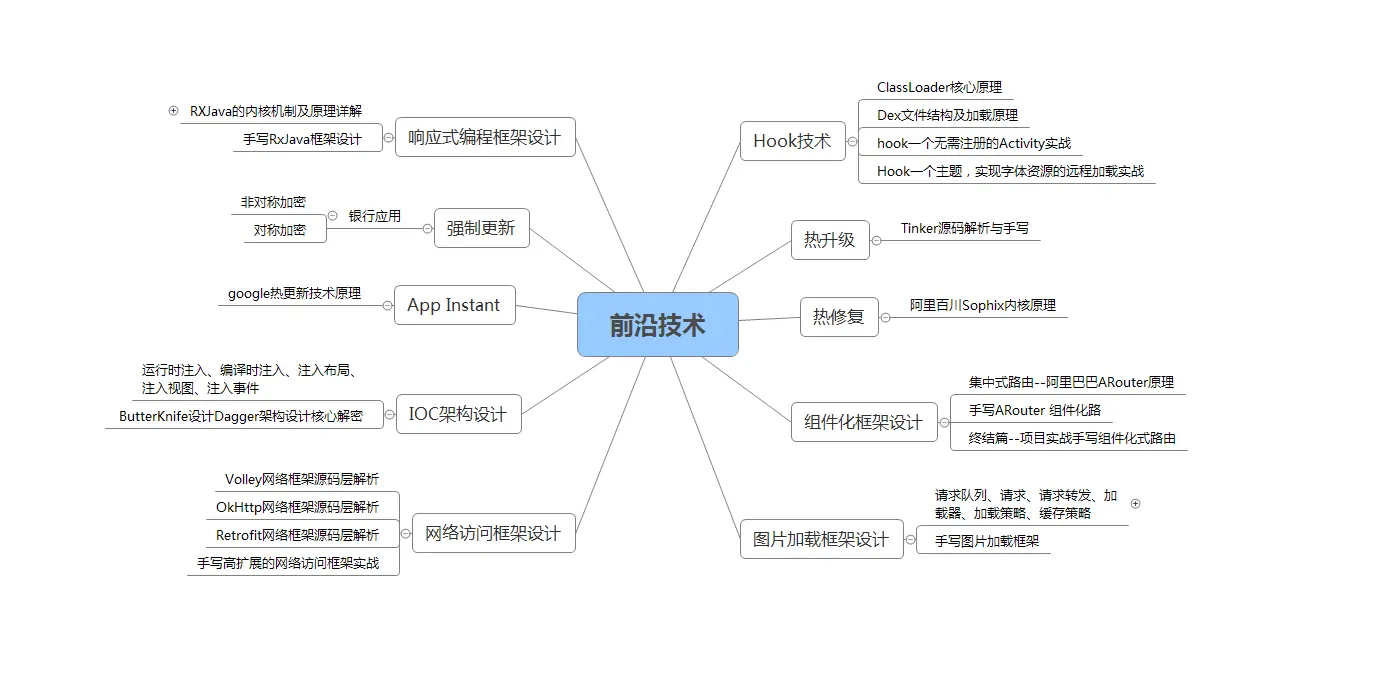
网上学习 Android的资料一大堆,但如果学到的知识不成体系,遇到问题时只是浅尝辄止,不再深入研究,那么很难做到真正的技术提升。希望这份系统化的技术体系对大家有一个方向参考。
我在搭建这些技术框架的时候,还整理了系统的高级进阶教程,会比自己碎片化学习效果强太多,GitHub可见;《Android架构视频+学习笔记》
当然,想要深入学习并掌握这些能力,并不简单。关于如何学习,做程序员这一行什么工作强度大家都懂,但是不管工作多忙,每周也要雷打不动的抽出 2 小时用来学习。
关键基础和重点需要熟练的。
[外链图片转存中…(img-zY475rF7-1711188267204)]
NDK开发;
未来的方向,高薪必会。
[外链图片转存中…(img-Gm7j3rC9-1711188267204)]
前沿技术;
组件化,热升级,热修复,框架设计
[外链图片转存中…(img-FVdVivEq-1711188267204)]
网上学习 Android的资料一大堆,但如果学到的知识不成体系,遇到问题时只是浅尝辄止,不再深入研究,那么很难做到真正的技术提升。希望这份系统化的技术体系对大家有一个方向参考。
我在搭建这些技术框架的时候,还整理了系统的高级进阶教程,会比自己碎片化学习效果强太多,GitHub可见;《Android架构视频+学习笔记》
当然,想要深入学习并掌握这些能力,并不简单。关于如何学习,做程序员这一行什么工作强度大家都懂,但是不管工作多忙,每周也要雷打不动的抽出 2 小时用来学习。
不出半年,你就能看出变化!

开源鸿蒙跨平台开发社区汇聚开发者与厂商,共建“一次开发,多端部署”的开源生态,致力于降低跨端开发门槛,推动万物智联创新。
更多推荐

 29
29 0
0- 0


 已为社区贡献3条内容

所有评论(0)