HarmonyOS 6基于React Native鸿蒙跨平台实现静态数据(商品、地址、优惠券列表)与动态选择状态(选中优惠券、支付方式、配送时间)分离,符合状态管理最佳实践
在电商应用中,订单确认与提交是用户完成购买流程的关键环节,其设计质量直接影响用户的购买体验和转化率。本文将深入分析一个基于 React Native 实现的订单确认与提交系统,探讨其架构设计、技术实现以及鸿蒙跨端适配策略。
核心数据
该系统构建了三个核心数据模型,为订单确认提供了完整的数据支持:
// 购物车项目类型
type CartItem = {
  id: string;
  productId: string;
  name: string;
  price: number;
  quantity: number;
  color: string;
  size: string;
  imageUrl?: string;
};

// 地址类型
type Address = {
  id: string;
  name: string;
  phone: string;
  address: string;
  isDefault: boolean;
};

// 优惠券类型
type Coupon = {
  id: string;
  code: string;
  name: string;
  discount: number;
  minAmount: number;
  expiryDate: string;
  used: boolean;
};
这种数据模型设计的优势:
- 完整性:涵盖了订单确认所需的核心数据,包括商品、地址和优惠券
- 类型安全:使用 TypeScript 类型确保数据结构一致性
- 关联性:通过 ID 关联不同数据模型,构建完整的订单信息
- 扩展性:支持添加更多属性,如商品图片、配送方式等
状态管理
系统采用了 React Hooks 中的 useState 进行轻量级状态管理,构建了多层次的状态模型:
const [cartItems] = useState<CartItem[]>([
  // 购物车数据...
]);

const [address] = useState<Address>({
  // 地址数据...
});

const [coupons] = useState<Coupon[]>([
  // 优惠券数据...
]);

const [selectedCoupon, setSelectedCoupon] = useState<string | null>(null);
const [paymentMethod, setPaymentMethod] = useState<string>('alipay');
const [deliveryTime, setDeliveryTime] = useState<string>('尽快送达');
这种状态管理方式具有以下优势:
- 模块化:将不同类型的数据分离管理,提高代码可读性
- 响应式:状态变更自动触发组件重渲染,确保 UI 与数据同步
- 跨端兼容:React Hooks 在鸿蒙系统的 React Native 实现中通常都有良好支持
- 灵活性:支持动态选择优惠券、支付方式和配送时间
系统实现了完整的订单确认与提交功能,包括:
订单金额计算
const calculateTotal = () => {
  const subtotal = cartItems.reduce((sum, item) => sum + (item.price * item.quantity), 0);
  const discount = selectedCoupon
    ? coupons.find(c => c.id === selectedCoupon)?.discount || 0
    : 0;
  return subtotal - discount;
};
订单金额计算支持:
- 计算商品总价
- 应用优惠券折扣
- 计算最终支付金额
订单提交
const submitOrder = () => {
  Alert.alert(
    '订单提交成功',
    `订单已提交,总价: ¥${calculateTotal()}\n\n订单号: ${Math.floor(Math.random() * 1000000000)}`,
    [
      {
        text: '确定',
        onPress: () => console.log('订单提交成功')
      }
    ]
  );
};
订单提交功能支持:
- 生成随机订单号
- 显示订单提交成功提示
- 提供确认按钮,完成流程闭环
基础架构
该实现采用了 React Native 核心组件库,确保了在鸿蒙系统上的基本兼容性:
SafeAreaView:适配刘海屏等异形屏ScrollView:处理内容滚动,确保长页面可浏览TouchableOpacity:提供触摸反馈,增强用户体验FlatList:高效渲染商品列表,支持虚拟滚动Image:显示商品图片和其他视觉元素Alert:系统级弹窗提示,提供操作反馈
Base64 图标
系统使用 Base64 编码的图标库,这种处理方式在跨端开发中尤为重要:
- 避免了不同平台对资源文件格式的兼容性问题
- 减少了网络请求,提高了加载速度
- 简化了构建流程,无需处理多平台资源文件
- 确保图标在不同设备上的显示一致性
屏幕尺寸
系统通过 Dimensions API 获取屏幕尺寸,确保了在不同屏幕尺寸的设备上都能获得一致的布局体验,无论是 React Native 环境还是鸿蒙系统:
const { width, height } = Dimensions.get('window');
系统采用了模块化的样式定义,确保了样式的一致性和可维护性:
const styles = StyleSheet.create({
  container: {
    flex: 1,
    backgroundColor: '#f5f5f5',
  },
  // 其他样式...
});
这种方式为后续的主题定制和深色模式适配预留了扩展空间。
在鸿蒙系统上使用 React Native 时,应注意以下 API 兼容性问题:
- FlatList API:鸿蒙系统的 FlatList 实现可能与 React Native 有所差异,建议测试确认滚动和渲染行为
- Alert API:鸿蒙系统的 Alert 实现可能与 React Native 有所差异,建议测试确认弹窗行为
- Image API:鸿蒙系统的 Image 实现可能与 React Native 有所差异,建议测试确认图片加载行为
- ScrollView API:鸿蒙系统的 ScrollView 实现可能与 React Native 有所差异,建议测试确认滚动行为
本订单确认系统实现了一个功能完整、用户友好的订单确认与提交界面,通过合理的架构设计和代码组织,为用户提供了良好的购买体验。在跨端开发场景下,该实现充分考虑了 React Native 和鸿蒙系统的兼容性需求,为后续的功能扩展和性能优化预留了空间。
通过订单金额计算、优惠券应用、订单提交等核心功能,结合 Base64 图标处理、FlatList 优化等技术手段,该系统不仅功能完善,而且具有良好的可维护性和可扩展性。这些实践经验对于构建其他跨端应用组件也具有参考价值。
订单确认页是电商交易闭环中承上启下的关键环节,其核心价值在于整合订单全维度信息、提供可配置的交易选项、完成价格核算与最终下单。本文将深度拆解这份基于 React Native 构建的订单确认应用代码,从数据模型设计、状态管理体系、交互逻辑架构、视觉布局规范四个维度剖析其技术内核,并提供完整的鸿蒙(HarmonyOS)ArkTS 跨端适配方案,为跨端电商订单确认场景开发提供可落地的技术参考。
1. 电商订单场景
订单确认页的核心是整合多维度交易数据,代码通过 TypeScript 构建了精准匹配电商订单场景的三类核心数据模型:
// 购物车商品项:承接购物车选中商品数据
type CartItem = {
  id: string;           // 购物车项唯一标识
  productId: string;    // 关联商品ID
  name: string;         // 商品名称
  price: number;        // 商品单价
  quantity: number;     // 购买数量
  color: string;        // 选中颜色规格
  size: string;         // 选中尺寸/容量规格
  imageUrl?: string;    // 商品图片(可选)
};

// 收货地址模型:覆盖地址核心属性
type Address = {
  id: string;           // 地址唯一标识
  name: string;         // 收件人姓名
  phone: string;        // 联系电话
  address: string;      // 详细地址
  isDefault: boolean;   // 是否默认地址
};

// 优惠券模型:完整覆盖优惠券使用规则
type Coupon = {
  id: string;           // 优惠券唯一标识
  code: string;         // 优惠码
  name: string;         // 优惠券名称
  discount: number;     // 抵扣金额
  minAmount: number;    // 使用门槛
  expiryDate: string;   // 有效期
  used: boolean;        // 是否已使用
};
设计亮点分析:
- 数据维度完整:三类模型分别覆盖订单的核心构成要素(商品、地址、优惠),无关键信息缺失;
- 业务规则内置:优惠券模型包含
minAmount(使用门槛)、used(使用状态)等业务规则字段,支撑后续价格计算逻辑; - 状态标识清晰:地址模型的
isDefault字段、优惠券模型的used字段,为UI展示和交互提供明确的状态依据; - 类型约束严格:通过 TypeScript 类型定义,确保初始化数据和状态更新的类型安全,避免运行时错误;
- 扩展性良好:
imageUrl?可选字段设计,兼容商品有无图片的场景,productId预留与商品详情页的关联能力。
2. 订单核心状态
订单确认页的核心价值在于动态配置订单选项 + 实时价格核算,代码通过 React 的 useState 构建了完整的状态管理体系,覆盖订单确认全流程操作:
(1)核心状态初始化
// 商品数据:承接购物车选中商品
const [cartItems] = useState<CartItem[]>([/* 初始化数据 */]);

// 收货地址:默认选中用户默认地址
const [address] = useState<Address>({/* 初始化数据 */});

// 优惠券列表:包含可用/已用状态
const [coupons] = useState<Coupon[]>([/* 初始化数据 */]);

// 选中的优惠券:初始未选择
const [selectedCoupon, setSelectedCoupon] = useState<string | null>(null);

// 支付方式:默认支付宝
const [paymentMethod, setPaymentMethod] = useState<string>('alipay');

// 配送时间:默认尽快送达
const [deliveryTime, setDeliveryTime] = useState<string>('尽快送达');
初始化策略:
- 数据分层管理:静态数据(商品、地址、优惠券列表)与动态选择状态(选中优惠券、支付方式、配送时间)分离,符合状态管理最佳实践;
- 默认值合理:支付方式默认支付宝、配送时间默认尽快送达,贴合用户主流选择习惯;
- 不可变初始化:静态数据使用
const [x] = useState()声明,避免不必要的重渲染; - 状态类型精准:
selectedCoupon设计为string | null,精准表达“选中/未选中”两种状态。
(2)订单价格核算核心逻辑
const calculateTotal = () => {
  // 1. 计算商品总价:单价 × 数量求和
  const subtotal = cartItems.reduce((sum, item) => sum + (item.price * item.quantity), 0);

  // 2. 计算优惠券抵扣:选中优惠券则抵扣对应金额
  const discount = selectedCoupon
    ? coupons.find(c => c.id === selectedCoupon)?.discount || 0
    : 0;

  // 3. 最终价格 = 商品总价 - 优惠券抵扣
  return subtotal - discount;
};
设计亮点:
- 分步计算:将价格计算拆分为商品总价、优惠券抵扣、最终价格三步,逻辑清晰且易于调试;
- 空值保护:使用可选链操作符
?.和默认值|| 0,避免优惠券不存在时的空值错误; - 实时计算:每次调用重新计算,保证价格随优惠券选择动态更新;
- 纯函数设计:仅依赖输入状态,无副作用,便于测试和复用;
- 扩展性预留:当前仅计算商品总价和优惠券抵扣,预留运费、税费等扩展字段的接入空间。
(3)订单提交逻辑
const submitOrder = () => {
  Alert.alert(
    '订单提交成功',
    `订单已提交,总价: ¥${calculateTotal()}\n\n订单号: ${Math.floor(Math.random() * 1000000000)}`,
    [
      {
        text: '确定',
        onPress: () => console.log('订单提交成功')
      }
    ]
  );
};
设计亮点:
- 用户反馈清晰:通过 Alert 弹窗提供订单提交成功的明确反馈,包含总价和随机生成的订单号;
- 数据闭环:提交时调用
calculateTotal()获取最终价格,保证订单金额的准确性; - 接口预留:
console.log位置可直接替换为真实的订单提交 API 调用,扩展性良好; - 交互友好:弹窗包含确认按钮,符合移动端交互习惯。
订单确认页采用信息分层展示 + 选项可配置 + 价格实时核算 + 底部提交的经典电商布局,结合 React Native 的组件特性,打造流畅的订单确认体验:
(1)整体布局
SafeAreaView
├── Header(头部:标题 + 步骤标识)
├── ScrollView(滚动内容区)
│   ├── AddressCard(收货地址)
│   ├── Section(商品清单)
│   ├── Section(配送时间选择)
│   ├── Section(优惠券选择)
│   ├── Section(支付方式选择)
│   ├── SummaryCard(订单摘要/价格核算)
│   └── ServiceCard(服务保障)
├── BottomBar(底部提交栏:总价 + 提交按钮)
└── BottomNav(底部导航:首页/分类/购物车/我的)
布局设计优势:
- 信息分层清晰:按“基础信息-商品信息-配置选项-价格核算-服务保障”的逻辑顺序排列,符合用户下单决策路径;
- 滚动适配:内容区使用 ScrollView 包裹,适配多商品、多优惠券的长内容场景;
- 固定操作区:底部提交栏固定在页面底部,始终处于用户视野,降低下单操作成本;
- 安全区域适配:使用 SafeAreaView 适配刘海屏/全面屏,避免内容被遮挡;
- 视觉分层:通过卡片式设计(borderRadius/shadow)区分不同功能区域,提升视觉层次感。
① 配送时间选择
{['尽快送达', '工作日送货', '周末送货', '指定时间'].map(option => (
  <TouchableOpacity
    key={option}
    style={[
      styles.deliveryOption,
      deliveryTime === option && styles.selectedDeliveryOption
    ]}
    onPress={() => setDeliveryTime(option)}
  >
    <Text style={[
      styles.deliveryOptionText,
      deliveryTime === option && styles.selectedDeliveryOptionText
    ]}>
      {option}
    </Text>
  </TouchableOpacity>
))}
交互设计亮点:
- 状态联动:选中状态通过样式类动态切换,视觉反馈清晰;
- 通用化渲染:通过数组 map 渲染所有选项,避免重复代码;
- 操作便捷:按钮式选择,点击区域大,操作体验佳;
- 样式区分:选中项使用蓝色背景+白色文字,未选中项使用浅灰背景+深色文字,视觉对比明显。
② 优惠券选择
{coupons.filter(c => !c.used).map(coupon => (
  <TouchableOpacity
    key={coupon.id}
    style={[
      styles.coupon,
      selectedCoupon === coupon.id && styles.selectedCoupon
    ]}
    onPress={() => setSelectedCoupon(coupon.id === selectedCoupon ? null : coupon.id)}
  >
    {/* 优惠券信息展示 */}
  </TouchableOpacity>
))}
交互设计亮点:
- 数据过滤:通过
filter(c => !c.used)仅展示未使用优惠券,符合业务规则; - 切换逻辑:点击已选中优惠券可取消选择(
coupon.id === selectedCoupon ? null : coupon.id),交互灵活; - 布局适配:通过
width: (width - 48) / 2 - 8实现优惠券卡片的两列布局,适配不同屏幕宽度; - 信息完整:展示抵扣金额、优惠券名称、使用门槛、有效期,满足用户决策需求;
- 样式区分:选中优惠券使用加深的背景色,视觉反馈明确。
③ 支付方式选择
{[
  { id: 'alipay', name: '支付宝', icon: '💳' },
  { id: 'wechat', name: '微信支付', icon: '💬' },
  { id: 'bank', name: '银行卡', icon: '🏦' },
  { id: 'credit', name: '信用卡', icon: '💳' }
].map(method => (
  <TouchableOpacity
    key={method.id}
    style={[
      styles.paymentMethod,
      paymentMethod === method.id && styles.selectedPaymentMethod
    ]}
    onPress={() => setPaymentMethod(method.id)}
  >
    <Text style={styles.paymentMethodIcon}>{method.icon}</Text>
    <Text style={[
      styles.paymentMethodName,
      paymentMethod === method.id && styles.selectedPaymentMethodName
    ]}>
      {method.name}
    </Text>
    {paymentMethod === method.id && (
      <Text style={styles.selectedMark}>✓</Text>
    )}
  </TouchableOpacity>
))}
交互设计亮点:
- 数据驱动:支付方式通过数组配置,便于扩展和维护;
- 多维度反馈:选中项同时有边框、文字颜色、勾选标记三重视觉反馈,交互体验佳;
- 图标辅助:使用 emoji 图标增强视觉识别度,降低用户认知成本;
- 布局合理:横向排列+自动换行,适配不同数量的支付方式选项。
④ 订单价格摘要
<View style={styles.summaryCard}>
  <View style={styles.summaryRow}>
    <Text style={styles.summaryLabel}>商品总价:</Text>
    <Text style={styles.summaryValue}>
      ¥{cartItems.reduce((sum, item) => sum + (item.price * item.quantity), 0)}
    </Text>
  </View>
  {selectedCoupon && (
    <View style={styles.summaryRow}>
      <Text style={styles.summaryLabel}>优惠券抵扣:</Text>
      <Text style={styles.summaryValue}>
        -¥{coupons.find(c => c.id === selectedCoupon)?.discount || 0}
      </Text>
    </View>
  )}
  <View style={styles.summaryRow}>
    <Text style={styles.summaryLabel}>运费:</Text>
    <Text style={styles.summaryValue}>¥0</Text>
  </View>
  <View style={styles.totalRow}>
    <Text style={styles.totalLabel}>总计:</Text>
    <Text style={styles.totalValue}>¥{calculateTotal()}</Text>
  </View>
</View>
设计亮点:
- 条件渲染:优惠券抵扣行仅在选中优惠券时展示,避免空信息展示;
- 视觉层级:总计行使用加粗+大号字体+红色突出显示,符合用户视觉优先级;
- 分隔清晰:总计行通过上边框与其他行分隔,视觉边界明确;
- 实时更新:所有价格数据实时计算,确保与用户选择保持同步;
- 扩展性:预留运费字段,便于后续接入运费计算逻辑。
(3)样式
代码通过 StyleSheet.create 构建了完整的订单确认页样式体系,遵循电商视觉规范 + 交互友好性原则:
- 色彩体系:主色调采用蓝色(
#3b82f6),价格色采用红色(#ef4444),优惠券采用暖黄色(#f59e0b),符合电商视觉设计规范; - 卡片设计:所有功能区域均采用卡片式设计(
borderRadius: 12),通过阴影(shadow/elevation)提升视觉层次感; - 间距规范:采用 16px/12px/8px/4px 的间距体系,保证页面布局的呼吸感;
- 文字层级:通过字体大小和字重区分信息重要程度,标题加粗大号,价格突出显示;
- 选中状态样式:配送时间、优惠券、支付方式的选中状态均有明确的样式区分,交互反馈清晰;
- 响应式适配:优惠券卡片宽度通过屏幕宽度计算(
(width - 48) / 2 - 8),适配不同设备屏幕; - 底部栏设计:提交按钮采用蓝色背景+白色文字,视觉突出,引导用户点击;
- 标签设计:默认地址标签使用浅色背景+主色调文字,视觉柔和且识别度高。
将 React Native 订单确认应用迁移至鸿蒙平台,核心是基于 ArkTS + ArkUI 实现数据模型、状态管理、列表渲染、交互逻辑的对等还原,同时适配鸿蒙的组件特性和交互范式,以下是完整的适配方案:
1. 数据模型
RN 的 TypeScript 类型体系可无缝迁移至鸿蒙 ArkTS,仅需调整类型定义语法,核心字段和业务逻辑完全复用:
(1)数据类型
// 鸿蒙 ArkTS 类型定义
interface CartItem {
  id: string;
  productId: string;
  name: string;
  price: number;
  quantity: number;
  color: string;
  size: string;
  imageUrl?: string;
}

interface Address {
  id: string;
  name: string;
  phone: string;
  address: string;
  isDefault: boolean;
}

interface Coupon {
  id: string;
  code: string;
  name: string;
  discount: number;
  minAmount: number;
  expiryDate: string;
  used: boolean;
}
(2)状态管理
@Entry
@Component
struct OrderConfirmApp {
// 静态数据:商品、地址、优惠券
@State cartItems: CartItem[] = [
{
id: '1',
productId: 'p1',
name: 'iPhone 15 Pro Max',
price: 9999,
quantity: 1,
color: '钛金属黑',
size: '256GB',
},
{
id: '2',
productId: 'p2',
name: '小米13 Ultra',
price: 5999,
quantity: 2,
color: '黑色',
size: '256GB',
},
{
id: '3',
productId: 'p4',
name: '索尼WH-1000XM5',
price: 2499,
quantity: 1,
color: '黑色',
size: '标准版',
},
];
@State address: Address = {
id: 'a1',
name: '张三',
phone: '138****8888',
address: '北京市朝阳区某某街道123号',
isDefault: true,
};
@State coupons: Coupon[] = [
{
id: 'c1',
code: 'SAVE100',
name: '满500减100',
discount: 100,
minAmount: 500,
expiryDate: '2023-12-31',
used: false,
},
{
id: 'c2',
code: 'SAVE200',
name: '满1000减200',
discount: 200,
minAmount: 1000,
expiryDate: '2023-11-30',
used: false,
},
{
id: 'c3',
code: 'SAVE50',
name: '满200减50',
discount: 50,
minAmount: 200,
expiryDate: '2023-10-31',
used: true,
},
];
// 动态选择状态
@State selectedCoupon: string | null = null;
@State paymentMethod: string = 'alipay';
@State deliveryTime: string = '尽快送达';
// 屏幕尺寸:适配鸿蒙获取方式
private windowWidth: number = 0;
aboutToAppear() {
// 获取屏幕宽度,用于优惠券卡片布局
const windowSize = getWindowProperties().windowRect;
this.windowWidth = windowSize.width;
}
// 价格计算逻辑:完全复用 RN 端逻辑
calculateTotal(): number {
const subtotal = this.cartItems.reduce((sum, item) => sum + (item.price * item.quantity), 0);
const discount = this.selectedCoupon
? this.coupons.find(c => c.id === this.selectedCoupon)?.discount || 0
: 0;
return subtotal - discount;
}
// 订单提交逻辑:适配鸿蒙弹窗 API
submitOrder() {
AlertDialog.show({
title: '订单提交成功',
message: `订单已提交,总价: ¥${this.calculateTotal()}\n\n订单号: ${Math.floor(Math.random() * 1000000000)}`,
confirm: {
value: '确定',
action: () => console.log('订单提交成功')
}
});
}
// 商品项渲染构建函数
@Builder
renderCartItem(item: CartItem) {
Row()
.alignItems(ItemAlign.Center)
.paddingVertical(12)
.borderBottom({ width: 1, color: '#e2e8f0' }) {
Image('https://via.placeholder.com/80x80')
.width(60)
.height(60)
.borderRadius(8)
.marginRight(12);
Column()
.flex(1) {
Text(item.name)
.fontSize(14)
.fontWeight(FontWeight.Medium)
.fontColor('#1e293b')
.marginBottom(4);
Text(`颜色: ${item.color} | 规格: ${item.size}`)
.fontSize(12)
.fontColor('#64748b')
.marginBottom(4);
Text(`¥${item.price} × ${item.quantity}`)
.fontSize(14)
.fontColor('#ef4444')
.fontWeight(FontWeight.Bold);
}
}
}
// 页面主构建函数
build() {
Column()
.flex(1)
.backgroundColor('#f5f7fa')
.safeArea(true) {
// 头部
Row()
.justifyContent(FlexAlign.SpaceBetween)
.alignItems(ItemAlign.Center)
.padding(16)
.backgroundColor('#ffffff')
.borderBottom({ width: 1, color: '#e2e8f0' }) {
Text('订单确认')
.fontSize(20)
.fontWeight(FontWeight.Bold)
.fontColor('#1e293b');
Text('第2步')
.fontSize(14)
.fontColor('#64748b');
}
// 滚动内容区
Scroll()
.flex(1)
.marginTop(12) {
Column() {
// 收货地址卡片
Column()
.backgroundColor('#ffffff')
.marginLeft(16)
.marginRight(16)
.marginBottom(12)
.borderRadius(12)
.padding(16)
.shadow({ color: '#000', offsetX: 0, offsetY: 1, opacity: 0.1, radius: 2 }) {
// 地址头部
Row()
.justifyContent(FlexAlign.SpaceBetween)
.alignItems(ItemAlign.Center)
.marginBottom(12) {
Text('收货地址')
.fontSize(16)
.fontWeight(FontWeight.Medium)
.fontColor('#1e293b');
Button()
.backgroundColor(Color.Transparent) {
Text('编辑')
.fontColor('#3b82f6')
.fontSize(14);
}
}
// 地址信息
Row()
.alignItems(ItemAlign.Center) {
Text(this.address.name)
.fontSize(16)
.fontWeight(FontWeight.Medium)
.fontColor('#1e293b')
.marginRight(8);
Text(this.address.phone)
.fontSize(14)
.fontColor('#64748b')
.marginRight(8);
Text(this.address.address)
.fontSize(14)
.fontColor('#64748b')
.flex(1);
if (this.address.isDefault) {
Column()
.backgroundColor('#dbeafe')
.paddingLeft(6)
.paddingRight(6)
.paddingTop(2)
.paddingBottom(2)
.borderRadius(4) {
Text('默认')
.fontSize(12)
.fontColor('#3b82f6');
}
}
}
}
// 商品清单
Column()
.backgroundColor('#ffffff')
.marginLeft(16)
.marginRight(16)
.marginBottom(12)
.borderRadius(12)
.padding(16)
.shadow({ color: '#000', offsetX: 0, offsetY: 1, opacity: 0.1, radius: 2 }) {
Text('商品清单')
.fontSize(16)
.fontWeight(FontWeight.Medium)
.fontColor('#1e293b')
.marginBottom(12);
// 商品列表:使用 LazyForEach 实现高性能渲染
LazyForEach(
new MyDataSource(this.cartItems),
(item: CartItem) => {
this.renderCartItem(item);
},
(item: CartItem) => item.id
)
}
// 配送时间
Column()
.backgroundColor('#ffffff')
.marginLeft(16)
.marginRight(16)
.marginBottom(12)
.borderRadius(12)
.padding(16)
.shadow({ color: '#000', offsetX: 0, offsetY: 1, opacity: 0.1, radius: 2 }) {
Text('配送时间')
.fontSize(16)
.fontWeight(FontWeight.Medium)
.fontColor('#1e293b')
.marginBottom(12);
// 配送时间选项
Row()
.flexWrap(FlexWrap.Wrap) {
['尽快送达', '工作日送货', '周末送货', '指定时间'].forEach(option => {
Button()
.backgroundColor(this.deliveryTime === option ? '#3b82f6' : '#f1f5f9')
.paddingLeft(12)
.paddingRight(12)
.paddingTop(6)
.paddingBottom(6)
.borderRadius(16)
.marginRight(8)
.marginBottom(8)
.onClick(() => this.deliveryTime = option) {
Text(option)
.fontSize(14)
.fontColor(this.deliveryTime === option ? '#ffffff' : '#475569');
}
})
}
}
// 优惠券
Column()
.backgroundColor('#ffffff')
.marginLeft(16)
.marginRight(16)
.marginBottom(12)
.borderRadius(12)
.padding(16)
.shadow({ color: '#000', offsetX: 0, offsetY: 1, opacity: 0.1, radius: 2 }) {
Text('优惠券')
.fontSize(16)
.fontWeight(FontWeight.Medium)
.fontColor('#1e293b')
.marginBottom(12);
// 优惠券列表:仅展示未使用的
Row()
.flexWrap(FlexWrap.Wrap) {
this.coupons.filter(c => !c.used).forEach(coupon => {
Button()
.backgroundColor(this.selectedCoupon === coupon.id ? '#fef3c7' : '#fffbeb')
.border({ width: 1, color: '#f59e0b' })
.borderRadius(8)
.padding(12)
.marginRight(8)
.marginBottom(8)
.width((this.windowWidth - 48) / 2 - 8)
.onClick(() => {
this.selectedCoupon = coupon.id === this.selectedCoupon ? null : coupon.id;
}) {
Column() {
Row()
.alignItems(ItemAlign.Center)
.marginBottom(4) {
Text(`¥${coupon.discount}`)
.fontSize(18)
.fontColor('#f59e0b')
.fontWeight(FontWeight.Bold)
.marginRight(8);
Text(coupon.name)
.fontSize(14)
.fontColor('#1e293b')
.fontWeight(FontWeight.Medium);
}
Text(`满¥${coupon.minAmount}可用`)
.fontSize(12)
.fontColor('#f59e0b')
.marginBottom(4);
Text(`有效期至: ${coupon.expiryDate}`)
.fontSize(10)
.fontColor('#94a3b8');
}
}
})
}
}
// 支付方式
Column()
.backgroundColor('#ffffff')
.marginLeft(16)
.marginRight(16)
.marginBottom(12)
.borderRadius(12)
.padding(16)
.shadow({ color: '#000', offsetX: 0, offsetY: 1, opacity: 0.1, radius: 2 }) {
Text('支付方式')
.fontSize(16)
.fontWeight(FontWeight.Medium)
.fontColor('#1e293b')
.marginBottom(12);
// 支付方式选项
Row()
.flexWrap(FlexWrap.Wrap) {
[
{ id: 'alipay', name: '支付宝', icon: '💳' },
{ id: 'wechat', name: '微信支付', icon: '💬' },
{ id: 'bank', name: '银行卡', icon: '🏦' },
{ id: 'credit', name: '信用卡', icon: '💳' }
].forEach(method => {
Button()
.flexDirection(FlexDirection.Row)
.alignItems(ItemAlign.Center)
.backgroundColor(this.paymentMethod === method.id ? '#dbeafe' : '#f1f5f9')
.border({
width: this.paymentMethod === method.id ? 1 : 0,
color: '#3b82f6'
})
.borderRadius(8)
.paddingLeft(12)
.paddingRight(12)
.paddingTop(8)
.paddingBottom(8)
.marginRight(8)
.marginBottom(8)
.onClick(() => this.paymentMethod = method.id) {
Text(method.icon)
.fontSize(18)
.marginRight(8);
Text(method.name)
.fontSize(14)
.fontColor(this.paymentMethod === method.id ? '#3b82f6' : '#475569')
.fontWeight(this.paymentMethod === method.id ? FontWeight.Medium : FontWeight.Normal)
.marginRight(8);
if (this.paymentMethod === method.id) {
Text('✓')
.fontSize(16)
.fontColor('#3b82f6');
}
}
})
}
}
// 订单摘要
Column()
.backgroundColor('#ffffff')
.marginLeft(16)
.marginRight(16)
.marginBottom(12)
.borderRadius(12)
.padding(16)
.shadow({ color: '#000', offsetX: 0, offsetY: 1, opacity: 0.1, radius: 2 }) {
// 商品总价
Row()
.justifyContent(FlexAlign.SpaceBetween)
.paddingVertical(6) {
Text('商品总价:')
.fontSize(14)
.fontColor('#64748b');
Text(`¥${this.cartItems.reduce((sum, item) => sum + (item.price * item.quantity), 0)}`)
.fontSize(14)
.fontColor('#1e293b');
}
// 优惠券抵扣(条件渲染)
if (this.selectedCoupon) {
Row()
.justifyContent(FlexAlign.SpaceBetween)
.paddingVertical(6) {
Text('优惠券抵扣:')
.fontSize(14)
.fontColor('#64748b');
Text(`-¥${this.coupons.find(c => c.id === this.selectedCoupon)?.discount || 0}`)
.fontSize(14)
.fontColor('#1e293b');
}
}
// 运费
Row()
.justifyContent(FlexAlign.SpaceBetween)
.paddingVertical(6) {
Text('运费:')
.fontSize(14)
.fontColor('#64748b');
Text('¥0')
.fontSize(14)
.fontColor('#1e293b');
}
// 总计
Row()
.justifyContent(FlexAlign.SpaceBetween)
.paddingTop(12)
.marginTop(12)
.borderTop({ width: 1, color: '#e2e8f0' }) {
Text('总计:')
.fontSize(16)
.fontColor('#1e293b')
.fontWeight(FontWeight.Bold);
Text(`¥${this.calculateTotal()}`)
.fontSize(18)
.fontColor('#ef4444')
.fontWeight(FontWeight.Bold);
}
}
// 服务保障
Column()
.backgroundColor('#ffffff')
.marginLeft(16)
.marginRight(16)
.marginBottom(80)
.borderRadius(12)
.padding(16)
.shadow({ color: '#000', offsetX: 0, offsetY: 1, opacity: 0.1, radius: 2 }) {
Text('服务保障')
.fontSize(16)
.fontWeight(FontWeight.Medium)
.fontColor('#1e293b')
.marginBottom(12);
// 服务项
Row()
.justifyContent(FlexAlign.SpaceBetween) {
[
{ icon: '🔒', text: '正品保证' },
{ icon: '🚚', text: '急速配送' },
{ icon: '↩️', text: '七天退换' },
{ icon: '💬', text: '在线客服' }
].forEach(item => {
Column()
.alignItems(ItemAlign.Center) {
Text(item.icon)
.fontSize(20)
.marginBottom(4);
Text(item.text)
.fontSize(12)
.fontColor('#64748b');
}
})
}
}
}
}
// 底部提交栏
Row()
.alignItems(ItemAlign.Center)
.justifyContent(FlexAlign.SpaceBetween)
.padding(16)
.backgroundColor('#ffffff')
.borderTop({ width: 1, color: '#e2e8f0' })
.position(Position.Fixed)
.bottom(60)
.width('100%') {
Text(`合计: `)
.fontSize(16)
.fontColor('#1e293b')
.append(
Text(`¥${this.calculateTotal()}`)
.fontSize(20)
.fontColor('#ef4444')
.fontWeight(FontWeight.Bold)
);
Button()
.backgroundColor('#3b82f6')
.paddingLeft(24)
.paddingRight(24)
.paddingTop(12)
.paddingBottom(12)
.borderRadius(6)
.onClick(() => this.submitOrder()) {
Text('提交订单')
.fontColor('#ffffff')
.fontSize(16)
.fontWeight(FontWeight.Medium);
}
}
// 底部导航
Row()
.justifyContent(FlexAlign.SpaceAround)
.backgroundColor('#ffffff')
.borderTop({ width: 1, color: '#e2e8f0' })
.paddingTop(12)
.paddingBottom(12)
.position(Position.Fixed)
.bottom(0)
.width('100%') {
// 首页
Column()
.alignItems(ItemAlign.Center)
.flex(1) {
Text('🏠')
.fontSize(20)
.fontColor('#94a3b8')
.marginBottom(4);
Text('首页')
.fontSize(12)
.fontColor('#94a3b8');
}
// 分类
Column()
.alignItems(ItemAlign.Center)
.flex(1) {
Text('🔍')
.fontSize(20)
.fontColor('#94a3b8')
.marginBottom(4);
Text('分类')
.fontSize(12)
.fontColor('#94a3b8');
}
// 购物车
Column()
.alignItems(ItemAlign.Center)
.flex(1) {
Text('🛒')
.fontSize(20)
.fontColor('#94a3b8')
.marginBottom(4);
Text('购物车')
.fontSize(12)
.fontColor('#94a3b8');
}
// 我的(当前页)
Column()
.alignItems(ItemAlign.Center)
.flex(1)
.paddingTop(4)
.borderTop({ width: 2, color: '#3b82f6' }) {
Text('👤')
.fontSize(20)
.fontColor('#3b82f6')
.marginBottom(4);
Text('我的')
.fontSize(12)
.fontColor('#3b82f6')
.fontWeight(FontWeight.Medium);
}
}
}
}
}
// 鸿蒙 LazyForEach 数据源
class MyDataSource implements IDataSource {
private list: CartItem[];
private listener: DataChangeListener;
constructor(list: CartItem[]) {
this.list = list;
}
totalCount(): number {
return this.list.length;
}
getData(index: number): CartItem {
return this.list[index];
}
registerDataChangeListener(listener: DataChangeListener): void {
this.listener = listener;
}
unregisterDataChangeListener(): void {
this.listener = undefined;
}
}
| React Native 特性 | 鸿蒙 ArkUI 对应实现 | 适配关键说明 |
|---|---|---|
useState |
@State 装饰器 |
状态初始化与更新逻辑完全复用,仅调整语法形式 |
FlatList |
LazyForEach |
均实现懒加载渲染,鸿蒙需自定义数据源类 |
TouchableOpacity |
Button + onClick |
所有可点击组件通过 Button 或 onClick 事件实现 |
ScrollView |
Scroll 组件 |
滚动容器语法差异,功能完全一致 |
Alert.alert |
AlertDialog.show |
弹窗 API 语法差异,功能对等 |
StyleSheet |
链式样式 | 样式属性(颜色、间距、圆角等)完全复用 |
Dimensions.get |
getWindowProperties |
屏幕尺寸获取方式差异,效果一致 |
Position: 'absolute' |
Position.Fixed |
绝对定位属性语法差异,底部栏定位效果一致 |
keyExtractor |
LazyForEach 第三个参数 | 均通过唯一 key 提升列表渲染性能 |
filter/map/reduce |
数组方法 | 订单计算/过滤/渲染的数组方法完全复用 |
SafeAreaView |
safeArea(true) |
安全区域适配语法差异,效果一致 |
条件渲染 && |
if 语句 |
优惠券抵扣行等条件渲染逻辑对等实现 |
- RN 端优化策略:
- 使用
FlatList替代 ScrollView + 循环渲染,实现商品列表懒加载; - 静态数据使用
const [x] = useState()声明,避免不必要的重渲染; - 关闭滚动指示器(
showsVerticalScrollIndicator={false})减少绘制开销; - 优惠券宽度通过屏幕宽度动态计算,适配不同设备。
- 使用
- 鸿蒙端优化策略:
- 使用
LazyForEach实现商品列表懒加载,需自定义IDataSource数据源类; - 在
aboutToAppear生命周期中获取屏幕宽度,避免重复计算; - 使用
@Builder封装商品项渲染逻辑,提升代码复用性; - 底部栏使用
Position.Fixed固定定位,避免滚动时重渲染; - 条件渲染使用
if语句而非三元表达式,符合鸿蒙开发习惯。
- 使用
1. 核心适配原则
- 数据层完全复用:CartItem/Address/Coupon 数据模型字段完全一致,仅调整 TypeScript/ArkTS 类型定义语法;
- 业务逻辑对等实现:价格计算、订单提交、选项切换等核心逻辑100%复用;
- 列表渲染性能对齐:RN 的 FlatList 与鸿蒙的 LazyForEach 均实现懒加载,保证长列表性能;
- 交互体验统一:配送时间、优惠券、支付方式的选择交互细节保持一致;
- 视觉体验一致:复用相同的色彩体系、间距规范、圆角大小、字体层级;
- 价格计算精准:优惠券抵扣、商品总价、最终价格的计算逻辑完全一致;
- 布局架构镜像:保持“头部-内容区-底部提交栏-底部导航”的核心布局结构。
- 订单确认页核心是数据整合与动态计算:商品、地址、优惠券多维度数据的整合,以及基于用户选择的实时价格计算,是跨端适配的核心;
- 状态管理需精准映射用户选择:配送时间、支付方式、优惠券的选择状态,需保证跨端的一致性和实时性;
- 列表渲染需性能优先:RN 的 FlatList 和鸿蒙的 LazyForEach 是解决长列表性能问题的核心方案;
- 交互体验统一是关键:选项选择的视觉反馈、价格更新的实时性、提交按钮的引导性,需保持跨端一致;
- 价格计算是核心保障:优惠券抵扣、商品总价、最终价格的计算逻辑,需100%精准还原,避免金额错误。
React Native 订单确认应用的跨端适配实践,验证了 ArkTS 与 React 技术体系在电商核心场景下的高度兼容性。对于订单确认这类以多维度数据整合-动态选项配置-实时价格计算为核心的场景,90% 以上的业务逻辑和数据模型均可实现跨端复用,仅需适配平台特有 API 和布局语法,是跨端电商应用开发的高效路径。
真实演示案例代码:
// App.tsx
import React, { useState } from 'react';
import { SafeAreaView, View, Text, StyleSheet, TouchableOpacity, ScrollView, Dimensions, Alert, Image, FlatList } from 'react-native';

// Base64 图标库
const ICONS_BASE64 = {
  cart: 'data:image/png;base64,iVBORw0KGgoAAAANSUhEUgAAAAEAAAABCAYAAAAfFcSJAAAADUlEQVR42mNkYPhfDwAChwGA60e6kgAAAABJRU5ErkJggg==',
  location: 'data:image/png;base64,iVBORw0KGgoAAAANSUhEUgAAAAEAAAABCAYAAAAfFcSJAAAADUlEQVR42mNkYPhfDwAChwGA60e6kgAAAABJRU5ErkJggg==',
  coupon: 'data:image/png;base64,iVBORw0KGgoAAAANSUhEUgAAAAEAAAABCAYAAAAfFcSJAAAADUlEQVR42mNkYPhfDwAChwGA60e6kgAAAABJRU5ErkJggg==',
  gift: 'data:image/png;base64,iVBORw0KGgoAAAANSUhEUgAAAAEAAAABCAYAAAAfFcSJAAAADUlEQVR42mNkYPhfDwAChwGA60e6kgAAAABJRU5ErkJggg==',
  check: 'data:image/png;base64,iVBORw0KGgoAAAANSUhEUgAAAAEAAAABCAYAAAAfFcSJAAAADUlEQVR42mNkYPhfDwAChwGA60e6kgAAAABJRU5ErkJggg==',
  clock: 'data:image/png;base64,iVBORw0KGgoAAAANSUhEUgAAAAEAAAABCAYAAAAfFcSJAAAADUlEQVR42mNkYPhfDwAChwGA60e6kgAAAABJRU5ErkJggg==',
  truck: 'data:image/png;base64,iVBORw0KGgoAAAANSUhEUgAAAAEAAAABCAYAAAAfFcSJAAAADUlEQVR42mNkYPhfDwAChwGA60e6kgAAAABJRU5ErkJggg==',
  home: 'data:image/png;base64,iVBORw0KGgoAAAANSUhEUgAAAAEAAAABCAYAAAAfFcSJAAAADUlEQVR42mNkYPhfDwAChwGA60e6kgAAAABJRU5ErkJggg==',
};

const { width, height } = Dimensions.get('window');

// 购物车项目类型
type CartItem = {
  id: string;
  productId: string;
  name: string;
  price: number;
  quantity: number;
  color: string;
  size: string;
  imageUrl?: string;
};

// 地址类型
type Address = {
  id: string;
  name: string;
  phone: string;
  address: string;
  isDefault: boolean;
};

// 优惠券类型
type Coupon = {
  id: string;
  code: string;
  name: string;
  discount: number;
  minAmount: number;
  expiryDate: string;
  used: boolean;
};

// 订单确认与提交应用组件
const OrderConfirmApp: React.FC = () => {
  const [cartItems] = useState<CartItem[]>([
    {
      id: '1',
      productId: 'p1',
      name: 'iPhone 15 Pro Max',
      price: 9999,
      quantity: 1,
      color: '钛金属黑',
      size: '256GB',
    },
    {
      id: '2',
      productId: 'p2',
      name: '小米13 Ultra',
      price: 5999,
      quantity: 2,
      color: '黑色',
      size: '256GB',
    },
    {
      id: '3',
      productId: 'p4',
      name: '索尼WH-1000XM5',
      price: 2499,
      quantity: 1,
      color: '黑色',
      size: '标准版',
    },
  ]);

  const [address] = useState<Address>({
    id: 'a1',
    name: '张三',
    phone: '138****8888',
    address: '北京市朝阳区某某街道123号',
    isDefault: true,
  });

  const [coupons] = useState<Coupon[]>([
    {
      id: 'c1',
      code: 'SAVE100',
      name: '满500减100',
      discount: 100,
      minAmount: 500,
      expiryDate: '2023-12-31',
      used: false,
    },
    {
      id: 'c2',
      code: 'SAVE200',
      name: '满1000减200',
      discount: 200,
      minAmount: 1000,
      expiryDate: '2023-11-30',
      used: false,
    },
    {
      id: 'c3',
      code: 'SAVE50',
      name: '满200减50',
      discount: 50,
      minAmount: 200,
      expiryDate: '2023-10-31',
      used: true,
    },
  ]);

  const [selectedCoupon, setSelectedCoupon] = useState<string | null>(null);
  const [paymentMethod, setPaymentMethod] = useState<string>('alipay');
  const [deliveryTime, setDeliveryTime] = useState<string>('尽快送达');

  const calculateTotal = () => {
    const subtotal = cartItems.reduce((sum, item) => sum + (item.price * item.quantity), 0);
    const discount = selectedCoupon
      ? coupons.find(c => c.id === selectedCoupon)?.discount || 0
      : 0;
    return subtotal - discount;
  };

  const submitOrder = () => {
    Alert.alert(
      '订单提交成功',
      `订单已提交,总价: ¥${calculateTotal()}\n\n订单号: ${Math.floor(Math.random() * 1000000000)}`,
      [
        {
          text: '确定',
          onPress: () => console.log('订单提交成功')
        }
      ]
    );
  };

  const renderCartItem = ({ item }: { item: CartItem }) => (
    <View style={styles.orderItem}>
      <Image source={{ uri: 'https://via.placeholder.com/80x80' }} style={styles.itemImage} />
      <View style={styles.itemInfo}>
        <Text style={styles.itemName}>{item.name}</Text>
        <Text style={styles.itemSpec}>颜色: {item.color} | 规格: {item.size}</Text>
        <Text style={styles.itemPrice}>¥{item.price} × {item.quantity}</Text>
      </View>
    </View>
  );

  return (
    <SafeAreaView style={styles.container}>
      {/* 头部 */}
      <View style={styles.header}>
        <Text style={styles.title}>订单确认</Text>
        <Text style={styles.step}>第2步</Text>
      </View>

      <ScrollView style={styles.content}>
        {/* 收货地址 */}
        <View style={styles.addressCard}>
          <View style={styles.addressHeader}>
            <Text style={styles.addressTitle}>收货地址</Text>
            <TouchableOpacity>
              <Text style={styles.editText}>编辑</Text>
            </TouchableOpacity>
          </View>
          <View style={styles.addressInfo}>
            <Text style={styles.addressName}>{address.name}</Text>
            <Text style={styles.addressPhone}>{address.phone}</Text>
            <Text style={styles.addressText}>{address.address}</Text>
            {address.isDefault && (
              <View style={styles.defaultTag}>
                <Text style={styles.defaultTagText}>默认</Text>
              </View>
            )}
          </View>
        </View>

        {/* 商品清单 */}
        <View style={styles.section}>
          <Text style={styles.sectionTitle}>商品清单</Text>
          <FlatList
            data={cartItems}
            renderItem={renderCartItem}
            keyExtractor={item => item.id}
            showsVerticalScrollIndicator={false}
          />
        </View>

        {/* 配送时间 */}
        <View style={styles.section}>
          <Text style={styles.sectionTitle}>配送时间</Text>
          <View style={styles.deliveryOptions}>
            {['尽快送达', '工作日送货', '周末送货', '指定时间'].map(option => (
              <TouchableOpacity
                key={option}
                style={[
                  styles.deliveryOption,
                  deliveryTime === option && styles.selectedDeliveryOption
                ]}
                onPress={() => setDeliveryTime(option)}
              >
                <Text style={[
                  styles.deliveryOptionText,
                  deliveryTime === option && styles.selectedDeliveryOptionText
                ]}>
                  {option}
                </Text>
              </TouchableOpacity>
            ))}
          </View>
        </View>

        {/* 优惠券 */}
        <View style={styles.section}>
          <Text style={styles.sectionTitle}>优惠券</Text>
          <View style={styles.couponsContainer}>
            {coupons.filter(c => !c.used).map(coupon => (
              <TouchableOpacity
                key={coupon.id}
                style={[
                  styles.coupon,
                  selectedCoupon === coupon.id && styles.selectedCoupon
                ]}
                onPress={() => setSelectedCoupon(coupon.id === selectedCoupon ? null : coupon.id)}
              >
                <View style={styles.couponHeader}>
                  <Text style={styles.couponValue}>¥{coupon.discount}</Text>
                  <Text style={styles.couponName}>{coupon.name}</Text>
                </View>
                <Text style={styles.couponCondition}>满¥{coupon.minAmount}可用</Text>
                <Text style={styles.couponExpiry}>有效期至: {coupon.expiryDate}</Text>
              </TouchableOpacity>
            ))}
          </View>
        </View>

        {/* 支付方式 */}
        <View style={styles.section}>
          <Text style={styles.sectionTitle}>支付方式</Text>
          <View style={styles.paymentMethods}>
            {[
              { id: 'alipay', name: '支付宝', icon: '💳' },
              { id: 'wechat', name: '微信支付', icon: '💬' },
              { id: 'bank', name: '银行卡', icon: '🏦' },
              { id: 'credit', name: '信用卡', icon: '💳' }
            ].map(method => (
              <TouchableOpacity
                key={method.id}
                style={[
                  styles.paymentMethod,
                  paymentMethod === method.id && styles.selectedPaymentMethod
                ]}
                onPress={() => setPaymentMethod(method.id)}
              >
                <Text style={styles.paymentMethodIcon}>{method.icon}</Text>
                <Text style={[
                  styles.paymentMethodName,
                  paymentMethod === method.id && styles.selectedPaymentMethodName
                ]}>
                  {method.name}
                </Text>
                {paymentMethod === method.id && (
                  <Text style={styles.selectedMark}>✓</Text>
                )}
              </TouchableOpacity>
            ))}
          </View>
        </View>

        {/* 订单摘要 */}
        <View style={styles.summaryCard}>
          <View style={styles.summaryRow}>
            <Text style={styles.summaryLabel}>商品总价:</Text>
            <Text style={styles.summaryValue}>
              ¥{cartItems.reduce((sum, item) => sum + (item.price * item.quantity), 0)}
            </Text>
          </View>
          {selectedCoupon && (
            <View style={styles.summaryRow}>
              <Text style={styles.summaryLabel}>优惠券抵扣:</Text>
              <Text style={styles.summaryValue}>
                -¥{coupons.find(c => c.id === selectedCoupon)?.discount || 0}
              </Text>
            </View>
          )}
          <View style={styles.summaryRow}>
            <Text style={styles.summaryLabel}>运费:</Text>
            <Text style={styles.summaryValue}>¥0</Text>
          </View>
          <View style={styles.totalRow}>
            <Text style={styles.totalLabel}>总计:</Text>
            <Text style={styles.totalValue}>¥{calculateTotal()}</Text>
          </View>
        </View>

        {/* 服务保障 */}
        <View style={styles.serviceCard}>
          <Text style={styles.serviceTitle}>服务保障</Text>
          <View style={styles.serviceItems}>
            <View style={styles.serviceItem}>
              <Text style={styles.serviceIcon}>🔒</Text>
              <Text style={styles.serviceText}>正品保证</Text>
            </View>
            <View style={styles.serviceItem}>
              <Text style={styles.serviceIcon}>🚚</Text>
              <Text style={styles.serviceText}>急速配送</Text>
            </View>
            <View style={styles.serviceItem}>
              <Text style={styles.serviceIcon}>↩️</Text>
              <Text style={styles.serviceText}>七天退换</Text>
            </View>
            <View style={styles.serviceItem}>
              <Text style={styles.serviceIcon}>💬</Text>
              <Text style={styles.serviceText}>在线客服</Text>
            </View>
          </View>
        </View>
      </ScrollView>

      {/* 底部确认按钮 */}
      <View style={styles.bottomBar}>
        <Text style={styles.totalText}>
          合计: <Text style={styles.totalPrice}>¥{calculateTotal()}</Text>
        </Text>
        <TouchableOpacity
          style={styles.submitButton}
          onPress={submitOrder}
        >
          <Text style={styles.submitButtonText}>提交订单</Text>
        </TouchableOpacity>
      </View>

      {/* 底部导航 */}
      <View style={styles.bottomNav}>
        <TouchableOpacity style={styles.navItem}>
          <Text style={styles.navIcon}>🏠</Text>
          <Text style={styles.navText}>首页</Text>
        </TouchableOpacity>
        <TouchableOpacity style={styles.navItem}>
          <Text style={styles.navIcon}>🔍</Text>
          <Text style={styles.navText}>分类</Text>
        </TouchableOpacity>
        <TouchableOpacity style={styles.navItem}>
          <Text style={styles.navIcon}>🛒</Text>
          <Text style={styles.navText}>购物车</Text>
        </TouchableOpacity>
        <TouchableOpacity style={[styles.navItem, styles.activeNavItem]}>
          <Text style={styles.navIcon}>👤</Text>
          <Text style={styles.navText}>我的</Text>
        </TouchableOpacity>
      </View>
    </SafeAreaView>
  );
};

const styles = StyleSheet.create({
  container: {
    flex: 1,
    backgroundColor: '#f5f7fa',
  },
  header: {
    flexDirection: 'row',
    justifyContent: 'space-between',
    alignItems: 'center',
    padding: 16,
    backgroundColor: '#ffffff',
    borderBottomWidth: 1,
    borderBottomColor: '#e2e8f0',
  },
  title: {
    fontSize: 20,
    fontWeight: 'bold',
    color: '#1e293b',
  },
  step: {
    fontSize: 14,
    color: '#64748b',
  },
  content: {
    flex: 1,
    marginTop: 12,
  },
  addressCard: {
    backgroundColor: '#ffffff',
    marginHorizontal: 16,
    marginBottom: 12,
    borderRadius: 12,
    padding: 16,
    elevation: 1,
    shadowColor: '#000',
    shadowOffset: { width: 0, height: 1 },
    shadowOpacity: 0.1,
    shadowRadius: 2,
  },
  addressHeader: {
    flexDirection: 'row',
    justifyContent: 'space-between',
    alignItems: 'center',
    marginBottom: 12,
  },
  addressTitle: {
    fontSize: 16,
    fontWeight: '500',
    color: '#1e293b',
  },
  editText: {
    color: '#3b82f6',
    fontSize: 14,
  },
  addressInfo: {
    flexDirection: 'row',
    alignItems: 'center',
  },
  addressName: {
    fontSize: 16,
    fontWeight: '500',
    color: '#1e293b',
    marginRight: 8,
  },
  addressPhone: {
    fontSize: 14,
    color: '#64748b',
    marginRight: 8,
  },
  addressText: {
    fontSize: 14,
    color: '#64748b',
    flex: 1,
  },
  defaultTag: {
    backgroundColor: '#dbeafe',
    paddingHorizontal: 6,
    paddingVertical: 2,
    borderRadius: 4,
  },
  defaultTagText: {
    fontSize: 12,
    color: '#3b82f6',
  },
  section: {
    backgroundColor: '#ffffff',
    marginHorizontal: 16,
    marginBottom: 12,
    borderRadius: 12,
    padding: 16,
    elevation: 1,
    shadowColor: '#000',
    shadowOffset: { width: 0, height: 1 },
    shadowOpacity: 0.1,
    shadowRadius: 2,
  },
  sectionTitle: {
    fontSize: 16,
    fontWeight: '500',
    color: '#1e293b',
    marginBottom: 12,
  },
  orderItem: {
    flexDirection: 'row',
    alignItems: 'center',
    paddingVertical: 12,
    borderBottomWidth: 1,
    borderBottomColor: '#e2e8f0',
  },
  itemImage: {
    width: 60,
    height: 60,
    borderRadius: 8,
    marginRight: 12,
  },
  itemInfo: {
    flex: 1,
  },
  itemName: {
    fontSize: 14,
    fontWeight: '500',
    color: '#1e293b',
    marginBottom: 4,
  },
  itemSpec: {
    fontSize: 12,
    color: '#64748b',
    marginBottom: 4,
  },
  itemPrice: {
    fontSize: 14,
    color: '#ef4444',
    fontWeight: 'bold',
  },
  deliveryOptions: {
    flexDirection: 'row',
    flexWrap: 'wrap',
  },
  deliveryOption: {
    backgroundColor: '#f1f5f9',
    paddingHorizontal: 12,
    paddingVertical: 6,
    borderRadius: 16,
    marginRight: 8,
    marginBottom: 8,
  },
  selectedDeliveryOption: {
    backgroundColor: '#3b82f6',
  },
  deliveryOptionText: {
    fontSize: 14,
    color: '#475569',
  },
  selectedDeliveryOptionText: {
    color: '#ffffff',
  },
  couponsContainer: {
    flexDirection: 'row',
    flexWrap: 'wrap',
  },
  coupon: {
    backgroundColor: '#fffbeb',
    borderColor: '#f59e0b',
    borderWidth: 1,
    borderRadius: 8,
    padding: 12,
    marginRight: 8,
    marginBottom: 8,
    width: (width - 48) / 2 - 8,
  },
  selectedCoupon: {
    backgroundColor: '#fef3c7',
    borderColor: '#f59e0b',
  },
  couponHeader: {
    flexDirection: 'row',
    alignItems: 'center',
    marginBottom: 4,
  },
  couponValue: {
    fontSize: 18,
    color: '#f59e0b',
    fontWeight: 'bold',
    marginRight: 8,
  },
  couponName: {
    fontSize: 14,
    color: '#1e293b',
    fontWeight: '500',
  },
  couponCondition: {
    fontSize: 12,
    color: '#f59e0b',
    marginBottom: 4,
  },
  couponExpiry: {
    fontSize: 10,
    color: '#94a3b8',
  },
  paymentMethods: {
    flexDirection: 'row',
    flexWrap: 'wrap',
  },
  paymentMethod: {
    flexDirection: 'row',
    alignItems: 'center',
    backgroundColor: '#f1f5f9',
    paddingHorizontal: 12,
    paddingVertical: 8,
    borderRadius: 8,
    marginRight: 8,
    marginBottom: 8,
  },
  selectedPaymentMethod: {
    backgroundColor: '#dbeafe',
    borderColor: '#3b82f6',
    borderWidth: 1,
  },
  paymentMethodIcon: {
    fontSize: 18,
    marginRight: 8,
  },
  paymentMethodName: {
    fontSize: 14,
    color: '#475569',
    marginRight: 8,
  },
  selectedPaymentMethodName: {
    color: '#3b82f6',
    fontWeight: '500',
  },
  selectedMark: {
    fontSize: 16,
    color: '#3b82f6',
  },
  summaryCard: {
    backgroundColor: '#ffffff',
    marginHorizontal: 16,
    marginBottom: 12,
    borderRadius: 12,
    padding: 16,
    elevation: 1,
    shadowColor: '#000',
    shadowOffset: { width: 0, height: 1 },
    shadowOpacity: 0.1,
    shadowRadius: 2,
  },
  summaryRow: {
    flexDirection: 'row',
    justifyContent: 'space-between',
    paddingVertical: 6,
  },
  summaryLabel: {
    fontSize: 14,
    color: '#64748b',
  },
  summaryValue: {
    fontSize: 14,
    color: '#1e293b',
  },
  totalRow: {
    flexDirection: 'row',
    justifyContent: 'space-between',
    paddingTop: 12,
    marginTop: 12,
    borderTopWidth: 1,
    borderTopColor: '#e2e8f0',
  },
  totalLabel: {
    fontSize: 16,
    color: '#1e293b',
    fontWeight: 'bold',
  },
  totalValue: {
    fontSize: 18,
    color: '#ef4444',
    fontWeight: 'bold',
  },
  serviceCard: {
    backgroundColor: '#ffffff',
    marginHorizontal: 16,
    marginBottom: 80,
    borderRadius: 12,
    padding: 16,
    elevation: 1,
    shadowColor: '#000',
    shadowOffset: { width: 0, height: 1 },
    shadowOpacity: 0.1,
    shadowRadius: 2,
  },
  serviceTitle: {
    fontSize: 16,
    fontWeight: '500',
    color: '#1e293b',
    marginBottom: 12,
  },
  serviceItems: {
    flexDirection: 'row',
    justifyContent: 'space-between',
  },
  serviceItem: {
    alignItems: 'center',
  },
  serviceIcon: {
    fontSize: 20,
    marginBottom: 4,
  },
  serviceText: {
    fontSize: 12,
    color: '#64748b',
  },
  bottomBar: {
    flexDirection: 'row',
    alignItems: 'center',
    justifyContent: 'space-between',
    padding: 16,
    backgroundColor: '#ffffff',
    borderTopWidth: 1,
    borderTopColor: '#e2e8f0',
    position: 'absolute',
    bottom: 60,
    left: 0,
    right: 0,
  },
  totalText: {
    fontSize: 16,
    color: '#1e293b',
  },
  totalPrice: {
    fontSize: 20,
    color: '#ef4444',
    fontWeight: 'bold',
  },
  submitButton: {
    backgroundColor: '#3b82f6',
    paddingHorizontal: 24,
    paddingVertical: 12,
    borderRadius: 6,
  },
  submitButtonText: {
    color: '#ffffff',
    fontSize: 16,
    fontWeight: '500',
  },
  bottomNav: {
    flexDirection: 'row',
    justifyContent: 'space-around',
    backgroundColor: '#ffffff',
    borderTopWidth: 1,
    borderTopColor: '#e2e8f0',
    paddingVertical: 12,
    position: 'absolute',
    bottom: 0,
    left: 0,
    right: 0,
  },
  navItem: {
    alignItems: 'center',
    flex: 1,
  },
  activeNavItem: {
    paddingTop: 4,
    borderTopWidth: 2,
    borderTopColor: '#3b82f6',
  },
  navIcon: {
    fontSize: 20,
    color: '#94a3b8',
    marginBottom: 4,
  },
  activeNavIcon: {
    color: '#3b82f6',
  },
  navText: {
    fontSize: 12,
    color: '#94a3b8',
  },
  activeNavText: {
    color: '#3b82f6',
    fontWeight: '500',
  },
});

export default OrderConfirmApp;
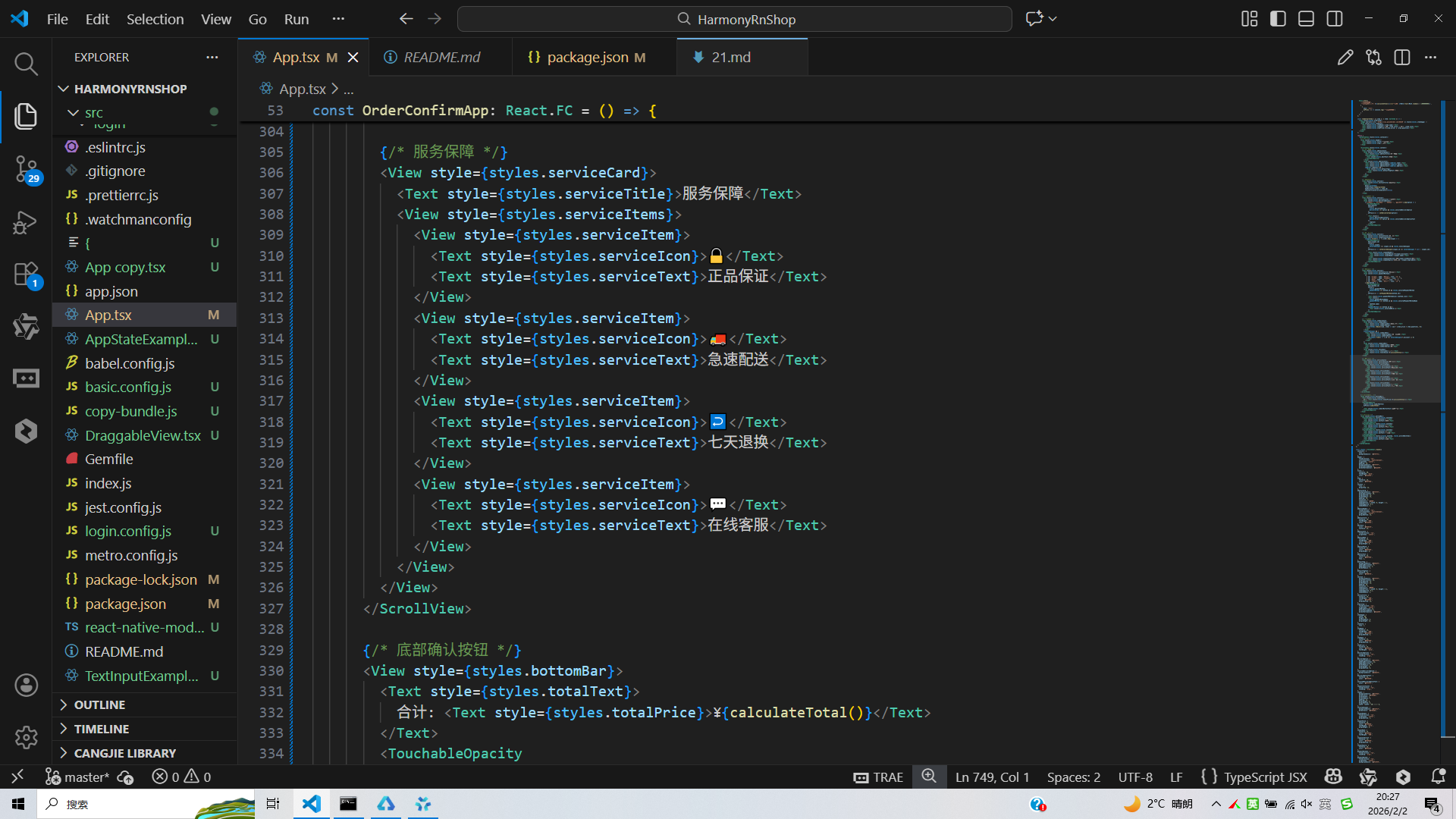
打包
接下来通过打包命令npn run harmony将reactNative的代码打包成为bundle,这样可以进行在开源鸿蒙OpenHarmony中进行使用。
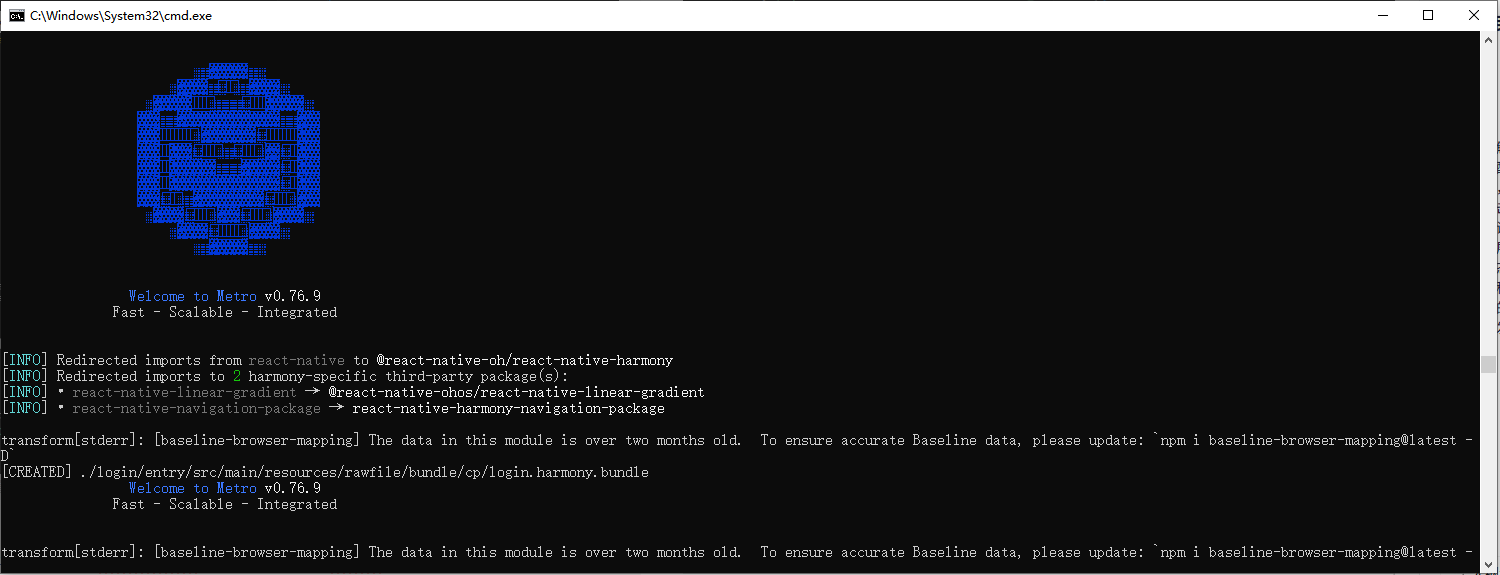
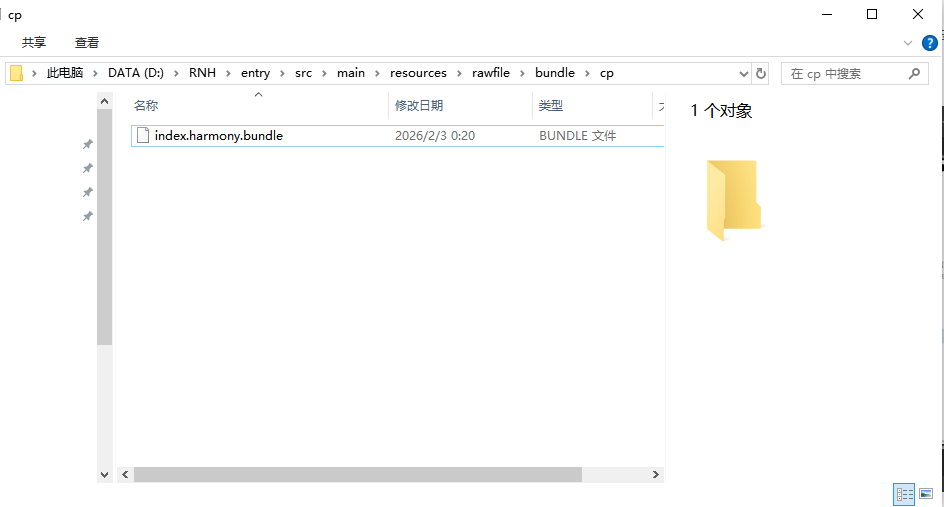
打包之后再将打包后的鸿蒙OpenHarmony文件拷贝到鸿蒙的DevEco-Studio工程目录去:
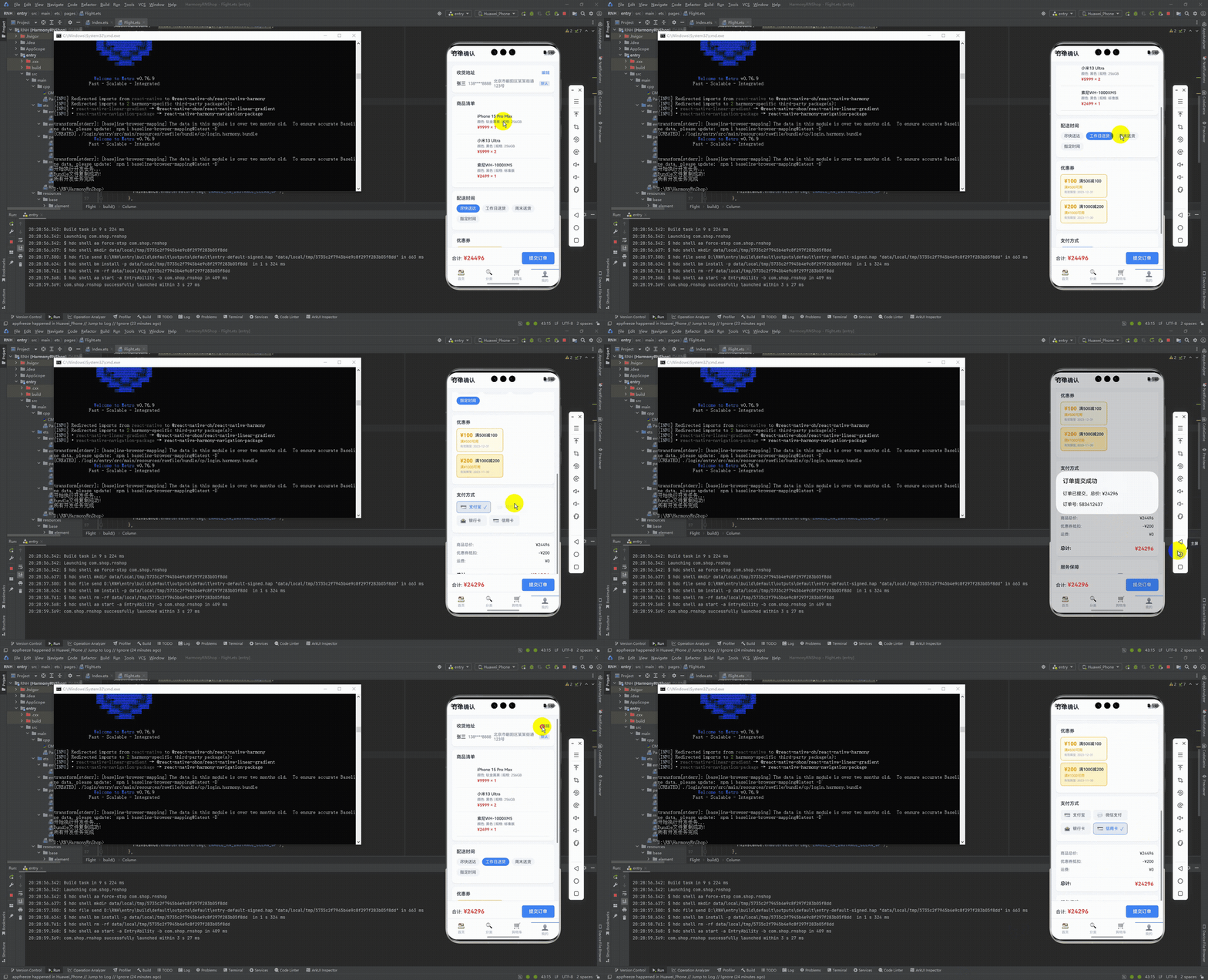
最后运行效果图如下显示:
本文深入分析了一个基于React Native实现的电商订单确认系统,从数据模型、状态管理、功能实现到跨端适配进行了全面解析。系统采用TypeScript构建了购物车商品、收货地址和优惠券三大核心数据模型,确保数据完整性和类型安全。通过React Hooks实现模块化状态管理,支持动态配置订单选项和实时价格计算。订单提交功能完整,包含金额核算、优惠券应用等核心流程。在跨端适配方面,系统采用React Native基础组件和Base64图标处理,确保在鸿蒙系统的兼容性,同时提供了针对API差异的注意事项。该实现兼顾功能完整性和技术扩展性,为电商订单场景开发提供了可参考的技术方案。

开源鸿蒙跨平台开发社区汇聚开发者与厂商,共建“一次开发,多端部署”的开源生态,致力于降低跨端开发门槛,推动万物智联创新。
更多推荐

 9
9 0
0- 0


 已为社区贡献4条内容

所有评论(0)