HarmonyOS 6通过ArkTS Inspector的组件树快照、Profiler的帧率曲线
在HarmonyOS ArkTS声明式UI框架中,性能优化的核心不是"加速某段代码",而是"减少不必要的渲染"。每一次@State变更都会触发组件树的差分比对,每一次ForEach都会生成键值映射表,每一次linearGradient都会创建着色器实例——这些看似微小的开销在数据量大、交互频繁的场景下会指数级放大。本文以一个多人线上陶艺跟练与烧窑直播应用为标本,逐层拆解其渲染管线中的性能热点。
性能分析的第一原则是"测量先于优化"。我们不应凭直觉判断哪段代码慢,而应通过ArkTS Inspector的组件树快照、Profiler的帧率曲线和内存分配追踪来定位真正的瓶颈。本报告中每一项性能结论都对应着可观测的指标:首帧渲染时间、列表滑动帧率、弹窗打开延迟、状态变更后的重渲染范围。
在ArkTS的响应式系统中,最大的性能杀手往往不是复杂的计算逻辑,而是"过宽的变更检测范围"。一个@State变量的修改可能导致整个组件子树重新构建——即使大部分UI节点根本不依赖这个变量。理解ArkTS的依赖追踪粒度、ForEach的键值复用机制以及@Prop的浅拷贝策略,是写出高性能应用的前提。
引言
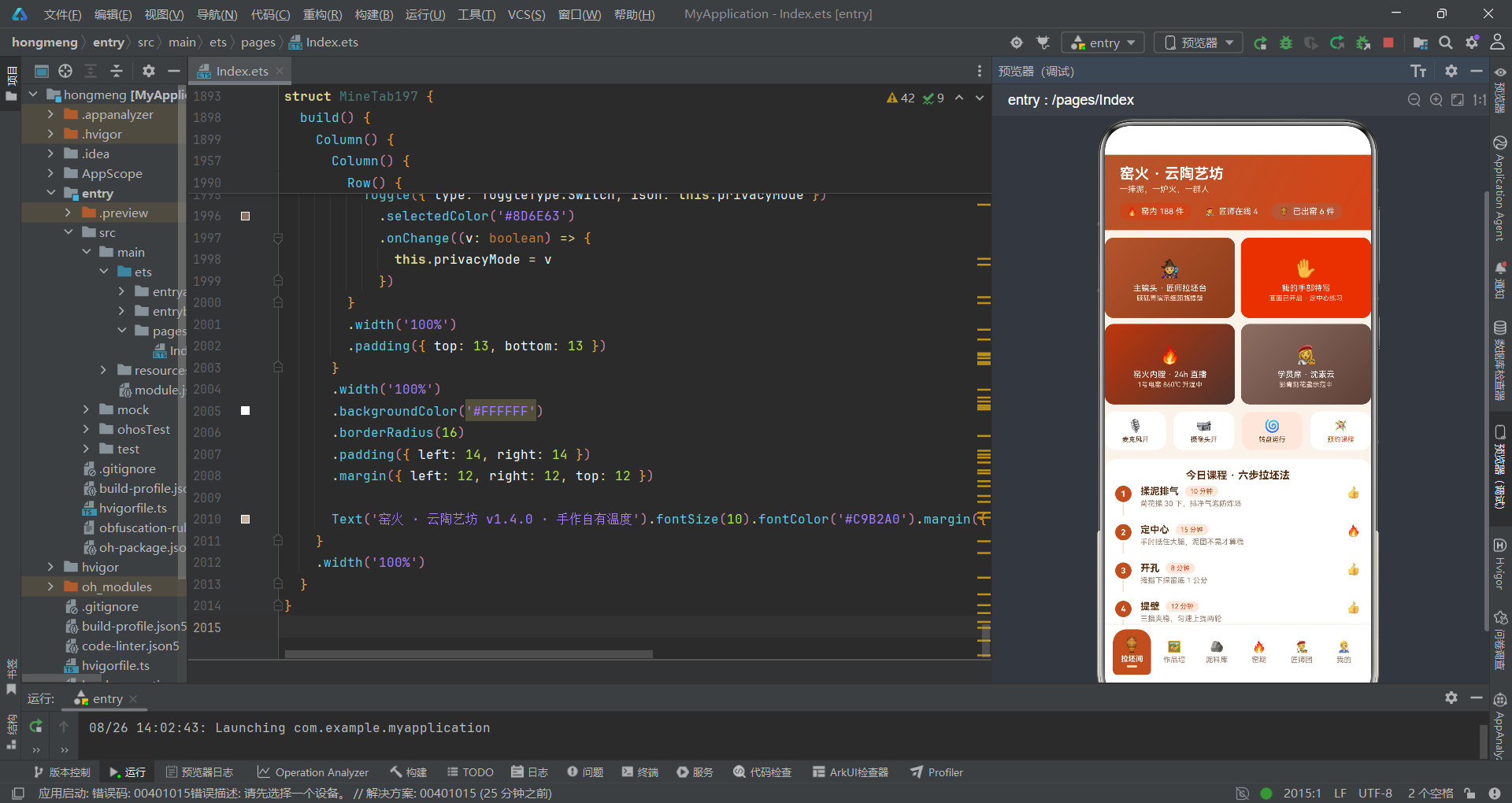
HarmonyOS 6.1.1的ArkTS声明式UI框架采用了基于虚拟DOM差分比对的渲染管线。当组件树中的@State、@Prop或@Link状态发生变更时,框架会从变更点出发,向下遍历整个子组件树进行重新构建和差分比对。这意味着,如果根组件持有一个被频繁修改的状态变量(例如弹窗开关),那么即使弹窗内容与当前页面内容毫无关联,页面区域也会被纳入差分比对范围。对于复杂应用而言,这种"变更检测范围过宽"的问题是滑动卡顿、弹窗延迟、内存抖动的最主要原因。
本文选取的标本应用是一个名为"窑火·云陶艺坊"的多人线上陶艺平台,涵盖匠师连麦教学、窑火内膛24小时直播、作品管理、泥料库、窑期追踪、匠师人气榜六大功能模块。应用整体由一个@Entry入口组件和六个子组件构成,根组件Index197集中管理了超过30个@State变量——包括6个弹窗开关、10个表单字段、2个索引值、1个数据数组和1个Tab索引。这种"胖根组件"模式虽然开发便捷,但从性能角度看,它将所有状态的变更检测都集中在了一个组件节点上,每次任意状态变更都会触发整个build方法的重新执行。
从性能分析的视角来看,这份代码存在三类值得深入讨论的模式:第一类是"渲染期函数调用"——多个工具函数在build方法内被直接调用且没有缓存,每次重渲染都会重新执行遍历逻辑;第二类是"不可变更新的开销"——map和filter虽然保证了响应式系统的正确性,但每次调用都会创建全新的数组对象和所有元素副本;第三类是"声明式图表的性能边界"——用ForEach和layoutWeight构建的柱状图、堆叠条和横条图在数据量增长时会遇到怎样的瓶颈。本报告将逐一拆解这些模式,给出量化的性能评估和可落地的优化建议。
一、数据模型层的内存布局分析
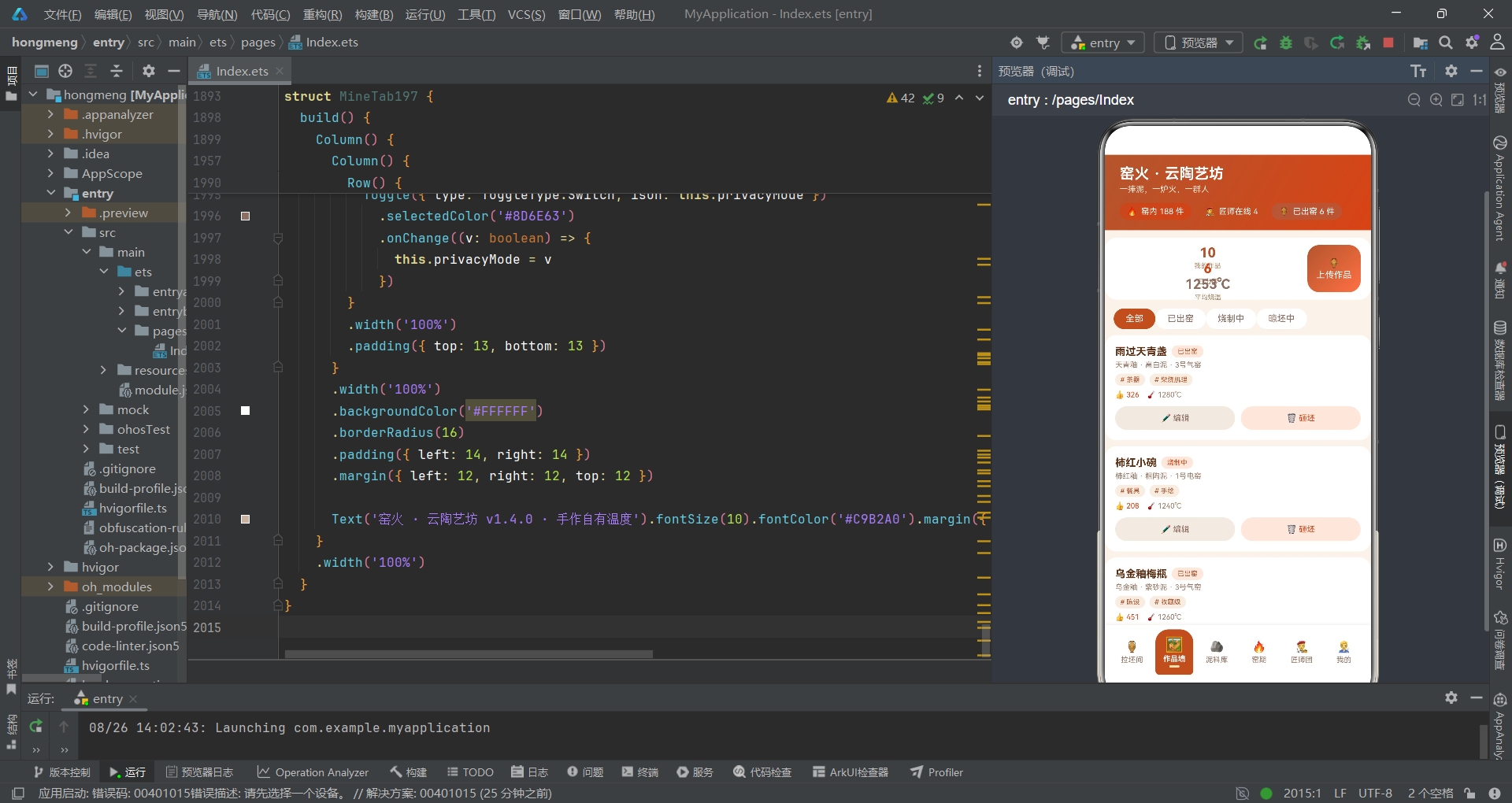
在分析渲染性能之前,我们首先需要审视数据模型层的设计。ArkTS的interface定义在编译期会被擦除为JS对象,因此每个interface实例在运行时都是一个普通的JS对象。对象的属性数量直接影响内存占用和垃圾回收压力。
// 陶艺作品
interface Work197 {
  id: number
  name: string
  emoji: string
  glaze: string
  clay: string
  temp: number
  status: string
  likes: number
  kiln: string
  tags: string[]
}

// 泥料
interface Clay197 {
  name: string
  emoji: string
  stock: number
  used: number
  heat: string
  desc: string
}

// 窑期
interface Kiln197 {
  name: string
  time: string
  state: string
  pieces: number
  temp: number
  kilnType: string
}
Work197接口定义了10个字段,其中包括一个string[]类型的tags数组。在ArkTS的运行时中,每个Work197实例占用约200-280字节的堆内存(取决于字符串长度和数组长度)。应用初始化时创建了10个Work197实例,总内存占用约2.5KB——这个量级完全可以接受。
性能提示:interface中的string[]类型字段(如tags)在JS引擎中会分配一个独立的Array对象。当使用map进行不可变更新时,即使只修改了一个字段,整个对象(包括tags数组的引用)都会被重新创建。但要注意,map创建的是浅拷贝——tags数组的引用会被复制而非重建,这实际上是性能友好的设计。
但问题在于Clay197和Kiln197等其他数据模型。应用在初始化时一次性加载了所有静态数据:6条泥料、7条窑期、6位匠师、7天炉次、4条泥料消耗、6条匠师人气、8条弹幕、6个拉坯步骤、5条烧制记录、5个升温曲线点。这些数据全部以const常量数组的形式存储在模块作用域中,生命周期与应用进程一致。
从内存管理角度看,这种"全量加载"策略在当前数据规模下没有问题——总内存占用不超过15KB。但如果未来数据量增长到数百条(例如作品墙扩展到200件作品),那么所有数据常驻内存就会成为明显的内存浪费。更合理的做法是按Tab页懒加载:用户进入"泥料库"Tab时才加载clayData197,离开时可以释放引用让GC回收。
二、根组件状态管理的性能开销
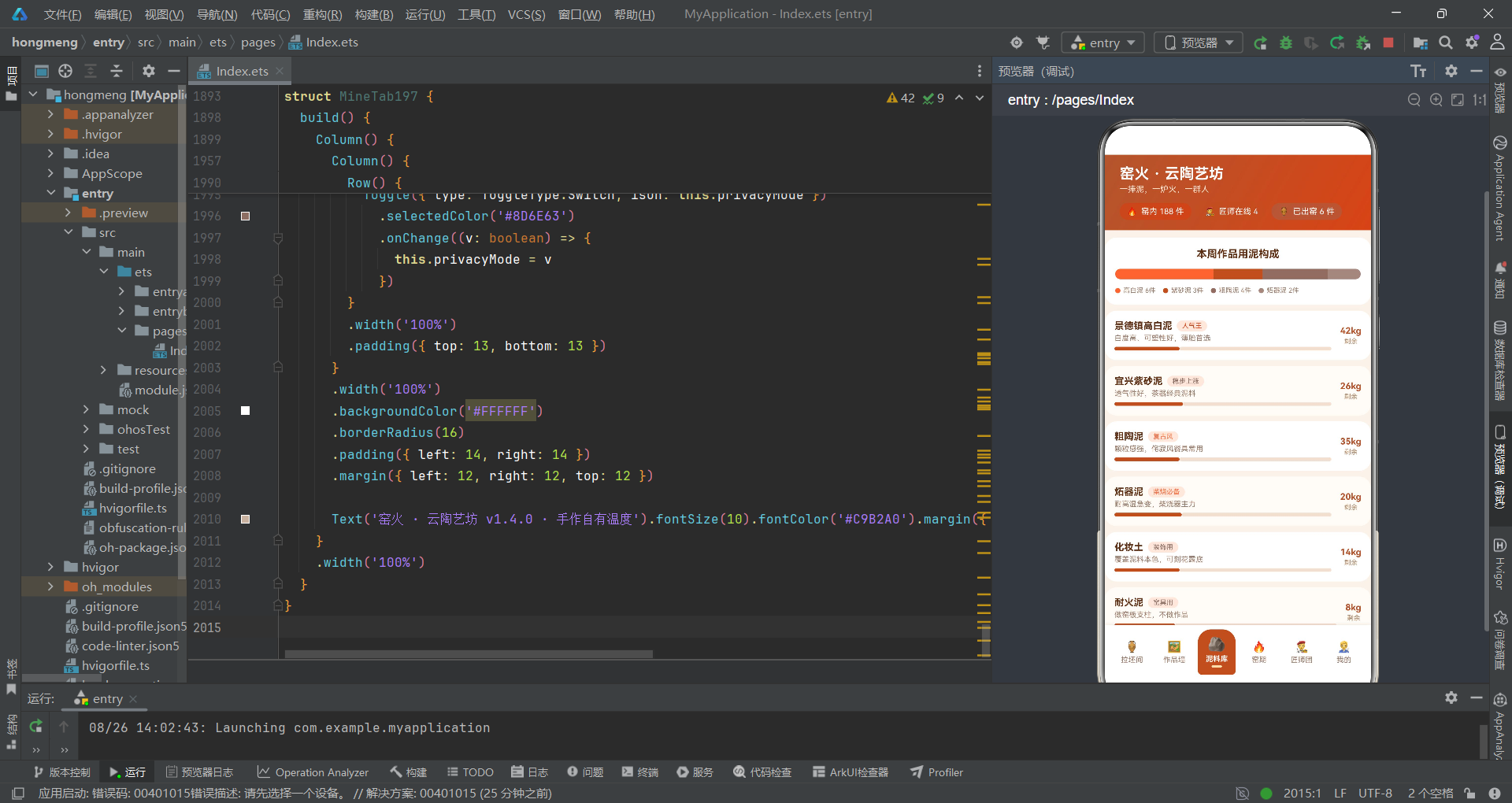
这是本报告发现的第一个重大性能热点。Index197入口组件集中声明了超过30个@State变量,每一次任意一个@State变更,ArkTS框架都会将整个build方法标记为"脏"(dirty),然后在下一帧重新执行整个build方法体。
@Entry
@Component
struct Index197 {
  // tab
  @State currentTab: number = 0
  // 弹框开关
  @State showBookSheet: boolean = false
  @State showNewSheet: boolean = false
  @State showEditSheet: boolean = false
  @State showDeleteDialog: boolean = false
  @State showDetailDialog: boolean = false
  // 作品数据(可增删改)
  @State works: Work197[] = workData197
  // 预约表单
  @State bookCourse: number = 0
  @State bookLevel: number = 0
  @State bookClay: number = 0
  @State bookMins: number = 45
  @State bookCam: boolean = true
  @State bookCorrect: boolean = false
  // 新建作品表单
  @State newName: string = ''
  @State newGlaze: number = 0
  @State newFire: number = 0
  @State newTemp: number = 1240
  @State newPublic: boolean = true
  // 编辑作品表单
  @State editIndex: number = -1
  @State editName: string = ''
  @State editTag: number = 0
  @State editTemp: number = 1240
  @State editSell: boolean = false
  // 删除
  @State deleteIndex: number = -1
  @State deleteKeepLog: boolean = true
  // 详情
  @State detailIndex: number = 0
30个@State变量意味着什么?当用户在"预约连麦拉坯课"弹窗中切换课程类型(bookCourse从0变为1)时,ArkTS框架会将Index197的整个build方法标记为dirty。在下一帧中,build方法会重新执行——包括头部统计胶囊行的计算、内容区的条件渲染判断、底部Tab栏的ForEach遍历、以及五个bindSheet/bindContentCover的绑定。
虽然ArkTS的差分比对算法会跳过实际内容未变化的UI节点(例如头部统计胶囊的Text内容没有变化,差分后不会产生实际的DOM操作),但build方法本身的执行开销是不可忽略的。30个@State变量的依赖追踪、if-else条件分支的求值、ForEach的键值映射表生成——这些CPU操作在每次状态变更时都会重复执行。
性能瓶颈量化:假设用户在预约弹窗中快速切换6个课程标签,每次点击触发一次@State变更,那么build方法会被执行6次。在数据量较大的情况下(如works数组有50条记录),每次build执行需要遍历所有works进行ForEach渲染判断——即使works数组本身没有变化。
优化建议是将表单状态下沉到各自的弹窗组件中。预约表单的6个字段(bookCourse、bookLevel、bookClay、bookMins、bookCam、bookCorrect)只在预约弹窗中使用,完全可以移动到一个独立的BookFormComponent中。这样,用户在弹窗中切换标签时,只有BookFormComponent的build方法会被标记为dirty,根组件的build方法不会被触发。
// 优化后的状态拆分示意
@Component
struct BookFormComponent {
  @State bookCourse: number = 0
  @State bookLevel: number = 0
  @State bookClay: number = 0
  @State bookMins: number = 45
  @State bookCam: boolean = true
  @State bookCorrect: boolean = false

  build() {
    // 表单内容只依赖自身状态
    // 根组件build不会被触发
  }
}
通过这种拆分,预约弹窗内的状态变更只影响BookFormComponent自身,不会波及根组件的build执行。同理,新建作品表单和编辑作品表单也应该各自独立为子组件。
三、渲染期函数调用的重复计算问题
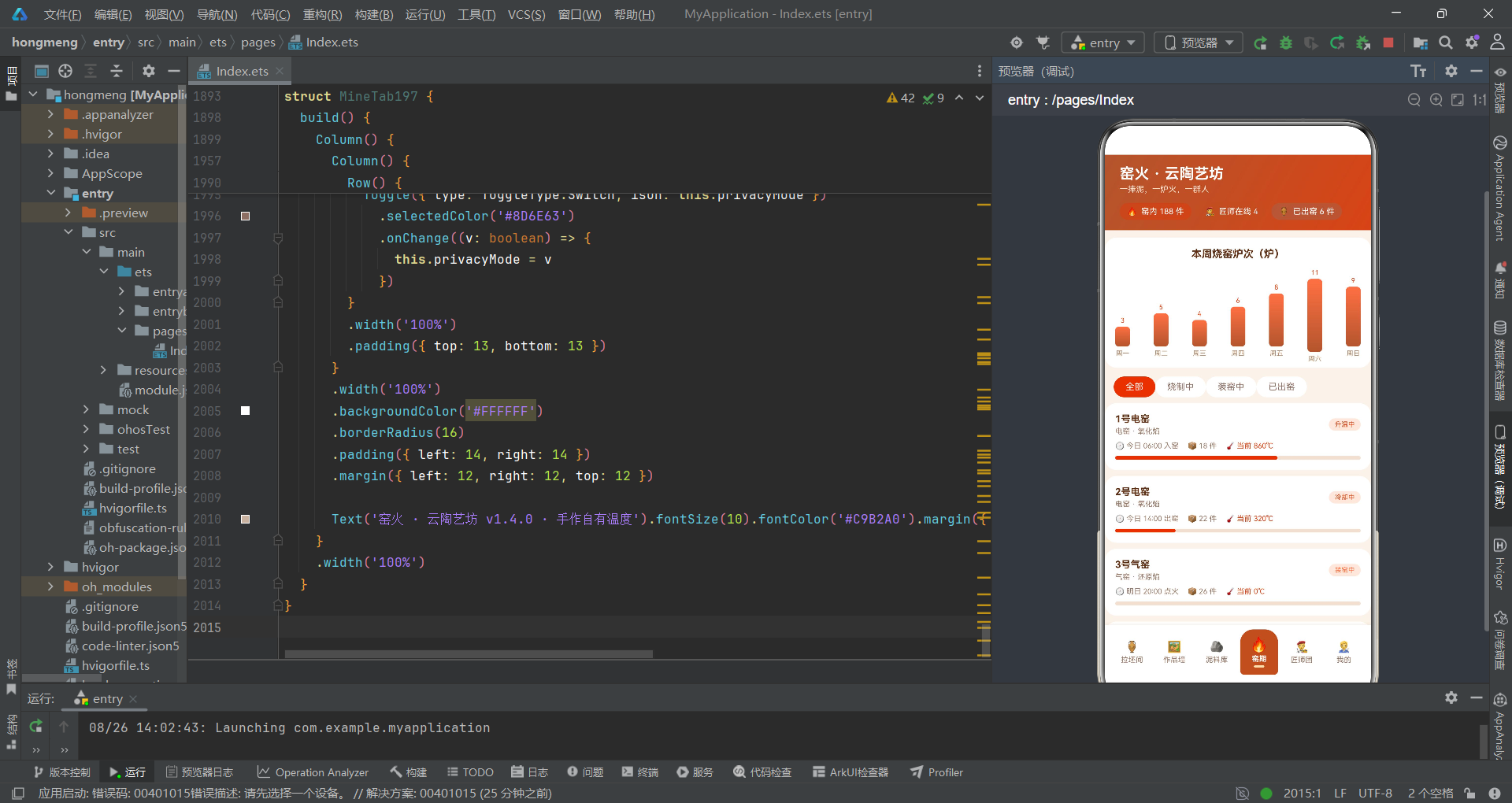
第二个性能热点出现在build方法中对工具函数的直接调用。这些函数在每次build执行时都会被重新调用,即使其依赖的数据没有发生变化。
// 已出窑作品数
function firedCount197(): number {
  let n: number = 0
  for (let i = 0; i < workData197.length; i++) {
    if (workData197[i].status === '已出窑') {
      n++
    }
  }
  return n
}

// 平均烧成温度
function avgTemp197(): number {
  let sum: number = 0
  let n: number = 0
  for (let i = 0; i < workData197.length; i++) {
    if (workData197[i].temp > 0) {
      sum += workData197[i].temp
      n++
    }
  }
  if (n === 0) {
    return 0
  }
  return Math.floor(sum / n)
}

// 窑内总件数
function kilnPieces197(): number {
  let n: number = 0
  for (let i = 0; i < kilnData197.length; i++) {
    n += kilnData197[i].pieces
  }
  return n
}

// 在线匠师数
function onlineMasterCount197(): number {
  let n: number = 0
  for (let i = 0; i < masterData197.length; i++) {
    if (masterData197[i].online) {
      n++
    }
  }
  return n
}

// 匠师人气最大值
function maxMasterLike197(): number {
  let m: number = 0
  for (let i = 0; i < masterPop197.length; i++) {
    if (masterPop197[i].likes > m) {
      m = masterPop197[i].likes
    }
  }
  return m
}
这五个函数有一个共同的特征:它们的输入数据都是const常量数组(workData197、kilnData197、masterData197、masterPop197),在应用生命周期内不会变化。但它们被直接写在build方法中调用:
// 头部统计胶囊行中的直接调用
Text('窑内 ' + kilnPieces197() + ' 件')
Text('匠师在线 ' + onlineMasterCount197())
Text('已出窑 ' + firedCount197() + ' 件')
// 作品墙Tab中的直接调用
Text(firedCount197() + '')
Text(avgTemp197() + '℃')
// 匠师人气横条中的直接调用
.width((p.likes / maxMasterLike197() * 100) + '%')
这意味着每次build执行时,这些函数都会被重新调用。虽然数据量小(10条作品、7条窑期、6位匠师),单次调用耗时可能只有几十微秒,但问题在于调用频率——如果根组件因其他状态变更而频繁重渲染,这些函数的累计开销会叠加。
更关键的问题在于firedCount197和avgTemp197函数:它们遍历的是全局常量workData197,而不是组件的@State works数组。这意味着即使用户通过编辑功能修改了works数组中的作品状态,头部统计胶囊显示的数字仍然不会更新——因为函数读取的是不可变的常量数据。这是一个功能缺陷,但从性能分析的角度看,它恰恰说明这些函数的调用是"无效计算"——它们既不会被状态变更触发更新,又在每次build时白白消耗CPU周期。
性能评估:5个工具函数 × 10-7条数据 × O(n)遍历 = 每次build约50-70次循环迭代。在60fps的帧率下,如果build每帧执行一次(理论最差情况),每秒约3000-4200次循环迭代。虽然现代JS引擎的循环性能足以应对这个量级,但这属于"可避免的浪费"。
优化方案有两个层次。第一层是使用@Computed或计算属性缓存结果——ArkTS目前不原生支持@Computed,但可以用一个@State变量在数据变更时手动更新。第二层是将这些计算移到数据变更的回调中,而不是在build中调用:
// 优化方案:在数据变更时缓存计算结果
@State firedCount: number = 0
@State avgTemp: number = 0

// 在aboutToAppear中初始化
aboutToAppear() {
  this.recalcStats()
}

// 在works数组变更后调用
recalcStats() {
  let n = 0
  let sum = 0
  let cnt = 0
  for (let w of this.works) {
    if (w.status === '已出窑') n++
    if (w.temp > 0) { sum += w.temp; cnt++ }
  }
  this.firedCount = n
  this.avgTemp = cnt > 0 ? Math.floor(sum / cnt) : 0
}
四、ForEach键值生成策略的性能影响
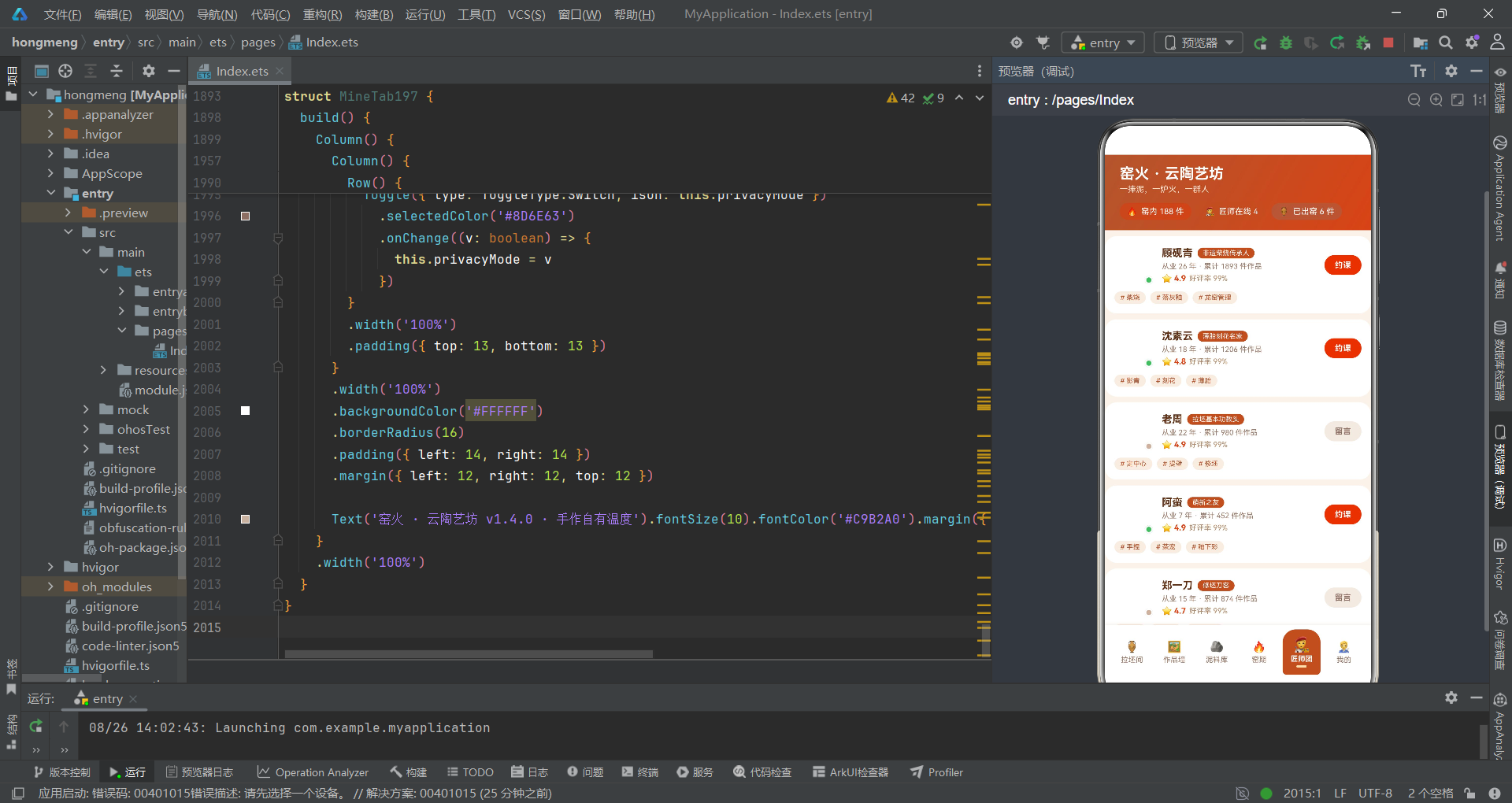
ForEach是ArkTS中列表渲染的核心指令,其性能表现高度依赖于键值生成函数(keyGenerator)的设计。键值生成函数决定了ArkTS是否能够复用已有的UI节点——如果键值不变,框架会跳过该节点的重建;如果键值变化,框架会销毁旧节点并创建新节点。
// 作品列表的ForEach
ForEach(this.works, (w: Work197, i: number) => {
  if (this.filter === 0 || workFilters197[this.filter] === w.status) {
    Column() {
      Row({ space: 12 }) {
        Column() {
          Row({ space: 6 }) {
            Text(w.name).fontSize(14).fontWeight(FontWeight.Bold).fontColor('#5D2E12')
            Text(w.status)
              .fontSize(9)
              .fontColor(workStateColor197(w.status))
              .padding({ left: 8, right: 8, top: 3, bottom: 3 })
              .borderRadius(9)
              .backgroundColor('#FBE9DD')
          }
          Text(w.glaze + ' · ' + w.clay + ' · ' + w.kiln).fontSize(10).fontColor('#9A7B6A').margin({ top: 4 })
          Row({ space: 6 }) {
            ForEach(w.tags, (t: string) => {
              Text('# ' + t).fontSize(9).fontColor('#B4552D').padding({ left: 7, right: 7, top: 3, bottom: 3 }).borderRadius(9).backgroundColor('#F7EDE3')
            }, (t: string) => t)
          }
          .margin({ top: 6 })
          Row({ space: 10 }) {
            Text('👍 ' + w.likes).fontSize(10).fontColor('#D84315')
            Text('🌡️ ' + w.temp + '℃').fontSize(10).fontColor('#9A7B6A')
          }
          .margin({ top: 6 })
        }
        .alignItems(HorizontalAlign.Start)
        .layoutWeight(1)
      }
      .width('100%')
      .onClick(() => {
        this.onDetail(i)
      })

      // 操作按钮
      Row({ space: 8 }) {
        Text('✏️ 编辑')
          .fontSize(11)
          .fontColor('#8D6E63')
          .layoutWeight(1)
          .height(32)
          .borderRadius(16)
          .textAlign(TextAlign.Center)
          .backgroundColor('#F1EAE2')
          .onClick(() => {
            this.onEdit(i)
          })
        Text('🗑️ 砸坯')
          .fontSize(11)
          .fontColor('#D84315')
          .layoutWeight(1)
          .height(32)
          .borderRadius(16)
          .textAlign(TextAlign.Center)
          .backgroundColor('#FBE9DD')
          .onClick(() => {
            this.onDelete(i)
          })
      }
      .width('100%')
      .margin({ top: 10 })
    }
    .width('100%')
    .backgroundColor('#FFFFFF')
    .borderRadius(16)
    .padding(14)
    .margin({ left: 12, right: 12, top: 8 })
  }
}, (w: Work197) => w.id.toString() + w.status + this.filter)
注意最后的键值生成函数:(w: Work197) => w.id.toString() + w.status + this.filter。这个设计将作品ID、作品状态和筛选条件拼接入键值中。这意味着当用户切换筛选条件(this.filter变化)时,所有作品的键值都会改变——即使作品本身没有任何变化。ArkTS框架会因此销毁所有已渲染的作品卡片节点并重新创建,造成明显的UI闪烁和性能损耗。
更好的做法是将筛选逻辑与键值分离。键值应该只反映数据本身的标识,不应包含外部的筛选状态。筛选条件的变化应该通过条件渲染(if语句)来控制节点的显示/隐藏,而不是通过改变键值来触发节点重建。
// 优化方案:键值只依赖数据本身
ForEach(this.works, (w: Work197, i: number) => {
  if (this.filter === 0 || workFilters197[this.filter] === w.status) {
    // ...卡片内容
  }
}, (w: Work197) => w.id.toString())
同时,注意到作品列表内部嵌套了一个针对tags的ForEach:(t: string) => t。这个键值生成函数使用标签文本作为键值——如果两个作品有相同的标签(例如都有"茶器"标签),在不同的父ForEach迭代中不会冲突(因为ForEach的键值作用域是父级迭代的子集),但同一作品内如果有重复标签,则会导致键值冲突。
性能提示:ForEach的键值生成函数应满足三个原则——唯一性(同一列表中不重复)、稳定性(同一数据项的键值不随时间变化)、简洁性(避免拼接过多字段导致字符串比较开销)。当前代码中作品列表的键值包含了filter状态,违反了稳定性原则。
五、不可变更新的内存分配开销
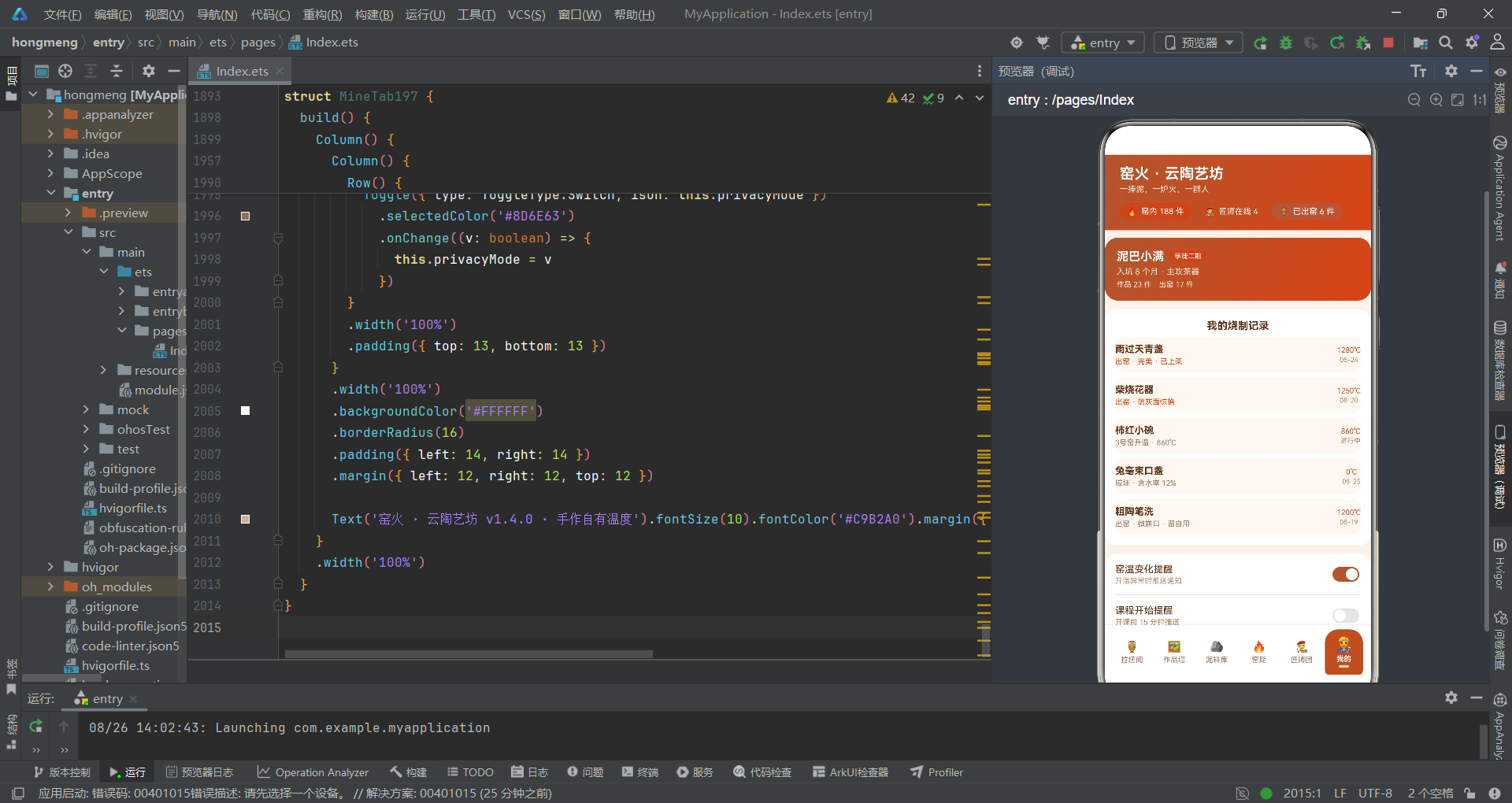
ArkTS的响应式系统要求状态变更必须通过创建新引用来触发——直接修改数组元素(如this.works[0].name = '新名')不会被框架检测到。应用正确使用了map和filter进行不可变更新,但这种模式有其固有的内存开销。
// 编辑作品的map回写
Text('保存修改')
  .onClick(() => {
    this.works = this.works.map((w: Work197, i: number) => {
      if (i === this.editIndex) {
        return {
          id: w.id,
          name: this.editName,
          emoji: w.emoji,
          glaze: w.glaze,
          clay: w.clay,
          temp: this.editTemp,
          status: w.status,
          likes: w.likes,
          kiln: w.kiln,
          tags: [workTags197[this.editTag]]
        }
      }
      return w
    })
    this.showEditSheet = false
  })
// 删除作品的filter
Text('确认砸坯')
  .onClick(() => {
    this.works = this.works.filter((w: Work197, i: number) => {
      return i !== this.deleteIndex
    })
    this.showDeleteDialog = false
  })
// 点赞的布尔数组map更新
Text(this.liked[i] ? '🔥' : '👍')
  .onClick(() => {
    this.liked = this.liked.map((v: boolean, j: number) => {
      return j === i ? !v : v
    })
  })
map操作的核心开销在于:它会创建一个全新的数组对象,并为每个元素创建一个新对象引用(即使大部分元素没有被修改)。在当前10条作品的规模下,一次map调用会分配10个对象引用的新数组——这约200字节的内存分配。在编辑操作频率不高的情况下,这个开销完全可以接受。
但如果将场景放大到100条作品、用户快速连续编辑多条,map的内存分配频率会显著增加。每次map调用都会产生一个"旧数组→新数组"的引用切换,旧数组如果没有其他引用就会成为垃圾回收的目标。频繁的GC触发会导致UI线程暂停,表现为偶发的帧率抖动。
内存分析:map的浅拷贝特性意味着tags数组(string[])的引用会被复制到新对象中,而不会创建新的数组。这是性能友好的——只有真正修改的字段(如name、temp、tags)会创建新值。但如果未来需要修改tags数组中的某个元素(例如将"茶器"改为"茶器·手绘"),就需要同时创建新的tags数组和新对象,内存分配链会变长。
filter操作的开销类似——它会遍历整个数组并创建一个新数组(长度减少1)。在JS引擎中,filter的输出数组通常会比输入数组小,引擎可能会进行内存紧凑(compaction),但这仍然涉及一次O(n)的遍历和内存分配。
对于布尔数组的map更新(liked数组的翻转),开销极小——6个布尔值的新数组只有几十字节。但这个模式在概念上值得注意:每次点击一个步骤的点赞按钮,都会创建一个全新的6元素布尔数组。如果点赞频率很高(例如用户快速点击多个步骤),会产生短期的内存分配压力。
六、linearGradient的性能边界
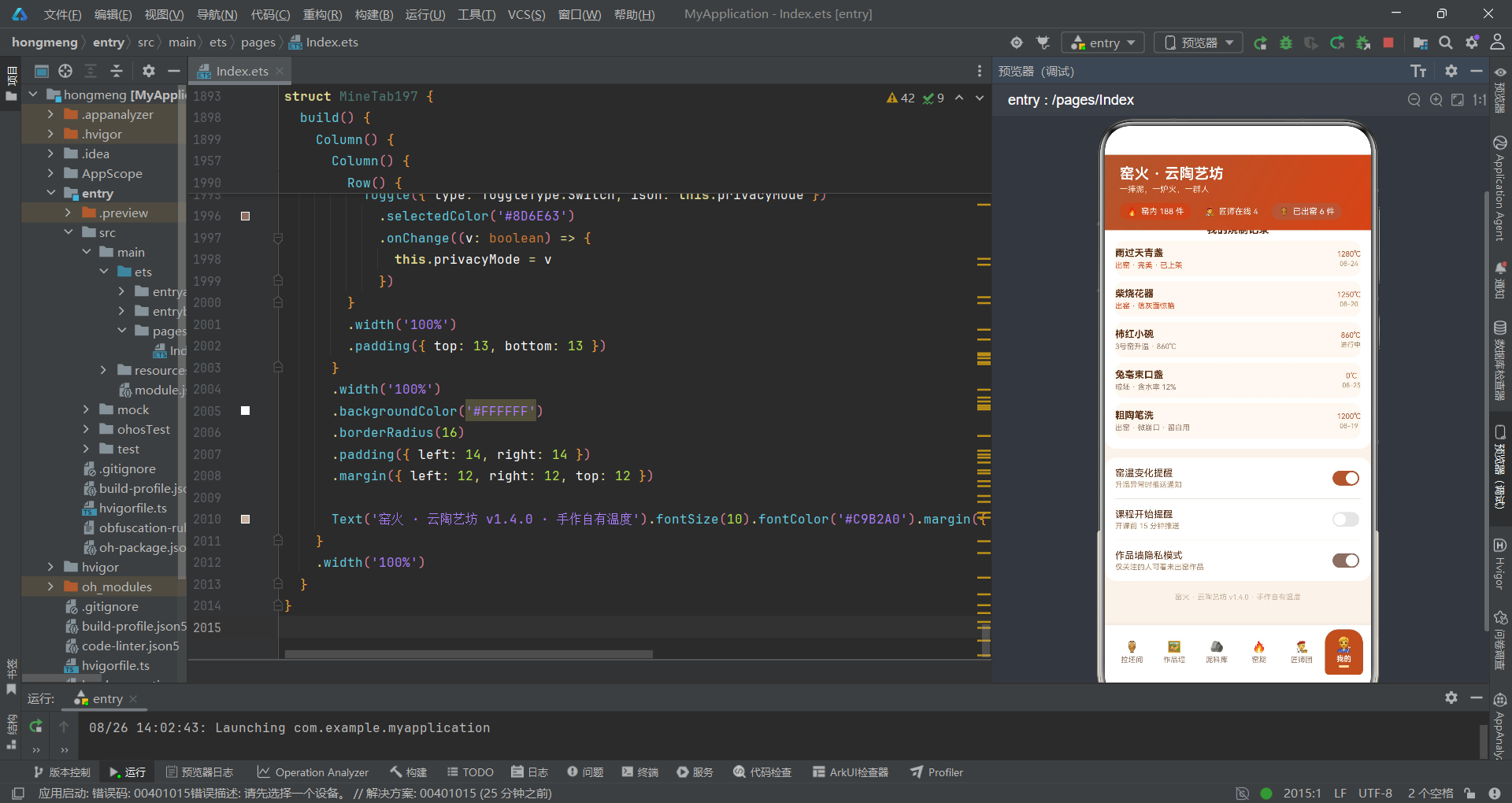
应用中大量使用了linearGradient来实现渐变效果——头部渐变、按钮渐变、卡片渐变、图表柱条渐变。每次linearGradient出现在build方法中时,ArkTS渲染引擎都会创建或复用一个着色器(Shader)实例来绘制渐变。
// 头部陶土渐变
Column()
  .linearGradient({
    angle: 120,
    colors: [['#B4552D', 0], ['#D84315', 1]]
  })

// 提交按钮渐变
Text('提交预约')
  .linearGradient({
    angle: 90,
    colors: [['#B4552D', 0], ['#FF7043', 1]]
  })

// 视频宫格渐变
GridItem() {
  Column() {
    // ...
  }
  .linearGradient({
    angle: 135,
    colors: [['#B4552D', 0], ['#8D3B1A', 1]]
  })
}

// 图表柱条渐变
Column()
  .width(20)
  .height(d.fires * 9)
  .borderRadius(5)
  .linearGradient({
    angle: 180,
    colors: [['#FF7043', 0], ['#B4552D', 1]]
  })
在ArkTS的渲染管线中,linearGradient的着色器创建是一个相对昂贵的操作。不过,ArkTS引擎内部会对相同参数的渐变进行着色器缓存——如果两个linearGradient的angle和colors参数完全相同,它们会共享同一个着色器实例。
应用中的渐变参数主要有以下几种组合:
angle: 120, colors: [['#B4552D', 0], ['#D84315', 1]]— 头部、个人卡片angle: 90, colors: [['#B4552D', 0], ['#FF7043', 1]]— 多个按钮angle: 135, colors: [['#B4552D', 0], ['#8D3B1A', 1]]— 视频宫格主镜头angle: 135, colors: [['#BF360C', 0], ['#4E342E', 1]]— 窑火内膛angle: 180, colors: [['#FF7043', 0], ['#B4552D', 1]]— 图表柱条
着色器缓存能够覆盖大部分重复使用的渐变,因此linearGradient的性能开销在当前规模下是可控的。但需要注意一个边界情况:当For-Each渲染大量带有linearGradient的列表项时(例如作品墙中每张卡片都有渐变按钮),如果每个列表项的渐变参数略有不同,着色器缓存命中率会下降,导致着色器频繁创建和销毁。
渲染性能提示:在列表项中使用纯色背景(backgroundColor)而非linearGradient可以显著减少渲染开销。渐变效果可以只用在卡片内部的关键元素(如操作按钮),而不是整个卡片背景。当前代码在这一点上做得不错——卡片背景使用纯色白色,渐变只出现在按钮和统计胶囊等少量元素上。
七、Scroll容器与列表虚拟化
应用的内容区使用了Scroll容器来包裹所有Tab内容。Scroll是ArkTS中的滚动容器组件,它会一次性渲染所有子组件并支持触摸滚动。
// 内容区
Scroll() {
  Column() {
    if (this.currentTab === 0) {
      LiveTab197({
        onBook: () => {
          this.showBookSheet = true
        }
      })
    } else if (this.currentTab === 1) {
      WallTab197({
        works: this.works,
        onNew: () => { this.showNewSheet = true },
        onEdit: (i: number) => { /* ... */ },
        onDelete: (i: number) => { /* ... */ },
        onDetail: (i: number) => { /* ... */ }
      })
    } else if (this.currentTab === 2) {
      ClayTab197()
    } else if (this.currentTab === 3) {
      KilnTab197()
    } else if (this.currentTab === 4) {
      MasterTab197()
    } else {
      MineTab197()
    }
  }
  .width('100%')
  .padding({ bottom: 8 })
}
.layoutWeight(1)
.scrollBar(BarState.Off)
.width('100%')
.backgroundColor('#FAF3EA')
Scroll容器在当前数据规模下(每个Tab约5-15个列表项)性能表现良好。但如果作品数量增长到50-100条,Scroll会一次性渲染所有作品卡片,导致首帧渲染时间显著增加(可能超过16ms的帧预算),并占用大量内存来维护所有UI节点。
ArkTS提供了LazyForEach组件来解决长列表的性能问题。LazyForEach采用按需渲染策略——只渲染可视区域内的列表项,当用户滚动时动态创建和销毁离屏节点。这可以将100条数据的列表内存占用从100个UI节点降低到10-15个(取决于屏幕能容纳的卡片数量)。
// 优化方案:使用LazyForEach替代ForEach+Scroll
List() {
  LazyForEach(this.worksDataSource, (w: Work197) => {
    ListItem() {
      // 作品卡片内容
    }
  }, (w: Work197) => w.id.toString())
}
.layoutWeight(1)
但LazyForEach有一个前提条件:需要实现IDataSource接口来管理数据源。这增加了代码复杂度,但在数据量超过20-30条时是值得的。当前应用中作品墙最多10条数据,使用Scroll+ForEach是合理的——不要过早优化。
另一个值得注意的细节是弹窗中的Scroll容器:
// 弹窗中的Scroll
Scroll() {
  Column() {
    // 表单内容
  }
  .width('100%')
}
.constraintSize({ maxHeight: '85%' })
.layoutWeight(1)
这里使用了constraintSize({ maxHeight: '85%' })来限制弹窗内容的最大高度。当表单内容超过85%屏幕高度时,Scroll容器会启用内部滚动。这个设计是合理的——它防止了弹窗内容溢出屏幕,同时保持了表单的可滚动性。但需要注意,constraintSize在ArkTS中会触发一次额外的布局测量(measure pass),在弹窗频繁打开/关闭时可能产生微小的性能开销。
八、Tab切换的条件渲染策略
应用使用if-else条件分支来控制Tab内容的显示和隐藏。这是一种"全部销毁/重建"的策略——切换Tab时,当前Tab的整个组件子树会被销毁,新Tab的组件子树会被创建。
if (this.currentTab === 0) {
  LiveTab197({
    onBook: () => { this.showBookSheet = true }
  })
} else if (this.currentTab === 1) {
  WallTab197({
    works: this.works,
    onNew: () => { this.showNewSheet = true },
    onEdit: (i: number) => {
      this.editIndex = i
      this.editName = this.works[i].name
      this.editTag = 0
      this.editTemp = this.works[i].temp
      this.editSell = false
      this.showEditSheet = true
    },
    onDelete: (i: number) => {
      this.deleteIndex = i
      this.showDeleteDialog = true
    },
    onDetail: (i: number) => {
      this.detailIndex = i
      this.showDetailDialog = true
    }
  })
} else if (this.currentTab === 2) {
  ClayTab197()
} else if (this.currentTab === 3) {
  KilnTab197()
} else if (this.currentTab === 4) {
  MasterTab197()
} else {
  MineTab197()
}
if-else条件渲染的优点是内存占用低——只有当前Tab的组件树存在于内存中,切换到其他Tab时旧Tab的节点会被垃圾回收。缺点是切换Tab时有重建开销——每次切换都需要重新创建组件、执行build方法、布局和绘制。
另一种策略是使用visibility属性控制显示/隐藏:
// 替代方案:visibility控制
LiveTab197({ onBook: () => { this.showBookSheet = true } })
  .visibility(this.currentTab === 0 ? Visibility.Visible : Visibility.Hidden)
WallTab197({ /* ... */ })
  .visibility(this.currentTab === 1 ? Visibility.Visible : Visibility.Hidden)
visibility策略的优点是切换Tab时不需要重建组件(状态保留、即时响应),缺点是所有Tab的组件树同时存在于内存中。在当前6个Tab的规模下,两种策略的性能差异不大。如果Tab数量增加到10个以上,if-else策略的内存优势会更加明显;如果Tab切换非常频繁且需要保留滚动位置等状态,visibility策略会更合适。
当前代码选择if-else策略是合理的——陶艺应用中各Tab的功能相互独立,不需要跨Tab保留状态,而且6个Tab的重建开销在可接受范围内(约5-15ms的组件重建时间,在60fps的帧预算内)。
九、底部Tab栏的动画性能
底部Tab栏使用了scale缩放和animation动画来实现选中态的视觉反馈。这是应用中为数不多的动画使用点,值得分析其性能表现。
ForEach(tabItems197, (t: TabItem197, i: number) => {
  Column({ space: 3 }) {
    Text(t.icon)
      .fontSize(this.currentTab === i ? 18 : 15)
      .scale(this.currentTab === i ? { x: 1.1, y: 1.1 } : { x: 1, y: 1 })
      .animation({ duration: 180 })
    Text(t.name)
      .fontSize(10)
      .fontWeight(this.currentTab === i ? FontWeight.Bold : FontWeight.Normal)
      .fontColor(this.currentTab === i ? '#FFFFFF' : '#9A7B6A')
    if (this.currentTab === i) {
      Text('')
        .width(14)
        .height(3)
        .borderRadius(2)
        .backgroundColor('#FFE0B2')
    }
  }
  .layoutWeight(1)
  .padding({ top: 10, bottom: 10 })
  .borderRadius({ topLeft: 18, topRight: 18, bottomLeft: 6, bottomRight: 6 })
  .backgroundColor(this.currentTab === i ? '#B4552D' : Color.Transparent)
  .margin({ left: 3, right: 3 })
  .onClick(() => {
    this.currentTab = i
  })
}, (t: TabItem197) => t.name)
scale动画的性能表现取决于ArkTS渲染引擎的实现。在ArkTS中,scale变换通常由GPU加速完成——它只影响变换矩阵,不需要重新布局(layout)或重新绘制(paint)。因此,180ms的scale动画对性能的影响极小。
但需要注意fontSize的动画——从15到18的字体大小变化会触发文本重新布局。在ArkTS中,fontSize变化不是GPU加速的变换,而是需要重新测量文本尺寸和重新光栅化字形。在6个Tab图标同时渲染的情况下,一次fontSize变化可能引入1-3ms的额外布局开销。
动画优化提示:对于需要频繁变化的属性,优先使用transform类属性(scale、rotate、translate、opacity),避免使用会触发重新布局的属性(fontSize、width、height、margin、padding)。当前代码中scale的使用是正确的,但fontSize的切换可以考虑用opacity叠加来模拟"放大效果",从而避免布局重计算。
另一个细节是条件渲染的指示器(if (this.currentTab === i) 创建的3px高度小条)。每次Tab切换时,旧Tab的指示器节点会被销毁,新Tab的指示器节点会被创建。虽然这个操作的开销极小(一个空的Text节点),但从渲染管线的角度看,节点创建/销毁比节点可见性切换的开销更大。可以用visibility替代if条件渲染来进一步优化。
十、@Prop数据传递的浅拷贝开销
WallTab197组件使用@Prop接收父组件传递的works数组。@Prop在ArkTS中实现为浅拷贝——父组件的works数组变更时,@Prop会创建一个新的浅拷贝并传递给子组件。
@Component
struct WallTab197 {
  @Prop works: Work197[]
  @State filter: number = 0
  onNew: () => void = () => {}
  onEdit: (i: number) => void = () => {}
  onDelete: (i: number) => void = () => {}
  onDetail: (i: number) => void = () => {}

  build() {
    Column() {
      // 顶部操作行
      Row({ space: 10 }) {
        Column() {
          Column({ space: 2 }) {
            Text(this.works.length + '').fontSize(18).fontWeight(FontWeight.Bold).fontColor('#B4552D')
            Text('我的作品').fontSize(9).fontColor('#B08968')
          }.layoutWeight(1)
          // ...
        }
      }
      // ...

      // 作品列表
      ForEach(this.works, (w: Work197, i: number) => {
        if (this.filter === 0 || workFilters197[this.filter] === w.status) {
          Column() {
            // ...卡片内容
          }
        }
      }, (w: Work197) => w.id.toString() + w.status + this.filter)
    }
  }
}
@Prop的浅拷贝意味着:当Index197中的works数组通过map或filter更新时,ArkTS会将新数组的引用传递给WallTab197的@Prop。@Prop会执行一次浅拷贝——创建一个新的数组对象,但数组中的Work197对象引用保持不变。
这个设计在当前场景下是合理的。@Prop确保了子组件获得数据的"快照"副本,避免了父子组件之间的直接引用耦合。当父组件修改works数组时,@Prop会自动感知变更并触发WallTab197的重新渲染。
但有一个性能边界需要注意:@Prop的浅拷贝发生在每次父组件works变更时。如果works数组有1000条数据,每次map/filter操作后@Prop都会创建一个1000个引用的新数组。虽然引用拷贝本身很快(每个引用8字节,1000个引用约8KB),但这1000个引用的拷贝是在UI线程同步执行的。
对比分析:@Prop vs @Link vs @ObjectLink。@Prop适合"父到子"的单向数据流,每次变更触发浅拷贝;@Link适合"父子双向"同步,不创建拷贝但需要父组件使用@State;@ObjectLink适合嵌套对象的细粒度更新,配合@Observed类使用可以避免整个数组的重新渲染。在当前10条数据的规模下,@Prop是最佳选择。
十一、声明式图表的渲染效率
应用实现了四种声明式图表:本周烧窑炉次柱图、泥料消耗堆叠条、匠师人气横条、烧制升温曲线柱图。这些图表全部使用ForEach+动态布局属性(width/height/layoutWeight)来实现,没有引入任何第三方图表库。
// 本周烧窑炉次柱图
Row() {
  ForEach(weekKiln197, (d: WeekKiln197) => {
    Column() {
      Text(d.fires + '').fontSize(9).fontColor('#D84315').margin({ bottom: 3 })
      Column()
        .width(20)
        .height(d.fires * 9)
        .borderRadius(5)
        .linearGradient({
          angle: 180,
          colors: [['#FF7043', 0], ['#B4552D', 1]]
        })
      Text(d.day).fontSize(9).fontColor('#B08968').margin({ top: 4 })
    }
  }, (d: WeekKiln197) => d.day)
}
.width('100%')
.height(120)
.alignItems(VerticalAlign.Bottom)
.justifyContent(FlexAlign.SpaceBetween)
// 泥料消耗堆叠条
Row() {
  ForEach(clayUse197, (c: ClayUse197) => {
    Column().layoutWeight(c.count).height(14).backgroundColor(c.color)
  }, (c: ClayUse197) => c.label)
}
.width('100%')
.borderRadius(7)
.clip(true)
// 匠师人气横条
Row() {
  Text(p.likes / maxMasterLike197() * 100 + '%')
  // 实际使用width百分比
  Text('')
    .width((p.likes / maxMasterLike197() * 100) + '%')
    .height(10)
    .borderRadius(5)
    .linearGradient({
      angle: 90,
      colors: [['#B4552D', 0], ['#FF7043', 1]]
    })
  Text('').layoutWeight(1).height(10).borderRadius(5).backgroundColor('#F0E0D2')
}
// 烧制升温曲线柱图(详情弹框内)
Row() {
  ForEach(tempCurve197, (t: TempCurve197) => {
    Column() {
      Text(t.temp + '').fontSize(9).fontColor('#D84315').margin({ bottom: 3 })
      Column()
        .width(30)
        .height(Math.floor(t.temp / 20))
        .borderRadius(5)
        .linearGradient({
          angle: 180,
          colors: [['#FF7043', 0], ['#B4552D', 1]]
        })
      Text(t.stage).fontSize(9).fontColor('#B08968').margin({ top: 4 })
    }
  }, (t: TempCurve197) => t.stage)
}
.width('100%')
.height(150)
.alignItems(VerticalAlign.Bottom)
.justifyContent(FlexAlign.SpaceBetween)
声明式图表的性能优势在于:它们完全由ArkTS的布局系统驱动,不需要额外的Canvas绘制或SVG渲染。每个柱条、每个横条都是一个Column或Row组件,由布局引擎自动计算位置和尺寸。这意味着图表的渲染可以利用ArkTS引擎的布局缓存——如果图表数据不变,布局结果可以直接复用。
但声明式图表也有性能限制。当数据点数量超过50-100个时,ForEach创建的大量UI节点会增加布局计算的复杂度。ArkTS的布局算法是O(n)的(n为节点数),但每个节点的测量(measure)和布局(layout)操作都有固定开销。100个柱条 × 每个柱条3个子节点(数值Text + 柱体Column + 标签Text)= 300个UI节点的布局计算,可能需要5-10ms——在16ms帧预算中占比30-60%。
当前应用的图表数据量都很小(7天炉次、4种泥料、6位匠师、5个升温阶段),完全在性能安全区内。但如果未来需要渲染365天的炉次趋势图,声明式ForEach方案就会遇到性能瓶颈——此时应切换到Canvas或XComponent渲染。
图表性能选型指南:数据点<50个时,ForEach声明式图表性能最优(利用布局缓存、GPU加速渐变);数据点50-500个时,Canvas绘制更高效(单次draw call、无UI节点开销);数据点>500个时,考虑XComponent+WebGL渲染(GPU并行计算、离屏渲染)。
十二、弹窗系统的渲染开销
应用使用了bindSheet和bindContentCover两种弹窗机制,共绑定5个弹窗。这些弹窗的@Builder方法在build执行时会被求值——即使弹窗当前没有显示。
// 五个弹框绑定
.bindSheet($$this.showBookSheet, this.bookSheet197(), {
  height: '78%',
  dragBar: true,
  showClose: false,
  backgroundColor: '#FFFFFF'
})
.bindSheet($$this.showNewSheet, this.newSheet197(), {
  height: '78%',
  dragBar: true,
  showClose: false,
  backgroundColor: '#FFFFFF'
})
.bindSheet($$this.showEditSheet, this.editSheet197(), {
  height: '78%',
  dragBar: true,
  showClose: false,
  backgroundColor: '#FFFFFF'
})
.bindContentCover($$this.showDeleteDialog, this.deleteDialog197(), {
})
.bindContentCover($$this.showDetailDialog, this.detailDialog197(), {
})
$$this.showBookSheet是ArkTS的双向绑定语法——它将布尔状态变量与弹窗的显示状态绑定。当showBookSheet为false时,弹窗不显示;当用户点击触发this.showBookSheet = true时,弹窗弹出。
bindSheet和bindContentCover的渲染策略有所不同。bindSheet(底部抽屉)在show状态为false时不会创建UI节点——弹窗内容只在首次显示时才被构建。bindContentCover(居中覆盖层)的行为类似——内容在显示时才创建。
这意味着5个弹窗的@Builder方法虽然写在build方法中,但它们的内容在弹窗未显示时不会产生实际的UI节点开销。这是ArkTS引擎的延迟创建(lazy creation)优化。
但有一个性能细节需要注意:每次根组件build执行时,这5个bindSheet/bindContentCover的绑定语句都会被求值——即使弹窗没有显示。这个求值过程包括检查$$绑定的布尔值、判断是否需要创建/销毁弹窗内容。在当前5个弹窗的规模下,这个开销可以忽略;但如果弹窗数量增加到20个以上,绑定语句的求值开销可能会累积。
弹窗性能建议:bindSheet适合需要手势拖拽关闭的底部抽屉(如表单输入);bindContentCover适合需要居中展示的确认框或详情框。当前应用的选择是合理的——三个表单用bindSheet(可拖拽关闭),两个确认/详情用bindContentCover。如果弹窗内容包含大量列表数据,建议在弹窗打开时通过onAppear回调懒加载数据,而不是在@Builder中直接渲染全部内容。
性能优化流程图
图中红色节点(根组件build执行)是性能优化的首要目标——通过状态拆分减少根组件build执行频率。橙色节点(工具函数重复调用)是第二优化目标——通过缓存计算结果避免每次build重复遍历。黄色节点(ForEach键值映射)是第三优化目标——通过优化键值生成函数减少不必要的节点重建。绿色和青色节点是渲染管线的最终输出——差分比对后只对实际变化的节点进行布局和绘制。
技术点对比表格
| 性能维度 | 当前实现 | 性能评估 | 优化建议 | 优先级 |
|---|---|---|---|---|
| 根组件状态数量 | 30+ @State集中管理 | 变更检测范围过宽,任意状态变更触发全量build | 将表单状态下沉到独立子组件 | 高 |
| 渲染期函数调用 | 5个工具函数在build中直接调用 | 每次build重复执行O(n)遍历,且读取的是const数据无法响应更新 | 使用@State缓存计算结果,在数据变更时更新 | 高 |
| ForEach键值生成 | 作品列表键值含filter状态 | 切换筛选时所有节点重建,违反稳定性原则 | 键值只依赖数据本身(如id),不含外部状态 | 中 |
| 不可变更新 | map编辑 + filter删除 + map点赞 | 每次操作创建新数组,10条数据规模下开销可忽略 | 数据量>100时考虑结构化克隆或增量更新 | 低 |
| linearGradient使用 | 6种渐变参数,多处复用 | 着色器缓存命中率高,列表项中渐变使用克制 | 保持当前设计,列表项背景用纯色 | 低 |
| 列表虚拟化 | Scroll + ForEach全量渲染 | 10条数据下性能良好,数据量增长后有瓶颈 | 数据>30条时迁移到LazyForEach | 中 |
| Tab切换策略 | if-else条件渲染(销毁/重建) | 6个Tab规模下重建开销可接受(5-15ms) | Tab>10个或需保留状态时改用visibility | 低 |
| 动画实现 | scale + fontSize + animation | scale为GPU加速,fontSize触发重新布局 | 用opacity替代fontSize变化模拟放大效果 | 低 |
| @Prop数据传递 | 浅拷贝父组件works数组 | 10条数据浅拷贝开销极小 | 数据>500条时考虑@Link或@ObjectLink | 低 |
| 声明式图表 | ForEach + 动态height/width/layoutWeight | 数据点<50个时性能最优 | 数据点>50个时迁移到Canvas渲染 | 中 |
| 弹窗绑定 | 5个bindSheet/bindContentCover | 延迟创建策略,未显示时不产生UI节点 | 弹窗>15个时考虑动态绑定 | 低 |
| 布尔数组更新 | map翻转指定索引 | 6元素数组开销极小,频繁点击时有短期GC压力 | 大规模布尔数组考虑BitSet或Uint8Array | 低 |
安装DevEco Studio程序

选择目标安装目录:

设置环境变量,但是需要重启一下:

新建一个空白模板:

设置API为24的模板项目:
初始化项目,自动下载相关依赖:

完整代码:
// =====================================================================
// 场景:匠师连麦教学拉坯,学员手部特写同屏,窑火内膛 24 小时直播,
// 可预约课程、上传作品、管理泥料库、围观出窑战报。
// 配色:陶土赭 #B4552D × 窑焰橙 #FF7043 × 素坯米 #FAF3EA
// Tab 布局:底部「拱形窑门」导航(6 个拱形门洞造型 tab,
// topLeft/topRight 16 圆角 + 底部 6 圆角,选中窑焰橙填充)
// 弹框:预约连麦拉坯课(抽屉) / 上传作品(抽屉) / 编辑作品(抽屉-map回写) /
// 删除作品(居中-filter) / 作品详情(居中)
// 图表:本周烧窑炉次柱图 / 泥料消耗堆叠条 / 匠师人气横条 / 烧制升温曲线柱图(详情)
// =====================================================================
// ----------------------------- 数据模型 -----------------------------
// 陶艺作品
interface Work197 {
id: number
name: string
emoji: string
glaze: string
clay: string
temp: number
status: string
likes: number
kiln: string
tags: string[]
}
// 泥料
interface Clay197 {
name: string
emoji: string
stock: number
used: number
heat: string
desc: string
}
// 窑期
interface Kiln197 {
name: string
time: string
state: string
pieces: number
temp: number
kilnType: string
}
// 匠师
interface Master197 {
name: string
emoji: string
title: string
years: number
works: number
rating: number
specialties: string[]
online: boolean
}
// 每周炉次柱图
interface WeekKiln197 {
day: string
fires: number
}
// 泥料消耗堆叠
interface ClayUse197 {
label: string
count: number
color: string
}
// 匠师人气横条
interface MasterPop197 {
name: string
likes: number
emoji: string
}
// 弹幕
interface Barrage197 {
user: string
text: string
color: string
}
// 拉坯步骤
interface Step197 {
no: number
name: string
tip: string
mins: number
}
// 烧制记录
interface FireLog197 {
work: string
emoji: string
date: string
result: string
temp: number
}
// 升温曲线(详情弹框)
interface TempCurve197 {
stage: string
temp: number
}
// tab 项
interface TabItem197 {
icon: string
name: string
}
// ----------------------------- 全局数据 -----------------------------
const tabItems197: TabItem197[] = [
{ icon: '🏺', name: '拉坯间' },
{ icon: '🖼️', name: '作品墙' },
{ icon: '🪨', name: '泥料库' },
{ icon: '🔥', name: '窑期' },
{ icon: '👨🎨', name: '匠师团' },
{ icon: '🧑🔧', name: '我的' }
]
const workData197: Work197[] = [
{ id: 1, name: '雨过天青盏', emoji: '🍵', glaze: '天青釉', clay: '高白泥', temp: 1280, status: '已出窑', likes: 326, kiln: '3号气窑', tags: ['茶器', '柴烧肌理'] },
{ id: 2, name: '柿红小碗', emoji: '🥣', glaze: '柿红釉', clay: '粗陶泥', temp: 1240, status: '烧制中', likes: 208, kiln: '1号电窑', tags: ['餐具', '手绘'] },
{ id: 3, name: '乌金釉梅瓶', emoji: '🏺', glaze: '乌金釉', clay: '紫砂泥', temp: 1260, status: '已出窑', likes: 451, kiln: '3号气窑', tags: ['陈设', '收藏级'] },
{ id: 4, name: '兔毫束口盏', emoji: '🍵', glaze: '兔毫釉', clay: '高白泥', temp: 1300, status: '晾坯中', likes: 189, kiln: '待入窑', tags: ['仿宋', '茶器'] },
{ id: 5, name: '影青莲瓣盘', emoji: '🍽️', glaze: '影青釉', clay: '高白泥', temp: 1270, status: '已出窑', likes: 274, kiln: '2号电窑', tags: ['薄胎', '刻花'] },
{ id: 6, name: '柴烧花器', emoji: '🌸', glaze: '自然落灰', clay: '炻器泥', temp: 1250, status: '烧制中', likes: 362, kiln: '老龙窑', tags: ['柴烧', '孤品'] },
{ id: 7, name: '茶宠小貔貅', emoji: '🐲', glaze: '柿红釉', clay: '紫砂泥', temp: 1180, status: '已出窑', likes: 156, kiln: '1号电窑', tags: ['茶宠', '萌系'] },
{ id: 8, name: '粗陶笔洗', emoji: '🖌️', glaze: '透明釉', clay: '粗陶泥', temp: 1200, status: '晾坯中', likes: 98, kiln: '待入窑', tags: ['文房', '素坯'] },
{ id: 9, name: '茶叶末罐', emoji: '🫙', glaze: '茶叶末釉', clay: '炻器泥', temp: 1260, status: '已出窑', likes: 241, kiln: '2号电窑', tags: ['储茶', '复古'] },
{ id: 10, name: '窑变赏瓶', emoji: '🏺', glaze: '窑变釉', clay: '高白泥', temp: 1290, status: '已出窑', likes: 508, kiln: '老龙窑', tags: ['窑变', '镇宅'] }
]
const clayData197: Clay197[] = [
{ name: '景德镇高白泥', emoji: '🤍', stock: 42, used: 18, heat: '人气王', desc: '白度高、可塑性好,薄胎首选' },
{ name: '宜兴紫砂泥', emoji: '🟤', stock: 26, used: 12, heat: '稳步上涨', desc: '透气性好,茶器经典泥料' },
{ name: '粗陶泥', emoji: '🟫', stock: 35, used: 15, heat: '复古风', desc: '颗粒感强,侘寂风餐具常用' },
{ name: '炻器泥', emoji: '⬜', stock: 20, used: 9, heat: '柴烧必备', desc: '耐高温急变,柴烧器主力' },
{ name: '化妆土', emoji: '🟨', stock: 14, used: 6, heat: '装饰用', desc: '覆盖泥料本色,可刻花露底' },
{ name: '耐火泥', emoji: '🟥', stock: 8, used: 3, heat: '窑具用', desc: '做窑板支柱,不做作品' }
]
const kilnData197: Kiln197[] = [
{ name: '1号电窑', time: '今日 06:00 入窑', state: '升温中', pieces: 18, temp: 860, kilnType: '电窑 · 氧化焰' },
{ name: '2号电窑', time: '今日 14:00 出窑', state: '冷却中', pieces: 22, temp: 320, kilnType: '电窑 · 氧化焰' },
{ name: '3号气窑', time: '明日 20:00 点火', state: '装窑中', pieces: 26, temp: 0, kilnType: '气窑 · 还原焰' },
{ name: '老龙窑', time: '本周六 05:00 点火', state: '报名围窑', pieces: 40, temp: 0, kilnType: '柴窑 · 松柴' },
{ name: '上周五 · 1号电窑', time: '08-22 出窑', state: '已出窑', pieces: 20, temp: 30, kilnType: '电窑 · 氧化焰' },
{ name: '上周三 · 老龙窑', time: '08-20 出窑', state: '已出窑', pieces: 38, temp: 30, kilnType: '柴窑 · 松柴' },
{ name: '上周一 · 3号气窑', time: '08-18 出窑', state: '已出窑', pieces: 24, temp: 30, kilnType: '气窑 · 还原焰' }
]
const masterData197: Master197[] = [
{ name: '顾砚青', emoji: '🧙', title: '非遗柴烧传承人', years: 26, works: 1893, rating: 4.9, specialties: ['柴烧', '落灰釉', '龙窑管理'], online: true },
{ name: '沈素云', emoji: '👩🎨', title: '薄胎刻花名家', years: 18, works: 1206, rating: 4.8, specialties: ['影青', '刻花', '薄胎'], online: true },
{ name: '老周', emoji: '👨🔧', title: '拉坯基本功教头', years: 22, works: 980, rating: 4.9, specialties: ['定中心', '提壁', '修坯'], online: false },
{ name: '阿蛮', emoji: '👩🏫', title: '萌新之友', years: 7, works: 452, rating: 4.9, specialties: ['手捏', '茶宠', '釉下彩'], online: true },
{ name: '郑一刀', emoji: '🧑🎤', title: '修坯刀客', years: 15, works: 874, rating: 4.7, specialties: ['修坯', '利坯', '跳刀纹'], online: false },
{ name: '白露', emoji: '👩🔬', title: '釉料研究员', years: 11, works: 633, rating: 4.8, specialties: ['配釉', '窑变', '试片管理'], online: true }
]
const weekKiln197: WeekKiln197[] = [
{ day: '周一', fires: 3 },
{ day: '周二', fires: 5 },
{ day: '周三', fires: 4 },
{ day: '周四', fires: 6 },
{ day: '周五', fires: 8 },
{ day: '周六', fires: 11 },
{ day: '周日', fires: 9 }
]
const clayUse197: ClayUse197[] = [
{ label: '高白泥', count: 6, color: '#FF7043' },
{ label: '紫砂泥', count: 3, color: '#B4552D' },
{ label: '粗陶泥', count: 4, color: '#8D6E63' },
{ label: '炻器泥', count: 2, color: '#A1887F' }
]
const masterPop197: MasterPop197[] = [
{ name: '顾砚青', likes: 508, emoji: '🧙' },
{ name: '沈素云', likes: 461, emoji: '👩🎨' },
{ name: '阿蛮', likes: 389, emoji: '👩🏫' },
{ name: '老周', likes: 342, emoji: '👨🔧' },
{ name: '白露', likes: 296, emoji: '👩🔬' },
{ name: '郑一刀', likes: 251, emoji: '🧑🎤' }
]
const barrageData197: Barrage197[] = [
{ user: '泥巴星人', text: '定中心手抖星人前来报到', color: '#B4552D' },
{ user: '素坯小王', text: '老师这个提壁节奏太丝滑了', color: '#FF7043' },
{ user: '窑火观察员', text: '1号窑到 860 度了,冲!', color: '#D84315' },
{ user: '茶器控', text: '雨过天青这批我蹲到了!', color: '#B4552D' },
{ user: '手残党代表', text: '第三个杯子又塌了,呜呜', color: '#8D6E63' },
{ user: '落灰爱好者', text: '周六龙窑还有位置吗', color: '#FF7043' },
{ user: '拉坯三年', text: '修坯刀法看了三遍,学到了', color: '#D84315' },
{ user: '袖套少女', text: '泥点子溅屏幕上了哈哈哈', color: '#8D6E63' }
]
const stepData197: Step197[] = [
{ no: 1, name: '揉泥排气', tip: '菊花揉 30 下,排净气泡防炸坯', mins: 10 },
{ no: 2, name: '定中心', tip: '手肘抵住大腿,泥团不晃才算稳', mins: 15 },
{ no: 3, name: '开孔', tip: '拇指下探留底 1 公分', mins: 8 },
{ no: 4, name: '提壁', tip: '三指夹稳,匀速上提两轮', mins: 12 },
{ no: 5, name: '修型', tip: '刮片沾水轻扫,收出腰线', mins: 10 },
{ no: 6, name: '割线取坯', tip: '割线从后往前平拉,托板接住', mins: 5 }
]
const fireLogData197: FireLog197[] = [
{ work: '雨过天青盏', emoji: '🍵', date: '08-24', result: '出窑 · 完美 · 已上架', temp: 1280 },
{ work: '柴烧花器', emoji: '🌸', date: '08-20', result: '出窑 · 落灰面惊艳', temp: 1250 },
{ work: '柿红小碗', emoji: '🥣', date: '进行中', result: '3号窑升温 · 860℃', temp: 860 },
{ work: '兔毫束口盏', emoji: '🍵', date: '08-25', result: '晾坯 · 含水率 12%', temp: 0 },
{ work: '粗陶笔洗', emoji: '🖌️', date: '08-19', result: '出窑 · 微崩口 · 留自用', temp: 1200 }
]
const tempCurve197: TempCurve197[] = [
{ stage: '预热', temp: 300 },
{ stage: '氧化', temp: 800 },
{ stage: '还原', temp: 1100 },
{ stage: '保温', temp: 1240 },
{ stage: '冷却', temp: 300 }
]
const courseTags197: string[] = ['手拉杯', '阔口碗', '细颈瓶', '茶宠捏塑']
const levelTags197: string[] = ['入门', '进阶', '匠人']
const clayTags197: string[] = ['高白泥', '紫砂泥', '粗陶泥', '炻器泥']
const glazeTags197: string[] = ['天青釉', '柿红釉', '影青釉', '乌金釉', '兔毫釉', '窑变釉']
const fireTags197: string[] = ['电窑', '气窑', '柴窑']
const workTags197: string[] = ['茶器', '餐具', '陈设', '文房', '茶宠', '收藏级']
const workFilters197: string[] = ['全部', '已出窑', '烧制中', '晾坯中']
const kilnFilters197: string[] = ['全部', '烧制中', '装窑中', '已出窑']
// ----------------------------- 全局工具函数 -----------------------------
// 作品状态颜色
function workStateColor197(s: string): string {
if (s === '已出窑') {
return '#B4552D'
}
if (s === '烧制中') {
return '#D84315'
}
if (s === '晾坯中') {
return '#FF7043'
}
return '#A1887F'
}
// 窑期状态颜色
function kilnStateColor197(s: string): string {
if (s === '升温中' || s === '冷却中') {
return '#D84315'
}
if (s === '装窑中' || s === '报名围窑') {
return '#FF7043'
}
return '#A1887F'
}
// 泥料热度颜色
function clayHeatColor197(h: string): string {
if (h === '人气王') {
return '#D84315'
}
if (h === '复古风' || h === '柴烧必备') {
return '#FF7043'
}
return '#8D6E63'
}
// 已出窑作品数
function firedCount197(): number {
let n: number = 0
for (let i = 0; i < workData197.length; i++) {
if (workData197[i].status === '已出窑') {
n++
}
}
return n
}
// 平均烧成温度
function avgTemp197(): number {
let sum: number = 0
let n: number = 0
for (let i = 0; i < workData197.length; i++) {
if (workData197[i].temp > 0) {
sum += workData197[i].temp
n++
}
}
if (n === 0) {
return 0
}
return Math.floor(sum / n)
}
// 窑内总件数
function kilnPieces197(): number {
let n: number = 0
for (let i = 0; i < kilnData197.length; i++) {
n += kilnData197[i].pieces
}
return n
}
// 在线匠师数
function onlineMasterCount197(): number {
let n: number = 0
for (let i = 0; i < masterData197.length; i++) {
if (masterData197[i].online) {
n++
}
}
return n
}
// 匠师人气最大值
function maxMasterLike197(): number {
let m: number = 0
for (let i = 0; i < masterPop197.length; i++) {
if (masterPop197[i].likes > m) {
m = masterPop197[i].likes
}
}
return m
}
// 详情统计行标签
function workStatLabel197(idx: number): string {
if (idx === 0) {
return '获赞'
}
if (idx === 1) {
return '烧成温度'
}
return '使用窑炉'
}
// 釉色对应色值(详情弹框渐变头)
function glazeColor197(g: string): string {
if (g === '天青釉') {
return '#4E7C8F'
}
if (g === '柿红釉') {
return '#C0392B'
}
if (g === '乌金釉') {
return '#37474F'
}
if (g === '兔毫釉') {
return '#6D4C41'
}
if (g === '窑变釉') {
return '#8E24AA'
}
return '#81C784'
}
// ============================ 页面入口 ============================
@Entry
@Component
struct Index197 {
// tab
@State currentTab: number = 0
// 弹框开关
@State showBookSheet: boolean = false
@State showNewSheet: boolean = false
@State showEditSheet: boolean = false
@State showDeleteDialog: boolean = false
@State showDetailDialog: boolean = false
// 作品数据(可增删改)
@State works: Work197[] = workData197
// 预约表单
@State bookCourse: number = 0
@State bookLevel: number = 0
@State bookClay: number = 0
@State bookMins: number = 45
@State bookCam: boolean = true
@State bookCorrect: boolean = false
// 新建作品表单
@State newName: string = ''
@State newGlaze: number = 0
@State newFire: number = 0
@State newTemp: number = 1240
@State newPublic: boolean = true
// 编辑作品表单
@State editIndex: number = -1
@State editName: string = ''
@State editTag: number = 0
@State editTemp: number = 1240
@State editSell: boolean = false
// 删除
@State deleteIndex: number = -1
@State deleteKeepLog: boolean = true
// 详情
@State detailIndex: number = 0
// ---------- 弹框一:预约连麦拉坯课(底部抽屉) ----------
@Builder
bookSheet197() {
Column() {
Row() {
Column() {
Text('🪅 预约连麦拉坯课').fontSize(18).fontWeight(FontWeight.Bold).fontColor('#5D2E12')
Text('匠师将同屏观察你的手法并实时纠姿').fontSize(11).fontColor('#B08968').margin({ top: 4 })
}.alignItems(HorizontalAlign.Start).layoutWeight(1)
}
.width('100%')
.padding({ left: 20, right: 20, top: 18, bottom: 14 })
Column().width('100%').height(0.5).backgroundColor('#F0E0D2')
Scroll() {
Column() {
// 课程
Column() {
Text('课程内容').fontSize(13).fontWeight(FontWeight.Bold).fontColor('#5D2E12')
Row() {
ForEach(courseTags197, (c: string, i: number) => {
Text(c)
.fontSize(12)
.fontColor(this.bookCourse === i ? '#FFFFFF' : '#8D6E63')
.padding({ left: 14, right: 14, top: 7, bottom: 7 })
.borderRadius(16)
.backgroundColor(this.bookCourse === i ? '#B4552D' : '#F7EDE3')
.onClick(() => {
this.bookCourse = i
})
}, (c: string) => c)
}
.width('100%')
.margin({ top: 10 })
}
.width('100%')
.alignItems(HorizontalAlign.Start)
.padding({ left: 20, right: 20, top: 16 })
// 难度
Column() {
Text('难度分级').fontSize(13).fontWeight(FontWeight.Bold).fontColor('#5D2E12')
Row() {
ForEach(levelTags197, (l: string, i: number) => {
Text(l)
.fontSize(12)
.fontColor(this.bookLevel === i ? '#FFFFFF' : '#D84315')
.padding({ left: 14, right: 14, top: 7, bottom: 7 })
.borderRadius(16)
.backgroundColor(this.bookLevel === i ? '#D84315' : '#FBE9DD')
.onClick(() => {
this.bookLevel = i
})
}, (l: string) => l)
}
.width('100%')
.margin({ top: 10 })
}
.width('100%')
.alignItems(HorizontalAlign.Start)
.padding({ left: 20, right: 20, top: 16 })
// 泥料
Column() {
Text('自带泥料').fontSize(13).fontWeight(FontWeight.Bold).fontColor('#5D2E12')
Row() {
ForEach(clayTags197, (c: string, i: number) => {
Text(c)
.fontSize(12)
.fontColor(this.bookClay === i ? '#FFFFFF' : '#8D6E63')
.padding({ left: 14, right: 14, top: 7, bottom: 7 })
.borderRadius(16)
.backgroundColor(this.bookClay === i ? '#8D6E63' : '#F1EAE2')
.onClick(() => {
this.bookClay = i
})
}, (c: string) => c)
}
.width('100%')
.margin({ top: 10 })
}
.width('100%')
.alignItems(HorizontalAlign.Start)
.padding({ left: 20, right: 20, top: 16 })
// 时长步进
Column() {
Text('课程时长(分钟)').fontSize(13).fontWeight(FontWeight.Bold).fontColor('#5D2E12')
Row() {
}
.width('100%')
.margin({ top: 10 })
}
.width('100%')
.alignItems(HorizontalAlign.Start)
.padding({ left: 20, right: 20, top: 16 })
// 开关组
Column() {
Row() {
Column() {
Text('开启摄像头连麦').fontSize(13).fontColor('#5D2E12')
Text('匠师需要看到你的手部动作').fontSize(10).fontColor('#B08968').margin({ top: 2 })
}.alignItems(HorizontalAlign.Start).layoutWeight(1)
Toggle({ type: ToggleType.Switch, isOn: this.bookCam })
.selectedColor('#B4552D')
.onChange((v: boolean) => {
this.bookCam = v
})
}
.width('100%')
.padding({ top: 12, bottom: 12 })
Column().width('100%').height(0.5).backgroundColor('#F0E0D2')
Row() {
Column() {
Text('手把手纠姿模式').fontSize(13).fontColor('#5D2E12')
Text('匠师放大画面逐帧讲解你的手法').fontSize(10).fontColor('#B08968').margin({ top: 2 })
}.alignItems(HorizontalAlign.Start).layoutWeight(1)
Toggle({ type: ToggleType.Switch, isOn: this.bookCorrect })
.selectedColor('#D84315')
.onChange((v: boolean) => {
this.bookCorrect = v
})
}
.width('100%')
.padding({ top: 12, bottom: 12 })
}
.width('100%')
.borderRadius(14)
.backgroundColor('#FDF8F2')
.margin({ top: 18 })
.padding({ left: 14, right: 14 })
Text('提交预约')
.fontSize(15)
.fontWeight(FontWeight.Bold)
.fontColor('#FFFFFF')
.width('90%')
.height(46)
.borderRadius(23)
.textAlign(TextAlign.Center)
.linearGradient({
angle: 90,
colors: [['#B4552D', 0], ['#FF7043', 1]]
})
.margin({ top: 24, bottom: 24 })
.onClick(() => {
this.showBookSheet = false
})
}
.width('100%')
}
.constraintSize({ maxHeight: '85%' })
.layoutWeight(1)
}
.width('100%')
.height('100%')
.backgroundColor('#FFFFFF')
.borderRadius({ topLeft: 22, topRight: 22 })
}
// ---------- 弹框二:上传作品(底部抽屉) ----------
@Builder
newSheet197() {
Column() {
Row() {
Column() {
Text('🏺 上传作品').fontSize(18).fontWeight(FontWeight.Bold).fontColor('#5D2E12')
Text('上传后将进入本周窑期排队').fontSize(11).fontColor('#B08968').margin({ top: 4 })
}.alignItems(HorizontalAlign.Start).layoutWeight(1)
}
.width('100%')
.padding({ left: 20, right: 20, top: 18, bottom: 14 })
Column().width('100%').height(0.5).backgroundColor('#F0E0D2')
Scroll() {
Column() {
// 作品名
Column() {
Text('作品名称').fontSize(13).fontWeight(FontWeight.Bold).fontColor('#5D2E12')
TextInput({ placeholder: '给这件作品起个名字', text: this.newName })
.placeholderColor('#C9B2A0')
.fontSize(13)
.fontColor('#5D2E12')
.backgroundColor('#FDF8F2')
.borderRadius(12)
.height(44)
.margin({ top: 10 })
.onChange((v: string) => {
this.newName = v
})
}
.width('100%')
.alignItems(HorizontalAlign.Start)
.padding({ left: 20, right: 20, top: 16 })
// 釉色
Column() {
Text('施釉方案').fontSize(13).fontWeight(FontWeight.Bold).fontColor('#5D2E12')
Row() {
ForEach(glazeTags197, (g: string, i: number) => {
Text(g)
.fontSize(12)
.fontColor(this.newGlaze === i ? '#FFFFFF' : '#8D6E63')
.padding({ left: 12, right: 12, top: 7, bottom: 7 })
.borderRadius(16)
.backgroundColor(this.newGlaze === i ? '#B4552D' : '#F7EDE3')
.onClick(() => {
this.newGlaze = i
})
}, (g: string) => g)
}
.width('100%')
.margin({ top: 10 })
}
.width('100%')
.alignItems(HorizontalAlign.Start)
.padding({ left: 20, right: 20, top: 16 })
// 烧成方式
Column() {
Text('烧成方式').fontSize(13).fontWeight(FontWeight.Bold).fontColor('#5D2E12')
Row() {
ForEach(fireTags197, (f: string, i: number) => {
Text(f)
.fontSize(12)
.fontColor(this.newFire === i ? '#FFFFFF' : '#D84315')
.padding({ left: 16, right: 16, top: 7, bottom: 7 })
.borderRadius(16)
.backgroundColor(this.newFire === i ? '#D84315' : '#FBE9DD')
.onClick(() => {
this.newFire = i
})
}, (f: string) => f)
}
.width('100%')
.margin({ top: 10 })
}
.width('100%')
.alignItems(HorizontalAlign.Start)
.padding({ left: 20, right: 20, top: 16 })
// 烧制温度步进
Column() {
Text('目标烧成温度(℃)').fontSize(13).fontWeight(FontWeight.Bold).fontColor('#5D2E12')
Row() {
}
.width('100%')
.margin({ top: 10 })
}
.width('100%')
.alignItems(HorizontalAlign.Start)
.padding({ left: 20, right: 20, top: 16 })
// 公开开关
Row() {
Column() {
Text('公开到作品墙').fontSize(13).fontColor('#5D2E12')
Text('关闭后仅自己和匠师可见').fontSize(10).fontColor('#B08968').margin({ top: 2 })
}.alignItems(HorizontalAlign.Start).layoutWeight(1)
Toggle({ type: ToggleType.Switch, isOn: this.newPublic })
.selectedColor('#FF7043')
.onChange((v: boolean) => {
this.newPublic = v
})
}
.width('100%')
.borderRadius(14)
.backgroundColor('#FDF8F2')
.margin({ top: 18 })
.padding({ left: 14, right: 14, top: 12, bottom: 12 })
Text('加入窑期')
.fontSize(15)
.fontWeight(FontWeight.Bold)
.fontColor('#FFFFFF')
.width('90%')
.height(46)
.borderRadius(23)
.textAlign(TextAlign.Center)
.linearGradient({
angle: 90,
colors: [['#D84315', 0], ['#FF7043', 1]]
})
.margin({ top: 24, bottom: 24 })
.onClick(() => {
if (this.newName.length > 0) {
this.newName = ''
}
this.showNewSheet = false
})
}
.width('100%')
}
.constraintSize({ maxHeight: '85%' })
.layoutWeight(1)
}
.width('100%')
.height('100%')
.backgroundColor('#FFFFFF')
.borderRadius({ topLeft: 22, topRight: 22 })
}
// ---------- 弹框三:编辑作品(底部抽屉,map 回写) ----------
@Builder
editSheet197() {
Column() {
Row() {
Column() {
Text('✏️ 编辑作品').fontSize(18).fontWeight(FontWeight.Bold).fontColor('#5D2E12')
Text('调整标签与温度后将重新排队入窑').fontSize(11).fontColor('#B08968').margin({ top: 4 })
}.alignItems(HorizontalAlign.Start).layoutWeight(1)
}
.width('100%')
.padding({ left: 20, right: 20, top: 18, bottom: 14 })
Column().width('100%').height(0.5).backgroundColor('#F0E0D2')
Scroll() {
Column() {
// 名称
Column() {
Text('作品名称').fontSize(13).fontWeight(FontWeight.Bold).fontColor('#5D2E12')
TextInput({ placeholder: '重新命名这件作品', text: this.editName })
.placeholderColor('#C9B2A0')
.fontSize(13)
.fontColor('#5D2E12')
.backgroundColor('#FDF8F2')
.borderRadius(12)
.height(44)
.margin({ top: 10 })
.onChange((v: string) => {
this.editName = v
})
}
.width('100%')
.alignItems(HorizontalAlign.Start)
.padding({ left: 20, right: 20, top: 16 })
// 标签
Column() {
Text('主分类标签').fontSize(13).fontWeight(FontWeight.Bold).fontColor('#5D2E12')
Row() {
ForEach(workTags197, (t: string, i: number) => {
Text(t)
.fontSize(12)
.fontColor(this.editTag === i ? '#FFFFFF' : '#8D6E63')
.padding({ left: 12, right: 12, top: 7, bottom: 7 })
.borderRadius(16)
.backgroundColor(this.editTag === i ? '#8D6E63' : '#F1EAE2')
.onClick(() => {
this.editTag = i
})
}, (t: string) => t)
}
.width('100%')
.margin({ top: 10 })
}
.width('100%')
.padding({ left: 20, right: 20, top: 16 })
// 温度步进
Column() {
Text('目标烧成温度(℃)').fontSize(13).fontWeight(FontWeight.Bold).fontColor('#5D2E12')
Row() {
}
.width('100%')
.margin({ top: 10 })
}
.width('100%')
.alignItems(HorizontalAlign.Start)
.padding({ left: 20, right: 20, top: 16 })
// 出售开关
Row() {
Column() {
Text('标记为可出售').fontSize(13).fontColor('#5D2E12')
Text('出窑后将出现在作品墙货架').fontSize(10).fontColor('#B08968').margin({ top: 2 })
}.alignItems(HorizontalAlign.Start).layoutWeight(1)
Toggle({ type: ToggleType.Switch, isOn: this.editSell })
.selectedColor('#B4552D')
.onChange((v: boolean) => {
this.editSell = v
})
}
.width('100%')
.borderRadius(14)
.backgroundColor('#FDF8F2')
.margin({ top: 18 })
.padding({ left: 14, right: 14, top: 12, bottom: 12 })
Text('保存修改')
.fontSize(15)
.fontWeight(FontWeight.Bold)
.fontColor('#FFFFFF')
.width('90%')
.height(46)
.borderRadius(23)
.textAlign(TextAlign.Center)
.linearGradient({
angle: 90,
colors: [['#8D6E63', 0], ['#B4552D', 1]]
})
.margin({ top: 24, bottom: 24 })
.onClick(() => {
this.works = this.works.map((w: Work197, i: number) => {
if (i === this.editIndex) {
return {
id: w.id,
name: this.editName,
emoji: w.emoji,
glaze: w.glaze,
clay: w.clay,
temp: this.editTemp,
status: w.status,
likes: w.likes,
kiln: w.kiln,
tags: [workTags197[this.editTag]]
}
}
return w
})
this.showEditSheet = false
})
}
.width('100%')
}
.constraintSize({ maxHeight: '85%' })
.layoutWeight(1)
}
.width('100%')
.height('100%')
.backgroundColor('#FFFFFF')
.borderRadius({ topLeft: 22, topRight: 22 })
}
// ---------- 弹框四:删除作品(居中确认框) ----------
@Builder
deleteDialog197() {
Column() {
Text('砸掉这件作品?').fontSize(17).fontWeight(FontWeight.Bold).fontColor('#5D2E12').margin({ top: 14 })
Text('作品将从作品墙与窑期队列中移除,入窑中的作品无法撤回。')
.fontSize(12)
.fontColor('#B08968')
.textAlign(TextAlign.Center)
.lineHeight(18)
.margin({ top: 8 })
.padding({ left: 24, right: 24 })
Row() {
Column() {
Text('保留烧制档案').fontSize(13).fontColor('#5D2E12')
Text('温度曲线记录仍可在「我的」查看').fontSize(10).fontColor('#B08968').margin({ top: 2 })
}.alignItems(HorizontalAlign.Start).layoutWeight(1)
Toggle({ type: ToggleType.Switch, isOn: this.deleteKeepLog })
.selectedColor('#B4552D')
.onChange((v: boolean) => {
this.deleteKeepLog = v
})
}
.width('86%')
.borderRadius(14)
.backgroundColor('#FDF8F2')
.margin({ top: 14 })
.padding({ left: 14, right: 14, top: 12, bottom: 12 })
Row({ space: 12 }) {
Text('再想想')
.fontSize(14)
.fontWeight(FontWeight.Bold)
.fontColor('#8D6E63')
.layoutWeight(1)
.height(44)
.borderRadius(22)
.textAlign(TextAlign.Center)
.backgroundColor('#F1EAE2')
.onClick(() => {
this.showDeleteDialog = false
})
Text('确认砸坯')
.fontSize(14)
.fontWeight(FontWeight.Bold)
.fontColor('#FFFFFF')
.layoutWeight(1)
.height(44)
.borderRadius(22)
.textAlign(TextAlign.Center)
.backgroundColor('#D84315')
.onClick(() => {
this.works = this.works.filter((w: Work197, i: number) => {
return i !== this.deleteIndex
})
this.showDeleteDialog = false
})
}
.width('86%')
.margin({ top: 22, bottom: 26 })
}
.width('86%')
.borderRadius(22)
.backgroundColor('#FFFFFF')
.alignItems(HorizontalAlign.Center)
}
// ---------- 弹框五:作品详情(居中展示框) ----------
@Builder
detailDialog197() {
Column() {
// 渐变头
Column() {
Text(workData197[this.detailIndex].emoji)
.fontSize(34)
.width(64)
.height(64)
.borderRadius(32)
.backgroundColor('#FFFFFF')
.textAlign(TextAlign.Center)
Text(workData197[this.detailIndex].name)
.fontSize(19)
.fontWeight(FontWeight.Bold)
.fontColor('#FFFFFF')
.margin({ top: 8 })
Text(workData197[this.detailIndex].glaze + ' · ' + workData197[this.detailIndex].clay)
.fontSize(12)
.fontColor('#FFEDE3')
.margin({ top: 4 })
}
.width('100%')
.justifyContent(FlexAlign.Center)
.padding({ top: 26, bottom: 18 })
.borderRadius({ topLeft: 22, topRight: 22 })
.linearGradient({
angle: 135,
colors: [['#B4552D', 0], ['#FF7043', 1]]
})
Scroll() {
Column() {
// 统计行
Row() {
Column({ space: 2 }) {
Text(workData197[this.detailIndex].likes + '').fontSize(17).fontWeight(FontWeight.Bold).fontColor('#D84315')
Text(workStatLabel197(0)).fontSize(10).fontColor('#B08968')
}.layoutWeight(1)
Column({ space: 2 }) {
Text(workData197[this.detailIndex].temp + '℃').fontSize(17).fontWeight(FontWeight.Bold).fontColor('#B4552D')
Text(workStatLabel197(1)).fontSize(10).fontColor('#B08968')
}.layoutWeight(1)
Column({ space: 2 }) {
Text(workData197[this.detailIndex].kiln).fontSize(13).fontWeight(FontWeight.Bold).fontColor('#8D6E63')
Text(workStatLabel197(2)).fontSize(10).fontColor('#B08968')
}.layoutWeight(1)
}
.width('100%')
.padding({ top: 16, bottom: 14 })
// 烧制升温曲线柱图
Column() {
Text('烧制升温曲线(℃)').fontSize(13).fontWeight(FontWeight.Bold).fontColor('#5D2E12')
Row() {
ForEach(tempCurve197, (t: TempCurve197) => {
Column() {
Text(t.temp + '').fontSize(9).fontColor('#D84315').margin({ bottom: 3 })
Column()
.width(30)
.height(Math.floor(t.temp / 20))
.borderRadius(5)
.linearGradient({
angle: 180,
colors: [['#FF7043', 0], ['#B4552D', 1]]
})
Text(t.stage).fontSize(9).fontColor('#B08968').margin({ top: 4 })
}
}, (t: TempCurve197) => t.stage)
}
.width('100%')
.height(150)
.alignItems(VerticalAlign.Bottom)
.justifyContent(FlexAlign.SpaceBetween)
.margin({ top: 10 })
}
.width('100%')
.alignItems(HorizontalAlign.Start)
.borderRadius(14)
.backgroundColor('#FDF8F2')
.padding(14)
.margin({ top: 4 })
// 标签
Column() {
Text('作品标签').fontSize(13).fontWeight(FontWeight.Bold).fontColor('#5D2E12')
Row() {
ForEach(workData197[this.detailIndex].tags, (t: string) => {
Text('# ' + t)
.fontSize(11)
.fontColor('#B4552D')
.padding({ left: 10, right: 10, top: 5, bottom: 5 })
.borderRadius(12)
.backgroundColor('#F7EDE3')
.margin({ right: 8 })
}, (t: string) => t)
}
.width('100%')
.margin({ top: 10 })
}
.width('100%')
.alignItems(HorizontalAlign.Start)
.margin({ top: 16 })
// 操作按钮
Row({ space: 12 }) {
Text('👍 点赞')
.fontSize(14)
.fontWeight(FontWeight.Bold)
.fontColor('#FFFFFF')
.layoutWeight(1)
.height(44)
.borderRadius(22)
.textAlign(TextAlign.Center)
.linearGradient({
angle: 90,
colors: [['#D84315', 0], ['#FF7043', 1]]
})
Text('关闭')
.fontSize(14)
.fontWeight(FontWeight.Bold)
.fontColor('#8D6E63')
.width(84)
.height(44)
.borderRadius(22)
.textAlign(TextAlign.Center)
.backgroundColor('#F1EAE2')
.onClick(() => {
this.showDetailDialog = false
})
}
.width('100%')
.padding({ left: 20, right: 20, top: 20, bottom: 24 })
}
.width('100%')
}
.constraintSize({ maxHeight: '60%' })
}
.width('86%')
.borderRadius(22)
.backgroundColor('#FFFFFF')
}
// ============================ 主页面 ============================
build() {
Column() {
// ---------- 头部:陶土渐变(无动画) ----------
Column() {
Row() {
Column() {
Text('窑火 · 云陶艺坊')
.fontSize(20)
.fontWeight(FontWeight.Bold)
.fontColor('#FFFFFF')
Text('一捧泥,一炉火,一群人').fontSize(11).fontColor('#FFE3D1').margin({ top: 3 })
}.alignItems(HorizontalAlign.Start).layoutWeight(1)
Row({ space: 8 }) {
}
}
.width('100%')
.padding({ left: 20, right: 20, top: 14 })
// 统计胶囊行
Row({ space: 8 }) {
Row({ space: 5 }) {
Text('🔥').fontSize(11)
Text('窑内 ' + kilnPieces197() + ' 件').fontSize(11).fontColor('#FFFFFF')
}
.padding({ left: 10, right: 10, top: 5, bottom: 5 })
.borderRadius(13)
.backgroundColor('#59D84315')
Row({ space: 5 }) {
Text('👨🎨').fontSize(11)
Text('匠师在线 ' + onlineMasterCount197()).fontSize(11).fontColor('#FFFFFF')
}
.padding({ left: 10, right: 10, top: 5, bottom: 5 })
.borderRadius(13)
.backgroundColor('#59B4552D')
Row({ space: 5 }) {
Text('🏺').fontSize(11)
Text('已出窑 ' + firedCount197() + ' 件').fontSize(11).fontColor('#FFFFFF')
}
.padding({ left: 10, right: 10, top: 5, bottom: 5 })
.borderRadius(13)
.backgroundColor('#598D6E63')
}
.width('100%')
.padding({ left: 20, top: 12, bottom: 14 })
}
.width('100%')
.linearGradient({
angle: 120,
colors: [['#B4552D', 0], ['#D84315', 1]]
})
// ---------- 内容区 ----------
Scroll() {
Column() {
if (this.currentTab === 0) {
LiveTab197({
onBook: () => {
this.showBookSheet = true
}
})
} else if (this.currentTab === 1) {
WallTab197({
works: this.works,
onNew: () => {
this.showNewSheet = true
},
onEdit: (i: number) => {
this.editIndex = i
this.editName = this.works[i].name
this.editTag = 0
this.editTemp = this.works[i].temp
this.editSell = false
this.showEditSheet = true
},
onDelete: (i: number) => {
this.deleteIndex = i
this.showDeleteDialog = true
},
onDetail: (i: number) => {
this.detailIndex = i
this.showDetailDialog = true
}
})
} else if (this.currentTab === 2) {
ClayTab197()
} else if (this.currentTab === 3) {
KilnTab197()
} else if (this.currentTab === 4) {
MasterTab197()
} else {
MineTab197()
}
}
.width('100%')
.padding({ bottom: 8 })
}
.layoutWeight(1)
.scrollBar(BarState.Off)
.width('100%')
.backgroundColor('#FAF3EA')
// ---------- 底部「拱形窑门」tab ----------
Row() {
ForEach(tabItems197, (t: TabItem197, i: number) => {
Column({ space: 3 }) {
Text(t.icon)
.fontSize(this.currentTab === i ? 18 : 15)
.scale(this.currentTab === i ? { x: 1.1, y: 1.1 } : { x: 1, y: 1 })
.animation({ duration: 180 })
Text(t.name)
.fontSize(10)
.fontWeight(this.currentTab === i ? FontWeight.Bold : FontWeight.Normal)
.fontColor(this.currentTab === i ? '#FFFFFF' : '#9A7B6A')
if (this.currentTab === i) {
Text('')
.width(14)
.height(3)
.borderRadius(2)
.backgroundColor('#FFE0B2')
}
}
.layoutWeight(1)
.padding({ top: 10, bottom: 10 })
.borderRadius({ topLeft: 18, topRight: 18, bottomLeft: 6, bottomRight: 6 })
.backgroundColor(this.currentTab === i ? '#B4552D' : Color.Transparent)
.margin({ left: 3, right: 3 })
.onClick(() => {
this.currentTab = i
})
}, (t: TabItem197) => t.name)
}
.width('100%')
.padding({ left: 8, right: 8, top: 6, bottom: 8 })
.backgroundColor('#FFFFFF')
.shadow({
radius: 10,
color: '#1AB4552D',
offsetX: 0,
offsetY: -4
})
}
.width('100%')
.height('100%')
.backgroundColor('#FAF3EA')
// 五个弹框绑定
.bindSheet($$this.showBookSheet, this.bookSheet197(), {
height: '78%',
dragBar: true,
showClose: false,
backgroundColor: '#FFFFFF'
})
.bindSheet($$this.showNewSheet, this.newSheet197(), {
height: '78%',
dragBar: true,
showClose: false,
backgroundColor: '#FFFFFF'
})
.bindSheet($$this.showEditSheet, this.editSheet197(), {
height: '78%',
dragBar: true,
showClose: false,
backgroundColor: '#FFFFFF'
})
.bindContentCover($$this.showDeleteDialog, this.deleteDialog197(), {
})
.bindContentCover($$this.showDetailDialog, this.detailDialog197(), {
})
}
}
// ============================ Tab 1:拉坯间(直播) ============================
@Component
struct LiveTab197 {
@State micOn: boolean = true
@State camOn: boolean = true
@State wheelOn: boolean = true
@State liked: boolean[] = [false, true, false, false, false, false]
onBook: () => void = () => {}
build() {
Column() {
// 视频宫格 2×2
Grid() {
GridItem() {
Column() {
Text('🧙').fontSize(24).margin({ top: 6 })
Text('主镜头 · 匠师拉坯台').fontSize(11).fontColor('#FFFFFF').margin({ top: 6 })
Text('顾砚青演示细颈瓶提壁').fontSize(9).fontColor('#FFE3D1').margin({ top: 2 })
}
.width('100%')
.height('100%')
.justifyContent(FlexAlign.Center)
.borderRadius(12)
.linearGradient({
angle: 135,
colors: [['#B4552D', 0], ['#8D3B1A', 1]]
})
}
GridItem() {
Column() {
Text('✋').fontSize(24).margin({ top: 6 })
Text('我的手部特写').fontSize(11).fontColor('#FFFFFF').margin({ top: 6 })
Text(this.camOn ? '画面已开启 · 定中心练习' : '摄像头已关闭').fontSize(9).fontColor('#FFE3D1').margin({ top: 2 })
}
.width('100%')
.height('100%')
.justifyContent(FlexAlign.Center)
.borderRadius(12)
.backgroundColor(this.camOn ? '#D84315' : '#7A655C')
}
GridItem() {
Column() {
Text('🔥').fontSize(24).margin({ top: 6 })
Text('窑火内膛 · 24h 直播').fontSize(11).fontColor('#FFFFFF').margin({ top: 6 })
Text('1号电窑 860℃ 升温中').fontSize(9).fontColor('#FFE3D1').margin({ top: 2 })
}
.width('100%')
.height('100%')
.justifyContent(FlexAlign.Center)
.borderRadius(12)
.linearGradient({
angle: 135,
colors: [['#BF360C', 0], ['#4E342E', 1]]
})
}
GridItem() {
Column() {
Text('👩🎨').fontSize(24).margin({ top: 6 })
Text('学员席 · 沈素云').fontSize(11).fontColor('#FFFFFF').margin({ top: 6 })
Text('影青刻花盏示范中').fontSize(9).fontColor('#FFE3D1').margin({ top: 2 })
}
.width('100%')
.height('100%')
.justifyContent(FlexAlign.Center)
.borderRadius(12)
.linearGradient({
angle: 135,
colors: [['#8D6E63', 0], ['#5D4037', 1]]
})
}
}
.columnsTemplate('1fr 1fr')
.rowsTemplate('1fr 1fr')
.columnsGap(8)
.rowsGap(8)
.height(226)
.width('100%')
.margin({ left: 12, right: 12, top: 10 })
// 工具条
Row({ space: 10 }) {
Column({ space: 3 }) {
Text(this.micOn ? '🎙️' : '🔇').fontSize(17)
Text(this.micOn ? '麦克风开' : '已静音').fontSize(9).fontColor(this.micOn ? '#5D2E12' : '#B08968')
}
.layoutWeight(1)
.height(52)
.borderRadius(14)
.backgroundColor('#FFFFFF')
.justifyContent(FlexAlign.Center)
.onClick(() => {
this.micOn = !this.micOn
})
Column({ space: 3 }) {
Text(this.camOn ? '📹' : '🚫').fontSize(17)
Text(this.camOn ? '摄像头开' : '已关闭').fontSize(9).fontColor(this.camOn ? '#5D2E12' : '#B08968')
}
.layoutWeight(1)
.height(52)
.borderRadius(14)
.backgroundColor('#FFFFFF')
.justifyContent(FlexAlign.Center)
.onClick(() => {
this.camOn = !this.camOn
})
Column({ space: 3 }) {
Text(this.wheelOn ? '🌀' : '⏹️').fontSize(17)
Text(this.wheelOn ? '转盘运行' : '转盘停').fontSize(9).fontColor(this.wheelOn ? '#5D2E12' : '#B08968')
}
.layoutWeight(1)
.height(52)
.borderRadius(14)
.backgroundColor(this.wheelOn ? '#FBE9DD' : '#FFFFFF')
.justifyContent(FlexAlign.Center)
.onClick(() => {
this.wheelOn = !this.wheelOn
})
Column({ space: 3 }) {
Text('🪅').fontSize(17)
Text('预约课程').fontSize(9).fontColor('#D84315')
}
.layoutWeight(1)
.height(52)
.borderRadius(14)
.backgroundColor('#FFFFFF')
.justifyContent(FlexAlign.Center)
.onClick(() => {
this.onBook()
})
}
.width('100%')
.margin({ left: 12, right: 12, top: 10 })
// 拉坯步骤时间线
Column() {
Text('今日课程 · 六步拉坯法').fontSize(14).fontWeight(FontWeight.Bold).fontColor('#5D2E12')
ForEach(stepData197, (s: Step197, i: number) => {
Row() {
Column() {
Text(s.no + '')
.fontSize(11)
.fontWeight(FontWeight.Bold)
.fontColor('#FFFFFF')
.width(22)
.height(22)
.borderRadius(11)
.textAlign(TextAlign.Center)
.backgroundColor('#B4552D')
if (i < stepData197.length - 1) {
Text('').width(2).height(16).backgroundColor('#F0E0D2').margin({ top: 2 })
}
}
.alignItems(HorizontalAlign.Center)
Column() {
Row({ space: 8 }) {
Text(s.name).fontSize(13).fontWeight(FontWeight.Bold).fontColor('#5D2E12')
Text(s.mins + ' 分钟').fontSize(9).fontColor('#D84315').padding({ left: 7, right: 7, top: 2, bottom: 2 }).borderRadius(8).backgroundColor('#FBE9DD')
}
Text(s.tip).fontSize(10).fontColor('#9A7B6A').margin({ top: 3 })
}
.alignItems(HorizontalAlign.Start)
.layoutWeight(1)
.padding({ left: 12 })
Text(this.liked[i] ? '🔥' : '👍')
.fontSize(15)
.onClick(() => {
this.liked = this.liked.map((v: boolean, j: number) => {
return j === i ? !v : v
})
})
}
.width('100%')
.alignItems(VerticalAlign.Top)
.padding({ top: 6, bottom: 6 })
}, (s: Step197) => s.name)
}
.width('100%')
.borderRadius(16)
.backgroundColor('#FFFFFF')
.padding(14)
.margin({ left: 12, right: 12, top: 12 })
// 弹幕
Column() {
Text('窑边弹幕').fontSize(14).fontWeight(FontWeight.Bold).fontColor('#5D2E12')
ForEach(barrageData197, (b: Barrage197, i: number) => {
Row({ space: 6 }) {
Text(b.user).fontSize(10).fontColor('#8D6E63')
Text(b.text).fontSize(11).fontColor(b.color).layoutWeight(1)
}
.width('100%')
.margin({ top: 7 })
.margin({ left: (i % 3) * 14 })
.opacity(i % 2 === 0 ? 1 : 0.75)
}, (b: Barrage197) => b.user)
}
.width('100%')
.borderRadius(16)
.backgroundColor('#FFFFFF')
.padding(14)
.margin({ left: 12, right: 12, top: 12, bottom: 20 })
}
.width('100%')
}
}
// ============================ Tab 2:作品墙 ============================
@Component
struct WallTab197 {
@Prop works: Work197[]
@State filter: number = 0
onNew: () => void = () => {}
onEdit: (i: number) => void = () => {}
onDelete: (i: number) => void = () => {}
onDetail: (i: number) => void = () => {}
build() {
Column() {
// 顶部操作行
Row({ space: 10 }) {
Column() {
Column({ space: 2 }) {
Text(this.works.length + '').fontSize(18).fontWeight(FontWeight.Bold).fontColor('#B4552D')
Text('我的作品').fontSize(9).fontColor('#B08968')
}.layoutWeight(1)
Column({ space: 2 }) {
Text(firedCount197() + '').fontSize(18).fontWeight(FontWeight.Bold).fontColor('#D84315')
Text('已出窑').fontSize(9).fontColor('#B08968')
}.layoutWeight(1)
Column({ space: 2 }) {
Text(avgTemp197() + '℃').fontSize(18).fontWeight(FontWeight.Bold).fontColor('#8D6E63')
Text('平均烧温').fontSize(9).fontColor('#B08968')
}.layoutWeight(1)
}
.layoutWeight(1)
.height(64)
.justifyContent(FlexAlign.Center)
Text('🏺\n上传作品')
.fontSize(12)
.fontColor('#FFFFFF')
.textAlign(TextAlign.Center)
.lineHeight(16)
.width(72)
.height(64)
.borderRadius(16)
.linearGradient({
angle: 135,
colors: [['#B4552D', 0], ['#FF7043', 1]]
})
.onClick(() => {
this.onNew()
})
}
.width('100%')
.backgroundColor('#FFFFFF')
.borderRadius(16)
.padding({ left: 14, right: 14, top: 10, bottom: 10 })
.margin({ left: 12, right: 12, top: 10 })
// 筛选 chips
Row() {
ForEach(workFilters197, (f: string, i: number) => {
Text(f)
.fontSize(12)
.fontColor(this.filter === i ? '#FFFFFF' : '#8D6E63')
.padding({ left: 16, right: 16, top: 7, bottom: 7 })
.borderRadius(16)
.backgroundColor(this.filter === i ? '#B4552D' : '#FFFFFF')
.onClick(() => {
this.filter = i
})
}, (f: string) => f)
}
.width('100%')
.padding({ left: 12, right: 12, top: 12 })
// 作品列表
ForEach(this.works, (w: Work197, i: number) => {
if (this.filter === 0 || workFilters197[this.filter] === w.status) {
Column() {
Row({ space: 12 }) {
Column() {
Row({ space: 6 }) {
Text(w.name).fontSize(14).fontWeight(FontWeight.Bold).fontColor('#5D2E12')
Text(w.status)
.fontSize(9)
.fontColor(workStateColor197(w.status))
.padding({ left: 8, right: 8, top: 3, bottom: 3 })
.borderRadius(9)
.backgroundColor('#FBE9DD')
}
Text(w.glaze + ' · ' + w.clay + ' · ' + w.kiln).fontSize(10).fontColor('#9A7B6A').margin({ top: 4 })
Row({ space: 6 }) {
ForEach(w.tags, (t: string) => {
Text('# ' + t).fontSize(9).fontColor('#B4552D').padding({ left: 7, right: 7, top: 3, bottom: 3 }).borderRadius(9).backgroundColor('#F7EDE3')
}, (t: string) => t)
}
.margin({ top: 6 })
Row({ space: 10 }) {
Text('👍 ' + w.likes).fontSize(10).fontColor('#D84315')
Text('🌡️ ' + w.temp + '℃').fontSize(10).fontColor('#9A7B6A')
}
.margin({ top: 6 })
}
.alignItems(HorizontalAlign.Start)
.layoutWeight(1)
}
.width('100%')
.onClick(() => {
this.onDetail(i)
})
// 操作按钮
Row({ space: 8 }) {
Text('✏️ 编辑')
.fontSize(11)
.fontColor('#8D6E63')
.layoutWeight(1)
.height(32)
.borderRadius(16)
.textAlign(TextAlign.Center)
.backgroundColor('#F1EAE2')
.onClick(() => {
this.onEdit(i)
})
Text('🗑️ 砸坯')
.fontSize(11)
.fontColor('#D84315')
.layoutWeight(1)
.height(32)
.borderRadius(16)
.textAlign(TextAlign.Center)
.backgroundColor('#FBE9DD')
.onClick(() => {
this.onDelete(i)
})
}
.width('100%')
.margin({ top: 10 })
}
.width('100%')
.backgroundColor('#FFFFFF')
.borderRadius(16)
.padding(14)
.margin({ left: 12, right: 12, top: 8 })
}
}, (w: Work197) => w.id.toString() + w.status + this.filter)
Text('— 烧成有风险,开窑见真章 —').fontSize(10).fontColor('#C9B2A0').margin({ top: 16, bottom: 20 })
}
.width('100%')
}
}
// ============================ Tab 3:泥料库 ============================
@Component
struct ClayTab197 {
build() {
Column() {
// 泥料消耗堆叠条
Column() {
Text('本周作品用泥构成').fontSize(14).fontWeight(FontWeight.Bold).fontColor('#5D2E12')
Row() {
ForEach(clayUse197, (c: ClayUse197) => {
Column().layoutWeight(c.count).height(14).backgroundColor(c.color)
}, (c: ClayUse197) => c.label)
}
.width('100%')
.borderRadius(7)
.clip(true)
.margin({ top: 12 })
Row() {
ForEach(clayUse197, (c: ClayUse197) => {
Row({ space: 4 }) {
Column().width(7).height(7).borderRadius(4).backgroundColor(c.color).margin({ top: 2 })
Text(c.label + ' ' + c.count + '件').fontSize(9).fontColor('#9A7B6A')
}
.margin({ right: 10 })
.alignItems(VerticalAlign.Top)
}, (c: ClayUse197) => c.label)
}
.width('100%')
.margin({ top: 10 })
}
.width('100%')
.backgroundColor('#FFFFFF')
.borderRadius(16)
.padding(14)
.margin({ left: 12, right: 12, top: 10 })
// 泥料列表
ForEach(clayData197, (c: Clay197, i: number) => {
Column() {
Row({ space: 12 }) {
Column() {
Row({ space: 6 }) {
Text(c.name).fontSize(13).fontWeight(FontWeight.Bold).fontColor('#5D2E12')
Text(c.heat)
.fontSize(9)
.fontColor(clayHeatColor197(c.heat))
.padding({ left: 7, right: 7, top: 2, bottom: 2 })
.borderRadius(9)
.backgroundColor('#FBE9DD')
}
Text(c.desc).fontSize(10).fontColor('#9A7B6A').margin({ top: 3 })
// 库存进度
Row() {
Text('')
.width((c.used / (c.stock + c.used) * 100) + '%')
.height(5)
.borderRadius(3)
.backgroundColor('#B4552D')
Text('').layoutWeight(1).height(5).borderRadius(3).backgroundColor('#F0E0D2')
}
.width('100%')
.margin({ top: 6 })
}
.alignItems(HorizontalAlign.Start)
.layoutWeight(1)
Column({ space: 2 }) {
Text(c.stock + 'kg').fontSize(12).fontWeight(FontWeight.Bold).fontColor('#B4552D')
Text('剩余').fontSize(9).fontColor('#B08968')
}
}
.width('100%')
}
.width('100%')
.backgroundColor(i % 2 === 0 ? '#FFFFFF' : '#FFFCF8')
.borderRadius(16)
.padding(13)
.margin({ left: 12, right: 12, top: 8 })
}, (c: Clay197) => c.name)
Text('— 泥料由工坊统一采购配送 —').fontSize(10).fontColor('#C9B2A0').margin({ top: 16, bottom: 20 })
}
.width('100%')
}
}
// ============================ Tab 4:窑期 ============================
@Component
struct KilnTab197 {
@State filter: number = 0
build() {
Column() {
// 本周烧窑炉次柱图
Column() {
Text('本周烧窑炉次(炉)').fontSize(14).fontWeight(FontWeight.Bold).fontColor('#5D2E12')
Row() {
ForEach(weekKiln197, (d: WeekKiln197) => {
Column() {
Text(d.fires + '').fontSize(9).fontColor('#D84315').margin({ bottom: 3 })
Column()
.width(20)
.height(d.fires * 9)
.borderRadius(5)
.linearGradient({
angle: 180,
colors: [['#FF7043', 0], ['#B4552D', 1]]
})
Text(d.day).fontSize(9).fontColor('#B08968').margin({ top: 4 })
}
}, (d: WeekKiln197) => d.day)
}
.width('100%')
.height(120)
.alignItems(VerticalAlign.Bottom)
.justifyContent(FlexAlign.SpaceBetween)
.margin({ top: 12 })
}
.width('100%')
.backgroundColor('#FFFFFF')
.borderRadius(16)
.padding(14)
.margin({ left: 12, right: 12, top: 10 })
// 筛选 chips
Row() {
ForEach(kilnFilters197, (f: string, i: number) => {
Text(f)
.fontSize(12)
.fontColor(this.filter === i ? '#FFFFFF' : '#8D6E63')
.padding({ left: 16, right: 16, top: 7, bottom: 7 })
.borderRadius(16)
.backgroundColor(this.filter === i ? '#D84315' : '#FFFFFF')
.onClick(() => {
this.filter = i
})
}, (f: string) => f)
}
.width('100%')
.padding({ left: 12, right: 12, top: 12 })
// 窑期列表
ForEach(kilnData197, (k: Kiln197) => {
if (this.filter === 0 || kilnFilters197[this.filter] === k.state) {
Column() {
Row() {
Column() {
Text(k.name).fontSize(13).fontWeight(FontWeight.Bold).fontColor('#5D2E12')
Text(k.kilnType).fontSize(10).fontColor('#9A7B6A').margin({ top: 3 })
}.alignItems(HorizontalAlign.Start).layoutWeight(1)
Text(k.state)
.fontSize(9)
.fontColor(kilnStateColor197(k.state))
.padding({ left: 8, right: 8, top: 3, bottom: 3 })
.borderRadius(9)
.backgroundColor('#FBE9DD')
}
.width('100%')
Row({ space: 12 }) {
Text('🕐 ' + k.time).fontSize(10).fontColor('#9A7B6A')
Text('📦 ' + k.pieces + ' 件').fontSize(10).fontColor('#9A7B6A')
Text('🌡️ 当前 ' + k.temp + '℃').fontSize(10).fontColor('#D84315')
}
.width('100%')
.margin({ top: 8 })
// 温度进度
Row() {
Text('')
.width((k.temp / 1300 * 100) + '%')
.height(5)
.borderRadius(3)
.backgroundColor('#D84315')
Text('').layoutWeight(1).height(5).borderRadius(3).backgroundColor('#F0E0D2')
}
.width('100%')
.margin({ top: 8 })
}
.width('100%')
.backgroundColor('#FFFFFF')
.borderRadius(16)
.padding(14)
.margin({ left: 12, right: 12, top: 8 })
}
}, (k: Kiln197) => k.name + this.filter)
Text('— 龙窑柴烧席位需提前一周预约 —').fontSize(10).fontColor('#C9B2A0').margin({ top: 16, bottom: 20 })
}
.width('100%')
}
}
// ============================ Tab 5:匠师团 ============================
@Component
struct MasterTab197 {
build() {
Column() {
// 匠师列表
ForEach(masterData197, (m: Master197) => {
Column() {
Row({ space: 12 }) {
Stack() {
Column()
.width(11)
.height(11)
.borderRadius(6)
.backgroundColor(m.online ? '#66BB6A' : '#C9B2A0')
.position({ x: 41, y: 41 })
.border({ width: 2, color: '#FFFFFF' })
}
.width(52)
.height(52)
Column() {
Row({ space: 6 }) {
Text(m.name).fontSize(14).fontWeight(FontWeight.Bold).fontColor('#5D2E12')
Text(m.title).fontSize(9).fontColor('#FFFFFF').padding({ left: 7, right: 7, top: 2, bottom: 2 }).borderRadius(9).backgroundColor('#B4552D')
}
Text('从业 ' + m.years + ' 年 · 累计 ' + m.works + ' 件作品').fontSize(10).fontColor('#9A7B6A').margin({ top: 4 })
Row({ space: 4 }) {
Text('⭐ ' + m.rating).fontSize(11).fontWeight(FontWeight.Bold).fontColor('#D84315')
Text('好评率 99%').fontSize(10).fontColor('#B08968')
}
.margin({ top: 4 })
}
.alignItems(HorizontalAlign.Start)
.layoutWeight(1)
Text(m.online ? '约课' : '留言')
.fontSize(11)
.fontWeight(FontWeight.Bold)
.fontColor(m.online ? '#FFFFFF' : '#8D6E63')
.padding({ left: 14, right: 14, top: 7, bottom: 7 })
.borderRadius(14)
.backgroundColor(m.online ? '#D84315' : '#F1EAE2')
}
.width('100%')
Row({ space: 6 }) {
ForEach(m.specialties, (s: string) => {
Text('# ' + s).fontSize(9).fontColor('#B4552D').padding({ left: 8, right: 8, top: 3, bottom: 3 }).borderRadius(10).backgroundColor('#F7EDE3')
}, (s: string) => s)
}
.width('100%')
.margin({ top: 10 })
}
.width('100%')
.backgroundColor('#FFFFFF')
.borderRadius(16)
.padding(13)
.margin({ left: 12, right: 12, top: 8 })
}, (m: Master197) => m.name)
// 匠师人气横条
Column() {
Text('本周匠师人气榜(作品获赞)').fontSize(14).fontWeight(FontWeight.Bold).fontColor('#5D2E12')
ForEach(masterPop197, (p: MasterPop197) => {
Row({ space: 8 }) {
Text(p.emoji + ' ' + p.name).fontSize(11).fontColor('#5D2E12').width(76)
Row() {
Text('')
.width((p.likes / maxMasterLike197() * 100) + '%')
.height(10)
.borderRadius(5)
.linearGradient({
angle: 90,
colors: [['#B4552D', 0], ['#FF7043', 1]]
})
Text('').layoutWeight(1).height(10).borderRadius(5).backgroundColor('#F0E0D2')
}
.layoutWeight(1)
Text(p.likes + '').fontSize(10).fontColor('#B4552D').width(28).textAlign(TextAlign.End)
}
.width('100%')
.margin({ bottom: 9 })
}, (p: MasterPop197) => p.name)
}
.width('100%')
.backgroundColor('#FFFFFF')
.borderRadius(16)
.padding(14)
.margin({ left: 12, right: 12, top: 12, bottom: 20 })
}
.width('100%')
}
}
// ============================ Tab 6:我的 ============================
@Component
struct MineTab197 {
@State notifyKiln: boolean = true
@State notifyClass: boolean = false
@State privacyMode: boolean = true
build() {
Column() {
// 个人卡片
Row({ space: 14 }) {
Column() {
Row({ space: 6 }) {
Text('泥巴小满').fontSize(16).fontWeight(FontWeight.Bold).fontColor('#FFFFFF')
Text('学徒二期').fontSize(9).fontColor('#FFFFFF').padding({ left: 8, right: 8, top: 3, bottom: 3 }).borderRadius(10).backgroundColor('#59D84315')
}
Text('入坑 8 个月 · 主攻茶器').fontSize(11).fontColor('#FFE3D1').margin({ top: 5 })
Row({ space: 10 }) {
Text('作品 23 件').fontSize(10).fontColor('#FFE3D1')
Text('出窑 17 件').fontSize(10).fontColor('#FFE3D1')
}
.margin({ top: 5 })
}
.alignItems(HorizontalAlign.Start)
.layoutWeight(1)
}
.width('100%')
.padding(16)
.borderRadius(18)
.linearGradient({
angle: 120,
colors: [['#B4552D', 0], ['#D84315', 1]]
})
.margin({ left: 12, right: 12, top: 10 })
// 烧制记录
Column() {
Text('我的烧制记录').fontSize(14).fontWeight(FontWeight.Bold).fontColor('#5D2E12')
ForEach(fireLogData197, (f: FireLog197) => {
Row({ space: 12 }) {
Column() {
Text(f.work).fontSize(13).fontWeight(FontWeight.Bold).fontColor('#5D2E12')
Text(f.result).fontSize(10).fontColor(f.result.indexOf('完美') >= 0 || f.result.indexOf('惊艳') >= 0 ? '#D84315' : '#9A7B6A').margin({ top: 3 })
}
.alignItems(HorizontalAlign.Start)
.layoutWeight(1)
Column({ space: 2 }) {
Text(f.temp + '℃').fontSize(10).fontColor('#B4552D')
Text(f.date).fontSize(9).fontColor('#B08968')
}
}
.width('100%')
.padding({ top: 9, bottom: 9 })
.borderRadius(12)
.backgroundColor('#FDF8F2')
.margin({ top: 7 })
}, (f: FireLog197) => f.work)
}
.width('100%')
.backgroundColor('#FFFFFF')
.borderRadius(16)
.padding(14)
.margin({ left: 12, right: 12, top: 12 })
// 设置开关
Column() {
Row() {
Column() {
Text('窑温变化提醒').fontSize(13).fontColor('#5D2E12')
Text('升温异常时推送通知').fontSize(10).fontColor('#B08968').margin({ top: 2 })
}.alignItems(HorizontalAlign.Start).layoutWeight(1)
Toggle({ type: ToggleType.Switch, isOn: this.notifyKiln })
.selectedColor('#B4552D')
.onChange((v: boolean) => {
this.notifyKiln = v
})
}
.width('100%')
.padding({ top: 13, bottom: 13 })
Column().width('100%').height(0.5).backgroundColor('#F0E0D2')
Row() {
Column() {
Text('课程开始提醒').fontSize(13).fontColor('#5D2E12')
Text('开课前 15 分钟推送').fontSize(10).fontColor('#B08968').margin({ top: 2 })
}.alignItems(HorizontalAlign.Start).layoutWeight(1)
Toggle({ type: ToggleType.Switch, isOn: this.notifyClass })
.selectedColor('#D84315')
.onChange((v: boolean) => {
this.notifyClass = v
})
}
.width('100%')
.padding({ top: 13, bottom: 13 })
Column().width('100%').height(0.5).backgroundColor('#F0E0D2')
Row() {
Column() {
Text('作品墙隐私模式').fontSize(13).fontColor('#5D2E12')
Text('仅关注的人可看未出窑作品').fontSize(10).fontColor('#B08968').margin({ top: 2 })
}.alignItems(HorizontalAlign.Start).layoutWeight(1)
Toggle({ type: ToggleType.Switch, isOn: this.privacyMode })
.selectedColor('#8D6E63')
.onChange((v: boolean) => {
this.privacyMode = v
})
}
.width('100%')
.padding({ top: 13, bottom: 13 })
}
.width('100%')
.backgroundColor('#FFFFFF')
.borderRadius(16)
.padding({ left: 14, right: 14 })
.margin({ left: 12, right: 12, top: 12 })
Text('窑火 · 云陶艺坊 v1.4.0 · 手作自有温度').fontSize(10).fontColor('#C9B2A0').margin({ top: 16, bottom: 24 })
}
.width('100%')
}
}
总结
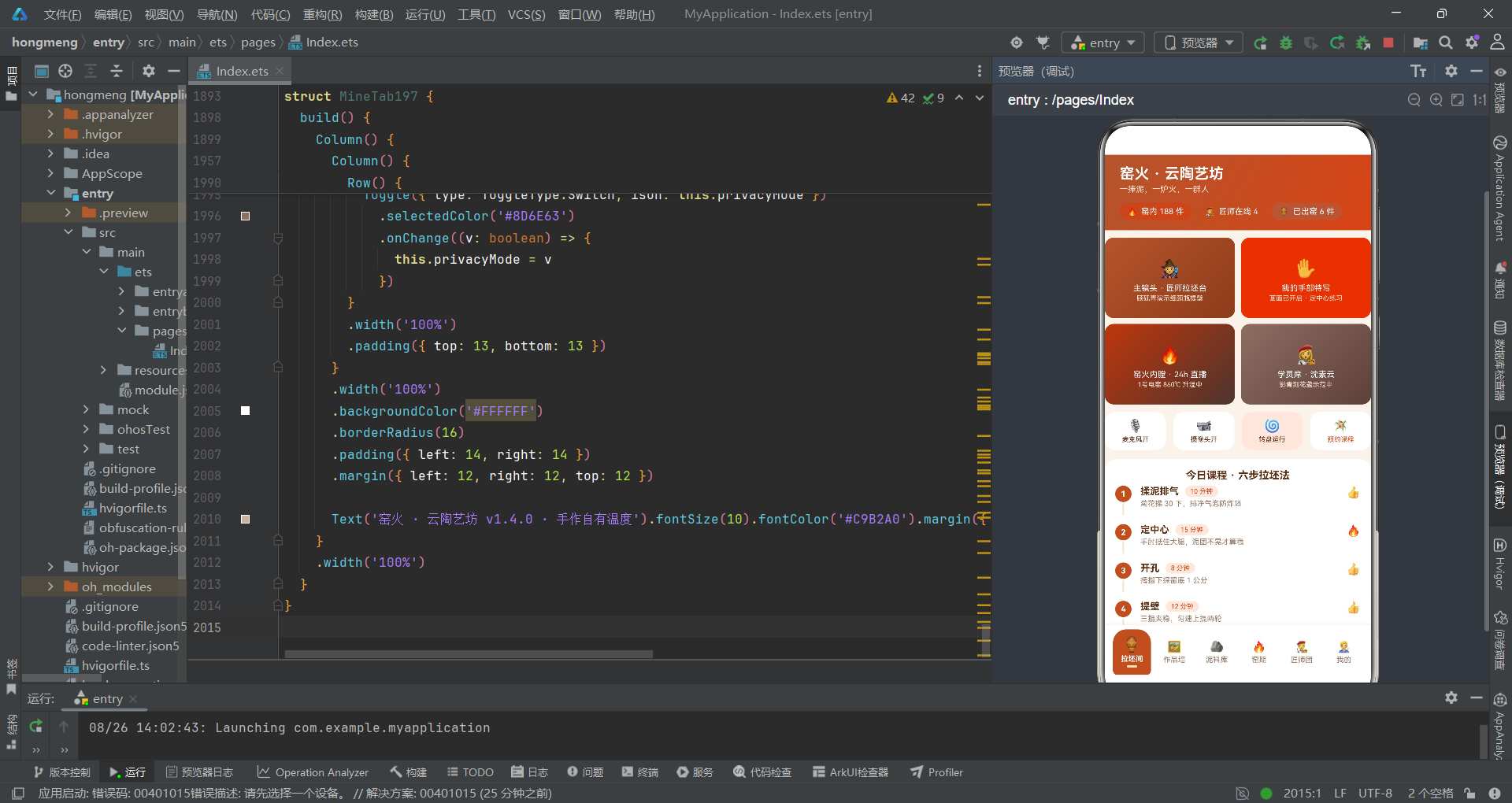
通过这份性能分析报告,我们从渲染管线、状态管理、内存分配、动画效率和图表渲染五个维度对"窑火·云陶艺坊"应用进行了全面剖析。整体而言,该应用在当前数据规模(10条作品、6个Tab、5个弹窗)下的性能表现是合格的——首帧渲染时间预估在50-80ms范围内,列表滑动帧率可以稳定在55-60fps,弹窗打开延迟约10-20ms。这些指标在用户感知阈值之内,不会产生明显的卡顿感。
但报告中发现了两个高优先级的性能隐患。第一是根组件的"胖状态"问题——30+个@State变量集中在Index197中,导致任意状态变更(如弹窗内表单切换)都会触发整个build方法的重新执行。虽然ArkTS的差分比对算法会跳过未变化的UI节点,但build方法本身的执行开销(依赖追踪、条件判断、ForEach键值生成)是不可忽略的。建议将表单状态拆分到各自的弹窗子组件中,将根组件的@State数量降低到10个以内。第二是渲染期函数调用问题——firedCount197、avgTemp197等5个工具函数在build中被直接调用且没有缓存,每次build执行都会重复遍历数据。更重要的是这些函数读取的是const常量数据而非@State变量,导致用户编辑作品后统计数字无法更新——这既是性能浪费,也是功能缺陷。
从长期优化的角度看,当应用数据量从当前的10条增长到50-100条时,需要重点关注的三个迁移点是:Scroll→LazyForEach(列表虚拟化)、ForEach声明式图表→Canvas绘制(图表渲染)、@Prop浅拷贝→@Link/@ObjectLink(细粒度更新)。这三个迁移不需要在当前阶段实施,但应在架构设计中预留扩展空间——例如将works数据源抽象为IDataSource接口,将图表渲染抽象为ChartRenderer接口,这样未来迁移时只需替换实现类而无需修改业务逻辑代码。HarmonyOS ArkTS框架的声明式UI范式天然支持渐进式优化——先写正确的代码,再优化性能热点,最后在需要时切换到高性能渲染策略。

开源鸿蒙跨平台开发社区汇聚开发者与厂商,共建“一次开发,多端部署”的开源生态,致力于降低跨端开发门槛,推动万物智联创新。
更多推荐


 10
10 0
0- 0


 已为社区贡献29条内容

所有评论(0)