基于Spring Boot的大学生心理健康网站的设计与实现
·
一、项目背景与意义
随着社会节奏加快和学业压力增大,大学生心理健康问题日益凸显。然而,传统心理咨询服务存在预约难、隐私顾虑、时空限制等问题。本项目旨在设计并实现一个基于Spring Boot的大学生心理健康网站,为在校学生提供一个便捷、私密、专业的在线心理支持平台。
项目意义:
- 便捷性:学生可随时随地通过网页访问,打破时空限制。
- 隐私保护:匿名咨询、端到端加密等技术手段保障用户隐私。
- 资源整合:整合心理测评、知识科普、在线咨询、互助社区等功能。
- 早期干预:通过量表筛查和AI情绪分析,实现心理问题的早期发现与干预。
- 教育价值:作为计算机专业学生的综合实践项目,涵盖前后端全栈技术。
二、技术栈选型
后端技术栈
- 核心框架:Spring Boot 3.x
- 安全框架:Spring Security + JWT
- 数据持久层:Spring Data JPA + MySQL 8.0
- 缓存:Redis(用于会话管理、热点数据缓存)
- 消息队列:RabbitMQ(用于异步处理咨询消息、通知推送)
- API文档:SpringDoc OpenAPI 3 (Swagger UI)
- 单元测试:JUnit 5 + Mockito
- 构建工具:Maven
前端技术栈
- 核心框架:Vue 3 + TypeScript
- UI组件库:Element Plus
- 状态管理:Pinia
- 路由:Vue Router
- HTTP客户端:Axios
- 构建工具:Vite
部署与运维
- 容器化:Docker + Docker Compose
- 持续集成:Jenkins / GitHub Actions
- 监控:Spring Boot Actuator + Prometheus + Grafana
三、核心功能模块设计
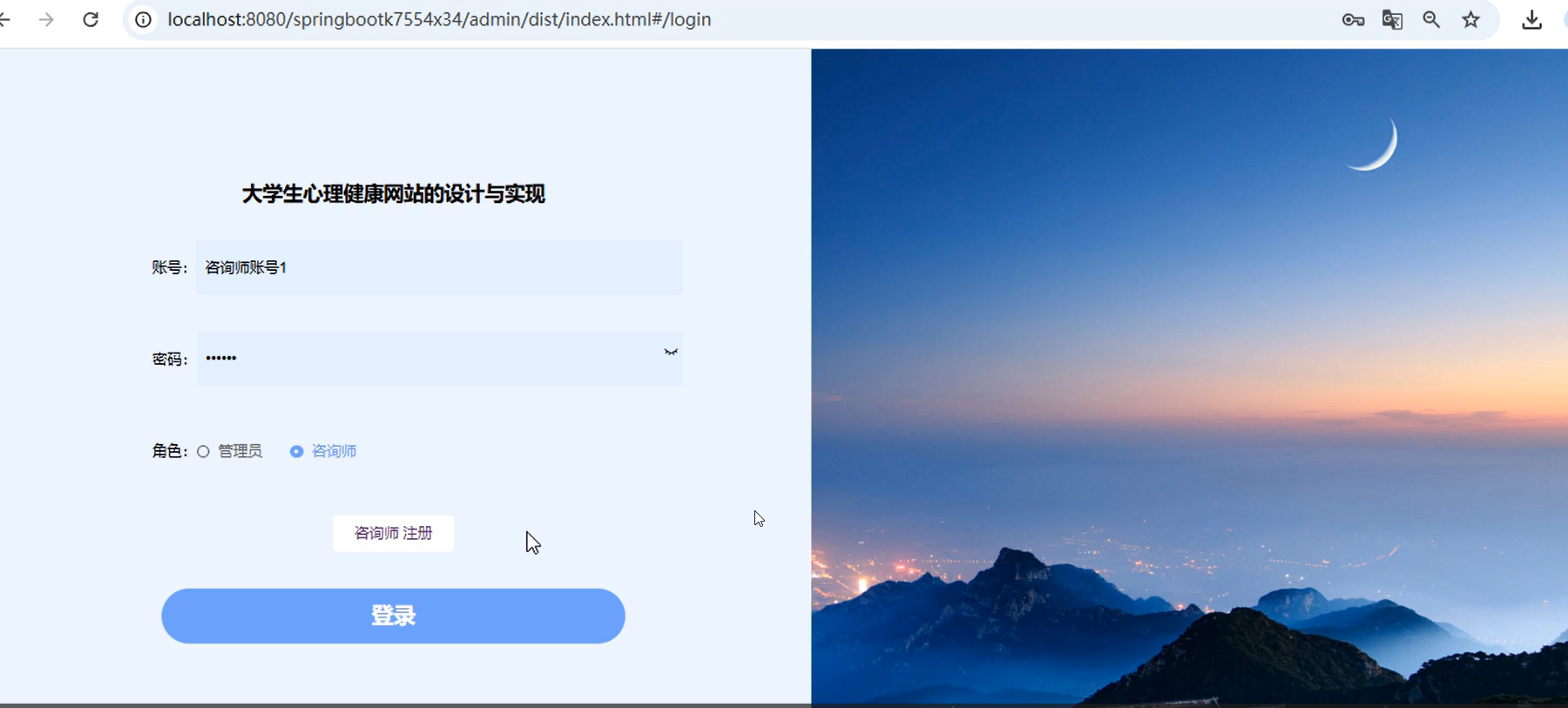
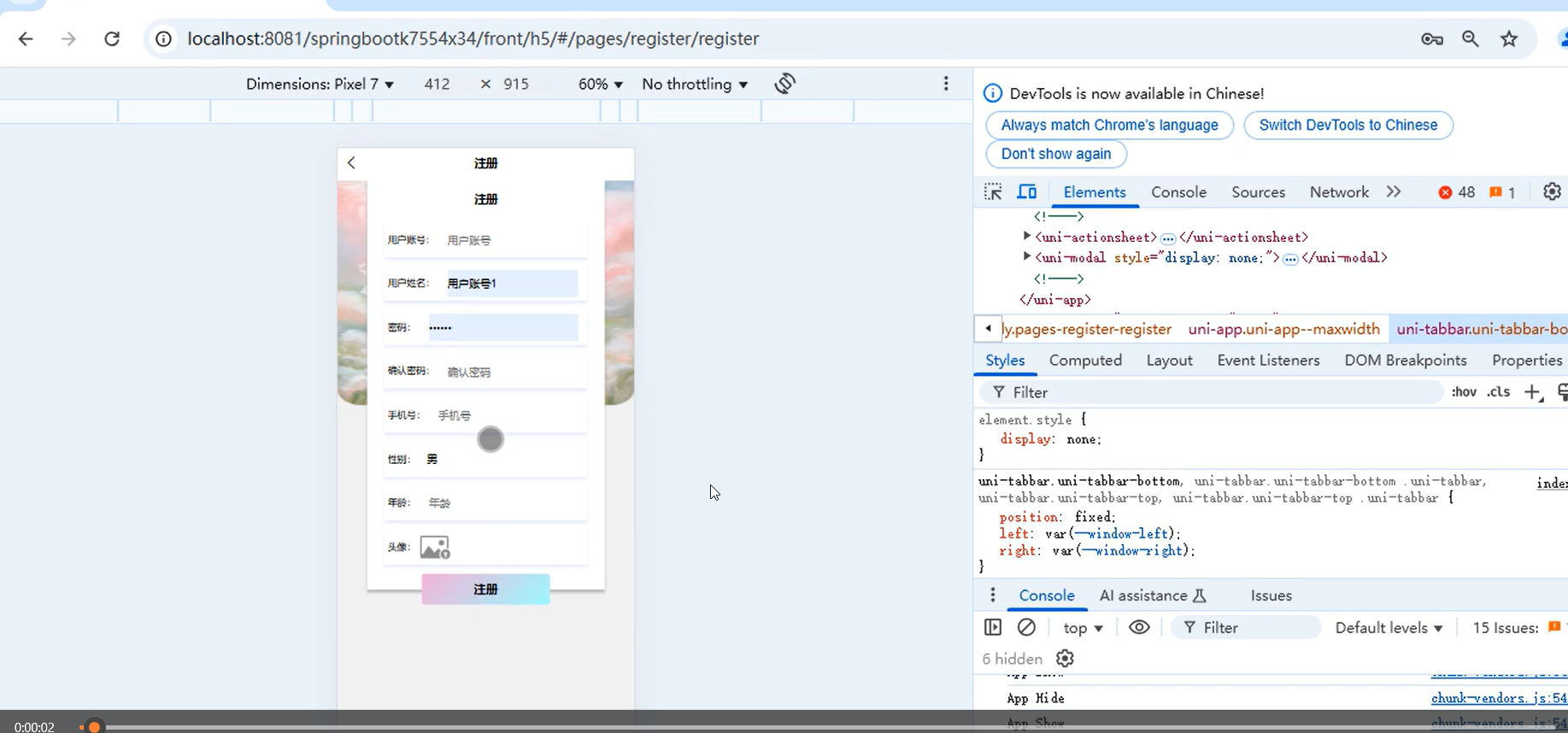
1. 用户认证与权限管理模块
采用RBAC(基于角色的访问控制)模型,区分学生、心理咨询师、管理员三种角色。
// 用户实体类核心字段示例
@Entity
@Table(name = "sys_user")
@Data
public class User {
    @Id
    @GeneratedValue(strategy = GenerationType.IDENTITY)
    private Long id;
@Column(unique = true, nullable = false)
private String username; // 学号/工号
private String password;
private String nickname;
private String avatar;
@Enumerated(EnumType.STRING)
private UserRole role; // STUDENT, COUNSELOR, ADMIN
@CreationTimestamp
private LocalDateTime createTime;
}
// 角色枚举
public enum UserRole {
STUDENT,      // 学生
COUNSELOR,    // 心理咨询师
ADMIN         // 系统管理员
}
2. 心理测评模块
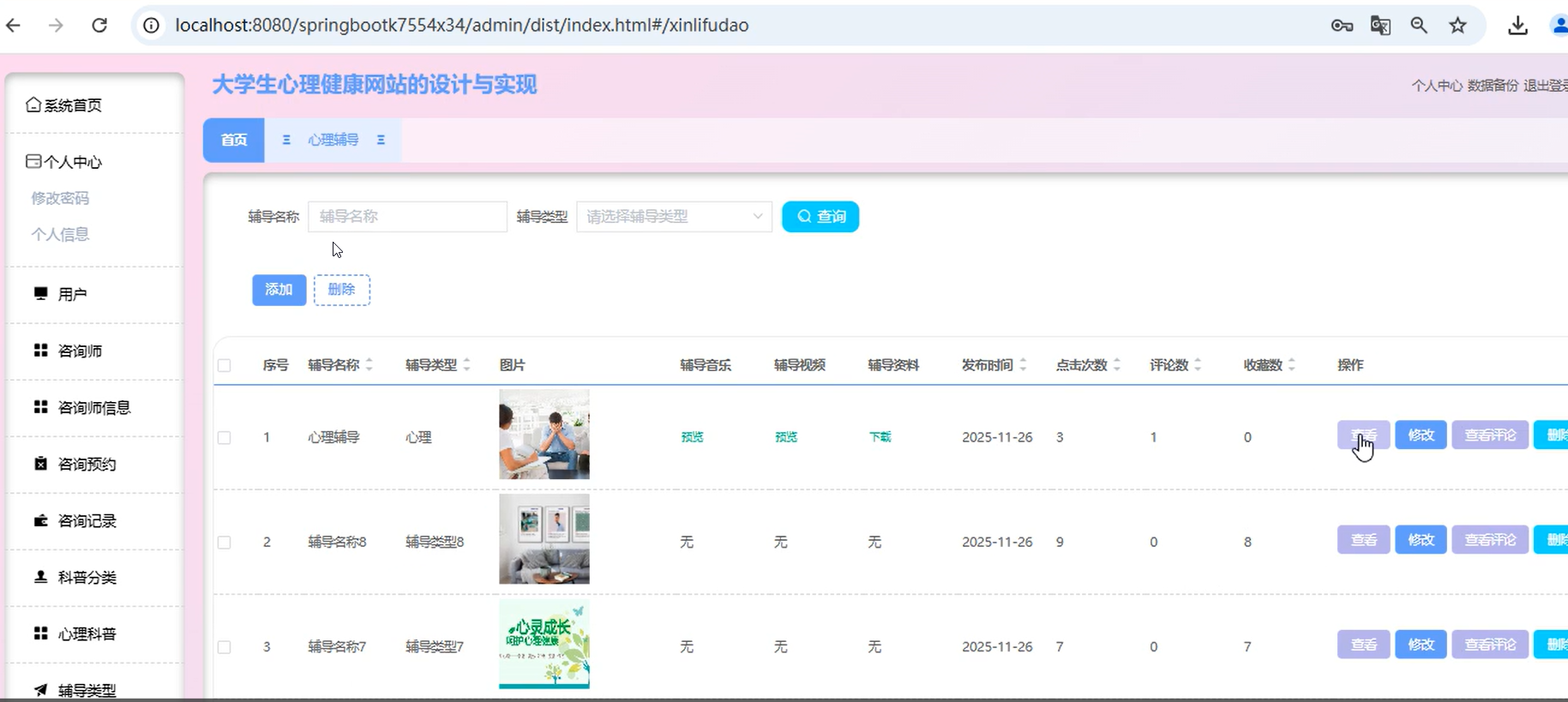
集成标准化心理量表(如PHQ-9抑郁筛查、GAD-7焦虑筛查),支持自动评分与结果解读。
// 测评记录实体
@Entity
@Table(name = "assessment_record")
@Data
public class AssessmentRecord {
    @Id
    @GeneratedValue(strategy = GenerationType.IDENTITY)
    private Long id;
@ManyToOne
@JoinColumn(name = "user_id")
private User user;
@ManyToOne
@JoinColumn(name = "scale_id")
private PsychologicalScale scale; // 量表
private Integer totalScore;
@Column(length = 500)
private String resultInterpretation; // 结果解读
@CreationTimestamp
private LocalDateTime submitTime;
}
// 测评服务核心方法
@Service
@RequiredArgsConstructor
public class AssessmentService {
private final AssessmentRecordRepository recordRepository;
@Transactional
public AssessmentRecord submitAssessment(AssessmentSubmitDTO dto) {
// 1. 计算总分
int totalScore = calculateTotalScore(dto.getAnswers());
// 2. 根据分数区间获取解读
String interpretation = getInterpretation(dto.getScaleId(), totalScore);
// 3. 保存记录
AssessmentRecord record = new AssessmentRecord();
record.setUser(getCurrentUser());
record.setScale(scaleRepository.findById(dto.getScaleId()).orElseThrow());
record.setTotalScore(totalScore);
record.setResultInterpretation(interpretation);
return recordRepository.save(record);
}
}
3. 在线咨询模块
支持实时文字聊天、预约咨询、咨询记录归档。采用WebSocket实现实时通信。
// WebSocket消息处理器
@Component
@RequiredArgsConstructor
public class ChatWebSocketHandler extends TextWebSocketHandler {
    private final SimpMessagingTemplate messagingTemplate;
    private final ChatMessageService chatMessageService;
@Override
protected void handleTextMessage(WebSocketSession session, TextMessage message) throws Exception {
    // 解析消息
    ChatMessageDTO chatMessage = objectMapper.readValue(message.getPayload(), ChatMessageDTO.class);
// 保存到数据库
ChatMessage savedMessage = chatMessageService.saveMessage(chatMessage);
// 转发给目标用户
messagingTemplate.convertAndSendToUser(
chatMessage.getReceiverId().toString(),
"/queue/chat",
savedMessage
);
}
}
// 咨询预约服务
@Service
@Transactional
public class ConsultationService {
public ConsultationAppointment bookAppointment(AppointmentRequest request) {
// 检查时间冲突
validateTimeSlot(request.getCounselorId(), request.getStartTime());
// 创建预约记录
ConsultationAppointment appointment = new ConsultationAppointment();
appointment.setStudent(getCurrentUser());
appointment.setCounselor(counselorRepository.findById(request.getCounselorId()).orElseThrow());
appointment.setStartTime(request.getStartTime());
appointment.setEndTime(request.getStartTime().plusHours(1));
appointment.setStatus(AppointmentStatus.BOOKED);
// 发送通知(异步)
notificationService.sendAppointmentNotification(appointment);
return appointmentRepository.save(appointment);
}
}
4. 知识科普与社区模块
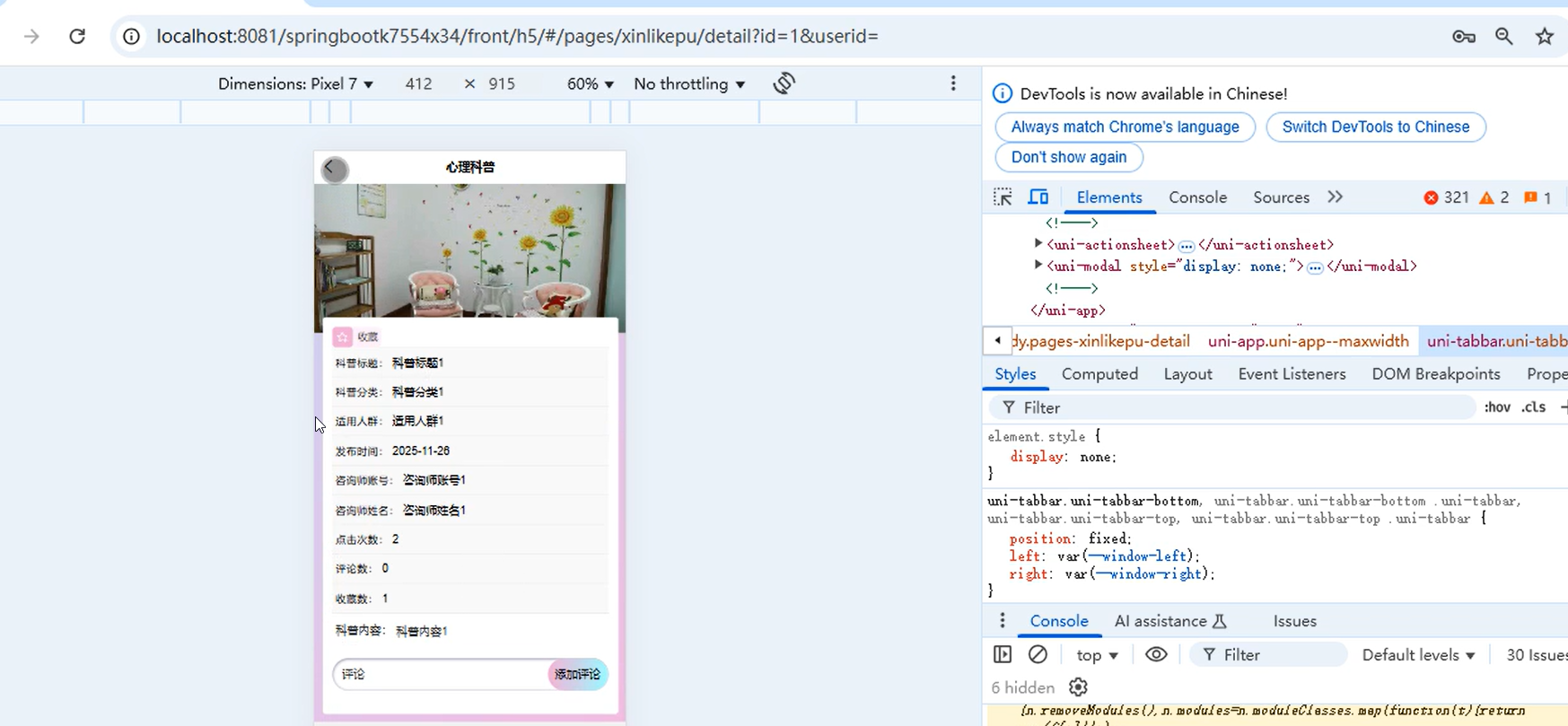
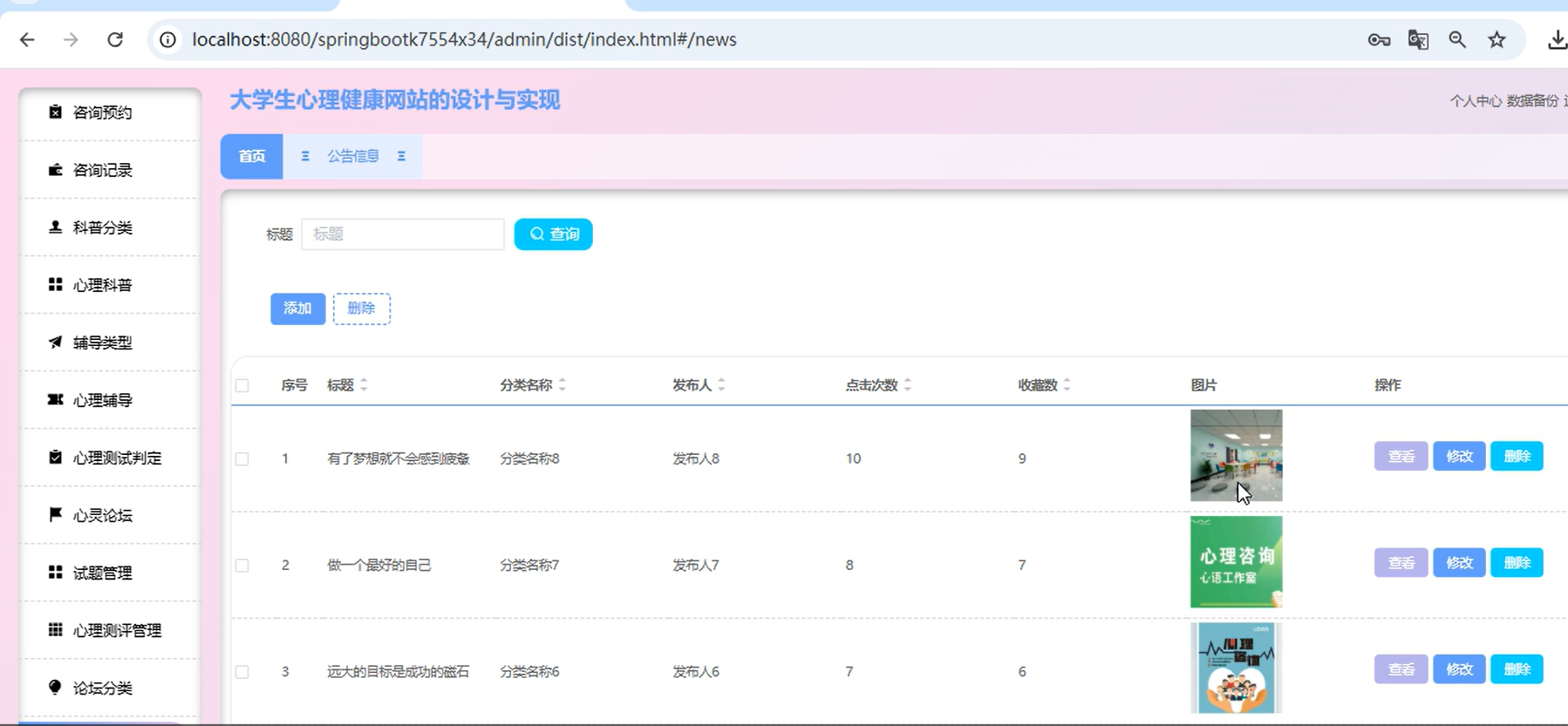
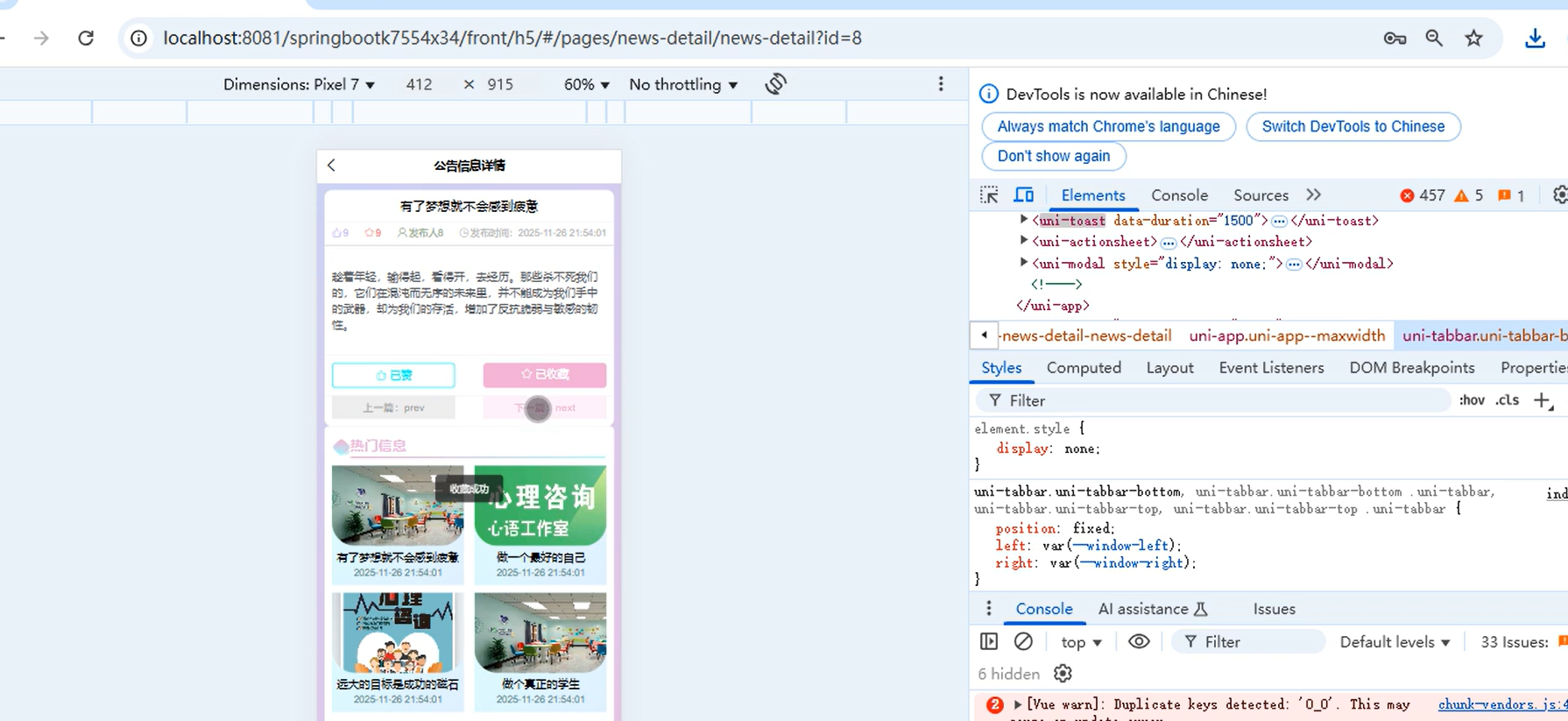
包含文章发布、评论、点赞、收藏功能,采用Redis实现热点文章缓存。
// 文章服务(带缓存)
@Service
@RequiredArgsConstructor
public class ArticleService {
    private final ArticleRepository articleRepository;
    private final RedisTemplate redisTemplate;
private static final String ARTICLE_CACHE_KEY = "article:view:";
private static final String HOT_ARTICLES_KEY = "articles:hot";
@Cacheable(value = "articles", key = "#id")
public Article getArticleById(Long id) {
return articleRepository.findById(id)
.orElseThrow(() -> new ResourceNotFoundException("文章不存在"));
}
@Transactional
public void incrementViewCount(Long articleId) {
// 使用Redis原子操作增加阅读量
String key = ARTICLE_CACHE_KEY + articleId;
redisTemplate.opsForValue().increment(key, 1);
// 异步持久化到数据库
articleRepository.incrementViewCount(articleId);
}
}
四、数据库设计核心表
| 表名 | 说明 | 核心字段 |
|---|---|---|
| sys_user | 用户表 | id, username, password, role, nickname, avatar |
| psychological_scale | 心理量表表 | id, name, description, questions(json), scoring_rules |
| assessment_record | 测评记录表 | id, user_id, scale_id, total_score, interpretation |
| consultation_appointment | 咨询预约表 | id, student_id, counselor_id, start_time, status |
| chat_message | 聊天消息表 | id, sender_id, receiver_id, content, message_type, send_time |
| article | 科普文章表 | id, title, content, author_id, view_count, like_count |
| comment | 评论表 | id, article_id, user_id, content, parent_id |
五、关键实现细节
1. JWT认证与权限控制
// JWT工具类
@Component
public class JwtTokenProvider {
    @Value("${jwt.secret}")
    private String secret;
@Value("${jwt.expiration}")
private long expiration;
public String generateToken(UserDetails userDetails) {
Map<String, Object> claims = new HashMap<>();
claims.put("username", userDetails.getUsername());
claims.put("role", ((CustomUserDetails) userDetails).getRole());
return Jwts.builder()
        .setClaims(claims)
        .setSubject(userDetails.getUsername())
        .setIssuedAt(new Date())
        .setExpiration(new Date(System.currentTimeMillis() + expiration))
        .signWith(SignatureAlgorithm.HS512, secret)
        .compact();
}
public boolean validateToken(String token) {
try {
Jwts.parser().setSigningKey(secret).parseClaimsJws(token);
return true;
} catch (Exception e) {
return false;
}
}
}
// 安全配置
@Configuration
@EnableWebSecurity
@RequiredArgsConstructor
public class SecurityConfig {
private final JwtTokenProvider jwtTokenProvider;
@Bean
public SecurityFilterChain filterChain(HttpSecurity http) throws Exception {
http
.csrf().disable()
.sessionManagement().sessionCreationPolicy(SessionCreationPolicy.STATELESS)
.and()
.authorizeHttpRequests()
.requestMatchers("/api/auth/").permitAll()
.requestMatchers("/api/student/").hasRole("STUDENT")
.requestMatchers("/api/counselor/").hasRole("COUNSELOR")
.requestMatchers("/api/admin/").hasRole("ADMIN")
.anyRequest().authenticated()
.and()
.addFilterBefore(new JwtAuthenticationFilter(jwtTokenProvider),
UsernamePasswordAuthenticationFilter.class);
return http.build();
}
}
2. 文件上传与存储
// 文件上传服务
@Service
public class FileStorageService {
    @Value("${file.upload-dir}")
    private String uploadDir;
public String storeFile(MultipartFile file) {
    // 生成唯一文件名
    String fileName = UUID.randomUUID().toString() + "_" +
                     file.getOriginalFilename();
// 创建目标路径
Path targetLocation = Paths.get(uploadDir).resolve(fileName);
try {
Files.copy(file.getInputStream(), targetLocation,
StandardCopyOption.REPLACE_EXISTING);
return fileName;
} catch (IOException e) {
throw new FileStorageException("文件上传失败", e);
}
}
public Resource loadFileAsResource(String fileName) {
try {
Path filePath = Paths.get(uploadDir).resolve(fileName).normalize();
Resource resource = new UrlResource(filePath.toUri());
if (resource.exists()) {
return resource;
} else {
throw new FileNotFoundException("文件未找到: " + fileName);
}
} catch (MalformedURLException | FileNotFoundException e) {
throw new FileNotFoundException("文件未找到: " + fileName);
}
}
}
六、项目部署与运行
Docker Compose部署配置
# docker-compose.yml
version: '3.8'
services:
  mysql:
    image: mysql:8.0
    environment:
      MYSQL_ROOT_PASSWORD: root123
      MYSQL_DATABASE: mental_health
    ports:
      - "3306:3306"
    volumes:
      - mysql_data:/var/lib/mysql
redis:
image: redis:7-alpine
ports:
- "6379:6379"
rabbitmq:
image: rabbitmq:3-management
ports:
- "5672:5672"
- "15672:15672"
backend:
build: ./backend
ports:
- "8080:8080"
depends_on:
- mysql
- redis
- rabbitmq
environment:
SPRING_DATASOURCE_URL: jdbc:mysql://mysql:3306/mental_health
SPRING_REDIS_HOST: redis
frontend:
build: ./frontend
ports:
- "80:80"
depends_on:
- backend
volumes:
mysql_data:
启动命令
# 后端启动
mvn spring-boot:run
或使用Docker Compose
docker-compose up -d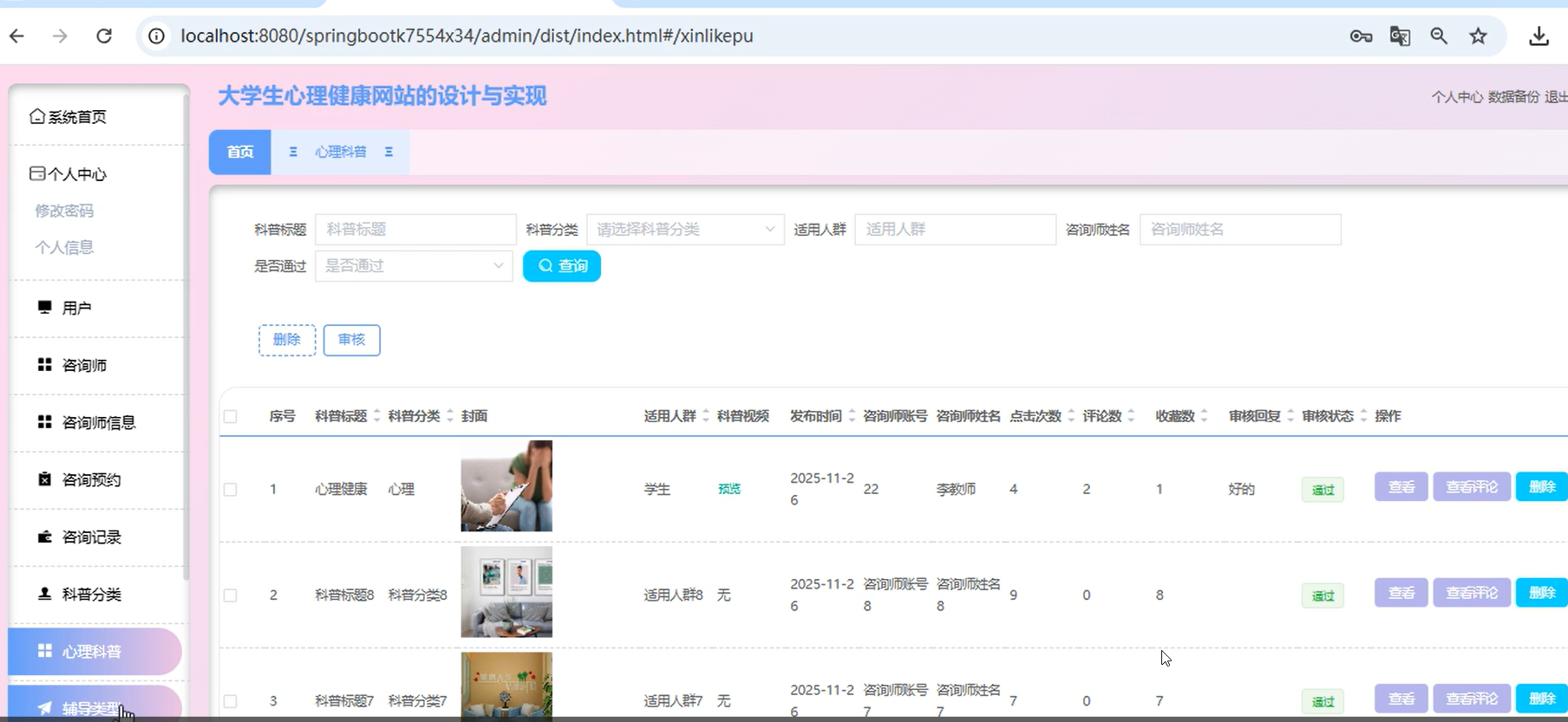
七、总结与展望
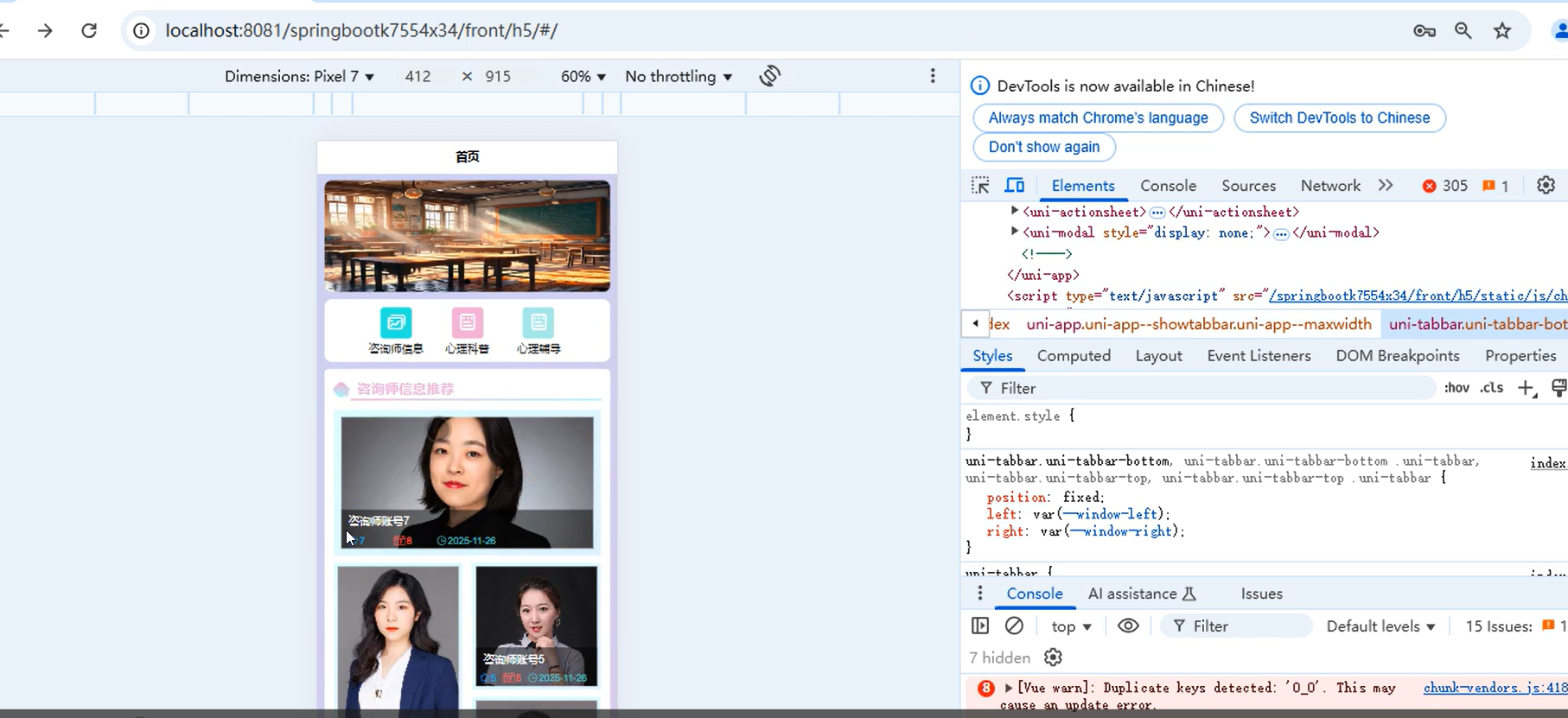
本项目基于Spring Boot构建了一个功能完整的大学生心理健康网站,涵盖了用户管理、心理测评、在线咨询、知识社区等核心模块。技术栈选型兼顾了开发效率、系统性能和可维护性。
未来可扩展方向:
- AI情绪分析:集成自然语言处理模型,对聊天内容进行情绪识别与预警。
- 移动端适配:开发微信小程序或React Native移动应用。
- 数据可视化:使用ECharts等工具展示心理健康数据趋势。
- 多语言支持:为国际学生提供多语言界面。
- 第三方登录:集成微信、QQ等社交平台登录。
通过本项目,不仅能为大学生提供切实的心理健康支持,也为计算机专业学生提供了一个完整的全栈开发实践案例。

开源鸿蒙跨平台开发社区汇聚开发者与厂商,共建“一次开发,多端部署”的开源生态,致力于降低跨端开发门槛,推动万物智联创新。
更多推荐
 1
1 0
0- 0


 已为社区贡献7条内容

所有评论(0)