【OpenHarmony/HarmonyOs 】政治报纸模块设计:按期次组织内容阅读体验
·
【OpenHarmony/HarmonyOs 】政治报纸模块设计:按期次组织内容阅读体验
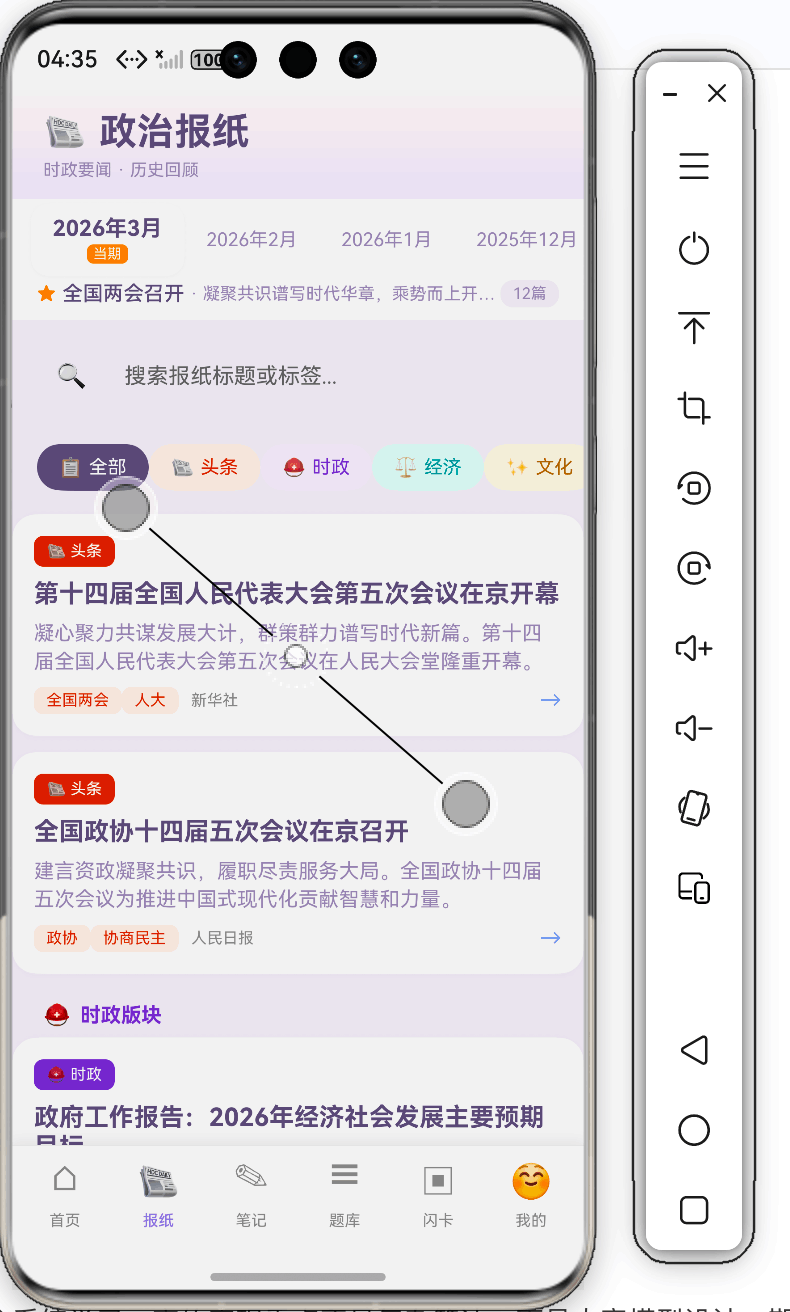
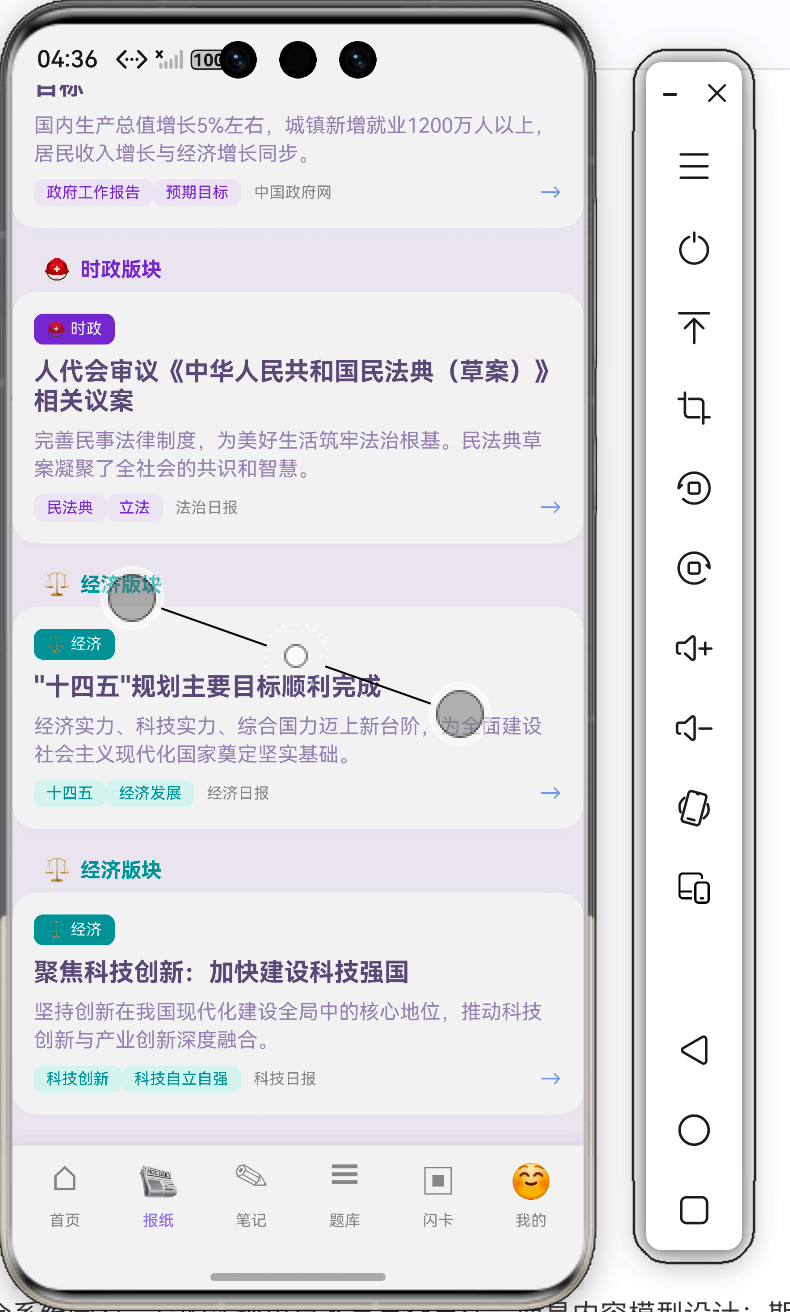
除了每日资讯,政治学习还需要系统化阅读。政治视界 中的“政治报纸”模块就是为此设计的:它按月份期次组织文章,支持板块筛选、搜索、阅读详情和收藏。本文详细拆解这个模块的 ArkTS 实现过程 🗞️
一、为什么要做报纸模块
每日政治适合轻量阅读,报纸模块则适合专题化学习。比如:
- 全国两会专题;
- 中央经济工作会议;
- 科技自立自强;
- 中国式现代化;
- 文化自信;
- 国际关系。
这些内容更适合按期次归档,形成“时政学习资料库”。
二、期次数据模型
报纸期次模型:
export interface NewspaperIssue {
  id: number;
  year: number;
  month: number;
  dateLabel: string;
  coverTitle: string;
  summary: string;
  articleCount: number;
  isToday: boolean;
}
每一期有年份、月份、封面标题、摘要和文章数量。用户可以像翻报纸一样选择不同月份。
三、文章数据模型
export interface NewspaperArticle {
  id: number;
  issueId: number;
  title: string;
  summary: string;
  content: string;
  section: NewspaperSection;
  author?: string;
  imageName?: string;
  tags: string[];
  isRead: boolean;
  readTime: number;
}
issueId 关联期次,section 表示板块,tags 用于搜索和知识点标记。
四、板块枚举
export enum NewspaperSection {
  HEADLINE = '头条',
  POLITICS = '时政',
  ECONOMY = '经济',
  CULTURE = '文化',
  INTERNATIONAL = '国际',
  PHILOSOPHY = '思想',
}
使用枚举可以避免板块名称写错,也方便后续做颜色和图标映射。
五、页面状态
NewspaperPage 中维护期次、文章、筛选和详情状态:
@State issues: NewspaperIssue[] = newspaperIssues;
@State articles: NewspaperArticle[] = newspaperArticles;
@State selectedIssueId: number = 1;
@State selectedSection: NewspaperSection | '全部' = '全部';
@State selectedArticle: NewspaperArticle | null = null;
@State showDetail: boolean = false;
@State readArticles: number[] = [];
@State favoriteArticles: number[] = [];
@State searchKeyword: string = '';
这个状态结构和报纸阅读流程对应得很好:先选期次,再选板块,再打开文章。
六、按期次和板块过滤文章
getFilteredArticles(): NewspaperArticle[] {
  let filtered = this.articles.filter((a: NewspaperArticle) => a.issueId === this.selectedIssueId);
  if (this.selectedSection !== '全部') {
    filtered = filtered.filter((a: NewspaperArticle) => a.section === this.selectedSection);
  }
  if (this.searchKeyword.length > 0) {
    const kw = this.searchKeyword.toLowerCase();
    filtered = filtered.filter((a: NewspaperArticle) =>
      a.title.toLowerCase().includes(kw) ||
      a.summary.toLowerCase().includes(kw) ||
      a.tags.some((t: string) => t.toLowerCase().includes(kw))
    );
  }
  return filtered;
}
过滤顺序很清晰:期次是第一层,板块是第二层,搜索是第三层。
七、期次选择器
期次选择器使用横向滚动:
ForEach(this.issues, (issue: NewspaperIssue, idx: number) => {
  Column() {
    Text(issue.dateLabel)
    if (issue.isToday) {
      Text('当期')
    }
  }
  .onClick(() => {
    animateTo({ duration: 320, curve: curves.springMotion(0.58, 0.78) }, () => {
      this.selectedIssueId = issue.id;
    });
  })
}, (issue: NewspaperIssue) => issue.id.toString())
这里给 ForEach 加了 keyGenerator,避免列表渲染时出现性能和状态问题。
八、打开文章详情
openArticle(article: NewspaperArticle): void {
  this.selectedArticle = article;
  this.showDetail = true;
  setTimeout(() => {
    this.detailAnimVisible = true;
  }, 10);
  if (this.readArticles.indexOf(article.id) < 0) {
    const newReads: number[] = this.readArticles.slice();
    newReads.push(article.id);
    this.readArticles = newReads;
    article.isRead = true;
  }
}
打开详情时顺便记录已读状态。这里同样使用新数组赋值,保证状态变化被 UI 感知。
九、收藏文章
toggleFavorite(articleId: number): void {
  const idx = this.favoriteArticles.indexOf(articleId);
  if (idx >= 0) {
    this.favoriteArticles = this.favoriteArticles.filter((id: number) => id !== articleId);
  } else {
    const newFavs: number[] = this.favoriteArticles.slice();
    newFavs.push(articleId);
    this.favoriteArticles = newFavs;
  }
}
收藏功能后续可以持久化到 Preferences,形成“我的时政素材库”。
十、实现流程总结
定义期次模型和文章模型
  ↓
准备 newspaperIssues 和 newspaperArticles
  ↓
页面选择当前期次
  ↓
根据期次、板块、关键词过滤文章
  ↓
点击文章打开详情
  ↓
记录已读和收藏状态
十一、结语
政治报纸模块把零散时政内容组织成了“按期次阅读”的结构,更适合系统学习。它的实现重点不是复杂算法,而是内容模型设计:期次、板块、文章、标签之间关系清楚,页面就自然好写。
对教育类 App 来说,内容组织方式本身就是产品能力。政治视界的报纸模块,为后续做专题学习、阅读记录和知识点推荐打下了基础 📚

开源鸿蒙跨平台开发社区汇聚开发者与厂商,共建“一次开发,多端部署”的开源生态,致力于降低跨端开发门槛,推动万物智联创新。
更多推荐


 0
0 0
0- 0


 已为社区贡献198条内容

所有评论(0)