React Native鸿蒙跨平台实现从货运场景的业务特性出发,构建了涵盖需求发布、智能匹配、状态追踪的完整移动端解决方案
欢迎大家加入开源鸿蒙跨平台开发者社区,一起共建开源鸿蒙跨平台生态。
货运物流行业的数字化转型核心在于需求发布-司机匹配-运输管控的全流程线上化,这份基于 React Native 开发的货运需求管理系统,从货运场景的业务特性出发,构建了涵盖需求发布、智能匹配、状态追踪的完整移动端解决方案。本文将深度拆解其技术架构设计思路,并提供鸿蒙(HarmonyOS)ArkTS 端的完整适配方案,为物流类应用的跨端开发提供可落地的技术参考。
1. 货运场景
货运需求管理的核心是对货运需求和司机信息两类核心实体的标准化建模,代码通过 TypeScript 联合类型和结构化接口,实现了货运场景全要素的强类型约束:
// 货运需求类型
type FreightDemand = {
  id: string;
  cargoType: string;
  weight: number;
  volume: number;
  pickupLocation: string;
  deliveryLocation: string;
  pickupTime: string;
  deliveryTime: string;
  freightType: '整车' | '零担';
  status: '待接单' | '已接单' | '运输中' | '已完成';
  price: number;
};

// 司机信息类型
type Driver = {
  id: string;
  name: string;
  phone: string;
  vehicleType: string;
  licensePlate: string;
  distance: number;
  rating: number;
};
模型设计亮点:
- 货运场景全覆盖:
freightType字段通过联合类型限定整车/零担两类核心货运模式,贴合物流行业实际业务形态; - 状态流转完整:
status字段定义待接单、已接单、运输中、已完成四态流转,覆盖货运需求的完整生命周期; - 核心属性完备:包含货物类型、重量、体积、装卸地址、运费等货运核心属性,满足货主发布需求的全部信息维度;
- 司机画像精准:司机模型包含车辆类型、车牌号、距离、评分等关键信息,为智能匹配提供数据支撑;
- 数据类型严谨:重量、体积、距离等数值型字段采用
number类型,保证计算准确性; - 扩展性预留:结构化的字段设计为后续添加货物保价、运输时效、特殊要求等扩展字段预留空间。
2. 货运全生命周期管控
货运需求管理系统的状态架构围绕需求列表 + 发布表单 + 司机列表三层核心状态构建,通过 React 的 useState 实现货运需求从发布到匹配的全流程状态管控:
// 货运需求列表状态
const [demands, setDemands] = useState<FreightDemand[]>([/* 初始数据 */]);

// 司机列表状态
const [availableDrivers] = useState<Driver[]>([/* 司机数据 */]);

// 新建需求表单状态
const [newDemand, setNewDemand] = useState({
  cargoType: '',
  weight: '',
  volume: '',
  pickupLocation: '',
  deliveryLocation: '',
  pickupTime: '',
  deliveryTime: '',
  freightType: '整车' as '整车' | '零担'
});
状态管理亮点:
- 数据分层清晰:需求列表、司机列表、发布表单状态分离,符合单一职责原则,降低状态耦合;
- 不可变更新策略:需求发布采用不可变数据模式更新状态,避免原数组被污染:
setDemands([...demands, demand]); // 新增需求 - 表单初始化合理:默认选中"整车"类型,符合货运场景的高频需求;
- 运费自动计算:基于货物重量自动计算运费(
Math.round(parseFloat(newDemand.weight) * 2.5)),提升货主发布效率; - 数据校验前置:发布需求前校验核心必填字段,保证数据完整性:
if (!newDemand.cargoType || !newDemand.weight || !newDemand.pickupLocation || !newDemand.deliveryLocation) { Alert.alert('提示', '请填写完整的货运信息'); return; } - 状态反馈明确:所有操作均通过 Alert 提供明确的结果反馈,符合物流场景的操作严谨性要求。
3. 智能匹配
货运需求管理系统的核心价值在于需求发布-智能匹配-司机联系的闭环能力,代码通过轻量化的业务逻辑实现了物流场景的核心交互:
(1)智能匹配
基于货运需求ID匹配附近可用司机,为货主提供精准的运力推荐:
const handleMatchDriver = (demandId: string) => {
  const demand = demands.find(d => d.id === demandId);
  if (demand) {
    Alert.alert(
      '智能匹配',
      `为您的${demand.cargoType}货物找到了${availableDrivers.length}位附近司机`,
      [
        {
          text: '查看详情',
          onPress: () => Alert.alert(
            '匹配结果',
            availableDrivers.map(driver =>
              `${driver.name} - ${driver.vehicleType} - 距离${driver.distance}km - 评分${driver.rating}`
            ).join('\n\n')
          )
        },
        { text: '确定', style: 'cancel' }
      ]
    );
  }
};
(2)司机联系
提供便捷的司机联系方式,降低货主与司机的沟通成本:
const handleContactDriver = (driverId: string) => {
  const driver = availableDrivers.find(d => d.id === driverId);
  if (driver) {
    Alert.alert('联系司机', `拨打 ${driver.phone}`, [
      { text: '取消', style: 'cancel' },
      { text: '拨打', onPress: () => Alert.alert('提示', '正在拨打电话...') }
    ]);
  }
};
(3)交互
货运场景的视觉设计围绕专业性、易用性、辨识度三个核心维度展开:
- 状态色彩语义化:待接单(黄色)、已接单(蓝色)、运输中(紫色)、已完成(绿色),符合物流行业的状态认知习惯:
const getStatusColor = (status: string) => { switch (status) { case '待接单': return '#f59e0b'; case '已接单': return '#3b82f6'; case '运输中': return '#8b5cf6'; case '已完成': return '#10b981'; default: return '#6b7280'; } }; - 行业化视觉风格:采用蓝色系为主色调(
#0284c7),契合物流行业的专业属性; - 表单布局合理:重量/体积采用横向并列输入,装卸地址纵向排列,符合货主填写习惯;
- 操作按钮区分:智能匹配(绿色)、查看详情(浅蓝)、联系司机(蓝色),强化操作意图;
- 卡片式布局:所有功能模块采用统一的卡片样式,提升界面层次感和专业度;
- 底部导航固化:按发布、订单、司机、我的分类,符合物流应用的操作习惯。
4. 体验
货运需求管理系统在移动端的性能优化主要体现在列表渲染、输入体验、交互反馈三个维度:
- 列表渲染优化:使用
Array.map实现需求/司机列表的高效渲染,配合key属性保证组件复用; - 输入体验优化:重量/体积输入框指定
keyboardType="numeric",提升移动端输入效率; - 交互反馈即时:所有操作均提供明确的弹窗反馈,如需求发布成功、匹配结果展示等;
- 响应式布局:使用
flex布局适配不同屏幕尺寸,Dimensions.get('window')获取屏幕尺寸保证布局一致性; - 滚动性能优化:使用
ScrollView包裹内容区域,保证长列表的滚动流畅性; - 视觉层次分明:通过阴影(
elevation/shadow)、边框、间距等视觉元素区分不同功能模块; - 数据格式化:运费金额直接展示,司机距离保留一位小数,提升数据可读性。
将 React Native 货运需求管理系统迁移至鸿蒙平台,核心是基于 ArkTS + ArkUI 实现类型系统、状态管理、业务逻辑、视觉交互的对等还原,同时适配鸿蒙的组件特性和布局范式,保证跨端物流管理体验的专业性和操作效率。
1. 核心
鸿蒙端适配遵循类型复用、逻辑对等、体验统一的原则,业务逻辑和视觉规范 100% 复用,仅需适配平台特有 API 和组件语法:
@Entry
@Component
struct FreightApp {
  // 类型定义:对等实现 TypeScript 类型 → 接口定义
  interface FreightDemand {
    id: string;
    cargoType: string;
    weight: number;
    volume: number;
    pickupLocation: string;
    deliveryLocation: string;
    pickupTime: string;
    deliveryTime: string;
    freightType: '整车' | '零担';
    status: '待接单' | '已接单' | '运输中' | '已完成';
    price: number;
  }

  interface Driver {
    id: string;
    name: string;
    phone: string;
    vehicleType: string;
    licensePlate: string;
    distance: number;
    rating: number;
  }

  // 状态管理:对等实现 useState → @State
  @State demands: FreightDemand[] = [/* 初始数据 */];
  @State availableDrivers: Driver[] = [/* 司机数据 */];
  @State newDemand: {
    cargoType: string;
    weight: string;
    volume: string;
    pickupLocation: string;
    deliveryLocation: string;
    pickupTime: string;
    deliveryTime: string;
    freightType: '整车' | '零担';
  } = {/* 初始表单状态 */};

  // 业务逻辑:完全复用 RN 端实现
  getStatusColor(status: string): string {/* 状态色彩映射 */}
  handlePublishDemand(): void {/* 发布需求 */}
  handleMatchDriver(demandId: string): void {/* 智能匹配司机 */}
  handleContactDriver(driverId: string): void {/* 联系司机 */}

  // 页面构建:镜像 RN 端布局结构
  build() {
    Column() {
      // 头部区域
      // 滚动内容区
      // 底部导航
    }
  }
}
| React Native 特性 | 鸿蒙 ArkUI 对应实现 | 适配关键说明 |
|---|---|---|
| TypeScript 联合类型 | TypeScript 联合类型 | 类型定义完全复用,保证类型安全 |
useState | @State 装饰器 | 状态初始化与更新逻辑完全复用 |
TouchableOpacity | Column/Row + onClick | 可点击区域通过 onClick 事件实现 |
Alert.alert | AlertDialog.show | 弹窗 API 语法差异,交互逻辑对等 |
StyleSheet | 链式样式 | 样式属性 100% 复用,保证视觉一致 |
Array.map | ForEach 组件 | 列表渲染语法差异,逻辑一致 |
ScrollView | Scroll 组件 | 滚动容器语法差异,功能一致 |
TextInput | TextInput 组件 | 输入框属性基本一致,仅 keyboardType 适配 |
| 绝对定位 | position: Position.Fixed | 底部导航定位语法差异,效果一致 |
| 动态样式 | 数组语法 → 对象语法 | 动态样式绑定语法差异,视觉效果一致 |
| 运费计算 | 完全复用 | 基于重量的运费计算逻辑无差异 |
| 智能匹配逻辑 | 完全复用 | 需求-司机匹配逻辑无差异 |
3. 鸿蒙代码
// 鸿蒙 ArkTS 完整实现
@Entry
@Component
struct FreightApp {
// 类型定义
interface FreightDemand {
id: string;
cargoType: string;
weight: number;
volume: number;
pickupLocation: string;
deliveryLocation: string;
pickupTime: string;
deliveryTime: string;
freightType: '整车' | '零担';
status: '待接单' | '已接单' | '运输中' | '已完成';
price: number;
}
interface Driver {
id: string;
name: string;
phone: string;
vehicleType: string;
licensePlate: string;
distance: number;
rating: number;
}
// 状态管理
@State demands: FreightDemand[] = [
{
id: '1',
cargoType: '电子产品',
weight: 500,
volume: 2.5,
pickupLocation: '深圳市南山区科技园',
deliveryLocation: '广州市天河区珠江新城',
pickupTime: '2023-11-15 09:00',
deliveryTime: '2023-11-15 15:00',
freightType: '整车',
status: '待接单',
price: 1200
},
{
id: '2',
cargoType: '服装',
weight: 200,
volume: 1.2,
pickupLocation: '上海市浦东新区陆家嘴',
deliveryLocation: '杭州市西湖区',
pickupTime: '2023-11-16 10:00',
deliveryTime: '2023-11-16 14:00',
freightType: '零担',
status: '已接单',
price: 800
}
];
@State availableDrivers: Driver[] = [
{
id: 'd1',
name: '张师傅',
phone: '138****1234',
vehicleType: '厢式货车',
licensePlate: '粤B12345',
distance: 2.5,
rating: 4.8
},
{
id: 'd2',
name: '李师傅',
phone: '139****5678',
vehicleType: '平板货车',
licensePlate: '沪C67890',
distance: 1.8,
rating: 4.9
}
];
@State newDemand: {
cargoType: string;
weight: string;
volume: string;
pickupLocation: string;
deliveryLocation: string;
pickupTime: string;
deliveryTime: string;
freightType: '整车' | '零担';
} = {
cargoType: '',
weight: '',
volume: '',
pickupLocation: '',
deliveryLocation: '',
pickupTime: '',
deliveryTime: '',
freightType: '整车'
};
// 获取状态颜色
getStatusColor(status: string): string {
switch (status) {
case '待接单': return '#f59e0b';
case '已接单': return '#3b82f6';
case '运输中': return '#8b5cf6';
case '已完成': return '#10b981';
default: return '#6b7280';
}
}
// 发布需求处理函数
handlePublishDemand(): void {
if (!this.newDemand.cargoType || !this.newDemand.weight ||
!this.newDemand.pickupLocation || !this.newDemand.deliveryLocation) {
AlertDialog.show({
title: '提示',
message: '请填写完整的货运信息',
confirm: { value: '确定' }
});
return;
}
const demand: FreightDemand = {
id: (this.demands.length + 1).toString(),
cargoType: this.newDemand.cargoType,
weight: parseFloat(this.newDemand.weight),
volume: parseFloat(this.newDemand.volume) || 0,
pickupLocation: this.newDemand.pickupLocation,
deliveryLocation: this.newDemand.deliveryLocation,
pickupTime: this.newDemand.pickupTime || '待定',
deliveryTime: this.newDemand.deliveryTime || '待定',
freightType: this.newDemand.freightType,
status: '待接单',
price: Math.round(parseFloat(this.newDemand.weight) * 2.5)
};
this.demands = [...this.demands, demand];
this.newDemand = {
cargoType: '',
weight: '',
volume: '',
pickupLocation: '',
deliveryLocation: '',
pickupTime: '',
deliveryTime: '',
freightType: '整车'
};
AlertDialog.show({
title: '成功',
message: '货运需求发布成功!',
confirm: { value: '确定' }
});
}
// 智能匹配司机
handleMatchDriver(demandId: string): void {
const demand = this.demands.find(d => d.id === demandId);
if (demand) {
AlertDialog.show({
title: '智能匹配',
message: `为您的${demand.cargoType}货物找到了${this.availableDrivers.length}位附近司机`,
confirm: {
value: '查看详情',
action: () => {
const driverInfo = this.availableDrivers.map(driver =>
`${driver.name} - ${driver.vehicleType} - 距离${driver.distance}km - 评分${driver.rating}`
).join('\n\n');
AlertDialog.show({
title: '匹配结果',
message: driverInfo,
confirm: { value: '确定' }
});
}
},
cancel: { value: '确定' }
});
}
}
// 联系司机
handleContactDriver(driverId: string): void {
const driver = this.availableDrivers.find(d => d.id === driverId);
if (driver) {
AlertDialog.show({
title: '联系司机',
message: `拨打 ${driver.phone}`,
confirm: {
value: '拨打',
action: () => {
AlertDialog.show({
title: '提示',
message: '正在拨打电话...',
confirm: { value: '确定' }
});
}
},
cancel: { value: '取消' }
});
}
}
build() {
Column()
.flex(1)
.backgroundColor('#f0f9ff')
.safeArea(true) {
// 头部
Column()
.padding(16)
.backgroundColor('#ffffff')
.borderBottom({ width: 1, color: '#e0f2fe' }) {
Text('货运需求发布')
.fontSize(20)
.fontWeight(FontWeight.Bold)
.fontColor('#0c4a6e')
.marginBottom(4);
Text('快速发布,智能匹配司机')
.fontSize(14)
.fontColor('#0284c7');
}
// 滚动内容区
Scroll()
.flex(1)
.marginTop(12) {
Column() {
// 发布新需求
Column()
.backgroundColor('#ffffff')
.marginLeft(16)
.marginRight(16)
.marginBottom(12)
.borderRadius(12)
.padding(16)
.shadow({ color: '#000', offsetX: 0, offsetY: 2, opacity: 0.1, radius: 4 }) {
Text('发布新需求')
.fontSize(16)
.fontWeight(FontWeight.SemiBold)
.fontColor('#0c4a6e')
.marginBottom(12);
// 货物类型输入框
TextInput({
placeholder: '货物类型(如:电子产品、服装等)',
text: this.newDemand.cargoType
})
.onChange((value) => {
this.newDemand.cargoType = value;
})
.borderWidth(1)
.borderColor('#bae6fd')
.borderRadius(8)
.padding(12)
.fontSize(14)
.backgroundColor('#f0f9ff')
.marginBottom(12);
// 重量和体积输入框
Row()
.justifyContent(FlexAlign.SpaceBetween)
.marginBottom(12) {
// 重量
TextInput({
placeholder: '重量(kg)',
text: this.newDemand.weight
})
.onChange((value) => {
this.newDemand.weight = value;
})
.borderWidth(1)
.borderColor('#bae6fd')
.borderRadius(8)
.padding(12)
.fontSize(14)
.backgroundColor('#f0f9ff')
.flexGrow(0.48)
.type(InputType.Number);
// 体积
TextInput({
placeholder: '体积(m³)',
text: this.newDemand.volume
})
.onChange((value) => {
this.newDemand.volume = value;
})
.borderWidth(1)
.borderColor('#bae6fd')
.borderRadius(8)
.padding(12)
.fontSize(14)
.backgroundColor('#f0f9ff')
.flexGrow(0.48)
.type(InputType.Number);
}
// 装货地址
TextInput({
placeholder: '装货地址',
text: this.newDemand.pickupLocation
})
.onChange((value) => {
this.newDemand.pickupLocation = value;
})
.borderWidth(1)
.borderColor('#bae6fd')
.borderRadius(8)
.padding(12)
.fontSize(14)
.backgroundColor('#f0f9ff')
.marginBottom(12);
// 卸货地址
TextInput({
placeholder: '卸货地址',
text: this.newDemand.deliveryLocation
})
.onChange((value) => {
this.newDemand.deliveryLocation = value;
})
.borderWidth(1)
.borderColor('#bae6fd')
.borderRadius(8)
.padding(12)
.fontSize(14)
.backgroundColor('#f0f9ff')
.marginBottom(12);
// 货运类型选择器
Row()
.justifyContent(FlexAlign.SpaceBetween)
.marginBottom(12) {
// 整车
Column()
.flexGrow(0.48)
.padding(12)
.borderRadius(8)
.backgroundColor(this.newDemand.freightType === '整车' ? '#0284c7' : '#e0f2fe')
.alignItems(ItemAlign.Center)
.onClick(() => {
this.newDemand.freightType = '整车';
}) {
Text(`🚛 整车`)
.fontSize(14)
.fontColor(this.newDemand.freightType === '整车' ? '#ffffff' : '#0c4a6e');
}
// 零担
Column()
.flexGrow(0.48)
.padding(12)
.borderRadius(8)
.backgroundColor(this.newDemand.freightType === '零担' ? '#0284c7' : '#e0f2fe')
.alignItems(ItemAlign.Center)
.onClick(() => {
this.newDemand.freightType = '零担';
}) {
Text(`📦 零担`)
.fontSize(14)
.fontColor(this.newDemand.freightType === '零担' ? '#ffffff' : '#0c4a6e');
}
}
// 发布需求按钮
Button()
.backgroundColor('#0284c7')
.paddingVertical(14)
.borderRadius(8)
.width('100%')
.onClick(() => this.handlePublishDemand()) {
Text('发布需求')
.fontColor('#ffffff')
.fontSize(16)
.fontWeight(FontWeight.SemiBold);
}
}
// 需求列表
Column()
.backgroundColor('#ffffff')
.marginLeft(16)
.marginRight(16)
.marginBottom(12)
.borderRadius(12)
.padding(16)
.shadow({ color: '#000', offsetX: 0, offsetY: 2, opacity: 0.1, radius: 4 }) {
Text('我的需求')
.fontSize(16)
.fontWeight(FontWeight.SemiBold)
.fontColor('#0c4a6e')
.marginBottom(12);
ForEach(this.demands, (demand: FreightDemand) => {
Column()
.padding(12)
.borderBottom({ width: 1, color: '#e0f2fe' }) {
// 需求头部
Row()
.justifyContent(FlexAlign.SpaceBetween)
.alignItems(ItemAlign.Center)
.marginBottom(8) {
Text(demand.cargoType)
.fontSize(16)
.fontWeight(FontWeight.SemiBold)
.fontColor('#0c4a6e');
// 状态标签
Column()
.paddingHorizontal(8)
.paddingVertical(4)
.borderRadius(12)
.backgroundColor(this.getStatusColor(demand.status)) {
Text(demand.status)
.fontSize(12)
.fontColor('#ffffff')
.fontWeight(FontWeight.Medium);
}
}
// 需求详情
Column()
.marginBottom(12) {
// 重量
Row()
.marginBottom(4) {
Text('重量:')
.fontSize(12)
.fontColor('#64748b')
.width(60);
Text(`${demand.weight}kg`)
.fontSize(12)
.fontColor('#0c4a6e')
.flexGrow(1);
}
// 运费
Row()
.marginBottom(4) {
Text('运费:')
.fontSize(12)
.fontColor('#64748b')
.width(60);
Text(`¥${demand.price}`)
.fontSize(12)
.fontColor('#0c4a6e')
.flexGrow(1);
}
// 装货地址
Row()
.marginBottom(4) {
Text('装货:')
.fontSize(12)
.fontColor('#64748b')
.width(60);
Text(demand.pickupLocation)
.fontSize(12)
.fontColor('#0c4a6e')
.flexGrow(1);
}
// 卸货地址
Row() {
Text('卸货:')
.fontSize(12)
.fontColor('#64748b')
.width(60);
Text(demand.deliveryLocation)
.fontSize(12)
.fontColor('#0c4a6e')
.flexGrow(1);
}
}
// 操作按钮
Row()
.justifyContent(FlexAlign.End) {
// 智能匹配按钮(仅待接单状态显示)
if (demand.status === '待接单') {
Button()
.backgroundColor('#10b981')
.paddingHorizontal(12)
.paddingVertical(6)
.borderRadius(16)
.marginRight(8)
.onClick(() => this.handleMatchDriver(demand.id)) {
Text('智能匹配')
.fontColor('#ffffff')
.fontSize(12);
}
}
// 查看详情按钮
Button()
.backgroundColor('#e0f2fe')
.paddingHorizontal(12)
.paddingVertical(6)
.borderRadius(16)
.onClick(() => {
AlertDialog.show({
title: '详情',
message: `需求ID: ${demand.id}`,
confirm: { value: '确定' }
});
}) {
Text('查看详情')
.fontColor('#0284c7')
.fontSize(12);
}
}
}
})
}
// 可用车辆
Column()
.backgroundColor('#ffffff')
.marginLeft(16)
.marginRight(16)
.marginBottom(12)
.borderRadius(12)
.padding(16)
.shadow({ color: '#000', offsetX: 0, offsetY: 2, opacity: 0.1, radius: 4 }) {
Text('附近可用车辆')
.fontSize(16)
.fontWeight(FontWeight.SemiBold)
.fontColor('#0c4a6e')
.marginBottom(12);
ForEach(this.availableDrivers, (driver: Driver) => {
Row()
.justifyContent(FlexAlign.SpaceBetween)
.alignItems(ItemAlign.Center)
.paddingVertical(12)
.borderBottom({ width: 1, color: '#e0f2fe' }) {
// 司机信息
Column()
.flexGrow(1) {
Text(driver.name)
.fontSize(16)
.fontWeight(FontWeight.SemiBold)
.fontColor('#0c4a6e')
.marginBottom(4);
Text(`${driver.vehicleType} • ${driver.licensePlate}`)
.fontSize(14)
.fontColor('#64748b')
.marginBottom(4);
// 评分和距离
Row()
.justifyContent(FlexAlign.SpaceBetween) {
Text(`⭐ ${driver.rating}`)
.fontSize(12);
Text(`距离: ${driver.distance}km`)
.fontSize(12)
.fontColor('#64748b');
}
}
// 联系按钮
Button()
.backgroundColor('#0284c7')
.paddingHorizontal(16)
.paddingVertical(8)
.borderRadius(20)
.onClick(() => this.handleContactDriver(driver.id)) {
Text('联系')
.fontColor('#ffffff')
.fontSize(14)
.fontWeight(FontWeight.Medium);
}
}
})
}
// 服务说明
Column()
.backgroundColor('#ffffff')
.marginLeft(16)
.marginRight(16)
.marginBottom(80)
.borderRadius(12)
.padding(16)
.shadow({ color: '#000', offsetX: 0, offsetY: 2, opacity: 0.1, radius: 4 }) {
Text('服务说明')
.fontSize(16)
.fontWeight(FontWeight.SemiBold)
.fontColor('#0c4a6e')
.marginBottom(12);
Text('• 系统根据货物类型和距离智能匹配最优司机')
.fontSize(14)
.fontColor('#64748b')
.lineHeight(20)
.marginBottom(4);
Text('• 支持实时跟踪货物运输状态')
.fontSize(14)
.fontColor('#64748b')
.lineHeight(20)
.marginBottom(4);
Text('• 提供专业的货运保险服务')
.fontSize(14)
.fontColor('#64748b')
.lineHeight(20)
.marginBottom(4);
Text('• 24小时客服在线为您服务')
.fontSize(14)
.fontColor('#64748b')
.lineHeight(20);
}
}
}
// 底部导航
Row()
.justifyContent(FlexAlign.SpaceAround)
.backgroundColor('#ffffff')
.borderTop({ width: 1, color: '#e0f2fe' })
.paddingVertical(12)
.position(Position.Fixed)
.bottom(0)
.width('100%') {
// 发布
Column()
.alignItems(ItemAlign.Center)
.flexGrow(1) {
Text('🚚')
.fontSize(20)
.fontColor('#94a3b8')
.marginBottom(4);
Text('发布')
.fontSize(12)
.fontColor('#94a3b8');
}
// 订单
Column()
.alignItems(ItemAlign.Center)
.flexGrow(1) {
Text('📋')
.fontSize(20)
.fontColor('#94a3b8')
.marginBottom(4);
Text('订单')
.fontSize(12)
.fontColor('#94a3b8');
}
// 司机
Column()
.alignItems(ItemAlign.Center)
.flexGrow(1) {
Text('👥')
.fontSize(20)
.fontColor('#94a3b8')
.marginBottom(4);
Text('司机')
.fontSize(12)
.fontColor('#94a3b8');
}
// 我的
Column()
.alignItems(ItemAlign.Center)
.flexGrow(1)
.paddingTop(4)
.borderTop({ width: 2, color: '#0284c7' }) {
Text('👤')
.fontSize(20)
.fontColor('#0284c7')
.marginBottom(4);
Text('我的')
.fontSize(12)
.fontColor('#0284c7')
.fontWeight(FontWeight.Medium);
}
}
}
}
- 领域模型完全复用:货运需求和司机信息的类型定义在两端保持一致,保证业务逻辑的准确性;
- 视觉规范100%对齐:蓝色系主色调、状态色彩映射、间距、圆角、字体等视觉属性完全复用;
- 状态流转统一:需求发布、智能匹配、司机联系等核心状态转换逻辑保持一致的业务规则;
- 运费计算对等:基于货物重量的运费自动计算逻辑在两端使用相同的算法;
- 交互体验一致:表单校验、二次确认、操作反馈等交互逻辑保持相同的用户体验;
- 语义化设计统一:货运类型图标、状态色彩等语义化设计保持一致,提升物流操作效率;
- 平台特性兼容:弹窗展示、输入框类型等平台特有 API 做适配处理,保证功能可用性;
- 性能优化适配:鸿蒙端利用
ForEach组件的复用机制优化列表渲染性能,RN 端利用数组映射实现高效渲染。
- 位置服务集成:对接地图 SDK,实现装货/卸货地址的地图选择和定位;
- 实时轨迹跟踪:集成 GPS 定位,实时跟踪货物运输轨迹;
- 电子围栏:设置装货/卸货区域电子围栏,实现到达提醒;
- 在线沟通:集成即时通讯,实现货主与司机的在线聊天;
- 支付集成:对接支付接口,实现运费在线支付和结算;
- 评价体系:添加运输完成后的评价功能,完善司机评分体系;
- 批量操作:支持批量发布、批量取消货运需求;
- 模板管理:支持常用货运需求模板,提升发布效率;
- 数据分析:添加货运数据统计分析,如运费趋势、司机匹配率等;
- 消息推送:集成推送服务,实时推送订单状态变更;
- 多语言支持:适配物流行业的多语言需求,支持中英文切换;
- 离线缓存:实现货运需求的本地缓存,提升弱网环境下的使用体验。
货运需求管理系统作为物流行业数字化的核心模块,其跨端适配的关键在于领域模型的精准性、状态流转的规范性、交互体验的专业性。这份 React Native 实现的货运管理组件,通过强类型领域建模、精细化状态管理、行业化视觉设计,构建了专业的移动端物流运营体验;而鸿蒙 ArkTS 端的适配实现,则验证了跨端开发中"逻辑复用、体验统一"的核心原则。
核心技术要点可总结为:
- 货运需求管理系统的类型设计需贴合物流行业实际,覆盖核心货运场景和状态流转;
- 移动端物流管理的交互设计应兼顾操作效率和数据安全性,关键操作需添加校验机制;
- 跨端适配的核心是业务逻辑复用 + 平台特性适配,而非完全重写;
- 行业化的视觉设计是提升物流管理系统专业性和易用性的关键;
- 基于货物属性的自动化计算(如运费)能显著提升物流运营效率;
- 状态管理的不可变更新策略保证了跨端数据操作的安全性和可预测性。
FreightApp组件是一个典型的React Native功能型组件,专注于实现物流平台中的货运需求发布功能。该应用采用了现代化的React函数式组件架构,通过useState钩子管理本地状态,构建了一个完整的货运需求发布与管理系统。
从代码结构来看,应用主要包含以下核心功能模块:
-
发布新需求:提供货运需求发布表单,包括货物类型、重量、体积、装货地点、卸货地点、装货时间、卸货时间和货运类型等字段,支持用户发布新的货运需求。
-
需求列表展示:显示已发布的货运需求,包括货物类型、重量、体积、装货地点、卸货地点、货运类型、状态和价格等信息,帮助用户快速了解需求情况。
-
智能匹配司机:为发布的货运需求智能匹配附近的司机,显示司机信息,包括司机姓名、车辆类型、距离和评分等。
-
联系司机:支持用户联系匹配到的司机,拨打电话进行沟通。
代码结构
该组件采用了清晰的模块化结构,通过不同的View容器组织各个功能区域,使用ScrollView确保在小屏幕设备上的完整显示。组件状态管理简洁明了,使用useState钩子管理货运需求列表、司机信息和新需求表单数据。
状态管理
FreightApp组件充分利用了React Hooks的优势,使用useState钩子管理多个状态变量:
const [demands, setDemands] = useState<FreightDemand[]>([
  // 货运需求数据
]);

const [availableDrivers] = useState<Driver[]>([
  // 司机信息数据
]);

const [newDemand, setNewDemand] = useState({
  cargoType: '',
  weight: '',
  volume: '',
  pickupLocation: '',
  deliveryLocation: '',
  pickupTime: '',
  deliveryTime: '',
  freightType: '整车' as '整车' | '零担'
});
这种状态管理方式相比传统的类组件更为简洁,代码可读性更高,同时也更符合React的函数式编程理念。通过TypeScript类型定义,确保了数据结构的一致性和类型安全。
TypeScript类型
FreightApp组件使用了TypeScript的类型定义功能,为货运需求和司机信息定义了明确的类型:
// 货运需求类型
type FreightDemand = {
  id: string;
  cargoType: string;
  weight: number;
  volume: number;
  pickupLocation: string;
  deliveryLocation: string;
  pickupTime: string;
  deliveryTime: string;
  freightType: '整车' | '零担';
  status: '待接单' | '已接单' | '运输中' | '已完成';
  price: number;
};

// 司机信息类型
type Driver = {
  id: string;
  name: string;
  phone: string;
  vehicleType: string;
  licensePlate: string;
  distance: number;
  rating: number;
};
这种类型定义方式提高了代码的可读性和可维护性,减少了运行时错误的可能性。
UI组件
应用使用了React Native的核心UI组件构建界面:
-
SafeAreaView:确保内容在刘海屏等异形屏设备上正常显示。
-
ScrollView:实现内容的垂直滚动,适应不同屏幕尺寸。
-
TouchableOpacity:实现可点击的交互元素,如发布需求按钮、匹配司机按钮和联系司机按钮。
-
TextInput:实现文本输入功能,用于填写货运需求表单。
-
View:作为布局容器,组织界面结构。
-
Text:显示文本内容,如标题、标签和提示信息。
布局方面,应用采用了Flexbox布局系统,通过样式定义实现响应式设计。例如,发布需求表单使用了垂直布局,需求列表使用了卡片式布局。
事件处理
应用实现了多种用户交互功能:
-
发布需求:通过TouchableOpacity的onPress属性处理用户点击,调用handlePublishDemand函数执行需求发布操作。
-
匹配司机:通过TouchableOpacity的onPress属性处理用户点击,调用handleMatchDriver函数执行司机匹配操作。
-
联系司机:通过TouchableOpacity的onPress属性处理用户点击,调用handleContactDriver函数执行联系司机操作。
-
表单输入:通过TextInput的onChangeText属性实时更新状态,实现表单数据的双向绑定。
-
警告提示:使用Alert组件显示操作结果和错误提示,提供清晰的用户反馈。
表单验证
应用实现了表单验证和数据处理逻辑:
const handlePublishDemand = () => {
  if (!newDemand.cargoType || !newDemand.weight || !newDemand.pickupLocation || !newDemand.deliveryLocation) {
    Alert.alert('提示', '请填写完整的货运信息');
    return;
  }

  const demand: FreightDemand = {
    id: (demands.length + 1).toString(),
    cargoType: newDemand.cargoType,
    weight: parseFloat(newDemand.weight),
    volume: parseFloat(newDemand.volume) || 0,
    pickupLocation: newDemand.pickupLocation,
    deliveryLocation: newDemand.deliveryLocation,
    pickupTime: newDemand.pickupTime || '待定',
    deliveryTime: newDemand.deliveryTime || '待定',
    freightType: newDemand.freightType,
    status: '待接单',
    price: Math.round(parseFloat(newDemand.weight) * 2.5)
  };

  setDemands([...demands, demand]);
  setNewDemand({
    cargoType: '',
    weight: '',
    volume: '',
    pickupLocation: '',
    deliveryLocation: '',
    pickupTime: '',
    deliveryTime: '',
    freightType: '整车'
  });

  Alert.alert('成功', '货运需求发布成功!');
};
这种实现方式包含了表单验证、数据转换、需求创建、状态更新和用户反馈等步骤,确保了需求发布过程的完整性和可靠性。
组件兼容
在跨端开发中,React Native组件与鸿蒙平台的兼容性是关键考虑因素。FreightApp组件使用的核心UI组件在鸿蒙平台上都有对应的实现:
-
SafeAreaView:在鸿蒙平台上可以使用类似的安全区域组件。
-
ScrollView:鸿蒙平台提供了滚动视图组件。
-
TouchableOpacity:鸿蒙平台有对应的可点击组件。
-
TextInput:鸿蒙平台支持文本输入功能。
-
View和Text:鸿蒙平台提供了基础的布局和文本组件。
API差异
React Native与鸿蒙平台在API层面存在一些差异,需要注意以下几点:
-
Dimensions API:应用使用Dimensions.get(‘window’)获取屏幕尺寸,在鸿蒙平台上需要使用相应的API获取屏幕信息。
-
Alert API:React Native的Alert组件在鸿蒙平台上可能有不同的实现方式,需要进行适配。
-
地理位置处理:装货地点和卸货地点的处理在不同平台上可能有差异,需要考虑平台差异。
-
日期时间处理:装货时间和卸货时间的处理在不同平台上可能有差异,需要考虑平台差异。
-
Base64图标:应用使用Base64编码的图标,这种方式在跨平台开发中是可行的,但需要注意性能影响。
样式适配
React Native的样式系统与鸿蒙平台的样式系统存在差异,需要注意以下几点:
-
样式写法:React Native使用驼峰命名法定义样式,而鸿蒙平台可能使用不同的样式定义方式。
-
布局系统:虽然两者都支持Flexbox布局,但在具体实现细节上可能存在差异。
-
响应式设计:需要确保应用在不同屏幕尺寸和方向下都能正常显示。
-
颜色处理:应用中使用了不同状态的颜色标识,需要确保在鸿蒙平台上也能正确显示。
组件渲染
FreightApp组件在性能优化方面采取了以下措施:
-
避免不必要的重渲染:使用useState钩子管理状态,确保只有状态变化时才会触发组件重渲染。
-
合理使用ScrollView:使用ScrollView包装内容,确保在小屏幕设备上的完整显示,同时避免一次性加载过多内容。
-
样式复用:通过StyleSheet.create()创建可复用的样式,减少运行时的样式计算。
-
数据计算优化:将价格计算等逻辑封装在函数中,避免在渲染过程中进行重复计算。
用户体验
-
视觉层次感:通过卡片式设计、阴影效果和边框,创建清晰的视觉层次,提高界面的可读性。
-
色彩方案:为不同需求状态定义了不同的颜色,增强视觉识别度,提高用户体验。
-
交互反馈:所有可点击元素都应该有明确的视觉反馈,如TouchableOpacity的默认触摸效果。
-
表单验证:在提交需求发布表单时进行验证,确保所有必要信息都已填写,提供清晰的错误提示。
-
智能匹配:通过智能匹配功能,为用户推荐附近的司机,提高用户体验。
-
状态反馈:通过颜色和文本,清晰展示货运需求的当前状态,帮助用户了解需求情况。
响应式
应用实现了响应式设计,确保在不同屏幕尺寸下都能正常显示:
-
使用Dimensions API:获取屏幕尺寸,为不同屏幕尺寸提供适当的布局。
-
Flexbox布局:使用Flexbox布局系统,实现自适应的界面布局。
-
滚动视图:使用ScrollView确保在小屏幕设备上的完整显示。
-
字体大小:使用相对字体大小,确保在不同屏幕尺寸下的可读性。
数据结构
FreightApp组件使用了TypeScript的类型定义功能,为货运需求和司机信息定义了明确的类型:
// 货运需求类型
type FreightDemand = {
  id: string;
  cargoType: string;
  weight: number;
  volume: number;
  pickupLocation: string;
  deliveryLocation: string;
  pickupTime: string;
  deliveryTime: string;
  freightType: '整车' | '零担';
  status: '待接单' | '已接单' | '运输中' | '已完成';
  price: number;
};

// 司机信息类型
type Driver = {
  id: string;
  name: string;
  phone: string;
  vehicleType: string;
  licensePlate: string;
  distance: number;
  rating: number;
};
这种类型定义方式提高了代码的可读性和可维护性,减少了运行时错误的可能性。
状态管理
FreightApp组件使用useState钩子管理应用状态:
const [demands, setDemands] = useState<FreightDemand[]>([
  // 货运需求数据
]);

const [availableDrivers] = useState<Driver[]>([
  // 司机信息数据
]);

const [newDemand, setNewDemand] = useState({
  cargoType: '',
  weight: '',
  volume: '',
  pickupLocation: '',
  deliveryLocation: '',
  pickupTime: '',
  deliveryTime: '',
  freightType: '整车' as '整车' | '零担'
});
这种状态管理方式简洁明了,使用单个状态变量管理相关联的数据,提高了代码的组织性。
表单处理
应用实现了货运需求发布表单的处理逻辑:
const handlePublishDemand = () => {
  if (!newDemand.cargoType || !newDemand.weight || !newDemand.pickupLocation || !newDemand.deliveryLocation) {
    Alert.alert('提示', '请填写完整的货运信息');
    return;
  }

  const demand: FreightDemand = {
    id: (demands.length + 1).toString(),
    cargoType: newDemand.cargoType,
    weight: parseFloat(newDemand.weight),
    volume: parseFloat(newDemand.volume) || 0,
    pickupLocation: newDemand.pickupLocation,
    deliveryLocation: newDemand.deliveryLocation,
    pickupTime: newDemand.pickupTime || '待定',
    deliveryTime: newDemand.deliveryTime || '待定',
    freightType: newDemand.freightType,
    status: '待接单',
    price: Math.round(parseFloat(newDemand.weight) * 2.5)
  };

  setDemands([...demands, demand]);
  setNewDemand({
    cargoType: '',
    weight: '',
    volume: '',
    pickupLocation: '',
    deliveryLocation: '',
    pickupTime: '',
    deliveryTime: '',
    freightType: '整车'
  });

  Alert.alert('成功', '货运需求发布成功!');
};
这种实现方式包含了表单验证、数据转换、需求创建、状态更新和用户反馈等步骤,确保了需求发布过程的完整性和可靠性。
货运需求管理
应用实现了货运需求管理的核心功能:
const handleMatchDriver = (demandId: string) => {
  const demand = demands.find(d => d.id === demandId);
  if (demand) {
    Alert.alert(
      '智能匹配',
      `为您的${demand.cargoType}货物找到了${availableDrivers.length}位附近司机`,
      [
        {
          text: '查看详情',
          onPress: () => Alert.alert(
            '匹配结果',
            availableDrivers.map(driver =>
              `${driver.name} - ${driver.vehicleType} - 距离${driver.distance}km - 评分${driver.rating}`
            ).join('\n\n')
          )
        },
        { text: '确定', style: 'cancel' }
      ]
    );
  }
};

const handleContactDriver = (driverId: string) => {
  const driver = availableDrivers.find(d => d.id === driverId);
  if (driver) {
    Alert.alert('联系司机', `拨打 ${driver.phone}`, [
      { text: '取消', style: 'cancel' },
      { text: '拨打', onPress: () => Alert.alert('提示', '正在拨打电话...') }
    ]);
  }
};
这些函数实现了司机匹配和联系司机等核心功能,提供了清晰的用户反馈。
FreightApp组件展示了如何使用React Native构建一个功能完整、用户体验良好的货运需求发布应用。通过现代化的React函数式组件架构和Hooks状态管理,实现了清晰的代码结构和高效的开发体验。
-
引入更先进的状态管理:对于更复杂的应用场景,可以考虑使用Context API或Redux等状态管理库。
-
实现真正的地理位置选择:当前应用使用了文本输入框作为地理位置输入,实际应用中可以考虑使用地图选择组件,提高用户体验。
-
实现真正的日期时间选择器:当前应用使用了文本输入框作为日期时间输入,实际应用中可以考虑使用专门的日期时间选择器组件,提高用户体验。
-
增强司机匹配算法:当前应用使用了简单的模拟数据,实际应用中可以考虑实现更复杂的司机匹配算法,根据距离、评分、车辆类型等因素进行智能匹配。
-
优化跨平台适配:进一步优化代码,确保在React Native和鸿蒙平台上都能获得最佳的运行效果。
技术价值
FreightApp组件展示了React Native在构建功能型应用方面的优势:
-
开发效率高:使用React的声明式编程模型和组件化架构,提高开发效率。
-
跨平台兼容:一套代码可以运行在iOS、Android和鸿蒙等多个平台。
-
用户体验好:通过原生组件和优化,提供接近原生应用的用户体验。
-
维护成本低:统一的代码库和现代化的架构,降低维护成本。
-
扩展性强:模块化的设计和清晰的代码结构,便于后续功能的扩展和维护。
通过对FreightApp组件的技术解读,我们可以看到React Native在跨端开发中的强大潜力,以及如何通过合理的架构设计和优化策略,构建高质量的移动应用。
1. 状态管理
当前应用使用了多个useState钩子管理状态,可以考虑将相关状态组合到一个状态对象中,提高代码的组织性:
const [appState, setAppState] = useState({
  demands: [
    // 货运需求数据
  ],
  availableDrivers: [
    // 司机信息数据
  ],
  newDemand: {
    cargoType: '',
    weight: '',
    volume: '',
    pickupLocation: '',
    deliveryLocation: '',
    pickupTime: '',
    deliveryTime: '',
    freightType: '整车' as '整车' | '零担'
  }
});
2. 组件拆分
将大组件拆分为更小的、可复用的子组件,提高代码的可读性和可维护性:
// 子组件示例
const DemandCard: React.FC<{ demand: FreightDemand; onMatchDriver: (id: string) => void }> = ({ demand, onMatchDriver }) => (
  <View style={styles.demandCard}>
    <View style={styles.demandHeader}>
      <View style={styles.demandType}>
        <Text style={styles.demandIcon}>📦</Text>
        <Text style={styles.demandTitle}>{demand.cargoType}</Text>
      </View>
      <View style={[styles.statusBadge, { backgroundColor: getStatusColor(demand.status) }]}>
        <Text style={styles.statusText}>{demand.status}</Text>
      </View>
    </View>
    {/* 其他需求信息 */}
    <View style={styles.demandActions}>
      <TouchableOpacity onPress={() => onMatchDriver(demand.id)}>
        <Text style={styles.actionText}>匹配司机</Text>
      </TouchableOpacity>
    </View>
  </View>
);

// 父组件中使用
<View style={styles.demandsList}>
  {demands.map(demand => (
    <DemandCard
      key={demand.id}
      demand={demand}
      onMatchDriver={handleMatchDriver}
    />
  ))}
</View>
3. 类型定义
使用TypeScript的接口和类型别名,为状态和props定义更清晰的类型结构:
interface FreightDemand {
  id: string;
  cargoType: string;
  weight: number;
  volume: number;
  pickupLocation: string;
  deliveryLocation: string;
  pickupTime: string;
  deliveryTime: string;
  freightType: '整车' | '零担';
  status: '待接单' | '已接单' | '运输中' | '已完成';
  price: number;
}

interface Driver {
  id: string;
  name: string;
  phone: string;
  vehicleType: string;
  licensePlate: string;
  distance: number;
  rating: number;
}

interface NewDemandForm {
  cargoType: string;
  weight: string;
  volume: string;
  pickupLocation: string;
  deliveryLocation: string;
  pickupTime: string;
  deliveryTime: string;
  freightType: '整车' | '零担';
}
4. 错误处理
添加更全面的错误处理机制,提高应用的稳定性和可靠性:
const handlePublishDemand = () => {
  try {
    if (!newDemand.cargoType || !newDemand.weight || !newDemand.pickupLocation || !newDemand.deliveryLocation) {
      Alert.alert('提示', '请填写完整的货运信息');
      return;
    }

    // 验证重量和体积
    const weight = parseFloat(newDemand.weight);
    const volume = parseFloat(newDemand.volume) || 0;

    if (isNaN(weight) || weight <= 0) {
      Alert.alert('提示', '请输入有效的重量');
      return;
    }

    if (!isNaN(volume) && volume < 0) {
      Alert.alert('提示', '请输入有效的体积');
      return;
    }

    // 创建需求的逻辑
    // ...

  } catch (error) {
    Alert.alert('错误', '发布需求失败,请稍后重试', [
      { text: '确定' }
    ]);
  }
};
5. 网络请求
实际应用中,需要实现与后端服务器的通信,处理货运需求的获取和更新:
// 示例:获取货运需求列表
const fetchDemands = async () => {
  try {
    const response = await fetch('https://api.example.com/demands');
    const data = await response.json();
    setDemands(data);
  } catch (error) {
    Alert.alert('错误', '获取需求列表失败,请稍后重试', [
      { text: '确定' }
    ]);
  }
};

// 组件挂载时获取数据
useEffect(() => {
  fetchDemands();
}, []);
6. 表单验证
添加更全面的表单验证,确保输入数据的有效性:
const validateForm = () => {
  if (!newDemand.cargoType) {
    Alert.alert('提示', '请输入货物类型');
    return false;
  }

  if (!newDemand.weight) {
    Alert.alert('提示', '请输入货物重量');
    return false;
  }

  const weight = parseFloat(newDemand.weight);
  if (isNaN(weight) || weight <= 0) {
    Alert.alert('提示', '请输入有效的重量');
    return false;
  }

  if (newDemand.volume) {
    const volume = parseFloat(newDemand.volume);
    if (isNaN(volume) || volume < 0) {
      Alert.alert('提示', '请输入有效的体积');
      return false;
    }
  }

  if (!newDemand.pickupLocation) {
    Alert.alert('提示', '请输入装货地点');
    return false;
  }

  if (!newDemand.deliveryLocation) {
    Alert.alert('提示', '请输入卸货地点');
    return false;
  }

  return true;
};

const handlePublishDemand = () => {
  if (!validateForm()) {
    return;
  }

  // 创建需求的逻辑
  // ...
};
通过以上优化建议,可以进一步提高FreightApp组件的性能、可维护性和用户体验,使其成为一个更加完善的货运需求发布应用。
React Native货运需求发布应用展示了如何使用现代化的React技术构建一个功能完整、用户体验良好的移动应用。通过合理的架构设计、状态管理和性能优化,可以构建出高质量的跨端应用,同时为后续的鸿蒙平台适配奠定基础。
真实演示案例代码:
// App.tsx
import React, { useState } from 'react';
import { SafeAreaView, View, Text, StyleSheet, TouchableOpacity, ScrollView, Dimensions, Alert, TextInput, Image } from 'react-native';

// Base64 图标库
const ICONS_BASE64 = {
  truck: 'data:image/png;base64,iVBORw0KGgoAAAANSUhEUgAAAAEAAAABCAYAAAAfFcSJAAAADUlEQVR42mNkYPhfDwAChwGA60e6kgAAAABJRU5ErkJggg==',
  location: 'data:image/png;base64,iVBORw0KGgoAAAANSUhEUgAAAAEAAAABCAYAAAAfFcSJAAAADUlEQVR42mNkYPhfDwAChwGA60e6kgAAAABJRU5ErkJggg==',
  cargo: 'data:image/png;base64,iVBORw0KGgoAAAANSUhEUgAAAAEAAAABCAYAAAAfFcSJAAAADUlEQVR42mNkYPhfDwAChwGA60e6kgAAAABJRU5ErkJggg==',
  driver: 'data:image/png;base64,iVBORw0KGgoAAAANSUhEUgAAAAEAAAABCAYAAAAfFcSJAAAADUlEQVR42mNkYPhfDwAChwGA60e6kgAAAABJRU5ErkJggg==',
  money: 'data:image/png;base64,iVBORw0KGgoAAAANSUhEUgAAAAEAAAABCAYAAAAfFcSJAAAADUlEQVR42mNkYPhfDwAChwGA60e6kgAAAABJRU5ErkJggg==',
  time: 'data:image/png;base64,iVBORw0KGgoAAAANSUhEUgAAAAEAAAABCAYAAAAfFcSJAAAADUlEQVR42mNkYPhfDwAChwGA60e6kgAAAABJRU5ErkJggg==',
  check: 'data:image/png;base64,iVBORw0KGgoAAAANSUhEUgAAAAEAAAABCAYAAAAfFcSJAAAADUlEQVR42mNkYPhfDwAChwGA60e6kgAAAABJRU5ErkJggg==',
  phone: 'data:image/png;base64,iVBORw0KGgoAAAANSUhEUgAAAAEAAAABCAYAAAAfFcSJAAAADUlEQVR42mNkYPhfDwAChwGA60e6kgAAAABJRU5ErkJggg==',
};

const { width, height } = Dimensions.get('window');

// 货运需求类型
type FreightDemand = {
  id: string;
  cargoType: string;
  weight: number;
  volume: number;
  pickupLocation: string;
  deliveryLocation: string;
  pickupTime: string;
  deliveryTime: string;
  freightType: '整车' | '零担';
  status: '待接单' | '已接单' | '运输中' | '已完成';
  price: number;
};

// 司机信息类型
type Driver = {
  id: string;
  name: string;
  phone: string;
  vehicleType: string;
  licensePlate: string;
  distance: number;
  rating: number;
};

// 货主发布货运需求应用组件
const FreightApp: React.FC = () => {
  const [demands, setDemands] = useState<FreightDemand[]>([
    {
      id: '1',
      cargoType: '电子产品',
      weight: 500,
      volume: 2.5,
      pickupLocation: '深圳市南山区科技园',
      deliveryLocation: '广州市天河区珠江新城',
      pickupTime: '2023-11-15 09:00',
      deliveryTime: '2023-11-15 15:00',
      freightType: '整车',
      status: '待接单',
      price: 1200
    },
    {
      id: '2',
      cargoType: '服装',
      weight: 200,
      volume: 1.2,
      pickupLocation: '上海市浦东新区陆家嘴',
      deliveryLocation: '杭州市西湖区',
      pickupTime: '2023-11-16 10:00',
      deliveryTime: '2023-11-16 14:00',
      freightType: '零担',
      status: '已接单',
      price: 800
    }
  ]);

  const [availableDrivers] = useState<Driver[]>([
    {
      id: 'd1',
      name: '张师傅',
      phone: '138****1234',
      vehicleType: '厢式货车',
      licensePlate: '粤B12345',
      distance: 2.5,
      rating: 4.8
    },
    {
      id: 'd2',
      name: '李师傅',
      phone: '139****5678',
      vehicleType: '平板货车',
      licensePlate: '沪C67890',
      distance: 1.8,
      rating: 4.9
    }
  ]);

  const [newDemand, setNewDemand] = useState({
    cargoType: '',
    weight: '',
    volume: '',
    pickupLocation: '',
    deliveryLocation: '',
    pickupTime: '',
    deliveryTime: '',
    freightType: '整车' as '整车' | '零担'
  });

  const getStatusColor = (status: string) => {
    switch (status) {
      case '待接单': return '#f59e0b';
      case '已接单': return '#3b82f6';
      case '运输中': return '#8b5cf6';
      case '已完成': return '#10b981';
      default: return '#6b7280';
    }
  };

  const handlePublishDemand = () => {
    if (!newDemand.cargoType || !newDemand.weight || !newDemand.pickupLocation || !newDemand.deliveryLocation) {
      Alert.alert('提示', '请填写完整的货运信息');
      return;
    }

    const demand: FreightDemand = {
      id: (demands.length + 1).toString(),
      cargoType: newDemand.cargoType,
      weight: parseFloat(newDemand.weight),
      volume: parseFloat(newDemand.volume) || 0,
      pickupLocation: newDemand.pickupLocation,
      deliveryLocation: newDemand.deliveryLocation,
      pickupTime: newDemand.pickupTime || '待定',
      deliveryTime: newDemand.deliveryTime || '待定',
      freightType: newDemand.freightType,
      status: '待接单',
      price: Math.round(parseFloat(newDemand.weight) * 2.5)
    };

    setDemands([...demands, demand]);
    setNewDemand({
      cargoType: '',
      weight: '',
      volume: '',
      pickupLocation: '',
      deliveryLocation: '',
      pickupTime: '',
      deliveryTime: '',
      freightType: '整车'
    });

    Alert.alert('成功', '货运需求发布成功!');
  };

  const handleMatchDriver = (demandId: string) => {
    const demand = demands.find(d => d.id === demandId);
    if (demand) {
      Alert.alert(
        '智能匹配',
        `为您的${demand.cargoType}货物找到了${availableDrivers.length}位附近司机`,
        [
          {
            text: '查看详情',
            onPress: () => Alert.alert(
              '匹配结果',
              availableDrivers.map(driver =>
                `${driver.name} - ${driver.vehicleType} - 距离${driver.distance}km - 评分${driver.rating}`
              ).join('\n\n')
            )
          },
          { text: '确定', style: 'cancel' }
        ]
      );
    }
  };

  const handleContactDriver = (driverId: string) => {
    const driver = availableDrivers.find(d => d.id === driverId);
    if (driver) {
      Alert.alert('联系司机', `拨打 ${driver.phone}`, [
        { text: '取消', style: 'cancel' },
        { text: '拨打', onPress: () => Alert.alert('提示', '正在拨打电话...') }
      ]);
    }
  };

  return (
    <SafeAreaView style={styles.container}>
      {/* 头部 */}
      <View style={styles.header}>
        <Text style={styles.title}>货运需求发布</Text>
        <Text style={styles.subtitle}>快速发布,智能匹配司机</Text>
      </View>

      <ScrollView style={styles.content}>
        {/* 发布新需求 */}
        <View style={styles.publishCard}>
          <Text style={styles.sectionTitle}>发布新需求</Text>

          <TextInput
            style={styles.input}
            placeholder="货物类型(如:电子产品、服装等)"
            value={newDemand.cargoType}
            onChangeText={(text) => setNewDemand({...newDemand, cargoType: text})}
          />

          <View style={styles.rowInputs}>
            <TextInput
              style={[styles.input, styles.halfInput]}
              placeholder="重量(kg)"
              value={newDemand.weight}
              onChangeText={(text) => setNewDemand({...newDemand, weight: text})}
              keyboardType="numeric"
            />
            <TextInput
              style={[styles.input, styles.halfInput]}
              placeholder="体积(m³)"
              value={newDemand.volume}
              onChangeText={(text) => setNewDemand({...newDemand, volume: text})}
              keyboardType="numeric"
            />
          </View>

          <TextInput
            style={styles.input}
            placeholder="装货地址"
            value={newDemand.pickupLocation}
            onChangeText={(text) => setNewDemand({...newDemand, pickupLocation: text})}
          />

          <TextInput
            style={styles.input}
            placeholder="卸货地址"
            value={newDemand.deliveryLocation}
            onChangeText={(text) => setNewDemand({...newDemand, deliveryLocation: text})}
          />

          <View style={styles.freightTypeSelector}>
            <TouchableOpacity
              style={[
                styles.typeButton,
                newDemand.freightType === '整车' && styles.selectedType
              ]}
              onPress={() => setNewDemand({...newDemand, freightType: '整车'})}
            >
              <Text style={[
                styles.typeText,
                newDemand.freightType === '整车' && styles.selectedTypeText
              ]}>
                🚛 整车
              </Text>
            </TouchableOpacity>
            <TouchableOpacity
              style={[
                styles.typeButton,
                newDemand.freightType === '零担' && styles.selectedType
              ]}
              onPress={() => setNewDemand({...newDemand, freightType: '零担'})}
            >
              <Text style={[
                styles.typeText,
                newDemand.freightType === '零担' && styles.selectedTypeText
              ]}>
                📦 零担
              </Text>
            </TouchableOpacity>
          </View>

          <TouchableOpacity
            style={styles.publishButton}
            onPress={handlePublishDemand}
          >
            <Text style={styles.publishButtonText}>发布需求</Text>
          </TouchableOpacity>
        </View>

        {/* 需求列表 */}
        <View style={styles.demandsCard}>
          <Text style={styles.sectionTitle}>我的需求</Text>

          {demands.map(demand => (
            <View key={demand.id} style={styles.demandItem}>
              <View style={styles.demandHeader}>
                <Text style={styles.demandCargo}>{demand.cargoType}</Text>
                <View style={[
                  styles.statusBadge,
                  { backgroundColor: getStatusColor(demand.status) }
                ]}>
                  <Text style={styles.statusText}>{demand.status}</Text>
                </View>
              </View>

              <View style={styles.demandDetails}>
                <View style={styles.detailRow}>
                  <Text style={styles.detailLabel}>重量:</Text>
                  <Text style={styles.detailValue}>{demand.weight}kg</Text>
                </View>
                <View style={styles.detailRow}>
                  <Text style={styles.detailLabel}>运费:</Text>
                  <Text style={styles.detailValue}>¥{demand.price}</Text>
                </View>
                <View style={styles.detailRow}>
                  <Text style={styles.detailLabel}>装货:</Text>
                  <Text style={styles.detailValue}>{demand.pickupLocation}</Text>
                </View>
                <View style={styles.detailRow}>
                  <Text style={styles.detailLabel}>卸货:</Text>
                  <Text style={styles.detailValue}>{demand.deliveryLocation}</Text>
                </View>
              </View>

              <View style={styles.demandActions}>
                {demand.status === '待接单' && (
                  <TouchableOpacity
                    style={styles.matchButton}
                    onPress={() => handleMatchDriver(demand.id)}
                  >
                    <Text style={styles.matchButtonText}>智能匹配</Text>
                  </TouchableOpacity>
                )}
                <TouchableOpacity
                  style={styles.detailButton}
                  onPress={() => Alert.alert('详情', `需求ID: ${demand.id}`)}
                >
                  <Text style={styles.detailButtonText}>查看详情</Text>
                </TouchableOpacity>
              </View>
            </View>
          ))}
        </View>

        {/* 可用车辆 */}
        <View style={styles.driversCard}>
          <Text style={styles.sectionTitle}>附近可用车辆</Text>

          {availableDrivers.map(driver => (
            <View key={driver.id} style={styles.driverItem}>
              <View style={styles.driverInfo}>
                <Text style={styles.driverName}>{driver.name}</Text>
                <Text style={styles.driverVehicle}>{driver.vehicleType} • {driver.licensePlate}</Text>
                <View style={styles.driverRating}>
                  <Text>⭐ {driver.rating}</Text>
                  <Text style={styles.distanceText}>距离: {driver.distance}km</Text>
                </View>
              </View>

              <TouchableOpacity
                style={styles.contactButton}
                onPress={() => handleContactDriver(driver.id)}
              >
                <Text style={styles.contactButtonText}>联系</Text>
              </TouchableOpacity>
            </View>
          ))}
        </View>

        {/* 服务说明 */}
        <View style={styles.infoCard}>
          <Text style={styles.sectionTitle}>服务说明</Text>
          <Text style={styles.infoText}>• 系统根据货物类型和距离智能匹配最优司机</Text>
          <Text style={styles.infoText}>• 支持实时跟踪货物运输状态</Text>
          <Text style={styles.infoText}>• 提供专业的货运保险服务</Text>
          <Text style={styles.infoText}>• 24小时客服在线为您服务</Text>
        </View>
      </ScrollView>

      {/* 底部导航 */}
      <View style={styles.bottomNav}>
        <TouchableOpacity style={styles.navItem}>
          <Text style={styles.navIcon}>🚚</Text>
          <Text style={styles.navText}>发布</Text>
        </TouchableOpacity>
        <TouchableOpacity style={styles.navItem}>
          <Text style={styles.navIcon}>📋</Text>
          <Text style={styles.navText}>订单</Text>
        </TouchableOpacity>
        <TouchableOpacity style={styles.navItem}>
          <Text style={styles.navIcon}>👥</Text>
          <Text style={styles.navText}>司机</Text>
        </TouchableOpacity>
        <TouchableOpacity style={[styles.navItem, styles.activeNavItem]}>
          <Text style={styles.navIcon}>👤</Text>
          <Text style={styles.navText}>我的</Text>
        </TouchableOpacity>
      </View>
    </SafeAreaView>
  );
};

const styles = StyleSheet.create({
  container: {
    flex: 1,
    backgroundColor: '#f0f9ff',
  },
  header: {
    flexDirection: 'column',
    padding: 16,
    backgroundColor: '#ffffff',
    borderBottomWidth: 1,
    borderBottomColor: '#e0f2fe',
  },
  title: {
    fontSize: 20,
    fontWeight: 'bold',
    color: '#0c4a6e',
    marginBottom: 4,
  },
  subtitle: {
    fontSize: 14,
    color: '#0284c7',
  },
  content: {
    flex: 1,
    marginTop: 12,
  },
  publishCard: {
    backgroundColor: '#ffffff',
    marginHorizontal: 16,
    marginBottom: 12,
    borderRadius: 12,
    padding: 16,
    elevation: 2,
    shadowColor: '#000',
    shadowOffset: { width: 0, height: 2 },
    shadowOpacity: 0.1,
    shadowRadius: 4,
  },
  sectionTitle: {
    fontSize: 16,
    fontWeight: '600',
    color: '#0c4a6e',
    marginBottom: 12,
  },
  input: {
    borderWidth: 1,
    borderColor: '#bae6fd',
    borderRadius: 8,
    padding: 12,
    fontSize: 14,
    backgroundColor: '#f0f9ff',
    marginBottom: 12,
  },
  rowInputs: {
    flexDirection: 'row',
    justifyContent: 'space-between',
  },
  halfInput: {
    flex: 0.48,
  },
  freightTypeSelector: {
    flexDirection: 'row',
    justifyContent: 'space-between',
    marginBottom: 12,
  },
  typeButton: {
    flex: 0.48,
    padding: 12,
    borderRadius: 8,
    backgroundColor: '#e0f2fe',
    alignItems: 'center',
  },
  selectedType: {
    backgroundColor: '#0284c7',
  },
  typeText: {
    fontSize: 14,
    color: '#0c4a6e',
  },
  selectedTypeText: {
    color: '#ffffff',
  },
  publishButton: {
    backgroundColor: '#0284c7',
    paddingVertical: 14,
    borderRadius: 8,
    alignItems: 'center',
  },
  publishButtonText: {
    color: '#ffffff',
    fontSize: 16,
    fontWeight: '600',
  },
  demandsCard: {
    backgroundColor: '#ffffff',
    marginHorizontal: 16,
    marginBottom: 12,
    borderRadius: 12,
    padding: 16,
    elevation: 2,
    shadowColor: '#000',
    shadowOffset: { width: 0, height: 2 },
    shadowOpacity: 0.1,
    shadowRadius: 4,
  },
  demandItem: {
    padding: 12,
    borderBottomWidth: 1,
    borderBottomColor: '#e0f2fe',
  },
  demandHeader: {
    flexDirection: 'row',
    justifyContent: 'space-between',
    alignItems: 'center',
    marginBottom: 8,
  },
  demandCargo: {
    fontSize: 16,
    fontWeight: '600',
    color: '#0c4a6e',
  },
  statusBadge: {
    paddingHorizontal: 8,
    paddingVertical: 4,
    borderRadius: 12,
  },
  statusText: {
    fontSize: 12,
    color: '#ffffff',
    fontWeight: '500',
  },
  demandDetails: {
    marginBottom: 12,
  },
  detailRow: {
    flexDirection: 'row',
    marginBottom: 4,
  },
  detailLabel: {
    fontSize: 12,
    color: '#64748b',
    width: 60,
  },
  detailValue: {
    fontSize: 12,
    color: '#0c4a6e',
    flex: 1,
  },
  demandActions: {
    flexDirection: 'row',
    justifyContent: 'flex-end',
  },
  matchButton: {
    backgroundColor: '#10b981',
    paddingHorizontal: 12,
    paddingVertical: 6,
    borderRadius: 16,
    marginRight: 8,
  },
  matchButtonText: {
    color: '#ffffff',
    fontSize: 12,
  },
  detailButton: {
    backgroundColor: '#e0f2fe',
    paddingHorizontal: 12,
    paddingVertical: 6,
    borderRadius: 16,
  },
  detailButtonText: {
    color: '#0284c7',
    fontSize: 12,
  },
  driversCard: {
    backgroundColor: '#ffffff',
    marginHorizontal: 16,
    marginBottom: 12,
    borderRadius: 12,
    padding: 16,
    elevation: 2,
    shadowColor: '#000',
    shadowOffset: { width: 0, height: 2 },
    shadowOpacity: 0.1,
    shadowRadius: 4,
  },
  driverItem: {
    flexDirection: 'row',
    justifyContent: 'space-between',
    alignItems: 'center',
    paddingVertical: 12,
    borderBottomWidth: 1,
    borderBottomColor: '#e0f2fe',
  },
  driverInfo: {
    flex: 1,
  },
  driverName: {
    fontSize: 16,
    fontWeight: '600',
    color: '#0c4a6e',
    marginBottom: 4,
  },
  driverVehicle: {
    fontSize: 14,
    color: '#64748b',
    marginBottom: 4,
  },
  driverRating: {
    flexDirection: 'row',
    justifyContent: 'space-between',
  },
  distanceText: {
    fontSize: 12,
    color: '#64748b',
  },
  contactButton: {
    backgroundColor: '#0284c7',
    paddingHorizontal: 16,
    paddingVertical: 8,
    borderRadius: 20,
  },
  contactButtonText: {
    color: '#ffffff',
    fontSize: 14,
    fontWeight: '500',
  },
  infoCard: {
    backgroundColor: '#ffffff',
    marginHorizontal: 16,
    marginBottom: 80,
    borderRadius: 12,
    padding: 16,
    elevation: 2,
    shadowColor: '#000',
    shadowOffset: { width: 0, height: 2 },
    shadowOpacity: 0.1,
    shadowRadius: 4,
  },
  infoText: {
    fontSize: 14,
    color: '#64748b',
    lineHeight: 20,
    marginBottom: 4,
  },
  bottomNav: {
    flexDirection: 'row',
    justifyContent: 'space-around',
    backgroundColor: '#ffffff',
    borderTopWidth: 1,
    borderTopColor: '#e0f2fe',
    paddingVertical: 12,
    position: 'absolute',
    bottom: 0,
    left: 0,
    right: 0,
  },
  navItem: {
    alignItems: 'center',
    flex: 1,
  },
  activeNavItem: {
    paddingTop: 4,
    borderTopWidth: 2,
    borderTopColor: '#0284c7',
  },
  navIcon: {
    fontSize: 20,
    color: '#94a3b8',
    marginBottom: 4,
  },
  activeNavIcon: {
    color: '#0284c7',
  },
  navText: {
    fontSize: 12,
    color: '#94a3b8',
  },
  activeNavText: {
    color: '#0284c7',
    fontWeight: '500',
  },
});

export default FreightApp;
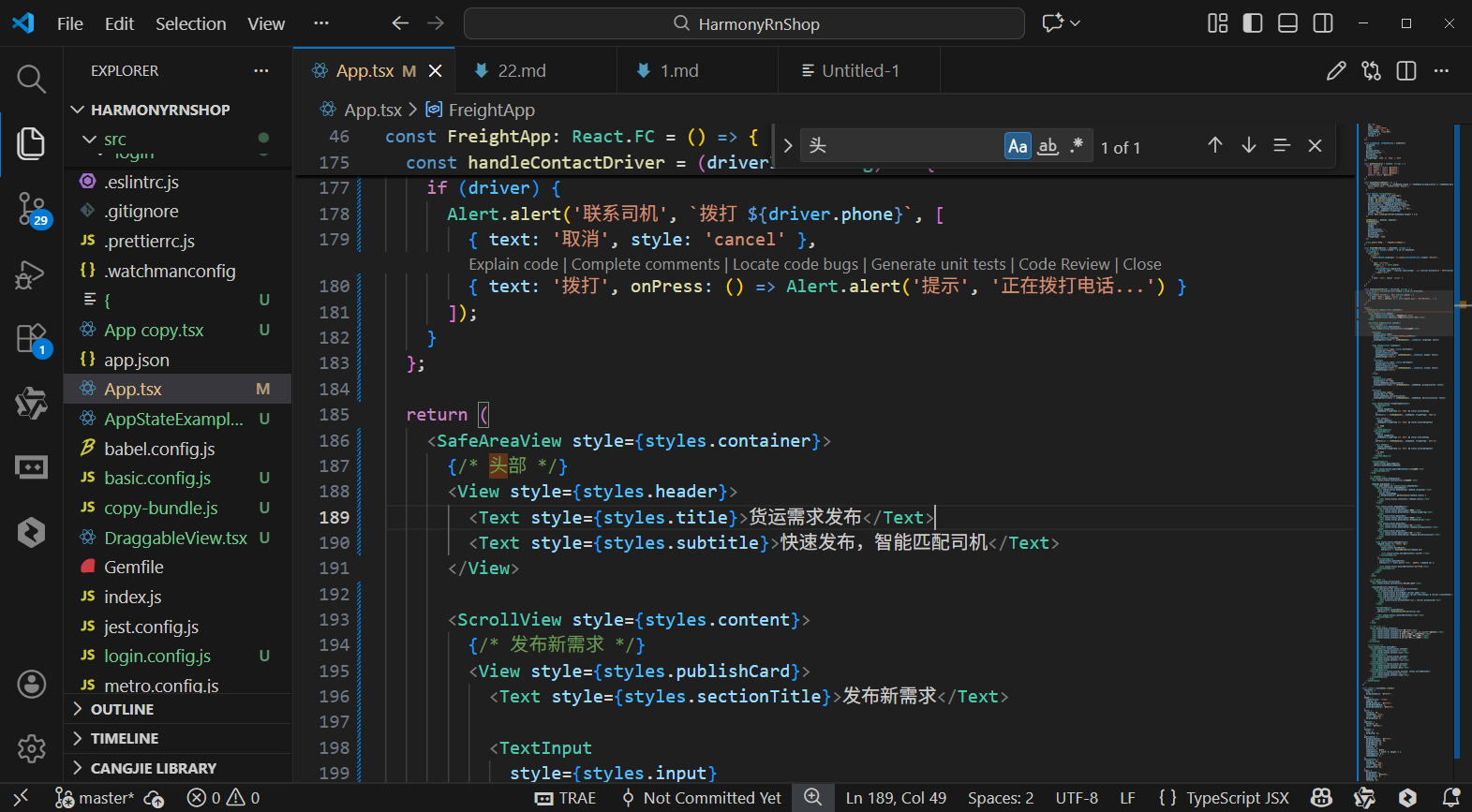
打包
接下来通过打包命令npn run harmony将reactNative的代码打包成为bundle,这样可以进行在开源鸿蒙OpenHarmony中进行使用。
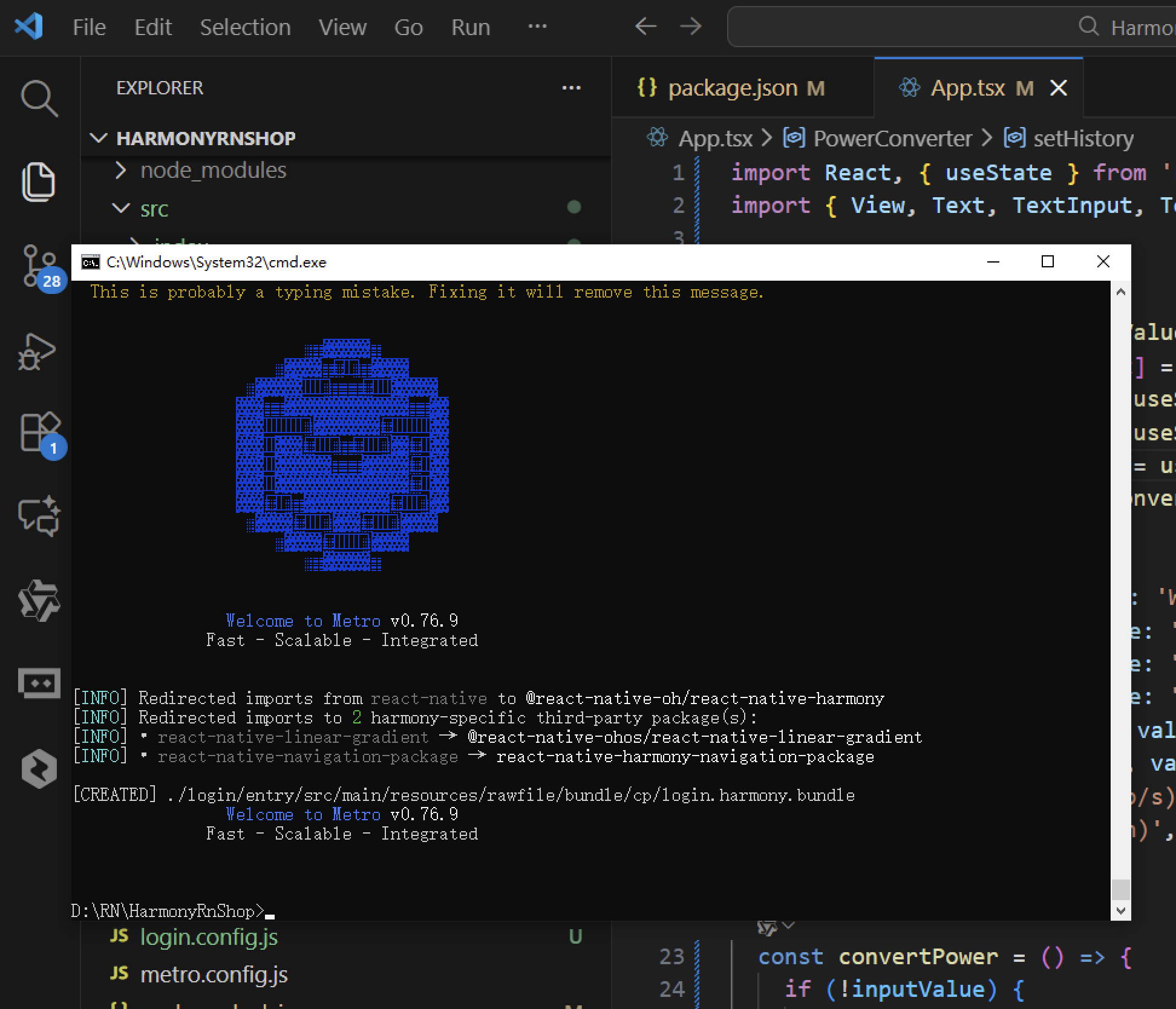
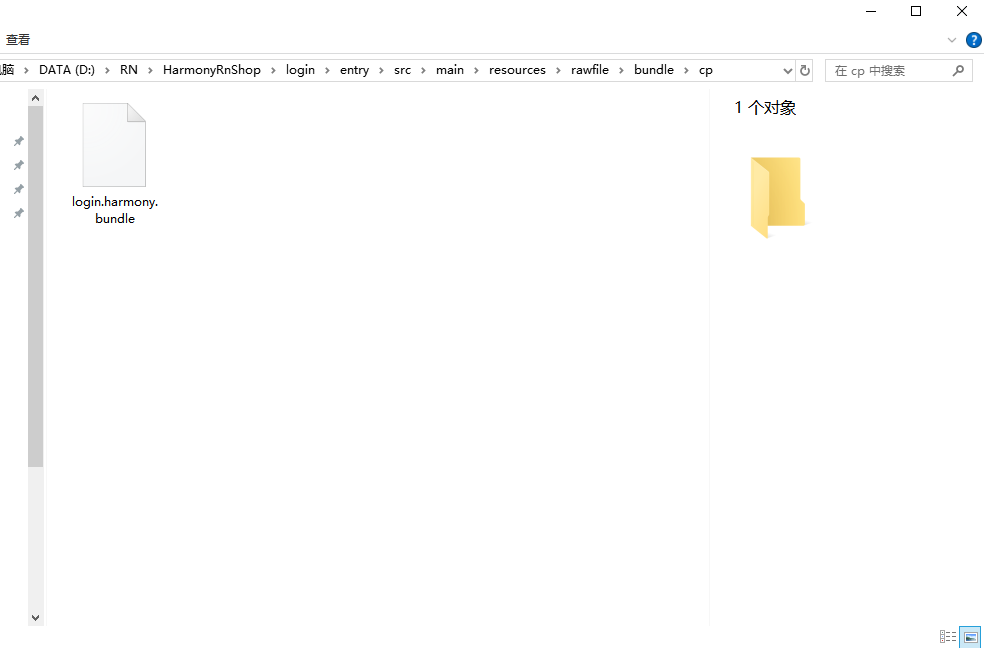
打包之后再将打包后的鸿蒙OpenHarmony文件拷贝到鸿蒙的DevEco-Studio工程目录去:
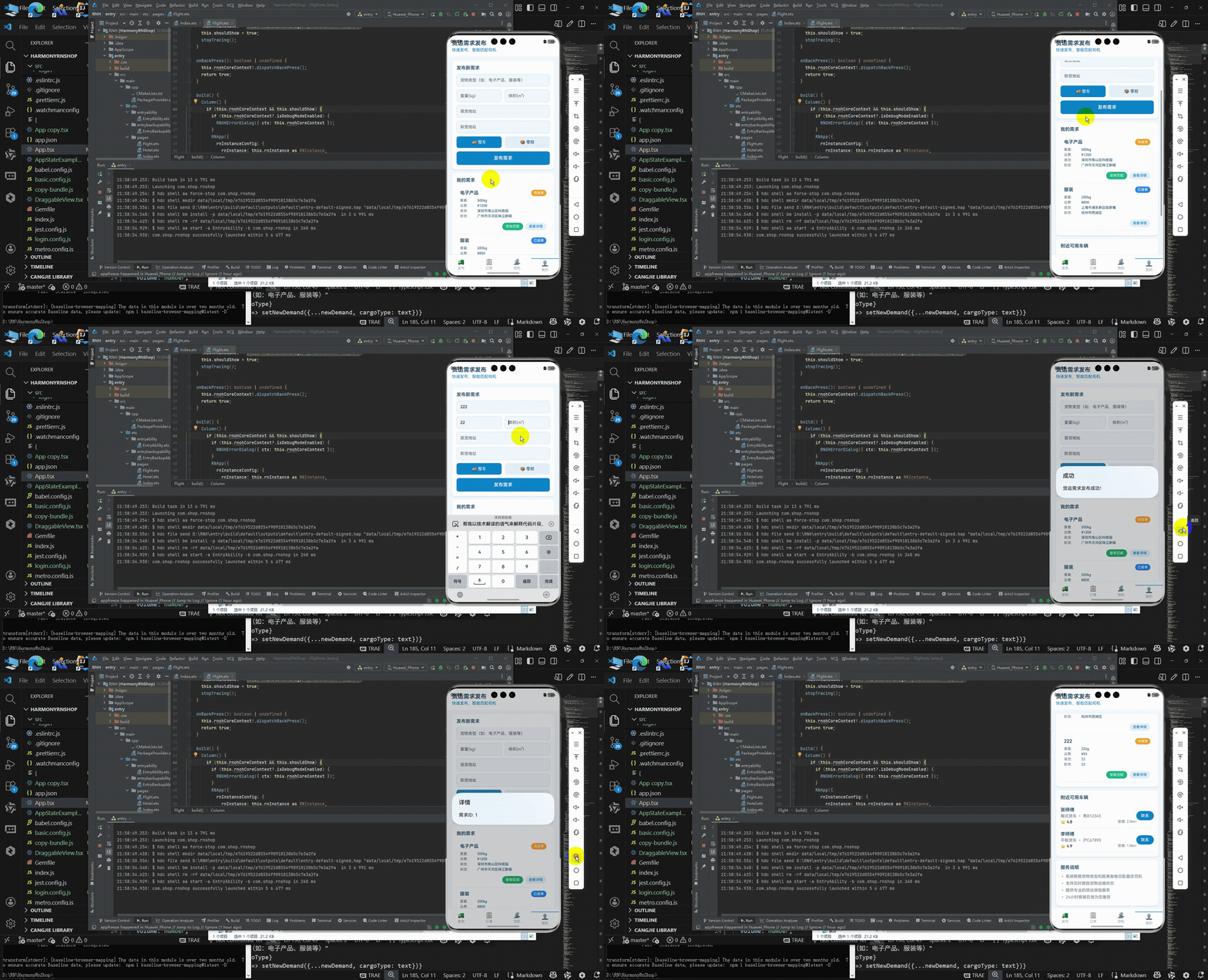
最后运行效果图如下显示:
本文介绍了货运物流行业数字化转型的关键环节——货运需求管理系统的开发实践。系统基于React Native构建,实现了货运需求发布、智能匹配和运输管控的全流程线上化。文章重点分析了货运场景的标准化建模、状态管理架构和智能匹配算法,并提供了完整的鸿蒙ArkTS适配方案。该系统采用专业化的物流业务模型设计,通过清晰的类型约束和状态流转机制,确保货运全生命周期的精准管控。同时,系统针对移动端特性进行了性能优化,提供流畅的用户体验。该方案为物流类应用的跨平台开发提供了可落地的技术参考。
欢迎大家加入开源鸿蒙跨平台开发者社区,一起共建开源鸿蒙跨平台生态。

开源鸿蒙跨平台开发社区汇聚开发者与厂商,共建“一次开发,多端部署”的开源生态,致力于降低跨端开发门槛,推动万物智联创新。
更多推荐
 20
20 0
0- 0


 已为社区贡献26条内容

所有评论(0)