开源鸿蒙跨平台社区开发篇:用 Flutter 为 OpenHarmony 构建 AtomGit 口袋工具
一、介绍开发者社区 CSDN 正式推出全新升级的开源平台 GitCode。面向国际化市场,具备使用GitLab 最新高可靠部署方案、独立第三方平台等特点,拥有海量用户基础和品牌加持。GitCode地址:https://gitcode.net/:让用户能随时随地、便捷地访问和管理 GitCode(或 Git 仓库)二、构建GitCode第一步:搭建项目(在cmd中执行命令)验证项目可以看到 Flut
欢迎加入开源鸿蒙跨平台社区:https://openharmonycrossplatform.csdn.net
一、介绍
开发者社区 CSDN 正式推出全新升级的开源平台 AtomGit。面向国际化市场,具备使用GitLab 最新高可靠部署方案、独立第三方平台等特点,拥有海量用户基础和品牌加持。
AtomGit地址:https://gitcode.net/
目标:让用户能随时随地、便捷地访问和管理 AtomGit(或 Git 仓库)
二、构建AtomGit(在cmd中执行命令)
flutter create gitcode_pocket
cd gitcode_pocket_tool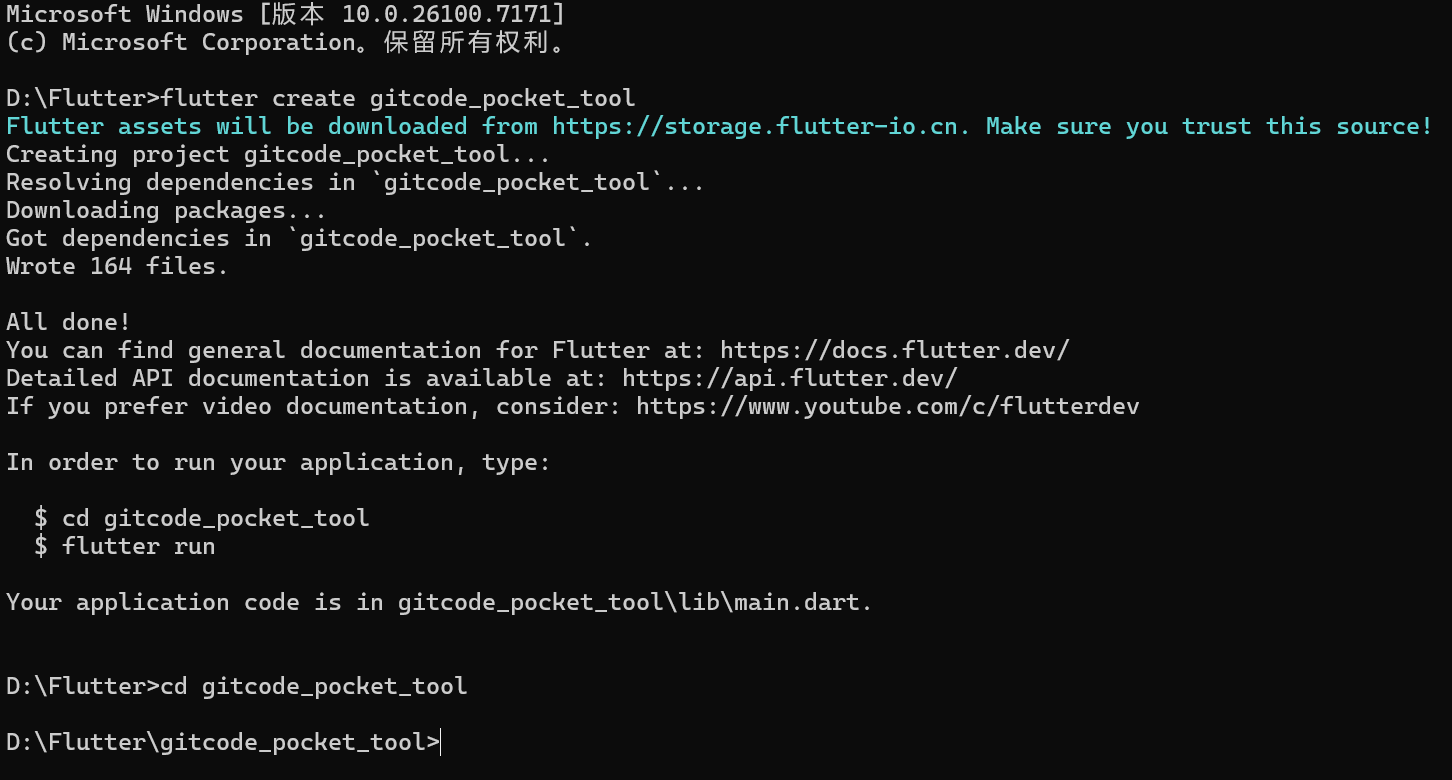
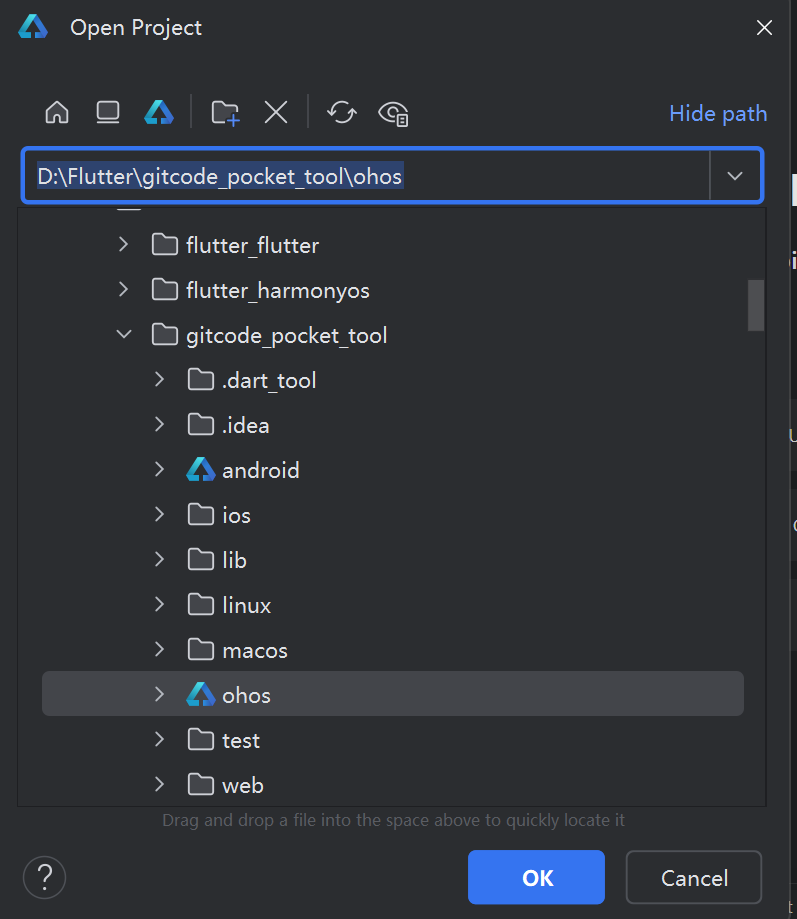
在 DevEco Studio 中打开
验证项目
flutter doctor
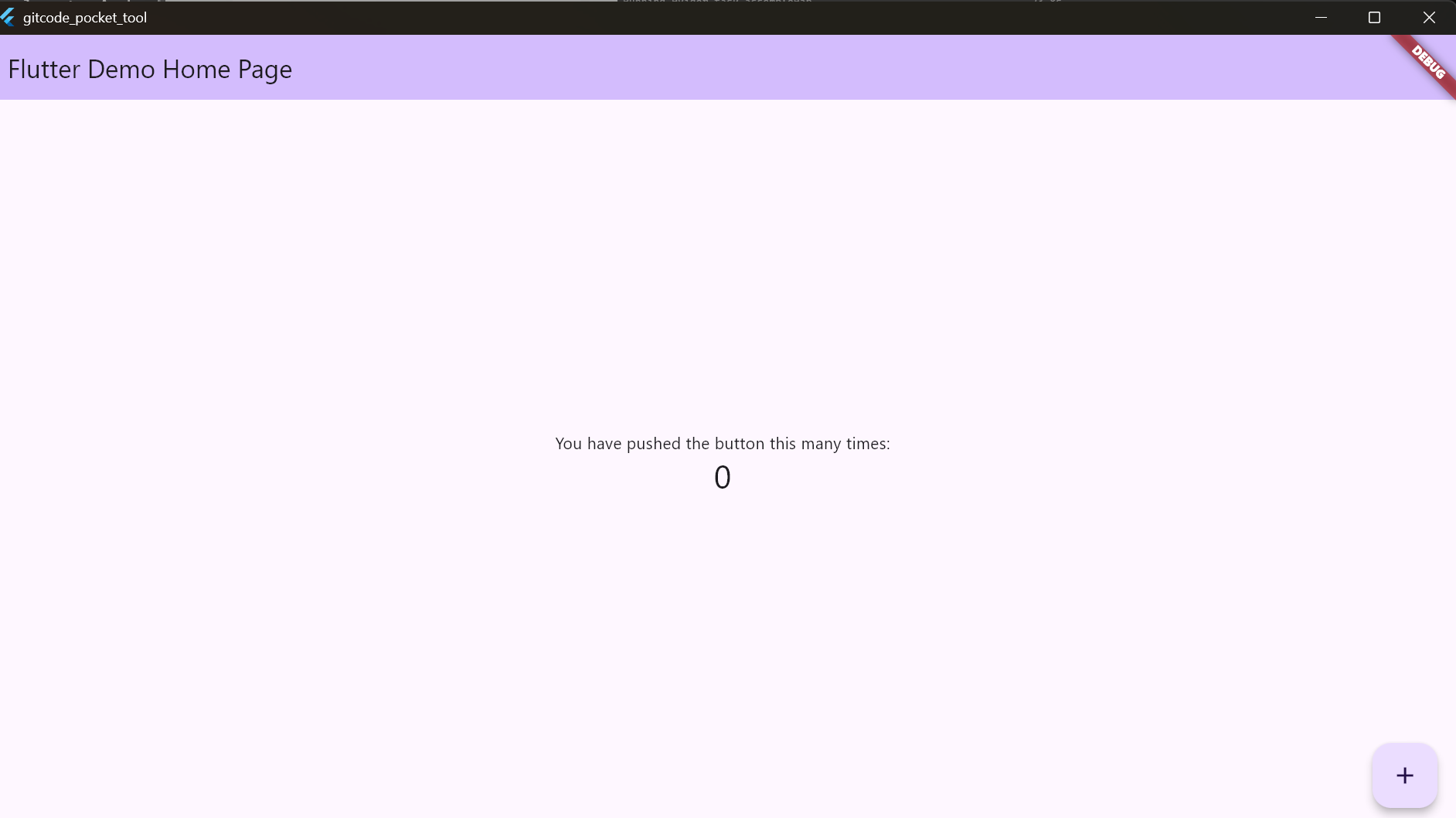
flutter run
可以看到 Flutter 默认的计数器应用。
第二步:配置项目依赖
打开 pubspec.yaml 文件

删除原来内容,修改为以下内容
name: gitcode_pocket_tool
description: "GitCode 口袋工具 - 一个轻量级的 GitCode 客户端"
publish_to: 'none'

version: 1.0.0+1

environment:
  sdk: '>=3.6.2 <4.0.0'

dependencies:
  flutter:
    sdk: flutter

  # 网络请求
  dio: ^5.7.0

  # 下拉刷新 & 上拉加载
  pull_to_refresh: ^2.0.0

  # URL 启动器
  url_launcher: ^6.3.1

  # 路由管理
  go_router: ^14.6.2

  # 图标
  cupertino_icons: ^1.0.8

dev_dependencies:
  flutter_test:
    sdk: flutter
  flutter_lints: ^5.0.0

flutter:
  uses-material-design: true

  # 添加资源文件(我们后续会用到)
  assets:
    - assets/images/
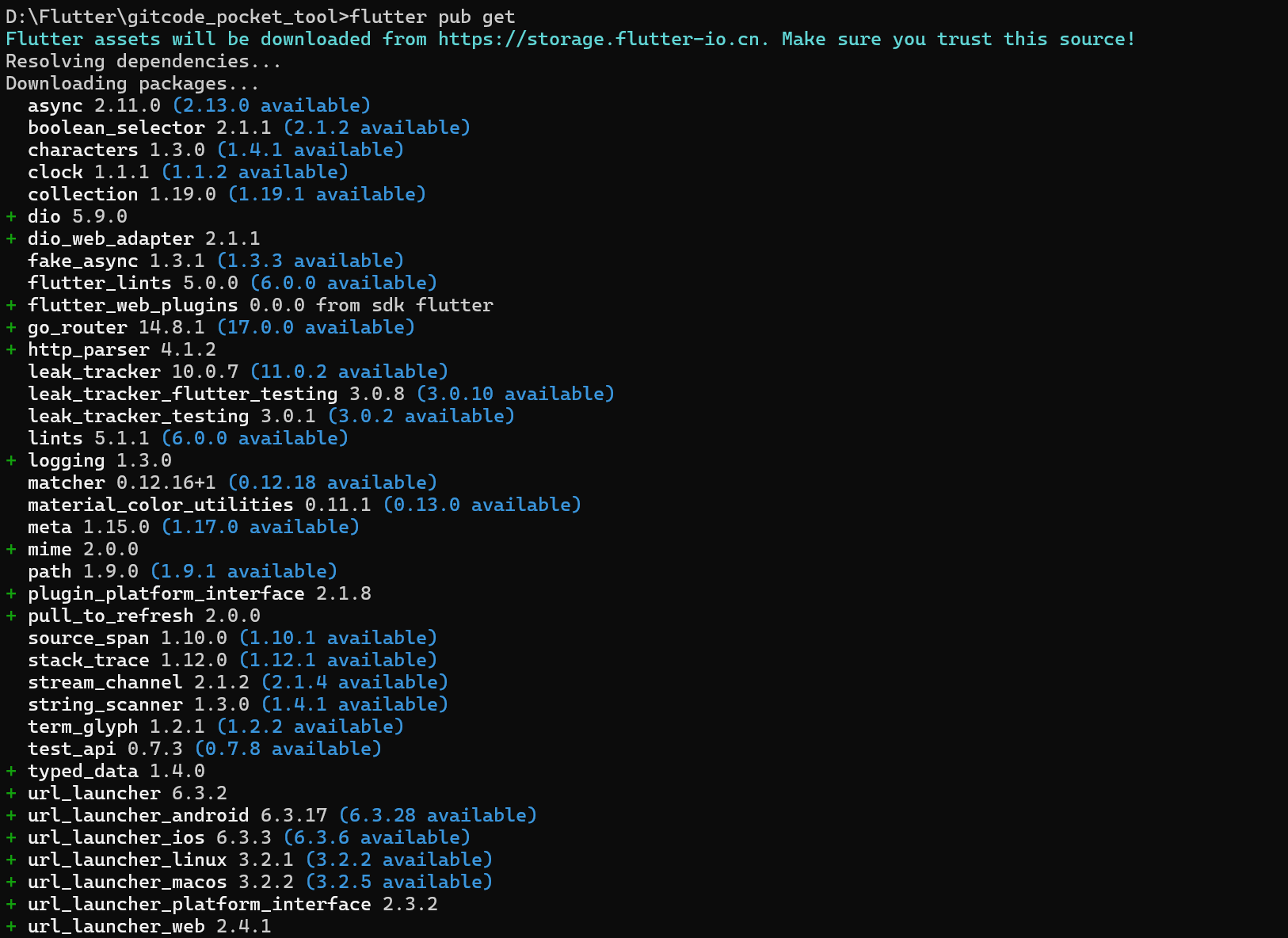
安装依赖
打开终端输入:
flutter pub get
第三步:创建项目目录结构
1.在lib文件夹内创建以下文件夹
lib/
├── core/ # 核心功能(API、配置)
├── pages/ # 页面
│ └── main_navigation/ # 主导航页面
└── widgets/ # 可复用组件
2.创建 lib/core/app_config.dart:
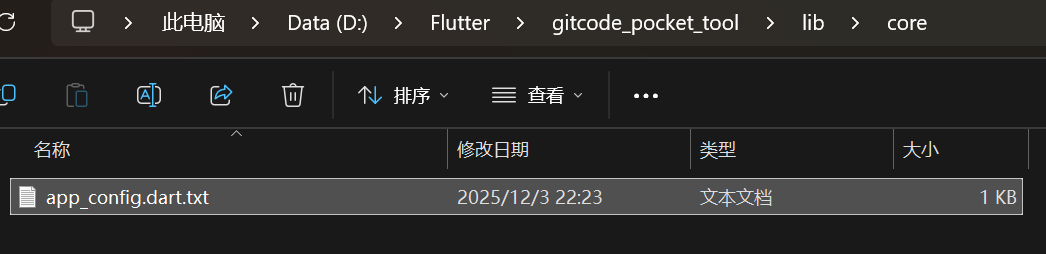 文件内容
文件内容
/// 应用配置
class AppConfig {
  /// 默认的演示 Token(用户可以在"我的"页面修改)
  static const String demoToken = '';

  /// GitCode API 基础地址
  static const String apiBaseUrl = 'https://api.gitcode.com/api/v5';
}
注:
demoToken:默认为空,用户需要自己输入
apiBaseUrl:GitCode API v5 的基础地址
第四步:搭建主应用框架
1.修改 main.dart
打开 lib/main.dart
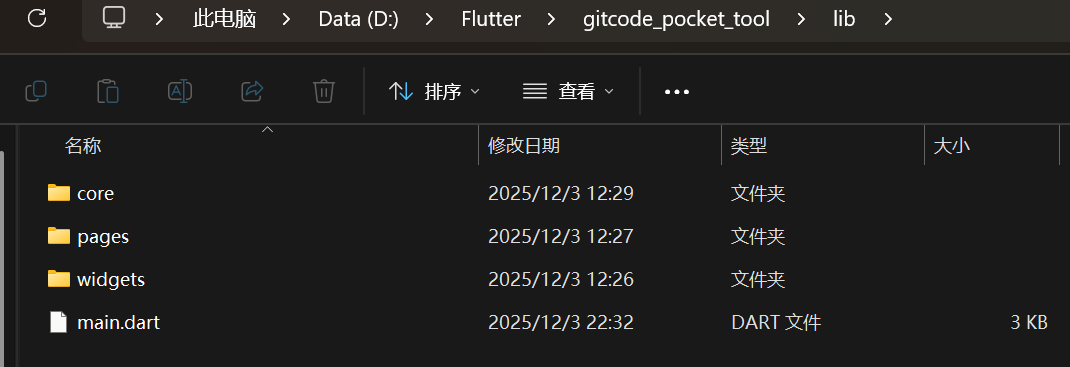 完全替换为以下内容
import 'package:flutter/material.dart';

void main() {
  runApp(const MyApp());
}

class MyApp extends StatelessWidget {
  const MyApp({super.key});

  @override
  Widget build(BuildContext context) {
    return MaterialApp(
      title: 'GitCode 口袋工具',
      debugShowCheckedModeBanner: false,

      // Material Design 3 主题
      theme: ThemeData(
        colorSchemeSeed: Colors.indigo,  // 使用靛蓝色作为主色调
        useMaterial3: true,
        visualDensity: VisualDensity.standard,
      ),

      home: const MainNavigationPage(),
    );
  }
}

/// 主导航页面(底部导航栏)
class MainNavigationPage extends StatefulWidget {
  const MainNavigationPage({super.key});

  @override
  State<MainNavigationPage> createState() => _MainNavigationPageState();
}

class _MainNavigationPageState extends State<MainNavigationPage> {
  int _currentIndex = 0;

  // 三个主页面(稍后创建)
  final List<Widget> _pages = const [
    IntroPage(),      // 首页
    SearchPage(),     // 搜索页
    ProfilePage(),    // 我的页面
  ];

  @override
  Widget build(BuildContext context) {
    return Scaffold(
      // 使用 IndexedStack 保持页面状态
      body: IndexedStack(
        index: _currentIndex,
        children: _pages,
      ),

      // Material Design 3 底部导航栏
      bottomNavigationBar: NavigationBar(
        selectedIndex: _currentIndex,
        onDestinationSelected: (index) {
          setState(() {
            _currentIndex = index;
          });
        },
        destinations: const [
          NavigationDestination(
            icon: Icon(Icons.home_outlined),
            selectedIcon: Icon(Icons.home),
            label: '首页',
          ),
          NavigationDestination(
            icon: Icon(Icons.search_outlined),
            selectedIcon: Icon(Icons.search),
            label: '搜索',
          ),
          NavigationDestination(
            icon: Icon(Icons.person_outline),
            selectedIcon: Icon(Icons.person),
            label: '我的',
          ),
        ],
      ),
    );
  }
}

// 临时占位页面(稍后会替换)
class IntroPage extends StatelessWidget {
  const IntroPage({super.key});

  @override
  Widget build(BuildContext context) {
    return const Scaffold(
      body: Center(
        child: Text('首页 - 即将完成'),
      ),
    );
  }
}

class SearchPage extends StatelessWidget {
  const SearchPage({super.key});

  @override
  Widget build(BuildContext context) {
    return const Scaffold(
      body: Center(
        child: Text('搜索页 - 即将完成'),
      ),
    );
  }
}

class ProfilePage extends StatelessWidget {
  const ProfilePage({super.key});

  @override
  Widget build(BuildContext context) {
    return const Scaffold(
      body: Center(
        child: Text('我的页面 - 即将完成'),
      ),
    );
  }
}
2 运行查看效果
flutter run第五步:完善首页
1.创建 lib/pages/main_navigation/intro_page.dart:

import 'package:flutter/material.dart';

class IntroPage extends StatelessWidget {
  const IntroPage({super.key});

  @override
  Widget build(BuildContext context) {
    final theme = Theme.of(context);

    return Scaffold(
      appBar: AppBar(
        title: const Text('GitCode 口袋工具'),
        centerTitle: true,
      ),
      body: SingleChildScrollView(
        padding: const EdgeInsets.all(16),
        child: Column(
          crossAxisAlignment: CrossAxisAlignment.stretch,
          children: [
            const SizedBox(height: 20),

            // 欢迎区域
            _buildWelcomeSection(theme),

            const SizedBox(height: 32),

            // 功能介绍
            _buildFeaturesSection(theme),

            const SizedBox(height: 32),

            // 技术栈
            _buildTechStackSection(theme),
          ],
        ),
      ),
    );
  }

  /// 欢迎区域
  Widget _buildWelcomeSection(ThemeData theme) {
    return Card(
      child: Padding(
        padding: const EdgeInsets.all(24),
        child: Column(
          children: [
            Icon(
              Icons.code,
              size: 80,
              color: theme.colorScheme.primary,
            ),
            const SizedBox(height: 16),
            Text(
              '欢迎使用 GitCode 口袋工具',
              style: theme.textTheme.headlineSmall,
              textAlign: TextAlign.center,
            ),
            const SizedBox(height: 8),
            Text(
              '轻量级的 GitCode 客户端',
              style: theme.textTheme.bodyMedium?.copyWith(
                color: Colors.grey[600],
              ),
              textAlign: TextAlign.center,
            ),
          ],
        ),
      ),
    );
  }

  /// 功能介绍
  Widget _buildFeaturesSection(ThemeData theme) {
    return Column(
      crossAxisAlignment: CrossAxisAlignment.start,
      children: [
        Text(
          '核心功能',
          style: theme.textTheme.titleLarge,
        ),
        const SizedBox(height: 16),
        _buildFeatureCard(
          icon: Icons.search,
          title: '搜索用户和仓库',
          description: '快速搜索 GitCode 上的用户和代码仓库',
          color: Colors.blue,
        ),
        const SizedBox(height: 12),
        _buildFeatureCard(
          icon: Icons.folder_open,
          title: '浏览仓库文件',
          description: '查看仓库的文件和目录结构',
          color: Colors.orange,
        ),
        const SizedBox(height: 12),
        _buildFeatureCard(
          icon: Icons.event,
          title: '追踪仓库动态',
          description: '实时查看仓库的最新动态和事件',
          color: Colors.green,
        ),
        const SizedBox(height: 12),
        _buildFeatureCard(
          icon: Icons.people,
          title: '贡献者统计',
          description: '分析仓库贡献者及其统计数据',
          color: Colors.purple,
        ),
      ],
    );
  }

  /// 单个功能卡片
  Widget _buildFeatureCard({
    required IconData icon,
    required String title,
    required String description,
    required Color color,
  }) {
    return Card(
      child: ListTile(
        leading: Container(
          padding: const EdgeInsets.all(8),
          decoration: BoxDecoration(
            color: color.withOpacity(0.1),
            borderRadius: BorderRadius.circular(8),
          ),
          child: Icon(icon, color: color),
        ),
        title: Text(title),
        subtitle: Text(description),
      ),
    );
  }

  /// 技术栈
  Widget _buildTechStackSection(ThemeData theme) {
    return Column(
      crossAxisAlignment: CrossAxisAlignment.start,
      children: [
        Text(
          '技术栈',
          style: theme.textTheme.titleLarge,
        ),
        const SizedBox(height: 16),
        Card(
          child: Padding(
            padding: const EdgeInsets.all(16),
            child: Wrap(
              spacing: 8,
              runSpacing: 8,
              children: [
                _buildTechChip('Flutter 3.6.2+', Colors.blue),
                _buildTechChip('Dart 3.6.2+', Colors.blue[700]!),
                _buildTechChip('Material Design 3', Colors.indigo),
                _buildTechChip('Dio 5.7.0', Colors.green),
                _buildTechChip('GitCode API v5', Colors.orange),
              ],
            ),
          ),
        ),
      ],
    );
  }

  /// 技术标签
  Widget _buildTechChip(String label, Color color) {
    return Chip(
      label: Text(label),
      backgroundColor: color.withOpacity(0.1),
      labelStyle: TextStyle(color: color),
      side: BorderSide(color: color.withOpacity(0.3)),
    );
  }
}
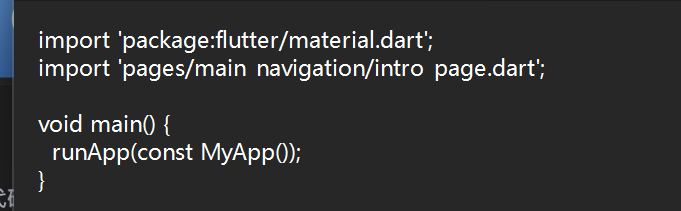
2.更新 main.dart
修改 lib/main.dart,在文件顶部添加导入
import 'pages/main_navigation/intro_page.dart'; //添加到第二行
第六步:完善我的页面
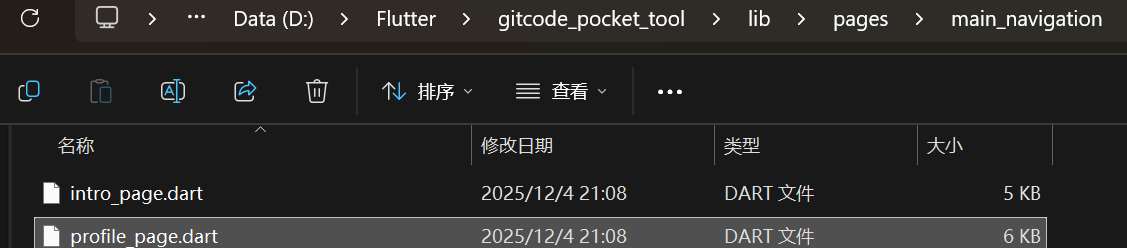
创建 lib/pages/main_navigation/profile_page.dart
import 'package:flutter/material.dart';

class ProfilePage extends StatefulWidget {
  const ProfilePage({super.key});

  @override
  State<ProfilePage> createState() => _ProfilePageState();
}

class _ProfilePageState extends State<ProfilePage> {
  @override
  Widget build(BuildContext context) {
    final theme = Theme.of(context);

    return Scaffold(
      appBar: AppBar(
        title: const Text('我的'),
        centerTitle: true,
      ),
      body: SingleChildScrollView(
        padding: const EdgeInsets.all(16),
        child: Column(
          children: [
            const SizedBox(height: 20),

            // 头像和昵称
            _buildAvatarSection(theme),

            const SizedBox(height: 32),

            // 个人信息卡片
            _buildInfoSection(theme),

            const SizedBox(height: 16),

            // Token 配置卡片
            _buildTokenSection(theme),
          ],
        ),
      ),
    );
  }

  /// 头像区域
  Widget _buildAvatarSection(ThemeData theme) {
    return Column(
      children: [
        Container(
          width: 120,
          height: 120,
          decoration: BoxDecoration(
            shape: BoxShape.circle,
            border: Border.all(
              color: theme.colorScheme.primary.withOpacity(0.3),
              width: 3,
            ),
            boxShadow: [
              BoxShadow(
                color: theme.colorScheme.primary.withOpacity(0.2),
                blurRadius: 20,
                offset: const Offset(0, 10),
              ),
            ],
          ),
          child: ClipOval(
            child: Container(
              color: theme.colorScheme.primaryContainer,
              child: Icon(
                Icons.person,
                size: 60,
                color: theme.colorScheme.onPrimaryContainer,
              ),
            ),
          ),
        ),
        const SizedBox(height: 16),
        Text(
          'GitCode 用户',
          style: theme.textTheme.headlineSmall,
        ),
        const SizedBox(height: 4),
        Text(
          '请配置 Access Token 以使用完整功能',
          style: theme.textTheme.bodySmall?.copyWith(
            color: Colors.grey[600],
          ),
        ),
      ],
    );
  }

  /// 个人信息
  Widget _buildInfoSection(ThemeData theme) {
    return Card(
      child: Padding(
        padding: const EdgeInsets.all(16),
        child: Column(
          crossAxisAlignment: CrossAxisAlignment.start,
          children: [
            Row(
              children: [
                Icon(
                  Icons.info_outline,
                  color: theme.colorScheme.primary,
                ),
                const SizedBox(width: 8),
                Text(
                  '关于应用',
                  style: theme.textTheme.titleMedium,
                ),
              ],
            ),
            const SizedBox(height: 16),
            _buildInfoRow('应用名称', 'GitCode 口袋工具'),
            _buildInfoRow('版本号', '1.0.0'),
            _buildInfoRow('开发者', 'Flutter Developer'),
          ],
        ),
      ),
    );
  }

  Widget _buildInfoRow(String label, String value) {
    return Padding(
      padding: const EdgeInsets.symmetric(vertical: 8),
      child: Row(
        mainAxisAlignment: MainAxisAlignment.spaceBetween,
        children: [
          Text(label, style: const TextStyle(color: Colors.grey)),
          Text(value, style: const TextStyle(fontWeight: FontWeight.w500)),
        ],
      ),
    );
  }

  /// Token 配置
  Widget _buildTokenSection(ThemeData theme) {
    return Card(
      child: Padding(
        padding: const EdgeInsets.all(16),
        child: Column(
          crossAxisAlignment: CrossAxisAlignment.start,
          children: [
            Row(
              children: [
                Icon(
                  Icons.key,
                  color: theme.colorScheme.primary,
                ),
                const SizedBox(width: 8),
                Text(
                  'Access Token 配置',
                  style: theme.textTheme.titleMedium,
                ),
              ],
            ),
            const SizedBox(height: 16),
            Text(
              '要使用搜索功能,你需要在 GitCode 获取 Access Token:',
              style: theme.textTheme.bodySmall,
            ),
            const SizedBox(height: 8),
            Container(
              padding: const EdgeInsets.all(12),
              decoration: BoxDecoration(
                color: theme.colorScheme.surfaceVariant,
                borderRadius: BorderRadius.circular(8),
              ),
              child: Column(
                crossAxisAlignment: CrossAxisAlignment.start,
                children: [
                  _buildStep('1. 登录 https://gitcode.com'),
                  _buildStep('2. 进入设置 → 访问令牌'),
                  _buildStep('3. 创建新令牌并复制'),
                  _buildStep('4. 在搜索页面输入令牌'),
                ],
              ),
            ),
          ],
        ),
      ),
    );
  }

  Widget _buildStep(String text) {
    return Padding(
      padding: const EdgeInsets.symmetric(vertical: 4),
      child: Row(
        children: [
          const Icon(Icons.check_circle_outline, size: 16),
          const SizedBox(width: 8),
          Expanded(child: Text(text, style: const TextStyle(fontSize: 12))),
        ],
      ),
    );
  }
}
在 lib/main.dart 顶部添加导入
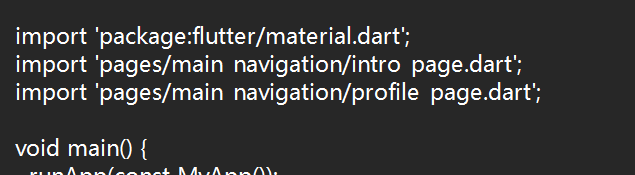
import 'pages/main_navigation/profile_page.dart';
删除临时的 ProfilePage 类定义
第七步:完善搜索页面
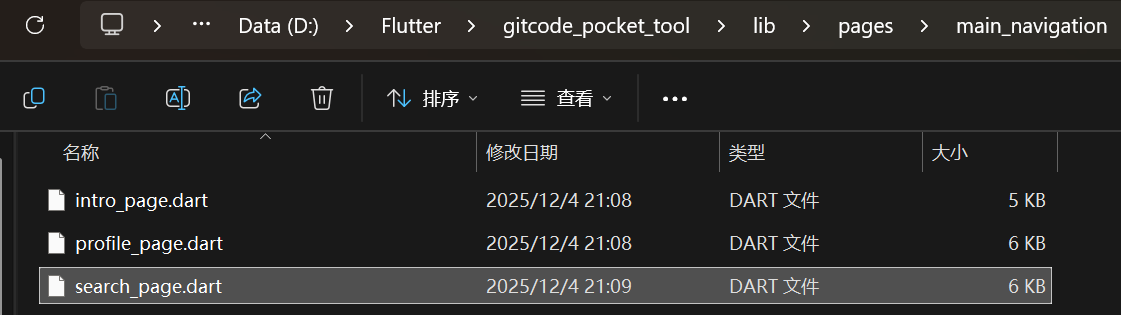
创建 lib/pages/main_navigation/search_page.dart
import 'package:flutter/material.dart';

/// 搜索模式枚举
enum SearchMode {
  user('用户'),
  repo('仓库');

  const SearchMode(this.label);
  final String label;
}

class SearchPage extends StatefulWidget {
  const SearchPage({super.key});

  @override
  State<SearchPage> createState() => _SearchPageState();
}

class _SearchPageState extends State<SearchPage> {
  final _keywordController = TextEditingController();
  final _tokenController = TextEditingController();

  SearchMode _searchMode = SearchMode.user;
  bool _tokenObscured = true;

  @override
  void dispose() {
    _keywordController.dispose();
    _tokenController.dispose();
    super.dispose();
  }

  @override
  Widget build(BuildContext context) {
    final theme = Theme.of(context);

    return Scaffold(
      appBar: AppBar(
        title: const Text('搜索'),
        centerTitle: true,
      ),
      body: SingleChildScrollView(
        padding: const EdgeInsets.all(16),
        child: Column(
          crossAxisAlignment: CrossAxisAlignment.stretch,
          children: [
            // 搜索类型切换
            _buildSearchModeSelector(theme),

            const SizedBox(height: 24),

            // 搜索输入框
            _buildSearchInput(theme),

            const SizedBox(height: 16),

            // Token 输入框
            _buildTokenInput(theme),

            const SizedBox(height: 24),

            // 搜索按钮
            _buildSearchButton(theme),

            const SizedBox(height: 32),

            // 使用提示
            _buildUsageTips(theme),
          ],
        ),
      ),
    );
  }

  /// 搜索模式选择器
  Widget _buildSearchModeSelector(ThemeData theme) {
    return SegmentedButton<SearchMode>(
      segments: const [
        ButtonSegment(
          value: SearchMode.user,
          label: Text('用户'),
          icon: Icon(Icons.person),
        ),
        ButtonSegment(
          value: SearchMode.repo,
          label: Text('仓库'),
          icon: Icon(Icons.folder),
        ),
      ],
      selected: {_searchMode},
      onSelectionChanged: (Set<SearchMode> newSelection) {
        setState(() {
          _searchMode = newSelection.first;
        });
      },
    );
  }

  /// 搜索输入框
  Widget _buildSearchInput(ThemeData theme) {
    return TextField(
      controller: _keywordController,
      decoration: InputDecoration(
        labelText: '搜索关键字',
        hintText: _searchMode == SearchMode.user
            ? '输入用户名或昵称'
            : '输入仓库名称',
        prefixIcon: const Icon(Icons.search),
        border: const OutlineInputBorder(),
      ),
      onSubmitted: (_) => _performSearch(),
    );
  }

  /// Token 输入框
  Widget _buildTokenInput(ThemeData theme) {
    return TextField(
      controller: _tokenController,
      obscureText: _tokenObscured,
      decoration: InputDecoration(
        labelText: 'Access Token',
        hintText: '输入你的 GitCode Access Token',
        prefixIcon: const Icon(Icons.key),
        border: const OutlineInputBorder(),
        suffixIcon: IconButton(
          icon: Icon(
            _tokenObscured
                ? Icons.visibility_outlined
                : Icons.visibility_off_outlined,
          ),
          onPressed: () {
            setState(() {
              _tokenObscured = !_tokenObscured;
            });
          },
        ),
      ),
    );
  }

  /// 搜索按钮
  Widget _buildSearchButton(ThemeData theme) {
    return FilledButton.icon(
      onPressed: _performSearch,
      icon: const Icon(Icons.search),
      label: const Text('开始搜索'),
      style: FilledButton.styleFrom(
        padding: const EdgeInsets.symmetric(vertical: 16),
      ),
    );
  }

  /// 使用提示
  Widget _buildUsageTips(ThemeData theme) {
    return Card(
      child: Padding(
        padding: const EdgeInsets.all(16),
        child: Column(
          crossAxisAlignment: CrossAxisAlignment.start,
          children: [
            Row(
              children: [
                Icon(
                  Icons.lightbulb_outline,
                  color: theme.colorScheme.primary,
                  size: 20,
                ),
                const SizedBox(width: 8),
                Text(
                  '使用提示',
                  style: theme.textTheme.titleMedium,
                ),
              ],
            ),
            const SizedBox(height: 12),
            _buildTipItem('💡 首次使用需要输入 Access Token'),
            _buildTipItem('💡 Token 会临时保存,无需重复输入'),
            _buildTipItem('💡 搜索用户可以使用昵称或登录名'),
            _buildTipItem('💡 点击搜索结果可查看详细信息'),
          ],
        ),
      ),
    );
  }

  Widget _buildTipItem(String text) {
    return Padding(
      padding: const EdgeInsets.symmetric(vertical: 4),
      child: Text(
        text,
        style: const TextStyle(fontSize: 14, height: 1.5),
      ),
    );
  }

  /// 执行搜索
  void _performSearch() {
    final keyword = _keywordController.text.trim();
    final token = _tokenController.text.trim();

    // 输入验证
    if (keyword.isEmpty) {
      ScaffoldMessenger.of(context).showSnackBar(
        const SnackBar(content: Text('请输入搜索关键字')),
      );
      return;
    }

    if (token.isEmpty) {
      ScaffoldMessenger.of(context).showSnackBar(
        const SnackBar(content: Text('请输入 Access Token')),
      );
      return;
    }

    // TODO: 下一章会实现实际的搜索功能
    ScaffoldMessenger.of(context).showSnackBar(
      SnackBar(
        content: Text('准备搜索${_searchMode.label}: $keyword'),
      ),
    );
  }
}
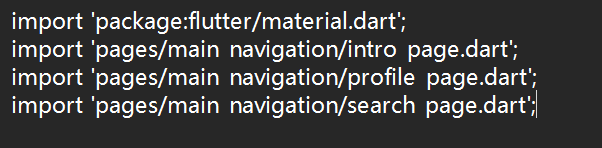
在 lib/main.dart 顶部添加导入
删除临时的 SearchPage 类定义
第八步:测试基础框架
你的lib/main.dart现在应该是这样的
import 'package:flutter/material.dart';
import 'pages/main_navigation/intro_page.dart';
import 'pages/main_navigation/search_page.dart';
import 'pages/main_navigation/profile_page.dart';

void main() {
  runApp(const MyApp());
}

class MyApp extends StatelessWidget {
  const MyApp({super.key});

  @override
  Widget build(BuildContext context) {
    return MaterialApp(
      title: 'GitCode 口袋工具',
      debugShowCheckedModeBanner: false,
      theme: ThemeData(
        colorSchemeSeed: Colors.indigo,
        useMaterial3: true,
        visualDensity: VisualDensity.standard,
      ),
      home: const MainNavigationPage(),
    );
  }
}

class MainNavigationPage extends StatefulWidget {
  const MainNavigationPage({super.key});

  @override
  State<MainNavigationPage> createState() => _MainNavigationPageState();
}

class _MainNavigationPageState extends State<MainNavigationPage> {
  int _currentIndex = 0;

  final List<Widget> _pages = const [
    IntroPage(),
    SearchPage(),
    ProfilePage(),
  ];

  @override
  Widget build(BuildContext context) {
    return Scaffold(
      body: IndexedStack(
        index: _currentIndex,
        children: _pages,
      ),
      bottomNavigationBar: NavigationBar(
        selectedIndex: _currentIndex,
        onDestinationSelected: (index) {
          setState(() {
            _currentIndex = index;
          });
        },
        destinations: const [
          NavigationDestination(
            icon: Icon(Icons.home_outlined),
            selectedIcon: Icon(Icons.home),
            label: '首页',
          ),
          NavigationDestination(
            icon: Icon(Icons.search_outlined),
            selectedIcon: Icon(Icons.search),
            label: '搜索',
          ),
          NavigationDestination(
            icon: Icon(Icons.person_outline),
            selectedIcon: Icon(Icons.person),
            label: '我的',
          ),
        ],
      ),
    );
  }
}
尝试运行
flutter run

开源鸿蒙跨平台开发社区汇聚开发者与厂商,共建“一次开发,多端部署”的开源生态,致力于降低跨端开发门槛,推动万物智联创新。
更多推荐
 8
8 0
0- 0


 已为社区贡献1条内容

所有评论(0)