网络正常,但是OneForAll报错“Unable to access Internet,retrying...Please check your network environment”解决办法参考
前 言
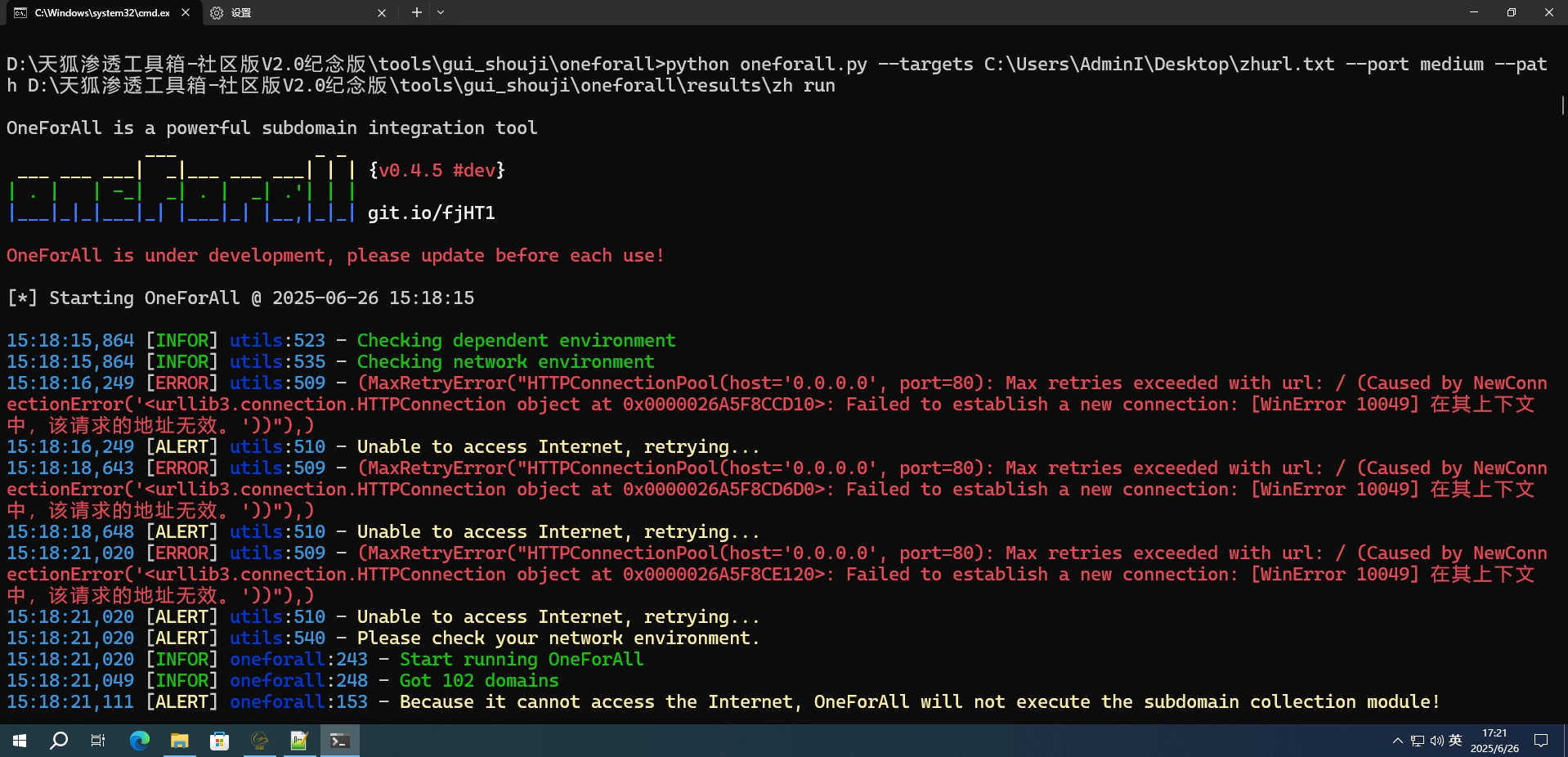
OneForAll 0.4.5版本执行扫描命令时提示
15:18:21,020 [ALERT] utils:510 - Unable to access Internet, retrying..
15:18:21,020 [ALERT] utils:540 - Please check your networkenvironment.
即“无法连接到网络,请检查你的网络环境”,本次通过修改url的方法解决该问题。
一、出现的问题
在使用OneForAll进行子域名收集时,每次扫描前进行检查网络环境这一步时,都会出现以下报错(大致意思为:无法连接到网络,请检查你的网络环境),但是自己的网络是没问题的。
虽然这一部分在自己网络没问题的情况下,对后续的子域名收集工作没有影响,但是每次使用的时候都会弹出报错,并且会多次尝试,比较费时间,所以想解决一下。
二、解决方法
所有涉及到代码修改的操作,建议都给自己的原文件做好备份
做好备份!!!
做好备份!!!
做好备份!!!
找到自己OneForAll安装位置,在D:\天狐渗透工具箱-社区版V2.0纪念版\tools\gui_shouji\oneforall\common目录下(根据自己实际安装目录),存在utils.py文件,打开文件(可以使用记事本打开,此处使用notepad++)后,在文件中查找check_net函数,找到包含以下内容的位置
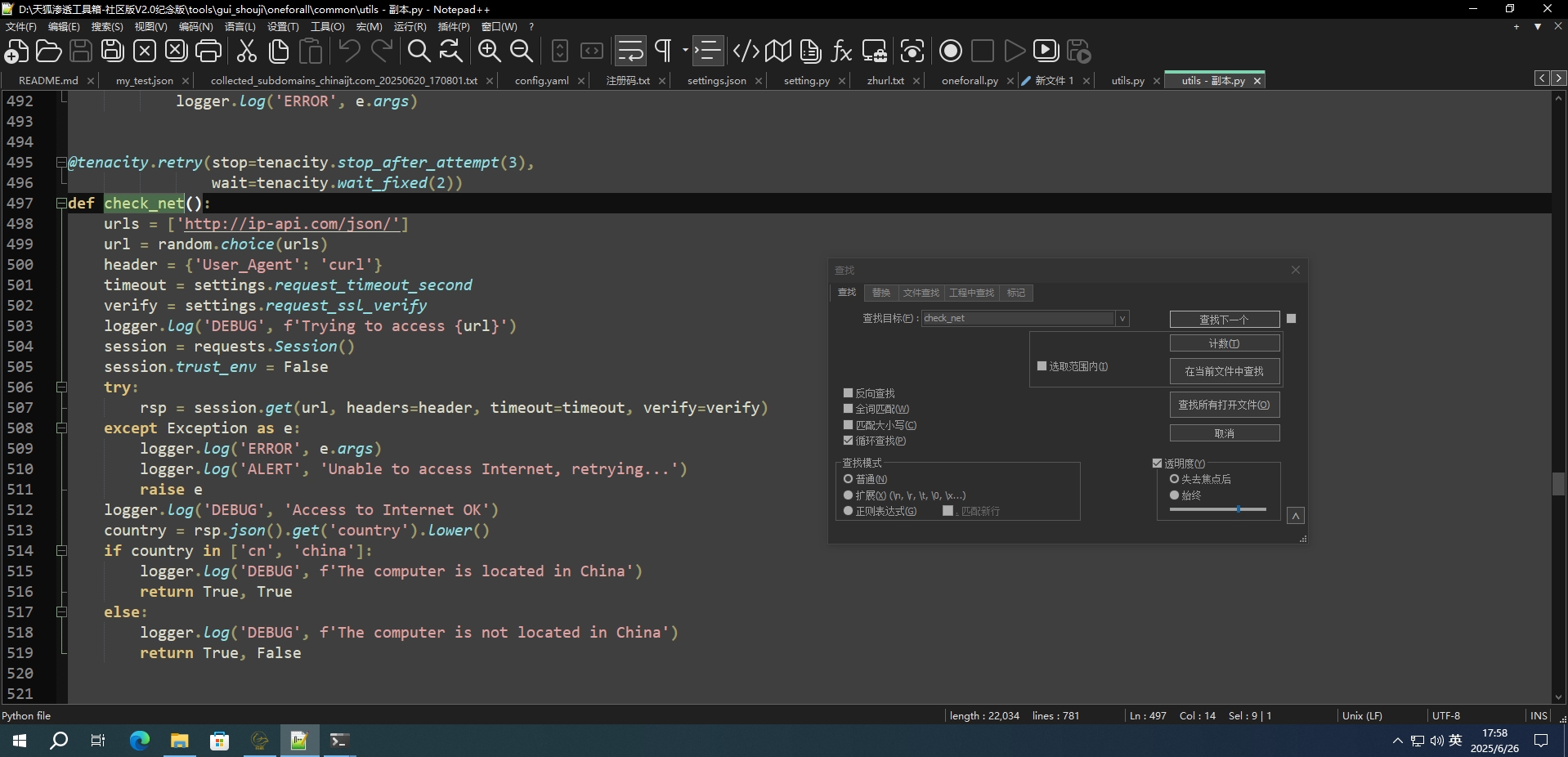
其中check_net函数如下:(建议看一下和自己的是否一样,代码不一样的修改后可能会报其他错误,可以先改一下,不行再恢复文件备份)
def check_net():
    urls = ['http://ip-api.com/json/']
    url = random.choice(urls)
    header = {'User_Agent': 'curl'}
    timeout = settings.request_timeout_second
    verify = settings.request_ssl_verify
    logger.log('DEBUG', f'Trying to access {url}')
    session = requests.Session()
    session.trust_env = False
    try:
        rsp = session.get(url, headers=header, timeout=timeout, verify=verify)
    except Exception as e:
        logger.log('ERROR', e.args)
        logger.log('ALERT', 'Unable to access Internet, retrying...')
        raise e
    logger.log('DEBUG', 'Access to Internet OK')
    country = rsp.json().get('country').lower()
    if country in ['cn', 'china']:
        logger.log('DEBUG', f'The computer is located in China')
        return True, True
    else:
        logger.log('DEBUG', f'The computer is not located in China')
        return True, False
经验证原来检验网络环境使用的url已无法访问,所以在验证时会报错。之后找了国内可用的网络测试 API,将原文中的urls部分进行了修改,同时修改函数中提取位置信息部分的语句。
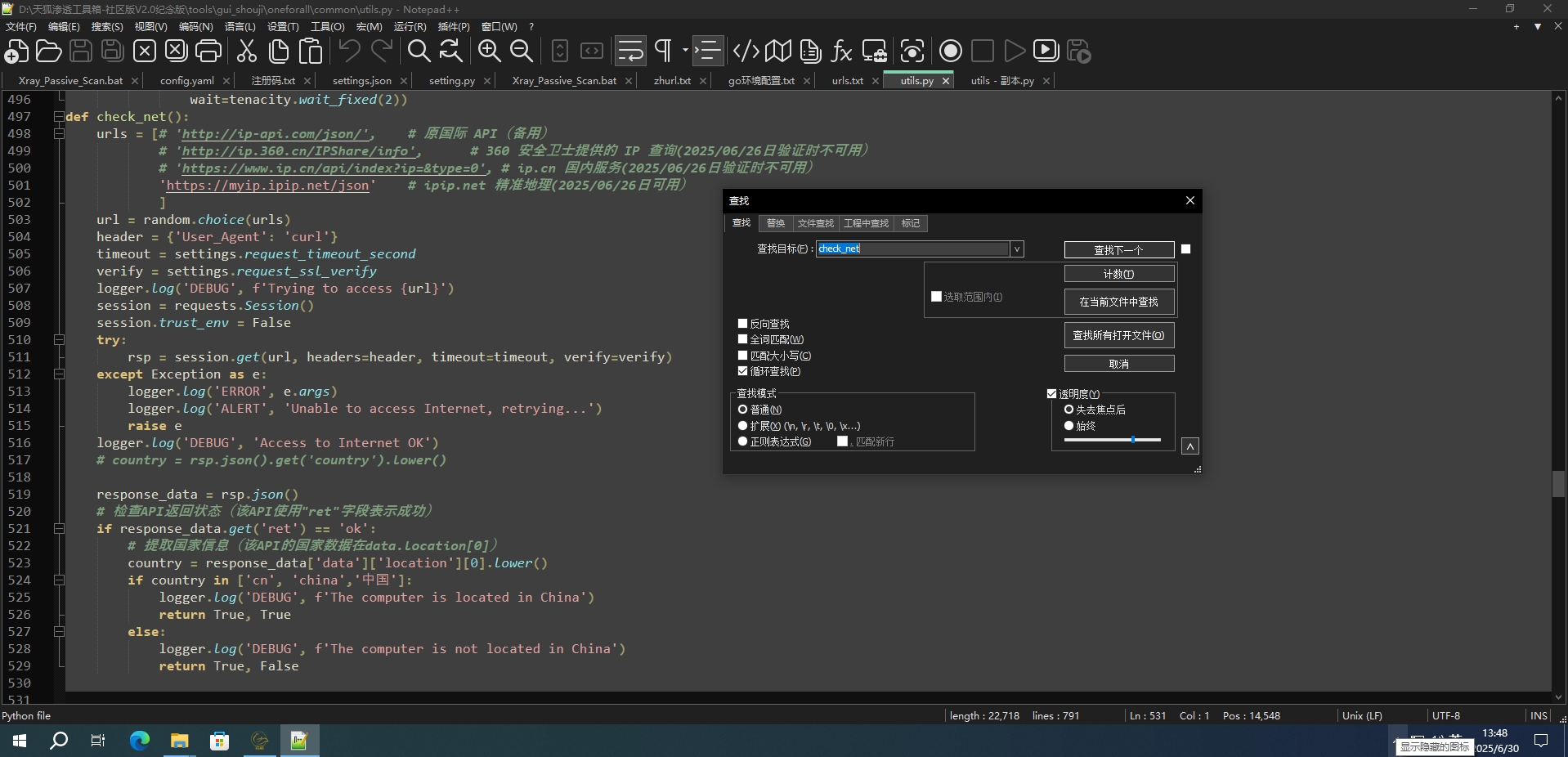
修改后的 check_net函数如下
def check_net():
    urls = [# 'http://ip-api.com/json/',	# 原国际 API(备用)
            # 'http://ip.360.cn/IPShare/info',		# 360 安全卫士提供的 IP 查询(2025/06/26日验证时不可用)
            # 'https://www.ip.cn/api/index?ip=&type=0',	# ip.cn 国内服务(2025/06/26日验证时不可用)
            'https://myip.ipip.net/json'	# ipip.net 精准地理(2025/06/26日可用)
            ]
    url = random.choice(urls)
    header = {'User_Agent': 'curl'}
    timeout = settings.request_timeout_second
    verify = settings.request_ssl_verify
    logger.log('DEBUG', f'Trying to access {url}')
    session = requests.Session()
    session.trust_env = False
    try:
        rsp = session.get(url, headers=header, timeout=timeout, verify=verify)
    except Exception as e:
        logger.log('ERROR', e.args)
        logger.log('ALERT', 'Unable to access Internet, retrying...')
        raise e
    logger.log('DEBUG', 'Access to Internet OK')
    # country = rsp.json().get('country').lower()

    response_data = rsp.json()
    # 检查API返回状态(该API使用"ret"字段表示成功)
    if response_data.get('ret') == 'ok':
        # 提取国家信息(该API的国家数据在data.location[0])
        country = response_data['data']['location'][0].lower()
        if country in ['cn', 'china','中国']:
            logger.log('DEBUG', f'The computer is located in China')
            return True, True
        else:
            logger.log('DEBUG', f'The computer is not located in China')
            return True, False
保存后重新打开OneForall,再次执行扫描,检查网络环境时不再报错。
总结
以上就是OneForAll 0.4.5版本执行扫描命令时报错“Unable to access Internet,retrying… Please check your network environment”的解决办法。

开源鸿蒙跨平台开发社区汇聚开发者与厂商,共建“一次开发,多端部署”的开源生态,致力于降低跨端开发门槛,推动万物智联创新。
更多推荐



 6
6 0
0- 0


 已为社区贡献1条内容

所有评论(0)