已加载插件:fastestmirror Loading mirror speeds from cached hostfilehttp://vault.centos.org/7.9.2009/os/……
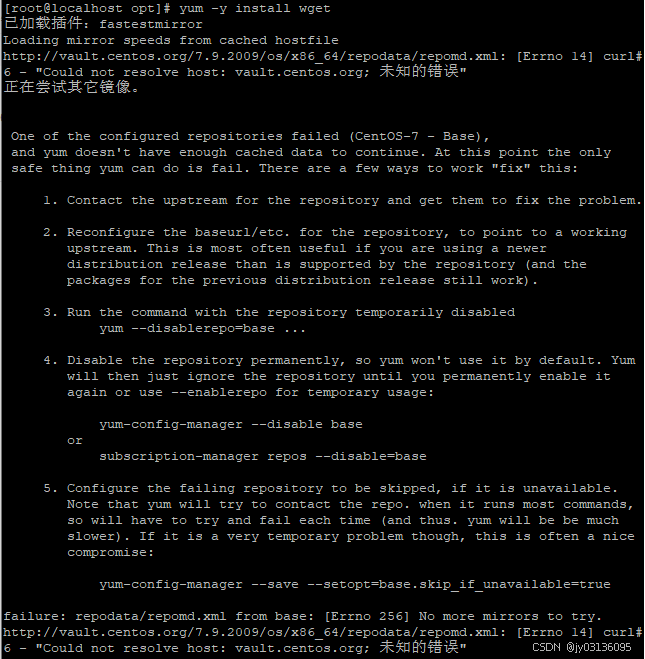
已加载插件:fastestmirror
Loading mirror speeds from cached hostfile
http://vault.centos.org/7.9.2009/os/x86_64/repodata/repomd.xml: [Errno 14] curl#6 - "Could not resolve host: vault.centos.org; 未知的错误"
正在尝试其它镜像。
One of the configured repositories failed (CentOS-7 - Base),
and yum doesn't have enough cached data to continue. At this point the only
safe thing yum can do is fail. There are a few ways to work "fix" this:
1. Contact the upstream for the repository and get them to fix the problem.
2. Reconfigure the baseurl/etc. for the repository, to point to a working
upstream. This is most often useful if you are using a newer
distribution release than is supported by the repository (and the
packages for the previous distribution release still work).
3. Run the command with the repository temporarily disabled
yum --disablerepo=base ...
4. Disable the repository permanently, so yum won't use it by default. Yum
will then just ignore the repository until you permanently enable it
again or use --enablerepo for temporary usage:
yum-config-manager --disable base
or
subscription-manager repos --disable=base
5. Configure the failing repository to be skipped, if it is unavailable.
Note that yum will try to contact the repo. when it runs most commands,
so will have to try and fail each time (and thus. yum will be be much
slower). If it is a very temporary problem though, this is often a nice
compromise:
yum-config-manager --save --setopt=base.skip_if_unavailable=true
failure: repodata/repomd.xml from base: [Errno 256] No more mirrors to try.
http://vault.centos.org/7.9.2009/os/x86_64/repodata/repomd.xml: [Errno 14] curl#6 - "Could not resolve host: vault.centos.org; 未知的错误"
解决方法:
先修改vi /etc/yum.repos.d/CentOS-SCLo-scl-rh.repo
[centos-sclo-rh]
baseurl=http://vault.centos.org/centos/$releasever/sclo/$basearch/rh/
改为baseurl=http://vault.centos.org/centos/7/sclo/$basearch/rh/
保存退出后尝试yum等操作,如果还是,则继续修改下一条
vi /etc/yum.repos.d/CentOS-SCLo-scl.repo
[centos-sclo-sclo]
baseurl=http://vault.centos.org/centos/$releasever/sclo/$basearch/sclo/
改为baseurl=http://vault.centos.org/centos/7/sclo/$basearch/sclo/
保存退出,再尝试yum操作,应该就可以了

开源鸿蒙跨平台开发社区汇聚开发者与厂商,共建“一次开发,多端部署”的开源生态,致力于降低跨端开发门槛,推动万物智联创新。
更多推荐


 13
13 0
0- 0


 已为社区贡献1条内容

所有评论(0)