[MacOS] Jupyter配置R出现 jupyter-client has to be installed but “jupyter kernelspec --version” exited
该文章为了解决配置Jupyter支持R语言中出现的报错。
在R Studio中安装IRkernel的时候会出现报错提示jupyter-client has to be installed but “jupyter kernelspec --version” exited with code 127.,同时Jupyter里也并不能正常选择R kernel,无法正常在JupyterNotebook里运行R代码
今天想要在Cursor里配置R语言环境,并且想要尝试通过Jupyter Notebook实现交互式的代码调试和结果展示,发现需要在Jupyter配置R环境(可参考其他教程,需要)。但是安装好插件及包之后,发现在R Studio里运行这段代码时
install.packages("IRkernel")
IRkernel::installspec()
出现报错提示jupyter-client has to be installed but “jupyter kernelspec --version” exited with code 127,同时JupyterNotebook里也无法显示R kernel的选项。
看到一篇参考文章里说要配置环境变量,但我实在搞不定,在终端运行时总是提醒没有权限读写
解决方案(以下适用于MacOS):
参考stack overflow上的做法,不在R studio安装,而是在终端里运行对应命令,以下为详细步骤:
-
打开终端界面(使用Cmd+空格打开聚焦搜索),搜索“终端”
-
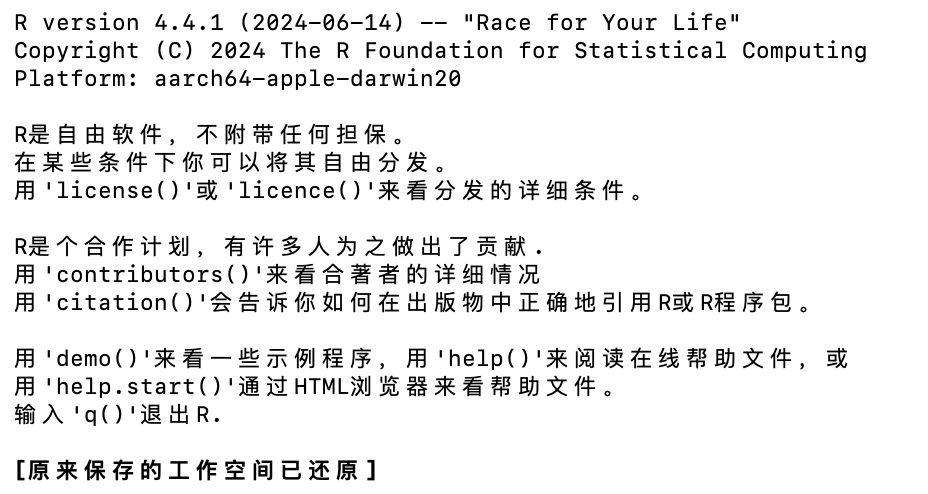
输入“R”,在终端命令里进入R环境,如下图
-
依次输入以下代码
install.packages('devtools')
devtools::install_github('IRkernel/IRkernel')
- 安装完毕后没有报错
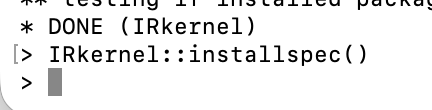
- 重新打开cursor之后,使用cmd+shift+p打开command line之后,选择create new jupyternotebook后,选择Jupyter Kernel之后就能正常看到R kernel了

参考链接:
VScode如何使用jupyter运行python和R - 简书
r - jupyter-client has to be installed but “jupyter kernelspec --version” exited with code 127 - Stack Overflow

开源鸿蒙跨平台开发社区汇聚开发者与厂商,共建“一次开发,多端部署”的开源生态,致力于降低跨端开发门槛,推动万物智联创新。
更多推荐
 5
5 0
0- 0


 已为社区贡献1条内容

所有评论(0)