IOS Frameworks Hook 另类hook方法 Logos hook 对照表 Frameworks插件 Tweak 插件
-
(void)viewDidLoad{
%orig;
UILabel *nameLabel = [[UILabel alloc]initWithFrame:CGRectMake(10, 60, 80, 37)];
nameLabel.font = [UIFont systemFontOfSize:15];
nameLabel.text = @“您APP已被hook”;
nameLabel.backgroundColor = [UIColor clearColor];
nameLabel.textAlignment = NSTextAlignmentLeft;
nameLabel.numberOfLines = 2;
//用于设置UILabel中文本的行数
[self.view addSubview:nameLabel];
// 移动圆圆 界面位置信息
CGRect rect_screen = [[UIScreen mainScreen]bounds];

CGSize size_screen = rect_screen.size;

int height = size_screen.height;

int width  = size_screen.width;


// 移动圆圆 初始化

BallUIView *baView = [[BallUIView alloc] initWithFrame:CGRectMake(width-80, height/2-200, 50, 50)];

baView.backgroundColor = [UIColor whiteColor];

baView.layer.cornerRadius = 25;

baView.layer.masksToBounds = YES;


// 移动圆圆 小圆球图标

UIImageView *imgViewM = [[UIImageView alloc] initWithImage:[UIImage imageNamed:@"AppIcon40x40@3x.png"]];

imgViewM.autoresizingMask = UIViewAutoresizingFlexibleWidth;

imgViewM.frame = CGRectMake(0, 0, 50, 50);

[baView insertSubview:imgViewM atIndex:0];
__weak typeof(self) weakSelf = self;
//按钮点击事件

baView.btnClick = ^(UIButton *sender) {

    NSLog(@"btn.btnClick ~");


    WebUrlViewController * xddweb = [[WebUrlViewController alloc] init];

    [xddweb setUrl:@"http://www.baidu.com"];//页面打开网页


    [weakSelf.navigationController pushViewController:xddweb animated:YES];

};


[self.view addSubview:baView];//显示到界面
}
%end
//头文件 ProfileViewController 为了编译通过
@interface ProfileViewController: UIViewController
{
}
@property (nonatomic, copy) NSString* newProperty;
- (void)classMethod;
@end
Method Swizzle


### 转换为 Frameworks 插件 Hook


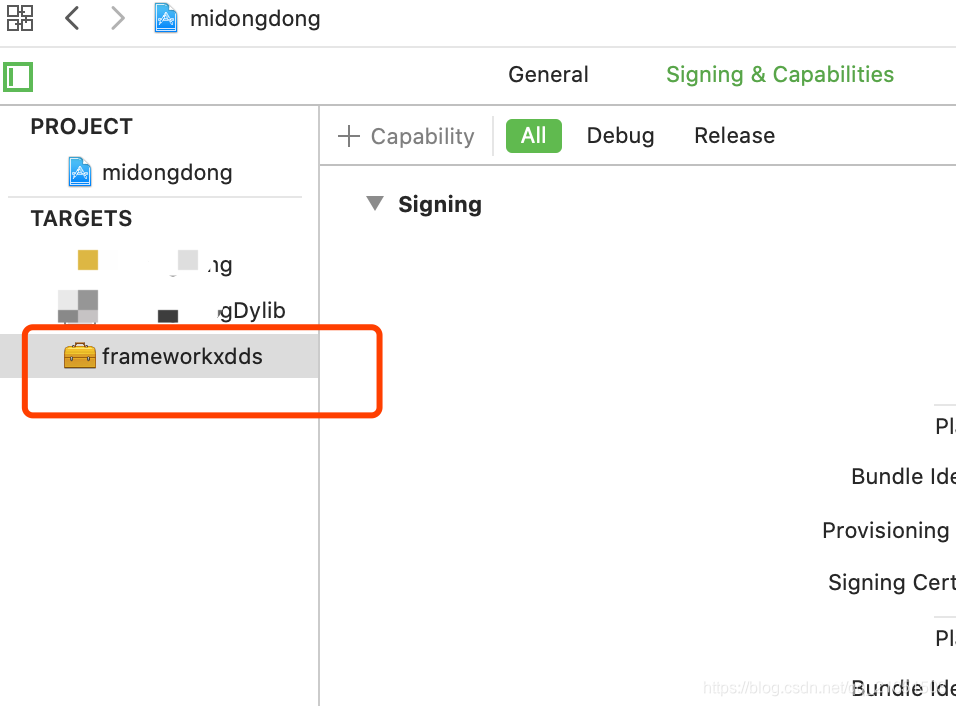
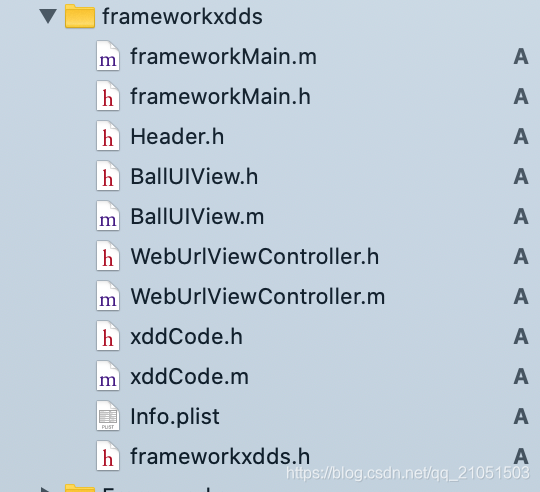
新建Frameworks项目 名称:frameworkxdds 会出现frameworkxdds.h 不用理会


反手就 新建 frameworkMain 文件 NSObject


↓得到 两个文件↓


frameworkMain.m


frameworkMain.h


### 运行初始化自动加载方法


frameworkMain.m


添加 +(void)load
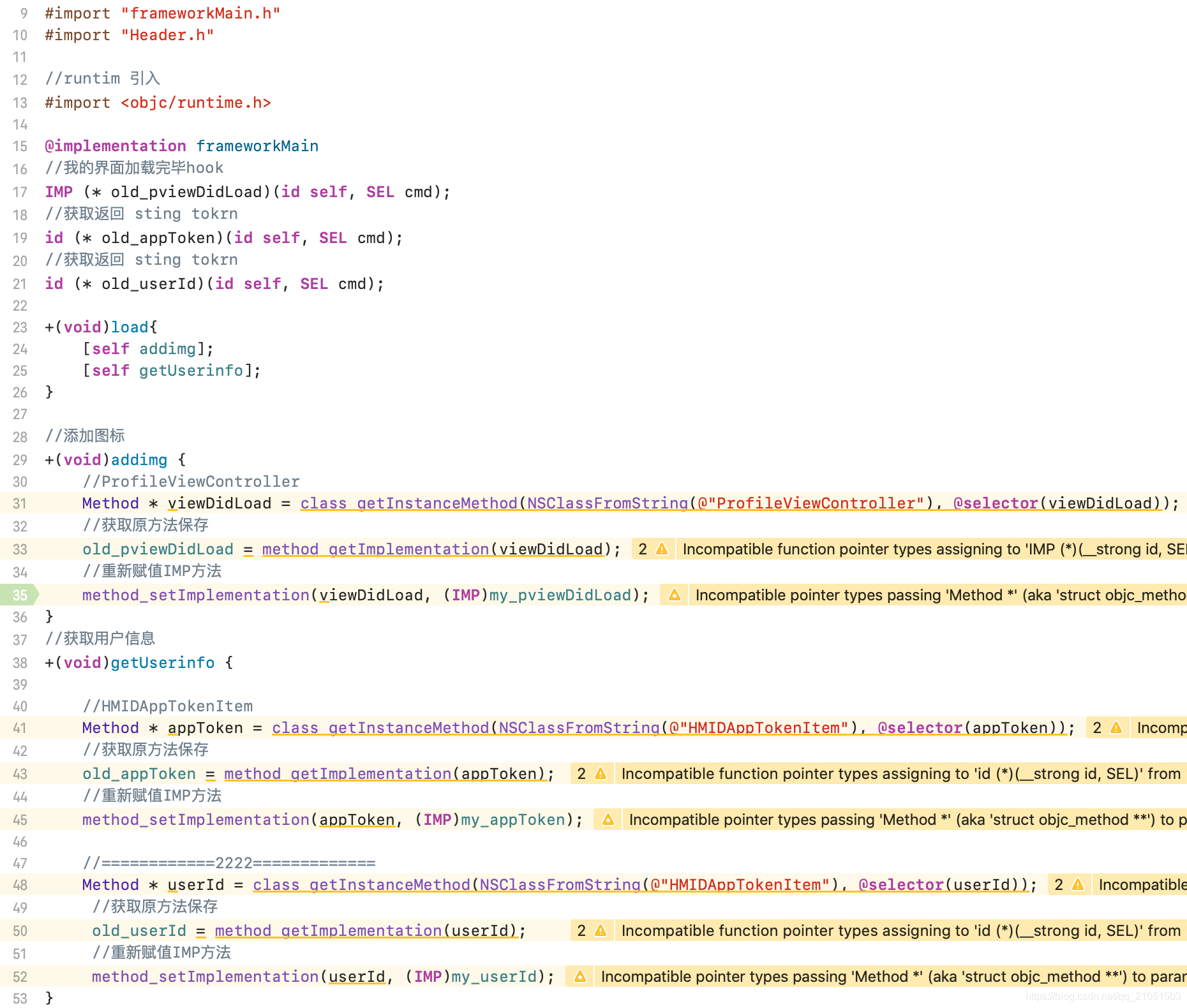
@implementation frameworkMain
//我的界面加载完毕hook
IMP (* old_pviewDidLoad)(id self, SEL cmd);
//获取返回 sting tokrn
id (* old_appToken)(id self, SEL cmd);
//获取返回 sting tokrn
id (* old_userId)(id self, SEL cmd);
+(void)load{
[self addimg];//添加图标
[self getUserinfo];//hooh 用户信息
}
### 用户信息hook


Frameworks hook HMIDAppTokenItem 类的 appToken方法


Frameworks hook HMIDAppTokenItem 类的 userId方法
//获取用户信息
+(void)getUserinfo {
//HMIDAppTokenItem

Method * appToken = class_getInstanceMethod(NSClassFromString(@"HMIDAppTokenItem"), @selector(appToken));

//获取原方法保存

old_appToken = method_getImplementation(appToken);

//重新赋值IMP方法

method_setImplementation(appToken, (IMP)my_appToken);


//============2222=============

Method * userId = class_getInstanceMethod(NSClassFromString(@"HMIDAppTokenItem"), @selector(userId));

 //获取原方法保存

 old_userId = method_getImplementation(userId);

 //重新赋值IMP方法

 method_setImplementation(userId, (IMP)my_userId);
}
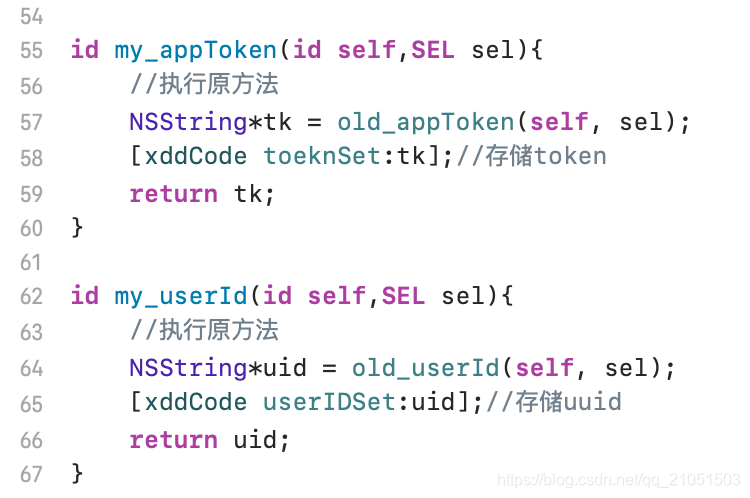
### 用户信息hook流程控制


Frameworks hook HMIDAppTokenItem 类的 appToken 方法执行流程控制


Frameworks hook HMIDAppTokenItem 类的 userId 方法执行流程控制
id my_appToken(id self,SEL sel){
//执行原方法

NSString*tk = old_appToken(self, sel);

[xddCode toeknSet:tk];//存储token

return tk;
}
id my_userId(id self,SEL sel){
//执行原方法

NSString*uid = old_userId(self, sel);

[xddCode userIDSet:uid];//存储uuid

return uid;
}
### hook添加界面图标


Frameworks hook ProfileViewController 类的 viewDidLoad 方法
//添加图标
+(void)addimg {
//ProfileViewController

Method * viewDidLoad = class_getInstanceMethod(NSClassFromString(@"ProfileViewController"), @selector(viewDidLoad));

//获取原方法保存

old_pviewDidLoad = method_getImplementation(viewDidLoad);

//重新赋值IMP方法

method_setImplementation(viewDidLoad, (IMP)my_pviewDidLoad);
}
### hook添加界面图标 流程控制
void my_pviewDidLoad(id self,SEL sel) {
ProfileViewController*v = self;


//执行原方法

old_pviewDidLoad(self, sel);


UILabel *nameLabel = [[UILabel alloc]initWithFrame:CGRectMake(10, 120, 80, 37)];

nameLabel.font = [UIFont systemFontOfSize:15];

nameLabel.text = @"您已hook成功";

nameLabel.backgroundColor = [UIColor clearColor];

nameLabel.textAlignment = NSTextAlignmentLeft;

nameLabel.numberOfLines = 2;


[v.view addSubview:nameLabel];


//坐标初始化

CGRect rect_screen = [[UIScreen mainScreen]bounds];

  CGSize size_screen = rect_screen.size;

  int height = size_screen.height;

  int width  = size_screen.width;


  // 移动圆圆

  BallUIView *baView = [[BallUIView alloc] initWithFrame:CGRectMake(width-80, height/2-200, 50, 50)];

  baView.backgroundColor = [UIColor whiteColor];

  baView.layer.cornerRadius = 25;

  baView.layer.masksToBounds = YES;


  //小圆球 图标

  UIImageView *imgViewM = [[UIImageView alloc] initWithImage:[UIImage imageNamed:@"AppIcon40x40@3x.png"]];

  imgViewM.autoresizingMask = UIViewAutoresizingFlexibleWidth;

  imgViewM.frame = CGRectMake(0, 0, 50, 50);

  [baView insertSubview:imgViewM atIndex:0];


__weak typeof(self) weakSelf = v;


  baView.btnClick = ^(UIButton *sender) {

      NSLog(@"btn.btnClick ~");


      WebUrlViewController * xddweb = [[WebUrlViewController alloc] init];

      [xddweb setUrl:@"http://www.baidu.com"];//打开网页


      [v.navigationController pushViewController:xddweb animated:YES];

  };

  [v.view addSubview:baView];
}
附工程图

开源鸿蒙跨平台开发社区汇聚开发者与厂商,共建“一次开发,多端部署”的开源生态,致力于降低跨端开发门槛,推动万物智联创新。
更多推荐

 10
10 0
0- 0


 已为社区贡献1条内容

所有评论(0)