Flutter 框架跨平台鸿蒙开发 - 美妆好物清单应用开发教程
本教程介绍了美妆好物清单应用的开发过程,包括数据模型设计、核心功能实现、UI组件构建等。应用功能全面,界面美观,是管理美妆产品的实用工具。欢迎加入开源鸿蒙跨平台社区:https://openharmonycrossplatform.csdn.net。
·
Flutter美妆好物清单应用开发教程
项目简介
这是一个美妆产品管理应用,帮助用户记录和管理自己喜欢的美妆产品,包括护肤品、彩妆、香水等。用户可以添加产品信息、撰写使用心得、标记收藏和购买状态。
运行效果图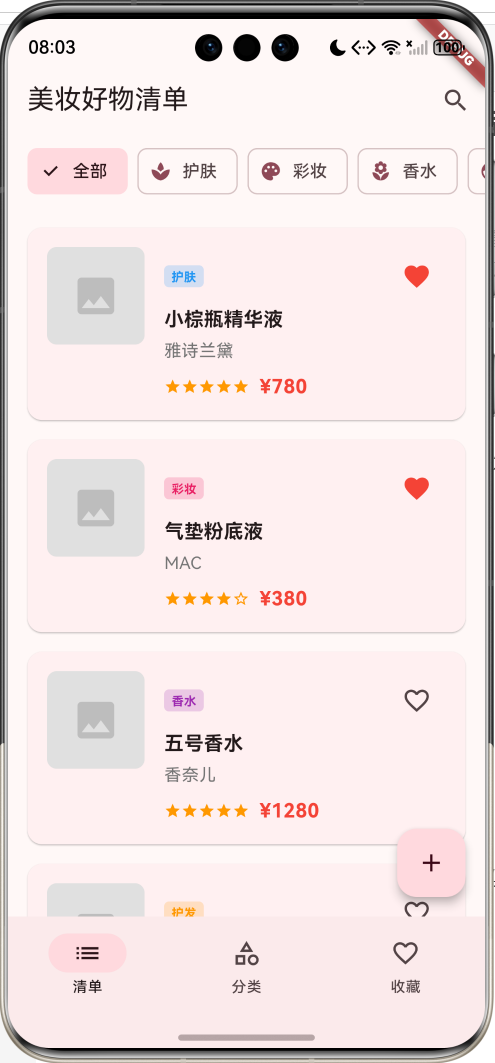
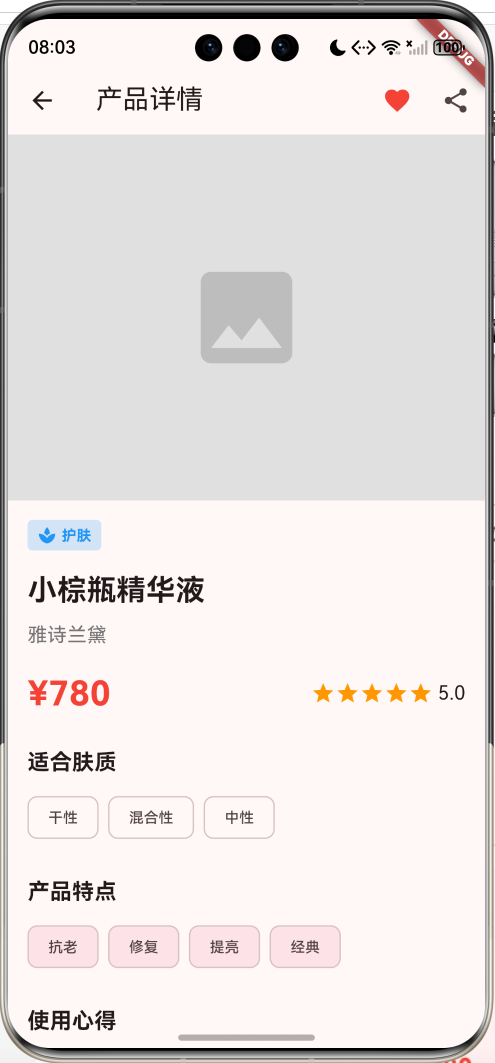
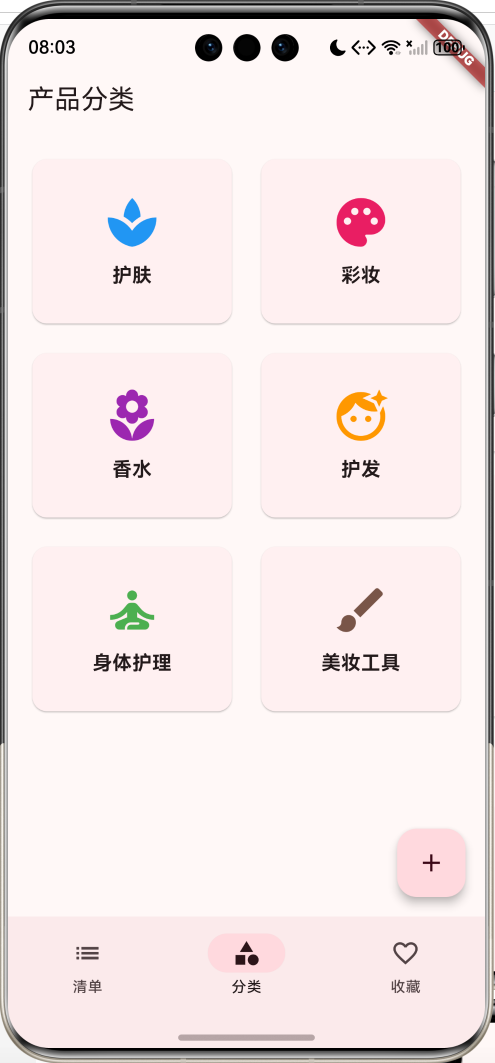
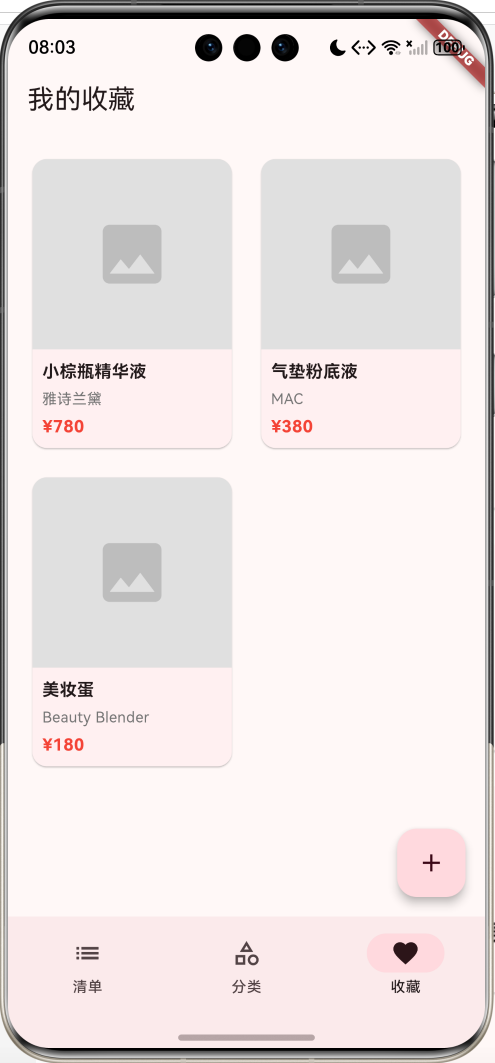
主要功能
- 📝 产品清单管理
- 🏷️ 6大产品分类(护肤、彩妆、香水、护发、身体护理、美妆工具)
- ⭐ 评分系统(5星评价)
- 💬 使用心得记录
- 🔖 标签系统
- 👤 肤质匹配(5种肤质类型)
- ❤️ 收藏功能
- ✅ 购买状态标记
应用特色
- 分类清晰:6大产品分类,便于管理
- 信息全面:品牌、价格、评分、心得一应俱全
- 肤质匹配:标注适合的肤质类型
- 标签系统:快速了解产品特点
- 界面美观:粉色主题,符合美妆风格
数据模型设计
1. 产品分类枚举(ProductCategory)
enum ProductCategory {
  skincare('护肤', Icons.spa, Colors.blue),
  makeup('彩妆', Icons.palette, Colors.pink),
  fragrance('香水', Icons.local_florist, Colors.purple),
  haircare('护发', Icons.face_retouching_natural, Colors.orange),
  bodycare('身体护理', Icons.self_improvement, Colors.green),
  tools('美妆工具', Icons.brush, Colors.brown);

  final String label;
  final IconData icon;
  final Color color;
  const ProductCategory(this.label, this.icon, this.color);
}
2. 肤质类型枚举(SkinType)
enum SkinType {
  dry('干性', '缺水、紧绷'),
  oily('油性', '易出油、毛孔粗大'),
  combination('混合性', 'T区油、两颊干'),
  sensitive('敏感性', '易泛红、刺痛'),
  normal('中性', '水油平衡');

  final String label;
  final String description;
  const SkinType(this.label, this.description);
}
3. 美妆产品模型(BeautyProduct)
class BeautyProduct {
  final String id;
  final String name;
  final String brand;
  final ProductCategory category;
  final double price;
  final String image;
  final double rating;
  final String review;
  final List<String> tags;
  final List<SkinType> suitableFor;
  final DateTime addedDate;
  bool isFavorite;
  bool isPurchased;
}
核心功能实现
1. 产品列表展示
使用卡片式布局展示产品信息。
Widget _buildProductCard(BeautyProduct product) {
  return Card(
    child: InkWell(
      onTap: () => Navigator.push(...),
      child: Padding(
        padding: EdgeInsets.all(16),
        child: Row(
          children: [
            // 产品图片
            Container(
              width: 80,
              height: 80,
              decoration: BoxDecoration(
                color: Colors.grey[300],
                borderRadius: BorderRadius.circular(8),
              ),
            ),
            // 产品信息
            Expanded(
              child: Column(
                children: [
                  Text(product.name),
                  Text(product.brand),
                  Row(
                    children: [
                      // 评分星星
                      ...List.generate(5, (index) {
                        return Icon(
                          index < product.rating ? Icons.star : Icons.star_border,
                        );
                      }),
                      Text('¥${product.price}'),
                    ],
                  ),
                ],
              ),
            ),
          ],
        ),
      ),
    ),
  );
}
2. 分类筛选
用户可以按产品分类筛选。
List<BeautyProduct> get _filteredProducts {
  if (_selectedCategory == null) {
    return _products;
  }
  return _products.where((p) => p.category == _selectedCategory).toList();
}
3. 评分展示
使用星星图标展示产品评分。
Row(
  children: List.generate(5, (index) {
    return Icon(
      index < product.rating ? Icons.star : Icons.star_border,
      size: 20,
      color: Colors.orange,
    );
  }),
)
4. 收藏功能
用户可以收藏喜欢的产品。
IconButton(
  icon: Icon(
    product.isFavorite ? Icons.favorite : Icons.favorite_border,
    color: product.isFavorite ? Colors.red : null,
  ),
  onPressed: () {
    setState(() {
      product.isFavorite = !product.isFavorite;
    });
  },
)
UI组件结构
整体架构
应用采用3页NavigationBar结构:
┌─────────────────────────────────┐
│       清单页(产品列表)         │
│  ┌───────────────────────────┐  │
│  │   分类筛选栏               │  │
│  │  [全部][护肤][彩妆]...    │  │
│  └───────────────────────────┘  │
│  ┌───────────────────────────┐  │
│  │ [图] 小棕瓶精华液    [❤️] │  │
│  │      雅诗兰黛              │  │
│  │      ⭐⭐⭐⭐⭐  ¥780    │  │
│  └───────────────────────────┘  │
└─────────────────────────────────┘
┌─────────────────────────────────┐
│       分类页(产品分类)         │
│  ┌──────────┐  ┌──────────┐    │
│  │   护肤    │  │   彩妆    │    │
│  │   🧴     │  │   🎨     │    │
│  └──────────┘  └──────────┘    │
└─────────────────────────────────┘
┌─────────────────────────────────┐
│       收藏页(我的收藏)         │
│  ┌────┐ ┌────┐                 │
│  │图片│ │图片│                 │
│  │名称│ │名称│                 │
│  │¥780│ │¥380│                 │
│  └────┘ └────┘                 │
└─────────────────────────────────┘
详情页布局
┌─────────────────────────────────┐
│  AppBar [❤️] [分享]            │
├─────────────────────────────────┤
│  ┌───────────────────────────┐  │
│  │   产品图片(300高度)      │  │
│  └───────────────────────────┘  │
│  [护肤] 标签                    │
│  小棕瓶精华液                   │
│  雅诗兰黛                       │
│  ¥780    ⭐⭐⭐⭐⭐ 5.0       │
│  ─────────────────────────      │
│  适合肤质                       │
│  [干性] [混合性] [中性]        │
│  ─────────────────────────      │
│  产品特点                       │
│  [抗老] [修复] [提亮]          │
│  ─────────────────────────      │
│  使用心得                       │
│  详细的使用心得内容...          │
│  ─────────────────────────      │
│  [标记为已购买] 按钮            │
└─────────────────────────────────┘
功能扩展建议
1. 图片上传
支持上传产品照片。
import 'package:image_picker/image_picker.dart';

Future<void> pickImage() async {
  final picker = ImagePicker();
  final image = await picker.pickImage(source: ImageSource.gallery);
  if (image != null) {
    // 保存图片
  }
}
2. 价格追踪
记录产品价格变化,提醒降价。
class PriceHistory {
  final DateTime date;
  final double price;
  final String source;
}
3. 购买链接
添加购买链接,方便直接购买。
import 'package:url_launcher/url_launcher.dart';

Future<void> openPurchaseLink(String url) async {
  if (await canLaunch(url)) {
    await launch(url);
  }
}
4. 使用记录
记录产品使用情况和效果。
class UsageRecord {
  final DateTime date;
  final String note;
  final int effectRating;
}
5. 分享功能
分享产品清单给好友。
import 'package:share_plus/share_plus.dart';

void shareProduct(BeautyProduct product) {
  Share.share(
    '${product.name} - ${product.brand}\n'
    '价格:¥${product.price}\n'
    '评分:${product.rating}星\n'
    '${product.review}',
  );
}
部署指南
环境要求
- Flutter SDK: 3.0+
- Dart SDK: 3.0+
- 支持平台: Android、iOS、Web、HarmonyOS
依赖包配置
dependencies:
  flutter:
    sdk: flutter
  cupertino_icons: ^1.0.2
运行步骤
- 安装依赖
flutter pub get
- 运行应用
flutter run
- 打包发布
# Android
flutter build apk --release

# iOS
flutter build ios --release

# HarmonyOS
flutter build hap --release
技术要点
1. 枚举的使用
使用增强型枚举定义产品分类和肤质类型。
2. 评分展示
使用List.generate动态生成星星图标。
3. 状态管理
使用StatefulWidget管理产品列表和收藏状态。
4. 卡片布局
使用Card组件创建美观的产品卡片。
注意事项
1. 数据持久化
- 使用本地数据库存储产品信息
- 定期备份数据
- 支持数据导入导出
2. 图片管理
- 压缩图片减少存储空间
- 支持多图上传
- 提供图片预览功能
3. 用户体验
- 简化添加流程
- 提供快速筛选
- 支持搜索功能
总结
本教程介绍了美妆好物清单应用的开发过程,包括数据模型设计、核心功能实现、UI组件构建等。应用功能全面,界面美观,是管理美妆产品的实用工具。
欢迎加入开源鸿蒙跨平台社区:https://openharmonycrossplatform.csdn.net

开源鸿蒙跨平台开发社区汇聚开发者与厂商,共建“一次开发,多端部署”的开源生态,致力于降低跨端开发门槛,推动万物智联创新。
更多推荐
 6
6 0
0- 0


 已为社区贡献30条内容

所有评论(0)