基于React Native鸿蒙跨平台分类页的核心价值在于帮助用户快速定位目标商品,代码实现了分类筛选 + 关键词搜索 + 多维度排序的组合筛选逻辑
本文深入解析了基于React Native构建的电商分类页技术实现,从数据模型、交互逻辑到布局优化三个维度进行剖析。首先设计了完整的商品和分类类型体系,采用分层状态管理实现分类筛选、搜索和排序功能。通过复合筛选算法和响应式布局,构建了侧边栏分类+商品列表的经典电商界面,并优化了视觉交互体验。此外,还提供了React Native到鸿蒙ArkTS的跨端适配方案,为电商应用开发提供技术参考。整体方案兼
商品分类页作为电商应用的核心导航入口,其交互体验和性能表现直接影响用户的商品查找效率与转化路径。本文将深度拆解这份基于 React Native 构建的分类浏览页代码,从数据模型设计、交互逻辑实现、布局架构优化三个维度剖析其技术内核,并结合鸿蒙(HarmonyOS)跨端开发实践,提供一套完整的 React Native 到鸿蒙 ArkTS 的适配方案,为跨端电商应用开发提供可落地的技术参考。
1. 状态管理
分类浏览页的核心价值在于对商品数据的多维度筛选与展示,代码首先通过 TypeScript 构建了严谨的类型体系,为后续的状态管理和数据处理奠定基础:
(1)数据类型
// 商品核心类型
type Product = {
  id: string;
  name: string;
  price: number;
  originalPrice?: number;
  rating: number;
  reviewCount: number;
  store: string;
  category: string;
  imageUrl?: string;
  isFavorite: boolean;
  discount?: number;
  tags?: string[];
};

// 分类类型(扩展了商品数量字段)
type Category = {
  id: string;
  name: string;
  icon: string;
  count: number;
};
相较于基础电商模型,这里的设计亮点在于:
Product类型覆盖了商品展示所需的全维度属性,包括价格体系(原价/现价/折扣)、评价体系(评分/评论数)、业务标签(热销/正品/新品)等核心电商属性;Category类型新增count字段,直观展示各分类下的商品数量,符合电商用户的浏览习惯;- 可选属性(
originalPrice/imageUrl/discount/tags)的合理使用,兼顾了数据灵活性与类型安全性。
(2)状态管理
分类页的交互核心是状态的动态变更,代码通过 useState 构建了分层的状态管理体系:
// 核心数据状态
const [products] = useState<Product[]>([/* 商品数据 */]);
const [categories] = useState<Category[]>([/* 分类数据 */]);

// 交互控制状态
const [activeCategory, setActiveCategory] = useState<string>('c1');
const [sortBy, setSortBy] = useState<string>('default');
const [searchQuery, setSearchQuery] = useState<string>('');
const [showFilters, setShowFilters] = useState<boolean>(false);
这种状态设计遵循了单一职责原则:
- 核心数据状态(
products/categories):存储基础数据源,初始化后不再变更(实际项目中可对接 API 动态更新); - 交互控制状态:
activeCategory:标记当前选中的分类,控制分类栏的视觉高亮与商品筛选;sortBy:管理排序规则(默认/价格升序/价格降序/评分);searchQuery:存储搜索关键词,实现商品名称模糊匹配;showFilters:控制筛选面板的显隐状态。
2. 商品筛选与排序
分类页的核心价值在于帮助用户快速定位目标商品,代码实现了分类筛选 + 关键词搜索 + 多维度排序的组合筛选逻辑:
(1)复合筛选
// 基础筛选:分类匹配 + 关键词搜索
const filteredProducts = products.filter(product =>
  product.category.toLowerCase().includes(categories.find(c => c.id === activeCategory)?.name.toLowerCase() || '') &&
  product.name.toLowerCase().includes(searchQuery.toLowerCase())
);

// 排序处理:根据排序规则重新排列
const sortedProducts = [...filteredProducts].sort((a, b) => {
  if (sortBy === 'price-low') return a.price - b.price;
  if (sortBy === 'price-high') return b.price - a.price;
  if (sortBy === 'rating') return b.rating - a.rating;
  return 0;
});
技术亮点分析:
- 大小写不敏感匹配:通过
toLowerCase()统一字符大小写,避免因大小写差异导致的筛选遗漏; - 不可变数据处理:排序时通过扩展运算符
[...filteredProducts]创建新数组,避免修改原数组引用,符合 React 不可变数据的设计理念; - 多维度排序算法:通过简单的比较函数实现价格升序/降序、评分降序等核心排序场景,算法时间复杂度为 O(n log n),在移动端商品列表量级下性能表现优异。
(2)交互函数
针对收藏、加购、商品详情等核心交互场景,代码实现了轻量化的交互函数:
const toggleFavorite = (productId: string) => {
  Alert.alert('收藏', `商品已${products.find(p => p.id === productId)?.isFavorite ? '取消收藏' : '收藏'}`);
};

const addToCart = (productId: string) => {
  Alert.alert('加入购物车', `已将商品加入购物车`);
};

const viewProduct = (productId: string) => {
  Alert.alert('商品详情', `查看商品: ${products.find(p => p.id === productId)?.name}`);
};
这类函数的设计特点是职责单一、易于扩展,在实际项目中可快速对接 Redux/Context 等状态管理方案,或集成路由跳转逻辑。
3. 布局
分类页的布局架构直接决定用户体验,代码采用侧边栏分类 + 右侧商品列表的经典电商布局,结合精细化的视觉交互设计,打造了符合用户直觉的操作体验。
(1)整体布局
SafeAreaView
├── Header(头部:返回 + 标题 + 购物车)
├── Content
│   ├── SearchContainer(搜索栏)
│   ├── MainContent(核心内容区)
│   │   ├── CategorySidebar(分类侧边栏)
│   │   ├── ProductArea(商品区域)
│   │   │   ├── CategoryHeader(分类标题 + 筛选/排序)
│   │   │   ├── FlatList(商品列表)
│   │   │   └── FilterPanel(筛选面板,条件渲染)
│   └── BottomNav(底部导航)
这种布局的优势在于:
- 响应式尺寸适配:通过
Dimensions.get('window')获取屏幕宽度,将分类侧边栏宽度设为width * 0.3,保证在不同设备上的布局比例一致; - 分层视觉设计:通过背景色、边框、阴影等视觉元素,清晰区分分类栏、商品区、筛选面板等功能模块;
- 条件渲染优化:筛选面板通过
showFilters状态控制显隐,避免初始加载时的布局冗余。
分类
const renderCategory = ({ item }: { item: Category }) => (
  <TouchableOpacity
    style={[styles.categoryCard, activeCategory === item.id && styles.activeCategoryCard]}
    onPress={() => setActiveCategory(item.id)}
  >
    <View style={styles.categoryIcon}>
      <Text style={styles.categoryIconText}>{item.icon}</Text>
    </View>
    <Text style={activeCategory === item.id ? styles.activeCategoryName : styles.categoryName}>{item.name}</Text>
    <Text style={styles.categoryCount}>{item.count}</Text>
  </TouchableOpacity>
);
视觉交互设计:
- 选中态通过左侧边框 + 背景色 + 文字颜色三重视觉强化,让用户清晰感知当前分类;
- 分类图标采用圆形背景包裹,提升视觉层次感;
- 商品数量数字采用浅灰色小字体,补充信息但不干扰核心视觉。
筛选面板
筛选面板是分类页的核心交互组件,代码实现了价格区间、品牌筛选等核心筛选场景:
{showFilters && (
  <View style={styles.filterPanel}>
    {/* 价格区间筛选 */}
    <View style={styles.filterOption}>
      <Text style={styles.filterOptionText}>价格区间</Text>
      <View style={styles.priceRange}>
        <TextInput
          style={styles.priceInput}
          placeholder="最低价"
          keyboardType="numeric"
        />
        <Text style={styles.toText}>-</Text>
        <TextInput
          style={styles.priceInput}
          placeholder="最高价"
          keyboardType="numeric"
        />
      </View>
    </View>

    {/* 品牌筛选 */}
    <View style={styles.filterOption}>
      <Text style={styles.filterOptionText}>品牌</Text>
      <View style={styles.brandOptions}>
        <TouchableOpacity style={styles.brandButton}>
          <Text style={styles.brandButtonText}>苹果</Text>
        </TouchableOpacity>
        {/* 其他品牌... */}
      </View>
    </View>

    {/* 操作按钮 */}
    <View style={styles.filterActions}>
      <TouchableOpacity style={styles.clearFilterButton}>
        <Text style={styles.clearFilterButtonText}>清空</Text>
      </TouchableOpacity>
      <TouchableOpacity style={styles.applyFilterButton}>
        <Text style={styles.applyFilterButtonText}>应用</Text>
      </TouchableOpacity>
    </View>
  </View>
)}
设计亮点:
- 模块化筛选项:价格区间、品牌等筛选项独立封装,便于后续扩展更多筛选维度;
- 键盘类型优化:价格输入框指定
keyboardType="numeric",提升移动端输入体验; - 操作按钮语义化:“清空”与“应用”按钮采用不同样式,引导用户完成筛选流程。
(3)样式
代码通过 StyleSheet.create 构建了完整的样式体系,遵循复用性 + 语义化原则:
const styles = StyleSheet.create({
  // 容器样式
  container: { flex: 1, backgroundColor: '#f5f7fa' },
  content: { flex: 1 },

  // 分类卡片样式
  categoryCard: {
    backgroundColor: '#f8fafc',
    paddingVertical: 16,
    paddingHorizontal: 12,
    borderBottomWidth: 1,
    borderBottomColor: '#e2e8f0',
  },
  activeCategoryCard: {
    backgroundColor: '#dbeafe',
    borderLeftWidth: 4,
    borderLeftColor: '#3b82f6',
  },

  // 商品卡片样式
  productCard: {
    backgroundColor: '#ffffff',
    borderRadius: 12,
    padding: 12,
    flex: 0.48,
    elevation: 1,
    shadowColor: '#000',
    shadowOffset: { width: 0, height: 1 },
    shadowOpacity: 0.1,
    shadowRadius: 2,
    position: 'relative',
  },
  // 其他样式...
});
样式设计遵循的核心原则:
- 色彩体系统一:主色调采用蓝色(
#3b82f6),警示色采用红色(#ef4444),中性色采用灰度渐变,符合电商视觉设计规范; - 阴影与层级:通过
elevation(安卓)和shadow(iOS)属性,为卡片组件添加轻微阴影,提升视觉层次感; - 弹性布局:商品卡片采用
flex: 0.48配合justifyContent: 'space-between',实现双列布局的均匀分布; - 圆角统一:核心组件统一使用 12px 圆角,符合现代移动端 UI 设计趋势。
将 React Native 分类浏览页迁移至鸿蒙平台,核心是基于 ArkTS + ArkUI 实现数据模型、状态管理、布局架构、交互逻辑的对等还原,以下是关键适配技术点:
1. 数据模型
RN 的 TypeScript 类型体系可无缝迁移至鸿蒙 ArkTS,仅需调整类型定义语法,核心字段完全复用:
(1)数据类型
// RN 类型定义
type Product = {
  id: string;
  name: string;
  price: number;
  originalPrice?: number;
  rating: number;
  reviewCount: number;
  store: string;
  category: string;
  imageUrl?: string;
  isFavorite: boolean;
  discount?: number;
  tags?: string[];
};

// 鸿蒙 ArkTS 适配
interface Product {
  id: string;
  name: string;
  price: number;
  originalPrice?: number;
  rating: number;
  reviewCount: number;
  store: string;
  category: string;
  imageUrl?: string;
  isFavorite: boolean;
  discount?: number;
  tags?: string[];
}

interface Category {
  id: string;
  name: string;
  icon: string;
  count: number;
}
(2)状态管理
RN 的 useState 对应鸿蒙的 @State 装饰器,状态初始化与更新逻辑完全复用:
@Entry
@Component
struct CategoryBrowseApp {
  // 核心数据状态
  @State products: Product[] = [
    { id: '1', name: 'iPhone 15 Pro Max', price: 9999, originalPrice: 10999, rating: 4.8, reviewCount: 1250, store: '苹果官方旗舰店', category: '手机', isFavorite: false, discount: 10, tags: ['热销', '正品'] },
    // 其他商品数据...
  ];

  @State categories: Category[] = [
    { id: 'c1', name: '手机数码', icon: '📱', count: 128 },
    // 其他分类数据...
  ];

  // 交互控制状态
  @State activeCategory: string = 'c1';
  @State sortBy: string = 'default';
  @State searchQuery: string = '';
  @State showFilters: boolean = false;

  // 筛选逻辑(完全复用 RN 逻辑)
  get filteredProducts(): Product[] {
    return this.products.filter(product =>
      product.category.toLowerCase().includes(this.categories.find(c => c.id === this.activeCategory)?.name.toLowerCase() || '') &&
      product.name.toLowerCase().includes(this.searchQuery.toLowerCase())
    );
  }

  get sortedProducts(): Product[] {
    return [...this.filteredProducts].sort((a, b) => {
      if (this.sortBy === 'price-low') return a.price - b.price;
      if (this.sortBy === 'price-high') return b.price - a.price;
      if (this.sortBy === 'rating') return b.rating - a.rating;
      return 0;
    });
  }

  // 交互函数适配
  toggleFavorite(productId: string) {
    AlertDialog.show({
      title: '收藏',
      message: `商品已${this.products.find(p => p.id === productId)?.isFavorite ? '取消收藏' : '收藏'}`,
      confirm: { text: '确定' }
    });
  }

  addToCart(productId: string) {
    AlertDialog.show({
      title: '加入购物车',
      message: '已将商品加入购物车',
      confirm: { text: '确定' }
    });
  }

  viewProduct(productId: string) {
    const product = this.products.find(p => p.id === productId);
    AlertDialog.show({
      title: '商品详情',
      message: `查看商品: ${product?.name}`,
      confirm: { text: '确定' }
    });
  }

  // 构建方法...
}
适配亮点:
- 计算属性替代变量:鸿蒙通过
get方法定义计算属性(filteredProducts/sortedProducts),替代 RN 中的变量声明,实现数据的实时计算; - 状态更新逻辑一致:分类切换、排序变更、搜索关键词输入等状态更新逻辑完全复用;
- 弹窗 API 适配:将 RN 的
Alert.alert替换为鸿蒙的AlertDialog.show,交互体验一致。
ArkUI 的布局体系与 React Native 高度对齐,核心组件映射关系及适配方案如下:
| React Native 组件 | 鸿蒙 ArkUI 对应实现 | 适配关键说明 |
|---|---|---|
SafeAreaView |
Column().safeArea(true) |
安全区域适配,避免状态栏遮挡 |
View |
Column/Row/Stack |
根据布局方向选择容器组件 |
Text |
Text |
文本样式、换行、对齐方式完全复用 |
TextInput |
TextInput |
输入框属性高度兼容,仅调整事件名 |
TouchableOpacity |
Button().stateEffect(true) |
点击反馈通过 stateEffect 实现 |
FlatList |
List |
列表渲染核心组件,支持网格/横向布局 |
StyleSheet |
链式样式 + @Styles |
样式定义语法调整,视觉效果一致 |
(1)分类侧边栏
// RN 分类侧边栏
<View style={styles.categorySidebar}>
  <FlatList
    data={categories}
    renderItem={renderCategory}
    keyExtractor={item => item.id}
    showsVerticalScrollIndicator={false}
  />
</View>

// 鸿蒙分类侧边栏适配
Column()
  .width('30%') // 对应 RN 的 width * 0.3
  .backgroundColor('#ffffff')
  .borderRight({ width: 1, color: '#e2e8f0' }) {

  List()
    .showsVerticalScrollbar(false) {
      ForEach(this.categories, (category: Category) => {
        ListItem() {
          Column()
            .backgroundColor(this.activeCategory === category.id ? '#dbeafe' : '#f8fafc')
            .borderLeft({ width: this.activeCategory === category.id ? 4 : 0, color: '#3b82f6' })
            .padding({ top: 16, bottom: 16, left: 12, right: 12 })
            .borderBottom({ width: 1, color: '#e2e8f0' })
            .onClick(() => {
              this.activeCategory = category.id;
            }) {

            // 分类图标
            Column()
              .width(32)
              .height(32)
              .borderRadius(16)
              .backgroundColor('#dbeafe')
              .justifyContent(FlexAlign.Center)
              .alignItems(ItemAlign.Center)
              .marginBottom(8) {
                Text(category.icon)
                  .fontSize(16)
                  .fontColor('#3b82f6');
              }

            // 分类名称
            Text(category.name)
              .fontSize(14)
              .fontColor(this.activeCategory === category.id ? '#3b82f6' : '#64748b')
              .fontWeight(this.activeCategory === category.id ? FontWeight.Medium : FontWeight.Normal)
              .textAlign(TextAlign.Center);

            // 商品数量
            Text(category.count.toString())
              .fontSize(12)
              .fontColor('#94a3b8')
              .textAlign(TextAlign.Center)
              .marginTop(4);
          }
        }
      })
    }
}
(2)商品列表
// RN 商品列表
<FlatList
  data={sortedProducts}
  renderItem={renderProduct}
  keyExtractor={item => item.id}
  numColumns={2}
  columnWrapperStyle={styles.productRow}
  showsVerticalScrollIndicator={false}
  contentContainerStyle={styles.productList}
/>

// 鸿蒙商品列表适配
List()
  .gridCount(2) // 对应 RN 的 numColumns={2}
  .showsVerticalScrollbar(false)
  .paddingBottom(80) {

  ForEach(this.sortedProducts, (product: Product) => {
    ListItem() {
      Column()
        .backgroundColor('#ffffff')
        .borderRadius(12)
        .padding(12)
        .flexGrow(0.48)
        .shadow({ color: '#000', offsetX: 0, offsetY: 1, opacity: 0.1, radius: 2 })
        .onClick(() => {
          this.viewProduct(product.id);
        }) {

        // 商品图片占位
        Column()
          .width('100%')
          .height(120)
          .borderRadius(8)
          .backgroundColor('#f1f5f9')
          .justifyContent(FlexAlign.Center)
          .alignItems(ItemAlign.Center)
          .marginBottom(8) {
            Text('📱')
              .fontSize(30);
          }

        // 商品名称
        Text(product.name)
          .fontSize(14)
          .fontWeight(FontWeight.Medium)
          .fontColor('#1e293b')
          .marginBottom(8)
          .maxLines(2);

        // 价格区域
        Row()
          .alignItems(ItemAlign.Center)
          .marginBottom(4) {

          Text(`¥${product.price}`)
            .fontSize(16)
            .fontColor('#ef4444')
            .fontWeight(FontWeight.Bold)
            .marginRight(8);

          if (product.originalPrice) {
            Text(`¥${product.originalPrice}`)
              .fontSize(12)
              .fontColor('#94a3b8')
              .decoration({ type: TextDecorationType.LineThrough })
              .marginRight(8);
          }

          if (product.discount) {
            Text(`-${product.discount}%`)
              .fontSize(10)
              .fontColor('#ffffff')
              .backgroundColor('#ef4444')
              .padding({ left: 4, right: 4, top: 2, bottom: 2 })
              .borderRadius(4);
          }
        }

        // 其他商品信息...

        // 操作按钮
        Row()
          .justifyContent(FlexAlign.SpaceBetween)
          .marginTop(8) {

          // 收藏按钮
          Button()
            .padding(8)
            .backgroundColor(Color.Transparent)
            .onClick(() => {
              this.toggleFavorite(product.id);
            }) {
              Text(product.isFavorite ? '❤️' : '🤍')
                .fontSize(20);
            }

          // 加入购物车按钮
          Button()
            .backgroundColor('#3b82f6')
            .padding({ top: 8, bottom: 8, left: 16, right: 16 })
            .borderRadius(6)
            .onClick(() => {
              this.addToCart(product.id);
            }) {
              Text('🛒')
                .fontSize(16)
                .fontColor('#ffffff');
            }
        }
      }
    }
  })
}
(3)筛选面板
// RN 筛选面板(条件渲染)
{showFilters && (
  <View style={styles.filterPanel}>
    {/* 筛选内容 */}
  </View>
)}

// 鸿蒙筛选面板适配
if (this.showFilters) {
  Column()
    .backgroundColor('#ffffff')
    .borderRadius(12)
    .padding(16)
    .marginTop(16)
    .shadow({ color: '#000', offsetX: 0, offsetY: 2, opacity: 0.1, radius: 4 }) {

    // 筛选面板标题
    Text('筛选条件')
      .fontSize(16)
      .fontWeight(FontWeight.Bold)
      .fontColor('#1e293b')
      .marginBottom(16);

    // 价格区间筛选
    Column()
      .marginBottom(16) {

      Text('价格区间')
        .fontSize(14)
        .fontColor('#475569')
        .marginBottom(8);

      Row()
        .alignItems(ItemAlign.Center) {

        TextInput()
          .placeholder('最低价')
          .type(InputType.Number)
          .flexGrow(1)
          .border({ width: 1, color: '#cbd5e1' })
          .borderRadius(6)
          .padding(8)
          .fontSize(14);

        Text('-')
          .fontSize(14)
          .fontColor('#64748b')
          .margin({ left: 8, right: 8 });

        TextInput()
          .placeholder('最高价')
          .type(InputType.Number)
          .flexGrow(1)
          .border({ width: 1, color: '#cbd5e1' })
          .borderRadius(6)
          .padding(8)
          .fontSize(14);
      }
    }

    // 品牌筛选
    // ...

    // 操作按钮
    Row()
      .justifyContent(FlexAlign.SpaceBetween)
      .marginTop(16) {

      Button()
        .flexGrow(0.45)
        .backgroundColor('#e2e8f0')
        .paddingVertical(10)
        .borderRadius(6)
        .onClick(() => {
          this.searchQuery = '';
          this.sortBy = 'default';
          this.showFilters = false;
        }) {
          Text('清空')
            .fontSize(14)
            .fontColor('#475569')
            .fontWeight(FontWeight.Medium);
        }

      Button()
        .flexGrow(0.45)
        .backgroundColor('#3b82f6')
        .paddingVertical(10)
        .borderRadius(6)
        .onClick(() => {
          this.showFilters = false;
        }) {
          Text('应用')
            .fontSize(14)
            .fontColor('#ffffff')
            .fontWeight(FontWeight.Medium);
        }
    }
  }
}
3. 样式
RN 的 StyleSheet 样式在鸿蒙中通过链式样式 + @Styles 装饰器实现复用,核心适配规则:
// RN 样式定义
const styles = StyleSheet.create({
  productCard: {
    backgroundColor: '#ffffff',
    borderRadius: 12,
    padding: 12,
    flex: 0.48,
    elevation: 1,
    shadowColor: '#000',
    shadowOffset: { width: 0, height: 1 },
    shadowOpacity: 0.1,
    shadowRadius: 2,
    position: 'relative',
  },
});

// 鸿蒙样式适配
@Entry
@Component
struct CategoryBrowseApp {
  // 通用商品卡片样式封装
  @Styles productCardStyle() {
    .backgroundColor('#ffffff')
    .borderRadius(12)
    .padding(12)
    .flexGrow(0.48)
    .shadow({ color: '#000', offsetX: 0, offsetY: 1, opacity: 0.1, radius: 2 });
  }

  build() {
    Column() {
      // 使用通用样式
      List() {
        ForEach(this.sortedProducts, (product: Product) => {
          ListItem() {
            Column()
              .productCardStyle() {
                // 商品卡片内容...
              }
          }
        })
      }
    }
  }
}
适配亮点:
- 基础样式无缝迁移:颜色、间距、圆角、字体大小等属性直接复用,仅调整语法格式;
- 布局属性对齐:
flex: 0.48→flexGrow(0.48),flexDirection: 'row'→flexDirection(FlexDirection.Row); - 阴影效果统一:鸿蒙的
shadow配置替代 RN 的elevation/shadow双配置,一次配置兼顾所有场景; - 样式复用增强:通过
@Styles装饰器封装通用样式,提升代码复用率。
- 数据层完全复用:商品、分类等核心数据模型字段完全一致,仅调整类型定义语法,保证两端数据逻辑统一;
- 交互逻辑对等实现:筛选、排序、收藏、加购等核心交互逻辑,仅需适配平台特有 API(如弹窗、路由),业务逻辑零修改;
- 布局架构镜像还原:保持“侧边分类 + 右侧商品”的核心布局结构,保证用户体验的一致性;
- 视觉体验统一:复用相同的色值、间距、圆角、字体体系,保证两端视觉效果无差异;
- 性能优化差异化:RN 端优化
FlatList的getItemLayout/initialNumToRender等属性,鸿蒙端优化List的cachedCount/lanes等属性,充分利用各平台的原生性能优势。
这份 React Native 分类浏览页的跨端适配实践,验证了 ArkTS 与 React 技术体系的高度兼容性。对于分类页这类交互复杂、数据驱动的场景,核心的业务逻辑、数据模型、布局架构均可实现高效复用,仅需适配平台特有 API 和性能优化策略,是跨端电商应用开发的高效路径。
在电商应用开发中,分类浏览系统是用户查找商品的重要入口,其设计质量直接影响用户的购物效率和体验。本文将深入分析一个基于 React Native 实现的分类浏览系统,探讨其架构设计、技术实现以及鸿蒙跨端适配策略。
状态管理
该分类浏览系统采用了 React Hooks 中的 useState 进行轻量级状态管理:
const [products] = useState<Product[]>([
  { id: '1', name: 'iPhone 15 Pro Max', price: 9999, /* 其他属性 */ },
  // 其他商品...
]);

const [categories] = useState<Category[]>([
  { id: 'c1', name: '手机数码', icon: '📱', count: 128 },
  // 其他分类...
]);

const [activeCategory, setActiveCategory] = useState<string>('c1');
const [sortBy, setSortBy] = useState<string>('default');
const [searchQuery, setSearchQuery] = useState<string>('');
const [showFilters, setShowFilters] = useState<boolean>(false);
这种状态管理方式具有以下优势:
- 类型安全:通过 TypeScript 接口
Product和Category确保状态结构一致性 - 模块化:将商品数据、分类数据和 UI 状态分离管理
- 响应式:状态变更自动触发组件重渲染
- 跨端兼容:React Hooks 在鸿蒙系统的 React Native 实现中通常都有良好支持
商品筛选与排序
系统实现了多维度的商品筛选和排序功能:
const filteredProducts = products.filter(product =>
  product.category.toLowerCase().includes(categories.find(c => c.id === activeCategory)?.name.toLowerCase() || '') &&
  product.name.toLowerCase().includes(searchQuery.toLowerCase())
);

const sortedProducts = [...filteredProducts].sort((a, b) => {
  if (sortBy === 'price-low') return a.price - b.price;
  if (sortBy === 'price-high') return b.price - a.price;
  if (sortBy === 'rating') return b.rating - a.rating;
  return 0;
});
这种实现方式的优势:
- 实时筛选:根据分类和搜索关键词实时筛选商品
- 多维度排序:支持按价格升序、价格降序和评分排序
- 性能优化:先筛选后排序,减少排序的数据量
- 用户友好:提供多种排序方式满足不同用户需求
商品卡片
系统使用 FlatList 高效渲染商品列表:
const renderProduct = ({ item }: { item: Product }) => (
  <TouchableOpacity style={styles.productCard} onPress={() => viewProduct(item.id)}>
    {/* 商品卡片内容 */}
  </TouchableOpacity>
);
商品卡片包含:
- 商品图片(使用 emoji 占位)
- 商品名称
- 价格信息(当前价格、原价、折扣)
- 评分信息
- 店铺名称
- 商品标签
- 操作按钮(收藏、加入购物车)
基础架构
该实现采用了 React Native 核心组件库,确保了在鸿蒙系统上的基本兼容性:
SafeAreaView:适配刘海屏等异形屏ScrollView:处理内容滚动TouchableOpacity:提供触摸反馈FlatList:高效渲染商品列表TextInput:提供搜索输入功能Alert:系统级弹窗提示
Base64 图标
系统使用 Base64 编码的图标库:
const ICONS_BASE64 = {
  home: 'data:image/png;base64,iVBORw0KGgoAAAANSUhEUgAAAAEAAAABCAYAAAAfFcSJAAAADUlEQVR42mNkYPhfDwAChwGA60e6kgAAAABJRU5ErkJggg==',
  // 其他图标...
};
这种处理方式在跨端开发中尤为重要:
- 避免了不同平台对资源文件格式的兼容性问题
- 减少了网络请求,提高了加载速度
- 简化了构建流程,无需处理多平台资源文件
屏幕尺寸
系统通过 Dimensions API 获取屏幕尺寸:
const { width, height } = Dimensions.get('window');
这种方式确保了在不同屏幕尺寸的设备上都能获得一致的布局体验,无论是 React Native 环境还是鸿蒙系统。
系统采用了模块化的样式定义:
const styles = StyleSheet.create({
  container: {
    flex: 1,
    backgroundColor: '#f5f5f5',
  },
  // 其他样式...
});
这种方式确保了样式的一致性和可维护性,同时为后续的主题定制和深色模式适配预留了扩展空间。
在鸿蒙系统上使用 React Native 时,应注意以下 API 兼容性问题:
- FlatList API:鸿蒙系统的 FlatList 实现可能与 React Native 有所差异,建议测试确认滚动和渲染行为
- TextInput API:鸿蒙系统的 TextInput 实现可能与 React Native 有所差异,建议测试确认输入行为
- TouchableOpacity API:鸿蒙系统的 TouchableOpacity 实现可能与 React Native 有所差异,建议测试确认触摸反馈
-
类型定义:
// 更详细的商品类型 interface Product { id: string; name: string; price: number; originalPrice?: number; rating: number; reviewCount: number; store: string; category: string; imageUrl?: string; isFavorite: boolean; discount?: number; tags?: string[]; stock?: number; sales?: number; } // 更详细的分类类型 interface Category { id: string; name: string; icon: string; count: number; subcategories?: SubCategory[]; } -
状态管理:
// 使用 useReducer 管理复杂状态 const [state, dispatch] = useReducer(categoryReducer, { products: initialProducts, categories: initialCategories, activeCategory: 'c1', sortBy: 'default', searchQuery: '', showFilters: false, loading: false, error: null }); -
性能:
// 使用 useMemo 缓存计算结果 const filteredAndSortedProducts = useMemo(() => { const filtered = products.filter(product => product.category.toLowerCase().includes(categories.find(c => c.id === activeCategory)?.name.toLowerCase() || '') && product.name.toLowerCase().includes(searchQuery.toLowerCase()) ); return [...filtered].sort((a, b) => { if (sortBy === 'price-low') return a.price - b.price; if (sortBy === 'price-high') return b.price - a.price; if (sortBy === 'rating') return b.rating - a.rating; return 0; }); }, [products, categories, activeCategory, searchQuery, sortBy]); -
错误处理:
// 添加错误边界 const addToCart = (productId: string) => { try { // 加入购物车逻辑 Alert.alert('加入购物车', `已将商品加入购物车`); } catch (error) { console.error('加入购物车失败:', error); Alert.alert('错误', '加入购物车失败,请稍后重试'); } }; -
可访问性:
// 添加可访问性标签
<TouchableOpacity
  accessible={true}
  accessibilityLabel={`查看商品: ${item.name}`}
  // 其他属性
/>
本分类浏览系统实现了一个功能完整、用户友好的商品分类浏览界面,通过合理的架构设计和代码组织,为用户提供了良好的购物体验。在跨端开发场景下,该实现充分考虑了 React Native 和鸿蒙系统的兼容性需求,为后续的功能扩展和性能优化预留了空间。
真实演示案例代码:
// App.tsx
import React, { useState } from 'react';
import { SafeAreaView, View, Text, StyleSheet, TouchableOpacity, ScrollView, Dimensions, Alert, FlatList, TextInput } from 'react-native';

// Base64 图标库
const ICONS_BASE64 = {
  home: 'data:image/png;base64,iVBORw0KGgoAAAANSUhEUgAAAAEAAAABCAYAAAAfFcSJAAAADUlEQVR42mNkYPhfDwAChwGA60e6kgAAAABJRU5ErkJggg==',
  category: 'data:image/png;base64,iVBORw0KGgoAAAANSUhEUgAAAAEAAAABCAYAAAAfFcSJAAAADUlEQVR42mNkYPhfDwAChwGA60e6kgAAAABJRU5ErkJggg==',
  cart: 'data:image/png;base64,iVBORw0KGgoAAAANSUhEUgAAAAEAAAABCAYAAAAfFcSJAAAADUlEQVR42mNkYPhfDwAChwGA60e6kgAAAABJRU5ErkJggg==',
  search: 'data:image/png;base64,iVBORw0KGgoAAAANSUhEUgAAAAEAAAABCAYAAAAfFcSJAAAADUlEQVR42mNkYPhfDwAChwGA60e6kgAAAABJRU5ErkJggg==',
  filter: 'data:image/png;base64,iVBORw0KGgoAAAANSUhEUgAAAAEAAAABCAYAAAAfFcSJAAAADUlEQVR42mNkYPhfDwAChwGA60e6kgAAAABJRU5ErkJggg==',
  sort: 'data:image/png;base64,iVBORw0KGgoAAAANSUhEUgAAAAEAAAABCAYAAAAfFcSJAAAADUlEQVR42mNkYPhfDwAChwGA60e6kgAAAABJRU5ErkJggg==',
  favorite: 'data:image/png;base64,iVBORw0KGgoAAAANSUhEUgAAAAEAAAABCAYAAAAfFcSJAAAADUlEQVR42mNkYPhfDwAChwGA60e6kgAAAABJRU5ErkJggg==',
  more: 'data:image/png;base64,iVBORw0KGgoAAAANSUhEUgAAAAEAAAABCAYAAAAfFcSJAAAADUlEQVR42mNkYPhfDwAChwGA60e6kgAAAABJRU5ErkJggg==',
};

const { width, height } = Dimensions.get('window');

// 商品类型
type Product = {
  id: string;
  name: string;
  price: number;
  originalPrice?: number;
  rating: number;
  reviewCount: number;
  store: string;
  category: string;
  imageUrl?: string;
  isFavorite: boolean;
  discount?: number;
  tags?: string[];
};

// 分类类型
type Category = {
  id: string;
  name: string;
  icon: string;
  count: number;
};

// 分类浏览应用组件
const CategoryBrowseApp: React.FC = () => {
  const [products] = useState<Product[]>([
    { id: '1', name: 'iPhone 15 Pro Max', price: 9999, originalPrice: 10999, rating: 4.8, reviewCount: 1250, store: '苹果官方旗舰店', category: '手机', isFavorite: false, discount: 10, tags: ['热销', '正品'] },
    { id: '2', name: '小米13 Ultra', price: 5999, originalPrice: 6499, rating: 4.7, reviewCount: 890, store: '小米官方旗舰店', category: '手机', isFavorite: true, discount: 8, tags: ['新品', '优惠'] },
    { id: '3', name: '戴尔XPS 13', price: 8999, originalPrice: 9999, rating: 4.6, reviewCount: 560, store: '戴尔官方店', category: '电脑', isFavorite: false, discount: 10, tags: ['热销'] },
    { id: '4', name: '索尼WH-1000XM5', price: 2499, originalPrice: 2999, rating: 4.9, reviewCount: 2100, store: '索尼专卖店', category: '耳机', isFavorite: false, discount: 17, tags: ['热销', '推荐'] },
    { id: '5', name: '美的变频空调', price: 3299, originalPrice: 3999, rating: 4.5, reviewCount: 780, store: '美的官方旗舰店', category: '家电', isFavorite: true, discount: 18, tags: ['爆款'] },
    { id: '6', name: '耐克运动鞋', price: 799, originalPrice: 899, rating: 4.4, reviewCount: 3200, store: 'Nike官方店', category: '服饰', isFavorite: false, discount: 11, tags: ['热销', '时尚'] },
    { id: '7', name: 'iPad Air', price: 4599, originalPrice: 4999, rating: 4.7, reviewCount: 920, store: '苹果官方旗舰店', category: '平板', isFavorite: false, discount: 8, tags: ['推荐'] },
    { id: '8', name: '海尔双开门冰箱', price: 4299, originalPrice: 4999, rating: 4.6, reviewCount: 640, store: '海尔官方店', category: '家电', isFavorite: true, discount: 14, tags: ['节能', '静音'] },
  ]);

  const [categories] = useState<Category[]>([
    { id: 'c1', name: '手机数码', icon: '📱', count: 128 },
    { id: 'c2', name: '电脑办公', icon: '💻', count: 96 },
    { id: 'c3', name: '家用电器', icon: '🏠', count: 210 },
    { id: 'c4', name: '服饰鞋包', icon: '👕', count: 320 },
    { id: 'c5', name: '美妆护肤', icon: '💄', count: 185 },
    { id: 'c6', name: '母婴用品', icon: '👶', count: 78 },
    { id: 'c7', name: '食品生鲜', icon: '🍎', count: 245 },
    { id: 'c8', name: '家居用品', icon: '🛋️', count: 167 },
    { id: 'c9', name: '运动户外', icon: '⚽', count: 134 },
    { id: 'c10', name: '图书文具', icon: '📚', count: 89 },
  ]);

  const [activeCategory, setActiveCategory] = useState<string>('c1');
  const [sortBy, setSortBy] = useState<string>('default');
  const [searchQuery, setSearchQuery] = useState<string>('');
  const [showFilters, setShowFilters] = useState<boolean>(false);

  const toggleFavorite = (productId: string) => {
    Alert.alert('收藏', `商品已${products.find(p => p.id === productId)?.isFavorite ? '取消收藏' : '收藏'}`);
  };

  const addToCart = (productId: string) => {
    Alert.alert('加入购物车', `已将商品加入购物车`);
  };

  const viewProduct = (productId: string) => {
    Alert.alert('商品详情', `查看商品: ${products.find(p => p.id === productId)?.name}`);
  };

  const filteredProducts = products.filter(product =>
    product.category.toLowerCase().includes(categories.find(c => c.id === activeCategory)?.name.toLowerCase() || '') &&
    product.name.toLowerCase().includes(searchQuery.toLowerCase())
  );

  const sortedProducts = [...filteredProducts].sort((a, b) => {
    if (sortBy === 'price-low') return a.price - b.price;
    if (sortBy === 'price-high') return b.price - a.price;
    if (sortBy === 'rating') return b.rating - a.rating;
    return 0;
  });

  const renderProduct = ({ item }: { item: Product }) => (
    <TouchableOpacity style={styles.productCard} onPress={() => viewProduct(item.id)}>
      <View style={styles.productImage}>
        <Text style={styles.productImageText}>📱</Text>
      </View>
      <Text style={styles.productName} numberOfLines={2}>{item.name}</Text>
      <View style={styles.priceContainer}>
        <Text style={styles.currentPrice}>¥{item.price}</Text>
        {item.originalPrice && (
          <Text style={styles.originalPrice}>¥{item.originalPrice}</Text>
        )}
        {item.discount && (
          <Text style={styles.discountBadge}>-{item.discount}%</Text>
        )}
      </View>
      <View style={styles.productRating}>
        <Text style={styles.ratingText}>⭐ {item.rating}</Text>
        <Text style={styles.reviewCount}>({item.reviewCount})</Text>
      </View>
      <Text style={styles.storeName}>{item.store}</Text>
      <View style={styles.productTags}>
        {item.tags?.map(tag => (
          <View key={tag} style={styles.tag}>
            <Text style={styles.tagText}>{tag}</Text>
          </View>
        ))}
      </View>
      <View style={styles.productActions}>
        <TouchableOpacity
          style={styles.favoriteButton}
          onPress={() => toggleFavorite(item.id)}
        >
          <Text style={styles.favoriteIcon}>{item.isFavorite ? '❤️' : '🤍'}</Text>
        </TouchableOpacity>
        <TouchableOpacity
          style={styles.cartButton}
          onPress={() => addToCart(item.id)}
        >
          <Text style={styles.cartIcon}>🛒</Text>
        </TouchableOpacity>
      </View>
    </TouchableOpacity>
  );

  const renderCategory = ({ item }: { item: Category }) => (
    <TouchableOpacity
      style={[styles.categoryCard, activeCategory === item.id && styles.activeCategoryCard]}
      onPress={() => setActiveCategory(item.id)}
    >
      <View style={styles.categoryIcon}>
        <Text style={styles.categoryIconText}>{item.icon}</Text>
      </View>
      <Text style={activeCategory === item.id ? styles.activeCategoryName : styles.categoryName}>{item.name}</Text>
      <Text style={styles.categoryCount}>{item.count}</Text>
    </TouchableOpacity>
  );

  return (
    <SafeAreaView style={styles.container}>
      {/* 头部 */}
      <View style={styles.header}>
        <TouchableOpacity style={styles.backButton}>
          <Text style={styles.backButtonText}>‹ 返回</Text>
        </TouchableOpacity>
        <Text style={styles.title}>商品分类</Text>
        <TouchableOpacity style={styles.cartButton}>
          <Text style={styles.cartIcon}>🛒</Text>
          <View style={styles.cartBadge}>
            <Text style={styles.cartBadgeText}>3</Text>
          </View>
        </TouchableOpacity>
      </View>

      <View style={styles.content}>
        {/* 搜索栏 */}
        <View style={styles.searchContainer}>
          <Text style={styles.searchIcon}>🔍</Text>
          <TextInput
            style={styles.searchInput}
            placeholder="搜索商品..."
            value={searchQuery}
            onChangeText={setSearchQuery}
          />
        </View>

        {/* 分类和商品区域 */}
        <View style={styles.mainContent}>
          {/* 分类侧边栏 */}
          <View style={styles.categorySidebar}>
            <FlatList
              data={categories}
              renderItem={renderCategory}
              keyExtractor={item => item.id}
              showsVerticalScrollIndicator={false}
            />
          </View>

          {/* 商品列表区域 */}
          <View style={styles.productArea}>
            {/* 分类名称和筛选选项 */}
            <View style={styles.categoryHeader}>
              <Text style={styles.selectedCategoryName}>
                {categories.find(c => c.id === activeCategory)?.name}
              </Text>
              <View style={styles.filterOptions}>
                <TouchableOpacity
                  style={styles.filterButton}
                  onPress={() => setShowFilters(!showFilters)}
                >
                  <Text style={styles.filterButtonText}>筛选</Text>
                </TouchableOpacity>
                <TouchableOpacity
                  style={styles.sortButton}
                  onPress={() => {
                    const options = ['default', 'price-low', 'price-high', 'rating'];
                    const currentIndex = options.indexOf(sortBy);
                    const nextIndex = (currentIndex + 1) % options.length;
                    setSortBy(options[nextIndex]);
                  }}
                >
                  <Text style={styles.sortButtonText}>排序</Text>
                </TouchableOpacity>
              </View>
            </View>

            {/* 商品列表 */}
            <FlatList
              data={sortedProducts}
              renderItem={renderProduct}
              keyExtractor={item => item.id}
              numColumns={2}
              columnWrapperStyle={styles.productRow}
              showsVerticalScrollIndicator={false}
              contentContainerStyle={styles.productList}
            />

            {/* 筛选面板 */}
            {showFilters && (
              <View style={styles.filterPanel}>
                <Text style={styles.filterPanelTitle}>筛选条件</Text>
                <View style={styles.filterOption}>
                  <Text style={styles.filterOptionText}>价格区间</Text>
                  <View style={styles.priceRange}>
                    <TextInput
                      style={styles.priceInput}
                      placeholder="最低价"
                      keyboardType="numeric"
                    />
                    <Text style={styles.toText}>-</Text>
                    <TextInput
                      style={styles.priceInput}
                      placeholder="最高价"
                      keyboardType="numeric"
                    />
                  </View>
                </View>

                <View style={styles.filterOption}>
                  <Text style={styles.filterOptionText}>品牌</Text>
                  <View style={styles.brandOptions}>
                    <TouchableOpacity style={styles.brandButton}>
                      <Text style={styles.brandButtonText}>苹果</Text>
                    </TouchableOpacity>
                    <TouchableOpacity style={styles.brandButton}>
                      <Text style={styles.brandButtonText}>小米</Text>
                    </TouchableOpacity>
                    <TouchableOpacity style={styles.brandButton}>
                      <Text style={styles.brandButtonText}>华为</Text>
                    </TouchableOpacity>
                  </View>
                </View>

                <View style={styles.filterActions}>
                  <TouchableOpacity
                    style={styles.clearFilterButton}
                    onPress={() => {
                      setSearchQuery('');
                      setSortBy('default');
                      setShowFilters(false);
                    }}
                  >
                    <Text style={styles.clearFilterButtonText}>清空</Text>
                  </TouchableOpacity>
                  <TouchableOpacity
                    style={styles.applyFilterButton}
                    onPress={() => setShowFilters(false)}
                  >
                    <Text style={styles.applyFilterButtonText}>应用</Text>
                  </TouchableOpacity>
                </View>
              </View>
            )}
          </View>
        </View>
      </View>

      {/* 底部导航 */}
      <View style={styles.bottomNav}>
        <TouchableOpacity style={styles.navItem}>
          <Text style={styles.navIcon}>🏠</Text>
          <Text style={styles.navText}>首页</Text>
        </TouchableOpacity>
        <TouchableOpacity style={[styles.navItem, styles.activeNavItem]}>
          <Text style={styles.navIcon}>🔍</Text>
          <Text style={styles.navText}>分类</Text>
        </TouchableOpacity>
        <TouchableOpacity style={styles.navItem}>
          <Text style={styles.navIcon}>🛒</Text>
          <Text style={styles.navText}>购物车</Text>
        </TouchableOpacity>
        <TouchableOpacity style={styles.navItem}>
          <Text style={styles.navIcon}>👤</Text>
          <Text style={styles.navText}>我的</Text>
        </TouchableOpacity>
      </View>
    </SafeAreaView>
  );
};

const styles = StyleSheet.create({
  container: {
    flex: 1,
    backgroundColor: '#f5f7fa',
  },
  content: {
    flex: 1,
  },
  header: {
    flexDirection: 'row',
    alignItems: 'center',
    justifyContent: 'space-between',
    padding: 16,
    backgroundColor: '#ffffff',
    borderBottomWidth: 1,
    borderBottomColor: '#e2e8f0',
  },
  backButton: {
    padding: 8,
  },
  backButtonText: {
    fontSize: 16,
    color: '#3b82f6',
  },
  title: {
    fontSize: 20,
    fontWeight: 'bold',
    color: '#1e293b',
  },
  cartButton: {
    width: 36,
    height: 36,
    borderRadius: 18,
    backgroundColor: '#f1f5f9',
    alignItems: 'center',
    justifyContent: 'center',
    position: 'relative',
  },
  cartBadge: {
    position: 'absolute',
    top: -4,
    right: -4,
    backgroundColor: '#ef4444',
    borderRadius: 8,
    minWidth: 16,
    height: 16,
    alignItems: 'center',
    justifyContent: 'center',
  },
  cartBadgeText: {
    color: '#ffffff',
    fontSize: 10,
    fontWeight: 'bold',
  },
  cartIcon: {
    fontSize: 18,
    color: '#64748b',
  },
  searchContainer: {
    flexDirection: 'row',
    alignItems: 'center',
    backgroundColor: '#ffffff',
    borderRadius: 20,
    paddingVertical: 10,
    paddingHorizontal: 16,
    margin: 16,
    elevation: 1,
    shadowColor: '#000',
    shadowOffset: { width: 0, height: 1 },
    shadowOpacity: 0.1,
    shadowRadius: 2,
  },
  searchIcon: {
    fontSize: 18,
    color: '#94a3b8',
    marginRight: 8,
  },
  searchInput: {
    flex: 1,
    fontSize: 14,
    color: '#1e293b',
  },
  mainContent: {
    flex: 1,
    flexDirection: 'row',
  },
  categorySidebar: {
    width: width * 0.3,
    backgroundColor: '#ffffff',
    borderRightWidth: 1,
    borderRightColor: '#e2e8f0',
  },
  productArea: {
    flex: 1,
    backgroundColor: '#f8fafc',
    padding: 16,
  },
  categoryHeader: {
    flexDirection: 'row',
    justifyContent: 'space-between',
    alignItems: 'center',
    marginBottom: 16,
  },
  selectedCategoryName: {
    fontSize: 18,
    fontWeight: 'bold',
    color: '#1e293b',
  },
  filterOptions: {
    flexDirection: 'row',
  },
  filterButton: {
    backgroundColor: '#e2e8f0',
    paddingHorizontal: 12,
    paddingVertical: 6,
    borderRadius: 6,
    marginRight: 8,
  },
  filterButtonText: {
    fontSize: 12,
    color: '#475569',
  },
  sortButton: {
    backgroundColor: '#e2e8f0',
    paddingHorizontal: 12,
    paddingVertical: 6,
    borderRadius: 6,
  },
  sortButtonText: {
    fontSize: 12,
    color: '#475569',
  },
  categoryCard: {
    backgroundColor: '#f8fafc',
    paddingVertical: 16,
    paddingHorizontal: 12,
    borderBottomWidth: 1,
    borderBottomColor: '#e2e8f0',
  },
  activeCategoryCard: {
    backgroundColor: '#dbeafe',
    borderLeftWidth: 4,
    borderLeftColor: '#3b82f6',
  },
  categoryIcon: {
    width: 32,
    height: 32,
    borderRadius: 16,
    backgroundColor: '#dbeafe',
    alignItems: 'center',
    justifyContent: 'center',
    marginBottom: 8,
  },
  categoryIconText: {
    fontSize: 16,
    color: '#3b82f6',
  },
  categoryName: {
    fontSize: 14,
    color: '#64748b',
    textAlign: 'center',
  },
  activeCategoryName: {
    fontSize: 14,
    color: '#3b82f6',
    fontWeight: '500',
    textAlign: 'center',
  },
  categoryCount: {
    fontSize: 12,
    color: '#94a3b8',
    textAlign: 'center',
    marginTop: 4,
  },
  productList: {
    paddingBottom: 80,
  },
  productRow: {
    justifyContent: 'space-between',
    marginBottom: 16,
  },
  productCard: {
    backgroundColor: '#ffffff',
    borderRadius: 12,
    padding: 12,
    flex: 0.48,
    elevation: 1,
    shadowColor: '#000',
    shadowOffset: { width: 0, height: 1 },
    shadowOpacity: 0.1,
    shadowRadius: 2,
    position: 'relative',
  },
  productImage: {
    width: '100%',
    height: 120,
    borderRadius: 8,
    backgroundColor: '#f1f5f9',
    alignItems: 'center',
    justifyContent: 'center',
    marginBottom: 8,
  },
  productImageText: {
    fontSize: 30,
  },
  productName: {
    fontSize: 14,
    fontWeight: '500',
    color: '#1e293b',
    marginBottom: 8,
  },
  priceContainer: {
    flexDirection: 'row',
    alignItems: 'center',
    marginBottom: 4,
  },
  currentPrice: {
    fontSize: 16,
    color: '#ef4444',
    fontWeight: 'bold',
    marginRight: 8,
  },
  originalPrice: {
    fontSize: 12,
    color: '#94a3b8',
    textDecorationLine: 'line-through',
    marginRight: 8,
  },
  discountBadge: {
    fontSize: 10,
    color: '#ffffff',
    backgroundColor: '#ef4444',
    paddingHorizontal: 4,
    paddingVertical: 2,
    borderRadius: 4,
  },
  productRating: {
    flexDirection: 'row',
    alignItems: 'center',
    marginBottom: 4,
  },
  ratingText: {
    fontSize: 12,
    color: '#f59e0b',
    marginRight: 8,
  },
  reviewCount: {
    fontSize: 12,
    color: '#64748b',
  },
  storeName: {
    fontSize: 12,
    color: '#64748b',
    marginBottom: 8,
  },
  productTags: {
    flexDirection: 'row',
    flexWrap: 'wrap',
    marginBottom: 8,
  },
  tag: {
    backgroundColor: '#dbeafe',
    paddingHorizontal: 6,
    paddingVertical: 2,
    borderRadius: 4,
    marginRight: 4,
    marginBottom: 4,
  },
  tagText: {
    fontSize: 10,
    color: '#3b82f6',
  },
  productActions: {
    flexDirection: 'row',
    justifyContent: 'space-between',
    marginTop: 8,
  },
  favoriteButton: {
    padding: 8,
  },
  favoriteIcon: {
    fontSize: 20,
  },
  cartButton: {
    backgroundColor: '#3b82f6',
    paddingVertical: 8,
    paddingHorizontal: 16,
    borderRadius: 6,
    alignItems: 'center',
  },
  cartIcon: {
    fontSize: 16,
    color: '#ffffff',
  },
  filterPanel: {
    backgroundColor: '#ffffff',
    borderRadius: 12,
    padding: 16,
    marginTop: 16,
    elevation: 2,
    shadowColor: '#000',
    shadowOffset: { width: 0, height: 2 },
    shadowOpacity: 0.1,
    shadowRadius: 4,
  },
  filterPanelTitle: {
    fontSize: 16,
    fontWeight: 'bold',
    color: '#1e293b',
    marginBottom: 16,
  },
  filterOption: {
    marginBottom: 16,
  },
  filterOptionText: {
    fontSize: 14,
    color: '#475569',
    marginBottom: 8,
  },
  priceRange: {
    flexDirection: 'row',
    alignItems: 'center',
  },
  priceInput: {
    flex: 1,
    borderWidth: 1,
    borderColor: '#cbd5e1',
    borderRadius: 6,
    padding: 8,
    fontSize: 14,
    backgroundColor: '#f8fafc',
  },
  toText: {
    fontSize: 14,
    color: '#64748b',
    marginHorizontal: 8,
  },
  brandOptions: {
    flexDirection: 'row',
    flexWrap: 'wrap',
  },
  brandButton: {
    backgroundColor: '#e2e8f0',
    paddingHorizontal: 12,
    paddingVertical: 6,
    borderRadius: 6,
    marginRight: 8,
    marginBottom: 8,
  },
  brandButtonText: {
    fontSize: 12,
    color: '#475569',
  },
  filterActions: {
    flexDirection: 'row',
    justifyContent: 'space-between',
    marginTop: 16,
  },
  clearFilterButton: {
    flex: 0.45,
    backgroundColor: '#e2e8f0',
    paddingVertical: 10,
    borderRadius: 6,
    alignItems: 'center',
  },
  clearFilterButtonText: {
    fontSize: 14,
    color: '#475569',
    fontWeight: '500',
  },
  applyFilterButton: {
    flex: 0.45,
    backgroundColor: '#3b82f6',
    paddingVertical: 10,
    borderRadius: 6,
    alignItems: 'center',
  },
  applyFilterButtonText: {
    fontSize: 14,
    color: '#ffffff',
    fontWeight: '500',
  },
  bottomNav: {
    flexDirection: 'row',
    justifyContent: 'space-around',
    backgroundColor: '#ffffff',
    borderTopWidth: 1,
    borderTopColor: '#e2e8f0',
    paddingVertical: 12,
    position: 'absolute',
    bottom: 0,
    left: 0,
    right: 0,
  },
  navItem: {
    alignItems: 'center',
    flex: 1,
  },
  activeNavItem: {
    paddingTop: 4,
    borderTopWidth: 2,
    borderTopColor: '#3b82f6',
  },
  navIcon: {
    fontSize: 20,
    color: '#94a3b8',
    marginBottom: 4,
  },
  activeNavIcon: {
    color: '#3b82f6',
  },
  navText: {
    fontSize: 12,
    color: '#94a3b8',
  },
  activeNavText: {
    color: '#3b82f6',
    fontWeight: '500',
  },
});

export default CategoryBrowseApp;
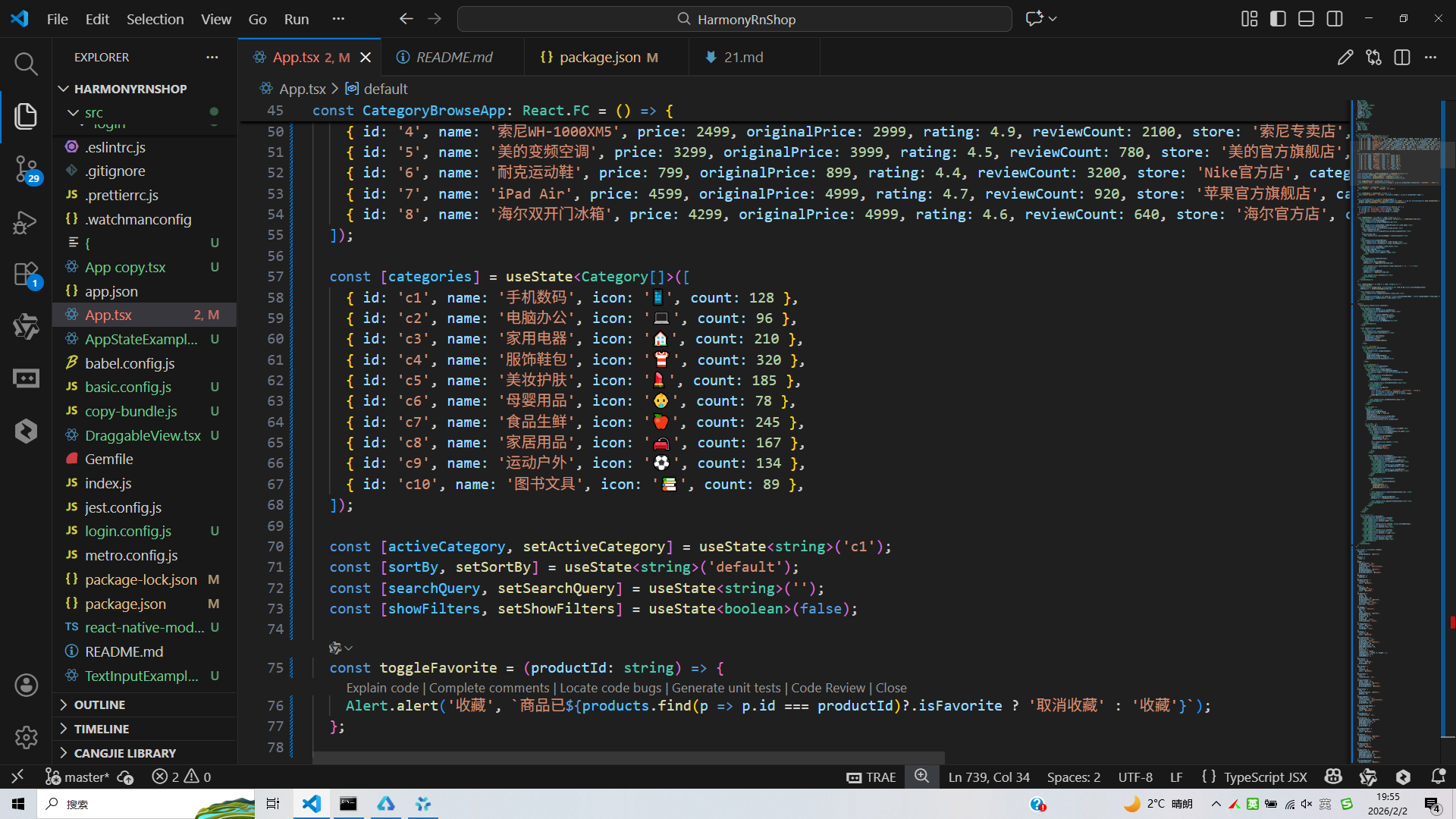
打包
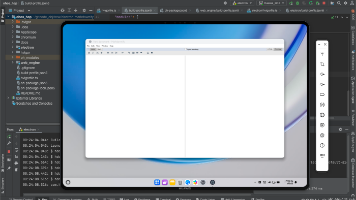
接下来通过打包命令npn run harmony将reactNative的代码打包成为bundle,这样可以进行在开源鸿蒙OpenHarmony中进行使用。
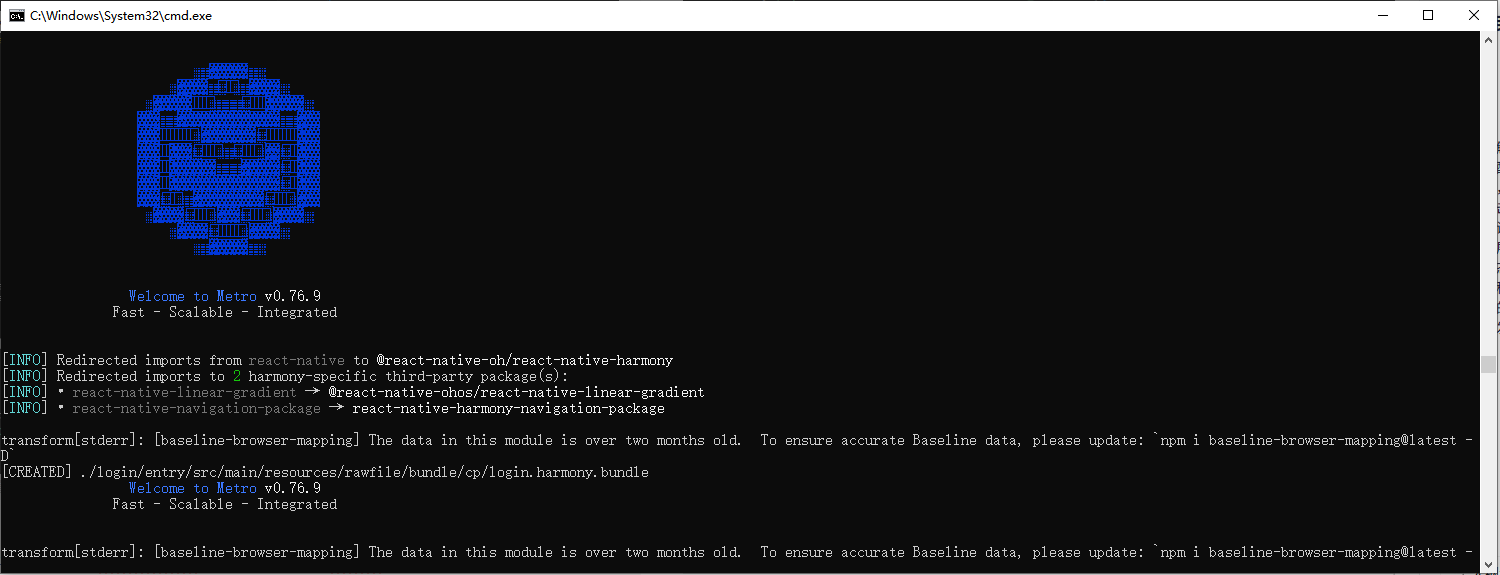
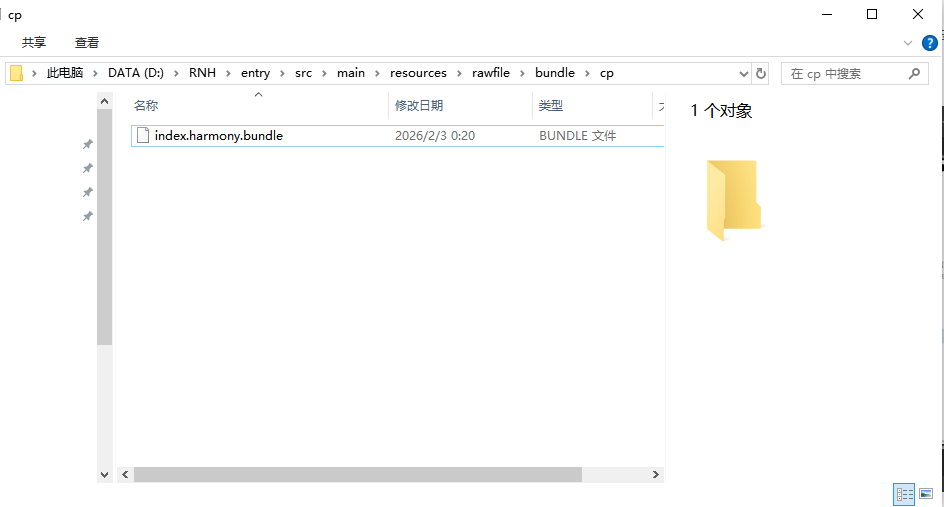
打包之后再将打包后的鸿蒙OpenHarmony文件拷贝到鸿蒙的DevEco-Studio工程目录去:
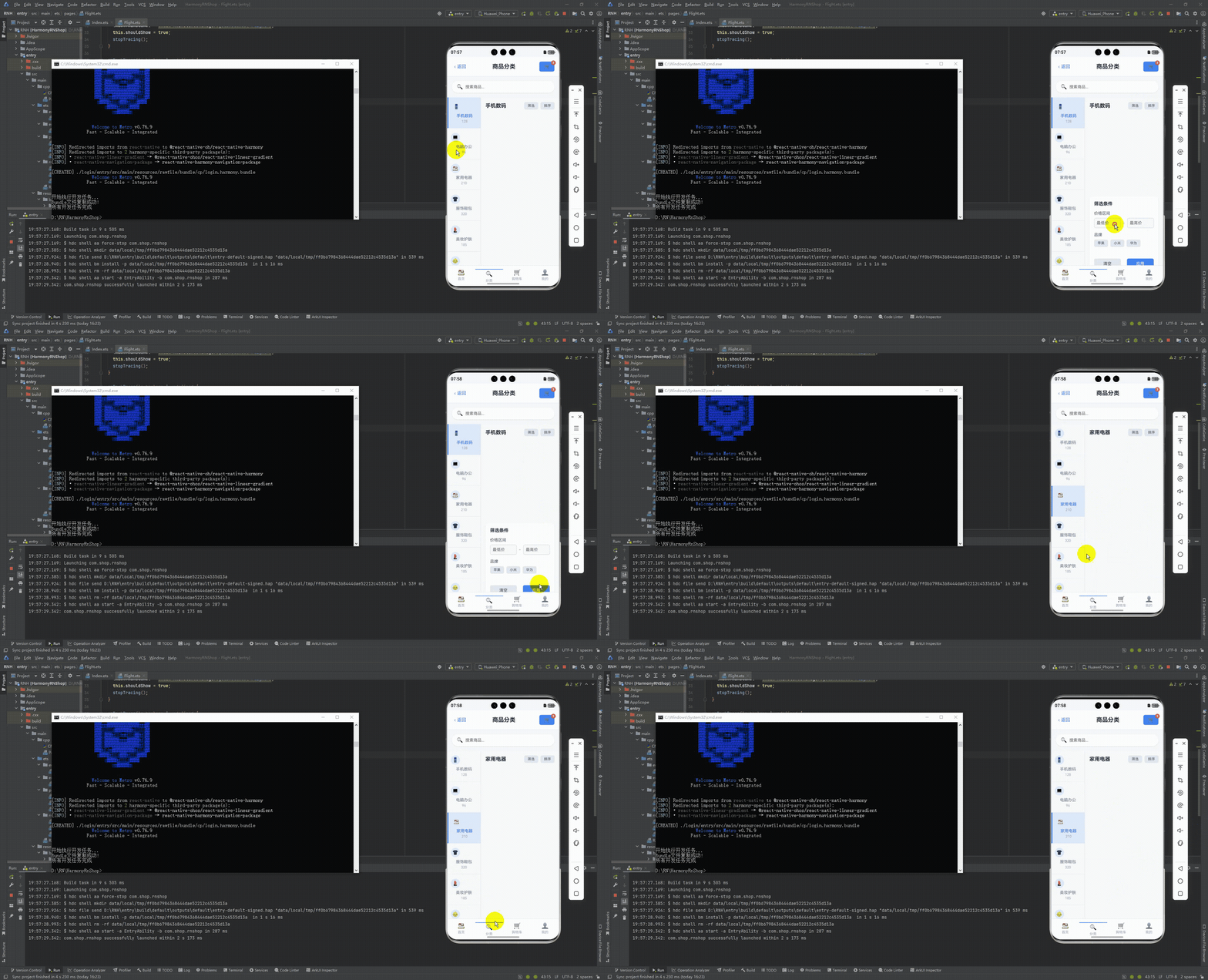
最后运行效果图如下显示:
本文深入解析了基于React Native构建的电商分类页技术实现,从数据模型、交互逻辑到布局优化三个维度进行剖析。首先设计了完整的商品和分类类型体系,采用分层状态管理实现分类筛选、搜索和排序功能。通过复合筛选算法和响应式布局,构建了侧边栏分类+商品列表的经典电商界面,并优化了视觉交互体验。此外,还提供了React Native到鸿蒙ArkTS的跨端适配方案,为电商应用开发提供技术参考。整体方案兼顾功能完整性和性能优化,具有较高的实践价值。
欢迎大家加入开源鸿蒙跨平台开发者社区,一起共建开源鸿蒙跨平台生态。

开源鸿蒙跨平台开发社区汇聚开发者与厂商,共建“一次开发,多端部署”的开源生态,致力于降低跨端开发门槛,推动万物智联创新。
更多推荐

 17
17 0
0- 0


 已为社区贡献27条内容

所有评论(0)