Flutter for OpenHarmony:file_picker — 跨平台文件选择器实战(深度适配鸿蒙)
开源鸿蒙跨平台社区推出file_picker插件,为鸿蒙应用提供高效文件拾取功能。该插件通过MethodChannel调用系统原生文件管理器,支持类型过滤、多文件选择和路径解析,并封装为PlatformFile对象。文章详细介绍了插件的使用方法,包括依赖配置、单文件拾取示例、简历上传等场景应用,并针对鸿蒙平台特性提出沙箱路径适配策略。最后通过综合实战代码展示了多文件选择与列表展示功能,强调该插件能
欢迎加入开源鸿蒙跨平台社区:https://openharmonycrossplatform.csdn.net。

前言
在鸿蒙(OpenHarmony)应用中,文件拾取是办公与资源管理类场景的基础交互。file_picker 插件一站式解决了权限申请与文件浏览的复杂逻辑,支持多种类型过滤,能流畅调起系统原生文件管理器,极大提升了开发效率。
一、核心价值
1.1 基础概念
file_picker 通过 MethodChannel 调起鸿蒙系统的 FilePicker 接口。
1.2 进阶概念
- PlatformFile:不仅仅是路径,它还包含了文件名、大小以及读取文件字节流的便捷方法。
- Type Filtering:允许你指定允许选择的后缀(如:只选
.txt和.doc)。
二、核心 API / 组件详解
2.1 引入依赖
在 pubspec.yaml 中,由于鸿蒙平台的特殊性,建议通过 Git 引入适配版的 path_provider 并进行版本覆盖(dependency_overrides),以确保路径解析在鸿蒙沙箱内正常工作:
dependencies:
  file_picker_ohos: ^1.0.1
  path_provider:
    git:
      url: https://atomgit.com/openharmony-tpc/flutter_packages.git
      path: packages/path_provider/path_provider

dependency_overrides:
  path_provider:
    git:
      url: https://atomgit.com/openharmony-tpc/flutter_packages.git
      path: packages/path_provider/path_provider
      ref: master
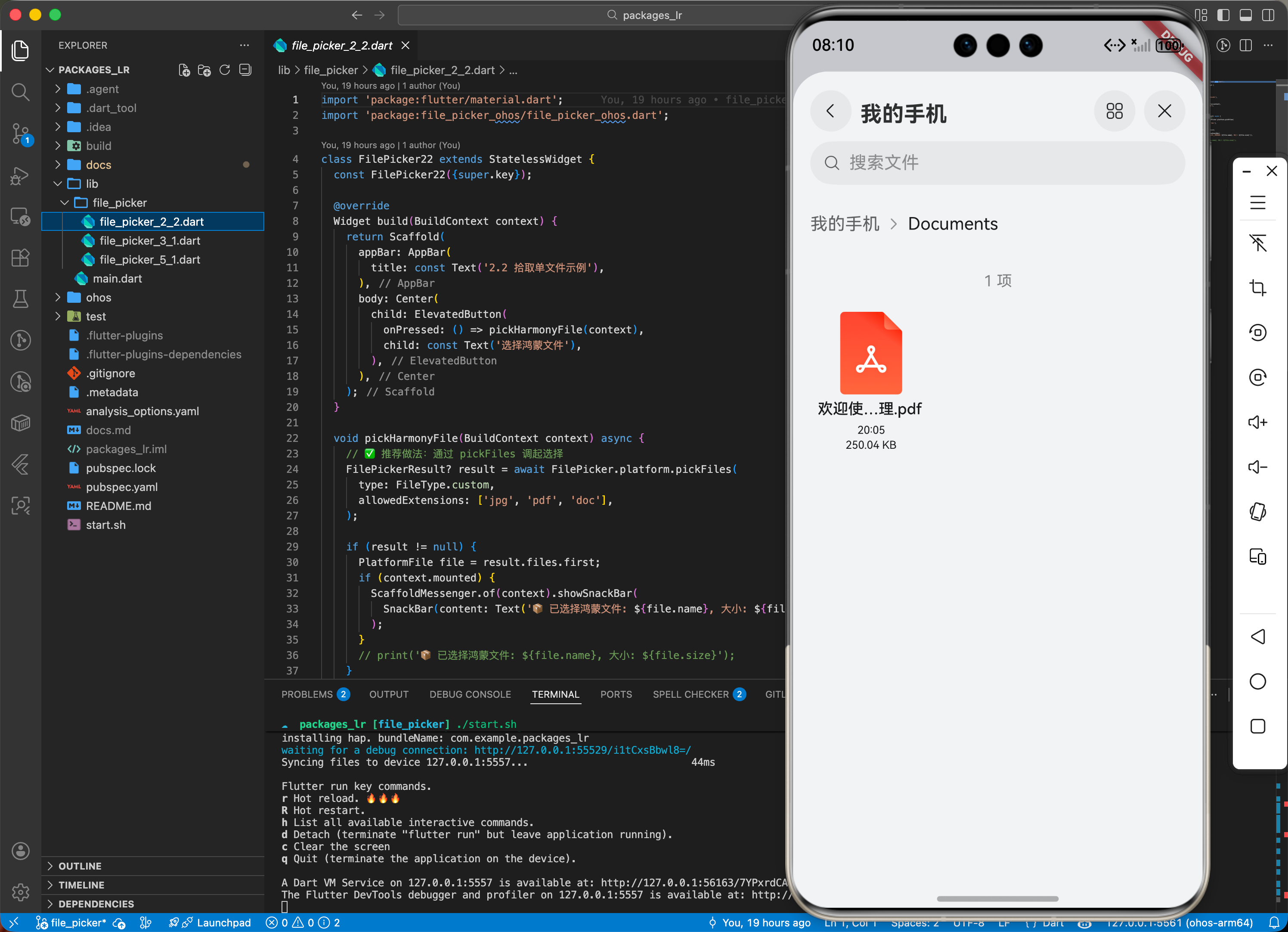
2.2 拾取单文件示例
import 'package:file_picker/file_picker.dart';

void pickHarmonyFile() async {
  // ✅ 推荐做法:通过 pickFiles 调起选择
  FilePickerResult? result = await FilePicker.platform.pickFiles(
    type: FileType.custom,
    allowedExtensions: ['jpg', 'pdf', 'doc'],
  );

  if (result != null) {
    PlatformFile file = result.files.first;
    print('📦 已选择鸿蒙文件: ${file.name}, 大小: ${file.size}');
  }
}
三、场景示例
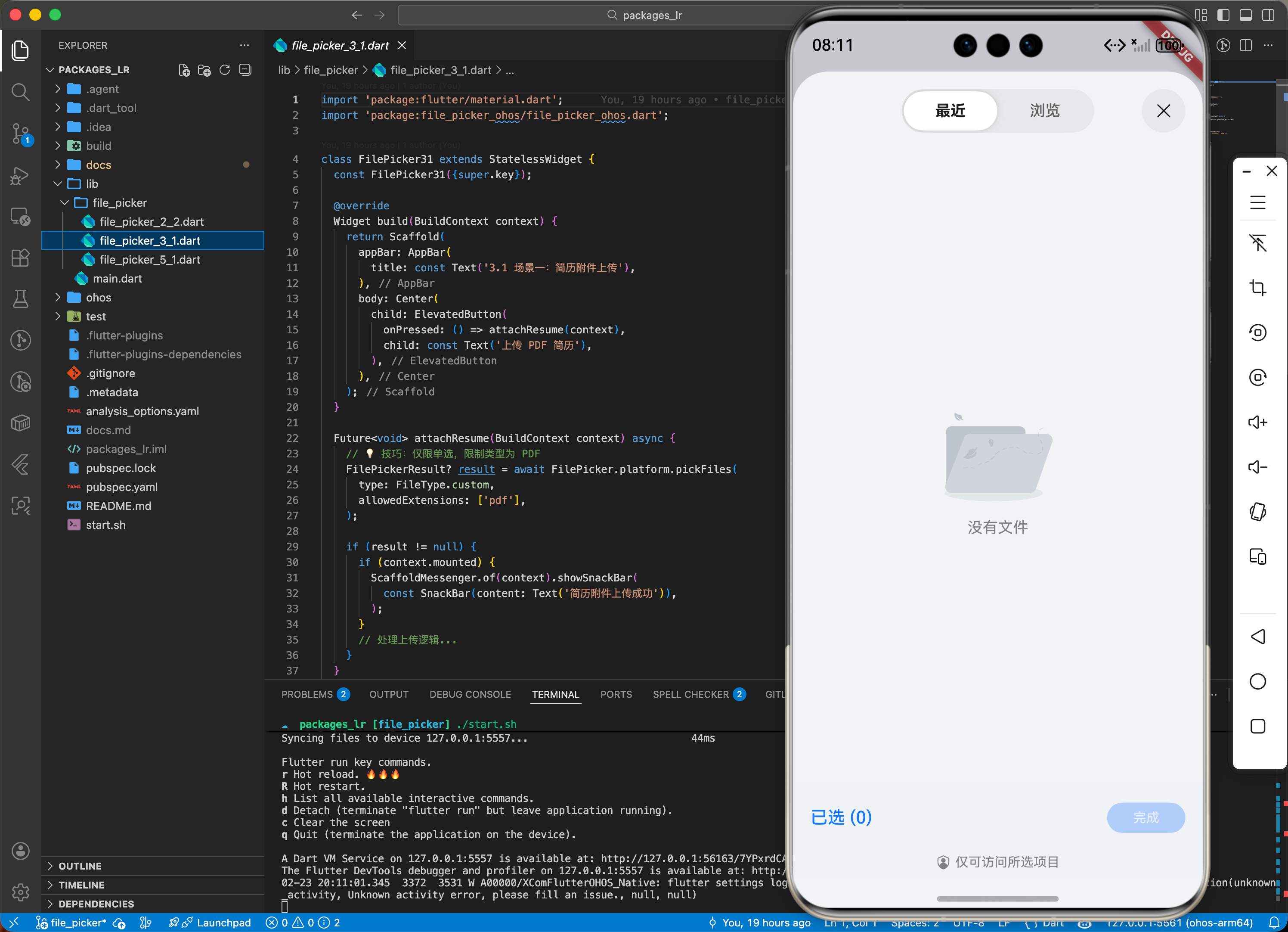
3.1 场景一:鸿蒙级应用的“简历附件”上传
让用户在求职应用中,从系统“下载”文件夹中快速选中 PDF 简历。
import 'package:file_picker/file_picker.dart';

Future<void> attachResume() async {
  // 💡 技巧:仅限单选,限制类型为 PDF
  FilePickerResult? result = await FilePicker.platform.pickFiles(
    type: FileType.custom,
    allowedExtensions: ['pdf'],
  );

  if (result != null) {
     // 处理上传逻辑...
  }
}
四、OpenHarmony 平台适配挑战
4.1 临时路径与读取权限
鸿蒙系统对文件路径有严格的沙箱保护(沙箱隔离)。从 FilePicker 拿到的路径可能是一个经过混淆的 URI 或者是临时缓存路径。
✅ 适配策略建议:
- 结合
path_provider操作:必须配合path_provider(使用鸿蒙适配版本) 来获取应用沙箱目录(如getApplicationDocumentsDirectory)。当需要将选择的文件永久保存时,应通过path_provider确定目标路径。 - 直接读取字节流:不要过分依赖
file.path,因为在某些鸿蒙版本上,由于权限原因你可能无法根据路径再次打开文件。建议直接使用插件提供的file.bytes或通过File(file.path!).readAsBytes()立即消费。 - 清理缓存:大文件选择后,插件会在鸿蒙系统的缓存目录下产生副本。建议在任务完成后调用
FilePicker.platform.clearTemporaryFiles()以节省用户空间。
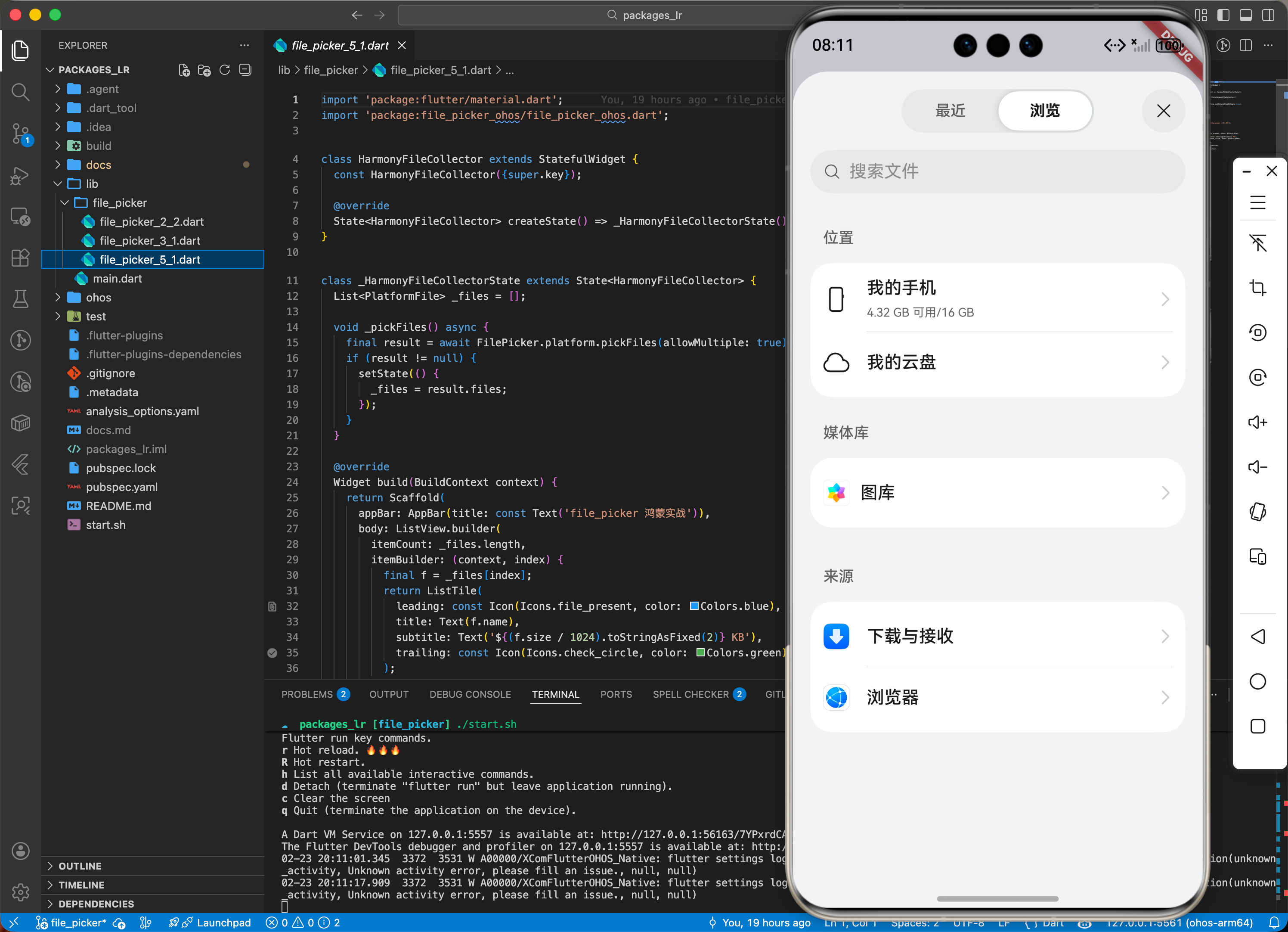
五、综合实战示例代码
这是一个包含了多文件选择与列表展示的鸿蒙文件采集中心:
import 'package:flutter/material.dart';
import 'package:file_picker/file_picker.dart';
class HarmonyFileCollector extends StatefulWidget {
const HarmonyFileCollector({super.key});
_HarmonyFileCollectorState createState() => _HarmonyFileCollectorState();
}
class _HarmonyFileCollectorState extends State<HarmonyFileCollector> {
List<PlatformFile> _files = [];
void _pickFiles() async {
final result = await FilePicker.platform.pickFiles(allowMultiple: true);
if (result != null) {
setState(() {
_files = result.files;
});
}
}
Widget build(BuildContext context) {
return Scaffold(
appBar: AppBar(title: const Text('file_picker 鸿蒙实战')),
body: ListView.builder(
itemCount: _files.length,
itemBuilder: (context, index) {
final f = _files[index];
return ListTile(
leading: const Icon(Icons.file_present, color: Colors.blue),
title: Text(f.name),
subtitle: Text('${(f.size / 1024).toStringAsFixed(2)} KB'),
trailing: const Icon(Icons.check_circle, color: Colors.green),
);
},
),
floatingActionButton: FloatingActionButton(
onPressed: _pickFiles,
child: const Icon(Icons.add_to_photos),
),
);
}
}
六、总结
file_picker 为鸿蒙应用与系统文件资源之间搭起了一座“免维护”的桥梁。它极大程度简化了文件交互逻辑,是生产力工具开发者的首选。
✅ 核心建议:
- 合理使用
type过滤器,通过系统级的预览减少用户错误点选。 - 涉及移动端多选大文件时,务必监听内存状态。

开源鸿蒙跨平台开发社区汇聚开发者与厂商,共建“一次开发,多端部署”的开源生态,致力于降低跨端开发门槛,推动万物智联创新。
更多推荐



 26
26 0
0- 0


 已为社区贡献128条内容

所有评论(0)