Flutter for OpenHarmony: Flutter 三方库 get_time_ago 赋予时间的温度(将枯燥时间戳转为“刚刚”、“3小时前”)
摘要 开源鸿蒙跨平台社区推出get_time_ago工具,帮助开发者实现时间语义化显示(如"5分钟前")。该工具支持多语言切换(含中文适配),通过简单差值计算实现高性能渲染,适合社交类应用。文章详细介绍了核心API使用方法、多语言配置技巧,并提供了鸿蒙平台适配建议和完整实战示例,包括朋友圈风格组件的实现代码。开发者可通过预设时间偏移快速测试UI兼容性,工具内部采用轻量级运算保证
欢迎加入开源鸿蒙跨平台社区:https://openharmonycrossplatform.csdn.net

前言
在开发 OpenHarmony 社交、新闻或评论类应用时,直接显示“2026-02-18 14:00:00”显得生硬且。用户更习惯看到“刚刚”、“5分钟前”或“2小时前”这种具有时效对比感的语义化描述。
get_time_ago 是一个极致简单、开箱即用的工具。它能根据当前时间自动计算差值,并渲染成最通俗易懂的文字。
一、核心工作逻辑
它内部通过简单的分级判断,将时间戳差值映射到不同的语义区间。
二、核心 API 实战
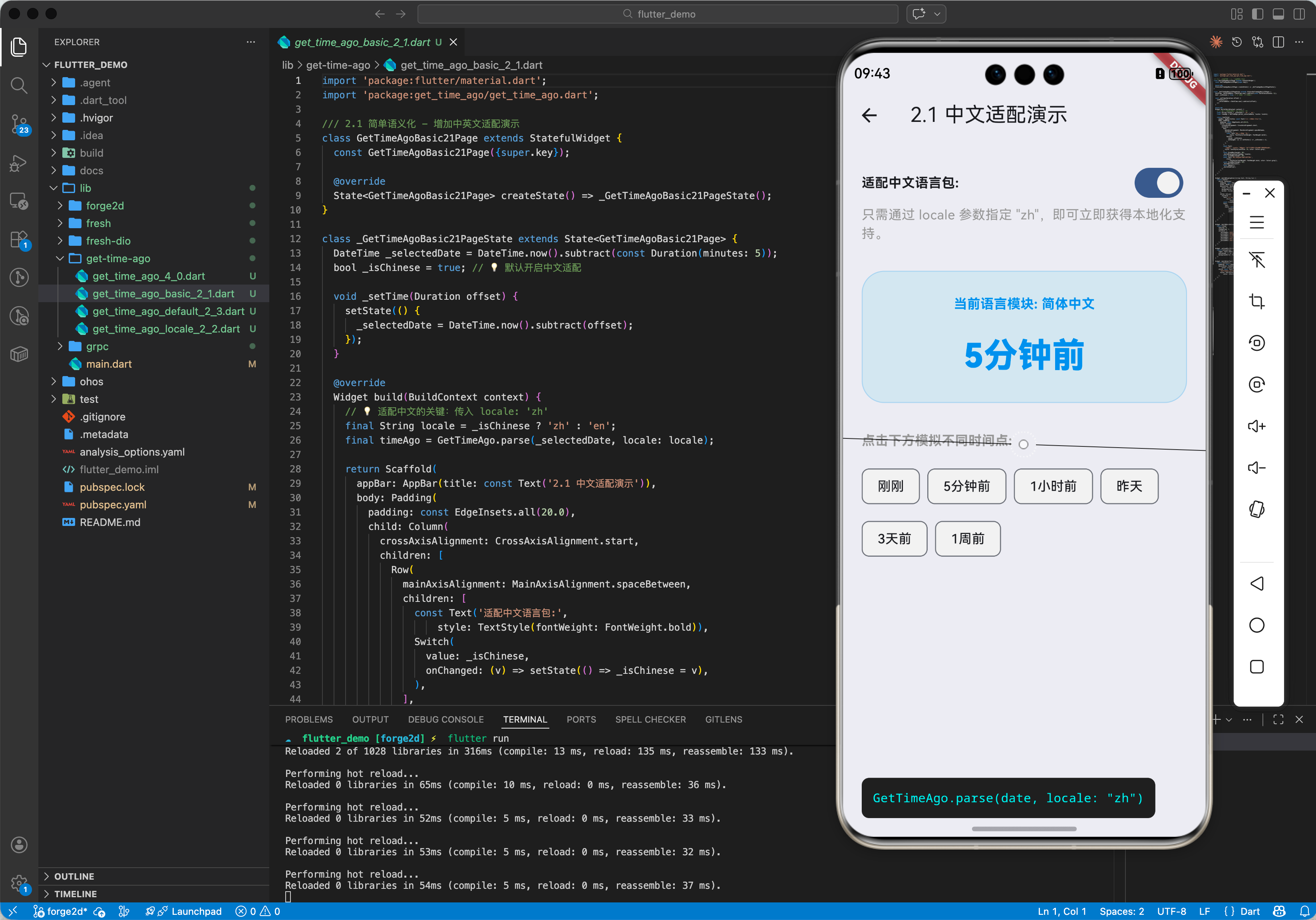
2.1 简单语义化
import 'package:get_time_ago/get_time_ago.dart';

// 💡 默认输出英文:5 minutes ago
String res = GetTimeAgo.parse(DateTime.now().subtract(Duration(minutes: 5)));
2.2 深度适配中文(内置支持)
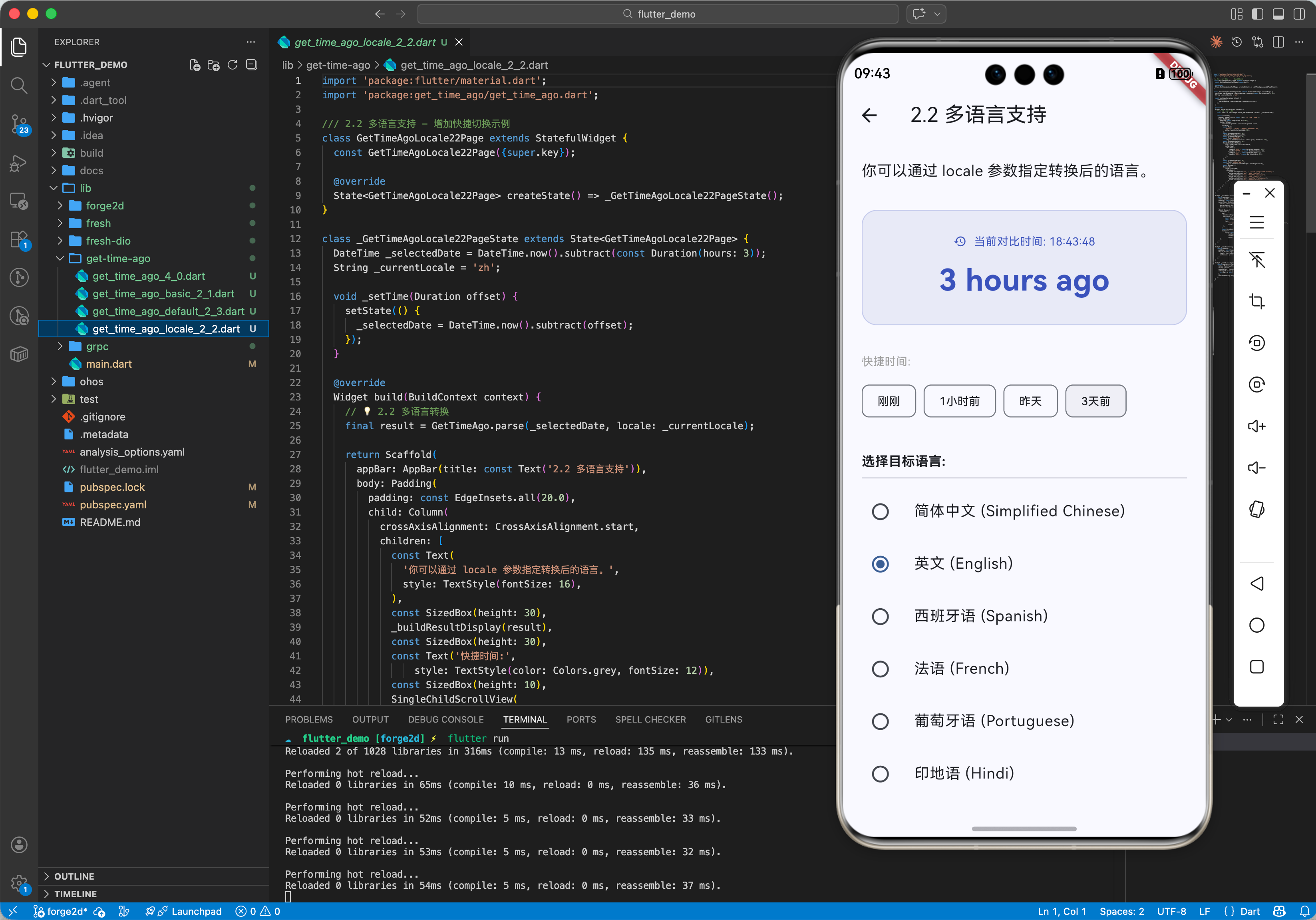
这是鸿蒙开发者最关心的功能。该库内置了对简体中文(zh)的完美支持。
- 局部指定:在解析时传入
locale参数。String res = GetTimeAgo.parse(date, locale: 'zh'); // 输出:5分钟前 - 全局设置 (推荐):在 App 启动(如 main 函数)中设置默认语言。
GetTimeAgo.setDefaultLocale('zh');
2.3 多语言实时切换
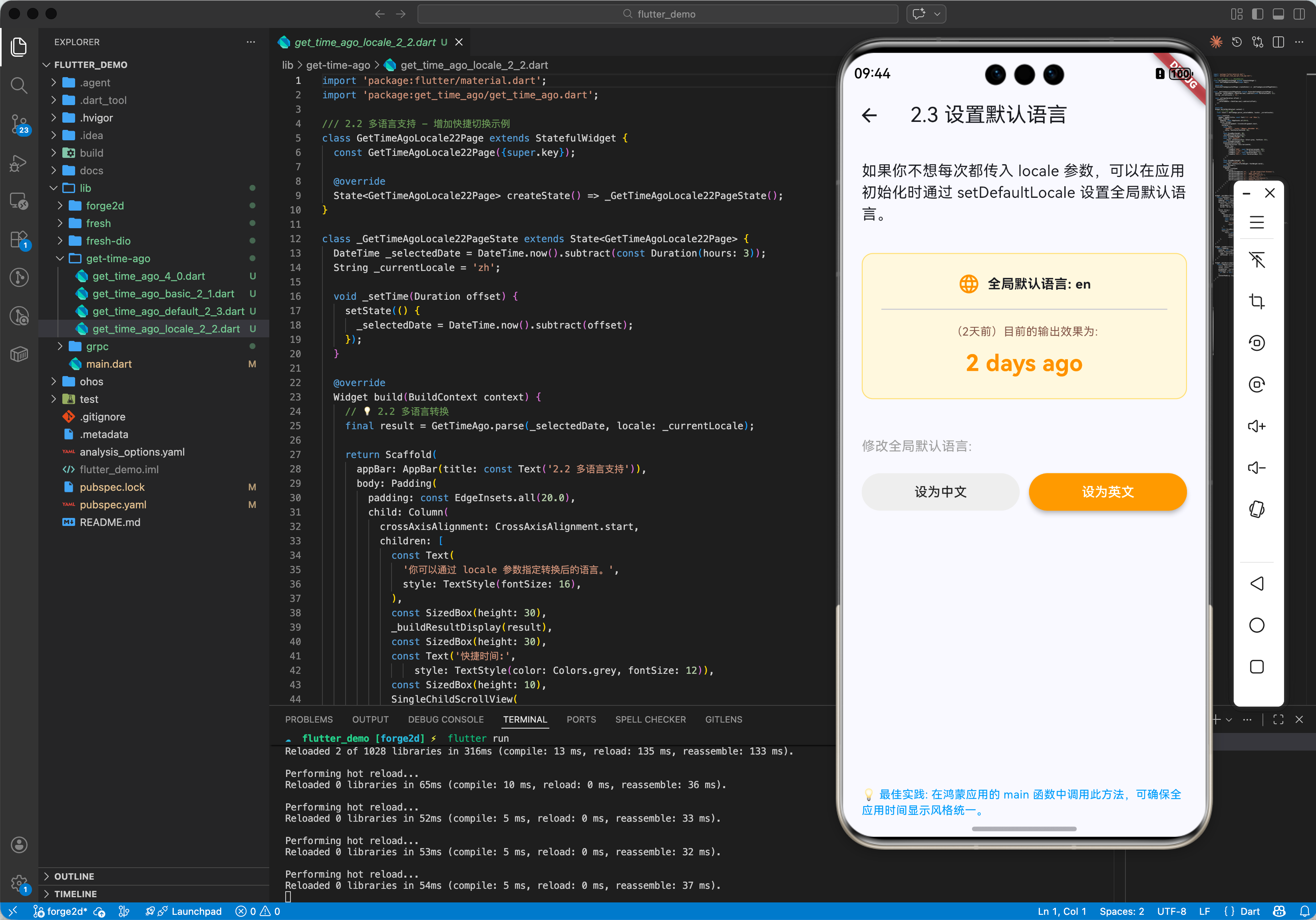
该库支持在同一个应用中动态切换语言,例如在双语设置界面中:
String resEn = GetTimeAgo.parse(date, locale: 'en'); // "Yesterday"
String resFr = GetTimeAgo.parse(date, locale: 'fr'); // "Hier"
三、OpenHarmony 平台适配
3.1 零卡顿列表渲染
由于其内部实现仅为简单的数学运算,性能开销几乎为零。在鸿蒙设备的高刷单页瀑布流或长列表中频繁调用也不会产生掉帧。
3.2 快捷切换演示技巧
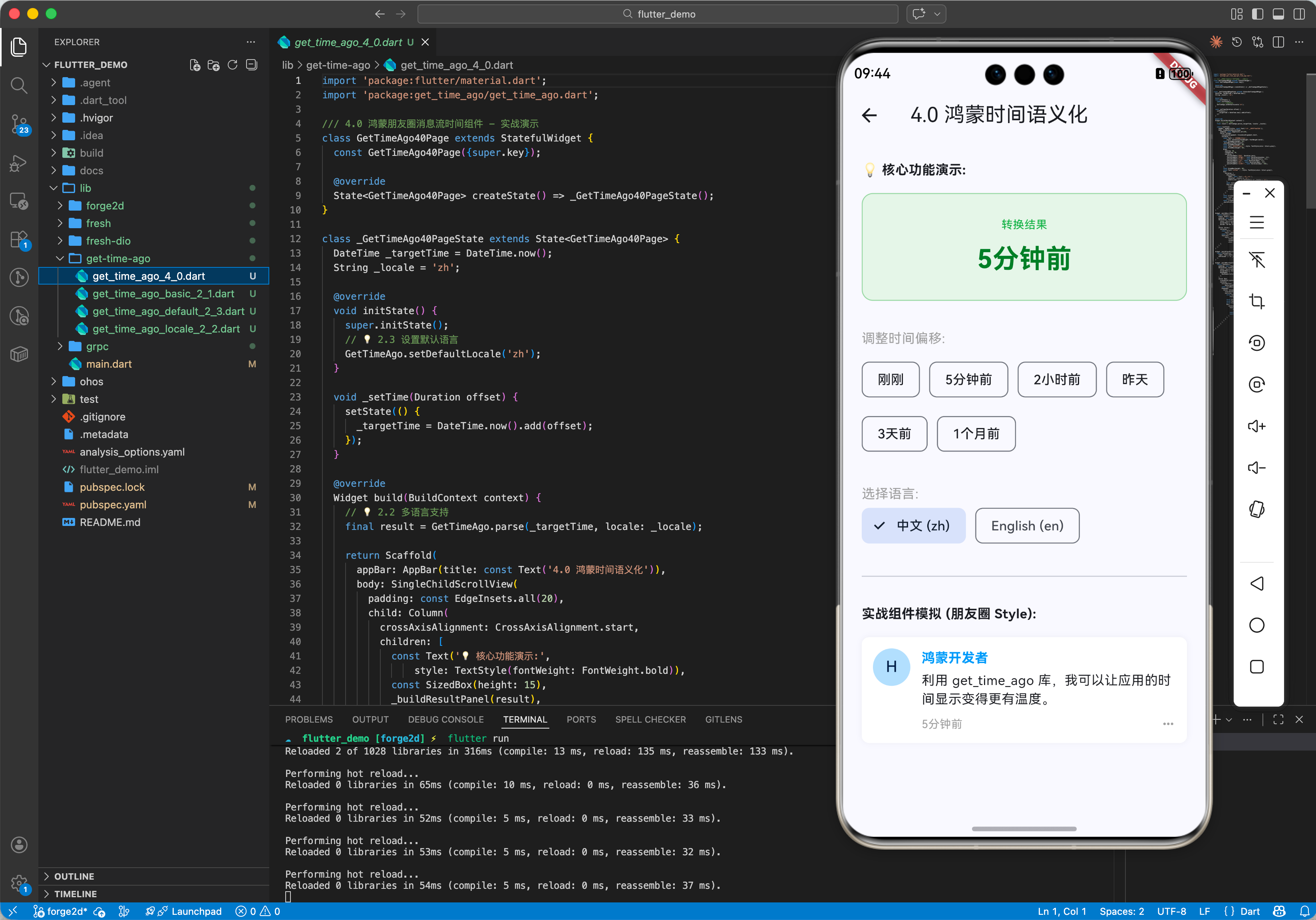
💡 技巧:在开发调试阶段,可以像演示 Demo 那样,预设一组 Duration(刚刚、1小时前、昨天)的快捷标签,通过点击实时改变 DateTime 对象,从而快速测试 UI 布局在不同字长描述下的兼容性。
四、完整实战示例:鸿蒙消息流时间格式化
本示例封装了一个类似朋友圈的组件。
import 'package:flutter/material.dart';
import 'package:get_time_ago/get_time_ago.dart';
/// 4.0 鸿蒙朋友圈消息流时间组件 - 实战演示
class GetTimeAgo40Page extends StatefulWidget {
const GetTimeAgo40Page({super.key});
State<GetTimeAgo40Page> createState() => _GetTimeAgo40PageState();
}
class _GetTimeAgo40PageState extends State<GetTimeAgo40Page> {
DateTime _targetTime = DateTime.now();
String _locale = 'zh';
void initState() {
super.initState();
// 💡 2.3 设置默认语言
GetTimeAgo.setDefaultLocale('zh');
}
void _setTime(Duration offset) {
setState(() {
_targetTime = DateTime.now().add(offset);
});
}
Widget build(BuildContext context) {
// 💡 2.2 多语言支持
final result = GetTimeAgo.parse(_targetTime, locale: _locale);
return Scaffold(
appBar: AppBar(title: const Text('4.0 鸿蒙时间语义化')),
body: SingleChildScrollView(
padding: const EdgeInsets.all(20),
child: Column(
crossAxisAlignment: CrossAxisAlignment.start,
children: [
const Text('💡 核心功能演示:',
style: TextStyle(fontWeight: FontWeight.bold)),
const SizedBox(height: 15),
_buildResultPanel(result),
const SizedBox(height: 30),
const Text('调整时间偏移:', style: TextStyle(color: Colors.grey)),
const SizedBox(height: 10),
Wrap(
spacing: 10,
runSpacing: 10,
children: [
_buildTimeBtn('刚刚', Duration.zero),
_buildTimeBtn('5分钟前', const Duration(minutes: -5)),
_buildTimeBtn('2小时前', const Duration(hours: -2)),
_buildTimeBtn('昨天', const Duration(days: -1)),
_buildTimeBtn('3天前', const Duration(days: -3)),
_buildTimeBtn('1个月前', const Duration(days: -30)),
],
),
const SizedBox(height: 30),
const Text('选择语言:', style: TextStyle(color: Colors.grey)),
Row(
children: [
ChoiceChip(
label: const Text('中文 (zh)'),
selected: _locale == 'zh',
onSelected: (s) => setState(() => _locale = 'zh'),
),
const SizedBox(width: 10),
ChoiceChip(
label: const Text('English (en)'),
selected: _locale == 'en',
onSelected: (s) => setState(() => _locale = 'en'),
),
],
),
const Divider(height: 60),
const Text('实战组件模拟 (朋友圈 Style):',
style: TextStyle(fontWeight: FontWeight.bold)),
const SizedBox(height: 15),
_buildMockFeedItem(result),
],
),
),
);
}
Widget _buildResultPanel(String text) {
return Container(
width: double.infinity,
padding: const EdgeInsets.all(24),
decoration: BoxDecoration(
color: Colors.green[50],
borderRadius: BorderRadius.circular(12),
border: Border.all(color: Colors.green[200]!),
),
child: Column(
children: [
const Text('转换结果',
style: TextStyle(fontSize: 12, color: Colors.green)),
const SizedBox(height: 8),
Text(text,
style: TextStyle(
fontSize: 28,
fontWeight: FontWeight.bold,
color: Colors.green[800])),
],
),
);
}
Widget _buildTimeBtn(String label, Duration offset) {
return ActionChip(
label: Text(label),
onPressed: () => _setTime(offset),
);
}
Widget _buildMockFeedItem(String timeDesc) {
return Container(
padding: const EdgeInsets.all(12),
decoration: BoxDecoration(
color: Colors.white,
borderRadius: BorderRadius.circular(8),
boxShadow: [
BoxShadow(color: Colors.black.withOpacity(0.05), blurRadius: 5)
],
),
child: Row(
crossAxisAlignment: CrossAxisAlignment.start,
children: [
CircleAvatar(
backgroundColor: Colors.blue[100], child: const Text('H')),
const SizedBox(width: 12),
Expanded(
child: Column(
crossAxisAlignment: CrossAxisAlignment.start,
children: [
const Text('鸿蒙开发者',
style: TextStyle(
fontWeight: FontWeight.bold, color: Colors.blue)),
const SizedBox(height: 4),
const Text('利用 get_time_ago 库,我可以让应用的时间显示变得更有温度。'),
const SizedBox(height: 8),
Row(
children: [
Text(timeDesc,
style:
const TextStyle(color: Colors.grey, fontSize: 12)),
const Spacer(),
const Icon(Icons.more_horiz, color: Colors.grey, size: 16),
],
),
],
),
),
],
),
);
}
}
五、总结
get_time_ago 软件包是提升 OpenHarmony 应用“人情味”的小神器。它虽然代码量极少,却能显著改善用户在消息流、日志、评论区等场景下的阅读预期。对于追求细节精致度的鸿蒙开发者来说,通过简单的全局 zh 配置即可大幅提升 App 的本地化专业感。

开源鸿蒙跨平台开发社区汇聚开发者与厂商,共建“一次开发,多端部署”的开源生态,致力于降低跨端开发门槛,推动万物智联创新。
更多推荐


 42
42 0
0- 0


 已为社区贡献67条内容

所有评论(0)