Flutter for OpenHarmony:postgrest 直接访问 PostgreSQL 数据库的 RESTful 客户端(Supabase 核心驱动) 深度解析与鸿蒙适配指南
摘要:本文介绍了如何使用PostgREST和Dart客户端库在Flutter应用中快速构建RESTful API数据层。PostgREST能够自动将PostgreSQL数据库转换为REST API,支持查询、插入、更新等操作,同时通过RLS机制保障数据安全。文章详细讲解了基础查询、数据修改等核心API用法,并展示了在无后端应用、实时排行榜等场景下的应用方案。此外,还提供了OpenHarmony平台
欢迎加入开源鸿蒙跨平台社区:https://openharmonycrossplatform.csdn.net

前言
如果你不想写复杂的 Java/Node.js 后端服务,只想直接增删改查数据库,PostgREST 是一个神奇的后端工具 —— 它能把从 PostgreSQL 数据库自动生成一套 RESTful API。而 postgrest (Dart库) 正是这一服务的官方客户端。
这也是 Supabase(Firebase 的开源替代品)的核心组件之一。通过它,你可以在 Flutter App 中像写 SQL 一样流畅地操作远程数据,既安全又高效。
一、概念介绍/原理解析
1.1 基础概念
- Filter:
eq('id', 1),gt('age', 18)等,对应 SQL 的WHERE。 - Select: 指定返回字段,支持关联查询(如
*, posts(*))。 - Order: 排序规则。
- RPC: 调用存储过程(Stored Procedures)。
1.2 进阶概念
虽然看起来是直连数据库,但实际上通过 PostgREST 的 RLS (Row Level Security) 机制,你可以非常精细地控制每个用户只能读写自己的数据,无需担心越权。
二、核心 API/组件详解
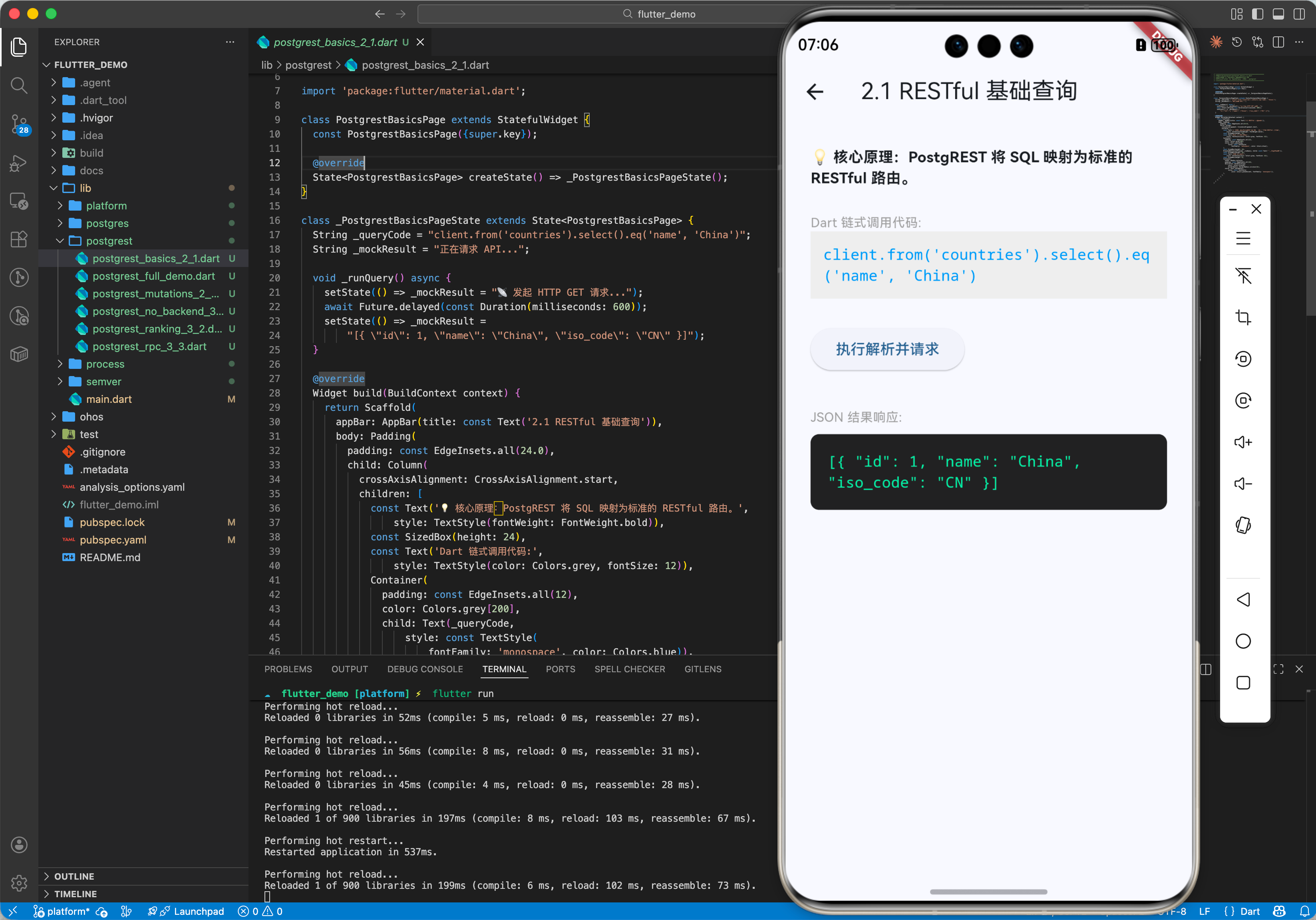
2.1 基础用法
查询数据。
import 'package:postgrest/postgrest.dart';

final client = PostgrestClient('https://your-project.supabase.co/rest/v1');

void main() async {
  // SELECT * FROM countries WHERE name = 'China'
  final data = await client
      .from('countries')
      .select()
      .eq('name', 'China');

  print(data); // List<Map<String, dynamic>>
}
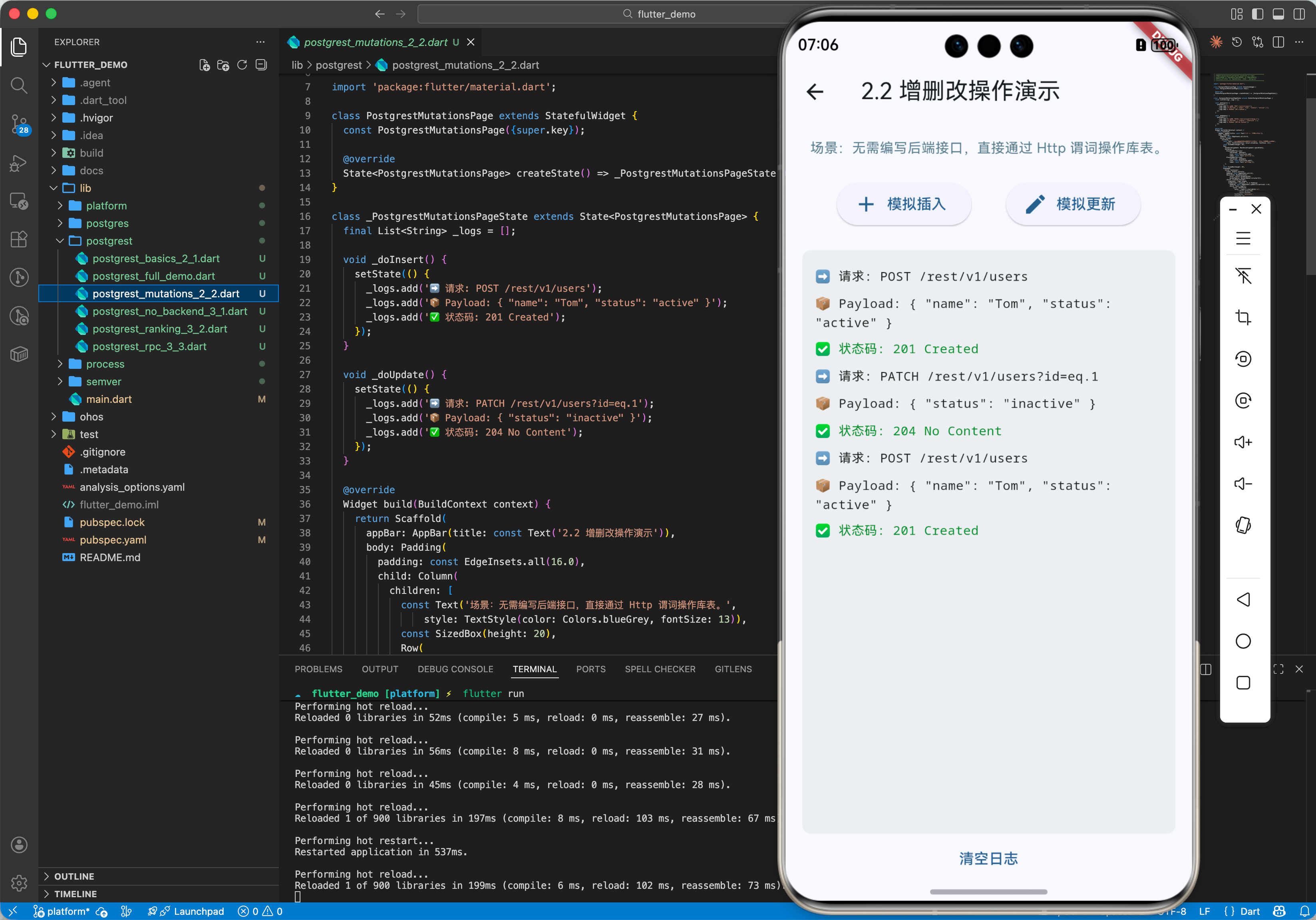
2.2 插入与更新
// INSERT INTO users (name, status) VALUES ('Tom', 'active')
await client.from('users').insert({
  'name': 'Tom',
  'status': 'active'
});

// UPDATE users SET status = 'inactive' WHERE id = 1
await client.from('users').update({ 'status': 'inactive' }).eq('id', 1);
三、常见应用场景
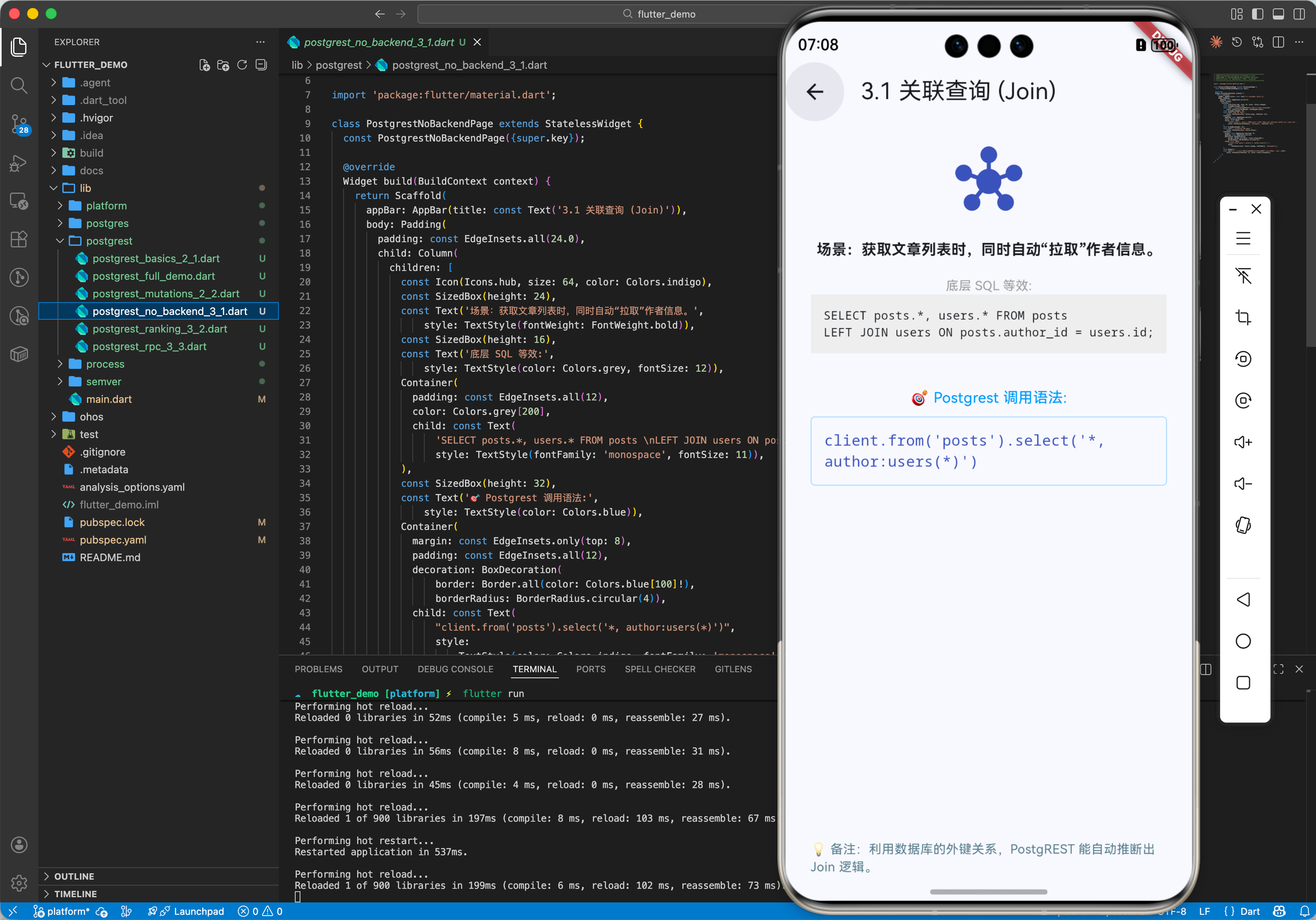
3.1 场景 1:无后端 App
基于 Supabase 或自建 PostgREST,直接开发 CMS 或简单的社交应用。
// 获取文章列表及作者信息
final posts = await client.from('posts').select('*, author:users(*)');
3.2 场景 2:实时排行榜
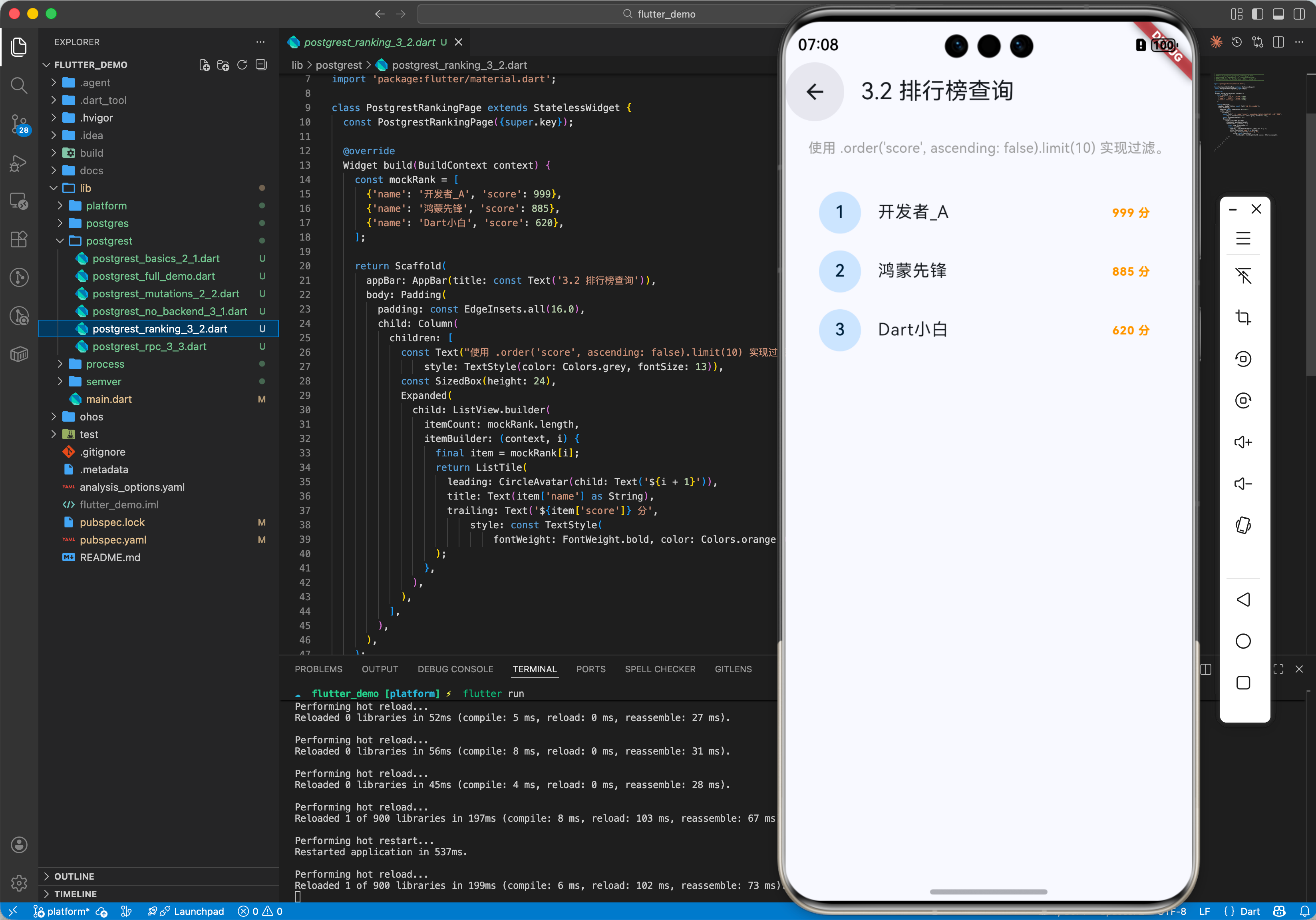
虽然 postgrest 主要是 REST,但结合 Realtime 功能(Supabase),可实现实时数据同步。
// 仅使用 postgrest 获取快照
final top10 = await client.from('scores').select().order('score', ascending: false).limit(10);
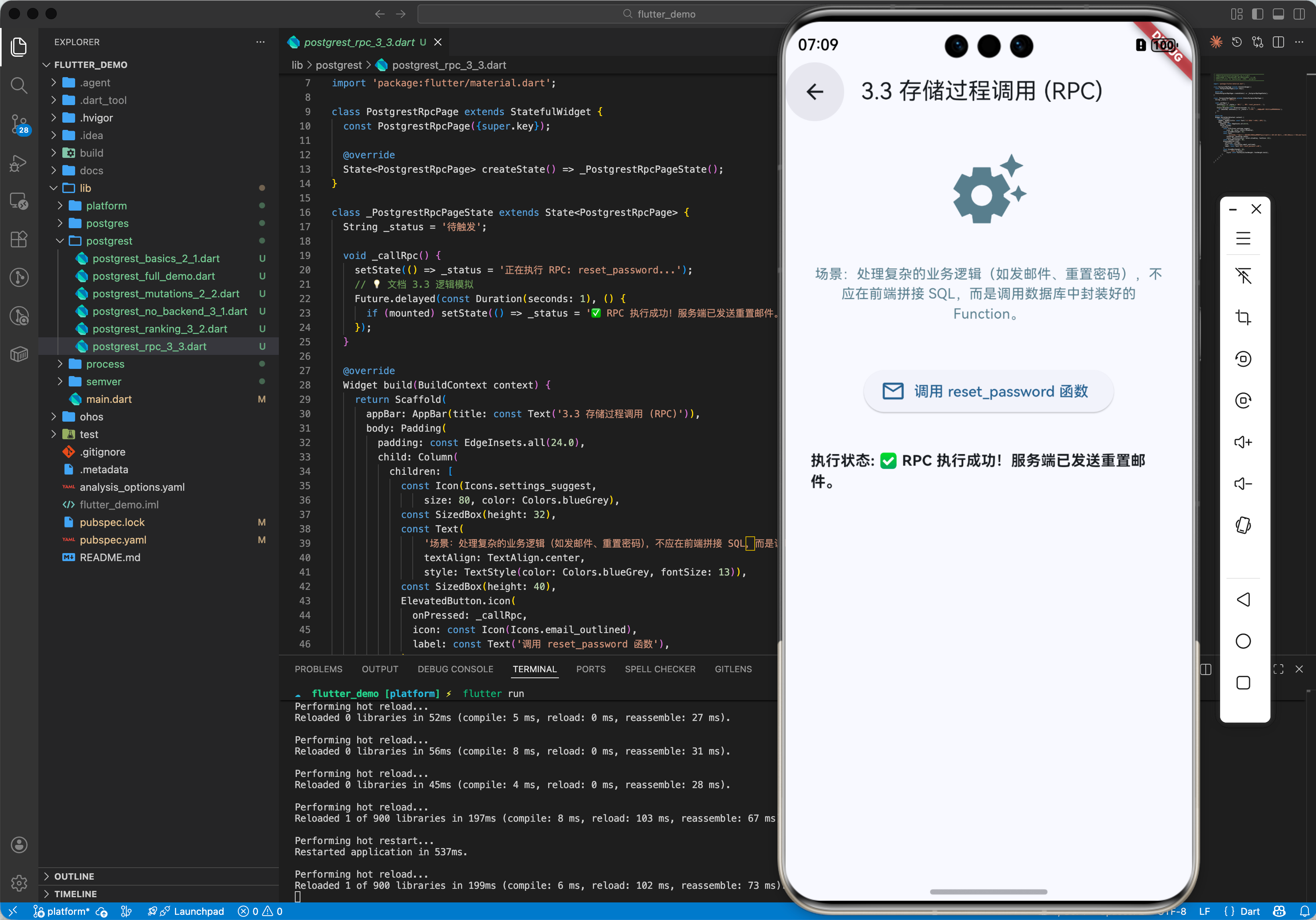
3.3 场景 3:调用复杂业务逻辑
通过 RPC 调用数据库函数。
// 调用名为 "reset_password" 的函数
await client.rpc('reset_password', params: {'email': 'user@example.com'});
四、OpenHarmony 平台适配
4.1 网络请求库
postgrest 内部默认使用 http 库。在 OpenHarmony 上,这完全没问题。如果你需要自定义(比如加 Token 拦截器或使用 Dio),可以通过构造函数传入自定义 Client。
4.2 权限声明
同样别忘了在鸿蒙 config.json/module.json5 中声明 ohos.permission.INTERNET。
五、完整示例代码
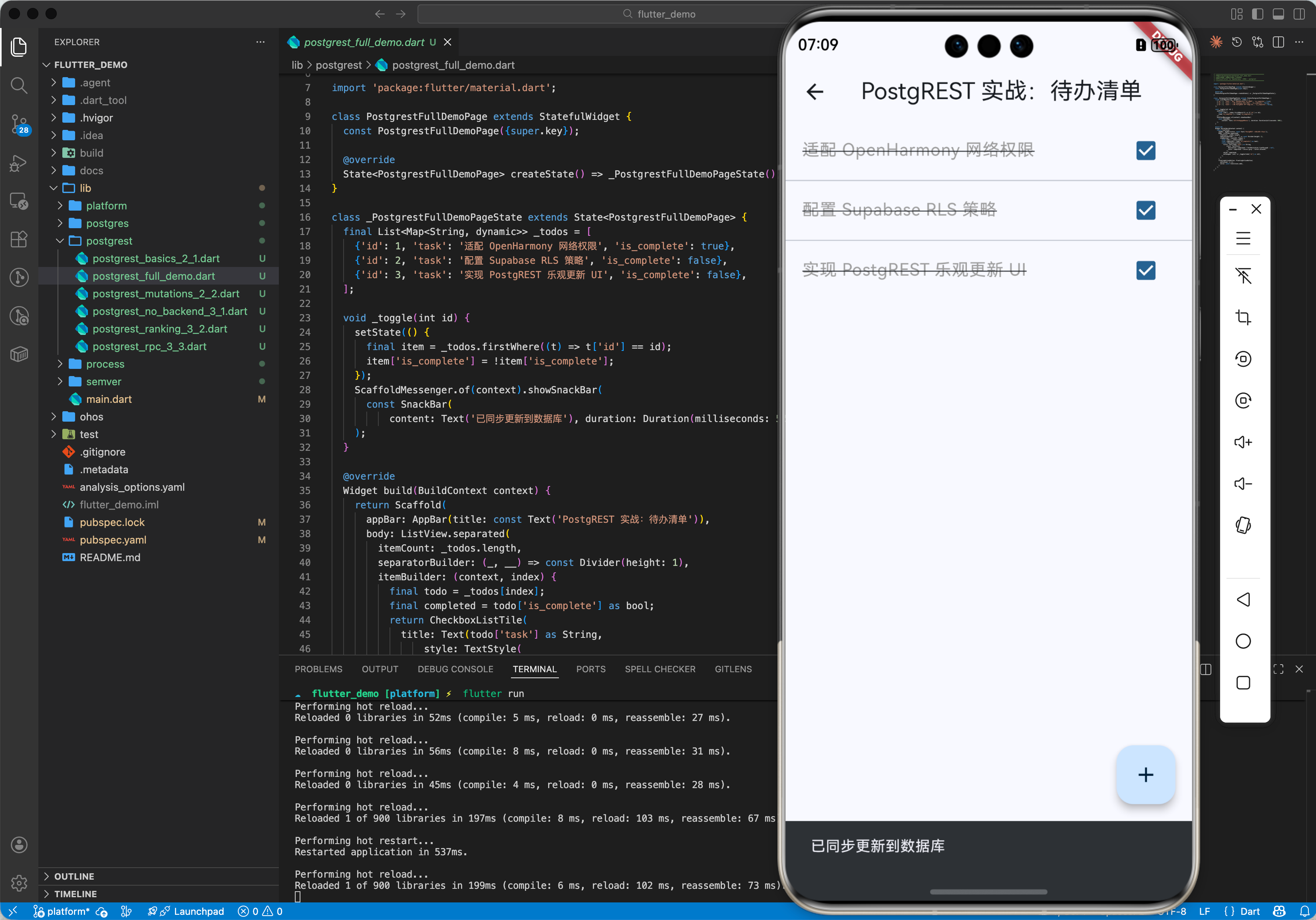
本示例列出所有任务 (Todos),并支持点击切换完成状态。
import 'package:flutter/material.dart';
import 'package:postgrest/postgrest.dart';
// 请替换为你自己的 PostgREST 服务地址
const String _url = 'https://my-project.supabase.co/rest/v1';
const String _anonKey = 'your-anon-key'; // 如果有的话
void main() {
runApp(const MaterialApp(home: TodoPage()));
}
class TodoPage extends StatefulWidget {
const TodoPage({super.key});
State<TodoPage> createState() => _TodoPageState();
}
class _TodoPageState extends State<TodoPage> {
late final PostgrestClient _client;
List<Map<String, dynamic>> _todos = [];
bool _loading = true;
void initState() {
super.initState();
_client = PostgrestClient(
_url,
headers: {'apikey': _anonKey}, // 公钥
);
_fetchTodos();
}
Future<void> _fetchTodos() async {
try {
final res = await _client.from('todos').select().order('id');
setState(() {
_todos = List<Map<String, dynamic>>.from(res as List);
_loading = false;
});
} catch (e) {
print('Error: $e');
setState(() => _loading = false);
}
}
Future<void> _toggle(int id, bool current) async {
// 乐观更新 UI
final index = _todos.indexWhere((t) => t['id'] == id);
if (index != -1) {
setState(() {
_todos[index]['is_complete'] = !current;
});
}
try {
await _client.from('todos').update({'is_complete': !current}).eq('id', id);
} catch (e) {
// 失败回滚...
_fetchTodos();
}
}
Widget build(BuildContext context) {
return Scaffold(
appBar: AppBar(title: const Text('PostgREST Todos')),
body: _loading
? const Center(child: CircularProgressIndicator())
: ListView.builder(
itemCount: _todos.length,
itemBuilder: (context, index) {
final todo = _todos[index];
final isDone = todo['is_complete'] as bool? ?? false;
return CheckboxListTile(
title: Text(todo['task'] as String),
value: isDone,
onChanged: (_) => _toggle(todo['id'] as int, isDone),
);
},
),
floatingActionButton: FloatingActionButton(
onPressed: _fetchTodos,
child: const Icon(Icons.refresh),
),
);
}
}
六、总结
postgrest 极大地降低了全栈开发的门槛。前端开发者只需专注于 UI 和数据查询,复杂的后端逻辑交给强大的 PostgreSQL 数据库去处理。
最佳实践:
- 安全性:永远不要在客户端使用
service_role密钥(超级管理员权限)。始终使用anon密钥配合 RLS。 - 类型生成:手动解析
Map<String, dynamic>很累且容易出错,建议使用supabase_flutter配合代码生成工具。

开源鸿蒙跨平台开发社区汇聚开发者与厂商,共建“一次开发,多端部署”的开源生态,致力于降低跨端开发门槛,推动万物智联创新。
更多推荐



 37
37 0
0- 0


 已为社区贡献53条内容

所有评论(0)