命令行esh模板引擎实战技巧与最佳实践
esh是一个轻量级模板引擎,支持在模板中嵌入和执行Shell命令。本文系统介绍了esh的安装、语法特性、使用示例和高级功能。主要内容包括:通过tar包或手动方式安装esh;基础语法如变量替换、控制结构和注释;实际应用示例展示条件判断、循环和模板包含;高级功能如错误处理和环境配置。esh适用于动态生成配置文件等场景,支持从标准输入读取和输出到文件,提供了灵活的模板化处理方案。
esh (Embedded SHell) 是一个轻量级的模板引擎,用于在任意模板中嵌入和执行 shell 命令。本文档系统性地介绍 esh 的核心概念、语法特性、高级技巧和实战应用,帮助开发者快速掌握配置文件动态生成和模板化处理的精髓。
📋 目录
一、快速开始
1.1 安装 esh
方式一:使用 tar.gz 包安装
# 在鸿蒙PC上执行
tar -xzf ohos_esh_0.3.3.tar.gz
cp -r esh_0.3.3/* /data/service/hnp/esh.org/esh_0.3.3/
方式二:手动安装
# 复制文件到安装目录
mkdir -p /data/service/hnp/esh.org/esh_0.3.3/bin
cp bin/esh /data/service/hnp/esh.org/esh_0.3.3/bin/
chmod +x /data/service/hnp/esh.org/esh_0.3.3/bin/esh

# 添加到 PATH
export PATH=$PATH:/data/service/hnp/esh.org/esh_0.3.3/bin
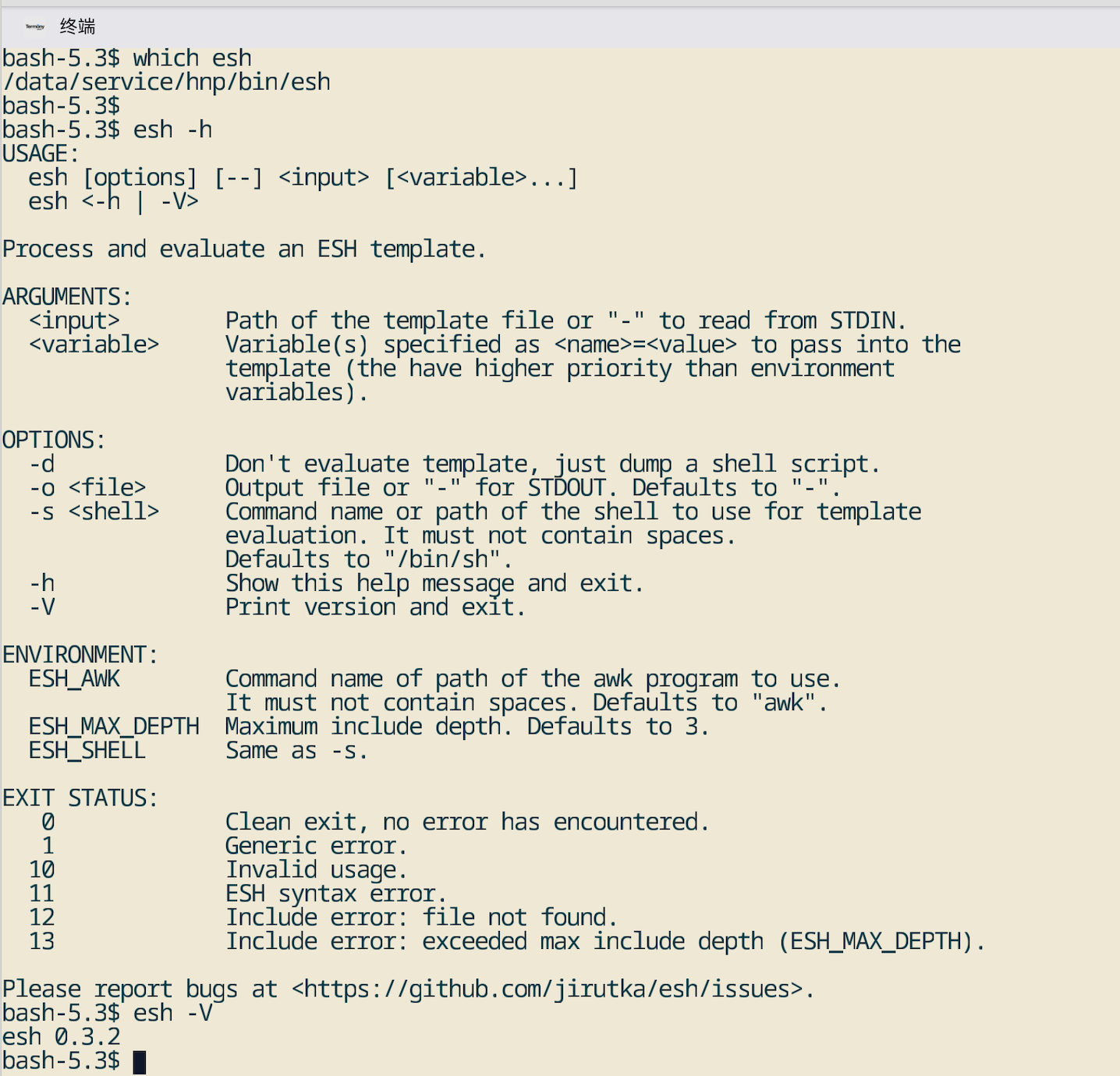
1.2 验证安装
# 查看版本
esh -V
# 输出: esh 0.3.2

# 查看帮助
esh -h
1.3 第一个示例
创建模板文件 hello.esh:
Hello from <%= $USER %>!
Today is <%= $(date +%Y-%m-%d) %>.
执行模板:
esh hello.esh
# 输出:
# Hello from ohos!
# Today is 2025-12-17.
二、基本语法
2.1 模板语法
esh 支持以下模板语法:
| 语法 | 说明 |
|---|---|
<%= ... %> |
输出表达式结果 |
<% ... %> |
执行脚本块(不输出) |
<%+ ... %> |
包含其他模板文件 |
<%# ... %> |
注释(不会出现在输出中) |
<%- ... %> |
执行脚本块并去除前后空白 |
2.2 变量使用
环境变量
# 模板文件
Hello <%= $USER %>!
Home directory: <%= $HOME %>
命令行变量
# 命令行变量优先级高于环境变量
esh template.esh APP_NAME=MyApp APP_PORT=8080
脚本块变量
<% name="OpenHarmony" -%>
Welcome to <%= $name %>!
2.3 控制结构
条件语句
<% if [ "$MODE" = "debug" ]; then -%>
debug_mode = true
log_level = debug
<% else -%>
debug_mode = false
log_level = info
<% fi -%>
循环语句
<% i=1; while [ $i -le 5 ]; do -%>
  Item <%= $i %>
<% i=$(expr $i + 1); done -%>
三、使用示例
3.1 基本变量替换
创建模板文件 hello.esh:
Hello from <%= $USER %>!
Today is <%= $(date +%Y-%m-%d) %>.
执行模板:
esh hello.esh
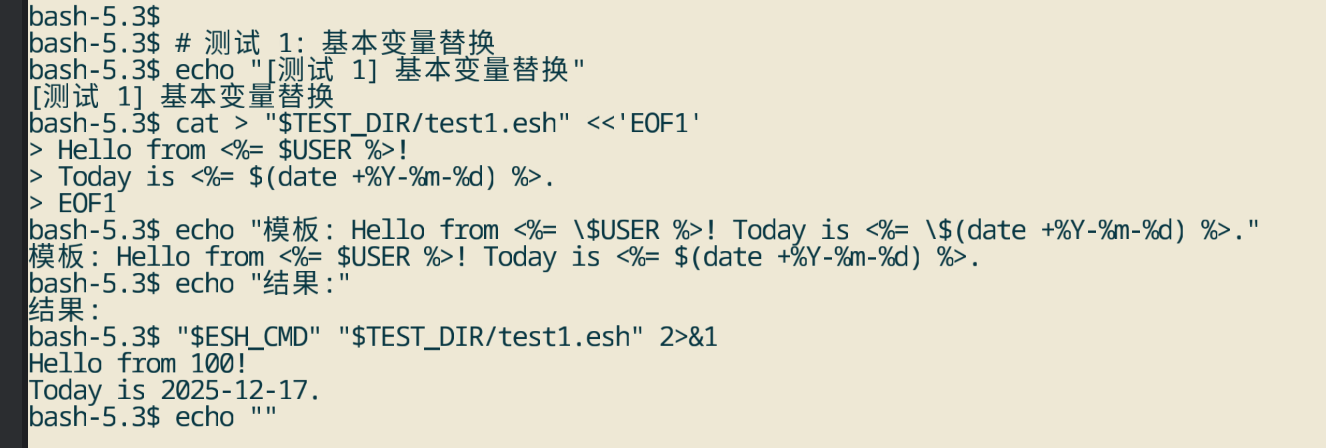
输出:
Hello from ohos!
Today is 2025-12-17.
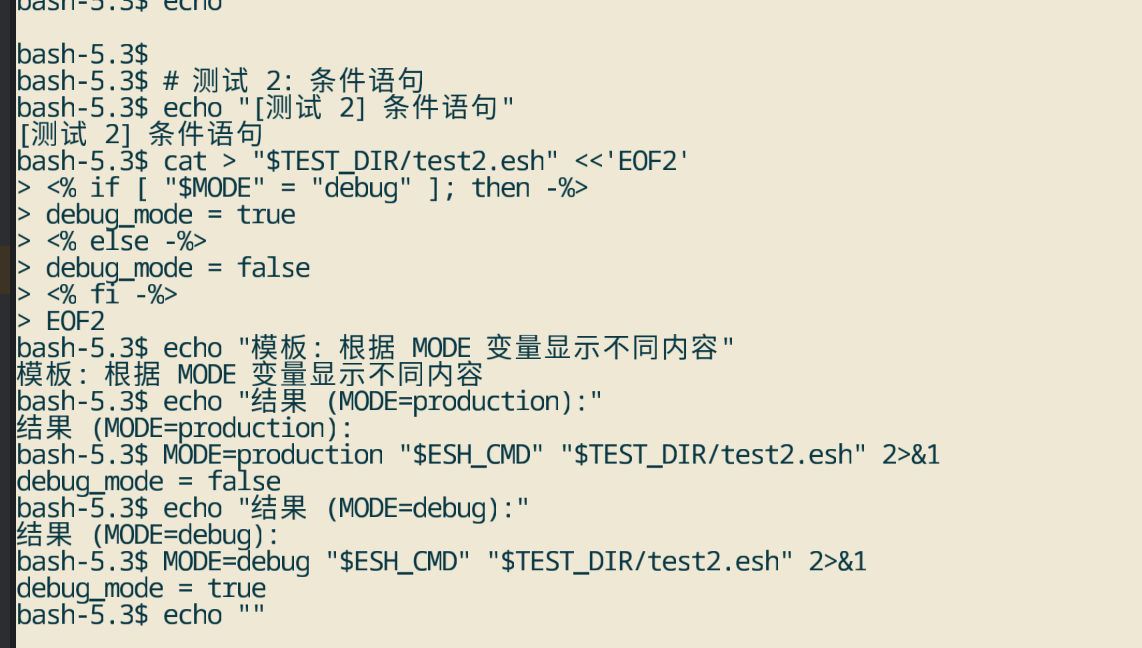
3.2 条件语句
创建模板文件 config.esh:
<% if [ "$MODE" = "debug" ]; then -%>
debug_mode = true
<% else -%>
debug_mode = false
<% fi -%>
执行模板:
# 调试模式
MODE=debug esh config.esh

# 生产模式
MODE=production esh config.esh
3.3 脚本块和变量赋值
创建模板文件 script.esh:
<% answer=42 -%>
The answer is: <%= $answer %>.

<% if [ $answer -gt 40 ]; then -%>
The answer is greater than 40.
<% fi -%>
执行模板:
esh script.esh
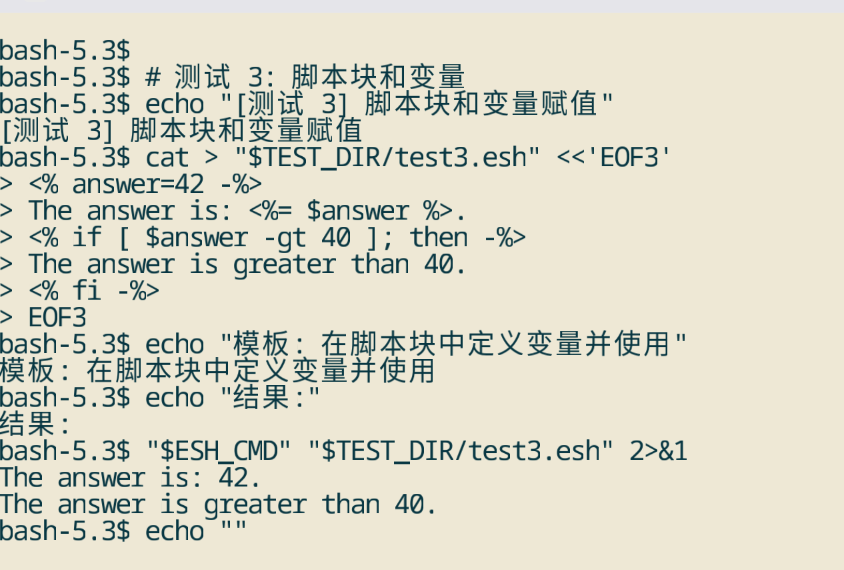
输出:
The answer is: 42.

The answer is greater than 40.
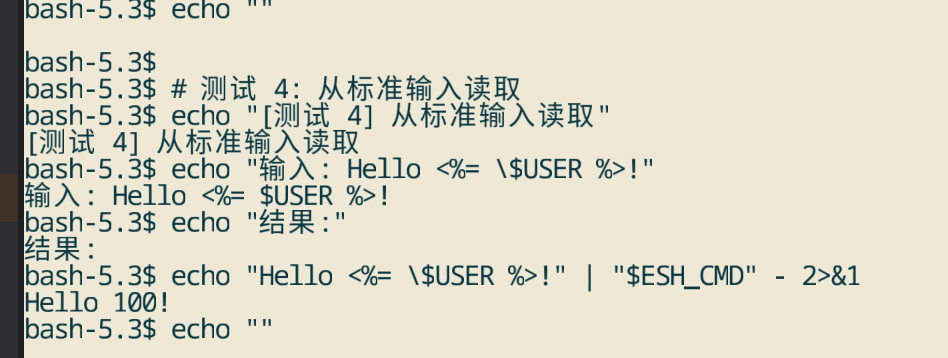
3.4 从标准输入读取
echo "Hello <%= \$USER %>!" | esh -
# 输出:
# Hello ohos!
3.5 命令行变量传递
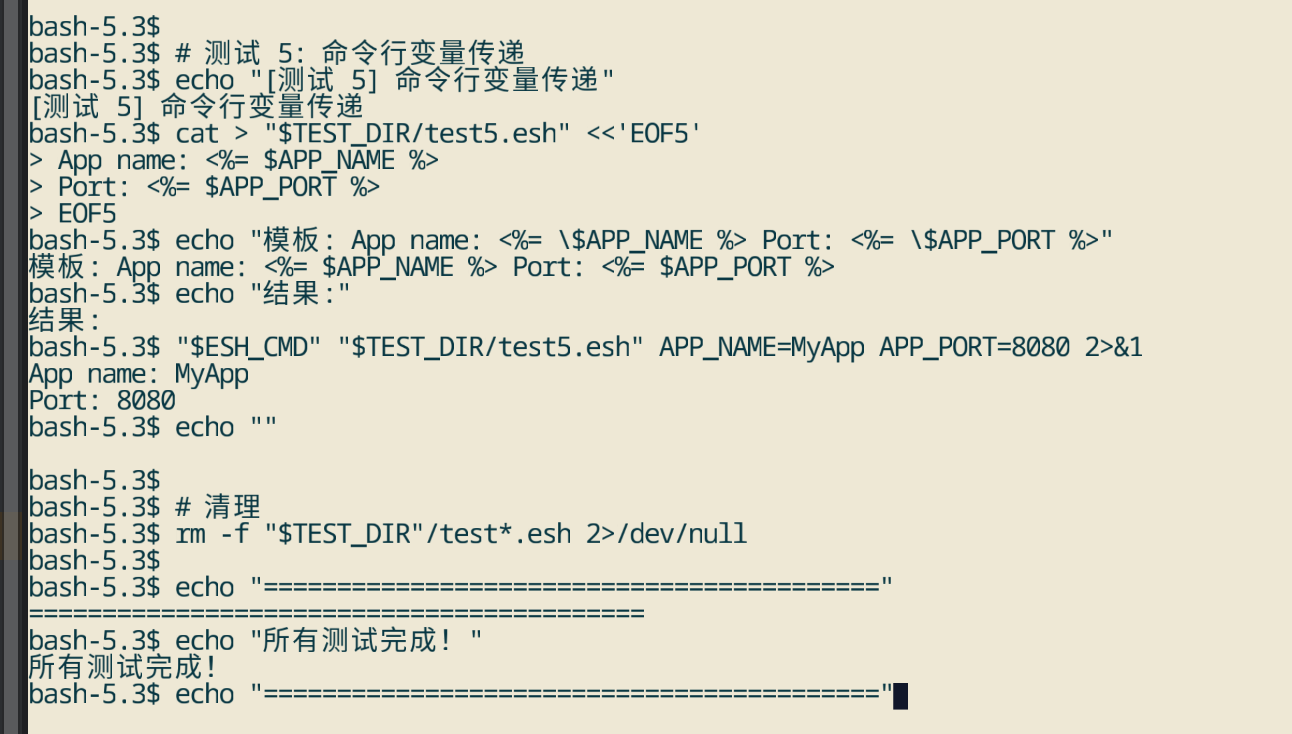
创建模板文件 app.esh:
App name: <%= $APP_NAME %>
Port: <%= $APP_PORT %>
执行模板:
# 命令行变量优先级高于环境变量
esh app.esh APP_NAME=MyApp APP_PORT=8080
输出:
App name: MyApp
Port: 8080
3.6 输出到文件
# 使用 -o 选项输出到文件
esh config.esh -o /tmp/config.conf
cat /tmp/config.conf
3.7 转储 shell 脚本
# 使用 -d 选项只转换不执行
esh -d config.esh

# 可以保存脚本并手动执行
esh -d config.esh > config.sh
sh config.sh
四、高级功能
4.1 模板包含
创建主模板 main.esh:
<% var1=42 -%>
Content from the file: <%+ incl/a.esh %>.
The main file continues.
创建包含文件 incl/a.esh:
This is file incl/a.esh.
Variable var1=<%= $var1 %>
执行模板:
esh main.esh
输出:
Content from the file: This is file incl/a.esh.
Variable var1=42
.The main file continues.
4.2 注释块
This is visible text.
<%# This is a comment and will not appear in output -%>
This is also visible.
<%# Multi-line
   comment
   block -%>
Final visible text.
输出:
This is visible text.
This is also visible.
Final visible text.
4.3 环境变量配置
# 指定使用的 shell
export ESH_SHELL=/bin/bash
esh template.esh

# 指定使用的 awk
export ESH_AWK=gawk
esh template.esh

# 设置最大包含深度
export ESH_MAX_DEPTH=5
esh template.esh
4.4 错误处理
esh 提供详细的错误信息:
# 语法错误
esh invalid.esh
# 输出:esh: syntax error at line 5: unexpected token

# 文件不存在
esh missing.esh
# 输出:esh: can't read missing.esh: not a file or not readable
五、实际应用场景
5.1 生成 nginx 配置
创建 nginx.conf.esh:
http {
    access_log <%= $logs_dir %>/access.log main;

    server {
        listen <%= $port %>;
        server_name <%= $server_name %>;
        root <%= $document_root %>;

        <% if [ "$ssl" = "true" ]; then -%>
        ssl_certificate <%= $ssl_cert %>;
        ssl_certificate_key <%= $ssl_key %>;
        <% fi -%>
    }
}
生成配置:
esh nginx.conf.esh \
    logs_dir=/var/log/nginx \
    port=80 \
    server_name=example.com \
    document_root=/var/www/html \
    ssl=false \
    > /etc/nginx/nginx.conf
5.2 生成 systemd 服务文件
创建 service.unit.esh:
[Unit]
Description=<%= $service_name %> Service
After=network.target

[Service]
Type=simple
User=<%= $run_user %>
ExecStart=<%= $exec_path %>
Restart=always
RestartSec=5

[Install]
WantedBy=multi-user.target
生成服务文件:
esh service.unit.esh \
    service_name=myapp \
    run_user=ohos \
    exec_path=/usr/local/bin/myapp \
    > /etc/systemd/system/myapp.service
5.3 CI/CD 配置生成
创建 ci-config.esh:
APP_NAME=<%= $CI_PROJECT_NAME %>
BUILD_NUMBER=<%= $CI_BUILD_NUMBER %>
DEPLOY_PATH=/opt/apps/<%= $APP_NAME %>
BUILD_TIME=<%= $(date +%Y-%m-%d\ %H:%M:%S) %>
生成配置:
esh ci-config.esh \
    CI_PROJECT_NAME=myapp \
    CI_BUILD_NUMBER=123 \
    > /tmp/ci-config.env
5.4 系统配置管理
创建 system-config.esh:
<% if [ "$ENV" = "production" ]; then -%>
LOG_LEVEL=info
DEBUG=false
MAX_WORKERS=10
<% else -%>
LOG_LEVEL=debug
DEBUG=true
MAX_WORKERS=2
<% fi -%>

HOST=<%= $HOST %>
PORT=<%= $PORT %>
生成配置:
# 生产环境
ENV=production esh system-config.esh HOST=0.0.0.0 PORT=8080 > /etc/myapp.conf

# 开发环境
ENV=development esh system-config.esh HOST=localhost PORT=3000 > /etc/myapp.conf
六、常见问题
6.1 变量未定义
问题:变量未定义时,输出为空。
解决:使用默认值或条件判断:
<% if [ -n "$VAR" ]; then -%>
Value: <%= $VAR %>
<% else -%>
Value: default
<% fi -%>
6.2 特殊字符转义
问题:特殊字符需要转义。
解决:在模板中使用转义字符:
# 在模板中
Price: \$<%= $price %>

# 在命令行中
echo "Price: <%= \$price %>" | esh -
6.3 路径问题
问题:包含文件路径不正确。
解决:使用相对路径或绝对路径:
# 相对路径(相对于模板文件)
<%+ ../common/header.esh %>

# 绝对路径
<%+ /etc/templates/header.esh %>
6.4 性能优化
问题:处理大文件时性能较慢。
解决:
- 使用
-d选项预生成脚本 - 减少模板包含深度
- 优化脚本块中的命令
# 预生成脚本
esh -d large.esh > large.sh
sh large.sh
七、总结
esh 是一个功能强大且轻量级的模板引擎,通过简单的语法就能实现复杂的模板处理。主要优势:
- 简单易用:语法类似 ERB,学习成本低
- 零依赖:仅需标准 POSIX 工具
- 功能完整:支持变量、条件、循环、包含等
- 错误友好:提供详细的错误信息
通过本教程,您应该能够:
- ✅ 安装和配置 esh
- ✅ 理解基本语法和用法
- ✅ 编写各种类型的模板
- ✅ 在实际项目中应用 esh

开源鸿蒙跨平台开发社区汇聚开发者与厂商,共建“一次开发,多端部署”的开源生态,致力于降低跨端开发门槛,推动万物智联创新。
更多推荐

 13
13 0
0- 0


 已为社区贡献50条内容

所有评论(0)