Flutter for OpenHarmony 实战_吃豆人游戏移动控制与碰撞检测
本文介绍了Flutter在OpenHarmony上开发吃豆人游戏的关键技术实现。重点分析了双向缓冲移动控制系统,通过分离当前方向(nextDirection)和输入方向(pacmanDirection)实现流畅操作;详细讲解了AABB碰撞检测机制,包括墙壁碰撞和幽灵碰撞处理;展示了豆子收集系统与游戏状态管理。文章提供了键盘和触摸屏两种控制方式的实现代码,并解释了位置验证、胜利条件检测等核心逻辑。这
Flutter for OpenHarmony 实战:吃豆人游戏移动控制与碰撞检测
欢迎加入开源鸿蒙跨平台社区:开源鸿蒙跨平台开发者社区
文章目录
前言
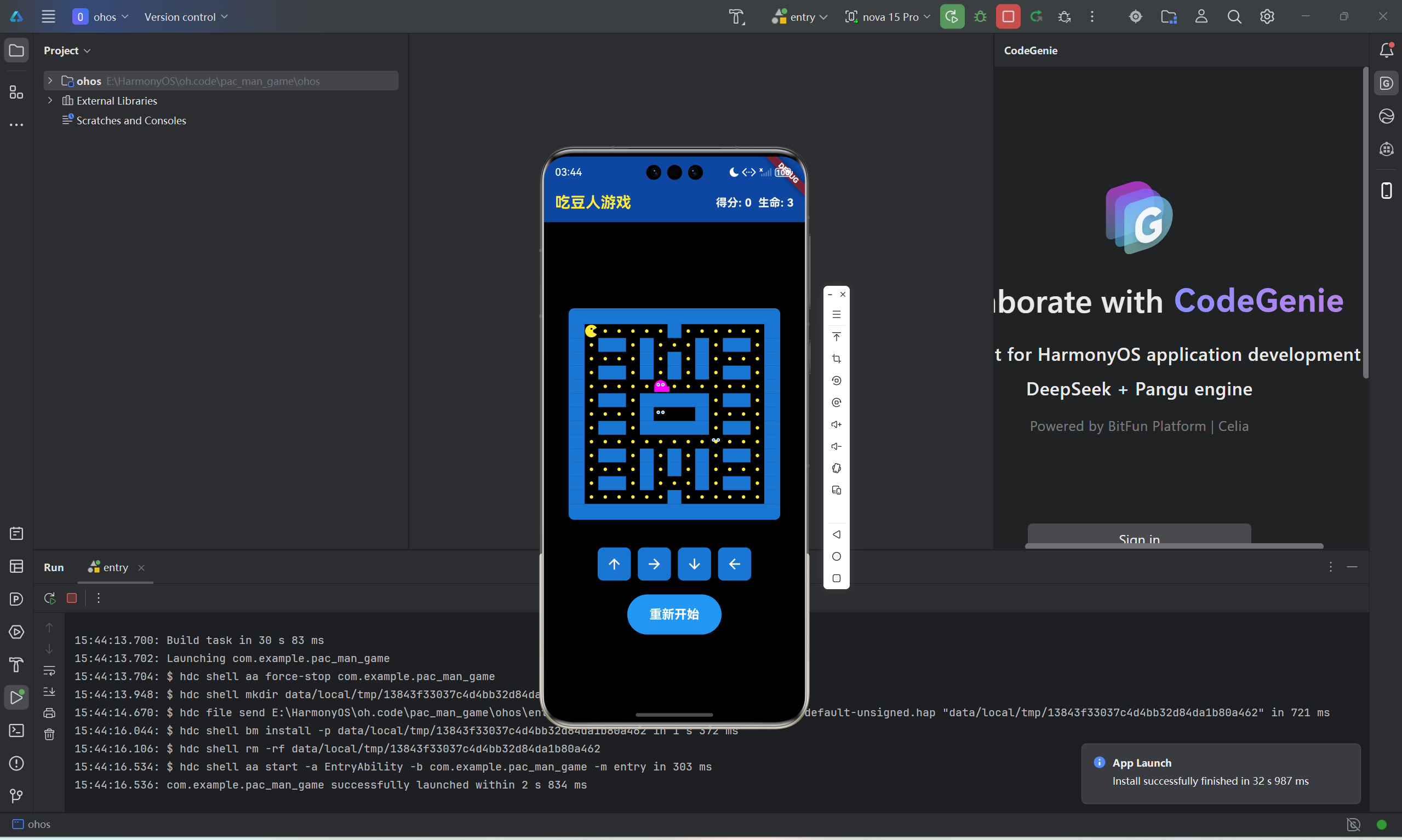
吃豆人游戏的核心玩法在于流畅的移动控制和精确的碰撞检测。本文将深入分析如何实现双向缓冲的移动控制、AABB碰撞检测、豆子收集系统以及游戏状态管理,这些都是吃豆人游戏能够提供优质玩家体验的关键技术。
一、移动控制系统
1.1 键盘输入处理
游戏使用KeyboardListener监听键盘事件:
void _handleKeyPress(KeyEvent event) {
  if (event is KeyDownEvent) {
    final key = event.logicalKey;
    if (key == LogicalKeyboardKey.arrowUp) {
      nextDirection = 0;
    } else if (key == LogicalKeyboardKey.arrowRight) {
      nextDirection = 1;
    } else if (key == LogicalKeyboardKey.arrowDown) {
      nextDirection = 2;
    } else if (key == LogicalKeyboardKey.arrowLeft) {
      nextDirection = 3;
    }
  }
}
通过监听KeyDownEvent,将四个方向键映射为0-3的数字,存储在nextDirection变量中。这种设计将输入与实际移动解耦,为后续的双向缓冲机制打下基础。
1.2 触摸屏控制器
Row(
  mainAxisAlignment: MainAxisAlignment.center,
  children: [
    _buildDirectionButton(0, Icons.arrow_upward),
    const SizedBox(width: 10),
    _buildDirectionButton(1, Icons.arrow_forward),
    const SizedBox(width: 10),
    _buildDirectionButton(2, Icons.arrow_downward),
    const SizedBox(width: 10),
    _buildDirectionButton(3, Icons.arrow_back),
  ],
)
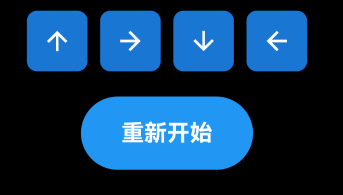
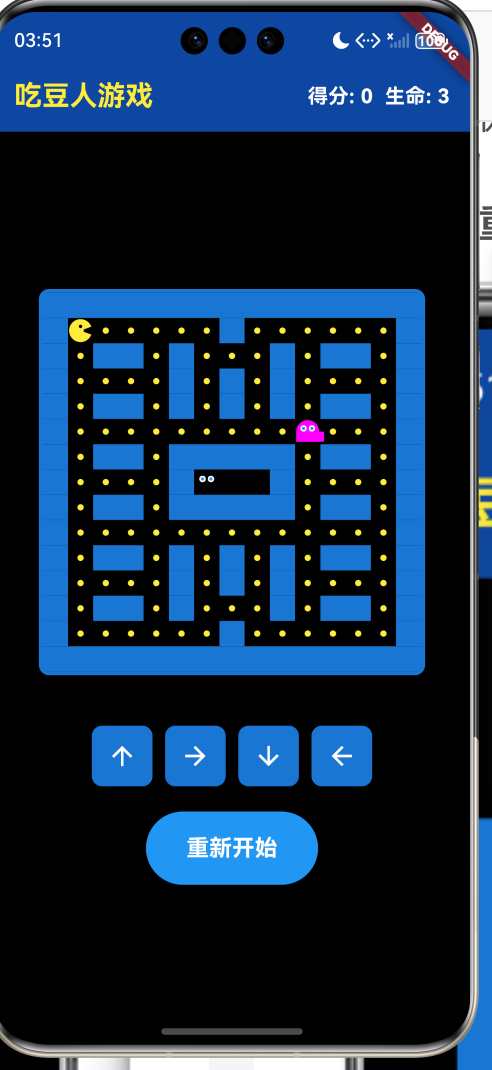
为触摸屏设备提供四个方向按钮,每个按钮调用相同的方法设置nextDirection,确保不同设备上的一致体验。
1.3 按钮组件实现
Widget _buildDirectionButton(int direction, IconData icon) {
  return Container(
    decoration: BoxDecoration(
      color: Colors.blue.shade700,
      borderRadius: BorderRadius.circular(8),
    ),
    child: IconButton(
      icon: Icon(icon, color: Colors.white),
      onPressed: () {
        nextDirection = direction;
      },
    ),
  );
}
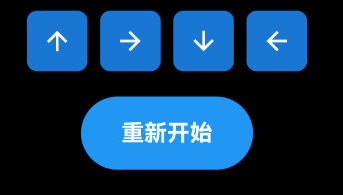
按钮使用深蓝色背景和白色图标,8像素圆角与整体设计风格统一。点击时更新nextDirection,不直接移动角色。
二、双向缓冲移动机制
2.1 缓冲变量设计
late int pacmanDirection;
late int nextDirection;
使用两个变量分别存储当前移动方向和玩家输入的下一方向,这是实现流畅控制的关键。
2.2 移动逻辑实现
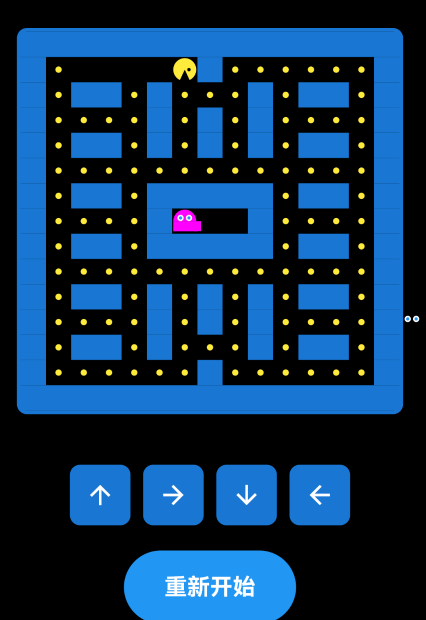
void movePacman() {
  int newX = pacmanX;
  int newY = pacmanY;

  switch (nextDirection) {
    case 0:
      newY--;
      break;
    case 1:
      newX++;
      break;
    case 2:
      newY++;
      break;
    case 3:
      newX--;
      break;
  }

  if (isValidMove(newX, newY)) {
    pacmanDirection = nextDirection;
    pacmanX = newX;
    pacmanY = newY;
    // 收集豆子
  } else {
    // 尝试保持当前方向
  }
}
移动逻辑分为两个步骤:首先尝试转向nextDirection,如果不能转向则尝试继续沿pacmanDirection移动。这种设计让玩家可以提前输入转向指令,角色会在合适时机自动转向,大大提升了操作手感。
2.3 位置验证函数
bool isValidMove(int x, int y) {
  if (x < 0 || x >= cols || y < 0 || y >= rows) {
    return false;
  }
  return maze[y][x] != 1;
}
首先检查坐标是否在边界内,然后检查目标位置是否为墙壁。这个简单但有效的函数是整个移动系统的基础。
2.4 继续当前方向
if (isValidMove(newX, newY)) {
  pacmanDirection = nextDirection;
  pacmanX = newX;
  pacmanY = newY;

  if (dots[pacmanY][pacmanX]) {
    dots[pacmanY][pacmanX] = false;
    score += 10;
    checkWin();
  }
} else {
  switch (pacmanDirection) {
    case 0:
      newY = pacmanY - 1;
      newX = pacmanX;
      break;
    case 1:
      newX = pacmanX + 1;
      newY = pacmanY;
      break;
    case 2:
      newY = pacmanY + 1;
      newX = pacmanX;
      break;
    case 3:
      newX = pacmanX - 1;
      newY = pacmanY;
      break;
  }

  if (isValidMove(newX, newY)) {
    pacmanX = newX;
    pacmanY = newY;

    if (dots[pacmanY][pacmanX]) {
      dots[pacmanY][pacmanX] = false;
      score += 10;
      checkWin();
    }
  }
}
当新方向不可行时,代码会尝试沿当前方向继续移动。这个逻辑让角色在转弯时机不成熟时保持移动,避免了因操作时机不当导致的卡顿。
三、豆子收集系统
3.1 收集检测
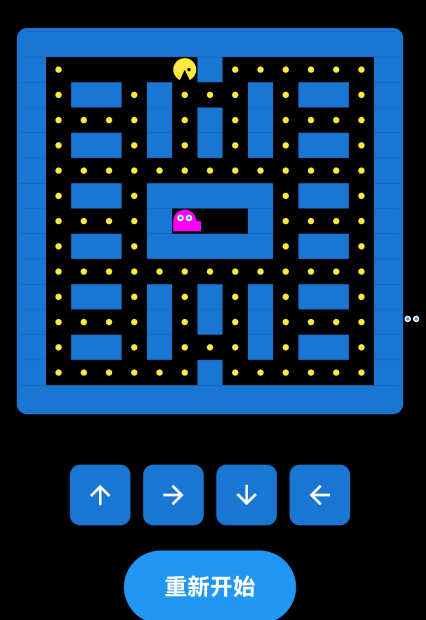
if (dots[pacmanY][pacmanX]) {
  dots[pacmanY][pacmanX] = false;
  score += 10;
  checkWin();
}
每次移动后检查新位置是否有豆子,如果有则更新状态、增加得分并检查胜利条件。
3.2 胜利条件检测
void checkWin() {
  bool hasDots = false;
  for (int y = 0; y < rows; y++) {
    for (int x = 0; x < cols; x++) {
      if (dots[y][x]) {
        hasDots = true;
        break;
      }
    }
    if (hasDots) break;
  }

  if (!hasDots) {
    won = true;
    gameTimer?.cancel();
    ghostTimer?.cancel();
    setState(() {});
  }
}
遍历整个二维数组检查是否还有剩余豆子,使用双重循环和break优化性能。全部吃完后设置won状态并取消定时器。
四、幽灵碰撞系统
4.1 碰撞检测实现
void checkCollisions() {
  for (var ghost in ghosts) {
    if (ghost['x'] == pacmanX && ghost['y'] == pacmanY) {
      lives--;
      if (lives <= 0) {
        gameOver = true;
        gameTimer?.cancel();
        ghostTimer?.cancel();
      } else {
        pacmanX = 1;
        pacmanY = 1;
        for (int i = 0; i < ghosts.length; i++) {
          ghosts[i]['x'] = 7 + (i % 2);
          ghosts[i]['y'] = 7 + (i ~/ 2);
        }
      }
      setState(() {});
      return;
    }
  }
}
使用简单的坐标比较检测碰撞,如果吃豆人位置与任何幽灵重合则扣除生命。这种基于网格的碰撞检测效率极高。
4.2 位置重置机制
pacmanX = 1;
pacmanY = 1;
for (int i = 0; i < ghosts.length; i++) {
  ghosts[i]['x'] = 7 + (i % 2);
  ghosts[i]['y'] = 7 + (i ~/ 2);
}
被吃后将吃豆人重置到左上角(1,1),四个幽灵分别重置到(7,7)、(6,7)、(8,7)、(7,6)位置,使用简单的数学运算分配初始位置。
五、游戏状态管理
5.1 状态变量定义
bool gameOver = false;
bool won = false;
int score = 0;
int lives = 3;
使用布尔变量跟踪游戏结束和胜利状态,整数记录得分和生命值。
5.2 状态显示UI
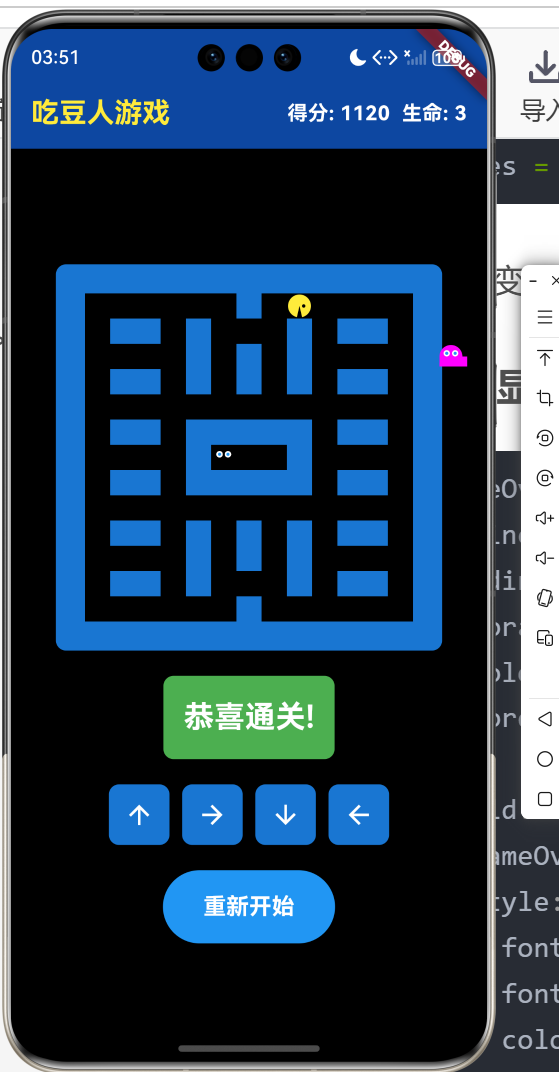
if (gameOver || won)
  Container(
    padding: const EdgeInsets.all(16),
    decoration: BoxDecoration(
      color: gameOver ? Colors.red : Colors.green,
      borderRadius: BorderRadius.circular(8),
    ),
    child: Text(
      gameOver ? '游戏结束!' : '恭喜通关!',
      style: const TextStyle(
        fontSize: 24,
        fontWeight: FontWeight.bold,
        color: Colors.white,
      ),
    ),
  ),
根据游戏状态显示不同颜色的提示信息,红色表示失败,绿色表示胜利。
5.3 游戏重启功能
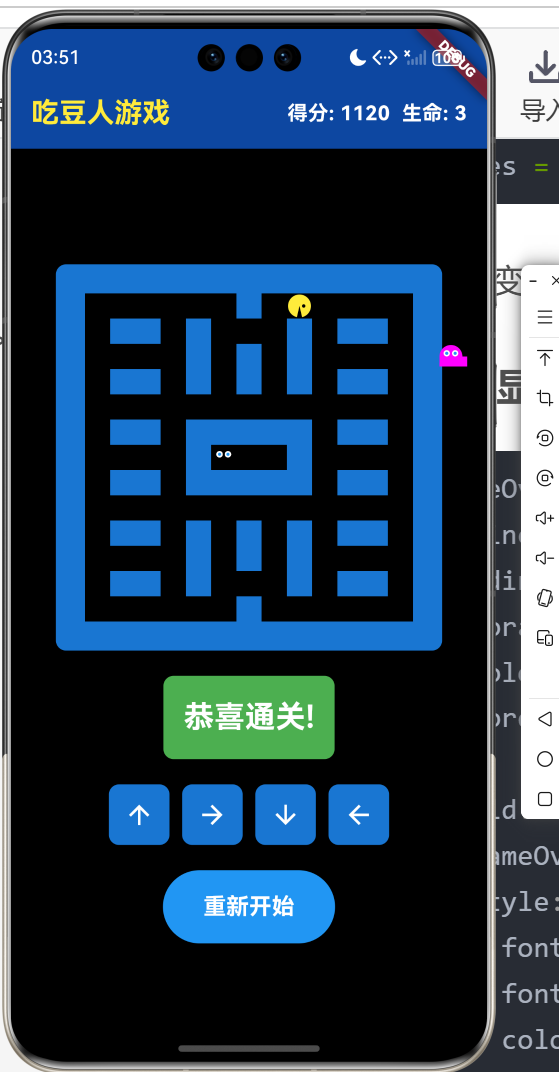
ElevatedButton(
  onPressed: () {
    initGame();
    setState(() {});
  },
  style: ElevatedButton.styleFrom(
    backgroundColor: Colors.blue,
    foregroundColor: Colors.white,
    padding: const EdgeInsets.symmetric(
      horizontal: 32,
      vertical: 16,
    ),
  ),
  child: const Text('重新开始',
      style: TextStyle(fontSize: 18, fontWeight: FontWeight.bold)),
)
重新开始按钮调用initGame()重置所有状态,让玩家可以重新挑战。
六、定时器管理
6.1 定时器启动
void startGame() {
  gameTimer?.cancel();
  ghostTimer?.cancel();

  gameTimer = Timer.periodic(const Duration(milliseconds: 200), (timer) {
    if (!gameOver && !won) {
      movePacman();
      updateMouth();
    }
  });

  ghostTimer = Timer.periodic(const Duration(milliseconds: 300), (timer) {
    if (!gameOver && !won) {
      moveGhosts();
      checkCollisions();
    }
  });
}
启动前先取消旧的定时器避免冲突,然后创建新的定时器。两个定时器在游戏结束或胜利时自动停止更新。
6.2 资源清理
void dispose() {
gameTimer?.cancel();
ghostTimer?.cancel();
super.dispose();
}
组件销毁时取消所有定时器,防止内存泄漏。这是Flutter开发中重要的资源管理实践。
总结
本文详细介绍了吃豆人游戏的移动控制和碰撞检测系统。双向缓冲的移动机制让操作更加流畅,精确的碰撞检测确保游戏公平性,完善的豆子收集和状态管理系统让游戏体验更加完整。这些技术的综合应用,使得吃豆人游戏既经典又现代,为玩家提供了优质的游戏体验。

开源鸿蒙跨平台开发社区汇聚开发者与厂商,共建“一次开发,多端部署”的开源生态,致力于降低跨端开发门槛,推动万物智联创新。
更多推荐

 6
6 0
0- 0


 已为社区贡献77条内容

所有评论(0)