Flutter for OpenHarmony数独游戏App实战:游戏状态管理
本文介绍了使用GetX框架管理Flutter数独游戏状态的方法。通过GameController继承GetxController,管理棋盘数据(board)、解答(solution)、固定标记(isFixed)、笔记(notes)等核心状态,以及游戏难度(difficulty)、计时(elapsedSeconds)、暂停状态(isPaused)等辅助状态。文章详细讲解了状态初始化、新游戏生成、单元
状态管理是Flutter应用开发中的核心话题。对于数独游戏来说,我们需要管理棋盘数据、选中状态、游戏进度、计时器等多种状态。今天我们来详细讲解如何使用GetX框架实现高效的游戏状态管理。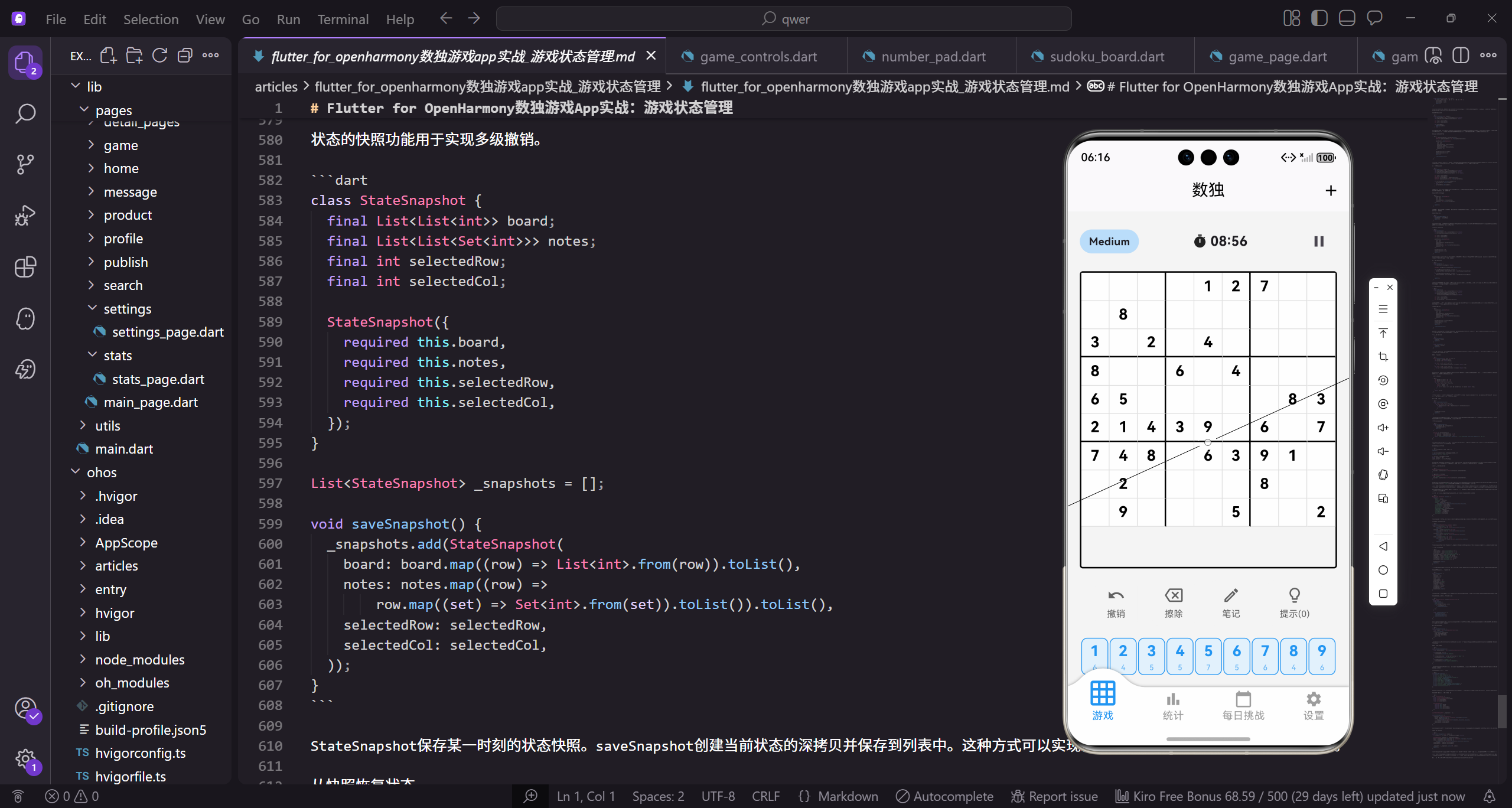
在开始之前,我们需要理解为什么状态管理如此重要。Flutter的UI是声明式的,界面是状态的函数。当状态改变时,Flutter会重建受影响的widget来反映新状态。如果状态管理不当,可能导致不必要的重建、状态丢失、代码混乱等问题。GetX提供了简洁高效的状态管理方案,特别适合中小型应用。
让我们从GameController的基础结构开始。
import 'package:get/get.dart';
import '../models/game_move.dart';
import '../utils/puzzle_generator.dart';

class GameController extends GetxController {
  final PuzzleGenerator _generator = PuzzleGenerator();
GameController继承自GetxController,这是GetX状态管理的基础类。它提供了生命周期方法、更新通知机制等功能。_generator是谜题生成器的实例,使用final确保它在controller生命周期内不会被替换。私有变量使用下划线前缀是Dart的命名约定。
定义游戏的核心状态变量。
  List<List<int>> board = [];
  List<List<int>> solution = [];
  List<List<bool>> isFixed = [];
  List<List<Set<int>>> notes = [];

  int selectedRow = -1;
  int selectedCol = -1;
board存储当前棋盘状态,是一个9x9的二维整数数组,0表示空格。solution存储完整的解答,用于验证和提示。isFixed标记哪些单元格是初始数字不可修改。notes存储每个单元格的笔记,使用Set避免重复。selectedRow和selectedCol记录当前选中的单元格,-1表示没有选中。
游戏设置和进度状态。
  String difficulty = 'Easy';
  int elapsedSeconds = 0;
  bool isPaused = false;
  bool isComplete = false;
  bool notesMode = false;
  int hintsUsed = 0;

  List<GameMove> moveHistory = [];
difficulty记录当前难度级别。elapsedSeconds是游戏已用时间,以秒为单位。isPaused和isComplete是游戏状态标志。notesMode标记是否处于笔记输入模式。hintsUsed记录使用提示的次数。moveHistory存储所有操作历史,用于支持撤销功能。这些状态变量覆盖了游戏的各个方面。
controller的初始化方法。
void onInit() {
super.onInit();
generateNewGame('Easy');
}
onInit是GetxController的生命周期方法,在controller被创建后立即调用。我们在这里生成一个简单难度的新游戏作为初始状态。调用super.onInit()是必须的,确保父类的初始化逻辑被执行。这种设计让应用启动后立即有一个可玩的游戏。
生成新游戏的方法。
  void generateNewGame(String diff) {
    difficulty = diff;
    solution = _generator.generateSolution();
    List<List<int>> puzzle = _generator.createPuzzle(
      solution.map((row) => List<int>.from(row)).toList(),
      diff,
    );

    board = puzzle;
    isFixed = puzzle.map((row) => row.map((cell) => cell != 0).toList()).toList();
    notes = List.generate(9, (_) => List.generate(9, (_) => <int>{}));
generateNewGame首先更新难度设置,然后生成完整解答和谜题。传递给createPuzzle的是solution的深拷贝,避免修改原数组。board直接使用生成的谜题。isFixed通过遍历谜题,将所有非零单元格标记为固定。notes初始化为空的Set集合,每个单元格都有自己的笔记集合。
重置游戏状态。
    selectedRow = -1;
    selectedCol = -1;
    elapsedSeconds = 0;
    isPaused = false;
    isComplete = false;
    notesMode = false;
    hintsUsed = 0;
    moveHistory.clear();
    update();
  }
新游戏开始时,所有状态都需要重置。选中位置设为-1表示没有选中。时间归零,各种标志重置为初始值。操作历史清空。最后调用update()通知所有监听者重建UI。这个方法确保每次新游戏都是一个干净的开始。
选中单元格的方法。
  void selectCell(int row, int col) {
    if (row >= 0 && row < 9 && col >= 0 && col < 9) {
      selectedRow = row;
      selectedCol = col;
      update();
    }
  }
selectCell首先验证行列索引是否在有效范围内,然后更新选中位置并通知UI更新。这个简单的边界检查可以防止无效的选中操作。update()调用会触发所有使用GetBuilder监听这个controller的widget重建。
输入数字的方法。
  void enterNumber(int number) {
    if (selectedRow < 0 || selectedCol < 0) return;
    if (isFixed[selectedRow][selectedCol]) return;

    int row = selectedRow;
    int col = selectedCol;

    if (notesMode) {
      addNote(number);
    } else {
enterNumber首先检查是否有选中的单元格,以及该单元格是否可以修改。将selectedRow和selectedCol保存到局部变量,避免在后续操作中被意外修改。根据notesMode决定是添加笔记还是填入数字。这种分支处理让同一个数字键盘可以服务于两种不同的输入模式。
正常模式下填入数字。
      int previousValue = board[row][col];
      Set<int> previousNotes = Set.from(notes[row][col]);

      moveHistory.add(GameMove(
        row: row,
        col: col,
        previousValue: previousValue,
        newValue: number,
        previousNotes: previousNotes,
        newNotes: {},
      ));

      board[row][col] = number;
      notes[row][col] = {};
      update();

      _checkCompletion();
    }
  }
在修改之前保存当前状态,用于支持撤销。GameMove记录了这次操作的完整信息。然后更新board数组,清空该单元格的笔记(因为已经填入了确定的数字)。update()通知UI更新,_checkCompletion()检查游戏是否完成。这种设计让每一步操作都可追溯。
添加笔记的方法。
  void addNote(int number) {
    if (selectedRow < 0 || selectedCol < 0) return;
    if (isFixed[selectedRow][selectedCol]) return;
    if (board[selectedRow][selectedCol] != 0) return;

    int row = selectedRow;
    int col = selectedCol;
    Set<int> currentNotes = notes[row][col];
    Set<int> previousNotes = Set.from(currentNotes);

    if (currentNotes.contains(number)) {
      currentNotes.remove(number);
    } else {
      currentNotes.add(number);
    }
笔记只能添加到空单元格。如果单元格已有数字,添加笔记没有意义。笔记的添加是切换式的:如果已有这个数字就移除,否则添加。这种交互方式让玩家可以方便地管理笔记,不需要单独的删除操作。
记录笔记操作并更新。
    moveHistory.add(GameMove(
      row: row,
      col: col,
      previousNotes: previousNotes,
      newNotes: Set.from(currentNotes),
    ));

    update();
  }
笔记操作也记录到历史中,这样撤销功能可以恢复笔记的变化。注意我们使用Set.from创建副本,避免直接引用导致的问题。update()触发UI更新,棋盘上的笔记显示会立即反映变化。
切换笔记模式。
  void toggleNotesMode() {
    notesMode = !notesMode;
    update();
  }
toggleNotesMode简单地切换notesMode的值并更新UI。当notesMode为true时,数字键盘的输入会被路由到addNote方法。UI上的笔记按钮也会根据这个状态显示不同的样式,让玩家知道当前处于哪种模式。
擦除单元格的方法。
  void eraseCell() {
    if (selectedRow < 0 || selectedCol < 0) return;
    if (isFixed[selectedRow][selectedCol]) return;

    int row = selectedRow;
    int col = selectedCol;

    moveHistory.add(GameMove(
      row: row,
      col: col,
      previousValue: board[row][col],
      newValue: 0,
      previousNotes: Set.from(notes[row][col]),
      newNotes: {},
    ));

    board[row][col] = 0;
    notes[row][col] = {};
    update();
  }
eraseCell将选中单元格的值设为0,同时清空笔记。操作前记录当前状态到历史中。这个方法不检查单元格是否有内容,因为擦除一个空单元格是无害的操作。固定单元格不能被擦除,这在方法开头就检查了。
撤销操作的方法。
  void undoMove() {
    if (moveHistory.isEmpty) return;

    GameMove lastMove = moveHistory.removeLast();

    if (lastMove.previousValue != null) {
      board[lastMove.row][lastMove.col] = lastMove.previousValue!;
    }
    if (lastMove.previousNotes != null) {
      notes[lastMove.row][lastMove.col] = lastMove.previousNotes!;
    }

    update();
  }
undoMove从历史列表中取出最后一个操作,恢复该单元格的旧值和旧笔记。使用可空类型是因为有些操作只涉及数值变化,有些只涉及笔记变化。removeLast同时获取并移除最后一个元素,比先get再remove更高效。
使用提示的方法。
  void useHint() {
    if (selectedRow < 0 || selectedCol < 0) return;
    if (isFixed[selectedRow][selectedCol]) return;
    if (board[selectedRow][selectedCol] ==
        solution[selectedRow][selectedCol]) return;

    int row = selectedRow;
    int col = selectedCol;
    int correctValue = solution[row][col];
useHint首先进行多项检查:是否有选中单元格、是否是固定数字、当前值是否已经正确。如果当前值已经是正确答案,使用提示没有意义。从solution数组获取正确答案,这就是为什么我们需要保存完整解答的原因。
完成提示操作。
    moveHistory.add(GameMove(
      row: row,
      col: col,
      previousValue: board[row][col],
      newValue: correctValue,
      previousNotes: Set.from(notes[row][col]),
      newNotes: {},
    ));

    board[row][col] = correctValue;
    notes[row][col] = {};
    hintsUsed++;
    update();

    _checkCompletion();
  }
提示操作也记录到历史中,这样玩家可以撤销提示。填入正确答案,清空笔记,增加提示计数。hintsUsed会显示在UI上,让玩家知道自己用了多少次提示。最后检查游戏是否完成,因为提示可能填入了最后一个数字。
暂停和恢复游戏。
  void pauseGame() {
    isPaused = true;
    update();
  }

  void resumeGame() {
    isPaused = false;
    update();
  }
暂停和恢复方法非常简单,只需要切换isPaused状态。当isPaused为true时,计时器不会增加时间,游戏界面会显示暂停画面隐藏棋盘。这种设计防止玩家在暂停时继续思考,保证计时的公平性。
冲突检测方法。
  bool hasConflict(int row, int col) {
    int value = board[row][col];
    if (value == 0) return false;

    for (int i = 0; i < 9; i++) {
      if (i != col && board[row][i] == value) return true;
    }
    for (int i = 0; i < 9; i++) {
      if (i != row && board[i][col] == value) return true;
    }
hasConflict检查指定单元格的数字是否与其他单元格冲突。空格不可能有冲突。首先检查同一行是否有相同数字,注意排除自身。然后检查同一列。这个方法被棋盘组件调用,用于高亮显示冲突的单元格。
检查宫格冲突。
    int boxRow = (row ~/ 3) * 3;
    int boxCol = (col ~/ 3) * 3;
    for (int i = 0; i < 3; i++) {
      for (int j = 0; j < 3; j++) {
        int r = boxRow + i;
        int c = boxCol + j;
        if ((r != row || c != col) && board[r][c] == value) return true;
      }
    }
    return false;
  }
计算当前单元格所在3x3宫格的左上角坐标,然后遍历宫格内的所有单元格。排除自身后检查是否有相同数字。三项检查都通过才返回false表示没有冲突。这个方法的时间复杂度是O(27),对于实时检测来说足够快。
游戏完成检测。
  void _checkCompletion() {
    for (int i = 0; i < 9; i++) {
      for (int j = 0; j < 9; j++) {
        if (board[i][j] == 0 || board[i][j] != solution[i][j]) {
          return;
        }
      }
    }
    isComplete = true;
    update();
  }
_checkCompletion遍历整个棋盘,检查每个单元格是否都填入了正确的数字。如果有空格或错误,直接返回。只有当所有单元格都正确时,才将isComplete设为true并更新UI。这个方法在每次输入数字或使用提示后调用。
计时器相关方法。
  void incrementTimer() {
    if (!isPaused && !isComplete) {
      elapsedSeconds++;
      update();
    }
  }

  String get formattedTime {
    int minutes = elapsedSeconds ~/ 60;
    int seconds = elapsedSeconds % 60;
    return '${minutes.toString().padLeft(2, '0')}:${seconds.toString().padLeft(2, '0')}';
  }
}
incrementTimer只在游戏进行中才增加时间。formattedTime是一个getter,将秒数转换为"MM:SS"格式的字符串。padLeft确保分钟和秒数都是两位数。这种格式化逻辑放在controller中,让UI代码更简洁。
GetX的更新机制详解。
// 方式1:update() 更新所有监听者
update();

// 方式2:update([id]) 只更新指定id的监听者
update(['board', 'timer']);

// 方式3:使用Rx变量自动更新
final count = 0.obs;
count.value++;  // 自动触发更新
GetX提供了多种更新方式。update()是最简单的,会通知所有GetBuilder重建。update([id])可以精确控制更新范围,提升性能。Rx变量(如.obs)提供了响应式更新,但在复杂场景下可能有性能问题。我们的数独游戏使用update()配合GetBuilder,简单可靠。
在UI中使用GetBuilder。
GetBuilder<GameController>(
  builder: (controller) => Text(controller.formattedTime),
)

// 指定id进行精确更新
GetBuilder<GameController>(
  id: 'timer',
  builder: (controller) => Text(controller.formattedTime),
)
GetBuilder是GetX的核心widget,它监听指定controller的更新。当controller调用update()时,GetBuilder会重建其builder函数。使用id参数可以实现精确更新,只有调用update([‘timer’])时才会重建。这种机制让状态管理变得简单直观。
总结一下游戏状态管理的关键要点。首先是集中管理,所有游戏状态都在GameController中,UI只负责显示和触发操作。其次是操作记录,每个修改操作都记录到历史中,支持撤销功能。然后是状态验证,输入前检查各种条件,确保操作的有效性。最后是及时更新,每次状态变化后调用update()通知UI重建。
良好的状态管理是应用质量的基础。通过GetX,我们用简洁的代码实现了完整的游戏状态管理,包括棋盘操作、游戏控制、历史记录等功能。这种架构清晰、易于维护,也方便后续扩展新功能。
在实际开发中,我们还需要考虑状态的持久化和恢复。游戏状态的序列化是关键。
Map<String, dynamic> toJson() {
  return {
    'board': board,
    'solution': solution,
    'isFixed': isFixed,
    'notes': notes.map((row) =>
        row.map((set) => set.toList()).toList()).toList(),
    'selectedRow': selectedRow,
    'selectedCol': selectedCol,
    'difficulty': difficulty,
    'elapsedSeconds': elapsedSeconds,
    'isPaused': isPaused,
    'isComplete': isComplete,
    'notesMode': notesMode,
    'hintsUsed': hintsUsed,
  };
}
toJson方法将所有状态转换为Map格式。notes需要特殊处理,因为Set不能直接序列化为JSON,需要先转换为List。这个方法用于保存游戏进度到本地存储。
从JSON恢复状态的方法。
void fromJson(Map<String, dynamic> json) {
  board = (json['board'] as List)
      .map((row) => (row as List).cast<int>().toList())
      .toList();
  solution = (json['solution'] as List)
      .map((row) => (row as List).cast<int>().toList())
      .toList();
  isFixed = (json['isFixed'] as List)
      .map((row) => (row as List).cast<bool>().toList())
      .toList();
  notes = (json['notes'] as List)
      .map((row) => (row as List)
          .map((list) => (list as List).cast<int>().toSet())
          .toList())
      .toList();
fromJson方法从Map中恢复状态。类型转换需要小心处理,JSON解析后的类型可能是dynamic,需要显式转换。notes的恢复最复杂,需要将List转换回Set。
继续恢复其他状态。
  selectedRow = json['selectedRow'] ?? -1;
  selectedCol = json['selectedCol'] ?? -1;
  difficulty = json['difficulty'] ?? 'Easy';
  elapsedSeconds = json['elapsedSeconds'] ?? 0;
  isPaused = json['isPaused'] ?? false;
  isComplete = json['isComplete'] ?? false;
  notesMode = json['notesMode'] ?? false;
  hintsUsed = json['hintsUsed'] ?? 0;

  moveHistory.clear();
  update();
}
使用??运算符提供默认值,确保即使某些字段缺失也不会出错。moveHistory不保存,因为恢复后撤销历史没有意义。最后调用update()刷新UI。
状态的重置方法用于开始新游戏。
void resetState() {
  board = [];
  solution = [];
  isFixed = [];
  notes = [];
  selectedRow = -1;
  selectedCol = -1;
  difficulty = 'Easy';
  elapsedSeconds = 0;
  isPaused = false;
  isComplete = false;
  notesMode = false;
  hintsUsed = 0;
  moveHistory.clear();
}
resetState将所有状态重置为初始值。这个方法在generateNewGame的开头调用,确保新游戏不会受到旧状态的影响。清空列表比创建新列表更高效。
状态变化的监听可以用于触发副作用。
class GameController extends GetxController {
void onInit() {
super.onInit();
ever(isComplete.obs, (_) {
if (isComplete) {
_onGameComplete();
}
});
}
void _onGameComplete() {
_saveStatistics();
_checkAchievements();
_updateLeaderboard();
}
}
ever是GetX提供的响应式监听方法,当isComplete变为true时触发回调。_onGameComplete处理游戏完成后的各种逻辑,如保存统计、检查成就、更新排行榜等。这种设计将副作用逻辑集中管理。
统计数据的更新。
void _saveStatistics() {
  final stats = Get.find<StatsController>();
  stats.recordGame(
    difficulty: difficulty,
    time: elapsedSeconds,
    hintsUsed: hintsUsed,
    won: true,
  );
}
_saveStatistics调用StatsController记录游戏结果。传递难度、用时、提示次数等信息。StatsController负责统计数据的计算和持久化,GameController只负责触发记录。
成就检查的实现。
void _checkAchievements() {
  final achievements = Get.find<AchievementController>();

  if (hintsUsed == 0) {
    achievements.unlock('no_hints');
  }
  if (elapsedSeconds < 180 && difficulty == 'Easy') {
    achievements.unlock('speed_easy');
  }
  if (difficulty == 'Expert') {
    achievements.unlock('expert_complete');
  }
}
_checkAchievements根据游戏结果检查是否解锁了新成就。不使用提示完成、快速完成简单难度、完成专家难度等都是可能的成就。AchievementController负责成就的管理和通知。
状态的调试输出有助于开发。
void debugPrintState() {
  print('=== Game State ===');
  print('Difficulty: $difficulty');
  print('Elapsed: $elapsedSeconds seconds');
  print('Paused: $isPaused');
  print('Complete: $isComplete');
  print('Notes Mode: $notesMode');
  print('Hints Used: $hintsUsed');
  print('Selected: ($selectedRow, $selectedCol)');
  print('History Length: ${moveHistory.length}');
  print('==================');
}
debugPrintState输出当前状态的摘要信息,方便调试。在开发阶段可以在关键操作后调用这个方法,检查状态是否正确。发布版本中应该移除或禁用这些调试代码。
状态的快照功能用于实现多级撤销。
class StateSnapshot {
  final List<List<int>> board;
  final List<List<Set<int>>> notes;
  final int selectedRow;
  final int selectedCol;

  StateSnapshot({
    required this.board,
    required this.notes,
    required this.selectedRow,
    required this.selectedCol,
  });
}

List<StateSnapshot> _snapshots = [];

void saveSnapshot() {
  _snapshots.add(StateSnapshot(
    board: board.map((row) => List<int>.from(row)).toList(),
    notes: notes.map((row) =>
        row.map((set) => Set<int>.from(set)).toList()).toList(),
    selectedRow: selectedRow,
    selectedCol: selectedCol,
  ));
}
StateSnapshot保存某一时刻的状态快照。saveSnapshot创建当前状态的深拷贝并保存到列表中。这种方式可以实现任意步数的撤销,而不仅仅是单步撤销。
从快照恢复状态。
void restoreSnapshot(int index) {
  if (index < 0 || index >= _snapshots.length) return;

  StateSnapshot snapshot = _snapshots[index];
  board = snapshot.board.map((row) => List<int>.from(row)).toList();
  notes = snapshot.notes.map((row) =>
      row.map((set) => Set<int>.from(set)).toList()).toList();
  selectedRow = snapshot.selectedRow;
  selectedCol = snapshot.selectedCol;

  _snapshots = _snapshots.sublist(0, index);
  update();
}
restoreSnapshot恢复到指定的快照状态。恢复后删除该快照之后的所有快照,因为它们已经无效。这种设计让用户可以回退到任意历史状态。
总结一下游戏状态管理的完整技术体系。核心是使用GetX的GetxController管理状态,通过update()通知UI更新。在此基础上,我们实现了状态的序列化和反序列化用于持久化,状态监听用于触发副作用,状态快照用于多级撤销。这些功能的组合让游戏状态管理既强大又灵活,能够满足各种复杂的需求。
欢迎加入开源鸿蒙跨平台社区:https://openharmonycrossplatform.csdn.net

开源鸿蒙跨平台开发社区汇聚开发者与厂商,共建“一次开发,多端部署”的开源生态,致力于降低跨端开发门槛,推动万物智联创新。
更多推荐

 1
1 0
0- 0


 已为社区贡献26条内容

所有评论(0)