浅谈 Vue & React & Flutter 框架
本文对比了Vue.js、React和Flutter三大前端框架的特点和应用。Vue采用模板语法,React基于函数组件,Flutter则完全面向对象。
·
文章目录
前言
最近学习了 Vue.js、React、Flutter 这三个框架,如果用一句话来总结,那么:
# Web 端
Vue: 一切皆模板
React: 一切皆方法

# 移动端
Flutter: 一切皆对象
如果让我这个后端开发出身的人来选,Web 端我会选 React,移动端我会选 Flutter,我比较偏爱对象,方法,看到它们会感到很亲切。
框架概述对比
| 特性 | Vue.js | React | Flutter |
|---|---|---|---|
| 类型 | JavaScript框架 | JavaScript库 | UI SDK(跨平台) |
| 语言 | JavaScript/TypeScript | JavaScript/TSX | Dart |
| 架构模式 | MVVM | 组件化(虚拟DOM) | 响应式(Widget树) |
| 学习曲线 | 平缓 | 中等 | 较陡(需学Dart) |
| 渲染方式 | 虚拟DOM | 虚拟DOM | Canvas/Skia直接渲染 |
| 跨平台 | 通过工具链 | 通过React Native | 原生支持 |
| 性能 | 优秀 | 优秀 | 接近原生 |
| 状态管理 | Vuex/Pinia | Redux/MobX/Context | Provider/Bloc/Riverpod |
创建项目
Vite + Vue,React 项目创建
创建一个 vite 项目,可以选择 React,Vue 框架,这样我们就能得到一个基础的项目结构来运行对比,例如 Vue 项目创建:
$ pnpm create vite@latest
│
◇  Project name:
│  vite-project
│
◆  Select a framework:
│  ○ Vanilla
│  ● Vue
│  ○ React
│  ○ Preact
│  ○ Lit
│  ○ Svelte
│  ○ Solid
│  ○ Qwik
│  ○ Angular
│  ○ Marko
│  ○ Others
◆  Select a variant:
│  ● TypeScript
│  ○ JavaScript
│  ○ Official Vue Starter ↗
│  ○ Nuxt ↗
│  ○ Vike ↗
◆  Use rolldown-vite (Experimental)?:
│  ○ Yes
│  ● No
◆  Install with pnpm and start now?
│  ○ Yes / ● No
│
└  Done. Now run:

  cd vite-project
  pnpm install
  pnpm dev
Flutter 项目创建
创建一个 Flutter 项目,例如 counter_app:
flutter create counter_app
1. 计数器应用示例
Vue 3 (Composition API)
src/components/HelloWorld.vue
<!-- src/components/HelloWorld.vue -->
<script setup lang="ts">
import { ref } from "vue";

defineProps<{ msg: string }>();

const count = ref(0);
</script>

<template>
  <h1>{{ msg }}</h1>

  <div class="card">
    <button type="button" @click="count++">count is {{ count }}</button>
  </div>
</template>
src/components/index.ts
import HelloWorld from "./HelloWorld.vue";

export { HelloWorld };
src/App.vue
<!-- src/App.vue -->
<script setup lang="ts">
import { HelloWorld } from "./components";
</script>

<template>
  <HelloWorld msg="Vite + Vue" />
</template>
React (函数组件 + Hooks)
src/App.tsx
import { useState } from "react";
import reactLogo from "./assets/react.svg";
import viteLogo from "/vite.svg";
import "./App.css";

function App(props: { name: string }) {
  const [count, setCount] = useState(0);

  return (
    <>
      <h1>{props.name}</h1>
      <div className="card">
        <button onClick={() => setCount((count) => count + 1)}>
          count is {count}
        </button>
      </div>
    </>
  );
}

export default App;
src/main.tsx,调用 App 组件 <App name="Vite + React" />,其实,可以这样看待 App(xxx),就像调用函数一样
import { StrictMode } from "react";
import { createRoot } from "react-dom/client";
import "./index.css";
import App from "./App.tsx";

createRoot(document.getElementById("root")!).render(
  <StrictMode>
    <App name="Vite + React" />
  </StrictMode>,
);
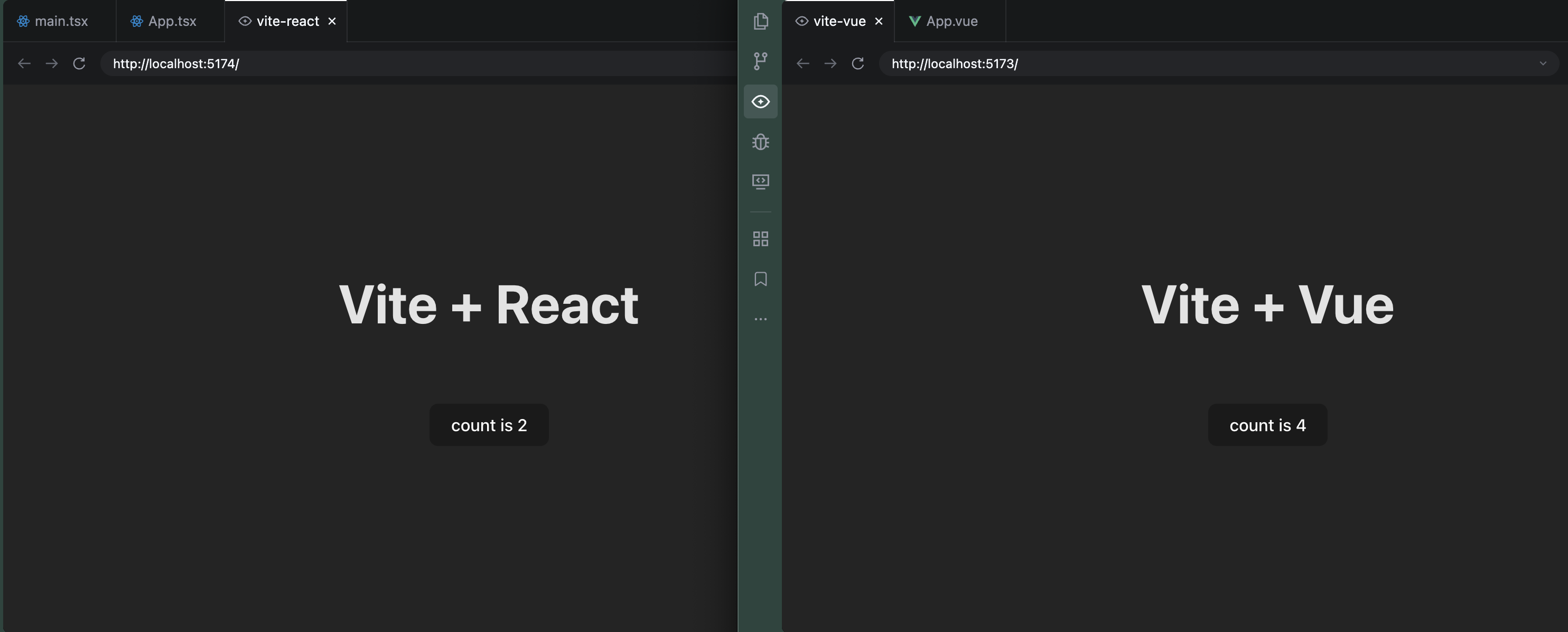
运行对比:
Flutter (Dart)
lib/main.dart
import 'package:flutter/material.dart';
void main() {
runApp(const MyApp());
}
class MyApp extends StatelessWidget {
const MyApp({super.key});
Widget build(BuildContext context) {
return MaterialApp(
title: 'Flutter Demo',
theme: ThemeData(colorScheme: .fromSeed(seedColor: Colors.deepPurple)),
home: const MyHomePage(title: 'Flutter Demo Home Page'),
);
}
}
class MyHomePage extends StatefulWidget {
const MyHomePage({super.key, required this.title});
final String title;
State<MyHomePage> createState() => _MyHomePageState();
}
class _MyHomePageState extends State<MyHomePage> {
int _counter = 0;
void _incrementCounter() {
setState(() {
_counter++;
});
}
Widget build(BuildContext context) {
return Scaffold(
appBar: AppBar(
backgroundColor: Theme.of(context).colorScheme.inversePrimary,
title: Text(widget.title),
),
body: Center(
child: Column(
mainAxisAlignment: .center,
children: [
const Text('You have pushed the button this many times:'),
Text(
'$_counter',
style: Theme.of(context).textTheme.headlineMedium,
),
],
),
),
floatingActionButton: FloatingActionButton(
onPressed: _incrementCounter,
tooltip: 'Increment',
child: const Icon(Icons.add),
),
);
}
}
Flutter 就像是在做 java 开发,全是对象,通过对象的组合来构建 UI,我想后端应该可以无缝切换到 Flutter 开发吧。
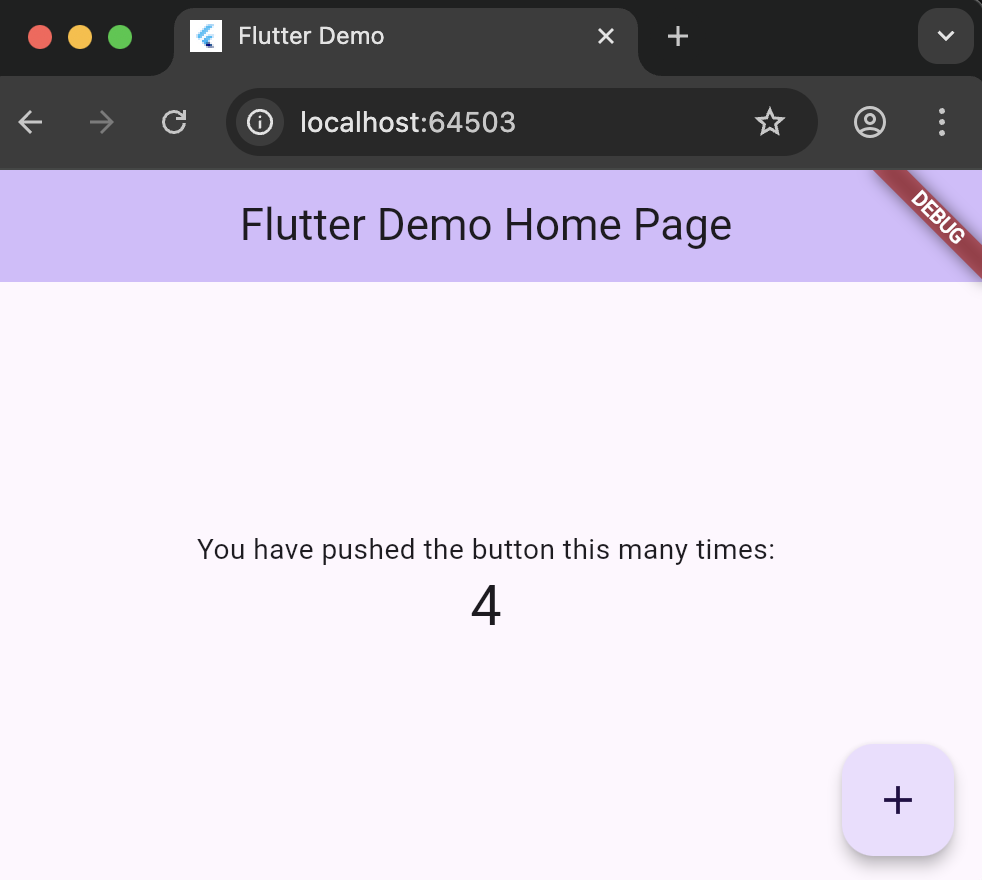
运行效果:
2. 列表数据展示示例
Vue 列表渲染
<template>
  <div>
    <ul>
      <li v-for="item in items" :key="item.id">
        {{ item.name }} - {{ item.price }}元
      </li>
    </ul>
  </div>
</template>

<script setup lang="ts">
const items = [
  { id: 1, name: "苹果", price: 5 },
  { id: 2, name: "香蕉", price: 3 },
  { id: 3, name: "橙子", price: 4 },
];
</script>
React 列表渲染
function ItemList() {
  const items = [
    { id: 1, name: "苹果", price: 5 },
    { id: 2, name: "香蕉", price: 3 },
    { id: 3, name: "橙子", price: 4 },
  ];

  return (
    <ul>
      {items.map((item) => (
        <li key={item.id}>
          {item.name} - {item.price}元
        </li>
      ))}
    </ul>
  );
}
Flutter 列表渲染
ListView.builder(
  itemCount: items.length,
  itemBuilder: (context, index) {
    final item = items[index];
    return ListTile(
      title: Text(item.name),
      subtitle: Text('${item.price}元'),
    );
  },
);
核心差异分析
1. 语法差异
- Vue: 模板语法,分离的HTML/CSS/JS
- React: JSX,JavaScript中写HTML
- Flutter: Widget树,完全用代码构建UI
2. 数据绑定
- Vue: 双向绑定(
v-model)
<input v-model="message" />
- React: 单向数据流
<input value={message} onChange={(e) => setMessage(e.target.value)} />
- Flutter: 通过Controller
TextEditingController _controller = TextEditingController();
TextField(controller: _controller);
3. 样式处理
<!-- Vue:Scoped CSS -->
<style scoped>
.button {
  background: blue;
}
</style>
// React:CSS-in-JS
const styles = {
  button: {
    background: "blue",
  },
};
<button style={styles.button}>Click</button>;
// Flutter:完全代码化
ElevatedButton(
  style: ElevatedButton.styleFrom(
    backgroundColor: Colors.blue,
  ),
  child: Text('Click'),
)
对比总结
用 Vue 或 React 开发 Web 端应用,用浏览器访问,用 Flutter 开发移动端应用,可以在不同系统手机上运行。
Vue就像是模板中填充数据,React就像是在 JS 中拼装 HTML,它们本质上还是html,通过浏览器渲染出来Flutter或原生(Android, iOS)开发就像是以前用 VB 开发应用一样,控件要用它们自己的,而不是用 html 来写

开源鸿蒙跨平台开发社区汇聚开发者与厂商,共建“一次开发,多端部署”的开源生态,致力于降低跨端开发门槛,推动万物智联创新。
更多推荐

 20
20 0
0- 0


 已为社区贡献4条内容

所有评论(0)