评论讨论页面 Cordova&OpenHarmony 混合开发实战
本文介绍了家庭菜谱应用中的评论讨论模块设计。该模块允许家庭成员对菜品发表评论和建议,数据存储在本地IndexedDB中。用户可通过Web界面查看、添加评论,系统支持ArkTS插件实现新评论通知功能。文章详细展示了评论列表的HTML结构、JavaScript添加评论逻辑以及ArkTS通知插件的实现代码。该设计实现了Web层数据存储与原生系统通知的结合,既保证了本地应用的流畅性,又增强了用户互动体验。
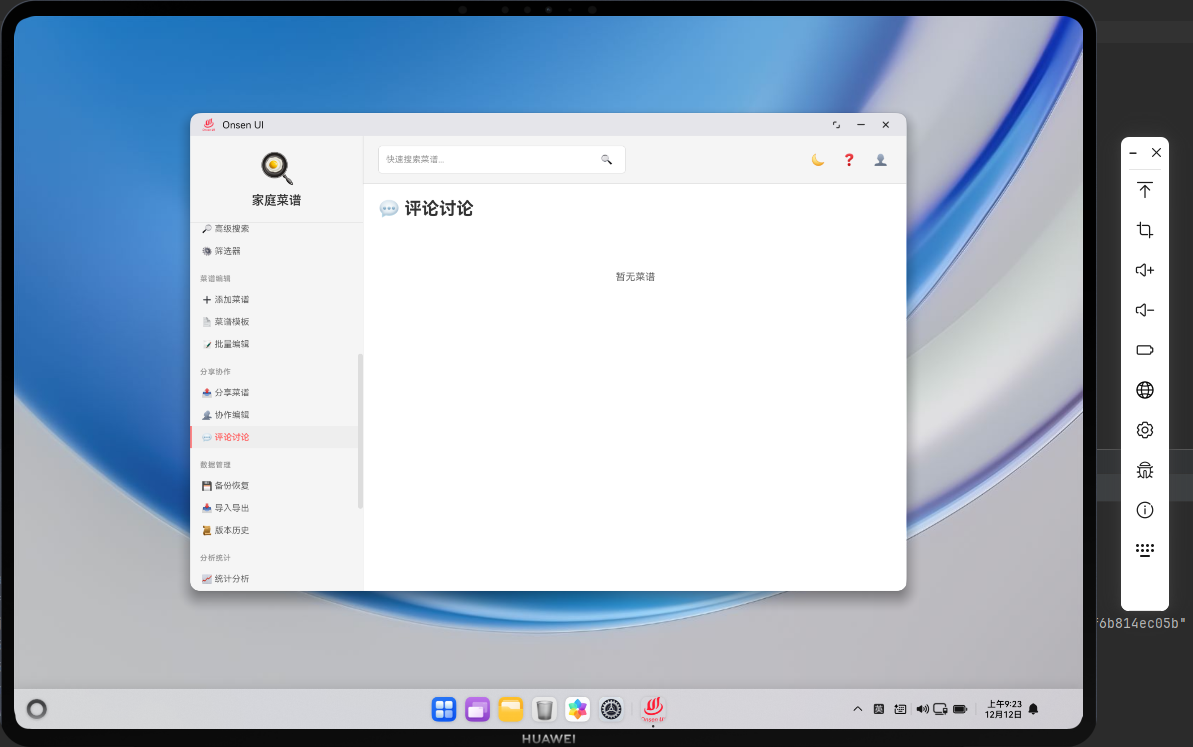
📌 模块概述
评论讨论页面为每道菜提供了一个「留言板」,家庭成员可以就某道菜的口味调整、改良方案或烹饪心得进行讨论。尽管数据仅保存在本地 IndexedDB 中,但对于家庭内部的交流已经足够。在 Cordova&OpenHarmony 模式下,评论的增删改查全部由 Web 层负责;若需要更丰富的体验,可以在 ArkTS 侧接入系统通知,使有新评论时在设备上出现提示。
🔗 评论浏览与添加流程
- 用户在评论讨论页面选中某道菜,点击「查看评论」按钮;
- Web 层通过
viewRecipeComments(id)读取对应菜谱中的comments数组,并以卡片列表形式展示; - 用户在评论输入框中填写内容并提交,JavaScript 将新评论追加到数组中并更新数据库;
- 如果设备支持原生通知,可以通过 ArkTS 插件在有新评论时发送本地通知。
🔧 评论列表结构(HTML 片段)
<div class="card">
  <div class="card-header">
    <div>
      <strong>妈妈</strong>
      <p class="text-sub">2024-12-11 19:30</p>
    </div>
  </div>
  <div class="card-content">
    少放一点盐会更好吃。
  </div>
</div>
这段 HTML 片段展示了一条评论的展示形式:标题部分是作者和时间,内容部分为评论正文。通过 card 样式,可以在 ArkWeb 中保持统一的卡片外观。
🔧 添加评论逻辑(JavaScript 片段)
async function addComment(recipeId) {
  const text = document.getElementById('comment-text').value;
  if (!text) {
    showToast('请输入评论内容', 'warning');
    return;
  }

  const recipe = await db.getRecipe(recipeId);
  if (!recipe) return;

  recipe.comments = recipe.comments || [];
  recipe.comments.push({
    author: '家庭成员',
    text,
    createdAt: Date.now()
  });

  await db.updateRecipe(recipe);
  showToast('评论已添加', 'success');
}
这段代码展示了评论添加的核心:从输入框读取文本,附带作者与时间信息写入菜谱对象的 comments 数组,再通过 db.updateRecipe 持久化。这一切都发生在 Web 层,对于本地单机应用而言非常直观。
🔌 有新评论时发送鸿蒙本地通知(ArkTS 片段)
// entry/src/main/ets/plugins/CommentNotifyPlugin.ets
import plugin from '@ohos.plugin';

@plugin
export default class CommentNotifyPlugin {
  async notifyNewComment(recipeName: string): Promise<void> {
    // 示例:调用系统通知能力,提示有新评论
    console.info('new comment on: ' + recipeName);
  }
}
ArkTS 侧的 CommentNotifyPlugin 提供了一个 notifyNewComment 方法,用于在有新评论时触发系统级通知。真实项目中可以使用鸿蒙的通知服务展示一条包含菜谱名称和评论摘要的通知卡片。
async function addCommentWithNotify(recipeId) {
  const text = document.getElementById('comment-text').value;
  if (!text) return;

  const recipe = await db.getRecipe(recipeId);
  if (!recipe) return;

  // 省略向 comments 中追加记录的代码
  await db.updateRecipe(recipe);

  if (window.cordova) {
    cordova.exec(null, null, 'CommentNotifyPlugin', 'notifyNewComment', [recipe.name]);
  }
}
在 Web 层,我们在添加评论成功后调用 CommentNotifyPlugin.notifyNewComment,把菜谱名称传递给 ArkTS 插件,由原生层负责真正的通知展示。通过 if (window.cordova) 判断,保证同一套代码在浏览器中也能安全运行。
📝 小结
评论讨论页面让家庭成员围绕菜谱展开交流与改良,是应用中增强互动性的重要模块。利用 Cordova&OpenHarmony 混合架构,我们把评论数据完全保存在 Web 层的 IndexedDB 中,同时通过 ArkTS 插件集成系统通知能力,使新评论可以第一时间触达相关成员。
欢迎加入开源鸿蒙跨平台社区:https://openharmonycrossplatform.csdn.net

开源鸿蒙跨平台开发社区汇聚开发者与厂商,共建“一次开发,多端部署”的开源生态,致力于降低跨端开发门槛,推动万物智联创新。
更多推荐



 5
5 0
0- 0


 已为社区贡献31条内容

所有评论(0)