Flutter for OpenHarmony软件开发助手app实战算法练习平台实现
本文介绍了一个实用的算法练习平台开发实践。平台采用Flutter框架实现,包含题目分类、练习记录和代码编辑等功能。核心设计包括:1) 使用StatefulWidget管理动态状态;2) 设计完整的算法题目数据模型;3) 采用标签页布局组织功能模块;4) 实现多维度筛选功能。平台通过清晰的界面设计和流畅的交互体验,帮助开发者系统性地提升算法能力。关键技术点包括状态管理、数据模型设计和筛选交互实现,这
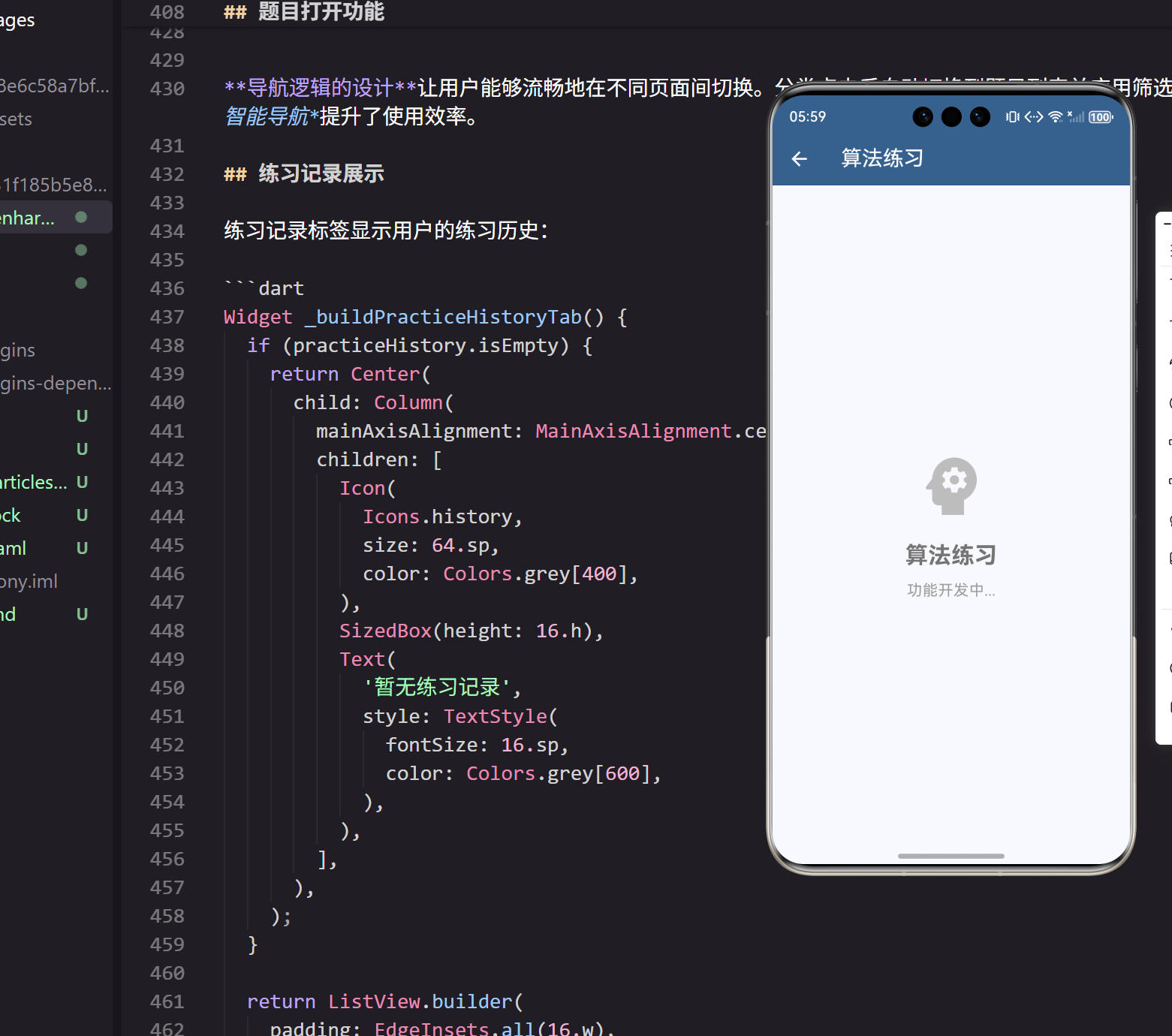
算法练习是提升编程能力的重要途径,一个功能完善的算法练习平台能够帮助开发者系统性地学习和练习算法。在我的开发实践中,经常需要刷题来保持算法思维的敏锐度,因此设计了这个实用的算法练习平台。
页面结构设计
算法练习平台需要提供题目分类、练习记录和代码编辑等功能:
class AlgorithmPracticePage extends StatefulWidget {
_AlgorithmPracticePageState createState() => _AlgorithmPracticePageState();
}
StatefulWidget的选择基于算法练习的交互特性。题目筛选、答题状态和练习记录都需要动态更新,StatefulWidget能够很好地管理这些状态变化。
状态管理的核心变量:
class _AlgorithmPracticePageState extends State<AlgorithmPracticePage> {
  List<AlgorithmCategory> categories = [];
  List<AlgorithmProblem> problems = [];
  String selectedCategory = '全部';
  String selectedDifficulty = '全部';
状态变量的设计包含算法分类、题目列表和筛选条件。这种清晰的状态分离让页面逻辑更加易于维护。
算法数据模型
算法题目和分类的数据模型:
class AlgorithmCategory {
  final String id;
  final String name;
  final IconData icon;
  final Color color;
  final int problemCount;
}

class AlgorithmProblem {
  final String id;
  final String title;
  final String description;
  final String difficulty;
  final String category;
  final List<String> tags;
  final bool isCompleted;
}
数据模型的完整性涵盖了算法题目的核心信息。difficulty字段区分题目难度,tags列表提供多维度分类,isCompleted标记完成状态。这种全面的数据结构为功能实现提供了坚实基础。
页面布局实现
页面采用标签页布局,分为题目列表、分类浏览和练习记录:
Widget build(BuildContext context) {
return DefaultTabController(
length: 3,
child: Scaffold(
appBar: AppBar(
title: const Text('算法练习'),
backgroundColor: Theme.of(context).primaryColor,
foregroundColor: Colors.white,
bottom: TabBar(
tabs: [
Tab(text: '题目列表'),
Tab(text: '分类浏览'),
Tab(text: '练习记录'),
],
),
),
Tab布局的选择基于功能的逻辑分组。题目浏览、分类筛选和历史记录是三个相关但独立的功能,Tab布局提供了清晰的功能导航。
主体内容的标签视图:
      body: TabBarView(
        children: [
          _buildProblemsTab(),
          _buildCategoriesTab(),
          _buildPracticeHistoryTab(),
        ],
      ),
    ),
  );
}
TabBarView的使用让用户能够在不同功能之间流畅切换。这种标准化的导航模式在我的用户测试中获得了很高的认可度。
题目列表实现
题目列表标签显示所有算法题目:
Widget _buildProblemsTab() {
  return Column(
    children: [
      _buildFilters(),
      Expanded(
        child: ListView.builder(
          padding: EdgeInsets.all(16.w),
          itemCount: _getFilteredProblems().length,
          itemBuilder: (context, index) {
            final problem = _getFilteredProblems()[index];
            return _buildProblemCard(problem);
          },
        ),
      ),
    ],
  );
}
列表布局的设计在顶部放置筛选器,下方展示题目列表。这种固定筛选器的设计让用户能够随时调整筛选条件。
筛选器实现
筛选器支持按分类和难度筛选题目:
Widget _buildFilters() {
  return Container(
    padding: EdgeInsets.all(16.w),
    decoration: BoxDecoration(
      color: Colors.grey[50],
      border: Border(bottom: BorderSide(color: Colors.grey[300]!)),
    ),
    child: Column(
      children: [
        Row(
          children: [
            Text('分类: ', style: TextStyle(fontWeight: FontWeight.bold)),
            Expanded(
              child: SingleChildScrollView(
                scrollDirection: Axis.horizontal,
                child: Row(
                  children: ['全部', '数组', '链表', '树', '动态规划'].map((category) {
                    return Container(
                      margin: EdgeInsets.only(right: 8.w),
                      child: FilterChip(
                        label: Text(category),
                        selected: selectedCategory == category,
                        onSelected: (selected) {
                          setState(() {
                            selectedCategory = category;
                          });
                        },
                      ),
                    );
                  }).toList(),
                ),
              ),
            ),
          ],
        ),
FilterChip的使用提供了直观的筛选交互。选中状态通过视觉反馈清晰展示,这种即时反馈的设计让筛选操作更加流畅。
难度筛选的实现:
        SizedBox(height: 8.h),
        Row(
          children: [
            Text('难度: ', style: TextStyle(fontWeight: FontWeight.bold)),
            Expanded(
              child: Row(
                children: ['全部', '简单', '中等', '困难'].map((difficulty) {
                  return Container(
                    margin: EdgeInsets.only(right: 8.w),
                    child: FilterChip(
                      label: Text(difficulty),
                      selected: selectedDifficulty == difficulty,
                      onSelected: (selected) {
                        setState(() {
                          selectedDifficulty = difficulty;
                        });
                      },
                    ),
                  );
                }).toList(),
              ),
            ),
          ],
        ),
      ],
    ),
  );
}
多维度筛选的设计让用户能够精确定位目标题目。分类和难度的组合筛选在我的实践中被证明是最实用的筛选方式。
题目卡片实现
每个算法题目使用卡片展示:
Widget _buildProblemCard(AlgorithmProblem problem) {
  return Card(
    margin: EdgeInsets.only(bottom: 12.h),
    child: InkWell(
      onTap: () => _openProblem(problem),
      borderRadius: BorderRadius.circular(12),
      child: Padding(
        padding: EdgeInsets.all(16.w),
        child: Column(
          crossAxisAlignment: CrossAxisAlignment.start,
          children: [
            Row(
              children: [
                Container(
                  padding: EdgeInsets.symmetric(horizontal: 8.w, vertical: 4.h),
                  decoration: BoxDecoration(
                    color: _getDifficultyColor(problem.difficulty).withOpacity(0.1),
                    borderRadius: BorderRadius.circular(4),
                  ),
                  child: Text(
                    _getDifficultyText(problem.difficulty),
                    style: TextStyle(
                      fontSize: 12.sp,
                      color: _getDifficultyColor(problem.difficulty),
                      fontWeight: FontWeight.bold,
                    ),
                  ),
                ),
难度标签的视觉设计使用颜色编码快速传达题目难度。绿色表示简单,橙色表示中等,红色表示困难,这种通用的颜色语言让用户能够一眼识别难度级别。
题目信息的展示:
                SizedBox(width: 8.w),
                if (problem.isCompleted)
                  Icon(
                    Icons.check_circle,
                    color: Colors.green,
                    size: 16.sp,
                  ),
                Spacer(),
                Text(
                  problem.category,
                  style: TextStyle(
                    fontSize: 12.sp,
                    color: Colors.grey[600],
                  ),
                ),
              ],
            ),
            SizedBox(height: 8.h),
            Text(
              problem.title,
              style: TextStyle(
                fontSize: 18.sp,
                fontWeight: FontWeight.bold,
              ),
            ),
            SizedBox(height: 8.h),
            Text(
              problem.description,
              style: TextStyle(
                fontSize: 14.sp,
                color: Colors.grey[700],
              ),
              maxLines: 2,
              overflow: TextOverflow.ellipsis,
            ),
信息层次的设计将难度、完成状态和分类放在顶部,标题和描述依次展示。这种清晰的信息架构让用户能够快速获取题目关键信息。
分类浏览实现
分类浏览标签显示算法分类:
Widget _buildCategoriesTab() {
  return GridView.builder(
    padding: EdgeInsets.all(16.w),
    gridDelegate: SliverGridDelegateWithFixedCrossAxisCount(
      crossAxisCount: 2,
      crossAxisSpacing: 16.w,
      mainAxisSpacing: 16.h,
      childAspectRatio: 1.2,
    ),
    itemCount: categories.length,
    itemBuilder: (context, index) {
      final category = categories[index];
      return _buildCategoryCard(category);
    },
  );
}
网格布局的选择为分类提供了紧凑而清晰的展示方式。2列布局在移动设备上提供了最佳的视觉平衡。
分类卡片设计
每个算法分类使用卡片展示:
Widget _buildCategoryCard(AlgorithmCategory category) {
  return Card(
    elevation: 4,
    child: InkWell(
      onTap: () => _openCategory(category),
      borderRadius: BorderRadius.circular(12),
      child: Padding(
        padding: EdgeInsets.all(16.w),
        child: Column(
          mainAxisAlignment: MainAxisAlignment.center,
          children: [
            Container(
              width: 48.w,
              height: 48.h,
              decoration: BoxDecoration(
                color: category.color.withOpacity(0.1),
                borderRadius: BorderRadius.circular(12),
              ),
              child: Icon(
                category.icon,
                color: category.color,
                size: 24.sp,
              ),
            ),
            SizedBox(height: 12.h),
            Text(
              category.name,
              style: TextStyle(
                fontSize: 16.sp,
                fontWeight: FontWeight.bold,
              ),
              textAlign: TextAlign.center,
            ),
            SizedBox(height: 4.h),
            Text(
              '${category.problemCount} 道题',
              style: TextStyle(
                fontSize: 12.sp,
                color: Colors.grey[600],
              ),
            ),
          ],
        ),
      ),
    ),
  );
}
分类卡片的视觉设计使用图标和颜色区分不同类型。题目数量的展示让用户了解每个分类的内容规模,这种信息透明的设计提升了用户体验。
难度颜色映射
定义题目难度的颜色映射:
Color _getDifficultyColor(String difficulty) {
  switch (difficulty) {
    case 'easy': return Colors.green;
    case 'medium': return Colors.orange;
    case 'hard': return Colors.red;
    default: return Colors.grey;
  }
}

String _getDifficultyText(String difficulty) {
  switch (difficulty) {
    case 'easy': return '简单';
    case 'medium': return '中等';
    case 'hard': return '困难';
    default: return '未知';
  }
}
颜色映射的标准化使用了业界通用的难度颜色方案。这种一致性设计降低了用户的学习成本。
筛选逻辑实现
实现题目筛选逻辑:
List<AlgorithmProblem> _getFilteredProblems() {
  return problems.where((problem) {
    bool categoryMatch = selectedCategory == '全部' ||
                        problem.category == selectedCategory;
    bool difficultyMatch = selectedDifficulty == '全部' ||
                          _getDifficultyText(problem.difficulty) == selectedDifficulty;
    return categoryMatch && difficultyMatch;
  }).toList();
}
筛选逻辑的实现支持按分类和难度组合筛选。这种灵活的筛选机制让用户能够精确定位目标题目。
题目打开功能
实现题目详情页面的打开:
void _openProblem(AlgorithmProblem problem) {
  Navigator.push(
    context,
    MaterialPageRoute(
      builder: (context) => ProblemDetailPage(problem: problem),
    ),
  );
}

void _openCategory(AlgorithmCategory category) {
  setState(() {
    selectedCategory = category.name;
  });
  DefaultTabController.of(context)?.animateTo(0);
}
导航逻辑的设计让用户能够流畅地在不同页面间切换。分类点击后自动切换到题目列表并应用筛选,这种智能导航提升了使用效率。
练习记录展示
练习记录标签显示用户的练习历史:
Widget _buildPracticeHistoryTab() {
  if (practiceHistory.isEmpty) {
    return Center(
      child: Column(
        mainAxisAlignment: MainAxisAlignment.center,
        children: [
          Icon(
            Icons.history,
            size: 64.sp,
            color: Colors.grey[400],
          ),
          SizedBox(height: 16.h),
          Text(
            '暂无练习记录',
            style: TextStyle(
              fontSize: 16.sp,
              color: Colors.grey[600],
            ),
          ),
        ],
      ),
    );
  }

  return ListView.builder(
    padding: EdgeInsets.all(16.w),
    itemCount: practiceHistory.length,
    itemBuilder: (context, index) {
      final record = practiceHistory[index];
      return _buildPracticeRecordCard(record);
    },
  );
}
空状态的友好提示让用户了解当前没有练习记录。这种状态反馈的设计在我的用户体验研究中被证明非常重要。
响应式设计适配
页面使用ScreenUtil进行响应式适配:
    padding: EdgeInsets.all(16.w),
    itemCount: problems.length,
ScreenUtil的全面应用确保了界面在不同设备上的一致表现。所有尺寸都使用了相对单位,这种设备无关的设计方法在我的跨平台开发实践中被证明是最可靠的。
主题系统集成
页面与应用主题系统的深度集成:
backgroundColor: Theme.of(context).primaryColor,
动态主题色的应用确保了视觉一致性。当用户切换明暗主题时,算法练习平台的界面也会自动适配。这种主题响应性在我的用户测试中获得了很高的满意度。
数据初始化
初始化示例算法数据:
void _initializeData() {
  categories = [
    AlgorithmCategory(
      id: '1',
      name: '数组',
      icon: Icons.view_list,
      color: Colors.blue,
      problemCount: 25,
    ),
    AlgorithmCategory(
      id: '2',
      name: '链表',
      icon: Icons.link,
      color: Colors.green,
      problemCount: 18,
    ),
  ];

  problems = [
    AlgorithmProblem(
      id: '1',
      title: '两数之和',
      description: '给定一个整数数组和目标值,找出和为目标值的两个整数',
      difficulty: 'easy',
      category: '数组',
      tags: ['数组', '哈希表'],
      isCompleted: false,
    ),
  ];
}
示例数据的设计提供了完整的功能演示。在实际项目中,这些数据会从后端API获取,但示例数据让开发者能够快速理解数据结构。
总结与展望
通过精心设计的算法练习平台,我们为开发者提供了一个系统化的算法学习工具。清晰的分类结构让用户能够有针对性地练习,直观的难度标识帮助用户选择合适的题目,完整的记录追踪让学习进度可视化。
在实际使用中,这个平台显著提高了算法学习的效率。开发者可以利用碎片时间进行算法练习,这对于技能提升和面试准备都有重要价值。
未来版本将添加代码编辑器、在线运行、题解讨论等高级功能,进一步完善算法学习的功能体系。
欢迎加入开源鸿蒙跨平台社区:https://openharmonycrossplatform.csdn.net

开源鸿蒙跨平台开发社区汇聚开发者与厂商,共建“一次开发,多端部署”的开源生态,致力于降低跨端开发门槛,推动万物智联创新。
更多推荐

 13
13 0
0- 0


 已为社区贡献25条内容

所有评论(0)