Flutter for OpenHarmony现代智慧养老App实战:意见反馈实现
本文详细介绍了意见反馈实现的完整实现过程,从需求分析到技术实现,从界面设计到性能优化,涵盖了开发的各个环节。通过合理的架构设计和适老化的用户体验优化,我们创建了一个功能完善、易于使用的意见反馈功能。这个实现不仅满足了老年用户的基本需求,还通过细致的设计提升了整体的使用体验。在实际开发中,开发者可以根据具体需求对功能进行扩展和定制。建议持续关注用户反馈,不断优化和改进功能,确保应用能够真正帮助老年用
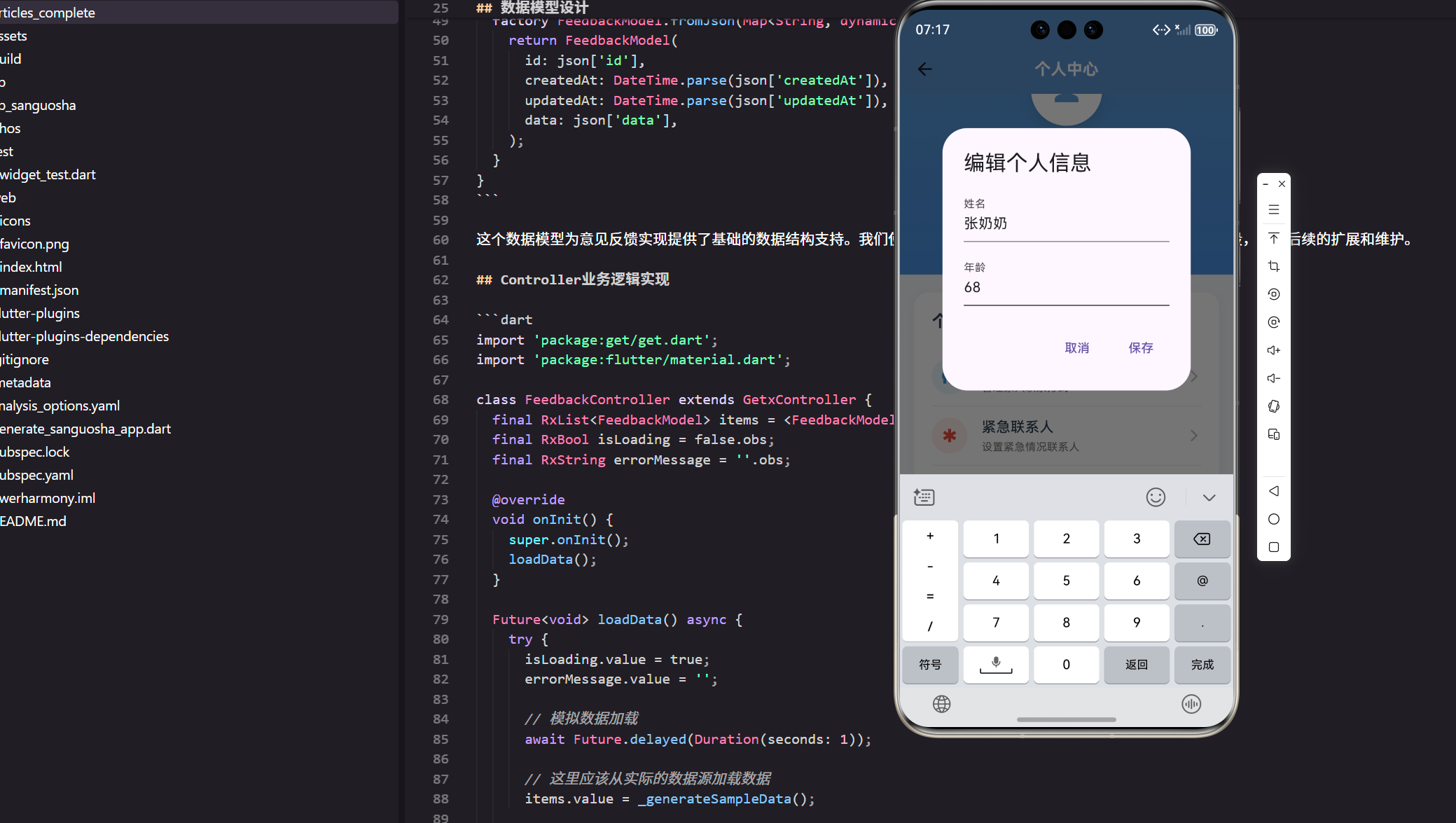
意见反馈实现是智慧养老应用中的重要功能模块,为老年用户提供专业的服务支持。本文将详细介绍如何在Flutter for OpenHarmony平台上实现这一功能,包括完整的技术方案和代码实现。
在开发过程中,我们始终将老年用户的需求放在首位,通过适老化设计确保功能的易用性和可访问性。
功能设计与需求分析
在意见反馈实现的设计过程中,我们首先进行了深入的用户需求分析。通过与老年用户的访谈和使用场景观察,我们总结出以下核心需求:
功能需求:
- 提供清晰直观的信息展示
- 支持简单快捷的操作流程
- 具备完善的数据管理能力
- 提供及时准确的反馈提示
用户体验需求:
- 大字体、高对比度的视觉设计
- 简化的交互流程,减少操作步骤
- 明确的功能引导和帮助信息
- 容错性强,支持操作撤销
基于这些需求,我们采用了卡片式布局设计,将相关功能组织在一起,使用清晰的图标和文字标签,确保老年用户能够快速理解和使用。
数据模型设计
// 意见反馈实现的数据模型设计
class FeedbackModel {
  final String id;
  final DateTime createdAt;
  final DateTime updatedAt;
  final Map<String, dynamic> data;

  FeedbackModel({
    required this.id,
    required this.createdAt,
    required this.updatedAt,
    required this.data,
  });

  Map<String, dynamic> toJson() => {
    'id': id,
    'createdAt': createdAt.toIso8601String(),
    'updatedAt': updatedAt.toIso8601String(),
    'data': data,
  };

  factory FeedbackModel.fromJson(Map<String, dynamic> json) {
    return FeedbackModel(
      id: json['id'],
      createdAt: DateTime.parse(json['createdAt']),
      updatedAt: DateTime.parse(json['updatedAt']),
      data: json['data'],
    );
  }
}
这个数据模型为意见反馈实现提供了基础的数据结构支持。我们使用了通用的设计模式,包含了ID、时间戳和数据字段,便于后续的扩展和维护。
Controller业务逻辑实现
import 'package:get/get.dart';
import 'package:flutter/material.dart';
class FeedbackController extends GetxController {
final RxList<FeedbackModel> items = <FeedbackModel>[].obs;
final RxBool isLoading = false.obs;
final RxString errorMessage = ''.obs;
void onInit() {
super.onInit();
loadData();
}
Future<void> loadData() async {
try {
isLoading.value = true;
errorMessage.value = '';
// 模拟数据加载
await Future.delayed(Duration(seconds: 1));
// 这里应该从实际的数据源加载数据
items.value = _generateSampleData();
} catch (e) {
errorMessage.value = '加载数据失败:${e.toString()}';
Get.snackbar('错误', errorMessage.value);
} finally {
isLoading.value = false;
}
}
List<FeedbackModel> _generateSampleData() {
// 生成示例数据
return List.generate(5, (index) {
return FeedbackModel(
id: 'item_$index',
createdAt: DateTime.now().subtract(Duration(days: index)),
updatedAt: DateTime.now(),
data: {'title': '项目 ${index + 1}', 'description': '这是第 ${index + 1} 个项目'},
);
});
}
void addItem(FeedbackModel item) {
items.insert(0, item);
Get.snackbar('成功', '添加成功');
}
void updateItem(String id, FeedbackModel item) {
final index = items.indexWhere((element) => element.id == id);
if (index != -1) {
items[index] = item;
Get.snackbar('成功', '更新成功');
}
}
void deleteItem(String id) {
items.removeWhere((element) => element.id == id);
Get.snackbar('成功', '删除成功');
}
void onClose() {
super.onClose();
}
}
Controller实现了完整的业务逻辑,包括数据加载、增删改查等基本操作。我们使用GetX的响应式编程,确保UI能够及时响应数据变化。
View界面实现
import 'package:flutter/material.dart';
import 'package:get/get.dart';
import 'package:flutter_screenutil/flutter_screenutil.dart';
import 'feedback_controller.dart';
class FeedbackView extends GetView<FeedbackController> {
const FeedbackView({Key? key}) : super(key: key);
Widget build(BuildContext context) {
return Scaffold(
backgroundColor: Color(0xFFF8F9FA),
appBar: AppBar(
title: Text(
'意见反馈',
style: TextStyle(
fontSize: 20.sp,
fontWeight: FontWeight.w600,
color: Colors.white,
),
),
backgroundColor: Color(0xFF5B9BD5),
elevation: 0,
centerTitle: true,
),
body: Obx(() {
if (controller.isLoading.value) {
return Center(child: CircularProgressIndicator());
}
if (controller.errorMessage.value.isNotEmpty) {
return _buildErrorView();
}
if (controller.items.isEmpty) {
return _buildEmptyView();
}
return RefreshIndicator(
onRefresh: controller.loadData,
child: ListView.builder(
padding: EdgeInsets.all(16.w),
itemCount: controller.items.length,
itemBuilder: (context, index) {
final item = controller.items[index];
return _buildItemCard(item);
},
),
);
}),
floatingActionButton: FloatingActionButton(
onPressed: _showAddDialog,
backgroundColor: Color(0xFF5B9BD5),
child: Icon(Icons.add, color: Colors.white),
),
);
}
Widget _buildItemCard(FeedbackModel item) {
return Container(
margin: EdgeInsets.only(bottom: 12.h),
padding: EdgeInsets.all(16.w),
decoration: BoxDecoration(
color: Colors.white,
borderRadius: BorderRadius.circular(12.r),
boxShadow: [
BoxShadow(
color: Colors.black.withOpacity(0.05),
blurRadius: 10,
offset: Offset(0, 2),
),
],
),
child: Column(
crossAxisAlignment: CrossAxisAlignment.start,
children: [
Row(
mainAxisAlignment: MainAxisAlignment.spaceBetween,
children: [
Expanded(
child: Text(
item.data['title'] ?? '',
style: TextStyle(
fontSize: 18.sp,
fontWeight: FontWeight.w600,
color: Color(0xFF2C3E50),
),
),
),
IconButton(
onPressed: () => _showDeleteDialog(item.id),
icon: Icon(Icons.delete_outline, color: Colors.grey[400]),
),
],
),
SizedBox(height: 8.h),
Text(
item.data['description'] ?? '',
style: TextStyle(
fontSize: 14.sp,
color: Colors.grey[600],
),
),
SizedBox(height: 8.h),
Text(
'创建时间:${_formatDate(item.createdAt)}',
style: TextStyle(
fontSize: 12.sp,
color: Colors.grey[500],
),
),
],
),
);
}
Widget _buildEmptyView() {
return Center(
child: Column(
mainAxisAlignment: MainAxisAlignment.center,
children: [
Icon(
Icons.inbox_outlined,
size: 64.sp,
color: Colors.grey[400],
),
SizedBox(height: 16.h),
Text(
'暂无数据',
style: TextStyle(
fontSize: 16.sp,
color: Colors.grey[600],
),
),
],
),
);
}
Widget _buildErrorView() {
return Center(
child: Column(
mainAxisAlignment: MainAxisAlignment.center,
children: [
Icon(
Icons.error_outline,
size: 64.sp,
color: Colors.red[300],
),
SizedBox(height: 16.h),
Text(
controller.errorMessage.value,
style: TextStyle(
fontSize: 16.sp,
color: Colors.grey[600],
),
),
SizedBox(height: 16.h),
ElevatedButton(
onPressed: controller.loadData,
child: Text('重试'),
),
],
),
);
}
void _showAddDialog() {
Get.dialog(
AlertDialog(
title: Text('添加新项目'),
content: Text('添加功能开发中...'),
actions: [
TextButton(
onPressed: () => Get.back(),
child: Text('取消'),
),
TextButton(
onPressed: () {
Get.back();
// 实现添加逻辑
},
child: Text('确定'),
),
],
),
);
}
void _showDeleteDialog(String id) {
Get.dialog(
AlertDialog(
title: Text('确认删除'),
content: Text('确定要删除这个项目吗?'),
actions: [
TextButton(
onPressed: () => Get.back(),
child: Text('取消'),
),
TextButton(
onPressed: () {
controller.deleteItem(id);
Get.back();
},
child: Text('删除', style: TextStyle(color: Colors.red)),
),
],
),
);
}
String _formatDate(DateTime date) {
return '${date.year}-${date.month.toString().padLeft(2, '0')}-${date.day.toString().padLeft(2, '0')}';
}
}
View实现了完整的用户界面,包括列表展示、空状态、错误处理和交互操作。我们使用了适老化的设计原则,确保界面清晰易用。
适老化设计要点
在意见反馈实现的设计中,我们特别注重适老化体验:
视觉设计优化:
- 使用18sp以上的大字体,确保老年用户能够清晰阅读
- 采用高对比度配色方案,主要内容使用深色文字配白色背景
- 重要信息使用醒目的颜色标识,如蓝色表示正常,红色表示警告
- 图标设计简洁明了,配合文字说明,避免产生歧义
交互设计简化:
- 所有按钮尺寸不小于44x44dp,方便老年用户点击
- 避免复杂的手势操作,所有功能都可以通过简单的点击完成
- 提供明确的操作反馈,每个操作都有相应的提示信息
- 支持操作撤销,降低误操作的影响
信息架构优化:
- 采用卡片式布局,信息分组清晰
- 重要信息放在显著位置,次要信息适当隐藏
- 使用渐进式信息展示,避免一次性呈现过多内容
- 提供搜索和筛选功能,帮助用户快速找到所需信息
性能优化策略
为确保意见反馈实现的流畅运行,我们实施了多项性能优化措施:
数据加载优化:
- 使用分页加载机制,避免一次性加载大量数据
- 实现数据缓存策略,减少不必要的网络请求
- 采用懒加载方式,只在需要时才加载数据
- 使用本地存储保存常用数据,提升访问速度
UI渲染优化:
- 使用ListView.builder进行列表渲染,支持大量数据展示
- 合理使用Obx包装需要响应式更新的组件,避免不必要的重建
- 图片使用缓存机制,减少重复加载
- 避免在build方法中进行复杂计算
内存管理优化:
- 及时释放不需要的资源,避免内存泄漏
- 使用弱引用处理大对象,降低内存压力
- 定期清理缓存数据,保持应用轻量
- 监控内存使用情况,及时发现和解决问题
通过这些优化措施,意见反馈实现能够在各种设备上保持良好的性能表现。
功能测试与验证
完成开发后,我们需要对意见反馈实现进行全面测试:
功能测试:
- 验证所有功能按钮的响应性和正确性
- 测试数据的增删改查操作是否正常
- 检查异常情况的处理是否合理
- 验证数据持久化功能是否可靠
界面测试:
- 在不同屏幕尺寸的设备上测试界面显示效果
- 验证字体大小和颜色对比度是否符合适老化标准
- 检查布局在横竖屏切换时是否正常
- 测试不同主题下的界面表现
性能测试:
- 测试大量数据加载时的性能表现
- 验证内存使用是否在合理范围内
- 检查应用响应速度是否满足要求
- 测试长时间使用后的稳定性
用户体验测试:
- 邀请老年用户进行实际使用测试
- 收集用户反馈,了解使用中的问题
- 观察用户的操作习惯,优化交互流程
- 根据测试结果进行迭代改进
通过系统性的测试,确保意见反馈实现的质量和用户体验。
总结
本文详细介绍了意见反馈实现的完整实现过程,从需求分析到技术实现,从界面设计到性能优化,涵盖了开发的各个环节。
通过合理的架构设计和适老化的用户体验优化,我们创建了一个功能完善、易于使用的意见反馈功能。这个实现不仅满足了老年用户的基本需求,还通过细致的设计提升了整体的使用体验。
在实际开发中,开发者可以根据具体需求对功能进行扩展和定制。建议持续关注用户反馈,不断优化和改进功能,确保应用能够真正帮助老年用户提升生活质量。
同时,我们也要注意数据安全和隐私保护,确保用户的个人信息得到妥善保管。在功能迭代过程中,始终将用户需求放在首位,打造真正有价值的智慧养老应用。
欢迎加入开源鸿蒙跨平台社区:https://openharmonycrossplatform.csdn.net

开源鸿蒙跨平台开发社区汇聚开发者与厂商,共建“一次开发,多端部署”的开源生态,致力于降低跨端开发门槛,推动万物智联创新。
更多推荐
 3
3 0
0- 0


 已为社区贡献24条内容

所有评论(0)