Flutter for OpenHarmony Web开发助手App实战:正则表达式
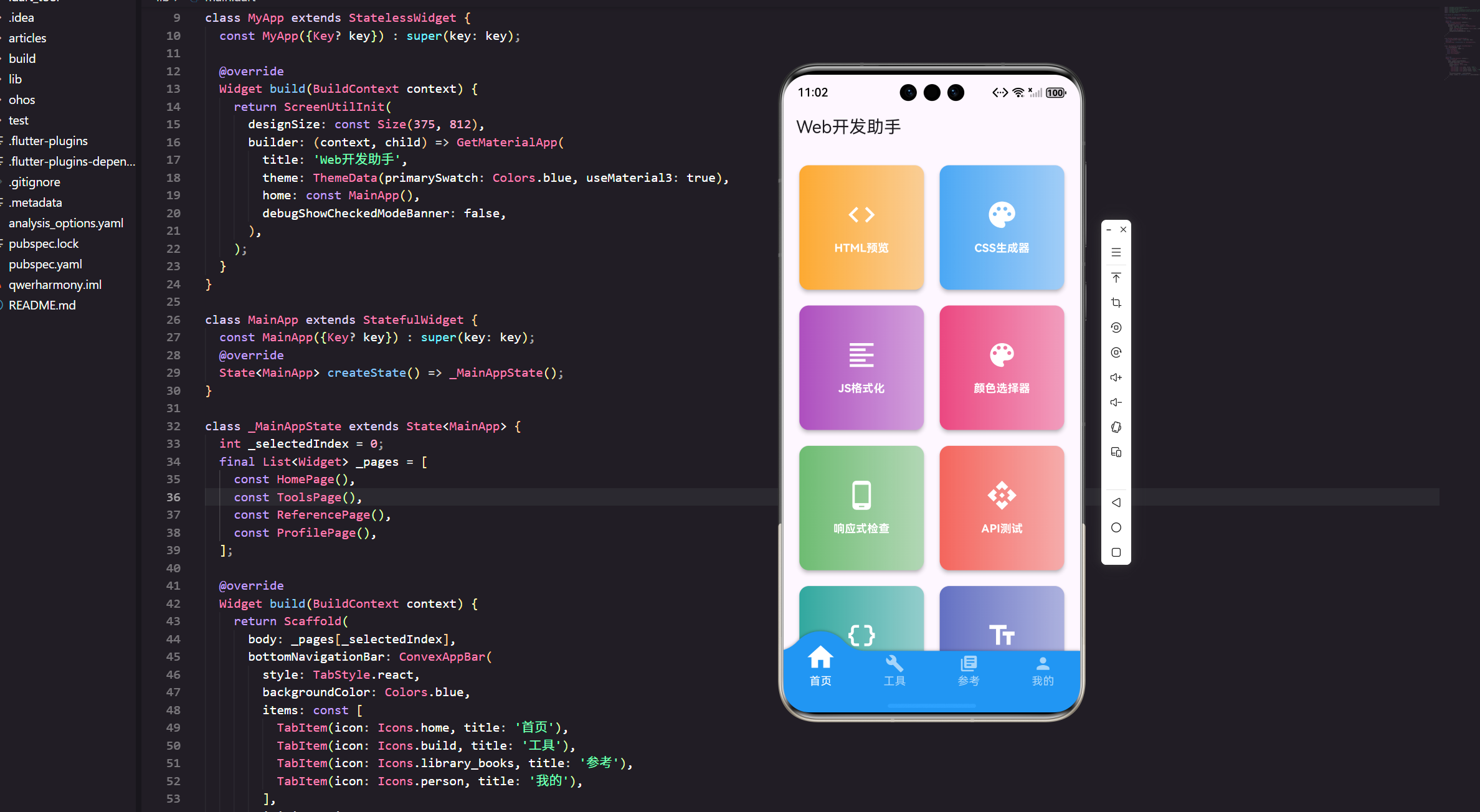
正则表达式是文本处理的利器,但语法复杂容易出错。今天我们来实现一个正则表达式测试工具,让正则调试变得简单。
功能设计
正则表达式工具需要提供:
实时匹配:输入正则和文本,实时显示匹配结果。
高亮显示:匹配的部分用颜色标记。
匹配信息:显示匹配的数量和位置。
常用正则:提供常见的正则表达式模板。
语法说明:简单的正则语法参考。
完整代码实现
import 'package:flutter/material.dart';
import 'package:flutter/services.dart';
import 'package:flutter_screenutil/flutter_screenutil.dart';
import 'package:get/get.dart';
class RegexTesterPage extends StatefulWidget {
const RegexTesterPage({Key? key}) : super(key: key);
State<RegexTesterPage> createState() => _RegexTesterPageState();
}
class _RegexTesterPageState extends State<RegexTesterPage> {
final TextEditingController _regexController = TextEditingController();
final TextEditingController _textController = TextEditingController();
final TextEditingController _replaceController = TextEditingController();
List<RegExpMatch> _matches = [];
String _errorMessage = '';
bool _caseSensitive = true;
bool _multiLine = false;
bool _dotAll = false;
int _selectedTab = 0; // 0: 匹配, 1: 替换, 2: 模板
void initState() {
super.initState();
_regexController.text = r'\d{3}-\d{4}-\d{4}';
_textController.text = '''联系方式:
手机:138-1234-5678
座机:010-8888-9999
邮箱:test@example.com
网址:https://www.example.com''';
_testRegex();
}
void dispose() {
_regexController.dispose();
_textController.dispose();
_replaceController.dispose();
super.dispose();
}
Widget build(BuildContext context) {
return Scaffold(
appBar: AppBar(
title: const Text('正则表达式测试'),
actions: [
IconButton(
icon: const Icon(Icons.help_outline),
onPressed: _showHelp,
tooltip: '语法帮助',
),
],
),
body: Column(
children: [
// 正则输入区
Container(
padding: EdgeInsets.all(16.w),
color: Colors.white,
child: Column(
crossAxisAlignment: CrossAxisAlignment.start,
children: [
Text(
'正则表达式',
style: TextStyle(
fontSize: 14.sp,
fontWeight: FontWeight.bold,
),
),
SizedBox(height: 8.h),
TextField(
controller: _regexController,
style: TextStyle(
fontFamily: 'monospace',
fontSize: 14.sp,
),
decoration: InputDecoration(
hintText: '输入正则表达式...',
border: OutlineInputBorder(
borderRadius: BorderRadius.circular(8.r),
),
contentPadding: EdgeInsets.all(12.w),
suffixIcon: IconButton(
icon: const Icon(Icons.play_arrow),
onPressed: _testRegex,
tooltip: '测试',
),
),
onChanged: (_) => _testRegex(),
),
SizedBox(height: 12.h),
// 选项
Wrap(
spacing: 16.w,
children: [
_buildCheckbox('区分大小写', _caseSensitive, (value) {
setState(() {
_caseSensitive = value;
_testRegex();
});
}),
_buildCheckbox('多行模式', _multiLine, (value) {
setState(() {
_multiLine = value;
_testRegex();
});
}),
_buildCheckbox('点匹配所有', _dotAll, (value) {
setState(() {
_dotAll = value;
_testRegex();
});
}),
],
),
],
),
),
Divider(height: 1.h),
// 标签切换
Container(
color: Colors.grey[100],
child: Row(
children: [
_buildTab('匹配测试', 0),
_buildTab('替换测试', 1),
_buildTab('常用模板', 2),
],
),
),
// 内容区
Expanded(
child: _buildContent(),
),
// 结果栏
if (_selectedTab == 0) _buildResultBar(),
],
),
);
}
Widget _buildCheckbox(String label, bool value, Function(bool) onChanged) {
return Row(
mainAxisSize: MainAxisSize.min,
children: [
Checkbox(
value: value,
onChanged: (v) => onChanged(v ?? false),
),
Text(label, style: TextStyle(fontSize: 13.sp)),
],
);
}
Widget _buildTab(String title, int index) {
final isSelected = _selectedTab == index;
return Expanded(
child: GestureDetector(
onTap: () => setState(() => _selectedTab = index),
child: Container(
padding: EdgeInsets.symmetric(vertical: 12.h),
decoration: BoxDecoration(
color: isSelected ? Colors.white : Colors.transparent,
border: Border(
bottom: BorderSide(
color: isSelected ? Colors.blue : Colors.transparent,
width: 2.w,
),
),
),
child: Text(
title,
textAlign: TextAlign.center,
style: TextStyle(
fontSize: 14.sp,
fontWeight: isSelected ? FontWeight.bold : FontWeight.normal,
color: isSelected ? Colors.blue : Colors.grey[600],
),
),
),
),
);
}
Widget _buildContent() {
switch (_selectedTab) {
case 0:
return _buildMatchPanel();
case 1:
return _buildReplacePanel();
case 2:
return _buildTemplatesPanel();
default:
return Container();
}
}
Widget _buildMatchPanel() {
return Container(
color: Colors.white,
padding: EdgeInsets.all(16.w),
child: Column(
crossAxisAlignment: CrossAxisAlignment.start,
children: [
Row(
children: [
Text(
'测试文本',
style: TextStyle(
fontSize: 14.sp,
fontWeight: FontWeight.bold,
),
),
const Spacer(),
if (_errorMessage.isNotEmpty)
Text(
_errorMessage,
style: TextStyle(
fontSize: 12.sp,
color: Colors.red,
),
),
],
),
SizedBox(height: 8.h),
Expanded(
child: Container(
padding: EdgeInsets.all(12.w),
decoration: BoxDecoration(
border: Border.all(color: Colors.grey[300]!),
borderRadius: BorderRadius.circular(8.r),
),
child: SingleChildScrollView(
child: _buildHighlightedText(),
),
),
),
],
),
);
}
Widget _buildHighlightedText() {
if (_matches.isEmpty) {
return TextField(
controller: _textController,
maxLines: null,
style: TextStyle(
fontFamily: 'monospace',
fontSize: 13.sp,
),
decoration: const InputDecoration(
hintText: '输入要测试的文本...',
border: InputBorder.none,
),
onChanged: (_) => _testRegex(),
);
}
final text = _textController.text;
final spans = <TextSpan>[];
int lastEnd = 0;
for (var match in _matches) {
// 未匹配的部分
if (match.start > lastEnd) {
spans.add(TextSpan(
text: text.substring(lastEnd, match.start),
style: TextStyle(fontSize: 13.sp, fontFamily: 'monospace'),
));
}
// 匹配的部分
spans.add(TextSpan(
text: text.substring(match.start, match.end),
style: TextStyle(
fontSize: 13.sp,
fontFamily: 'monospace',
backgroundColor: Colors.yellow[300],
fontWeight: FontWeight.bold,
),
));
lastEnd = match.end;
}
// 剩余的文本
if (lastEnd < text.length) {
spans.add(TextSpan(
text: text.substring(lastEnd),
style: TextStyle(fontSize: 13.sp, fontFamily: 'monospace'),
));
}
return GestureDetector(
onTap: () {
// 允许编辑
showDialog(
context: context,
builder: (context) => AlertDialog(
title: const Text('编辑测试文本'),
content: TextField(
controller: _textController,
maxLines: 10,
autofocus: true,
),
actions: [
TextButton(
onPressed: () {
Navigator.pop(context);
_testRegex();
},
child: const Text('确定'),
),
],
),
);
},
child: RichText(
text: TextSpan(children: spans),
),
);
}
Widget _buildReplacePanel() {
return Container(
color: Colors.white,
padding: EdgeInsets.all(16.w),
child: Column(
crossAxisAlignment: CrossAxisAlignment.start,
children: [
Text(
'替换为',
style: TextStyle(
fontSize: 14.sp,
fontWeight: FontWeight.bold,
),
),
SizedBox(height: 8.h),
TextField(
controller: _replaceController,
decoration: InputDecoration(
hintText: '输入替换文本...',
border: OutlineInputBorder(
borderRadius: BorderRadius.circular(8.r),
),
contentPadding: EdgeInsets.all(12.w),
),
),
SizedBox(height: 16.h),
ElevatedButton.icon(
onPressed: _performReplace,
icon: const Icon(Icons.find_replace),
label: const Text('执行替换'),
),
SizedBox(height: 16.h),
Text(
'替换结果',
style: TextStyle(
fontSize: 14.sp,
fontWeight: FontWeight.bold,
),
),
SizedBox(height: 8.h),
Expanded(
child: Container(
padding: EdgeInsets.all(12.w),
decoration: BoxDecoration(
color: Colors.grey[50],
border: Border.all(color: Colors.grey[300]!),
borderRadius: BorderRadius.circular(8.r),
),
child: SingleChildScrollView(
child: SelectableText(
_getReplaceResult(),
style: TextStyle(
fontFamily: 'monospace',
fontSize: 13.sp,
),
),
),
),
),
],
),
);
}
Widget _buildTemplatesPanel() {
final templates = [
{'name': '手机号', 'regex': r'^1[3-9]\d{9}$', 'desc': '匹配中国大陆手机号'},
{'name': '邮箱', 'regex': r'^[\w-\.]+@([\w-]+\.)+[\w-]{2,4}$', 'desc': '匹配电子邮箱地址'},
{'name': '身份证', 'regex': r'^\d{17}[\dXx]$', 'desc': '匹配18位身份证号'},
{'name': 'URL', 'regex': r'https?://[\w\-]+(\.[\w\-]+)+[/#?]?.*$', 'desc': '匹配网址'},
{'name': 'IP地址', 'regex': r'^((25[0-5]|2[0-4]\d|[01]?\d\d?)\.){3}(25[0-5]|2[0-4]\d|[01]?\d\d?)$', 'desc': '匹配IPv4地址'},
{'name': '日期', 'regex': r'^\d{4}-\d{2}-\d{2}$', 'desc': '匹配YYYY-MM-DD格式日期'},
{'name': '时间', 'regex': r'^([01]\d|2[0-3]):[0-5]\d:[0-5]\d$', 'desc': '匹配HH:MM:SS格式时间'},
{'name': '中文', 'regex': r'^[\u4e00-\u9fa5]+$', 'desc': '匹配中文字符'},
{'name': '数字', 'regex': r'^\d+$', 'desc': '匹配纯数字'},
{'name': '字母', 'regex': r'^[a-zA-Z]+$', 'desc': '匹配纯字母'},
];
return ListView.builder(
padding: EdgeInsets.all(16.w),
itemCount: templates.length,
itemBuilder: (context, index) {
final template = templates[index];
return Card(
margin: EdgeInsets.only(bottom: 12.h),
child: ListTile(
title: Text(
template['name'] as String,
style: TextStyle(
fontSize: 15.sp,
fontWeight: FontWeight.bold,
),
),
subtitle: Column(
crossAxisAlignment: CrossAxisAlignment.start,
children: [
SizedBox(height: 4.h),
Text(
template['desc'] as String,
style: TextStyle(fontSize: 12.sp, color: Colors.grey[600]),
),
SizedBox(height: 4.h),
Container(
padding: EdgeInsets.all(8.w),
decoration: BoxDecoration(
color: Colors.grey[100],
borderRadius: BorderRadius.circular(4.r),
),
child: Text(
template['regex'] as String,
style: TextStyle(
fontFamily: 'monospace',
fontSize: 12.sp,
),
),
),
],
),
trailing: IconButton(
icon: const Icon(Icons.arrow_forward),
onPressed: () {
_regexController.text = template['regex'] as String;
setState(() => _selectedTab = 0);
_testRegex();
},
),
),
);
},
);
}
Widget _buildResultBar() {
return Container(
padding: EdgeInsets.all(12.w),
color: _matches.isEmpty ? Colors.grey[200] : Colors.green[50],
child: Row(
children: [
Icon(
_matches.isEmpty ? Icons.close : Icons.check_circle,
color: _matches.isEmpty ? Colors.grey : Colors.green,
size: 20.sp,
),
SizedBox(width: 8.w),
Text(
_matches.isEmpty ? '无匹配' : '找到 ${_matches.length} 个匹配',
style: TextStyle(
fontSize: 14.sp,
fontWeight: FontWeight.bold,
color: _matches.isEmpty ? Colors.grey[700] : Colors.green[900],
),
),
const Spacer(),
if (_matches.isNotEmpty)
TextButton.icon(
onPressed: _copyMatches,
icon: const Icon(Icons.copy),
label: const Text('复制匹配'),
),
],
),
);
}
void _testRegex() {
setState(() {
_matches = [];
_errorMessage = '';
if (_regexController.text.isEmpty || _textController.text.isEmpty) {
return;
}
try {
final regex = RegExp(
_regexController.text,
caseSensitive: _caseSensitive,
multiLine: _multiLine,
dotAll: _dotAll,
);
_matches = regex.allMatches(_textController.text).toList();
} catch (e) {
_errorMessage = '正则表达式错误';
}
});
}
String _getReplaceResult() {
if (_regexController.text.isEmpty || _textController.text.isEmpty) {
return '';
}
try {
final regex = RegExp(
_regexController.text,
caseSensitive: _caseSensitive,
multiLine: _multiLine,
dotAll: _dotAll,
);
return _textController.text.replaceAll(regex, _replaceController.text);
} catch (e) {
return '错误: $e';
}
}
void _performReplace() {
final result = _getReplaceResult();
if (result.isNotEmpty) {
Clipboard.setData(ClipboardData(text: result));
Get.snackbar('成功', '替换结果已复制到剪贴板',
snackPosition: SnackPosition.BOTTOM,
duration: const Duration(seconds: 2));
}
}
void _copyMatches() {
final matches = _matches.map((m) => m.group(0)).join('\n');
Clipboard.setData(ClipboardData(text: matches));
Get.snackbar('成功', '已复制所有匹配项',
snackPosition: SnackPosition.BOTTOM,
duration: const Duration(seconds: 2));
}
void _showHelp() {
showDialog(
context: context,
builder: (context) => AlertDialog(
title: const Text('正则表达式语法'),
content: SingleChildScrollView(
child: Column(
crossAxisAlignment: CrossAxisAlignment.start,
mainAxisSize: MainAxisSize.min,
children: [
_buildHelpItem('.', '匹配任意单个字符'),
_buildHelpItem('\\d', '匹配数字'),
_buildHelpItem('\\w', '匹配字母、数字、下划线'),
_buildHelpItem('\\s', '匹配空白字符'),
_buildHelpItem('*', '匹配0次或多次'),
_buildHelpItem('+', '匹配1次或多次'),
_buildHelpItem('?', '匹配0次或1次'),
_buildHelpItem('{n}', '匹配n次'),
_buildHelpItem('{n,m}', '匹配n到m次'),
_buildHelpItem('^', '匹配行首'),
_buildHelpItem('\$', '匹配行尾'),
_buildHelpItem('[abc]', '匹配a、b或c'),
_buildHelpItem('[^abc]', '匹配除a、b、c外的字符'),
_buildHelpItem('()', '分组'),
_buildHelpItem('|', '或'),
],
),
),
actions: [
TextButton(
onPressed: () => Navigator.pop(context),
child: const Text('关闭'),
),
],
),
);
}
Widget _buildHelpItem(String syntax, String desc) {
return Padding(
padding: EdgeInsets.symmetric(vertical: 4.h),
child: Row(
children: [
Container(
width: 60.w,
padding: EdgeInsets.symmetric(horizontal: 8.w, vertical: 4.h),
decoration: BoxDecoration(
color: Colors.grey[200],
borderRadius: BorderRadius.circular(4.r),
),
child: Text(
syntax,
style: TextStyle(
fontFamily: 'monospace',
fontSize: 12.sp,
fontWeight: FontWeight.bold,
),
),
),
SizedBox(width: 12.w),
Expanded(
child: Text(
desc,
style: TextStyle(fontSize: 13.sp),
),
),
],
),
);
}
}
实时匹配功能
输入正则表达式和测试文本后,自动进行匹配:
void _testRegex() {
  try {
    final regex = RegExp(_regexController.text);
    _matches = regex.allMatches(_textController.text).toList();
  } catch (e) {
    _errorMessage = '正则表达式错误';
  }
}
使用Dart的RegExp类进行匹配,allMatches方法返回所有匹配项。
高亮显示实现
匹配的文本用黄色背景标记:
Widget _buildHighlightedText() {
  final spans = <TextSpan>[];
  int lastEnd = 0;

  for (var match in _matches) {
    // 未匹配部分
    spans.add(TextSpan(text: text.substring(lastEnd, match.start)));

    // 匹配部分
    spans.add(TextSpan(
      text: text.substring(match.start, match.end),
      style: TextStyle(backgroundColor: Colors.yellow[300]),
    ));

    lastEnd = match.end;
  }

  return RichText(text: TextSpan(children: spans));
}
使用RichText和TextSpan实现部分文本的样式定制。
正则选项
提供三个常用选项:
区分大小写:默认开启。
多行模式:^和$匹配每行的开始和结束。
点匹配所有:.可以匹配换行符。
final regex = RegExp(
  _regexController.text,
  caseSensitive: _caseSensitive,
  multiLine: _multiLine,
  dotAll: _dotAll,
);
这些选项对正则的行为影响很大,必须提供。
替换功能
除了匹配,还支持替换操作:
String _getReplaceResult() {
  final regex = RegExp(_regexController.text);
  return _textController.text.replaceAll(regex, _replaceController.text);
}
输入替换文本,点击按钮执行替换,结果显示在下方。
常用模板
提供10个常用的正则表达式模板:
final templates = [
  {'name': '手机号', 'regex': r'^1[3-9]\d{9}$'},
  {'name': '邮箱', 'regex': r'^[\w-\.]+@([\w-]+\.)+[\w-]{2,4}$'},
  // ...
];
点击模板可以直接应用到测试区,省去手写正则的麻烦。
语法帮助
提供一个简单的语法参考对话框:
void _showHelp() {
  showDialog(
    context: context,
    builder: (context) => AlertDialog(
      title: const Text('正则表达式语法'),
      content: Column(
        children: [
          _buildHelpItem('.', '匹配任意单个字符'),
          _buildHelpItem('\\d', '匹配数字'),
          // ...
        ],
      ),
    ),
  );
}
列出最常用的正则语法,方便快速查阅。
匹配结果统计
底部显示匹配的数量:
Text('找到 ${_matches.length} 个匹配')
如果有匹配,背景变成绿色;没有匹配则是灰色。视觉反馈很清晰。
复制功能
支持复制所有匹配项:
void _copyMatches() {
  final matches = _matches.map((m) => m.group(0)).join('\n');
  Clipboard.setData(ClipboardData(text: matches));
}
每个匹配项占一行,方便后续处理。
错误处理
正则表达式语法错误时显示提示:
try {
  final regex = RegExp(_regexController.text);
} catch (e) {
  _errorMessage = '正则表达式错误';
}
不让应用崩溃,给用户友好的提示。
功能扩展建议
捕获组显示:显示每个捕获组的内容。
性能测试:测试正则表达式的执行时间。
历史记录:保存常用的正则表达式。
可视化编辑器:图形化构建正则表达式。
测试用例:保存测试文本和预期结果。
实战经验
做正则工具时,最重要的是实时反馈。用户输入正则后,立即看到匹配结果,这种即时反馈很重要。
一开始我是点击按钮才测试,但用户反馈说每次都要点很麻烦。后来改成输入时自动测试,体验好多了。
还有一个细节:常用模板的提供。很多人记不住正则语法,有了模板就可以直接用或者在模板基础上修改,降低了使用门槛。
小结
正则表达式测试工具通过实时匹配、高亮显示、常用模板等功能,让正则调试变得简单。虽然正则语法复杂,但有了好工具,使用起来就容易多了。
记住:工具的价值在于降低使用门槛,让专业的技术变得平易近人。
欢迎加入开源鸿蒙跨平台社区:https://openharmonycrossplatform.csdn.net

开源鸿蒙跨平台开发社区汇聚开发者与厂商,共建“一次开发,多端部署”的开源生态,致力于降低跨端开发门槛,推动万物智联创新。
更多推荐

 24
24 0
0- 0


 已为社区贡献22条内容

所有评论(0)