Flutter for OpenHarmony Web开发助手App实战:JSON查看器
JSON是Web开发中最常用的数据格式。今天我们来实现一个JSON查看器,让复杂的JSON数据变得清晰易读。
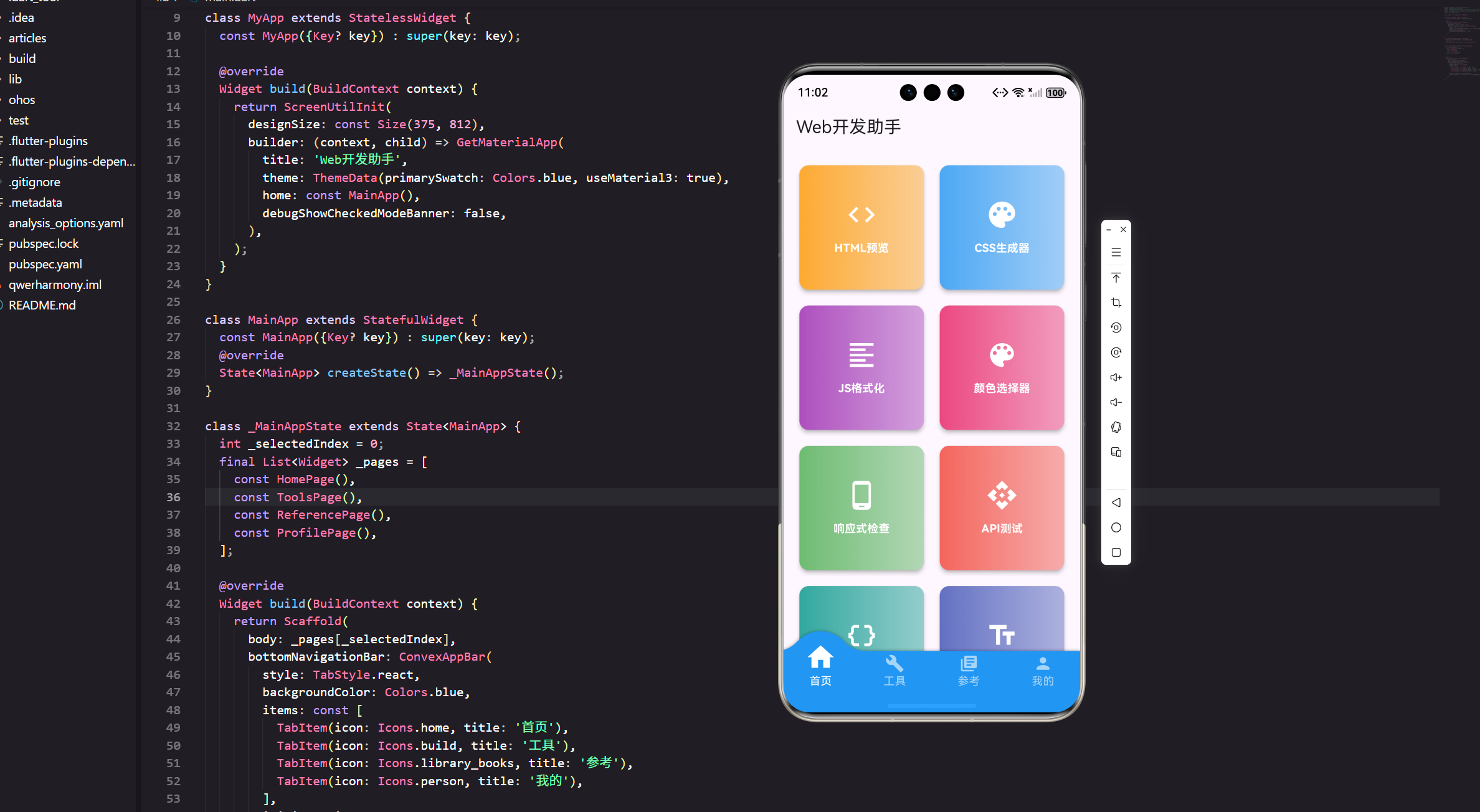
JSON是Web开发中最常用的数据格式。今天我们来实现一个JSON查看器,让复杂的JSON数据变得清晰易读。
功能规划
一个好用的JSON查看器应该具备:
格式化显示:把压缩的JSON展开成易读的格式。
语法高亮:不同类型的数据用不同颜色显示。
折叠展开:对于嵌套的对象和数组,支持折叠和展开。
路径显示:显示当前节点在JSON中的路径。
搜索功能:快速查找特定的键或值。
完整代码实现
import 'package:flutter/material.dart';
import 'package:flutter/services.dart';
import 'package:flutter_screenutil/flutter_screenutil.dart';
import 'package:get/get.dart';
import 'dart:convert';
class JsonViewerPage extends StatefulWidget {
const JsonViewerPage({Key? key}) : super(key: key);
State<JsonViewerPage> createState() => _JsonViewerPageState();
}
class _JsonViewerPageState extends State<JsonViewerPage> {
final TextEditingController _inputController = TextEditingController();
final TextEditingController _searchController = TextEditingController();
dynamic _jsonData;
String _errorMessage = '';
String _searchQuery = '';
void initState() {
super.initState();
_inputController.text = '''{
"name": "张三",
"age": 28,
"email": "zhangsan@example.com",
"isActive": true,
"balance": 1234.56,
"address": {
"city": "北京",
"district": "朝阳区",
"street": "建国路88号"
},
"hobbies": ["阅读", "旅游", "摄影"],
"projects": [
{
"name": "项目A",
"status": "进行中",
"progress": 75
},
{
"name": "项目B",
"status": "已完成",
"progress": 100
}
]
}''';
_parseJson();
}
void dispose() {
_inputController.dispose();
_searchController.dispose();
super.dispose();
}
Widget build(BuildContext context) {
return Scaffold(
appBar: AppBar(
title: const Text('JSON查看器'),
actions: [
IconButton(
icon: const Icon(Icons.content_paste),
onPressed: _pasteFromClipboard,
tooltip: '从剪贴板粘贴',
),
IconButton(
icon: const Icon(Icons.copy),
onPressed: _copyToClipboard,
tooltip: '复制JSON',
),
],
),
body: Row(
children: [
// 左侧输入区
Expanded(
flex: 1,
child: Container(
color: Colors.grey[50],
child: Column(
crossAxisAlignment: CrossAxisAlignment.start,
children: [
Container(
padding: EdgeInsets.all(12.w),
color: Colors.blue,
child: Row(
children: [
Icon(Icons.edit, color: Colors.white, size: 20.sp),
SizedBox(width: 8.w),
Text(
'JSON输入',
style: TextStyle(
color: Colors.white,
fontSize: 16.sp,
fontWeight: FontWeight.bold,
),
),
const Spacer(),
IconButton(
icon: const Icon(Icons.clear, color: Colors.white),
onPressed: () {
_inputController.clear();
setState(() {
_jsonData = null;
_errorMessage = '';
});
},
tooltip: '清空',
),
],
),
),
Expanded(
child: TextField(
controller: _inputController,
maxLines: null,
expands: true,
style: TextStyle(
fontFamily: 'monospace',
fontSize: 13.sp,
),
decoration: InputDecoration(
hintText: '粘贴或输入JSON数据...',
border: InputBorder.none,
contentPadding: EdgeInsets.all(16.w),
),
),
),
Container(
padding: EdgeInsets.all(12.w),
child: Row(
children: [
Expanded(
child: ElevatedButton.icon(
onPressed: _parseJson,
icon: const Icon(Icons.play_arrow),
label: const Text('解析JSON'),
),
),
SizedBox(width: 8.w),
Expanded(
child: OutlinedButton.icon(
onPressed: _formatJson,
icon: const Icon(Icons.auto_fix_high),
label: const Text('格式化'),
),
),
],
),
),
],
),
),
),
// 分隔线
Container(width: 2.w, color: Colors.grey[300]),
// 右侧查看区
Expanded(
flex: 1,
child: Container(
color: Colors.white,
child: Column(
crossAxisAlignment: CrossAxisAlignment.start,
children: [
Container(
padding: EdgeInsets.all(12.w),
color: Colors.green,
child: Row(
children: [
Icon(Icons.visibility, color: Colors.white, size: 20.sp),
SizedBox(width: 8.w),
Text(
'JSON树形视图',
style: TextStyle(
color: Colors.white,
fontSize: 16.sp,
fontWeight: FontWeight.bold,
),
),
],
),
),
// 搜索栏
Container(
padding: EdgeInsets.all(12.w),
color: Colors.grey[100],
child: TextField(
controller: _searchController,
decoration: InputDecoration(
hintText: '搜索键或值...',
prefixIcon: const Icon(Icons.search),
border: OutlineInputBorder(
borderRadius: BorderRadius.circular(8.r),
),
contentPadding: EdgeInsets.symmetric(
horizontal: 12.w,
vertical: 8.h,
),
),
onChanged: (value) {
setState(() => _searchQuery = value.toLowerCase());
},
),
),
// JSON树形显示
Expanded(
child: _buildJsonView(),
),
],
),
),
),
],
),
);
}
Widget _buildJsonView() {
if (_errorMessage.isNotEmpty) {
return Center(
child: Padding(
padding: EdgeInsets.all(24.w),
child: Column(
mainAxisSize: MainAxisSize.min,
children: [
Icon(Icons.error_outline, size: 48.sp, color: Colors.red),
SizedBox(height: 16.h),
Text(
'JSON解析错误',
style: TextStyle(
fontSize: 18.sp,
fontWeight: FontWeight.bold,
color: Colors.red,
),
),
SizedBox(height: 8.h),
Text(
_errorMessage,
style: TextStyle(fontSize: 14.sp, color: Colors.grey[600]),
textAlign: TextAlign.center,
),
],
),
),
);
}
if (_jsonData == null) {
return Center(
child: Column(
mainAxisSize: MainAxisSize.min,
children: [
Icon(Icons.data_object, size: 48.sp, color: Colors.grey[400]),
SizedBox(height: 16.h),
Text(
'输入JSON数据并点击"解析JSON"',
style: TextStyle(fontSize: 14.sp, color: Colors.grey[600]),
),
],
),
);
}
return SingleChildScrollView(
padding: EdgeInsets.all(16.w),
child: JsonNodeWidget(
data: _jsonData,
path: 'root',
searchQuery: _searchQuery,
),
);
}
void _parseJson() {
setState(() {
_errorMessage = '';
try {
_jsonData = jsonDecode(_inputController.text);
} catch (e) {
_errorMessage = e.toString();
_jsonData = null;
}
});
}
void _formatJson() {
try {
final json = jsonDecode(_inputController.text);
final formatted = const JsonEncoder.withIndent(' ').convert(json);
_inputController.text = formatted;
Get.snackbar('成功', 'JSON已格式化',
snackPosition: SnackPosition.BOTTOM,
duration: const Duration(seconds: 2));
} catch (e) {
Get.snackbar('错误', 'JSON格式不正确',
snackPosition: SnackPosition.BOTTOM);
}
}
Future<void> _pasteFromClipboard() async {
final data = await Clipboard.getData('text/plain');
if (data != null && data.text != null) {
_inputController.text = data.text!;
_parseJson();
}
}
void _copyToClipboard() {
if (_jsonData != null) {
final formatted = const JsonEncoder.withIndent(' ').convert(_jsonData);
Clipboard.setData(ClipboardData(text: formatted));
Get.snackbar('成功', 'JSON已复制到剪贴板',
snackPosition: SnackPosition.BOTTOM,
duration: const Duration(seconds: 2));
}
}
}
// JSON节点Widget
class JsonNodeWidget extends StatefulWidget {
final dynamic data;
final String path;
final String searchQuery;
const JsonNodeWidget({
Key? key,
required this.data,
required this.path,
this.searchQuery = '',
}) : super(key: key);
State<JsonNodeWidget> createState() => _JsonNodeWidgetState();
}
class _JsonNodeWidgetState extends State<JsonNodeWidget> {
bool _isExpanded = true;
Widget build(BuildContext context) {
if (widget.data is Map) {
return _buildMapNode();
} else if (widget.data is List) {
return _buildListNode();
} else {
return _buildValueNode();
}
}
Widget _buildMapNode() {
final map = widget.data as Map;
final entries = map.entries.toList();
return Column(
crossAxisAlignment: CrossAxisAlignment.start,
children: [
GestureDetector(
onTap: () => setState(() => _isExpanded = !_isExpanded),
child: Row(
children: [
Icon(
_isExpanded ? Icons.arrow_drop_down : Icons.arrow_right,
size: 20.sp,
),
Text(
'{} Object (${entries.length} ${entries.length == 1 ? 'key' : 'keys'})',
style: TextStyle(
fontSize: 14.sp,
fontWeight: FontWeight.bold,
color: Colors.purple,
),
),
],
),
),
if (_isExpanded)
Padding(
padding: EdgeInsets.only(left: 20.w),
child: Column(
crossAxisAlignment: CrossAxisAlignment.start,
children: entries.map((entry) {
final key = entry.key.toString();
final isHighlighted = widget.searchQuery.isNotEmpty &&
key.toLowerCase().contains(widget.searchQuery);
return Padding(
padding: EdgeInsets.symmetric(vertical: 4.h),
child: Row(
crossAxisAlignment: CrossAxisAlignment.start,
children: [
Container(
padding: EdgeInsets.symmetric(horizontal: 6.w, vertical: 2.h),
decoration: BoxDecoration(
color: isHighlighted ? Colors.yellow[200] : Colors.blue[50],
borderRadius: BorderRadius.circular(4.r),
),
child: Text(
'"$key"',
style: TextStyle(
fontSize: 13.sp,
fontWeight: FontWeight.bold,
color: Colors.blue[900],
),
),
),
Text(': ', style: TextStyle(fontSize: 13.sp)),
Expanded(
child: JsonNodeWidget(
data: entry.value,
path: '${widget.path}.$key',
searchQuery: widget.searchQuery,
),
),
],
),
);
}).toList(),
),
),
],
);
}
Widget _buildListNode() {
final list = widget.data as List;
return Column(
crossAxisAlignment: CrossAxisAlignment.start,
children: [
GestureDetector(
onTap: () => setState(() => _isExpanded = !_isExpanded),
child: Row(
children: [
Icon(
_isExpanded ? Icons.arrow_drop_down : Icons.arrow_right,
size: 20.sp,
),
Text(
'[] Array (${list.length} ${list.length == 1 ? 'item' : 'items'})',
style: TextStyle(
fontSize: 14.sp,
fontWeight: FontWeight.bold,
color: Colors.orange,
),
),
],
),
),
if (_isExpanded)
Padding(
padding: EdgeInsets.only(left: 20.w),
child: Column(
crossAxisAlignment: CrossAxisAlignment.start,
children: List.generate(list.length, (index) {
return Padding(
padding: EdgeInsets.symmetric(vertical: 4.h),
child: Row(
crossAxisAlignment: CrossAxisAlignment.start,
children: [
Container(
padding: EdgeInsets.symmetric(horizontal: 6.w, vertical: 2.h),
decoration: BoxDecoration(
color: Colors.orange[50],
borderRadius: BorderRadius.circular(4.r),
),
child: Text(
'[$index]',
style: TextStyle(
fontSize: 13.sp,
fontWeight: FontWeight.bold,
color: Colors.orange[900],
),
),
),
Text(': ', style: TextStyle(fontSize: 13.sp)),
Expanded(
child: JsonNodeWidget(
data: list[index],
path: '${widget.path}[$index]',
searchQuery: widget.searchQuery,
),
),
],
),
);
}),
),
),
],
);
}
Widget _buildValueNode() {
final value = widget.data;
Color valueColor;
String displayValue;
if (value == null) {
valueColor = Colors.grey;
displayValue = 'null';
} else if (value is bool) {
valueColor = Colors.purple;
displayValue = value.toString();
} else if (value is num) {
valueColor = Colors.green;
displayValue = value.toString();
} else {
valueColor = Colors.red[700]!;
displayValue = '"$value"';
}
final isHighlighted = widget.searchQuery.isNotEmpty &&
displayValue.toLowerCase().contains(widget.searchQuery);
return Container(
padding: EdgeInsets.symmetric(horizontal: 6.w, vertical: 2.h),
decoration: BoxDecoration(
color: isHighlighted ? Colors.yellow[200] : Colors.transparent,
borderRadius: BorderRadius.circular(4.r),
),
child: Text(
displayValue,
style: TextStyle(
fontSize: 13.sp,
color: valueColor,
fontFamily: 'monospace',
),
),
);
}
}
左右分栏布局
整个页面分为左右两部分:
左侧:JSON输入和编辑区域。
右侧:解析后的树形视图。
这种布局让用户可以边编辑边查看效果,非常直观。
JSON解析
使用Dart内置的jsonDecode函数:
void _parseJson() {
  try {
    _jsonData = jsonDecode(_inputController.text);
  } catch (e) {
    _errorMessage = e.toString();
    _jsonData = null;
  }
}
解析失败时显示错误信息,而不是让应用崩溃。
树形视图实现
JSON数据有三种类型:对象、数组、基本值。我们为每种类型创建不同的显示方式:
对象(Map):显示为{} Object (n keys),可以展开查看所有键值对。
数组(List):显示为[] Array (n items),可以展开查看所有元素。
基本值:直接显示值,不同类型用不同颜色。
折叠展开功能
使用一个布尔值控制节点的展开状态:
bool _isExpanded = true;

GestureDetector(
  onTap: () => setState(() => _isExpanded = !_isExpanded),
  child: Row(
    children: [
      Icon(_isExpanded ? Icons.arrow_drop_down : Icons.arrow_right),
      Text('{} Object'),
    ],
  ),
)
点击节点头部可以切换展开/折叠状态。箭头图标也会相应改变。
语法高亮
不同类型的数据用不同颜色显示:
Color valueColor;
if (value == null) {
  valueColor = Colors.grey;
} else if (value is bool) {
  valueColor = Colors.purple;
} else if (value is num) {
  valueColor = Colors.green;
} else {
  valueColor = Colors.red[700]!;
}
null:灰色
布尔值:紫色
数字:绿色
字符串:红色
对象键:蓝色
数组索引:橙色
这种颜色方案参考了主流的JSON编辑器,用户会觉得很熟悉。
搜索功能
输入搜索关键词,匹配的键和值会高亮显示:
final isHighlighted = widget.searchQuery.isNotEmpty &&
    key.toLowerCase().contains(widget.searchQuery);

Container(
  decoration: BoxDecoration(
    color: isHighlighted ? Colors.yellow[200] : Colors.blue[50],
  ),
  child: Text(key),
)
使用黄色背景标记匹配的内容,非常醒目。
搜索是实时的,输入时立即更新高亮。
格式化功能
一键美化JSON代码:
void _formatJson() {
  try {
    final json = jsonDecode(_inputController.text);
    final formatted = const JsonEncoder.withIndent('  ').convert(json);
    _inputController.text = formatted;
  } catch (e) {
    Get.snackbar('错误', 'JSON格式不正确');
  }
}
使用2个空格作为缩进,这是最常见的格式。
剪贴板操作
支持从剪贴板粘贴和复制到剪贴板:
Future<void> _pasteFromClipboard() async {
  final data = await Clipboard.getData('text/plain');
  if (data != null && data.text != null) {
    _inputController.text = data.text!;
    _parseJson();
  }
}

void _copyToClipboard() {
  final formatted = const JsonEncoder.withIndent('  ').convert(_jsonData);
  Clipboard.setData(ClipboardData(text: formatted));
}
粘贴后自动解析,复制时自动格式化,提升用户体验。
错误处理
JSON解析失败时显示友好的错误提示:
if (_errorMessage.isNotEmpty) {
  return Center(
    child: Column(
      children: [
        Icon(Icons.error_outline, color: Colors.red),
        Text('JSON解析错误'),
        Text(_errorMessage),
      ],
    ),
  );
}
显示具体的错误信息,帮助用户定位问题。
性能优化
对于大型JSON,全部展开会很卡。我们的实现默认展开所有节点,但用户可以手动折叠不需要查看的部分。
更好的方案是:
懒加载:只渲染可见的节点。
虚拟滚动:对于超长列表使用虚拟滚动。
默认折叠:超过一定深度的节点默认折叠。
功能扩展建议
编辑功能:直接在树形视图中编辑值。
路径复制:复制节点的JSON路径,如root.address.city。
类型统计:统计JSON中各种类型的数量。
验证功能:根据JSON Schema验证数据。
比较功能:对比两个JSON的差异。
导出功能:导出为CSV、XML等格式。
实战经验
做JSON查看器时,最大的挑战是如何优雅地显示嵌套结构。
一开始我用缩进来表示层级,但嵌套深了就很难看。后来改成树形结构,配合折叠展开功能,效果好多了。
还有一个细节:颜色的选择。不同类型用不同颜色,但颜色不能太多太杂,否则会眼花。最后选了6种颜色,既能区分类型,又不会太乱。
小结
JSON查看器通过树形结构和语法高亮,让复杂的JSON数据变得清晰易读。折叠展开功能让用户可以专注于感兴趣的部分,搜索功能帮助快速定位信息。
这个工具在调试API、查看配置文件时特别有用。虽然功能不如专业的JSON编辑器完整,但对于日常使用已经足够了。
记住:好的工具要让复杂的事情变简单,让用户专注于内容而不是格式。
欢迎加入开源鸿蒙跨平台社区:https://openharmonycrossplatform.csdn.net

开源鸿蒙跨平台开发社区汇聚开发者与厂商,共建“一次开发,多端部署”的开源生态,致力于降低跨端开发门槛,推动万物智联创新。
更多推荐
 20
20 0
0- 0


 已为社区贡献19条内容

所有评论(0)