Flutter框架开发鸿蒙项目——平台通道
·
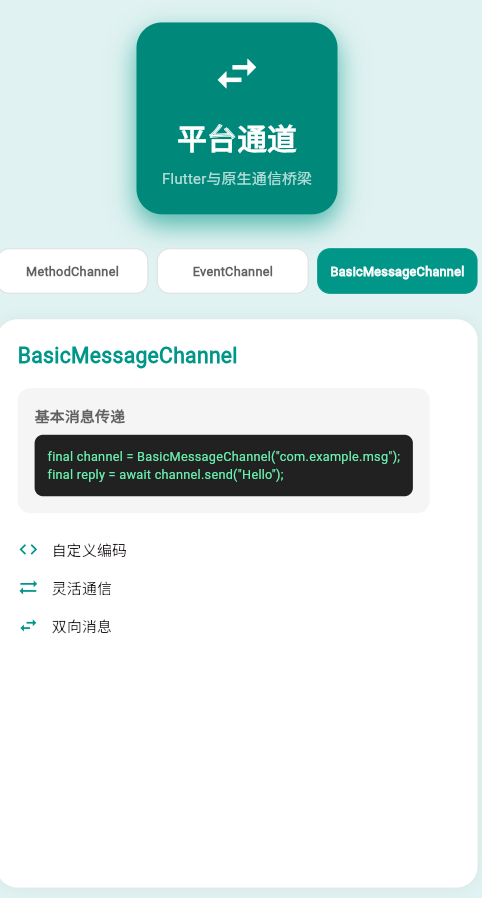
一、平台通道概述
平台通道(Platform Channels)是Flutter与原生平台通信的桥梁,允许Dart代码调用原生平台的API,并接收返回结果。平台通道是Flutter插件架构的核心机制,实现了跨平台能力。
通信模型
平台通道采用消息传递模型,支持双向通信:
Flutter (Dart)          平台通道          原生平台
    │  ───────请求──────→                   │
    │  ←──────响应──────                    │
    │  ───────事件──────→                   │
    │  ←──────通知──────                    │
二、通道类型详解
1. MethodChannel
MethodChannel是最常用的通道类型,用于异步方法调用。
基本用法
// 创建通道
final channel = MethodChannel('com.example.app/channel');

// 调用方法
try {
  final result = await channel.invokeMethod('methodName', {
    'param1': 'value1',
    'param2': 42,
  });
  print('结果: $result');
} on PlatformException catch (e) {
  print('错误: ${e.message}');
}
方法参数和返回值
| Dart类型 | 编码为 | 平台类型 |
|---|---|---|
null |
null | null |
bool |
true/false | boolean |
int |
数字 | integer |
double |
数字 | double |
String |
字符串 | String |
Uint8List |
字节数组 | ByteArray |
Int32List |
数字列表 | int[] |
Int64List |
数字列表 | long[] |
Float64List |
数字列表 | double[] |
List |
数组 | List |
Map |
字典 | HashMap |
完整示例
class BatteryService {
  static const MethodChannel _channel =
      MethodChannel('com.example.battery');

  static Future<int> getBatteryLevel() async {
    try {
      final int level = await _channel.invokeMethod('getBatteryLevel');
      return level;
    } on PlatformException catch (e) {
      throw Exception('获取电量失败: ${e.message}');
    }
  }
}
2. EventChannel
EventChannel用于从原生平台发送事件流到Flutter。
基本用法
// 创建通道
final channel = EventChannel('com.example.events/location');

// 监听事件
final subscription = channel.receiveBroadcastStream().listen(
  (event) {
    print('收到事件: $event');
  },
  onError: (error) {
    print('错误: $error');
  },
  onDone: () {
    print('事件流结束');
  },
);

// 取消订阅
subscription.cancel();
事件流处理
class LocationStream {
  static final EventChannel _channel =
      EventChannel('com.example.location/stream');

  Stream<Map<String, double>> get locationUpdates {
    return _channel.receiveBroadcastStream()
        .map((dynamic event) => Map<String, double>.from(event));
  }
}

// 使用
LocationStream().locationUpdates.listen((location) {
  print('经度: ${location['latitude']}, 纬度: ${location['longitude']}');
});
3. BasicMessageChannel
BasicMessageChannel用于发送和接收基本消息类型。
基本用法
// 创建通道
final channel = BasicMessageChannel(
  'com.example.messages',
  StandardMessageCodec(),
);

// 发送消息
final reply = await channel.send('你好');
print('回复: $reply');
自定义编解码器
class CustomMessageCodec extends MessageCodec<Object> {
ByteData encodeMessage(Object? message) {
// 自定义编码逻辑
final buffer = StringBuffer();
// ...
return ByteData.sublistView(
Uint8List.fromList(buffer.toString().codeUnits)
);
}
Object? decodeMessage(ByteData? message) {
// 自定义解码逻辑
if (message == null) return null;
return String.fromCharCodes(
message.buffer.asUint8List(message.offsetInBytes, message.lengthInBytes)
);
}
}
三、平台端实现
Android实现
Kotlin实现
package com.example.app

import io.flutter.embedding.engine.plugins.FlutterPlugin
import io.flutter.plugin.common.MethodChannel

class MainActivity : FlutterPlugin {
    private lateinit var channel: MethodChannel

    override fun onAttachedToEngine(binding: FlutterPlugin.FlutterPluginBinding) {
        channel = MethodChannel(binding.binaryMessenger, "com.example.app/channel")
        channel.setMethodCallHandler(this)
    }

    override fun onMethodCall(call: MethodCall, result: Result) {
        when (call.method) {
            "getPlatformVersion" -> {
                val version = "Android ${android.os.Build.VERSION.RELEASE}"
                result.success(version)
            }
            "calculateSum" -> {
                val a = call.argument<Int>("a") ?: 0
                val b = call.argument<Int>("b") ?: 0
                result.success(a + b)
            }
            "doHeavyTask" -> {
                // 异步处理耗时任务
                Thread {
                    try {
                        val result = heavyComputation()
                        Handler(Looper.getMainLooper()).post {
                            result.success(result)
                        }
                    } catch (e: Exception) {
                        Handler(Looper.getMainLooper()).post {
                            result.error("TASK_FAILED", e.message, null)
                        }
                    }
                }.start()
            }
            else -> result.notImplemented()
        }
    }

    private fun heavyComputation(): Int {
        // 模拟耗时计算
        Thread.sleep(1000)
        return 42
    }

    override fun onDetachedFromEngine(binding: FlutterPlugin.FlutterPluginBinding) {
        channel.setMethodCallHandler(null)
    }
}
Java实现
package com.example.app;

import io.flutter.embedding.engine.plugins.FlutterPlugin;
import io.flutter.plugin.common.MethodChannel;

public class MainActivity implements FlutterPlugin, MethodChannel.MethodCallHandler {
    private MethodChannel channel;

    @Override
    public void onAttachedToEngine(FlutterPlugin.FlutterPluginBinding binding) {
        channel = new MethodChannel(binding.getBinaryMessenger(), "com.example.app/channel");
        channel.setMethodCallHandler(this);
    }

    @Override
    public void onMethodCall(MethodCall call, MethodChannel.Result result) {
        if (call.method.equals("getPlatformVersion")) {
            String version = "Android " + android.os.Build.VERSION.RELEASE;
            result.success(version);
        } else {
            result.notImplemented();
        }
    }

    @Override
    public void onDetachedFromEngine(FlutterPlugin.FlutterPluginBinding binding) {
        channel.setMethodCallHandler(null);
    }
}
iOS实现
Swift实现
import Flutter
import UIKit

public class SwiftPlugin: NSObject, FlutterPlugin {
    public static func register(with registrar: FlutterPluginRegistrar) {
        let channel = FlutterMethodChannel(
            name: "com.example.app/channel",
            binaryMessenger: registrar.messenger()
        )
        let instance = SwiftPlugin()
        registrar.addMethodCallDelegate(instance, channel: channel)
    }

    public func handle(_ call: FlutterMethodCall, result: @escaping FlutterResult) {
        switch call.method {
        case "getPlatformVersion":
            let version = "iOS \(UIDevice.current.systemVersion)"
            result(version)
        case "getDeviceInfo":
            let deviceInfo: [String: Any] = [
                "model": UIDevice.current.model,
                "systemVersion": UIDevice.current.systemVersion,
                "name": UIDevice.current.name
            ]
            result(deviceInfo)
        case "asyncTask":
            DispatchQueue.global().async {
                // 模拟异步任务
                Thread.sleep(forTimeInterval: 1)
                DispatchQueue.main.async {
                    result("任务完成")
                }
            }
        default:
            result(FlutterMethodNotImplemented)
        }
    }
}
Objective-C实现
#import "Plugin.h"

@implementation Plugin
+ (void)registerWithRegistrar:(NSObject<FlutterPluginRegistrar>*)registrar {
    FlutterMethodChannel* channel = [FlutterMethodChannel
        methodChannelWithName:@"com.example.app/channel"
              binaryMessenger:[registrar messenger]];
    Plugin* instance = [[Plugin alloc] init];
    [registrar addMethodCallDelegate:instance channel:channel];
}

- (void)handleMethodCall:(FlutterMethodCall*)call result:(FlutterResult)result {
    if ([@"getPlatformVersion" isEqualToString:call.method]) {
        NSString* version = [NSString stringWithFormat:@"iOS %@",
                           [[UIDevice currentDevice] systemVersion]];
        result(version);
    } else {
        result(FlutterMethodNotImplemented);
    }
}
@end
HarmonyOS实现
import plugin from '@ohos/flutter_ohos';

export class HarmonyOSPlatformChannel {
  static register() {
    const channel = plugin.MethodChannel('com.example.app/channel');
    channel.setMethodCallHandler((method: string, args: Object): Object => {
      switch (method) {
        case 'getPlatformVersion':
          return 'HarmonyOS ' + this.getSystemVersion();
        case 'getDeviceInfo':
          return this.getDeviceInfo();
        default:
          return new plugin.FlutterError('UNIMPLEMENTED',
                                         'Method not implemented',
                                         null);
      }
    });
  }

  private static getSystemVersion(): string {
    // 获取HarmonyOS版本
    return '5.0';
  }

  private static getDeviceInfo(): Map<string, string> {
    const deviceInfo = new Map<string, string>();
    deviceInfo.set('model', 'HarmonyOS Device');
    deviceInfo.set('manufacturer', 'Huawei');
    deviceInfo.set('osVersion', this.getSystemVersion());
    return deviceInfo;
  }
}
错误处理
Flutter端错误处理
try {
  final result = await channel.invokeMethod('method');
} on PlatformException catch (e) {
  switch (e.code) {
    case 'ERROR_CODE':
      print('特定错误: ${e.message}');
      break;
    default:
      print('未知错误: ${e.code} - ${e.message}');
  }
} catch (e) {
  print('其他错误: $e');
}
平台端错误返回
// 错误返回格式
result.error("ERROR_CODE", "错误信息", 错误详情)

// 例如
result.error(
    "PERMISSION_DENIED",
    "没有相机权限",
    mapOf("required_permission" to "CAMERA")
)
性能优化
1. 批量数据传输
// 不推荐:多次调用
for (var item in items) {
  await channel.invokeMethod('processItem', item);
}

// 推荐:批量传输
await channel.invokeMethod('processBatch', {'items': items});
2. 二进制数据传输
// 使用Uint8List传输二进制数据
final imageData = await imageFile.readAsBytes();
final result = await channel.invokeMethod('processImage', {
  'data': imageData,
  'width': 1920,
  'height': 1080,
});
3. 异步处理
// 在平台端使用线程池处理耗时任务
Executors.newCachedThreadPool().execute {
    try {
        val result = performHeavyTask()
        Handler(Looper.getMainLooper()).post {
            result.success(result)
        }
    } catch (e: Exception) {
        Handler(Looper.getMainLooper()).post {
            result.error("TASK_ERROR", e.message, null)
        }
    }
}
调试技巧
1. 日志输出
// 在平台通道调用前后添加日志
print('调用方法: methodName');
final result = await channel.invokeMethod('methodName');
print('返回结果: $result');
2. 平台端日志
// Android
Log.d("FlutterPlugin", "收到方法调用: ${call.method}")

// iOS
NSLog("Flutter Plugin: %@", call.method)
3. 使用Flutter DevTools
flutter pub global activate devtools
flutter pub global run devtools
最佳实践
- 命名规范:使用反向域名格式命名通道(如
com.example.app/channel) - 异常处理:完善的错误处理和异常传播机制
- 类型安全:明确参数和返回值的类型
- 文档注释:为API添加详细的文档说明
- 版本兼容:考虑不同平台版本的兼容性
- 性能监控:监控平台调用的性能指标
- 线程管理:合理使用线程,避免阻塞主线程
- 资源释放:及时释放资源,避免内存泄漏
总结
平台通道是Flutter跨平台能力的核心,通过MethodChannel、EventChannel和BasicMessageChannel三种通道类型,实现了Flutter与原生平台的双向通信。开发者应该深入理解平台通道的工作原理,遵循最佳实践,构建高效、稳定的跨平台应用。
欢迎加入开源鸿蒙跨平台社区:https://openharmonycrossplatform.csdn.net

开源鸿蒙跨平台开发社区汇聚开发者与厂商,共建“一次开发,多端部署”的开源生态,致力于降低跨端开发门槛,推动万物智联创新。
更多推荐
 9
9 0
0- 0



 已为社区贡献2条内容

所有评论(0)