Flutter for OpenHarmony数独游戏App实战:本地数据持久化
本地数据持久化是应用的重要功能。它让应用能够保存用户数据,在下次启动时恢复状态。对于数独游戏来说,需要保存游戏进度、统计数据、用户设置等。今天我们来详细讲解如何实现本地数据持久化。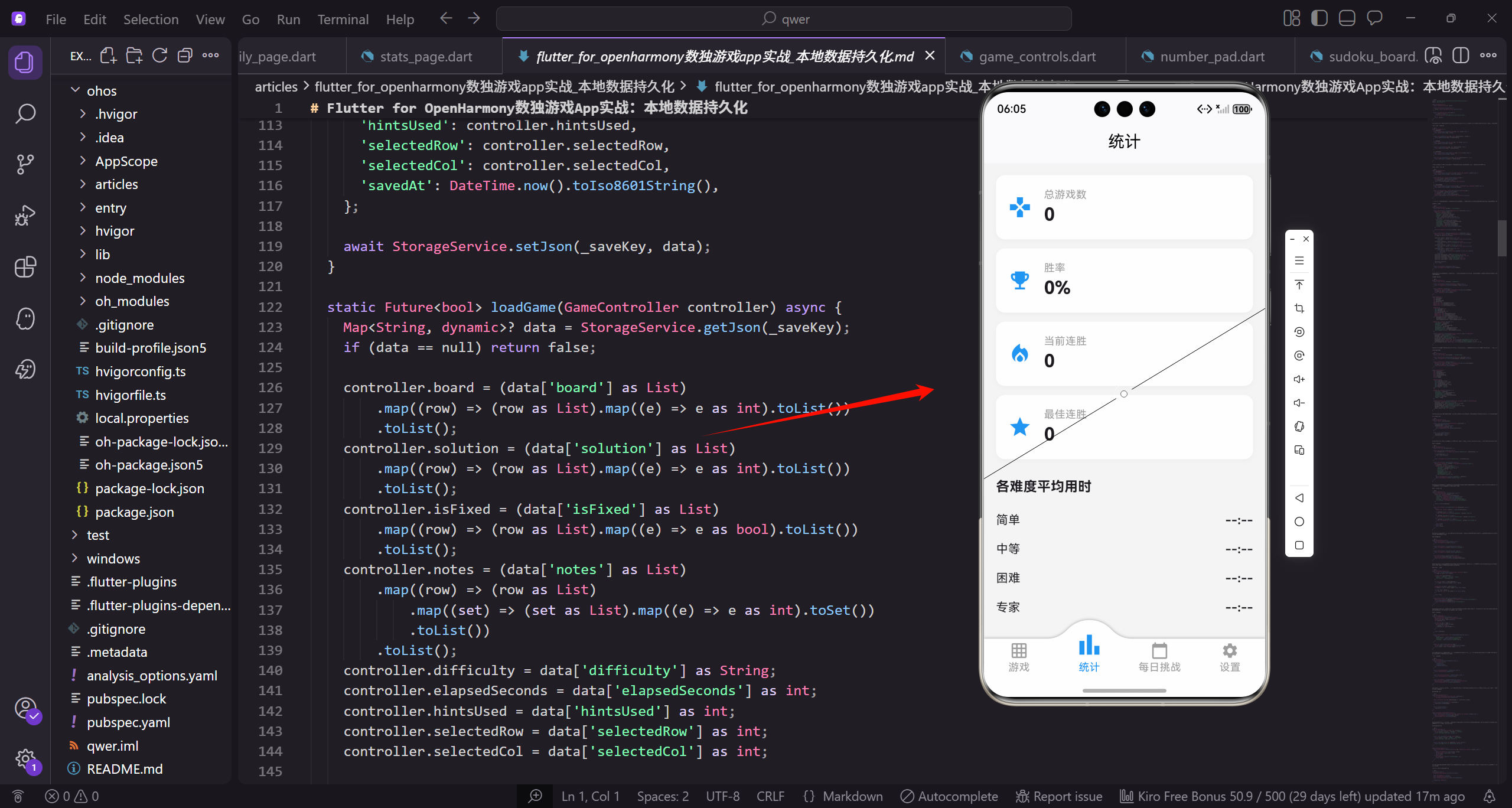
存储服务封装
首先创建StorageService封装SharedPreferences的访问。
import 'package:shared_preferences/shared_preferences.dart';
import 'dart:convert';

class StorageService {
  static SharedPreferences? _prefs;

  static Future<void> init() async {
    _prefs = await SharedPreferences.getInstance();
  }
StorageService使用静态变量缓存SharedPreferences实例。init方法在应用启动时调用,初始化SharedPreferences。使用静态方法让整个应用都能方便地访问存储服务。
获取存储实例
  static SharedPreferences get prefs {
    if (_prefs == null) {
      throw Exception('StorageService not initialized');
    }
    return _prefs!;
  }
}
prefs getter提供安全的实例访问。如果未初始化就访问会抛出异常,帮助开发者及时发现问题。这种防御性编程可以避免运行时的空指针错误。
保存布尔值和整数
class StorageService {
  static Future<void> setBool(String key, bool value) async {
    await prefs.setBool(key, value);
  }

  static bool getBool(String key, {bool defaultValue = false}) {
    return prefs.getBool(key) ?? defaultValue;
  }
setBool和getBool封装布尔值的读写操作。getBool提供defaultValue参数处理数据不存在的情况。??运算符在值为null时返回默认值。
保存整数和字符串
  static Future<void> setInt(String key, int value) async {
    await prefs.setInt(key, value);
  }

  static int getInt(String key, {int defaultValue = 0}) {
    return prefs.getInt(key) ?? defaultValue;
  }
整数的读写方式与布尔值类似。这些封装方法简化了数据操作,调用者不需要直接处理SharedPreferences的API。
保存字符串
  static Future<void> setString(String key, String value) async {
    await prefs.setString(key, value);
  }

  static String getString(String key, {String defaultValue = ''}) {
    return prefs.getString(key) ?? defaultValue;
  }
}
字符串是最常用的数据类型,JSON序列化后的复杂对象也是以字符串形式存储。默认值为空字符串,避免返回null。
保存JSON对象
class StorageService {
  static Future<void> setJson(String key, Map<String, dynamic> value) async {
    await prefs.setString(key, jsonEncode(value));
  }

  static Map<String, dynamic>? getJson(String key) {
    String? jsonStr = prefs.getString(key);
    if (jsonStr == null) return null;
    return jsonDecode(jsonStr) as Map<String, dynamic>;
  }
复杂对象通过JSON序列化存储为字符串。jsonEncode将Map转为JSON字符串,jsonDecode将JSON字符串解析为Map。这种方式可以存储任意结构的数据。
保存JSON列表
  static Future<void> setJsonList(String key, List<Map<String, dynamic>> value) async {
    await prefs.setString(key, jsonEncode(value));
  }

  static List<Map<String, dynamic>>? getJsonList(String key) {
    String? jsonStr = prefs.getString(key);
    if (jsonStr == null) return null;
    List<dynamic> list = jsonDecode(jsonStr);
    return list.map((e) => e as Map<String, dynamic>).toList();
  }
}
JSON列表的处理需要额外的类型转换。jsonDecode返回List,需要map转换为正确的类型。这种方法适合存储历史记录等列表数据。
游戏存档服务
class GameSaveService {
  static const String _saveKey = 'currentGame';

  static Future<void> saveGame(GameController controller) async {
    Map<String, dynamic> data = {
      'board': controller.board,
      'solution': controller.solution,
      'isFixed': controller.isFixed,
GameSaveService专门处理游戏进度的保存。_saveKey定义存储键名。saveGame将controller的状态序列化为Map,包含棋盘、答案、固定数字等数据。
保存笔记和游戏状态
      'notes': controller.notes.map((row) =>
        row.map((set) => set.toList()).toList()
      ).toList(),
      'difficulty': controller.difficulty,
      'elapsedSeconds': controller.elapsedSeconds,
      'hintsUsed': controller.hintsUsed,
notes需要特殊处理,因为Set不能直接序列化为JSON。将Set转为List后再存储。difficulty、elapsedSeconds、hintsUsed记录游戏的难度、用时和提示次数。
保存选中状态和时间戳
      'selectedRow': controller.selectedRow,
      'selectedCol': controller.selectedCol,
      'savedAt': DateTime.now().toIso8601String(),
    };

    await StorageService.setJson(_saveKey, data);
  }
selectedRow和selectedCol保存当前选中的单元格位置。savedAt记录保存时间,用于显示"上次保存于…"。最后调用setJson将数据写入存储。
加载游戏进度
  static Future<bool> loadGame(GameController controller) async {
    Map<String, dynamic>? data = StorageService.getJson(_saveKey);
    if (data == null) return false;

    controller.board = (data['board'] as List)
        .map((row) => (row as List).map((e) => e as int).toList())
        .toList();
loadGame从存储中恢复游戏状态。如果没有存档返回false。board需要类型转换,JSON解析后是List,需要转为List<List>。
恢复答案和固定数字
    controller.solution = (data['solution'] as List)
        .map((row) => (row as List).map((e) => e as int).toList())
        .toList();
    controller.isFixed = (data['isFixed'] as List)
        .map((row) => (row as List).map((e) => e as bool).toList())
        .toList();
solution和isFixed的恢复方式与board类似。isFixed是布尔值二维数组,标记哪些单元格是初始给定的数字。类型转换确保数据类型正确。
恢复笔记数据
    controller.notes = (data['notes'] as List)
        .map((row) => (row as List)
            .map((set) => (set as List).map((e) => e as int).toSet())
            .toList())
        .toList();
notes的恢复最复杂,需要将List转回Set。三层嵌套的map操作:外层遍历行,中层遍历列,内层将List转为Set。这样就恢复了原始的数据结构。
恢复其他状态
    controller.difficulty = data['difficulty'] as String;
    controller.elapsedSeconds = data['elapsedSeconds'] as int;
    controller.hintsUsed = data['hintsUsed'] as int;
    controller.selectedRow = data['selectedRow'] as int;
    controller.selectedCol = data['selectedCol'] as int;

    controller.update();
    return true;
  }
恢复简单类型的状态数据。update()通知UI更新,显示恢复后的游戏状态。返回true表示加载成功。
清除存档
  static Future<void> clearSave() async {
    await StorageService.prefs.remove(_saveKey);
  }
}
clearSave删除游戏存档。在玩家完成游戏或开始新游戏时调用。remove方法删除指定键的数据。
统计数据模型
class GameStats {
  int totalGames;
  int gamesWon;
  int currentStreak;
  int bestStreak;
  Map<String, int> gamesByDifficulty;
  Map<String, int> winsByDifficulty;
  Map<String, int> bestTimeByDifficulty;
GameStats定义统计数据的结构。totalGames和gamesWon记录总游戏数和胜利数。currentStreak和bestStreak记录连胜。三个Map按难度分类统计。
统计数据构造函数
  GameStats({
    this.totalGames = 0,
    this.gamesWon = 0,
    this.currentStreak = 0,
    this.bestStreak = 0,
    Map<String, int>? gamesByDifficulty,
    Map<String, int>? winsByDifficulty,
    Map<String, int>? bestTimeByDifficulty,
  }) : gamesByDifficulty = gamesByDifficulty ?? {},
       winsByDifficulty = winsByDifficulty ?? {},
       bestTimeByDifficulty = bestTimeByDifficulty ?? {};
构造函数为所有字段提供默认值。Map类型使用初始化列表处理null情况,确保不会出现空指针。这种设计让首次运行时有合理的初始状态。
统计数据序列化
  Map<String, dynamic> toJson() => {
    'totalGames': totalGames,
    'gamesWon': gamesWon,
    'currentStreak': currentStreak,
    'bestStreak': bestStreak,
    'gamesByDifficulty': gamesByDifficulty,
    'winsByDifficulty': winsByDifficulty,
    'bestTimeByDifficulty': bestTimeByDifficulty,
  };
toJson将对象转为Map,用于JSON序列化。Map<String, int>可以直接序列化,不需要额外处理。这个方法在保存统计数据时调用。
统计数据反序列化
  factory GameStats.fromJson(Map<String, dynamic> json) => GameStats(
    totalGames: json['totalGames'] ?? 0,
    gamesWon: json['gamesWon'] ?? 0,
    currentStreak: json['currentStreak'] ?? 0,
    bestStreak: json['bestStreak'] ?? 0,
    gamesByDifficulty: Map<String, int>.from(json['gamesByDifficulty'] ?? {}),
    winsByDifficulty: Map<String, int>.from(json['winsByDifficulty'] ?? {}),
    bestTimeByDifficulty: Map<String, int>.from(json['bestTimeByDifficulty'] ?? {}),
  );
}
fromJson工厂构造函数从Map恢复对象。每个字段都使用??提供默认值,处理数据缺失的情况。Map.from确保类型正确。
统计服务
class StatsService {
  static const String _statsKey = 'gameStats';

  static Future<void> saveStats(GameStats stats) async {
    await StorageService.setJson(_statsKey, stats.toJson());
  }

  static GameStats loadStats() {
    Map<String, dynamic>? data = StorageService.getJson(_statsKey);
    if (data == null) return GameStats();
    return GameStats.fromJson(data);
  }
}
StatsService封装统计数据的保存和加载。saveStats调用toJson序列化后存储。loadStats如果没有数据则返回默认的GameStats对象。
用户设置模型
class UserSettings {
  bool showTimer;
  bool autoCheckErrors;
  bool soundEnabled;
  bool vibrationEnabled;
  bool darkMode;
  String theme;
UserSettings定义用户设置的结构。showTimer控制是否显示计时器,autoCheckErrors控制是否自动检查错误。soundEnabled和vibrationEnabled控制声音和震动反馈。
设置构造函数
  UserSettings({
    this.showTimer = true,
    this.autoCheckErrors = true,
    this.soundEnabled = true,
    this.vibrationEnabled = true,
    this.darkMode = false,
    this.theme = 'classic',
  });
所有设置都有合理的默认值。showTimer和autoCheckErrors默认开启,提供更好的游戏体验。darkMode默认关闭,theme默认使用经典主题。
设置序列化
  Map<String, dynamic> toJson() => {
    'showTimer': showTimer,
    'autoCheckErrors': autoCheckErrors,
    'soundEnabled': soundEnabled,
    'vibrationEnabled': vibrationEnabled,
    'darkMode': darkMode,
    'theme': theme,
  };
toJson将设置转为Map。所有字段都是基本类型,可以直接序列化。这个方法在保存设置时调用。
设置反序列化
  factory UserSettings.fromJson(Map<String, dynamic> json) => UserSettings(
    showTimer: json['showTimer'] ?? true,
    autoCheckErrors: json['autoCheckErrors'] ?? true,
    soundEnabled: json['soundEnabled'] ?? true,
    vibrationEnabled: json['vibrationEnabled'] ?? true,
    darkMode: json['darkMode'] ?? false,
    theme: json['theme'] ?? 'classic',
  );
}
fromJson为每个字段提供默认值,处理数据格式变化的情况。当应用更新添加新设置时,旧数据中没有的字段会使用默认值。
设置服务
class SettingsService {
  static const String _settingsKey = 'userSettings';

  static Future<void> saveSettings(UserSettings settings) async {
    await StorageService.setJson(_settingsKey, settings.toJson());
  }

  static UserSettings loadSettings() {
    Map<String, dynamic>? data = StorageService.getJson(_settingsKey);
    if (data == null) return UserSettings();
    return UserSettings.fromJson(data);
  }
}
SettingsService的结构与StatsService类似。loadSettings在没有数据时返回默认设置。这种模式让代码结构清晰,各类数据独立管理。
自动保存服务
class AutoSaveService {
  static Timer? _autoSaveTimer;

  static void startAutoSave(GameController controller) {
    _autoSaveTimer?.cancel();
    _autoSaveTimer = Timer.periodic(
      const Duration(seconds: 30),
      (_) => GameSaveService.saveGame(controller),
    );
  }
AutoSaveService实现自动保存功能。startAutoSave创建周期性定时器,每30秒保存一次。先取消旧定时器避免重复。Timer.periodic创建重复执行的定时器。
停止自动保存
  static void stopAutoSave() {
    _autoSaveTimer?.cancel();
    _autoSaveTimer = null;
  }
}
stopAutoSave在游戏结束或应用退出时调用。cancel()停止定时器,设为null释放引用。这样可以避免内存泄漏和不必要的保存操作。
数据迁移
class DataMigration {
  static const int currentVersion = 2;

  static Future<void> migrate() async {
    int storedVersion = StorageService.getInt('dataVersion', defaultValue: 1);

    if (storedVersion < 2) {
      await _migrateToV2();
    }

    await StorageService.setInt('dataVersion', currentVersion);
  }
DataMigration处理数据格式升级。currentVersion记录当前数据版本。migrate检查存储的版本号,执行必要的迁移。最后更新版本号。
迁移到V2
  static Future<void> _migrateToV2() async {
    Map<String, dynamic>? oldStats = StorageService.getJson('stats');
    if (oldStats != null) {
      Map<String, dynamic> newStats = {
        'totalGames': oldStats['games'] ?? 0,
        'gamesWon': oldStats['wins'] ?? 0,
        'currentStreak': 0,
        'bestStreak': 0,
_migrateToV2将旧格式数据转换为新格式。读取旧的stats数据,映射到新的字段名。games变为totalGames,wins变为gamesWon。新增的字段使用默认值。
完成迁移
        'gamesByDifficulty': {},
        'winsByDifficulty': {},
        'bestTimeByDifficulty': {},
      };
      await StorageService.setJson('gameStats', newStats);
      await StorageService.prefs.remove('stats');
    }
  }
}
新增的Map字段初始化为空。保存新格式数据后删除旧数据。这种迁移设计确保用户升级应用后数据不会丢失。
数据备份
class BackupService {
  static Future<String> createBackup() async {
    Map<String, dynamic> backup = {
      'version': DataMigration.currentVersion,
      'timestamp': DateTime.now().toIso8601String(),
      'stats': StorageService.getJson('gameStats'),
      'settings': StorageService.getJson('userSettings'),
      'currentGame': StorageService.getJson('currentGame'),
    };

    return jsonEncode(backup);
  }
createBackup将所有数据打包成JSON字符串。包含版本号和时间戳用于验证。可以导出到文件或云端备份。
恢复备份
  static Future<bool> restoreBackup(String backupJson) async {
    try {
      Map<String, dynamic> backup = jsonDecode(backupJson);

      if (backup['stats'] != null) {
        await StorageService.setJson('gameStats', backup['stats']);
      }
      if (backup['settings'] != null) {
        await StorageService.setJson('userSettings', backup['settings']);
      }
restoreBackup从JSON字符串恢复数据。使用try-catch处理解析错误。检查每个数据项是否存在再恢复,避免覆盖为null。
完成恢复
      if (backup['currentGame'] != null) {
        await StorageService.setJson('currentGame', backup['currentGame']);
      }

      return true;
    } catch (e) {
      return false;
    }
  }
}
恢复游戏进度数据。返回true表示成功,catch块捕获异常返回false。这种设计让恢复失败时不会崩溃。
数据清理服务
class DataCleanupService {
  static Future<void> clearAllData() async {
    await StorageService.prefs.clear();
  }

  static Future<void> clearGameProgress() async {
    await StorageService.prefs.remove('currentGame');
  }
DataCleanupService提供各种数据清理选项。clearAllData清除所有数据,用于完全重置应用。clearGameProgress只清除游戏进度。
清理统计和重置设置
  static Future<void> clearStatistics() async {
    await StorageService.prefs.remove('gameStats');
  }

  static Future<void> resetSettings() async {
    UserSettings defaultSettings = UserSettings();
    await SettingsService.saveSettings(defaultSettings);
  }
}
clearStatistics清除统计数据。resetSettings将设置恢复为默认值,创建新的UserSettings对象并保存。这些功能让用户可以灵活管理自己的数据。
数据完整性检查
class DataIntegrityService {
  static bool validateGameSave(Map<String, dynamic>? data) {
    if (data == null) return false;

    List<String> requiredFields = [
      'board', 'solution', 'isFixed', 'notes',
      'difficulty', 'elapsedSeconds'
    ];

    for (String field in requiredFields) {
      if (!data.containsKey(field)) return false;
    }
validateGameSave验证游戏存档是否完整。定义必需字段列表,检查每个字段是否存在。缺少任何字段都返回false。
验证棋盘结构
    List<dynamic>? board = data['board'];
    if (board == null || board.length != 9) return false;

    for (var row in board) {
      if (row is! List || row.length != 9) return false;
    }

    return true;
  }
检查棋盘是否是9x9的结构。board必须是长度为9的列表,每行也必须是长度为9的列表。这种验证可以防止损坏的数据导致崩溃。
修复损坏数据
  static Future<void> repairCorruptedData() async {
    Map<String, dynamic>? gameSave = StorageService.getJson('currentGame');
    if (!validateGameSave(gameSave)) {
      await StorageService.prefs.remove('currentGame');
    }
  }
}
repairCorruptedData检测并删除损坏的数据。如果存档验证失败就删除它。这种防御性编程可以防止应用因数据损坏而崩溃。
存储空间管理
class StorageManager {
  static Future<int> getUsedSpace() async {
    SharedPreferences prefs = StorageService.prefs;
    Set<String> keys = prefs.getKeys();
    int totalSize = 0;

    for (String key in keys) {
      Object? value = prefs.get(key);
      if (value is String) {
        totalSize += value.length * 2;
      }
    }

    return totalSize;
  }
getUsedSpace计算存储空间使用量。遍历所有键,累加字符串长度。乘以2是因为Dart使用UTF-16编码,每个字符占2字节。
按类别统计空间
  static Future<Map<String, int>> getSpaceByCategory() async {
    return {
      'gameProgress': _getStringSize('currentGame'),
      'statistics': _getStringSize('gameStats'),
      'settings': _getStringSize('userSettings'),
    };
  }

  static int _getStringSize(String key) {
    String? value = StorageService.prefs.getString(key);
    return value != null ? value.length * 2 : 0;
  }
}
getSpaceByCategory按类别统计空间使用。_getStringSize计算单个键的大小。这些信息可以在设置页面展示给用户。
异步加载优化
class DataLoader {
  static Future<void> preloadData() async {
    await Future.wait([
      _loadStats(),
      _loadSettings(),
      _loadGameProgress(),
    ]);
  }
preloadData使用Future.wait并行加载多个数据源。并行加载比串行加载更快,可以减少启动时间。
加载各类数据
  static Future<GameStats> _loadStats() async {
    return StatsService.loadStats();
  }

  static Future<UserSettings> _loadSettings() async {
    return SettingsService.loadSettings();
  }

  static Future<bool> _loadGameProgress() async {
    GameController controller = Get.find<GameController>();
    return GameSaveService.loadGame(controller);
  }
}
三个私有方法分别加载统计、设置和游戏进度。_loadGameProgress需要获取GameController实例。这种优化可以显著提升应用的启动速度。
数据变更通知
class DataChangeNotifier {
  static final StreamController<String> _controller =
      StreamController<String>.broadcast();

  static Stream<String> get onDataChanged => _controller.stream;

  static void notifyChange(String dataType) {
    _controller.add(dataType);
  }
DataChangeNotifier使用Stream广播数据变更事件。broadcast()创建的Stream允许多个监听者。notifyChange发送变更通知。
关闭通知器
  static void dispose() {
    _controller.close();
  }
}
dispose关闭StreamController释放资源。在应用退出时调用。这种响应式设计让数据和UI保持同步。
带通知的存储服务
class StorageServiceWithNotification {
  static Future<void> setJson(String key, Map<String, dynamic> value) async {
    await StorageService.setJson(key, value);
    DataChangeNotifier.notifyChange(key);
  }
}
StorageServiceWithNotification在保存数据后发送通知。UI组件可以监听onDataChanged并自动更新。这种模式让数据管理更加优雅。
安全存储服务
class SafeStorageService {
  static Future<bool> safeSetJson(String key, Map<String, dynamic> value) async {
    try {
      await StorageService.setJson(key, value);
      return true;
    } catch (e) {
      print('[Storage] Error in setJson($key): $e');
      return false;
    }
  }
}
SafeStorageService包装存储操作,捕获异常并返回操作结果。这种设计让存储操作更加健壮,即使出错也不会导致应用崩溃。
应用启动初始化
void main() async {
  WidgetsFlutterBinding.ensureInitialized();

  await StorageService.init();
  await DataMigration.migrate();
  await DataIntegrityService.repairCorruptedData();

  runApp(const MyApp());
}
应用启动时按顺序初始化存储服务、执行数据迁移、修复损坏数据。WidgetsFlutterBinding.ensureInitialized()确保Flutter绑定已初始化,这是使用SharedPreferences前的必要步骤。
总结
本地数据持久化的关键设计要点:存储服务封装统一管理数据的读写;数据模型定义清晰的序列化和反序列化方法;分类存储让游戏进度、统计、设置分开管理;自动保存定期保存防止数据丢失;数据迁移处理版本升级时的数据格式变化;完整性检查确保数据有效性。
良好的数据持久化实现可以确保用户数据安全,提升用户体验。通过合理的架构设计,我们可以让数据管理变得简单可靠,为应用的其他功能提供坚实的基础。
欢迎加入开源鸿蒙跨平台社区:https://openharmonycrossplatform.csdn.net

开源鸿蒙跨平台开发社区汇聚开发者与厂商,共建“一次开发,多端部署”的开源生态,致力于降低跨端开发门槛,推动万物智联创新。
更多推荐

 18
18 0
0- 0


 已为社区贡献26条内容

所有评论(0)