宠物统计模块 - Cordova与OpenHarmony混合开发实战
本文介绍了宠物统计模块的设计与实现,该模块通过Cordova框架和OpenHarmony构建,提供宠物数据的可视化统计功能。主要内容包括:1)采用卡片式UI展示每只宠物的日记数、健康记录和疫苗接种等关键指标;2)实现数据聚合流程,从数据库获取并计算各类统计数据;3)通过JavaScript代码示例展示了宠物统计数据的计算逻辑(如获取最后日记日期)和页面渲染方法;4)支持详细统计查看和宠物数据对比分
欢迎大家加入开源鸿蒙跨平台开发者社区,一起共建开源鸿蒙跨平台生态。
📌 概述
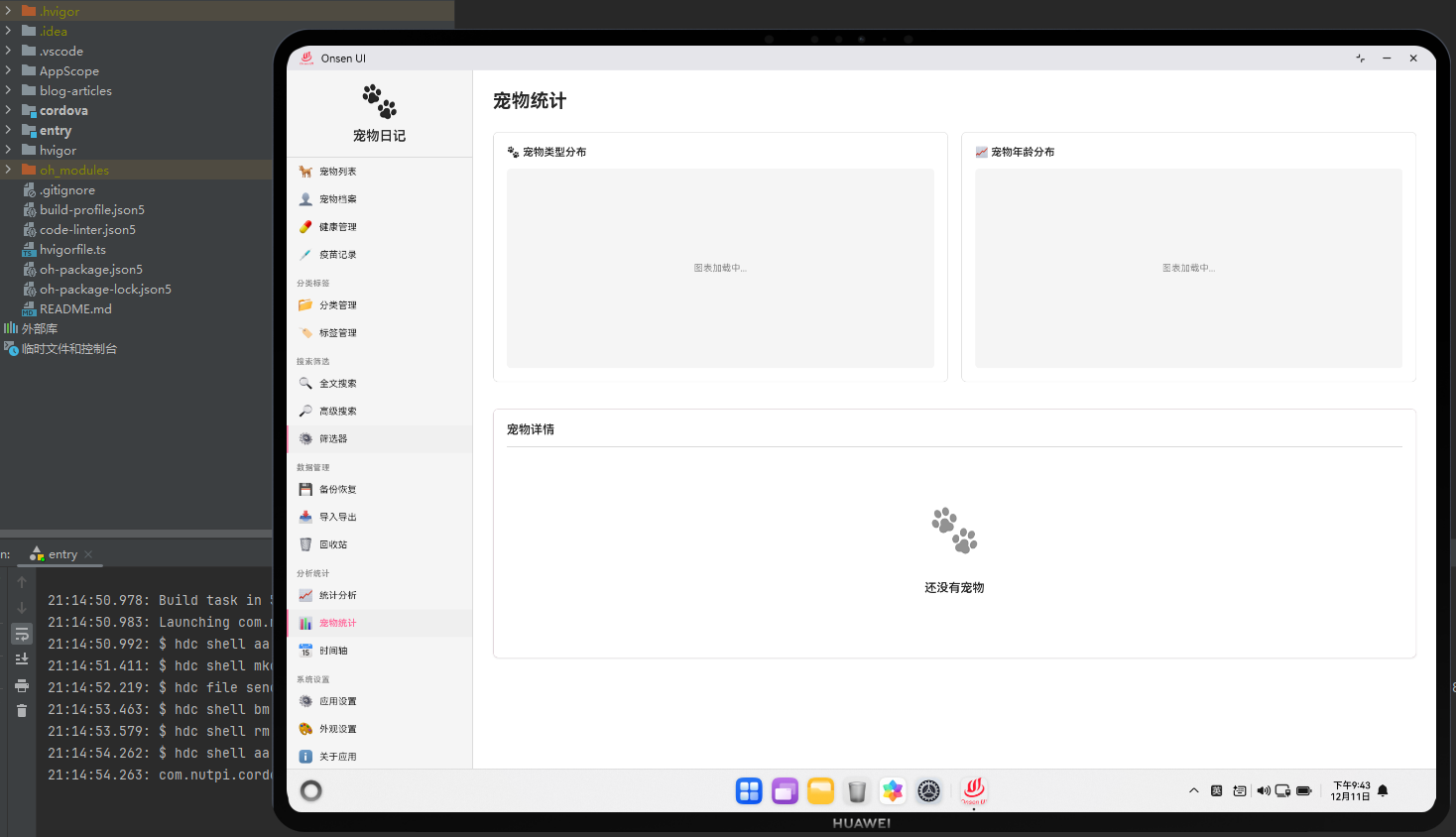
宠物统计模块用于统计每只宠物的相关数据。这个模块提供了宠物的日记数、健康记录数、疫苗接种情况等统计信息。通过Cordova框架,我们能够在Web层实现灵活的宠物统计展示,同时利用OpenHarmony的数据聚合能力执行宠物相关的统计计算。
宠物统计模块采用了卡片式设计,每只宠物显示为一个统计卡片,包含该宠物的各项统计数据。
🔗 完整流程
数据聚合流程:应用为每只宠物收集相关的统计数据,包括日记数、健康记录数、疫苗接种次数等。
统计展示流程:应用以卡片形式展示每只宠物的统计数据,用户可以点击卡片查看详细统计。
对比分析流程:用户可以选择多只宠物进行对比分析,查看它们之间的差异。
🔧 Web代码实现
// 计算宠物统计
async function calculatePetStatistics() {
    try {
        const pets = await db.getAllPets();
        const diaries = await db.getAllDiaries();
        const healthRecords = await db.getAllHealthRecords();
        const vaccinations = await db.getAllVaccinations();

        return pets.map(pet => ({
            id: pet.id,
            name: pet.name,
            breed: pet.breed,
            avatar: pet.avatar,
            diaryCount: diaries.filter(d => d.petId === pet.id).length,
            healthRecordCount: healthRecords.filter(h => h.petId === pet.id).length,
            vaccinationCount: vaccinations.filter(v => v.petId === pet.id).length,
            lastDiaryDate: getLastDiaryDate(diaries, pet.id),
            lastHealthCheckDate: getLastHealthCheckDate(healthRecords, pet.id)
        }));
    } catch (error) {
        console.error('计算宠物统计失败:', error);
        return [];
    }
}

// 获取最后一条日记的日期
function getLastDiaryDate(diaries, petId) {
    const petDiaries = diaries.filter(d => d.petId === petId);
    if (petDiaries.length === 0) return null;

    return petDiaries.reduce((latest, current) =>
        new Date(current.date) > new Date(latest.date) ? current : latest
    ).date;
}

// 获取最后一次健康检查的日期
function getLastHealthCheckDate(records, petId) {
    const petRecords = records.filter(r => r.petId === petId);
    if (petRecords.length === 0) return null;

    return petRecords.reduce((latest, current) =>
        new Date(current.date) > new Date(latest.date) ? current : latest
    ).date;
}
这些函数处理宠物统计数据的计算。
// 渲染宠物统计页面
async function renderPetStats() {
    const petStats = await calculatePetStatistics();

    const html = `
        <div class="pet-stats-container">
            <div class="stats-header">
                <h1>宠物统计</h1>
            </div>

            <div class="pet-stats-grid">
                ${petStats.map(stat => `
                    <div class="pet-stat-card">
                        <div class="card-header">
                            <img src="${stat.avatar || 'assets/default-pet.png'}" alt="${stat.name}" class="pet-avatar">
                            <div class="pet-info">
                                <h3>${stat.name}</h3>
                                <p>${stat.breed}</p>
                            </div>
                        </div>

                        <div class="stat-items">
                            <div class="stat-item">
                                <span class="label">日记数</span>
                                <span class="value">${stat.diaryCount}</span>
                            </div>
                            <div class="stat-item">
                                <span class="label">健康记录</span>
                                <span class="value">${stat.healthRecordCount}</span>
                            </div>
                            <div class="stat-item">
                                <span class="label">疫苗接种</span>
                                <span class="value">${stat.vaccinationCount}</span>
                            </div>
                        </div>

                        <div class="stat-dates">
                            ${stat.lastDiaryDate ? ` <p class="date-info">最后日记: ${formatDate(stat.lastDiaryDate)}</p> ` : ''}
                            ${stat.lastHealthCheckDate ? ` <p class="date-info">最后检查: ${formatDate(stat.lastHealthCheckDate)}</p> ` : ''}
                        </div>

                        <div class="card-actions">
                            <button class="btn-small" onclick="app.navigateTo('pet-profile', ${stat.id})">详情</button>
                            <button class="btn-small" onclick="viewPetDetailStats(${stat.id})">详细统计</button>
                        </div>
                    </div>
                `).join('')}
            </div>
        </div>
    `;

    document.getElementById('page-container').innerHTML = html;
}

// 查看宠物详细统计
async function viewPetDetailStats(petId) {
    const pet = await db.getPet(petId);
    const diaries = await db.getDiariesByPet(petId);
    const healthRecords = await db.getHealthRecords(petId);

    const html = `
        <div class="pet-detail-stats">
            <h2>${pet.name} - 详细统计</h2>

            <div class="detail-charts">
                <div class="chart-container">
                    <h3>日记分布</h3>
                    <canvas id="diary-distribution"></canvas>
                </div>

                <div class="chart-container">
                    <h3>健康记录趋势</h3>
                    <canvas id="health-trend"></canvas>
                </div>
            </div>
        </div>
    `;

    document.getElementById('page-container').innerHTML += html;
}
这个渲染函数生成了宠物统计界面,显示每只宠物的统计卡片。
🔌 原生代码实现
// PetStatsPlugin.ets - 宠物统计原生插件
import { fileIo } from '@kit.BasicServicesKit';

@Entry
@Component
struct PetStatsPlugin {
    // 生成宠物统计报告
    generatePetReport(petData: string, callback: (path: string) => void): void {
        try {
            const pet = JSON.parse(petData);
            const report = `
宠物统计报告
============
宠物名称: ${pet.name}
品种: ${pet.breed}
日记数: ${pet.diaryCount}
健康记录: ${pet.healthRecordCount}
疫苗接种: ${pet.vaccinationCount}
生成时间: ${new Date().toISOString()}
            `;

            const reportPath = `/data/reports/pet_${pet.id}_stats_${Date.now()}.txt`;
            const file = fileIo.openSync(reportPath, fileIo.OpenMode.CREATE | fileIo.OpenMode.WRITE);
            fileIo.writeSync(file.fd, report);
            fileIo.closeSync(file.fd);

            callback(reportPath);
        } catch (error) {
            console.error('[PetStatsPlugin] 生成报告失败:', error);
            callback('');
        }
    }

    build() {
        Column() {
            Web({ src: 'resource://rawfile/www/index.html', controller: new WebviewController() })
        }
    }
}
这个原生插件提供了宠物统计报告生成功能。
Web-Native通信代码
// 生成宠物统计报告
function generateNativePetReport(petData) {
    return new Promise((resolve, reject) => {
        cordova.exec(
            (path) => {
                if (path) {
                    showSuccess(`报告已生成: ${path}`);
                    resolve(path);
                } else {
                    reject(new Error('生成失败'));
                }
            },
            (error) => {
                console.error('生成失败:', error);
                reject(error);
            },
            'PetStatsPlugin',
            'generatePetReport',
            [JSON.stringify(petData)]
        );
    });
}
这段代码展示了如何通过Cordova调用原生的报告生成功能。
📝 总结
宠物统计模块展示了Cordova与OpenHarmony在宠物数据分析方面的应用。在Web层,我们实现了灵活的宠物统计展示。在原生层,我们提供了报告生成功能。
通过宠物统计,用户可以了解每只宠物的相关数据。通过详细统计,用户可以深入分析宠物的情况。通过Web-Native通信,我们能够充分利用OpenHarmony的文件系统能力,为用户提供完整的宠物统计体验。
在实际开发中,建议实现宠物对比功能,提供更多的统计维度,并支持统计数据的导出。

开源鸿蒙跨平台开发社区汇聚开发者与厂商,共建“一次开发,多端部署”的开源生态,致力于降低跨端开发门槛,推动万物智联创新。
更多推荐

 7
7 0
0- 0


 已为社区贡献22条内容

所有评论(0)