【QT学习之路】QThread的简单使用
QThread的使用说明:QThread线程类是QT已经封装好的, 如果要使用线程, 就派生出子类并且实现线程接口函数run(run就是线程任务函数)下面就用QThread实现当前系统时间的获取并且在主界面(UI线程)上显示,实现方法:在子线程中采集系统时间,通过信号发送给UI线程, 在ui线程上显示。一、在QT工程中,新建一个类,并继承QThread二、子线程类实现采集系统时...
·
QThread的使用说明:QThread线程类是QT已经封装好的, 如果要使用线程, 就派生出子类并且实现线程接口函数run(run就是线程任务函数)
下面就用QThread实现当前系统时间的获取并且在主界面(UI线程)上显示,实现方法:在子线程中采集系统时间,通过信号发送给UI线程, 在ui线程上显示。
一、在QT工程中,新建一个类,并继承QThread
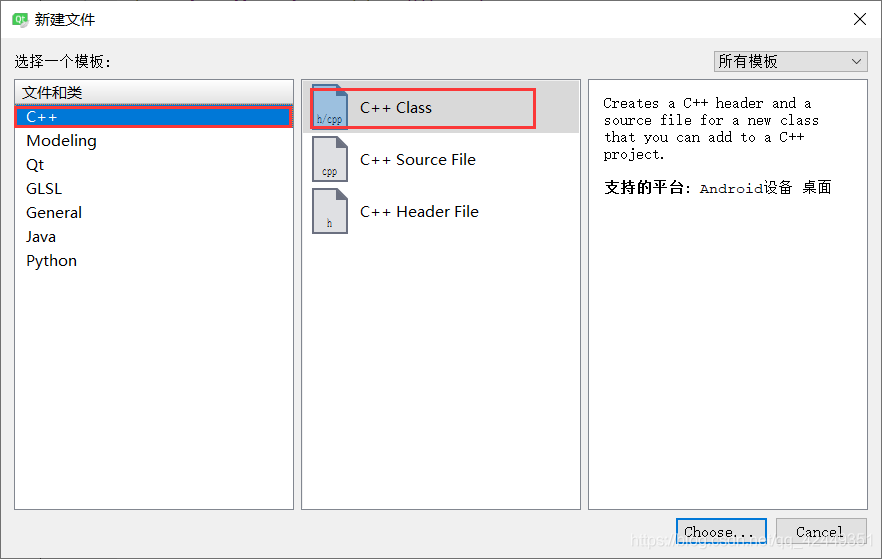
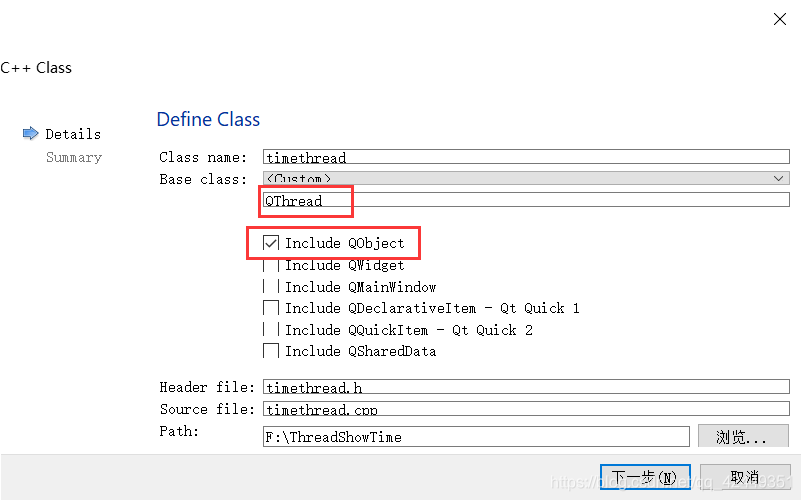
二、子线程类实现采集系统时间
头文件(timethread.h)代码
1、为了让我们的子类与QT已有的QThread类很相似,我们派生类的构造函数改成与父类的构造函数一样
2、发送时间是通过信号发送给UI线程,需要加Q_OBJECT,这样才能使用信号与槽函数
具体代码
#ifndef TIMETHREAD_H
#define TIMETHREAD_H

#include <QObject>
#include <QThread>

class TimeThread : public QThread
{
    Q_OBJECT //使用信号与槽函数
public:
    explicit TimeThread(QObject *parent = nullptr);
    //实现run接口
    void run();
//声明信号
signals:
    void sendTime(QString );
};

#endif // TIMETHREAD_H
cpp文件(timethread.cpp)代码
通过接口函数run,实现每隔1秒获取当前系统时间,并用emit将信号发送出去
#include "timethread.h"
#include <QTime>
#include <QDebug>
TimeThread::TimeThread(QObject *parent):QThread(parent)
{

}
void TimeThread::run()
{
    //线程任务
    while(1)
    {
        qDebug()<<currentThreadId();
        QString t = QTime::currentTime().toString("hh:mm:ss");
        //延时
        sleep(1);
        //通过信号把时间发送出去
        emit sendTime(t);
    }
}
三、UI界面设计
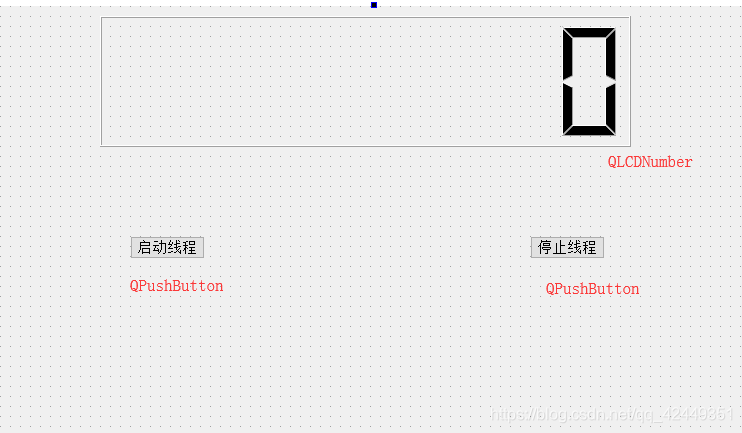
四、UI线程的具体实现
1、关联字线程发送的信号(sendTime)
2、通过两个按钮实现启动和停止线程
3、将接收到的时间显示在液晶显示屏上
具体代码
#include "threadshowtime.h"
#include "ui_threadshowtime.h"

ThreadShowTime::ThreadShowTime(QWidget *parent) :
    QMainWindow(parent),
    ui(new Ui::ThreadShowTime)
{
    ui->setupUi(this);
    //关联线程的sendTime信号
    connect(&th, &TimeThread::sendTime, this, &ThreadShowTime::show_time);
}

ThreadShowTime::~ThreadShowTime()
{
    delete ui;
}

void ThreadShowTime::on_startBt_clicked()
{
    //启动线程
    th.start();
}

void ThreadShowTime::on_stopBt_clicked()
{
    //线程停止
    th.terminate();
}

void ThreadShowTime::show_time(QString t)
{
    ui->lcdNumber->display(t);
}
五、效果展示
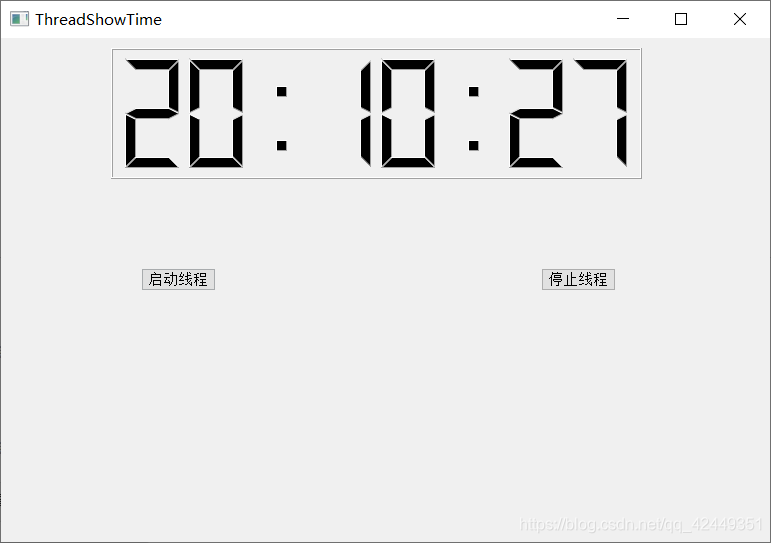
问题咨询及项目源码请加群:
QQ群
名称:IT项目交流群
群号:245022761

开源鸿蒙跨平台开发社区汇聚开发者与厂商,共建“一次开发,多端部署”的开源生态,致力于降低跨端开发门槛,推动万物智联创新。
更多推荐


 11
11 0
0- 0


 已为社区贡献8条内容

所有评论(0)