Qt开发自学12_鼠标靠近按钮按钮就跑
2020060
·
202006021MoveButton
方式一:实例化对象;产生一个随机数种子;鼠标移动事件(在窗体中)
//判断是否在窗体内部
//判断鼠标是否靠近按钮
//判断产生随机数
方式二:封装思想——将代码封装到按钮里面,封装成按钮的事件
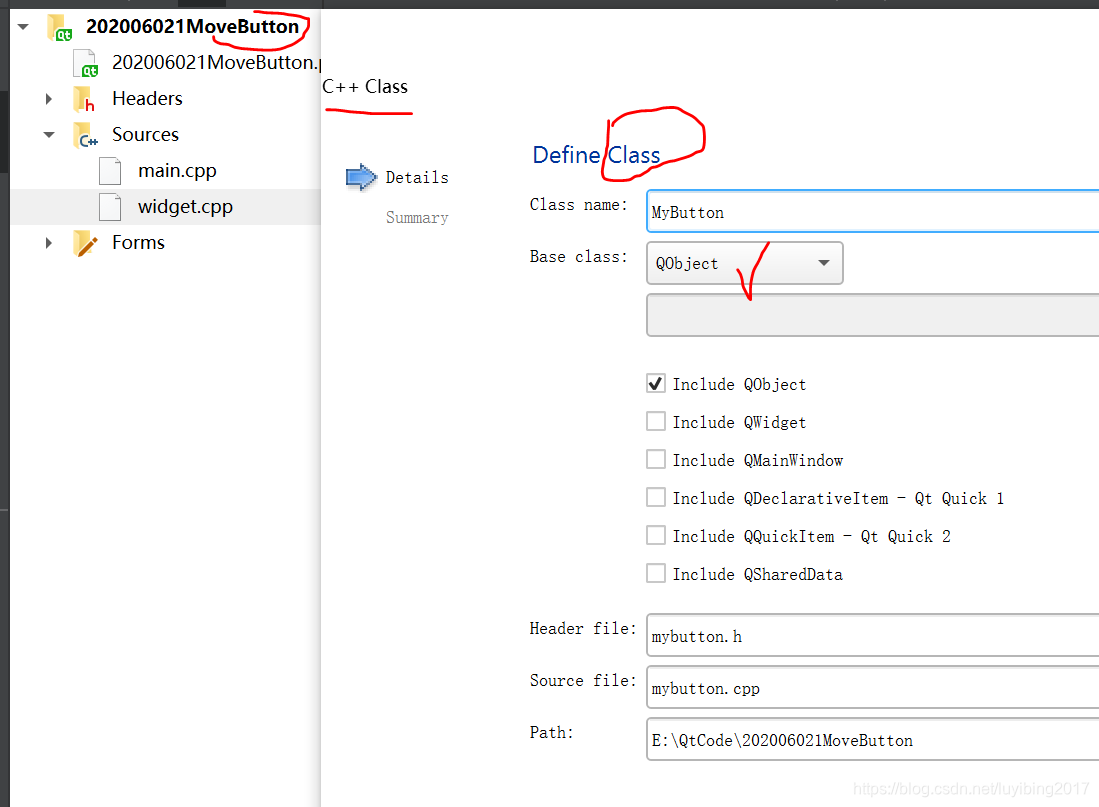
创建按钮:我们需要继承按钮,先继承QObject,然后再来替换。
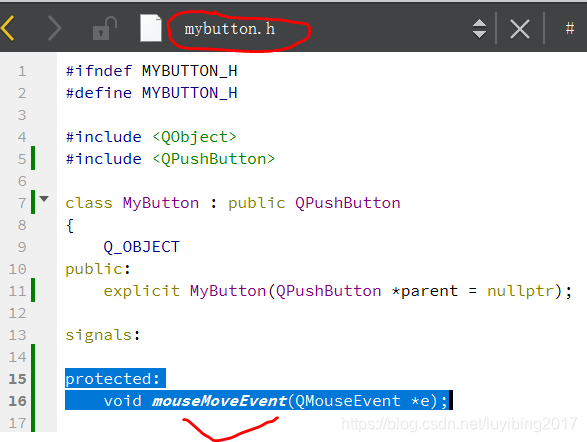
用 QPushButton 把*.h和*.cpp文件中的 QObject 替换掉。
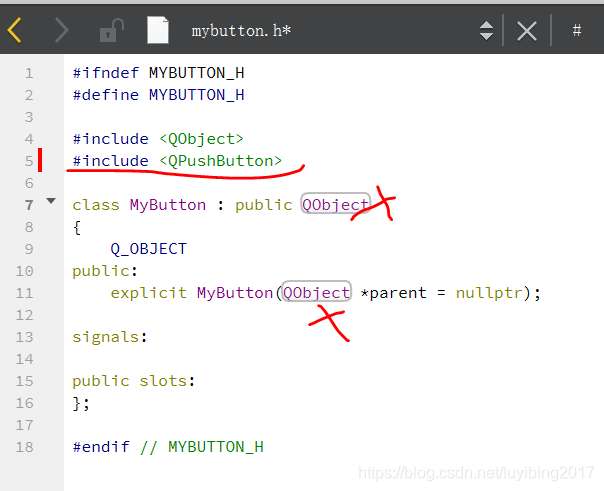
编译一下,不报错。然后重新写事件
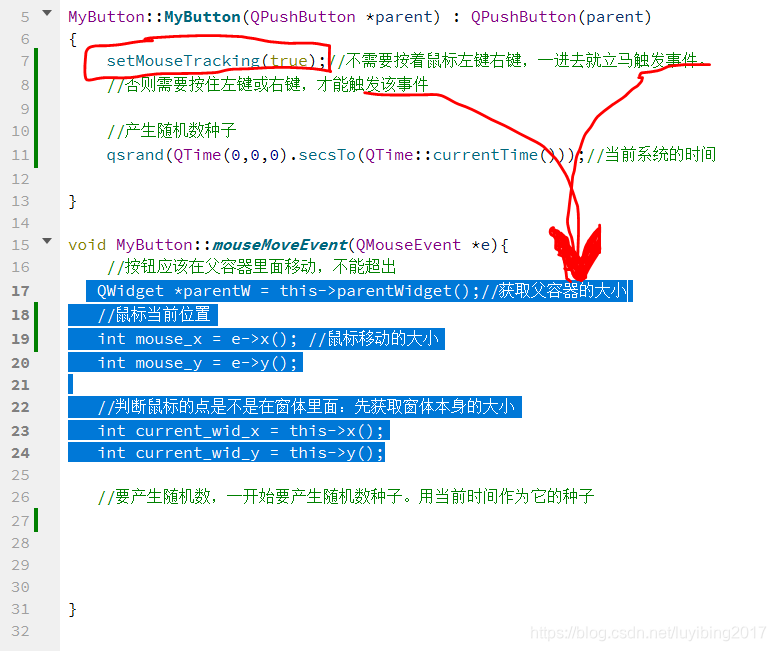
鼠标的位置,当前系统时间作为随机数种子。
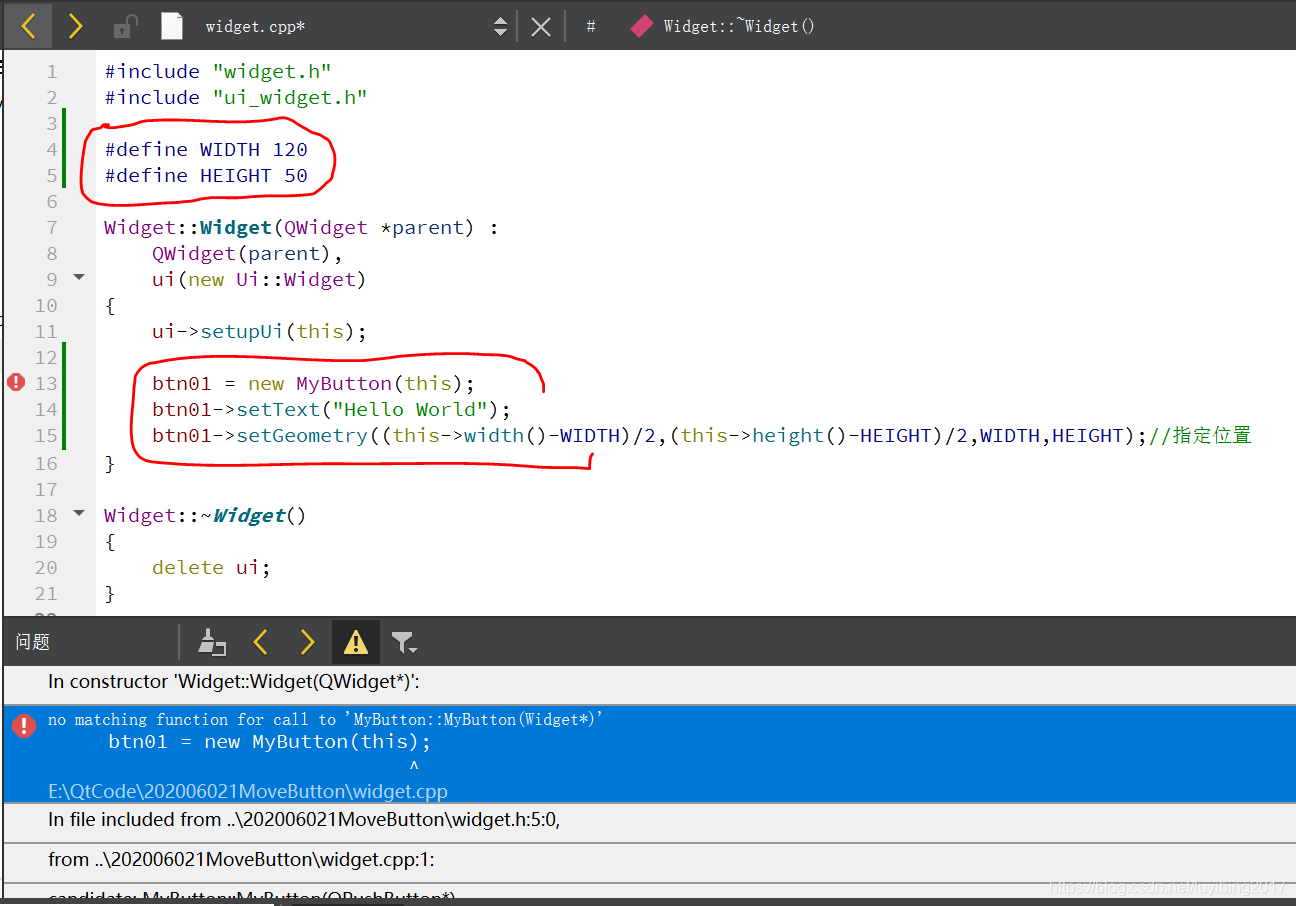
问题:运行发现 no matching function for call to ‘MyButton::MyButton(Widget*)’
解决办法:修改2个地方(mybutton.h 和 mybutton.cpp)
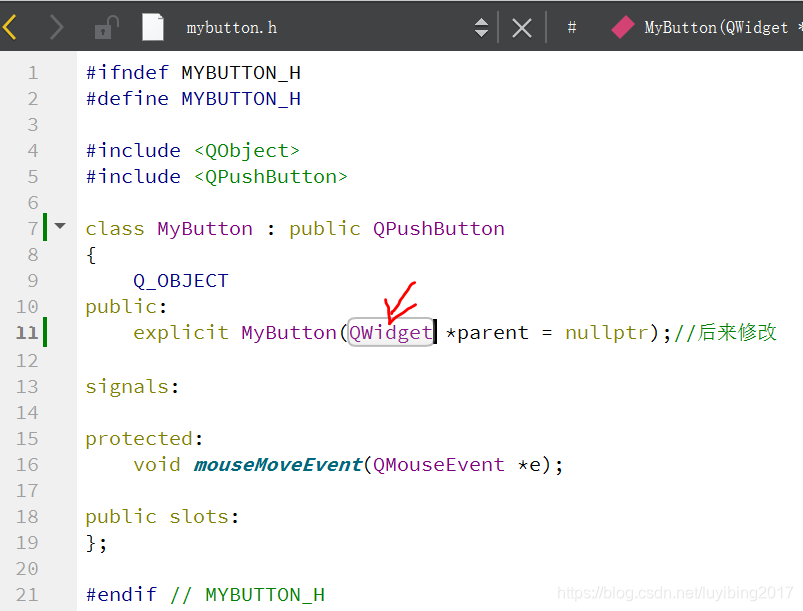
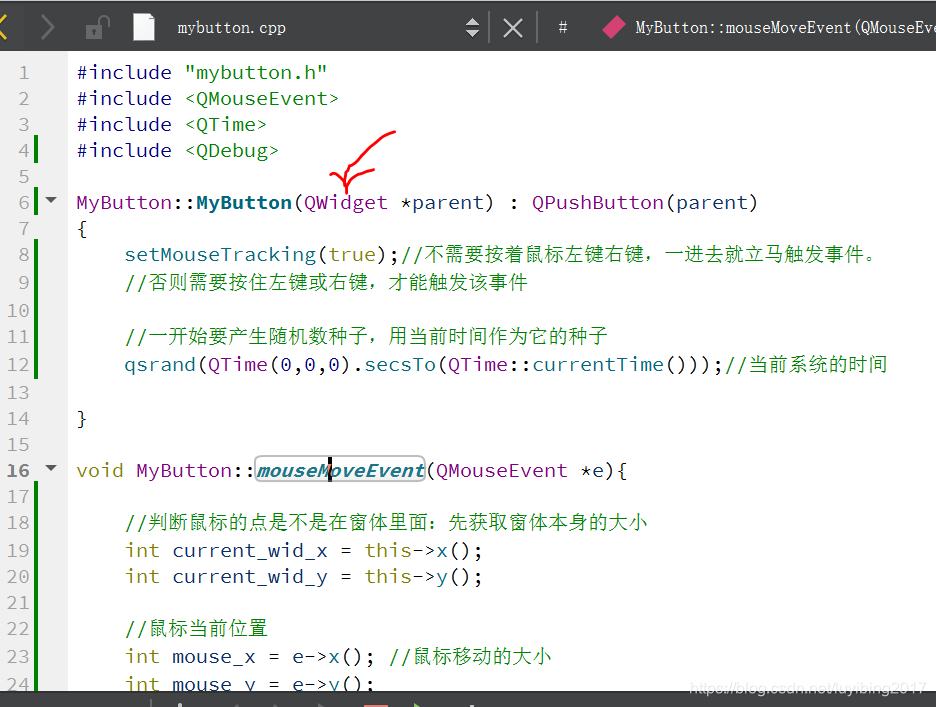
修改后的运行结果:出现了按钮和文本显示,但是按钮不能随鼠标的位置移动,
解决办法:调整下图位置的代码(相对于按钮的位置),得以成功实现:鼠标动,按钮动。

屏蔽该代码语句,看其作用: setMouseTracking(true);
现象:按一下左键或右键,才能触发 mouseMoveEvent() 事件。
讲真,这个代码实现的原理还不是很清楚。。。这能有什么应用呢?
#ifndef WIDGET_H
#define WIDGET_H

#include <QWidget>
#include "mybutton.h"

namespace Ui {
class Widget;
}

class Widget : public QWidget
{
    Q_OBJECT

public:
    explicit Widget(QWidget *parent = 0);
    ~Widget();

private:
    Ui::Widget *ui;
    MyButton *btn01;//为其分配空间
};

#endif // WIDGET_H
#include "widget.h"
#include "ui_widget.h"

#define WIDTH 120
#define HEIGHT 50

Widget::Widget(QWidget *parent) :
    QWidget(parent),
    ui(new Ui::Widget)
{
    ui->setupUi(this);

    btn01 = new MyButton(this);
    btn01->setText("Hello World");
    btn01->setGeometry((this->width()-WIDTH)/2,(this->height()-HEIGHT)/2,WIDTH,HEIGHT);//指定位置
}

Widget::~Widget()
{
    delete ui;
}
#ifndef MYBUTTON_H
#define MYBUTTON_H

#include <QWidget>
#include <QPushButton>

class MyButton : public QPushButton
{
    Q_OBJECT
public:
    explicit MyButton(QWidget *parent = nullptr);//后来修改

signals:

protected:
    void mouseMoveEvent(QMouseEvent *e);

public slots:
};

#endif // MYBUTTON_H
#include "mybutton.h"
#include <QMouseEvent>
#include <QTime>
#include <QDebug>

MyButton::MyButton(QWidget *parent) : QPushButton(parent)
{
    setMouseTracking(true);//不需要按着鼠标左键右键,一进去就立马触发事件。
    //如果屏蔽该语句的话,则需要点击鼠标左键或右键才能触发mouseMoveEvent事件。

    //一开始要产生随机数种子,用当前时间作为它的种子
    qsrand(QTime(0,0,0).secsTo(QTime::currentTime()));//当前系统的时间

}

void MyButton::mouseMoveEvent(QMouseEvent *e){

    //判断鼠标的点是不是在窗体里面:先获取窗体本身的大小
    int current_wid_x = this->x();//按钮的x和y
    int current_wid_y = this->y();

    //鼠标当前位置的值
    int mouse_x = e->x(); //鼠标移动的大小
    int mouse_y = e->y();

    //调试信息
//    qDebug() << "x1:" << current_wid_x << "     y1:" << current_wid_y<< endl;
//    qDebug() << "x2:" << mouse_x << "       y2:" << mouse_y << endl;

    //鼠标x轴方向 位置 >= 按钮左边 且 <=   (判断鼠标x轴在窗体里面)(相对于按钮的)
    if((mouse_x + current_wid_x >= current_wid_x) && (mouse_x + current_wid_x <= current_wid_x + this->width())){
        if( (mouse_y + current_wid_y >= current_wid_y) && (mouse_y + current_wid_y <= current_wid_y + this->height())){

            //产生X轴和Y轴方向的随机数,供给按钮变换。变化后的值一定要在窗体中。

            //按钮应该在父容器里面移动,不能超出
            QWidget *parentW = this->parentWidget();//获取父容器的大小

            int btn_x = qrand()%(parentW->width() - this->width());    //X

            int btn_y = qrand()%(parentW->height() - this->height());  //Y

            this->move(btn_x,btn_y);
            //this->update();//这里的按钮不是画家画的,所以就不用update
        }
    }
}

开源鸿蒙跨平台开发社区汇聚开发者与厂商,共建“一次开发,多端部署”的开源生态,致力于降低跨端开发门槛,推动万物智联创新。
更多推荐

 1
1 0
0- 0


 已为社区贡献6条内容

所有评论(0)