QT的进程和线程
·
进程
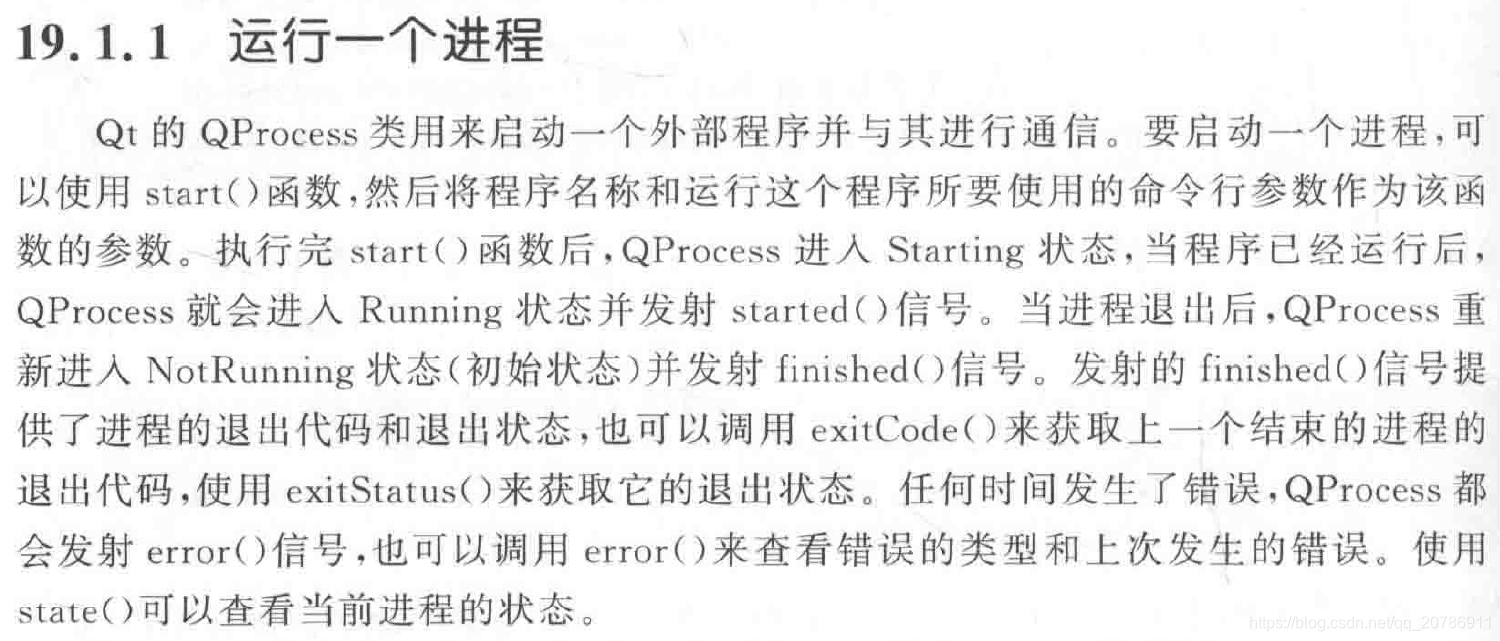
线程

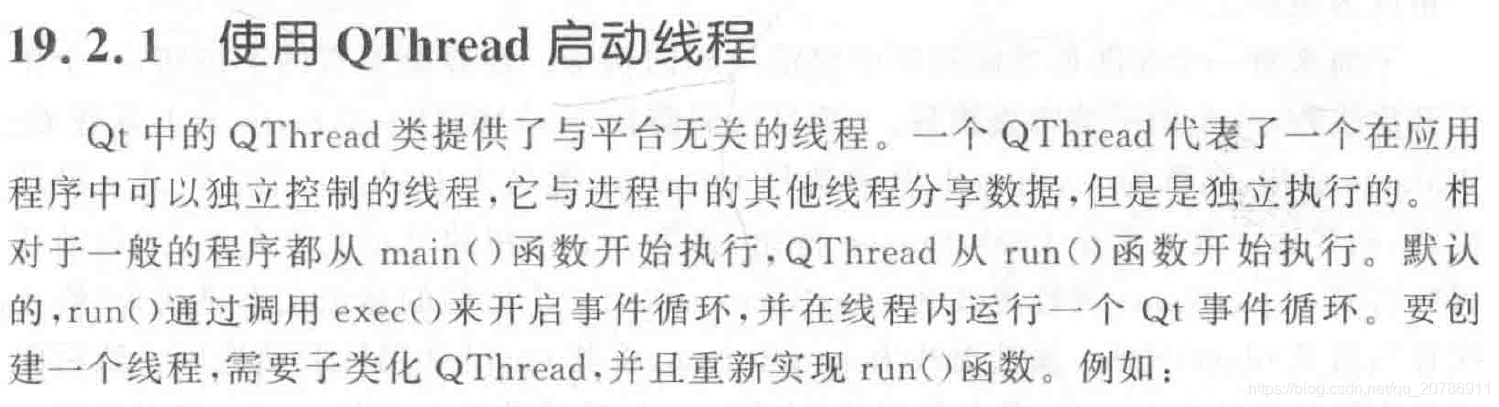
线程的创建与停止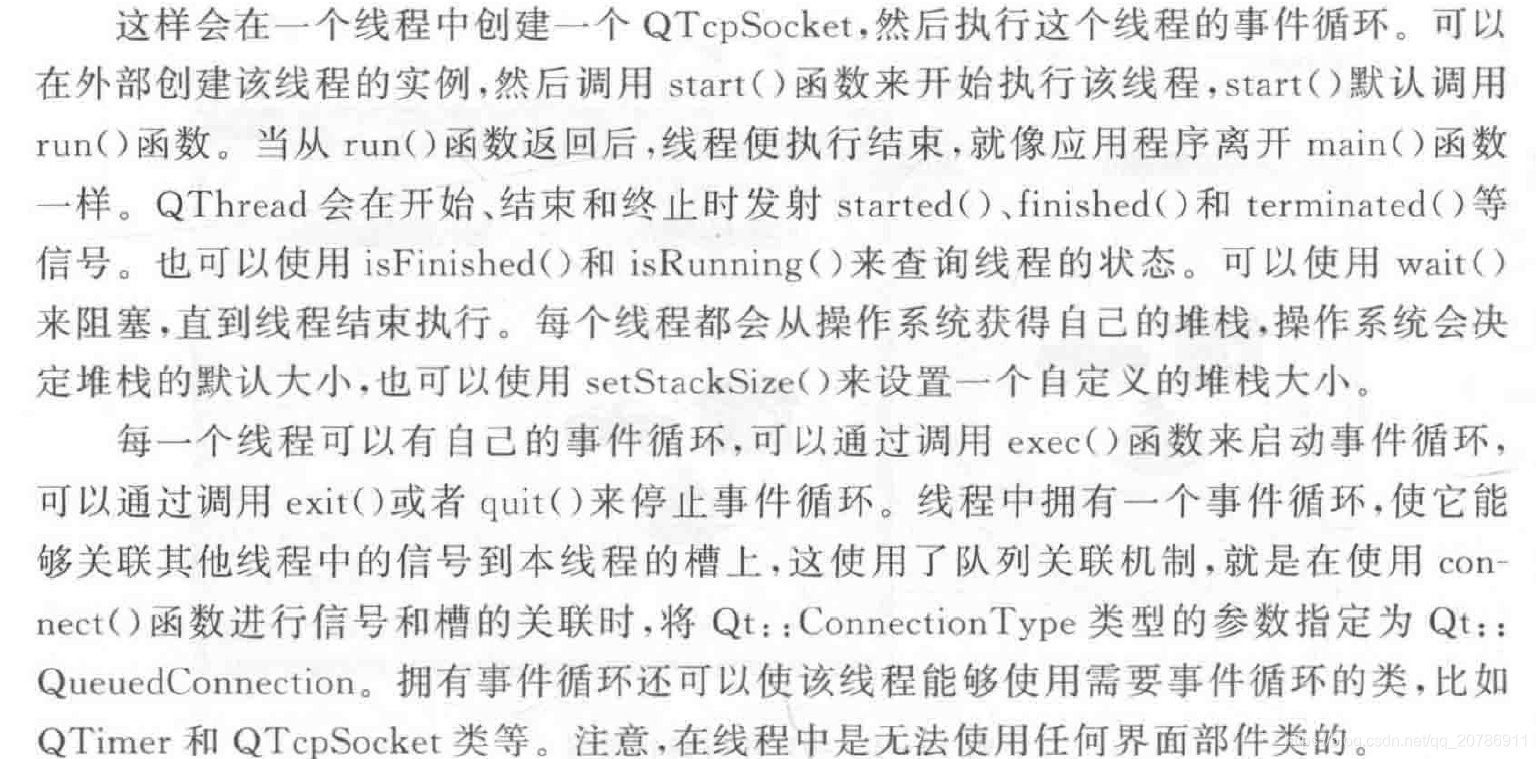
线程的标识符
例子:
#ifndef DIALOG_H
#define DIALOG_H

#include <QDialog>
#include "mythread.h"

namespace Ui {
class Dialog;
}

class Dialog : public QDialog
{
    Q_OBJECT

public:
    explicit Dialog(QWidget *parent = 0);
    ~Dialog();

private slots:
    void on_startButton_clicked();

    void on_stopButton_clicked();

private:
    Ui::Dialog *ui;
    MyThread thread;
};

#endif // DIALOG_H
#include "dialog.h"
#include "ui_dialog.h"

Dialog::Dialog(QWidget *parent) :
    QDialog(parent),
    ui(new Ui::Dialog)
{
    ui->setupUi(this);
}

Dialog::~Dialog()
{
    delete ui;
}

// 启动线程按钮
void Dialog::on_startButton_clicked()
{
    thread.start();
    ui->startButton->setEnabled(false);
    ui->stopButton->setEnabled(true);

}

// 终止线程按钮
void Dialog::on_stopButton_clicked()
{
    if (thread.isRunning()) {
        thread.stop();
        ui->startButton->setEnabled(true);
        ui->stopButton->setEnabled(false);
    }
}
#ifndef MYTHREAD_H
#define MYTHREAD_H

#include <QThread>

class MyThread : public QThread
{
    Q_OBJECT
public:
    explicit MyThread(QObject *parent = 0);
    void stop();
protected:
    void run();
private:
    volatile bool stopped;
};


#endif // MYTHREAD_H
#include "mythread.h"
#include <QDebug>

MyThread::MyThread(QObject *parent) :
    QThread(parent)
{
    stopped = false;
}

void MyThread::run()
{
    qreal i = 0;
    while (!stopped) {
        qDebug() << QString("in MyThread: %1").arg(i);
        msleep(1000);
        i++;
    }
    stopped = false;
}

void MyThread::stop()
{
    stopped = true;
}
方法二:使用moveToThread函数创建线程
例子:
#ifndef WIDGET_H
#define WIDGET_H

#include <QWidget>
#include <buttoncontrol.h>
#include <QTimer>
#include <QThread>
#include <work.h>
#include <log_browser.h>
namespace Ui {
class Widget;
}

class Widget : public QWidget
{
    Q_OBJECT

public:
    explicit Widget(QWidget *parent = 0);
    ~Widget();

private:
    Ui::Widget *ui;
    ButtonControl *control;
    QTimer *timer;
    QThread *thread;
    QThread *thread1;
    Work *work;
    Log_browser *log_browser;
public slots:
    void showtime();
};

#endif // WIDGET_H
#include "widget.h"
#include "ui_widget.h"
#include<buttoncontrol.h>
#include <QDateTime>
#include <QDebug>
#include <log_browser.h>
Widget::Widget(QWidget *parent) :
    QWidget(parent),
    ui(new Ui::Widget)
{

    ui->setupUi(this);
    control=new ButtonControl();
    control->setbutton(ui->pushButton);
    timer=new QTimer(this);
    timer->start(1000);
    connect(timer,SIGNAL(timeout()),this,SLOT(showtime()));
    work=new Work();
    thread=new QThread();
    work->moveToThread(thread);
    thread->start();
    connect(ui->pushButton,SIGNAL(clicked()),work,SLOT(sleep()));

}

Widget::~Widget()
{
    delete ui;
}

void Widget::showtime()
{
    QString time=QDateTime::currentDateTime().toString();
    ui->label->setText(time);
}
#ifndef WORK_H
#define WORK_H

#include <QObject>
#include <QString>
#include <QFile>
class Work : public QObject
{
    Q_OBJECT
public:
    explicit Work(QObject *parent = nullptr);

signals:
    void receive(QString str);
    void send(QString str);
public slots:
    void sleep();
};

#endif // WORK_H
#include "work.h"
#include <QThread>
#include <QDebug>
#include <QFile>
#include <QString>
#include <QDateTime>
Work::Work(QObject *parent) : QObject(parent)
{

}

void Work::sleep()
{
    qDebug()<<"正在执行线程"<<QThread::currentThreadId()<<QDateTime::currentDateTime().toString();
    QThread::sleep(3);
    qDebug()<<"线程执行结束"<<QThread::currentThreadId()<<QDateTime::currentDateTime().toString();
}
同时启动多个线程
方法一:
    MyThread *tread1;
        tread1 = new MyThread[LENGTH];
        for(int i=0;i<=LENGTH-1;i++){
            tread1[i].start();
        }

开源鸿蒙跨平台开发社区汇聚开发者与厂商,共建“一次开发,多端部署”的开源生态,致力于降低跨端开发门槛,推动万物智联创新。
更多推荐

 0
0 0
0- 0


 已为社区贡献1条内容

所有评论(0)