【Qt】开源项目汇总
争取持续更新,每月研究一个,可能不只是Qt,人工智能。
Qt官方github:https://github.com/orgs/qt/repositories
DeepMind:https://github.com/google-deepmind
0、汇总
开源项目推荐:本人收集的有关Qt的GitHub/Gitee开源项目(★精品收藏★)
Qt优秀开源项目
C++开源项目汇总:https://github.com/fffaraz/awesome-cpp
purecpp官方:https://github.com/qicosmos
https://github.com/cameron314
语法大全:https://github.com/sindresorhus/awesome
https://github.com/fffaraz/awesome-cpp
https://github.com/fffaraz/awesome-cpp#readme
https://github.com/vitalets/github-trending-repos
1、QtPromise
github地址:https://github.com/simonbrunel/qtpromise
QtPromise官方文档—新手导航
QtPromise官方文档—api手册
Qt优秀开源项目之十七:QtPromise
Qt QPromise类详解
Promise是一种异步编程的解决方案,可以替代传统的解决方案——回调函数和事件。
Promise的三个特点:
- 对象的状态不受外界影响。
- 一旦状态改变了就不会在变,也就是说任何时候Promise都只有一种状态。
- 以同步的方式调用异步,通过返回新的promise来实现then链式调用。
Promise的三个缺点:
- 无法取消Promise,一旦新建它就会立即执行,无法中途取消。
- 如果不设置回调函数,Promise内部抛出的错误,不会反映到外部。
- 当处于pending状态时,无法得知目前进展到哪一个阶段,是刚刚开始还是即将完成。
使用方法很简单,QtPromise源码只有头文件 ,将源码目录中的qtpromise.pri添加到自己工程的pro文件中即可。
#include <QtPromise>
#include <QNetworkAccessManager>
#include <QNetworkReply>
#include <QDebug>

void Widget::on_pushButton_clicked()
{
    QNetworkAccessManager *manager = new QNetworkAccessManager();
    QString url = "http://www.baidu.com";
    // 360安全卫士用于测试超时.
    // QString url = "http://dl.360safe.com/setup.exe";
    // 可以断网验证网络错误.
    QtPromise::QPromise<QByteArray>{[&](
        const QtPromise::QPromiseResolve<QByteArray>& resolve,
        const QtPromise::QPromiseReject<QByteArray>& reject) {
            QNetworkReply* reply = manager->get(QNetworkRequest{url});
            QObject::connect(reply, &QNetworkReply::finished, [=]() {
                if (reply->error() == QNetworkReply::NoError) {
                    resolve(reply->readAll());
                } else {
                    reject(reply->error());
                }

                reply->deleteLater();
            });
    }}
    .timeout(5000)
    .then([](const QByteArray &data){
        // 如果5秒内下载成功,进行下一步处理.
        qDebug()<<"get data:"<<QString(data);
    })
    .fail([](QNetworkReply::NetworkError error) {
        // 网络错误.
        qDebug()<<"network error:"<<error<<"BBBBB";
    })
    .fail([](const QtPromise::QPromiseTimeoutException& error) {
        // 超时报错.
        qDebug()<<error.what()<<"CCCCC";
    });
}
2、QtService
github地址:https://github.com/qtproject/qt-solutions/tree/master/qtservice
QtService是一个用于实现Windows服务或unix守护进程的开源项目
3、QuickEvent
https://gitee.com/fmldd/Quick-Event
QuickEvent使用介绍
基于Qt事件发布与订阅框架QuickEvent
4、QtEventBus(用到QtPromise、QtComposition)
这是一个用信号槽实现的消息总线
Qt 框架性开发实践——基础框架篇
https://github.com/cmguo/QtEventBus
5、QtService
Qt优秀开源项目之十八:QtService
https://github.com/qtproject/qt-solutions/tree/master/qtservice
6、QFlightInstruments
https://github.com/wyyrepo/QFlightInstruments
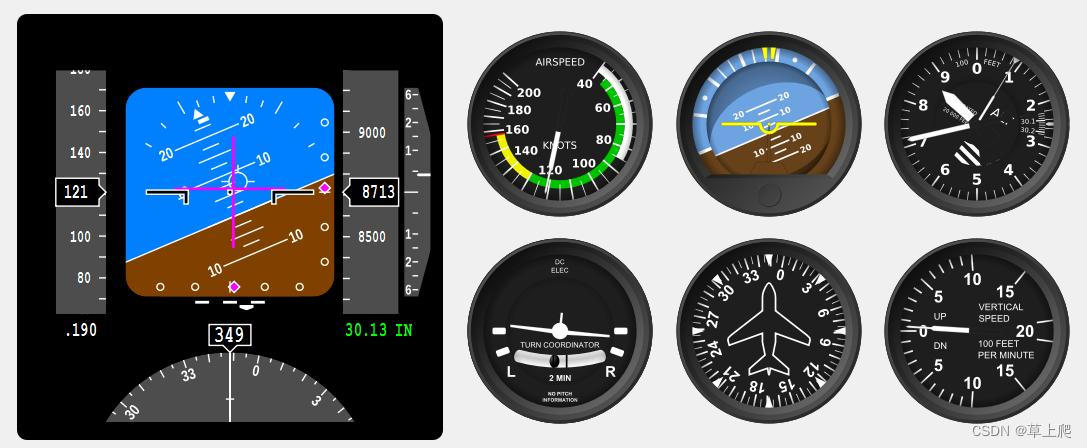
7、Qt-Advanced-Docking-System
Qt优秀开源项目之二:Qt-Advanced-Docking-System
https://github.com/githubuser0xFFFF/Qt-Advanced-Docking-System
8、libgitlevtbus
Qt 之 事件总线模型
https://github.com/lheric/libgitlevtbus
9、yalantinglibs雅兰亭库
中文介绍
https://github.com/alibaba/yalantinglibs
c++雅兰亭库 (yalantinglibs) 介绍及使用(序列化、json和结构体转换、协程)
yaLanTingLibs 是一个现代C++基础工具库的集合, 现在它包括 struct_pack, struct_json, struct_xml, struct_yaml, struct_pb, easylog, coro_rpc, coro_io, coro_http 和 async_simple。
10、concurrentqueue
并发:https://github.com/cameron314/concurrentqueue
单线:https://github.com/cameron314/readerwriterqueue
<项目优化C++>:concurrentqueue(高性能并发队列)
C++无锁队列concurrentqueue的使用和性能速度测试
11、观察者模式库
https://github.com/dacap/observable
C++优雅地开启/暂停/停止线程——基于观察者模式
12、序列化工具
官方:https://github.com/google/flatbuffers
文档:https://flatbuffers.dev/
FlatBuffers使用详解
使用FlatBuffers序列化数据
c++11二进制序列化库
13、日志
https://github.com/MEONMedical/Log4Qt
14、工业软件
15、安装程序制作
https://github.com/MEONMedical/installer-framework
文档:https://doc.qt.io/qtinstallerframework/ifw-overview.html
16、http
https://github.com/qt-labs/qthttpserver
https://github.com/fffaraz/QtWebApp
https://github.com/antlafarge/QtWebsocket
17、sdr
https://github.com/gqrx-sdr/gqrx
https://www.gqrx.dk/
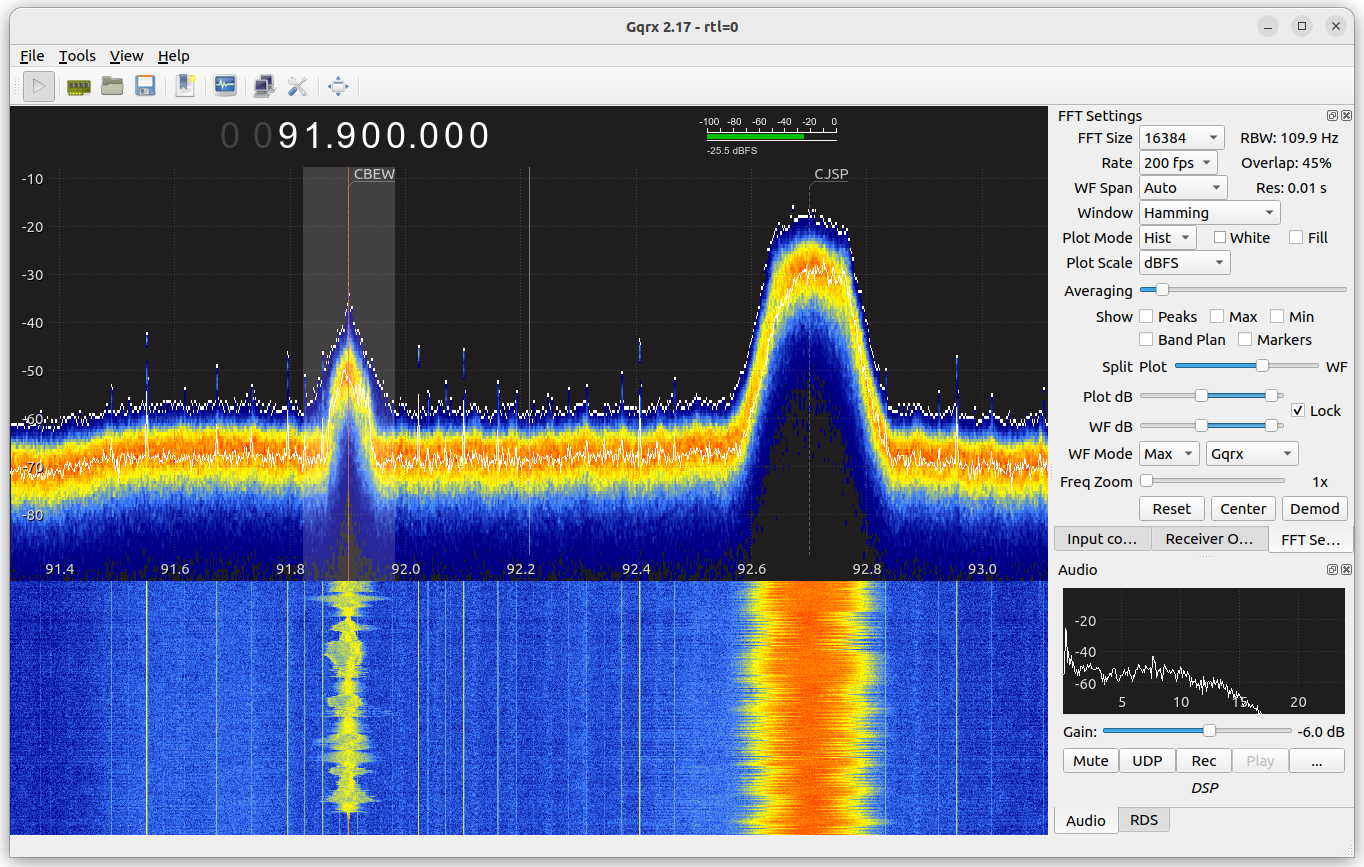
https://github.com/ha7ilm/qtcsdr
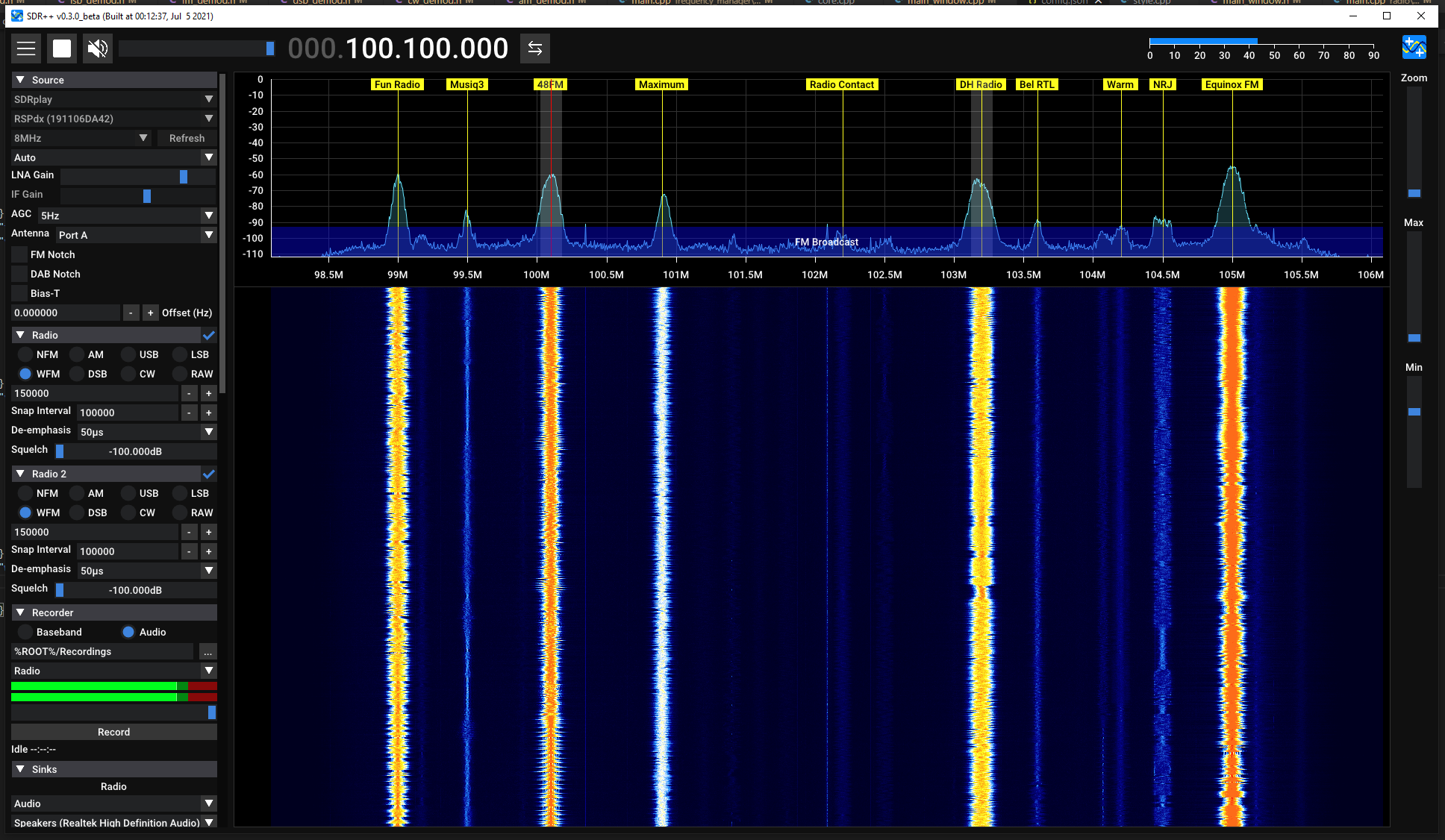
17、SDRPlusPlus
https://github.com/AlexandreRouma/SDRPlusPlus
fork上面的:https://github.com/jj1bdx/SDRPlusPlus
18、数据可视化
信号分析及数据可视化软件:https://github.com/czyt1988/sa
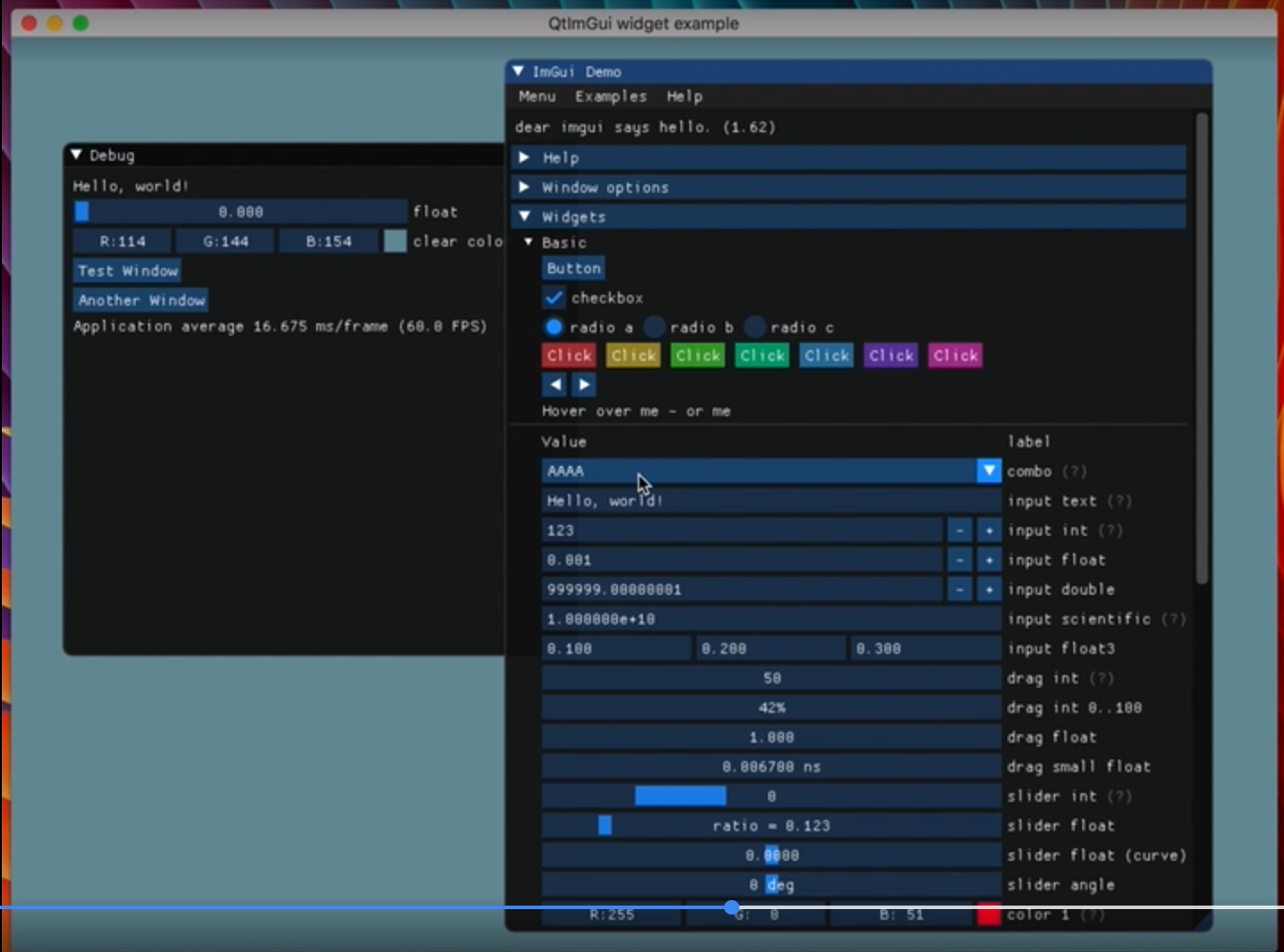
19、界面
https://github.com/seanchas116/qtimgui
20、opc-ua
21、FtpServer
https://github.com/sashoalm/QFtpServer
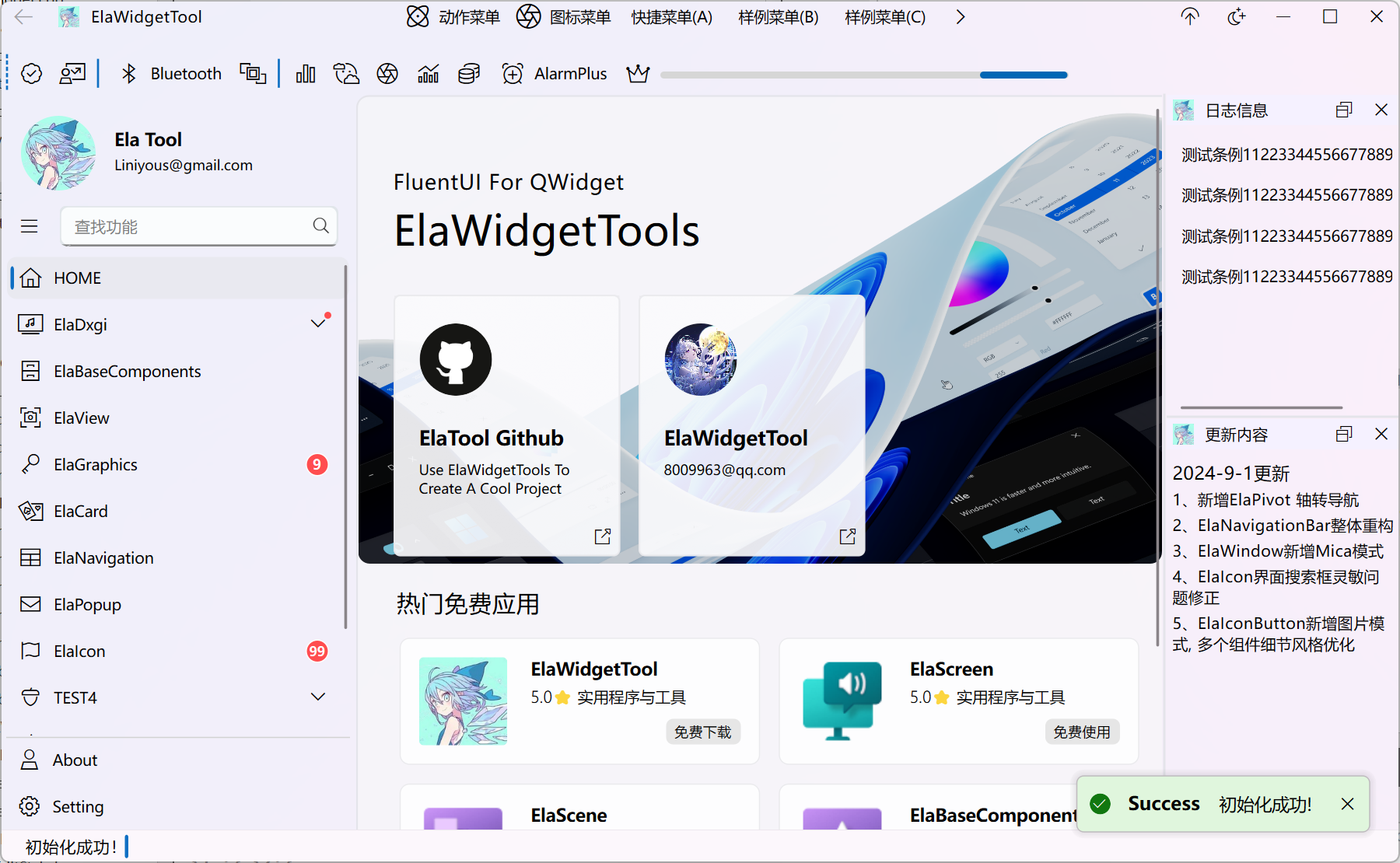
22、ElaWidgetTools
https://github.com/Liniyous/ElaWidgetTools
ElaWidgetTools—bilibili介绍视频
23、AirSim
https://github.com/microsoft/AirSim
AirSim英文文档
AirSim中文文档
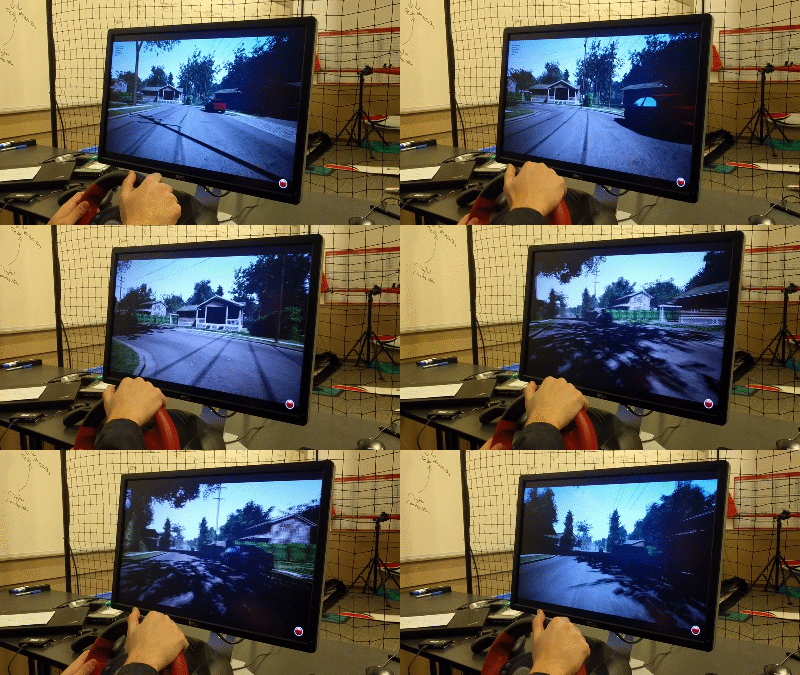
AirSim是一个基于虚幻引擎以模拟汽车、无人机的模拟器(物理和视觉仿真)。AirSim仿真模拟平台是开源、跨平台、支持诸如PX4、和ArduPilot 等常见的硬件在环(hardware-in-loop)飞行遥控器。AirSim是一个虚幻引擎插件,所以它可被移植到任意的虚幻环境中。同样有一个试验性的Unity版本插件。

24、AFSim
关于AFSIM
AFSIM 2.9.0 Documentation
AFSIM-api开发手册官方文档
AFSIM(Advanced Framework for Simulation, Integration, and Modeling)是一款由美国空军研究实验室(AFRL)开发和维护的高级仿真、集成和建模框架。
通信框架(DIS、HLA、DDS、RPC),建模标准(MBSE、Modelica),仿真平台(EADSIM、FLAMS、STK、VRFORCE、AFSIM)
25、Virtual Radar Server
使用语言:TypeScript和C# 6
官网:https://www.virtualradarserver.co.uk/
github: https://github.com/vradarserver/vrs
推荐开源项目:Virtual Radar Server
如何有效提升ADS-B的接收效果?不妨试试微带滤波器和低噪放的组合
26、RingBuffer
RingBuffer 的单次读写操作可以达到纳秒级别的性能:
https://github.com/qzm/ringbuffer
#include "ringbuffer.hpp"
#include <iostream>
#include <thread>
#include <vector>
#include <chrono>

void producer(RingBuffer<int, 1024>& buffer, int count) {
    for (int i = 0; i < count; ++i) {
        while (!buffer.Write(i)) {
            // 缓冲区已满,等待一小段时间
            std::this_thread::yield();
        }
    }
}

void consumer(RingBuffer<int, 1024>& buffer, int count) {
    int value;
    int received = 0;

    while (received < count) {
        if (buffer.Read(value)) {
            ++received;
        } else {
            // 缓冲区为空,等待一小段时间
            std::this_thread::yield();
        }
    }
}

// 批量操作示例
void batchExample() {
    RingBuffer<int, 1024> buffer;

    // 准备批量写入的数据
    std::vector<int> dataToWrite(100);
    for (int i = 0; i < 100; ++i) {
        dataToWrite[i] = i;
    }

    // 批量写入
    size_t written = buffer.WriteBatch(dataToWrite.data(), dataToWrite.size());
    std::cout << "批量写入元素数量: " << written << std::endl;

    // 准备批量读取的缓冲区
    std::vector<int> dataRead(100);

    // 批量读取
    size_t read = buffer.ReadBatch(dataRead.data(), dataRead.size());
    std::cout << "批量读取元素数量: " << read << std::endl;

    // 打印读取的数据
    for (size_t i = 0; i < read; ++i) {
        std::cout << dataRead[i] << " ";
    }
    std::cout << std::endl;
}

// 性能测试示例
void performanceTest() {
    RingBuffer<int, 1024> buffer;
    const int count = 10000000;  // 1千万次操作

    auto start = std::chrono::high_resolution_clock::now();

    std::thread prod(producer, std::ref(buffer), count);
    std::thread cons(consumer, std::ref(buffer), count);

    prod.join();
    cons.join();

    auto end = std::chrono::high_resolution_clock::now();
    auto duration = std::chrono::duration_cast<std::chrono::nanoseconds>(end - start).count();

    std::cout << "处理 " << count << " 个元素耗时: " << duration << " 纳秒" << std::endl;
    std::cout << "平均每个操作耗时: " << duration / (count * 2.0) << " 纳秒" << std::endl;
}

int main() {
    // 基本使用示例
    RingBuffer<int, 1024> ringBuffer;

    // 写入数据
    for (int i = 0; i < 100; ++i) {
        bool success = ringBuffer.Write(i);
        if (success) {
            std::cout << "写入数据:" << i << std::endl;
        } else {
            std::cout << "RingBuffer 已满,写入失败" << std::endl;
        }
    }

    // 读取数据
    int data;
    while (ringBuffer.Read(data)) {
        std::cout << "读取数据:" << data << std::endl;
    }

    // 批量操作示例
    batchExample();

    // 性能测试
    performanceTest();

    return 0;
}
27、tinyxml2
【Github】: https://github.com/leethomason/tinyxml2
TinyXML2 的基本使用
28、通信中间件
一个性能强悍的通信中间件
该通信中间件整合进程间和进程内通信技术,对外提供同一接口,非常适合分布式系统以及大规模协同开发,其中进程间通信zmq完成。
(1)进程内通信,支持发布订阅模式下进程内通信
(2)进程间通信,支持发布订阅模式下进程间通信
(3)主题发现,支持其他节点注册主题发现通知消息
(4)节点发现,支持节点上线、下线通知消息
(5)报文统计,支持各个节点报文收发报文数统计
(6)性能:支持每秒10万+(256字节/包)数据分发
(7)系统支持,windows(win7、win10、win11等),linux(ubuntu、kylin),硬件支持x86、arm

开源鸿蒙跨平台开发社区汇聚开发者与厂商,共建“一次开发,多端部署”的开源生态,致力于降低跨端开发门槛,推动万物智联创新。
更多推荐

 12
12 0
0- 0


 已为社区贡献2条内容

所有评论(0)